-
App Icon
-
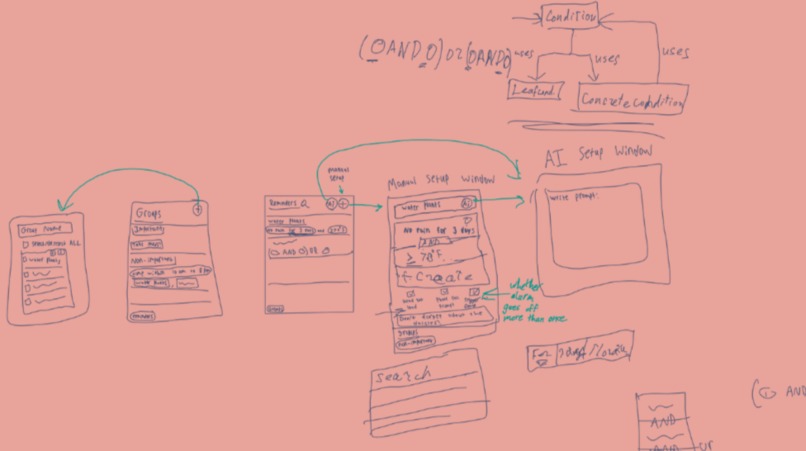
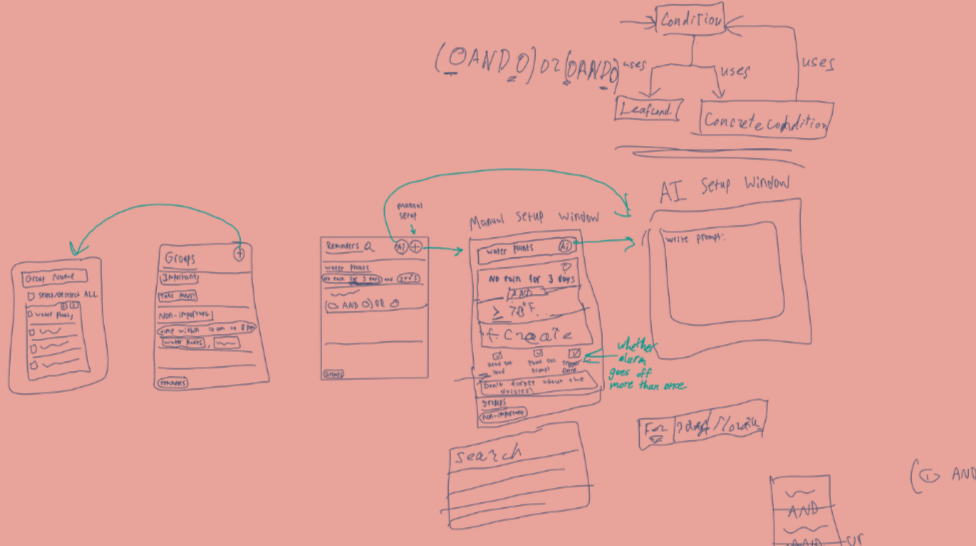
Rough Sketch
-
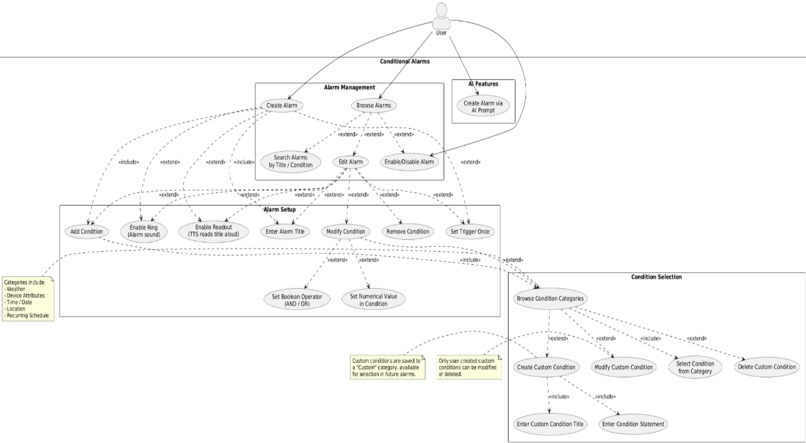
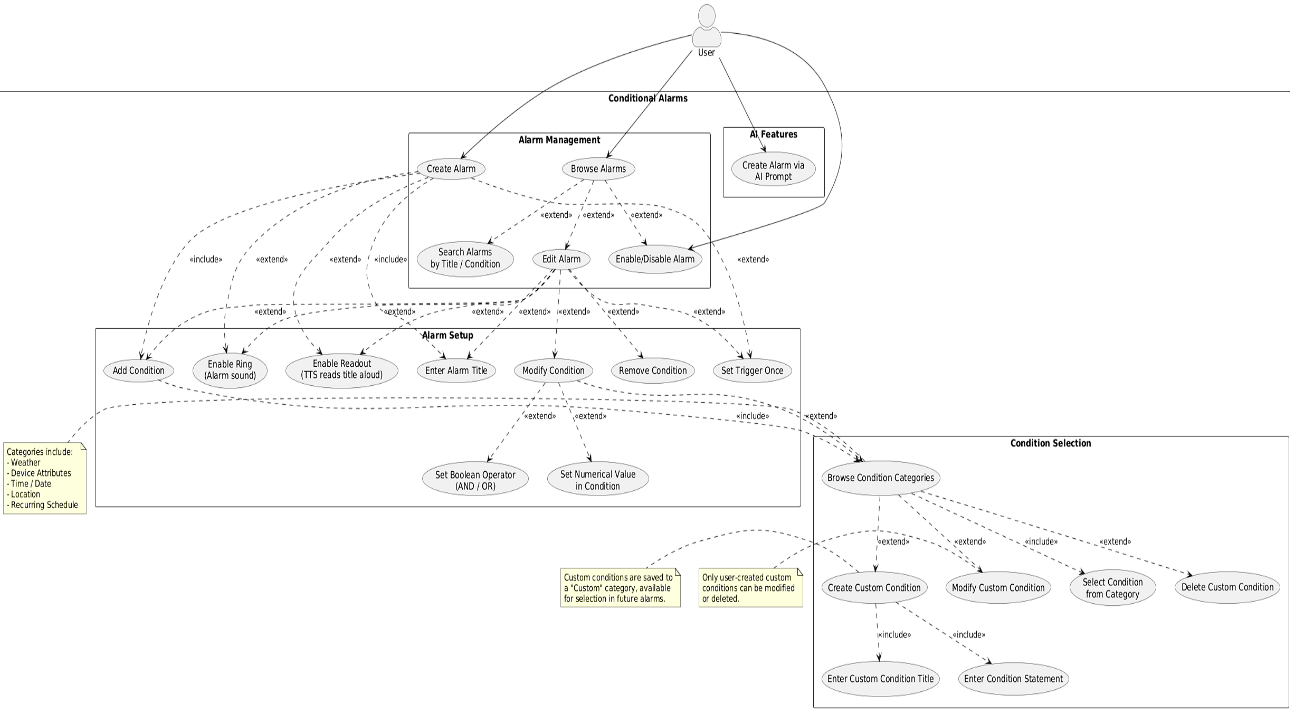
Use Case Diagram
Inspiration
The spark came from Ian, who is obsessed with having multiple alarms for his tasks. He always wanted the alarm app to be more customizable.
What it does
The app allows the user to set alarms that go off when specific conditions are met (When it stops raining, when arriving at a specific location, a combination of events with operators, etc.).
How we built it
We spent much of our time in the planning phase: creating drawings, use case diagrams, class diagrams and prototypes. Planning documentation was then used to guide AI tools to develop the app.
Challenges we ran into
Android development is very memory intensive, especially when running the emulator in the IDE, which limited who was able to work on tasks.
Accomplishments that we're proud of
We’re proud that our app communicates with internal-external APIs to obtain its data. We also really like how the UI looks.
What we learned
Investing extra time in planning put the project on a strong trajectory, though we had to weigh that against the risk of delaying development.
What's next for Eventually
More conditions! Also the inclusion of Groups, which would basically be folders that apply a set of conditions to the alarms in them (e.g. “unimportant” group could apply the condition “Before 10 pm” on all alarms in group to prevent alarms going off while trying to sleep).


Log in or sign up for Devpost to join the conversation.