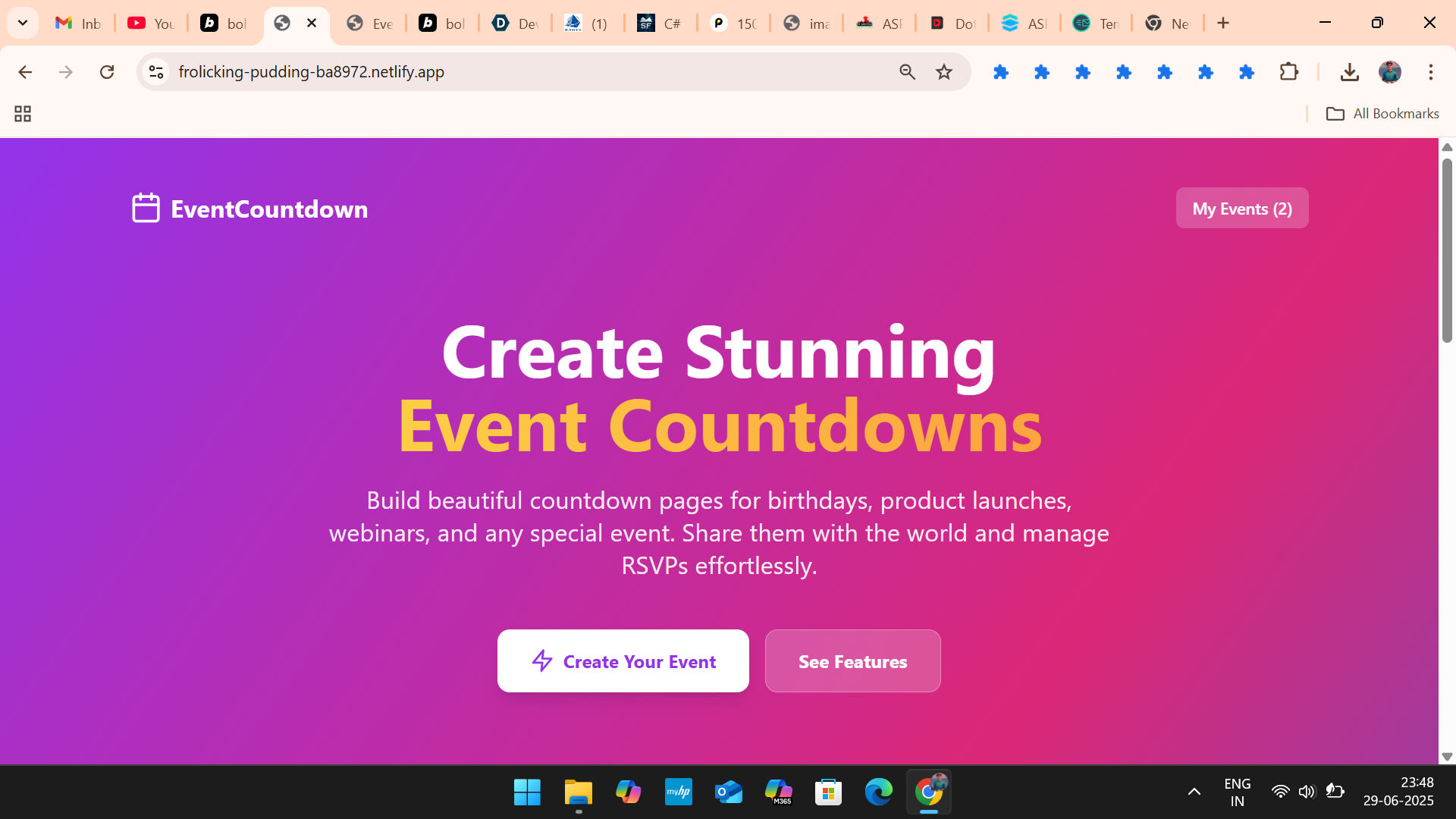
I. Introduction
- Problem: People struggle to create engaging event announcements, track attendance, and build excitement for upcoming events. Generic invites lack personality and often get lost.
- Solution: A user-friendly web application that generates visually appealing, customizable countdown pages with integrated RSVP management and easy sharing.
II. Core Features
- Event Creation:
- Intuitive form for entering event details (title, description, date, time, location, organizer, contact email).
- Selection of event types (birthday, launch, webinar, wedding, conference, other) for tailored presentation.
- Dynamic background gradient selection for visual customization.
- Real-time Countdown Display:
- Visually striking countdown timer (Days, Hours, Minutes, Seconds) that updates in real-time.
- Animated and responsive design for an engaging user experience.
- Shareable Event Pages:
- Unique URL generated for each event, allowing easy sharing across social media, messaging apps, etc.
- Built-in share functionality (Web Share API fallback to clipboard copy).
- RSVP Management:
- Integrated RSVP form on each event page for guests to confirm attendance (Attending, Not Attending, Maybe).
- Guests can provide their name, email, and an optional message.
- Organizer can view a list of all RSVPs, including their status and messages.
- Real-time count of "attending" guests displayed.
- Event Management (Organizer Dashboard):
- "My Events" list to view all created events.
- Ability to select and view individual event pages.
- Option to delete events.
- Persistent Storage:
- Events and RSVPs are saved locally in the browser's
localStorage, ensuring data persists across sessions.
- Events and RSVPs are saved locally in the browser's
III. User Experience & Design
- Modern UI: Clean, intuitive interface with a focus on aesthetics.
- Responsive Design: Optimized for seamless viewing across various devices (desktop, tablet, mobile).
- Visual Appeal: Utilizes vibrant gradient backgrounds and smooth transitions to create a premium feel.
- Iconography: Leverages Lucide React for clear and consistent visual cues.
IV. Technical Stack
- Frontend: React.js with TypeScript
- Styling: Tailwind CSS for rapid and utility-first styling.
- Build Tool: Vite for fast development and optimized builds.
- Icon Library: Lucide React.
- Local Storage: Browser's
localStoragefor data persistence.
Additional Information & Other Details
Problem Statement
In an increasingly digital world, personal and professional events often lack a centralized, engaging, and easy-to-manage presence. Existing solutions are either too complex, too expensive, or too generic, failing to capture the excitement and importance of special occasions. Organizers need a simple yet powerful tool to create a memorable digital footprint for their events and effectively gauge attendance.
Target Audience
- Individuals planning personal events (birthdays, weddings, anniversaries).
- Small businesses and entrepreneurs hosting launches, webinars, or workshops.
- Community organizers managing local gatherings.
- Anyone looking to create anticipation and manage attendance for an event without technical hassle.
Innovation & Uniqueness
- Simplicity Meets Style: EventCountdown combines a highly intuitive user interface with a visually stunning design, making it accessible to non-technical users while still looking professional.
- Integrated RSVP: Unlike many simple countdown timers, EventCountdown includes a robust RSVP system, providing organizers with valuable attendance insights directly on the event page.
- Shareability by Design: The core functionality revolves around generating unique, shareable URLs, making event promotion effortless.
- No Backend Required (for basic functionality): By leveraging
localStorage, the application offers core features without the need for complex server-side infrastructure, making it incredibly fast and easy to deploy.
Future Enhancements / Roadmap
- Cloud Persistence: Implement a backend (e.g., Supabase, Firebase) for cloud storage of events and RSVPs, enabling cross-device access and more robust data management.
- Customization Options: Allow users to upload custom background images, choose from more font options, and select different countdown display styles.
- Notifications: Add email or calendar integration for event reminders.
- Analytics: Provide organizers with basic analytics on page views and RSVP trends.
- Event Categories & Search: Enhance event discovery with categories and search functionality for public events.
- Payment Integration: For paid events, integrate a payment gateway (e.g., Stripe) for ticket sales.
- User Accounts: Implement user authentication to manage multiple events under one account.
What We Learned
Developing EventCountdown reinforced the importance of a clean user experience and the power of modern frontend frameworks to deliver rich, interactive applications without heavy backend dependencies. We focused on creating a delightful user journey from event creation to sharing and RSVP management.
Setup Instructions (for judges/evaluators)
- Clone the repository.
- Install dependencies:
npm install - Run the development server:
npm run dev - Access the application in your browser at
http://localhost:5173.
Built With
- react
- typescript
- vite


Log in or sign up for Devpost to join the conversation.