-
-
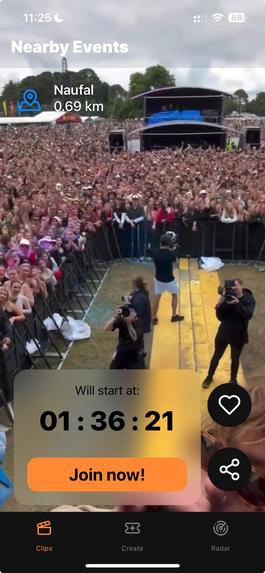
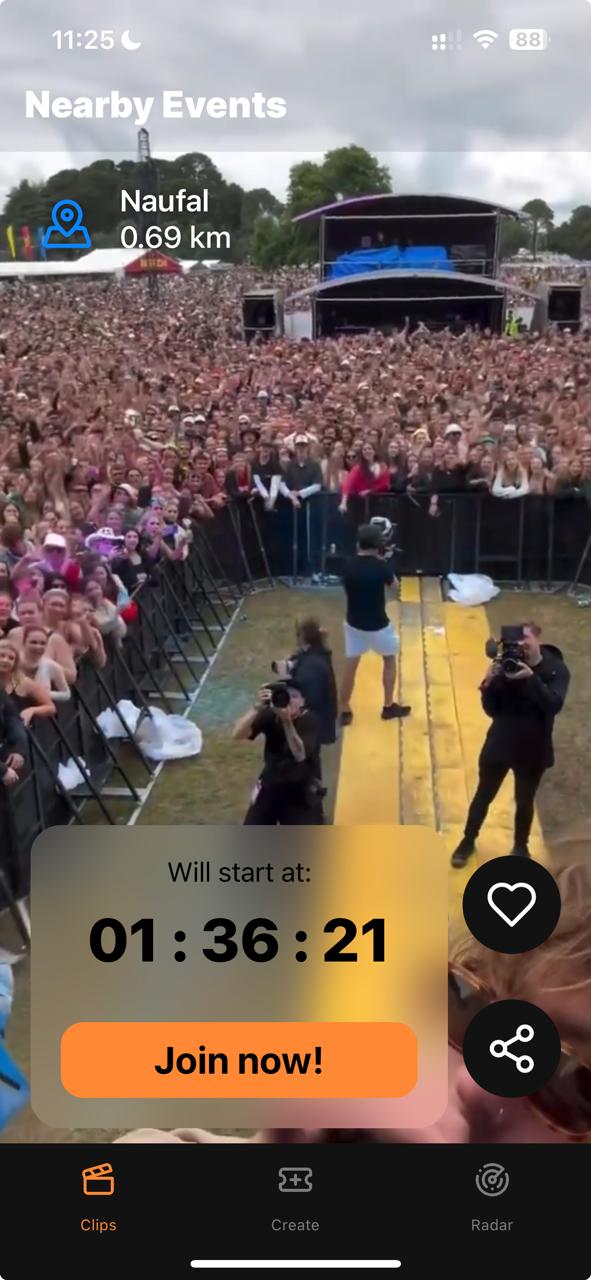
Clips Feed
-
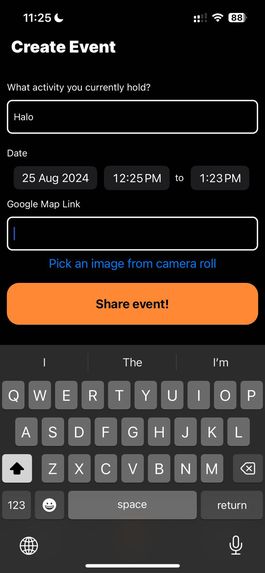
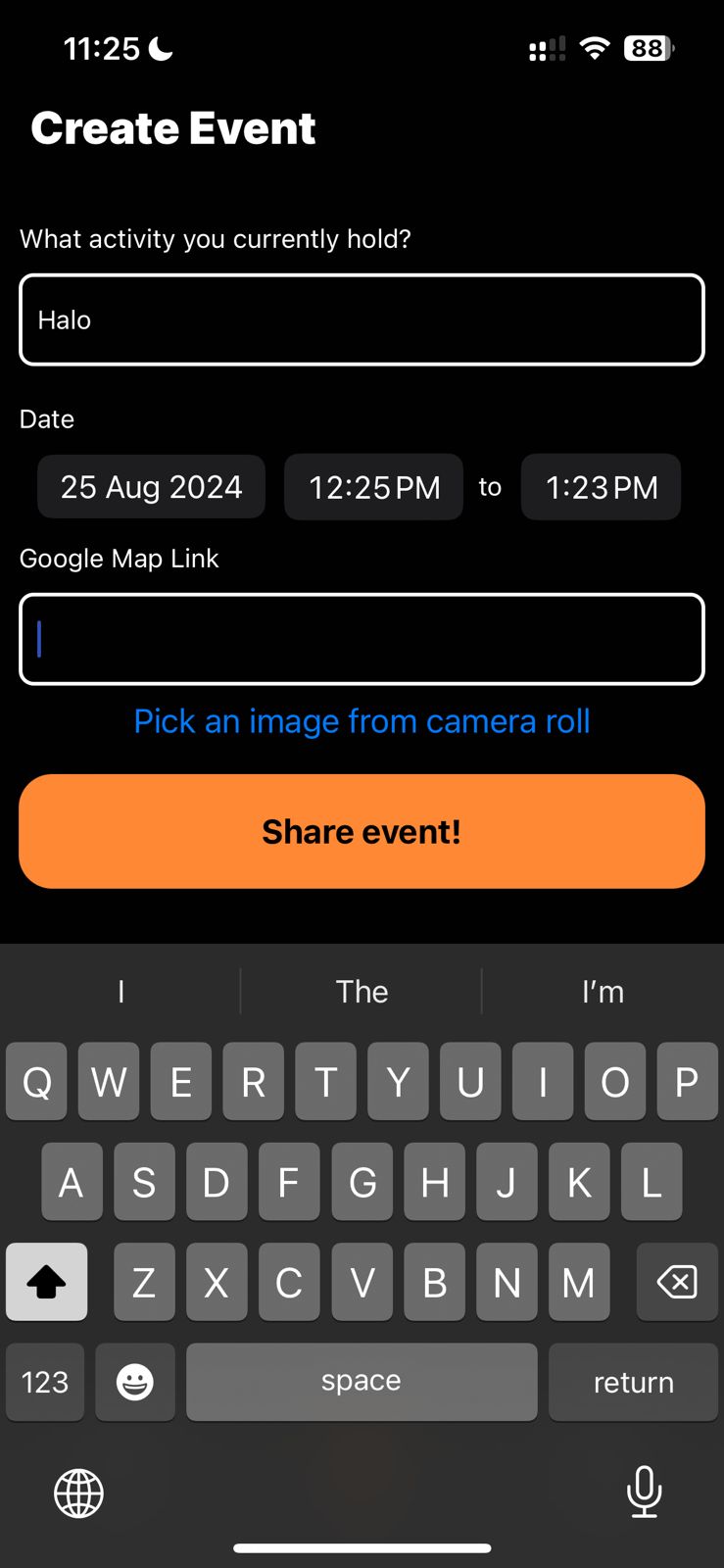
Create Clips
-
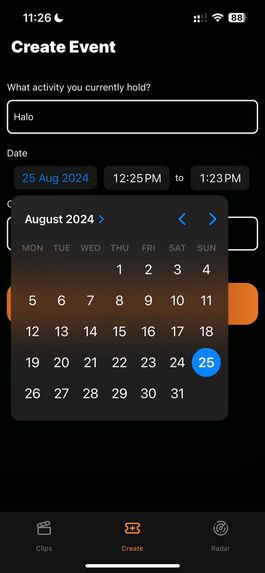
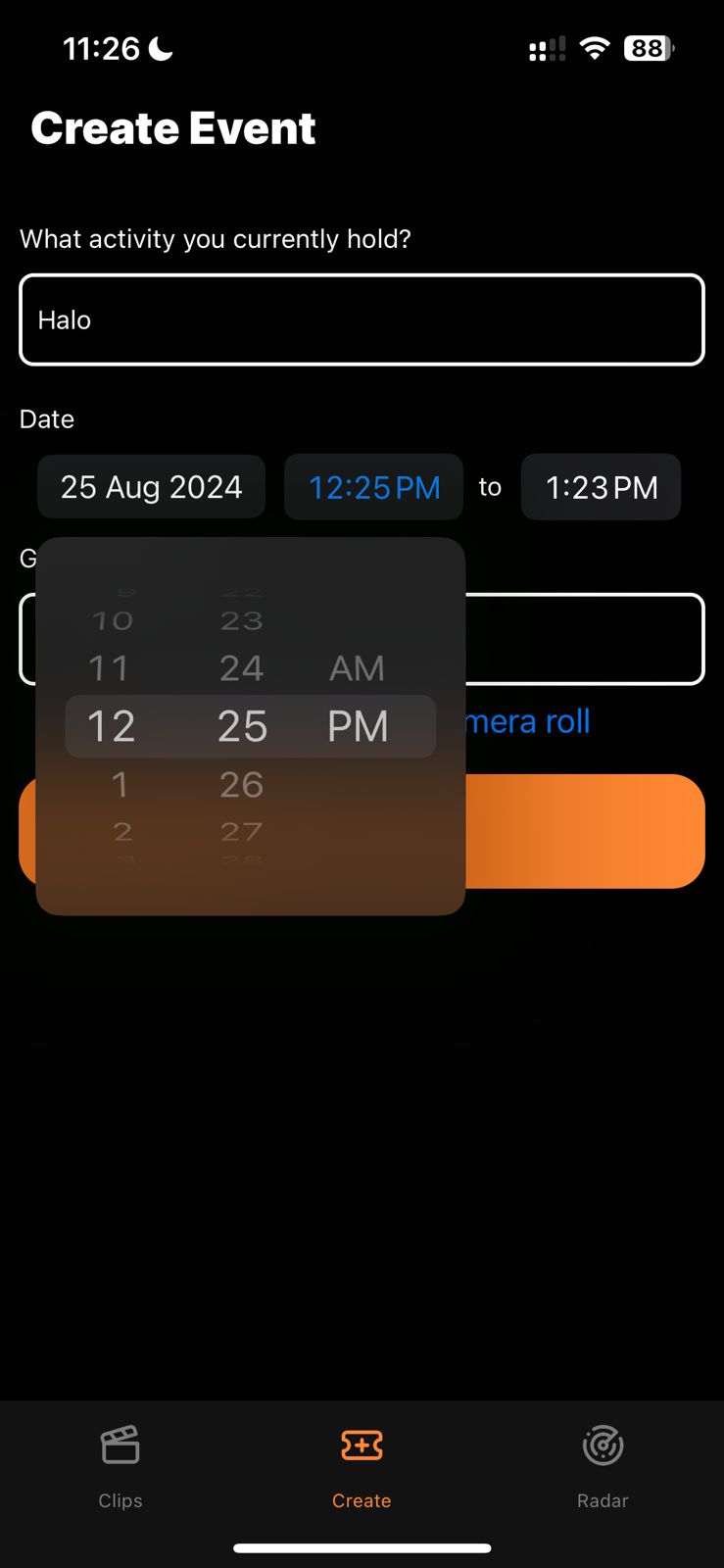
Select Date
-
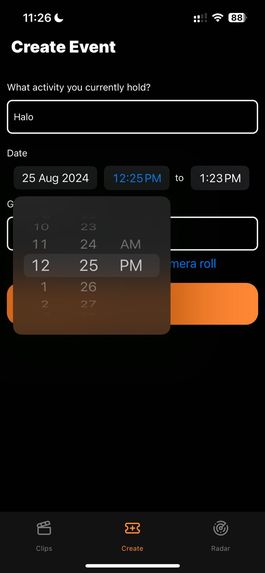
Select Time
-
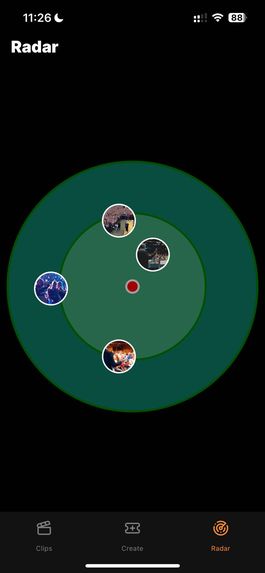
Radar

Inspiration
As an event goer, looking for nearby events can be time-consuming. We have to actively search it up, shift through the many websites with filler text for the information we really want, and if you’re lucky the website will include a hyperlink to the location of the event, if not then you’ll probably have to manually type it in a maps application to search it up.
As an event organizer, especially a small one, competing with big, more popular events that might be around you for that first few internet search results is a really tough thing to do. People might not even know you’re holding an event to begin with, even if both events are not on the same day or week due to how much promotion is being funneled into the bigger ones.
What it does
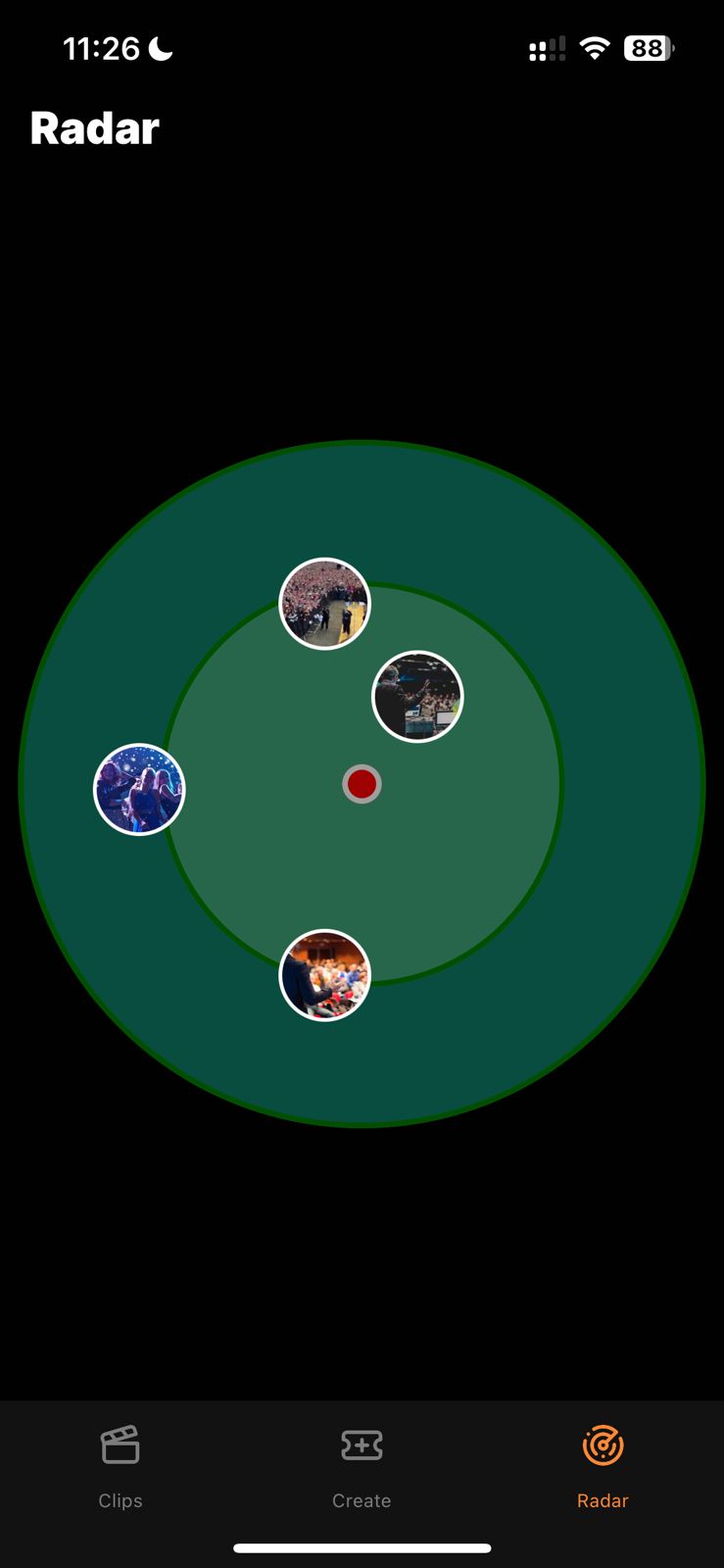
“Event Radar” is a mobile app that connects users with local events within a set km radius, currently set to 3 km around their current location. Event Radar features 3 pages, an event clips feed where users can take a sneak peak into events via teaser videos of the event, a radar page where users can see what events are near them, and a submission page where organizers can upload their event to the radar.
How we built it
First, we chose our tech stack. We decided that using React Native is the best option for this project, because our main user will be using mobile. This React Native app connects to a backend that is written using Next.JS.
After we formulated the idea and prototype, we created a git repo to facilitate our collaboration needs and version history. We then started to build the app from screen to screen, and facilitate the backend endpoint as needed.
Here is the breakdown of the process to create each pages:
Clips page: we start by building a video playback feature with the control and overlay. This video screen is then connected to the backend using GET request, the backend then connects to our Turso SQLite database.
Create page: We start by defining the form functions, ranging from the text input for the event name, creating date picker for event details, and implementing the method to grab video from the user’s phone. This details then be transmitted via POST request to the backend, and the backend will insert these details to the SQLite database
Radar: We start by getting data of nearby events, then we plot those nearby events into points inside the radar screen. In each point, we define the navigation process to respond to user clicks that can redirect into a specific post that the user clicked. We also created some animations on this page.
Challenges we ran into
Among the many, some that stood out were; accessing photos/videos from the local device and managing them in our database, resolving github repository conflicts, indecision in choosing our tech stack, which lead to basically learning react-native and how to create an app in 24 hours.
Accomplishments that we're proud of
Snap scroll function of our clips feed with functional autoplay and pause, defining our first SQLite schema hosted in Turso, implementing all the confusing plug-ins to finally create a a functional early stage prototype.
What we learned
How to host an application, how confusing it is to manage video submissions, how to recreate the tiktok/instagram/youtube shorts snap scroll feature, using multiple different api’s in react-native, retrieving data from SQlite using drizzle orm, using react-native was a wrong choice, just use next.js next time ;).
And most importantly, NEVER GIVE UP!
What's next for Event Radar
Reworking Video Submission and Radar Page, adding a search and filter feature for events, completing the follow and share functionality, adding push notifications, implementing algorithms, having an adjustable radar, and implementing drop-in pins for event posting convenience.
Built With
- nextjs
- react
- react-native
- sqlite
- turso


Log in or sign up for Devpost to join the conversation.