Inspiration
Every organization runs on processes - yet most of those processes exist only in people's heads. When someone asks "how does this actually work?", the answer is usually a screen recording, a screen share, or "let me show you." The knowledge is locked inside video files that nobody has time to turn into structured documentation.
This matters more than ever. The world is moving toward AI agents that can operate software autonomously, toward digital transformation that requires understanding what people actually do before it can be improved. But you can't digitalize what you can't describe. You can't hand a process to an AI agent if that process isn't documented in a structured, machine-readable way.
What it does
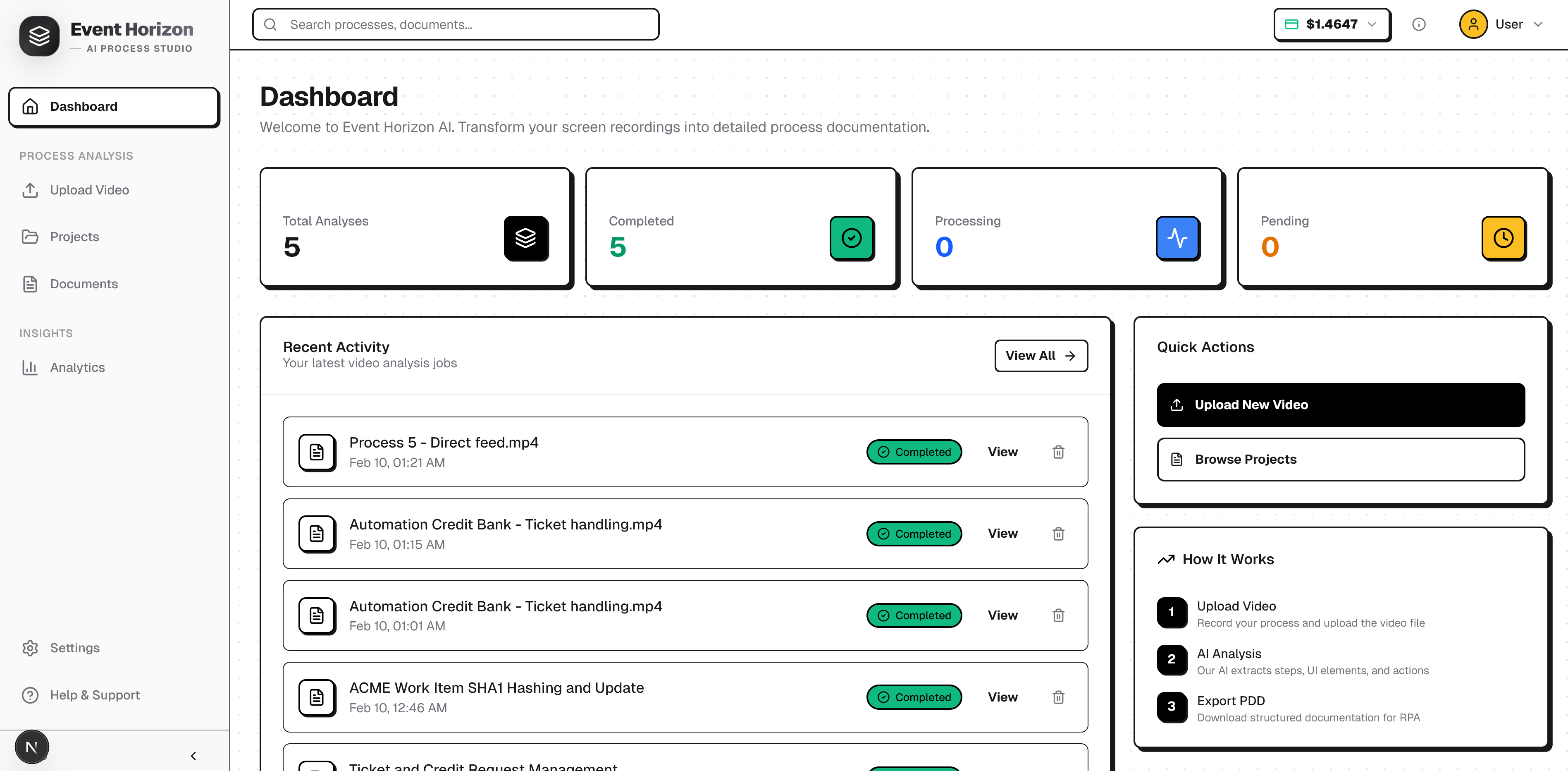
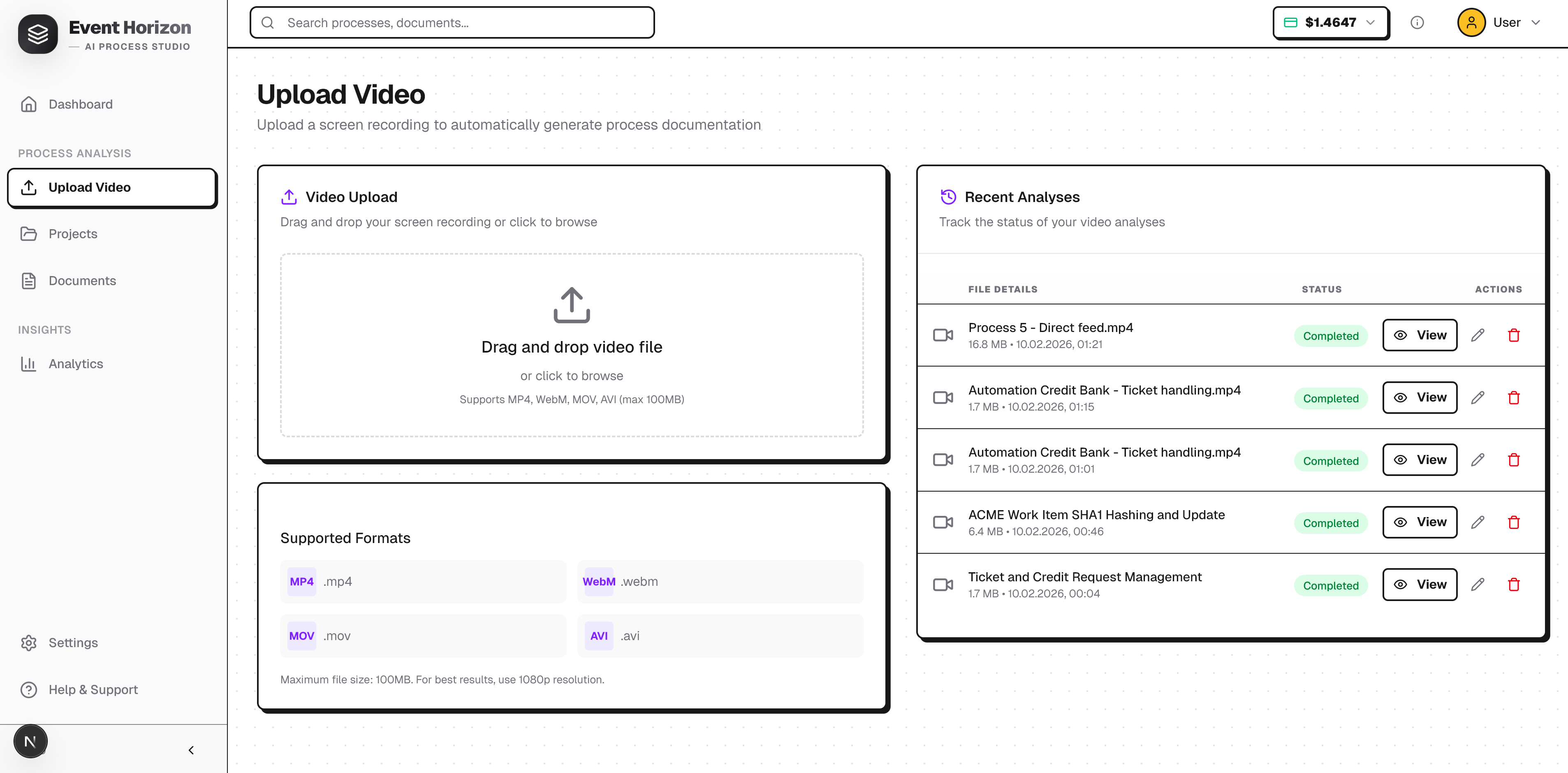
Event Horizon AI takes a screen recording of any business process and produces a complete, structured Process Design Document (PDD) - a machine-readable blueprint that humans can review and AI agents can act on.
Video to PDD is an intelligent application that transforms screen recordings into detailed Process Design Documents (PDD) using Google Gemini models. It analyzes video content to identify user actions, UI elements, and business rules, generating structured documentation and flowcharts suitable for RPA (Robotic Process Automation) and process mapping.
Upload a video. Get back:
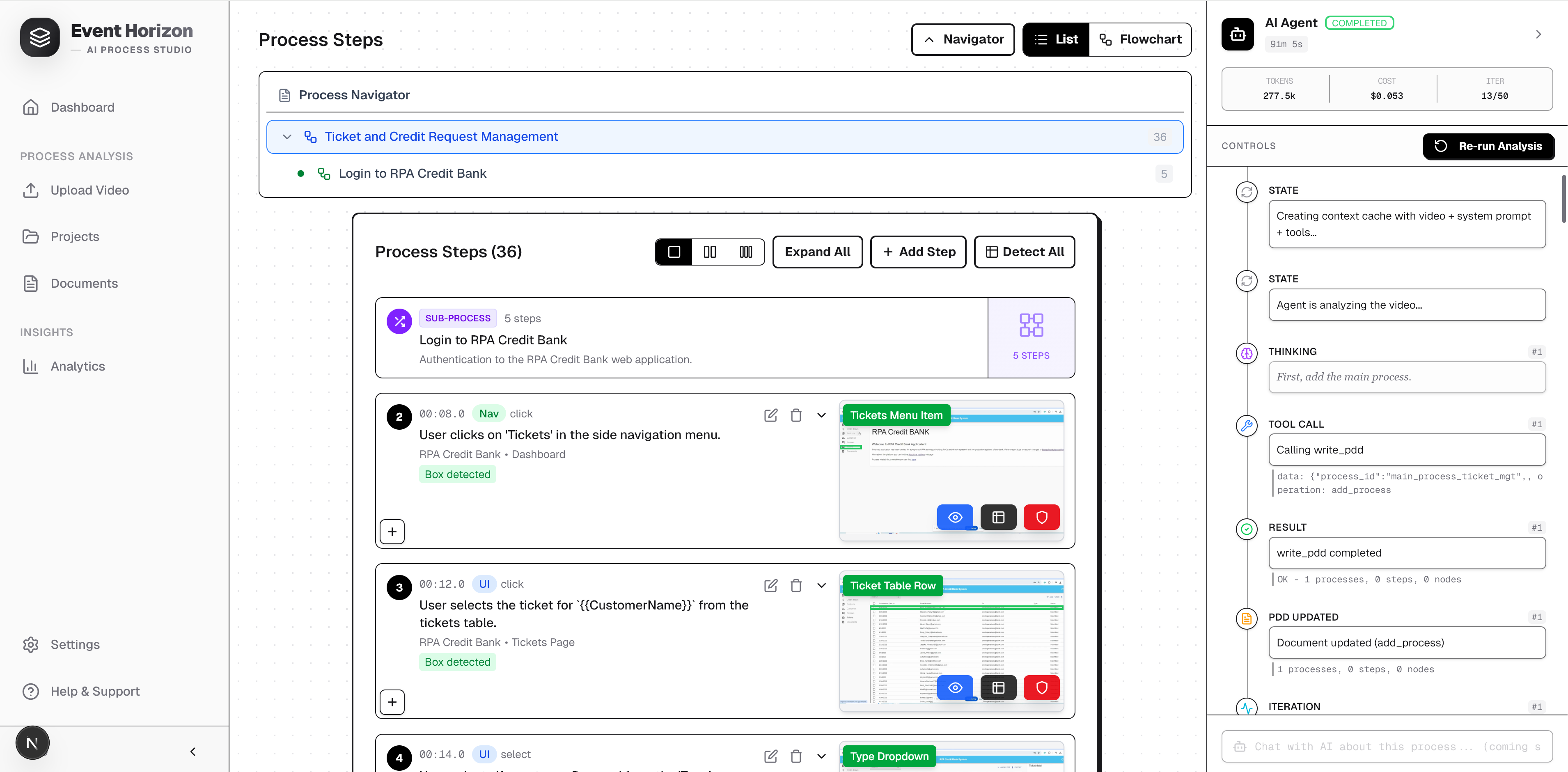
- Step-by-step documentation - every user action and system response, timestamped to the exact moment in the video (format:
MM:SS.s) - Interactive flowcharts - auto-generated process diagrams with 8 node types (start, end, action, decision, switch, merge, subprocess, loop_back), rendered with React Flow
- UI element identification - for each step, the specific element interacted with: its type (out of 37 categories), its screen region (9-zone grid), and its identifiers (XPath, CSS class, accessibility label)
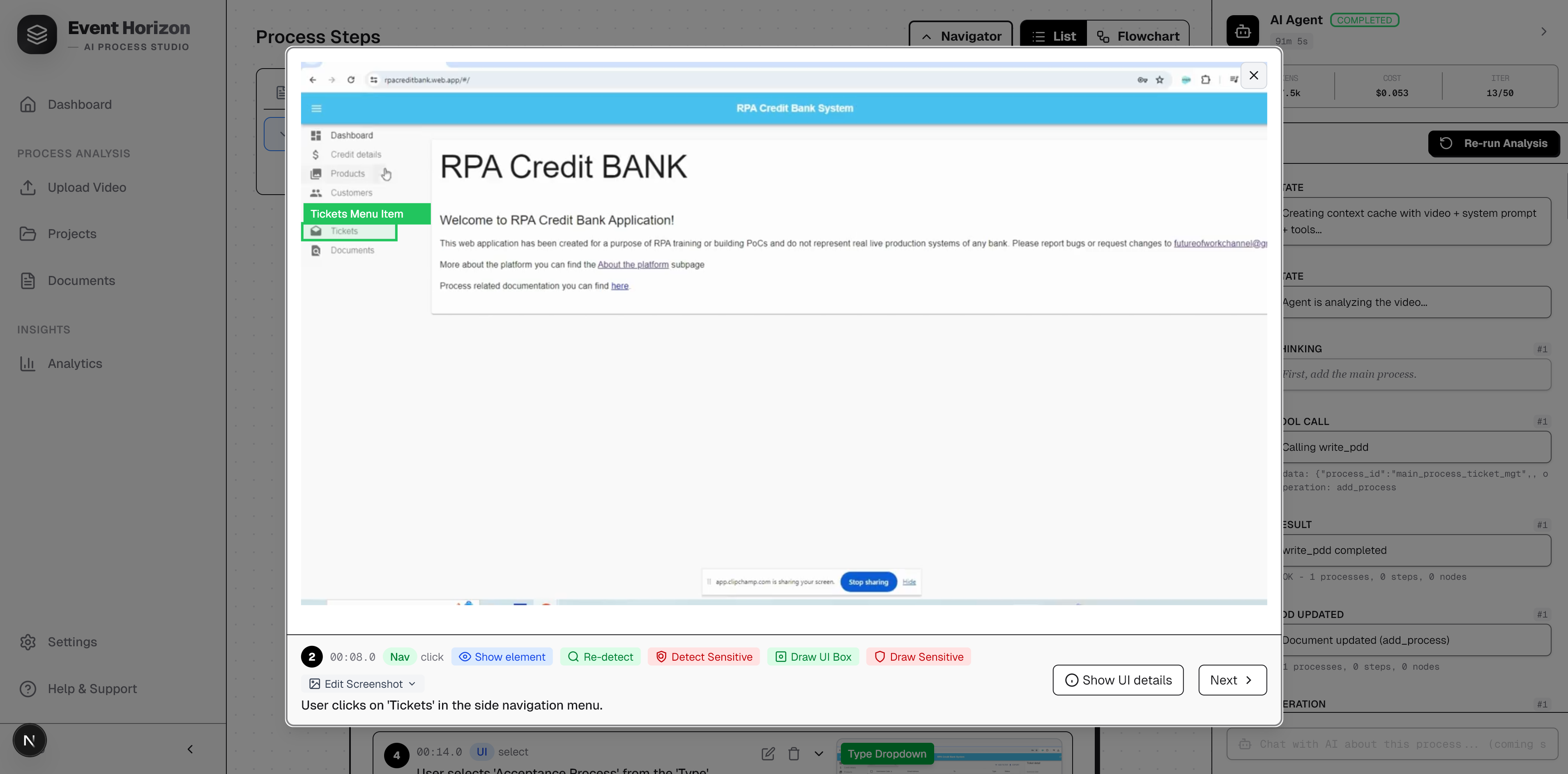
- Bounding box overlays - AI-powered spatial detection that draws a box around the exact UI element in each screenshot, using Gemini's
box_2dcoordinate system (normalized 0-1000 scale) - Sensitive data masking - automatic detection of passwords, PII, credit card numbers, SSNs with visual masking and
is_sensitiveflags - Data mapping - what data flows through each step, its type, source, and whether it needs secure handling
- Variable standardization - specific business values replaced with generic
{{VariableName}}placeholders, making the documentation reusable and environment-agnostic - Process hierarchy - complex processes decomposed into nested subprocesses up to 5 levels deep
How we built it
Instead of asking Gemini to produce the entire document in one shot, we built an autonomous ReAct (Reason + Act) agent loop - the same pattern used by Gemini CLI.
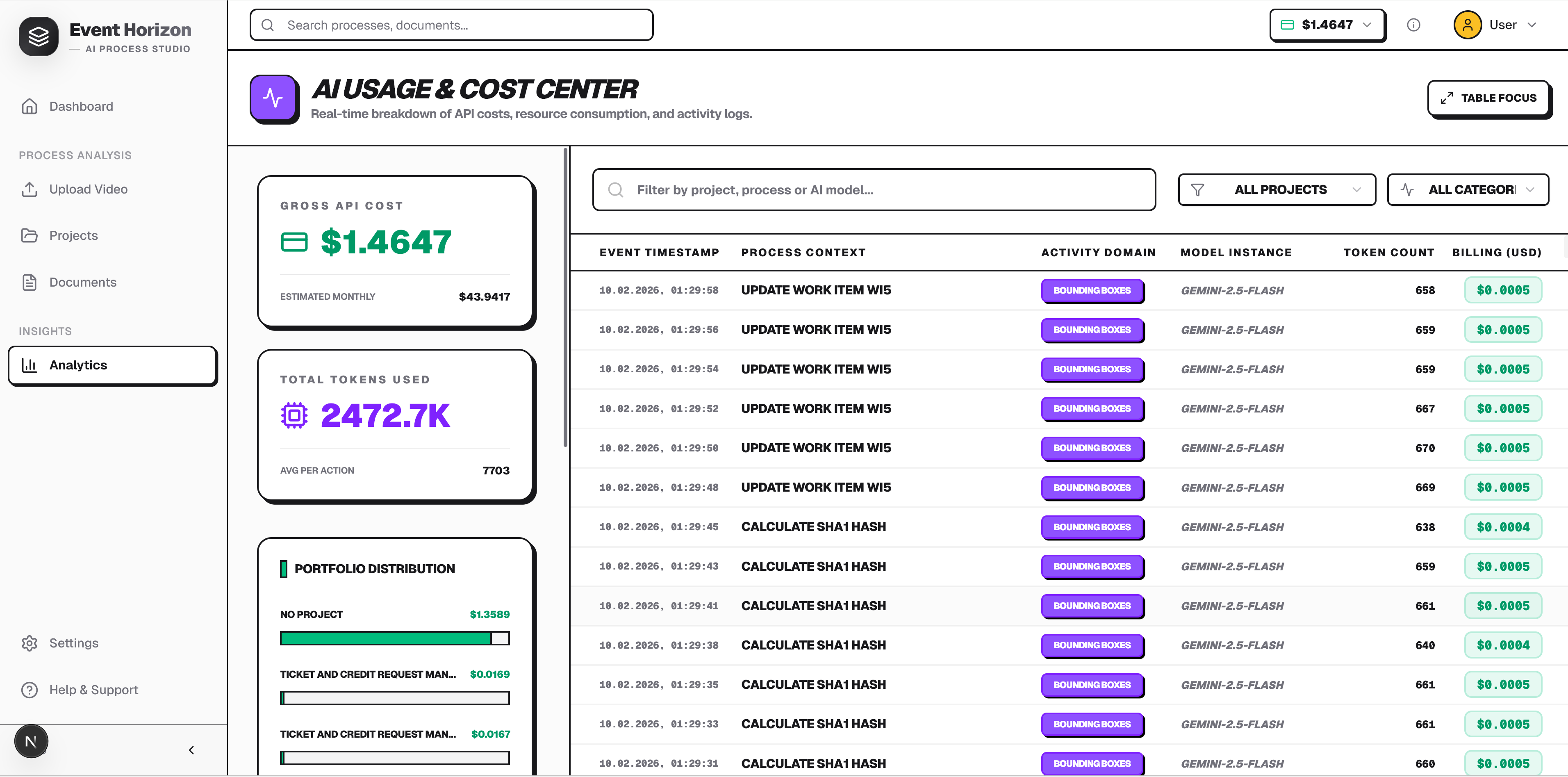
Context Caching - The video (100K-500K tokens), system prompt, and tool declarations are cached once. Each iteration only sends the conversation history (~1-2K tokens). This reduces input costs by 75%: Function Calling - Two tools declared with full parameter schemas:
read_pdd(section, process_id)- read back the document being builtwrite_pdd(operation, process_id, data)- add processes, steps, flowcharts incrementally
Thinking Mode Control - Enabled (default) for the reasoning agent, but explicitly disabled (thinkingBudget: 0) for spatial tasks (bounding box detection, sensitive data detection), where thinking actually degrades spatial accuracy.
Challenges we ran into
Complex processes with 30+ steps, nested subprocesses, and detailed flowcharts can exceed maxOutputTokens: 65536. The single-pass approach would silently truncate the JSON, producing invalid output. This was the primary motivation for the ReAct agent architecture - each tool call writes a small piece, so no single response needs to contain the entire document.
After the PDD is generated, a separate pipeline runs per screenshot:
- Bounding box detection: Gemini receives the screenshot (resized to max 640px per Google's recommendation) + context about the target UI element. Returns
box_2d: [ymin, xmin, ymax, xmax]in 0-1000 normalized coordinates. Temperature set to 0 for deterministic results. - Sensitive data detection: Same spatial approach but returns multiple boxes with confidence scores.
- Overlay generation: Jimp draws green boxes for normal elements, red boxes for sensitive data, with labels.
Accomplishments that we're proud of
Building an autonomous agent that watches a video and incrementally constructs a structured document through tool calls - the same architectural pattern as Gemini CLI - felt like science fiction a year ago. Today it runs in production, with real-time event streaming to a web UI, pause/resume, and cost tracking. Watching the Agent Panel as Gemini reasons through a video frame by frame, calls write_pdd to add steps, then read_pdd to verify its own work - it genuinely feels like watching an AI analyst at work.
What we learned
Agents > single-pass for complex tasks. The ReAct loop consistently produces better documents than single-pass generation. The ability to self-review (via read_pdd) and iterate means the agent catches its own mistakes. The architecture mirrors Gemini CLI for a reason - it works.
What's next for Event Horizon - AI Process Analysts
- Chat Interface - Conversational interaction with the agent: "Add a step between 3 and 4 where the user validates the email format" or "What happens if the login fails?"
- Structured Export Formats - Direct export to workflow definition formats (BPMN 2.0, UiPath
.xaml, Automation Anywhere.bot) so the documentation flows directly into execution platforms - Multi-Language - PDD generation in Polish, Spanish, German, and Japanese (the prompt handles this naturally with Gemini's multilingual capabilities)
- Chrome Extension - Record processes directly in the browser with one click, upload automatically
GITHUB LINK: https://github.com/futureofworktraining/Event-Horizon
Built With
- convex
- ffmpeg
- gemini
- javascript
- next
- react

Log in or sign up for Devpost to join the conversation.