-
-
EVE Icon
-
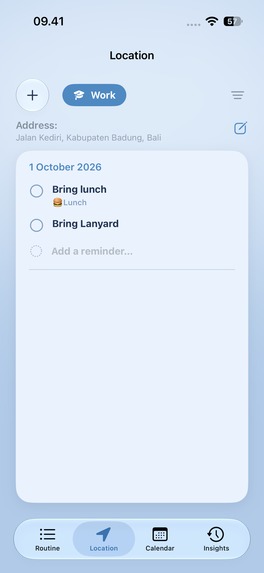
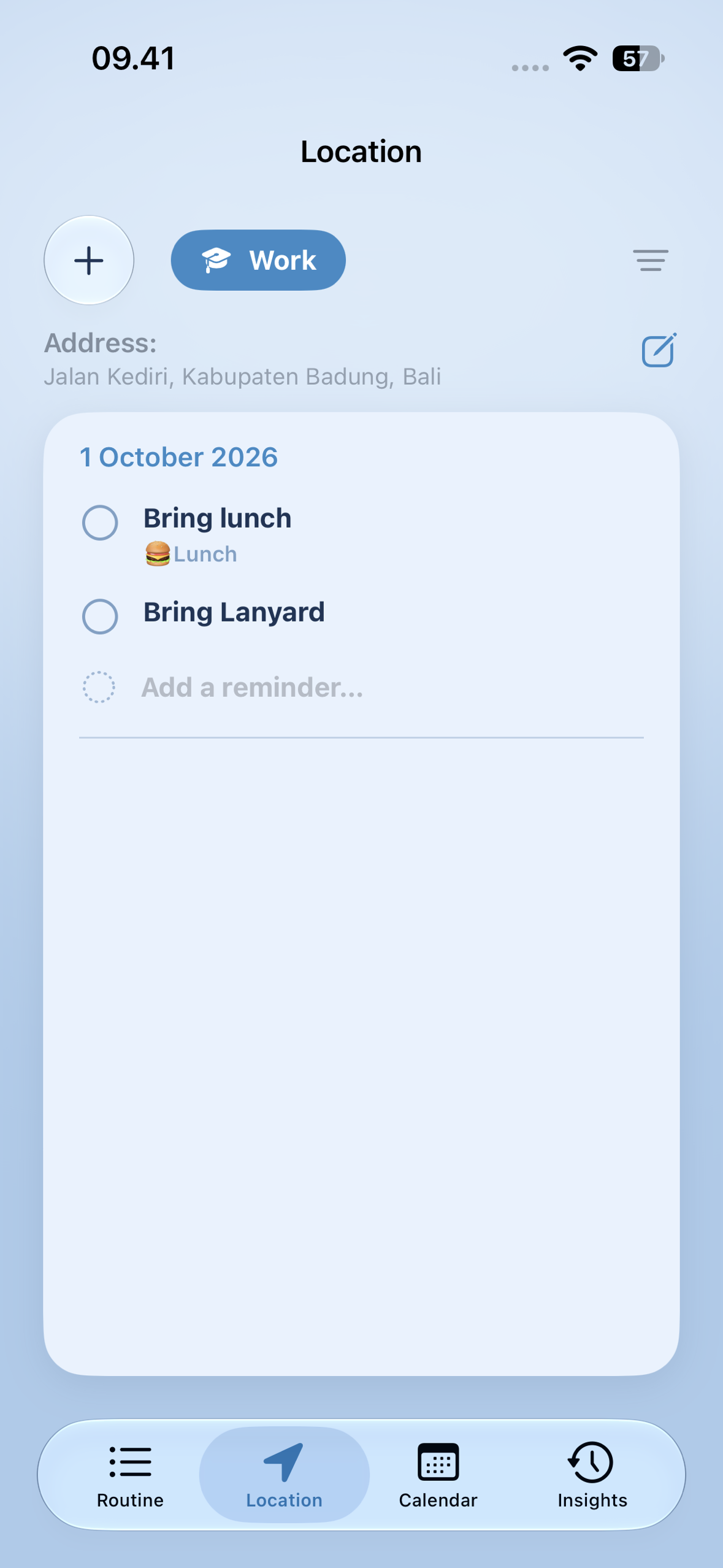
Location View
-
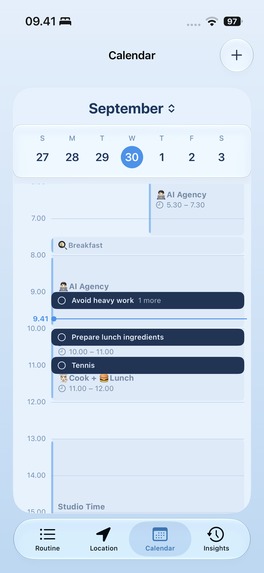
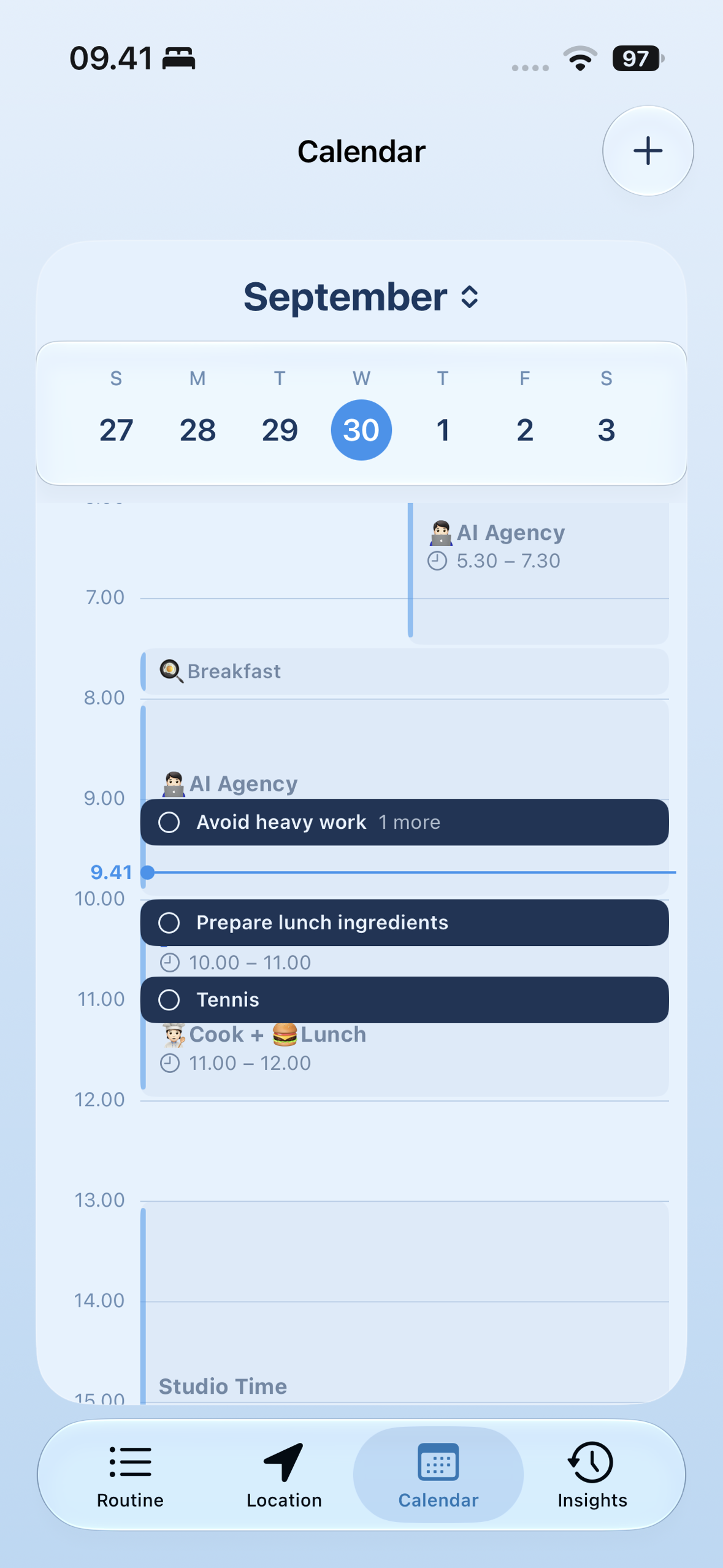
Calendar View
-
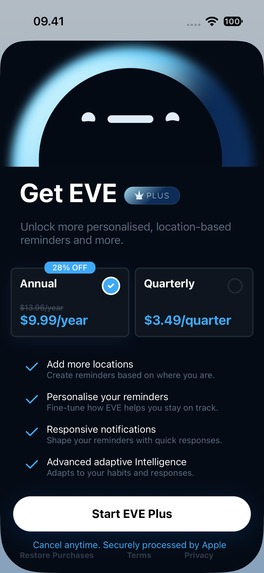
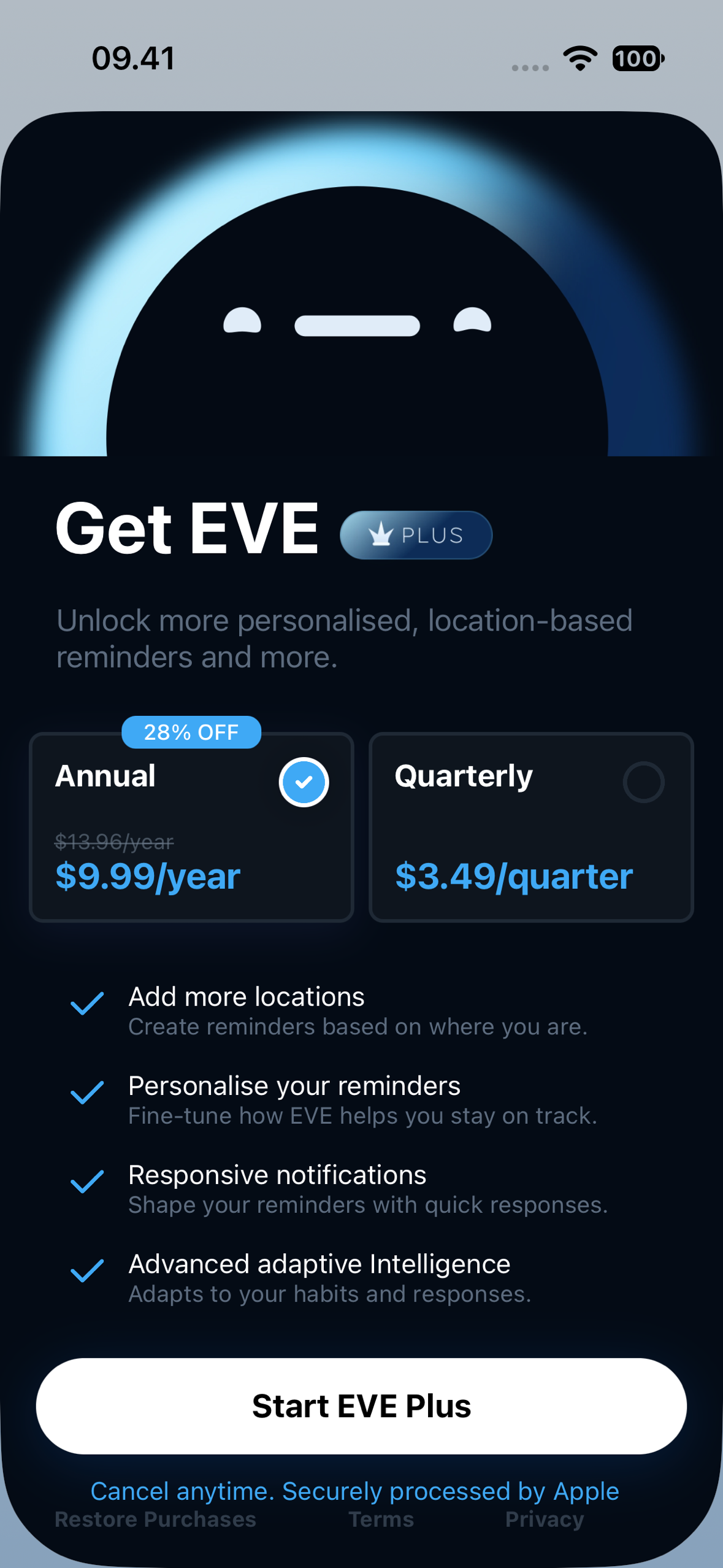
Paywall View
-
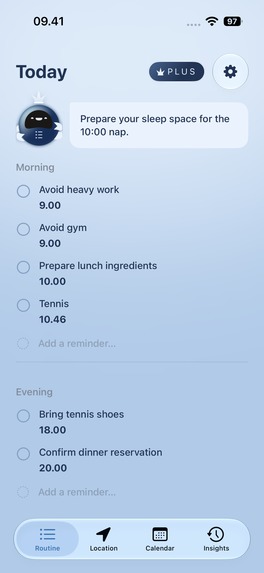
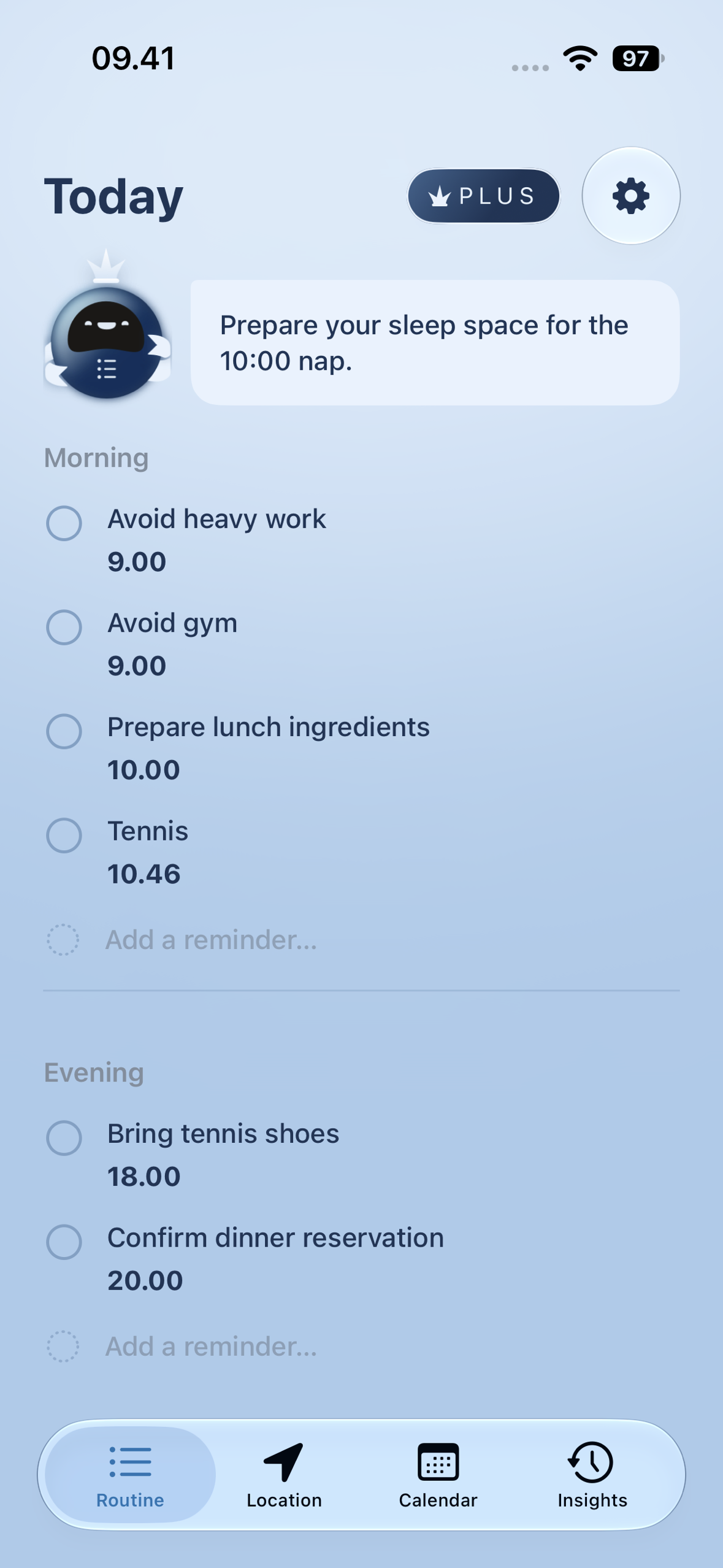
Home
-
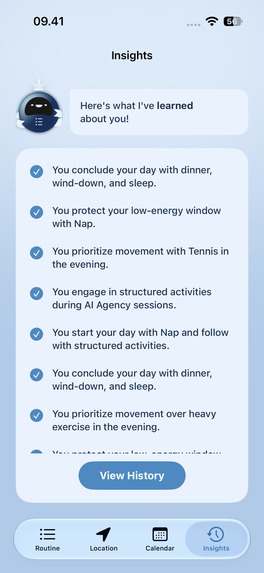
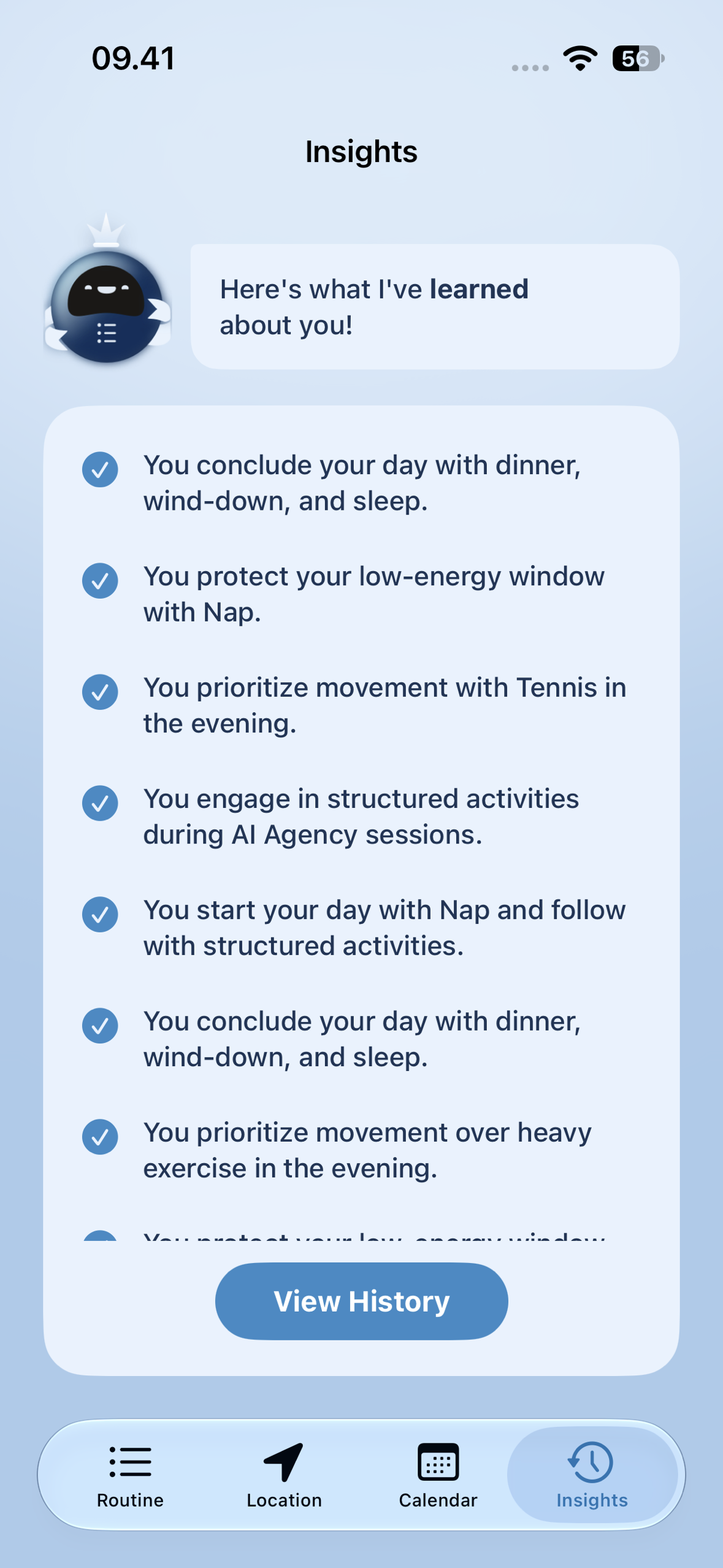
Insights View
Inspiration
Fixed-time reminders fail exactly the people who need them most. If you struggle with prospective memory (remembering to do something later), a notification that fires at 6:00 PM every day turns into noise you swipe away without reading.
EVE is built for micro-reminders: your keys as you walk out the door, your earphones before the gym, your charger before a long day, your medication after breakfast. Each one is tiny, easy to forget, and only useful at the right moment. Remind someone about their keys an hour too early and they'll still leave without them.
Who it's for
People with ADHD and executive dysfunction first, and anyone who forgets small, time-sensitive tasks. That audience shaped every design choice: one clear action per screen, tap-based feedback instead of typing, and a calm interface with little visual load.
What it does
EVE runs one loop: learn the routine → detect the right moment → nudge → learn from the response.
- Learns from your calendar. During onboarding, EVE reads your calendar and uses Apple's on-device Foundation Models to learn patterns in your week. It then asks a few yes/no questions about your own events to fill in what the calendar can't say.
- Prepares you for what's coming. For each calendar event, EVE writes a few concrete prep items (things to bring, prepare, or check) and schedules them an hour before the event. Today's reminders appear on the Home screen, grouped by part of the day.
- Tells you what matters now. A suggestion bubble on Home shows the single most useful thing to do next, and refreshes when your location, your reminders, or the time changes.
- Knows where you are. Pin reminders to saved places and choose whether they fire when you arrive or when you leave.
- Learns from your response. Notifications offer one-tap feedback (Done, Too Early, Too Late) that tunes when future reminders fire.
- Shows its work. The Insights screen lists what EVE believes about your routine, in plain sentences you can edit or delete.
How it makes money: EVE Plus, through RevenueCat
The free tier keeps the core benefit (adaptive reminders, on-device privacy, feedback), because the people EVE is for shouldn't hit a wall before it helps them. EVE Plus is for people who want EVE more deeply in their life:
- Unlimited saved places (free accounts keep one). Tapping + at the limit opens the paywall, and the add flow picks up where it left off after the purchase.
- Personalized prep. Each event's prep list draws on what EVE has learned about you: your confirmed answers, your insights, and what you actually did before similar events.
- Contextual learning questions. Before an upcoming event, EVE deduces what you might need ("Gym coming up. Should I remind you to bring your gloves?") and asks. Your answers make the next reminder better.
Pricing is set in the RevenueCat dashboard: Annual $9.99/year or Quarterly
$3.49/quarter. EVE gates every feature on the eve_pro entitlement, never on a product ID,
so pricing can change without an app release. The paywall is RevenueCat-hosted and laid out
from the dashboard. Settings shows membership status, Restore Purchases, and RevenueCat's
Customer Center for subscribers. Entitlement changes arrive through RevenueCat's customer-info
stream, so a purchase unlocks Plus immediately, with no relaunch.
What makes it different
- Private by design. All AI reasoning runs on-device with Apple's Foundation Models. Calendar events, locations, learned routines, and history never leave the phone. The only network traffic is RevenueCat's, keyed to an anonymous user ID.
- Grounded, not guessed. A small on-device model will invent things if you let it. Every prep item and suggestion is checked against the context it was built from, and anything that names something absent from your calendar or notes is dropped before you see it.
- Safe with other people's text. Anyone who sends you a calendar invite controls that text. EVE marks it as data, not instructions, before it reaches the model, and strips those markers from everything the model returns.
- Timing that adapts. EVE doesn't ship a fixed schedule. It moves reminders based on your calendar, where you are, and how you respond.
Award category
Next Gen Award (students). We're a team of five at the Apple Developer Academy.
How we built it
SwiftUI and SwiftData on iOS 26.2+, with Apple's Foundation Models as the reasoning core.
We chose not to add any third-party model or cloud AI, so everything we learned would be about
Apple's frameworks. EventKit supplies the calendar, CoreLocation the arrivals and
departures, UserNotifications the nudges and one-tap feedback, and Natural Language
keeps non-English text out of prompts the model can't handle reliably. RevenueCat
(purchases-ios-spm) powers EVE Plus: offerings, the hosted paywall, purchase, restore, the
entitlement, and Customer Center. All of it lives behind one SubscriptionService, the only
file that talks to Purchases.
The model is stateless, so SwiftData is EVE's long-term memory. Every prompt is assembled from it: upcoming events, confirmed answers, learned insights, and past behavior.
Challenges we ran into
- A 4096-token window. The on-device model's context is small. We had to budget every prompt: cap event notes, rank what to include, and keep each call to one job. Asking one call to write a notification and extract beliefs made it store the notification as a "fact" about the user.
- Hallucination. Early prep lists invented rooms, items, and locations. We moved from "please don't invent things" in the prompt to a deterministic grounding gate in code.
- Prompt injection through the calendar. Calendar text isn't ours, so we added delimiting on the way in and cleanup on the way out, and gave the model no tools. An injection can poison data but can't do anything.
- Monetizing an accessibility app ethically. We decided what Plus sells so the free app is still genuinely useful to the person who needs it most.
Accomplishments we're proud of
A working end-to-end loop on a real iPhone: the calendar is learned, reminders are prepared, nudges fire, feedback is recorded, and a RevenueCat purchase unlocks Plus instantly. It all runs on-device except the purchase.
What we learned
On-device AI is a design constraint, not only a technical one. The smaller the model, the more the product has to do: structured output, deterministic checks, and prompts with one job each. We also learned to gate on entitlements, not products, and to let the dashboard own pricing and the paywall.
What's next for EVE
- A production App Store build (the current build uses RevenueCat's Test Store).
- More languages; EVE is English-only today.
- User testing with more people with ADHD, and tuning the timing model on real feedback.
Built With
- apple-intelligence
- core-location
- eventkit
- foundation-models
- ios
- llm
- mapkit
- natural-language
- on-device-ai
- revenuecat
- storekit
- swift
- swiftdata
- swiftui
- usernotifications
- xcode

Log in or sign up for Devpost to join the conversation.