-
-
Cover
-
-
-
-
-
-
-
-
-
-
Inspiration
Teams that run their work in ClickUp still live in Slack all day. Basic connectors between the two already exist, but they mostly handle one-way traffic — a notification when something changes, a quick task created from a message. The moment someone needs to actually work a task — check a checklist, see who's overloaded, move something to the next stage — they're still context-switching out of the conversation and into another tab. Small updates like "mark this done," "who's got this," or "what's overdue" become a five-click detour instead of a five-second glance.
I wanted to close that gap: not another notification bridge, but a second full surface for ClickUp work that lives inside Slack itself.
What it does
Eve is a Slack agent that brings full ClickUp task management directly into Slack — not just notifications and quick-create, but the actual work: reassigning, reprioritizing, checklists, subtasks, comments, and a live visual board, all without leaving the conversation.
Inside Slack
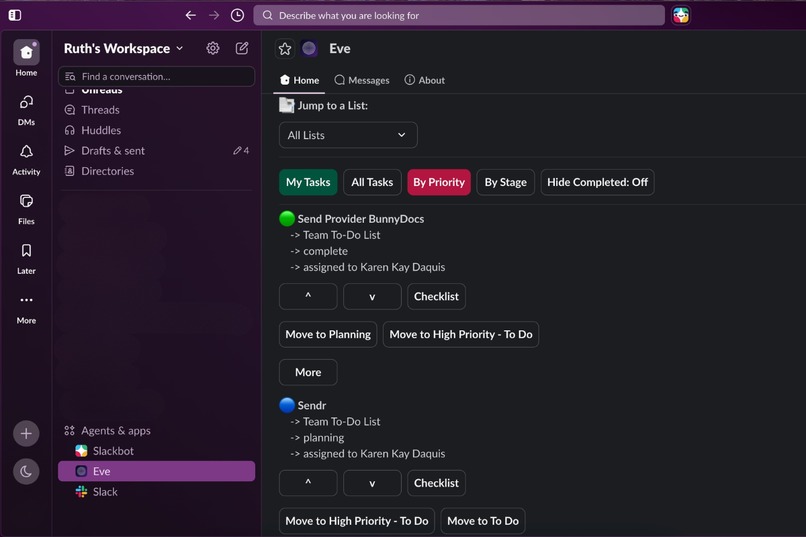
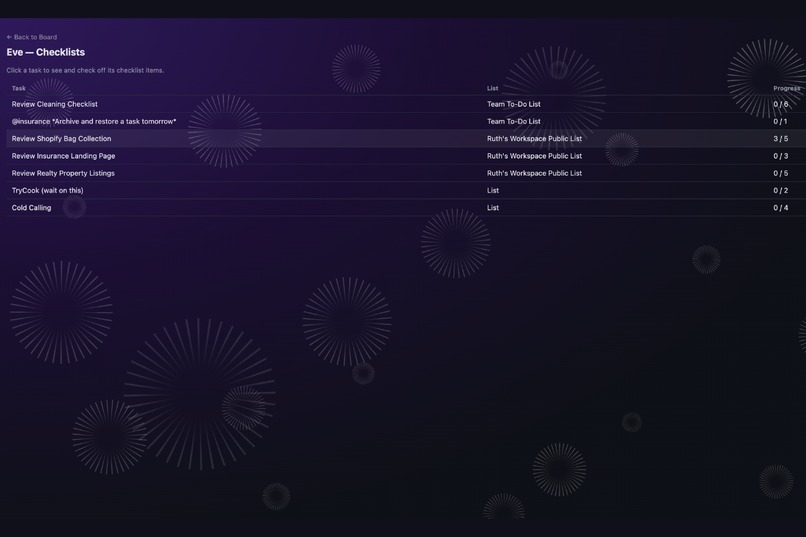
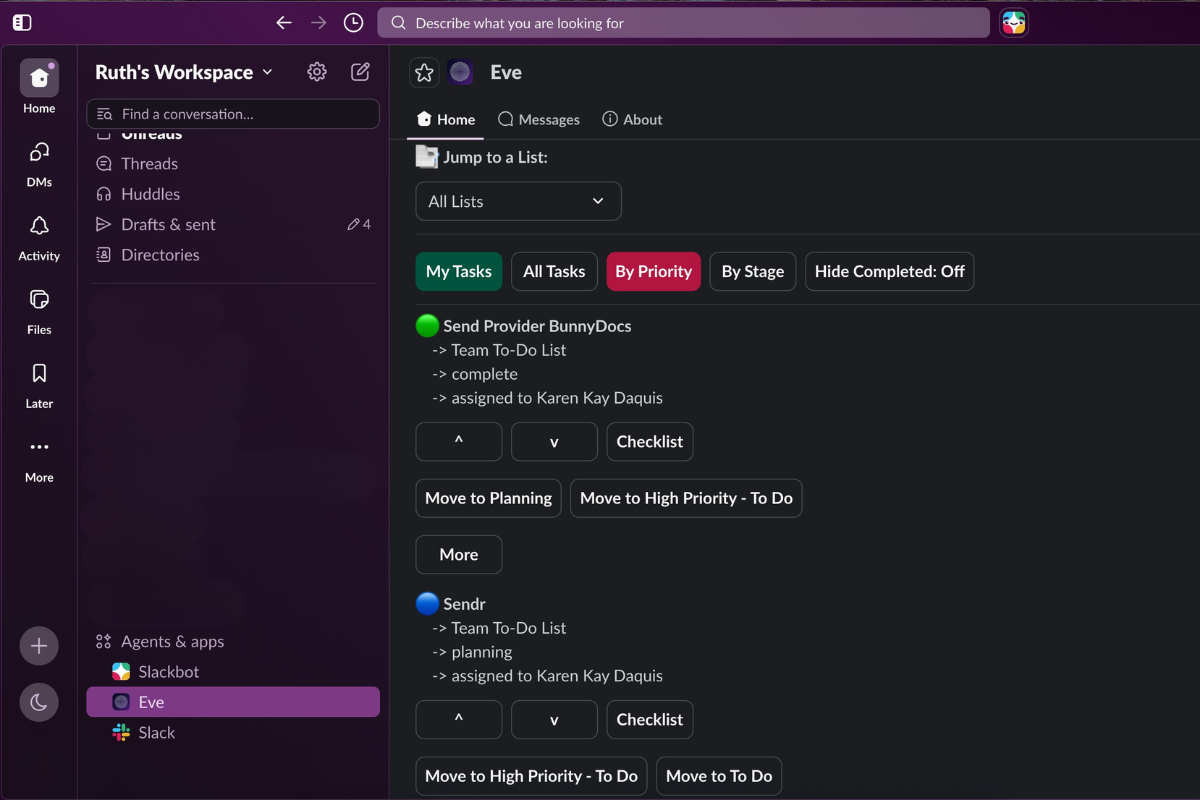
- Home tab — a live view of your tasks, sortable by priority or stage, with inline controls to reassign, reprioritize, rename, and manage subtasks/checklists without opening ClickUp
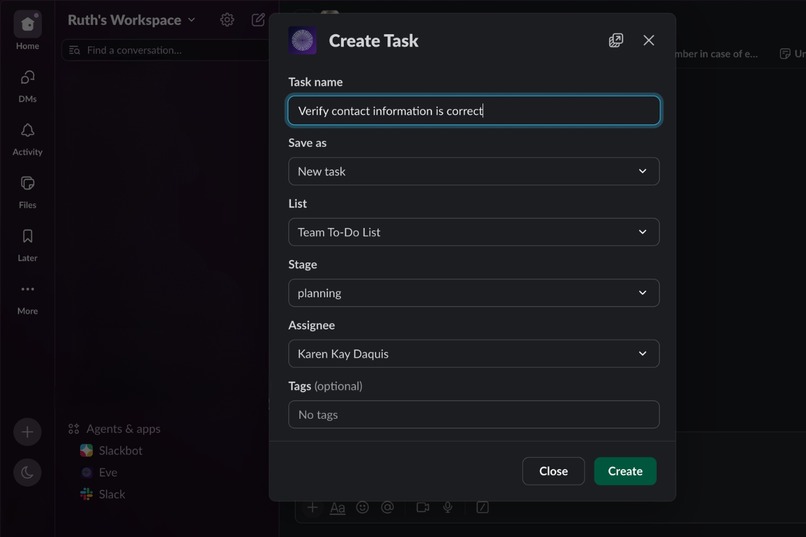
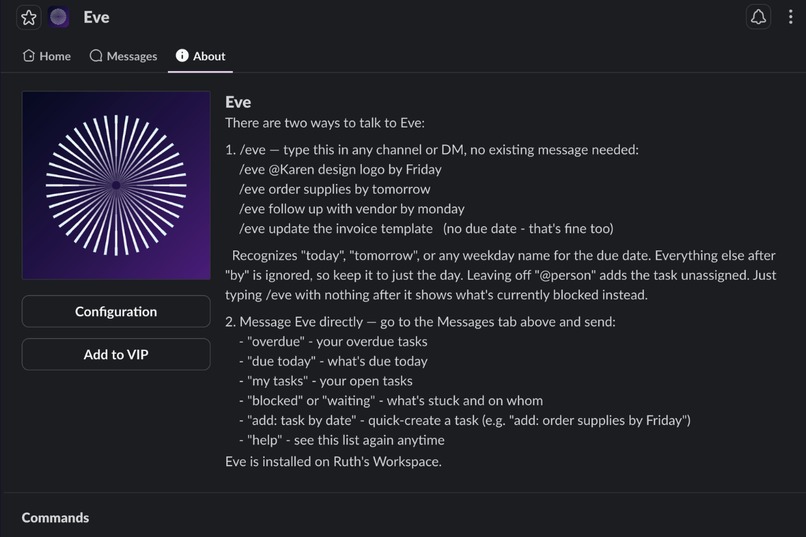
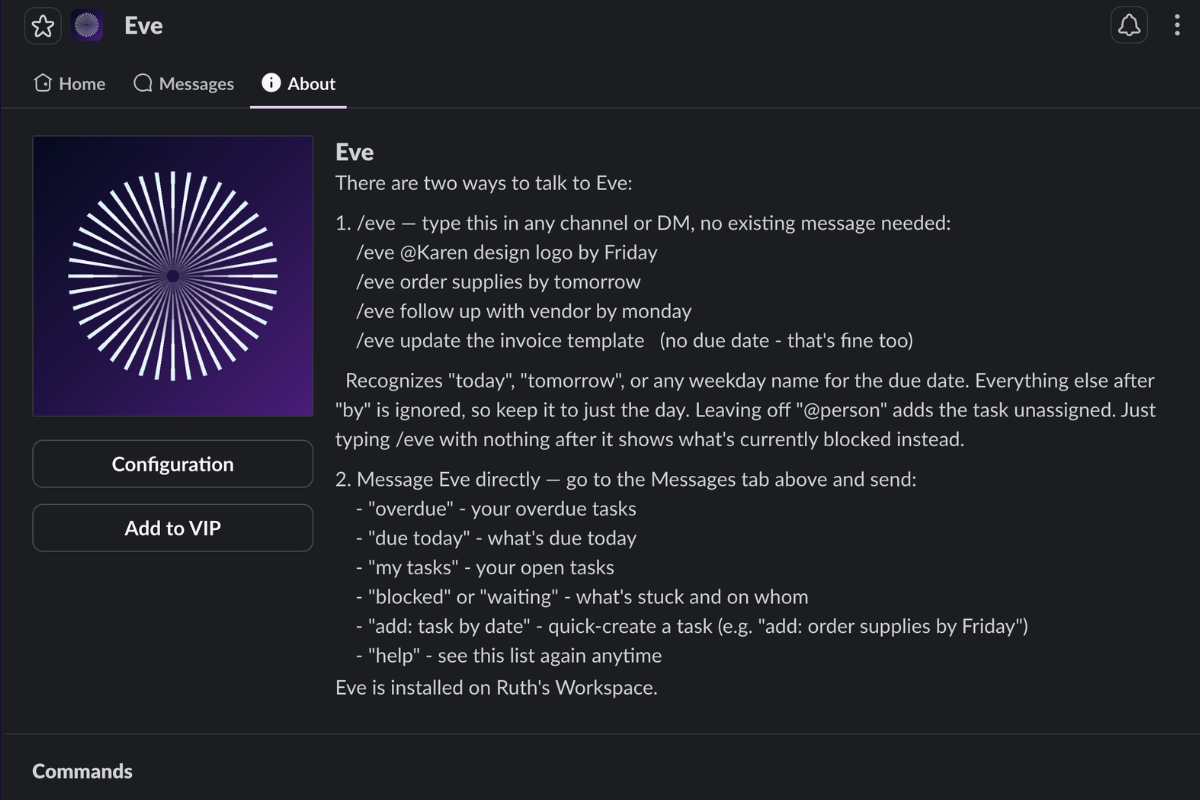
- /eve slash command — quick task creation from anywhere in Slack, with natural due-date parsing ("today," "tomorrow," or any weekday)
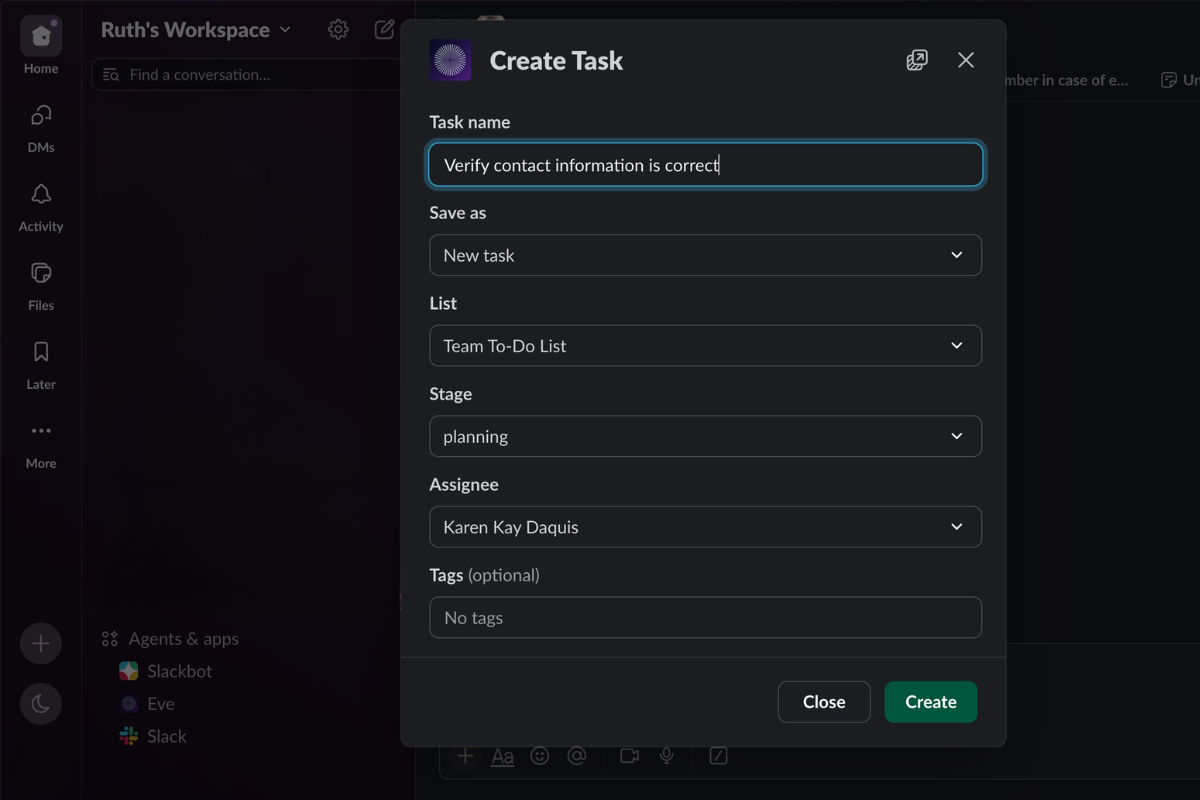
- "Save to Eve" message shortcut — turn any Slack message into a ClickUp task in two clicks, pre-filled from the message content
- Plain DM quick-add — message Eve directly to quick-create a task or check overdue/blocked items
- Real-time notifications — Eve DMs the right people the moment a task changes in ClickUp: new tasks, (re)assignments, comments, @mentions, and deletions
- Admin controls — priority/assignment changes and task deletion are gated behind admin/manager permission, with Slack's native confirm-before-delete prompts
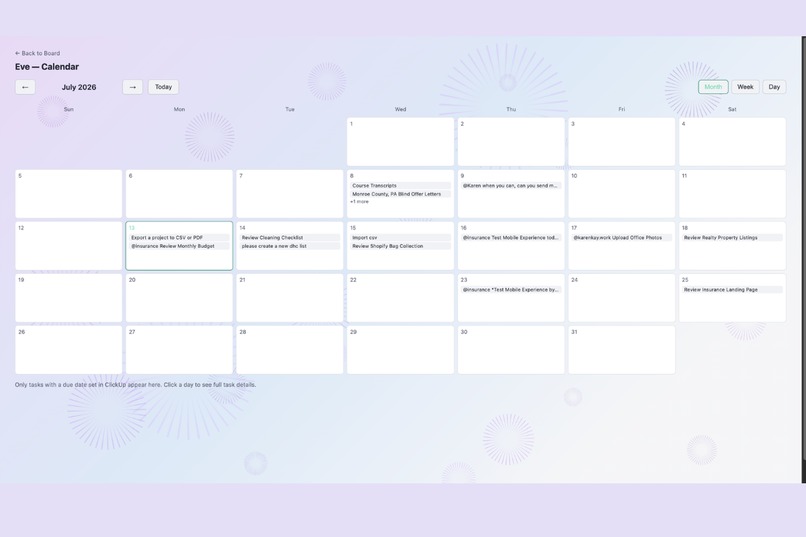
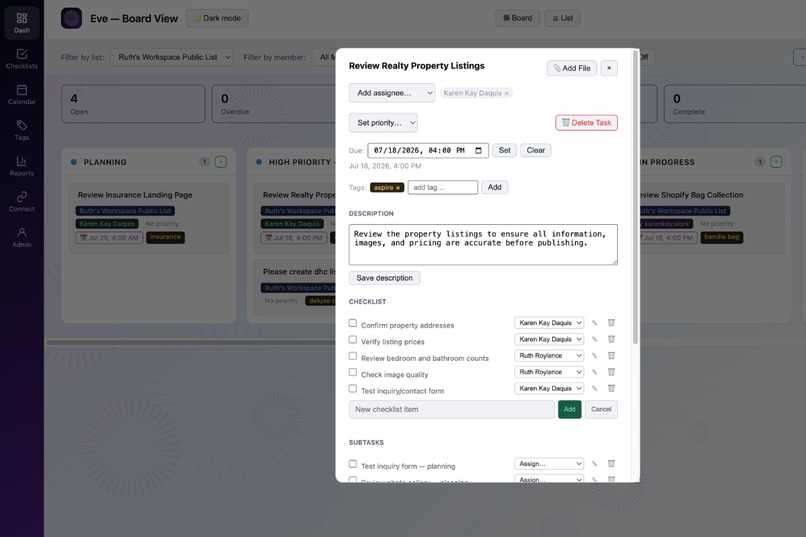
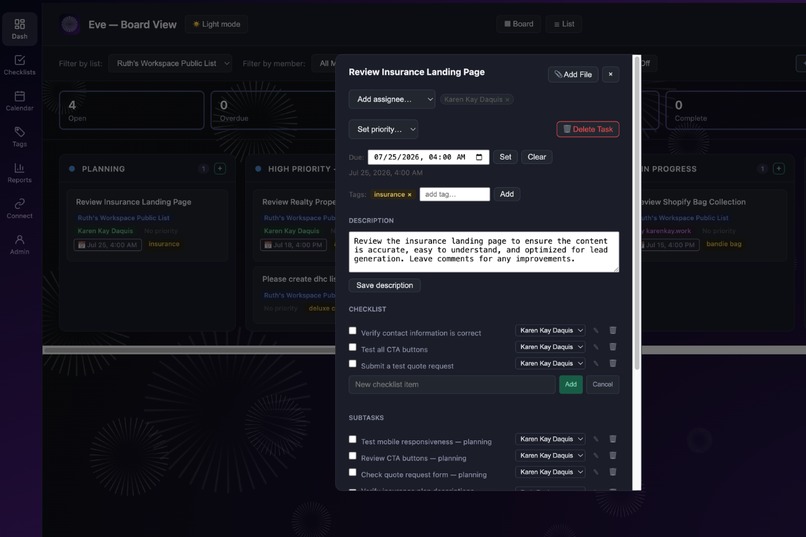
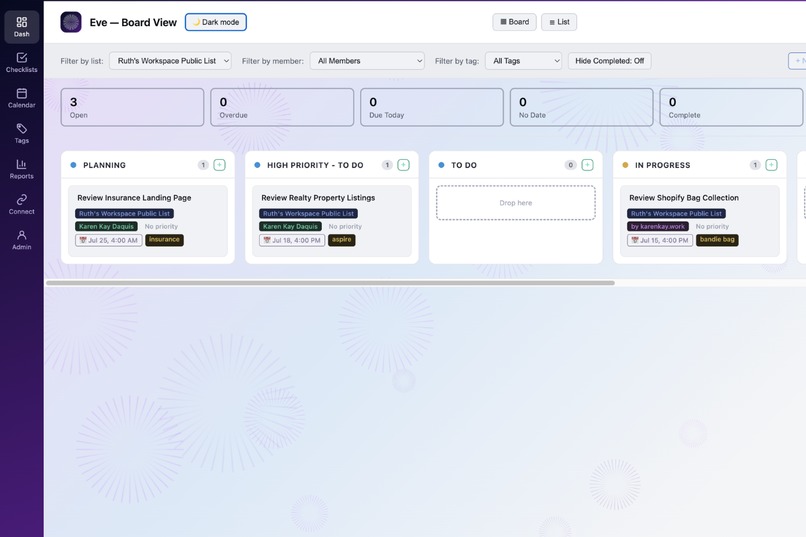
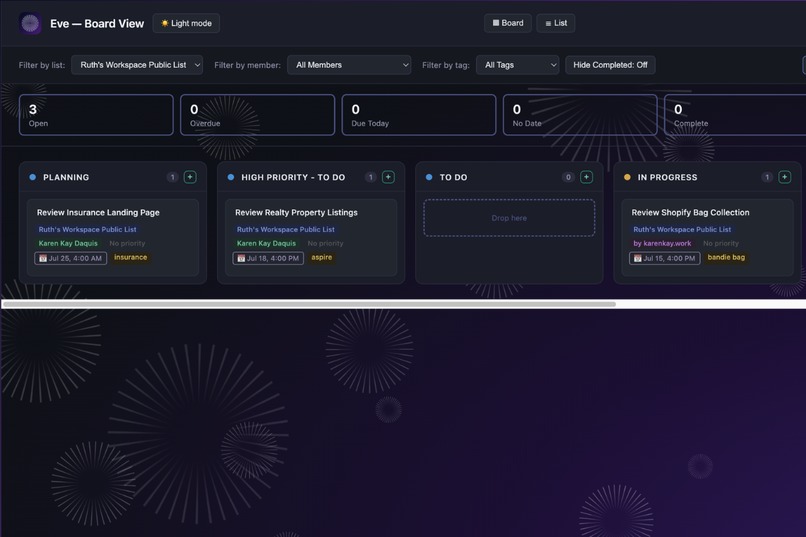
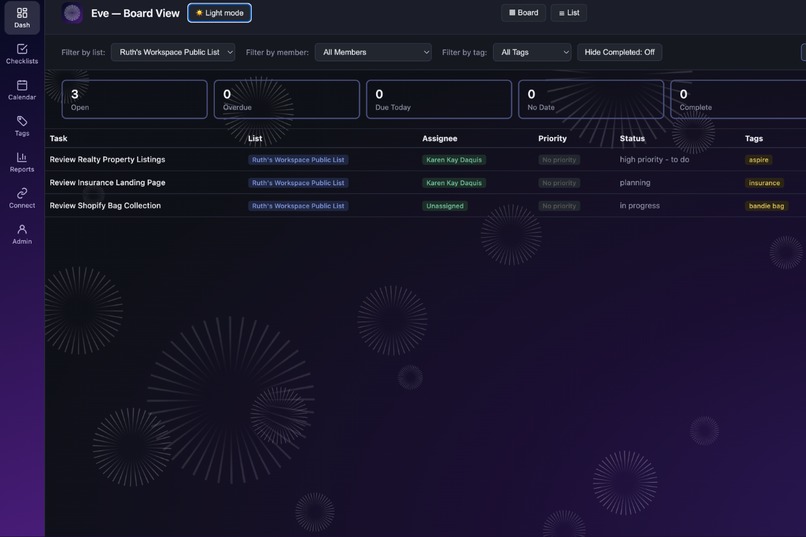
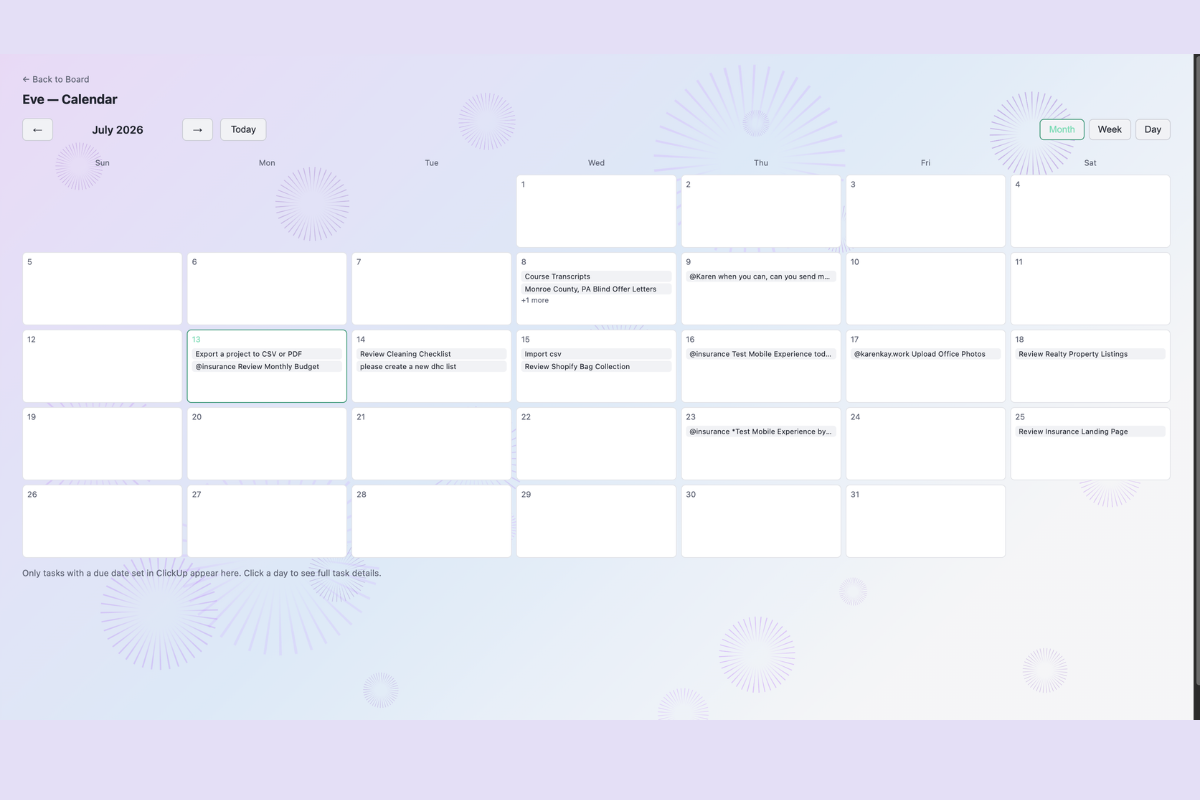
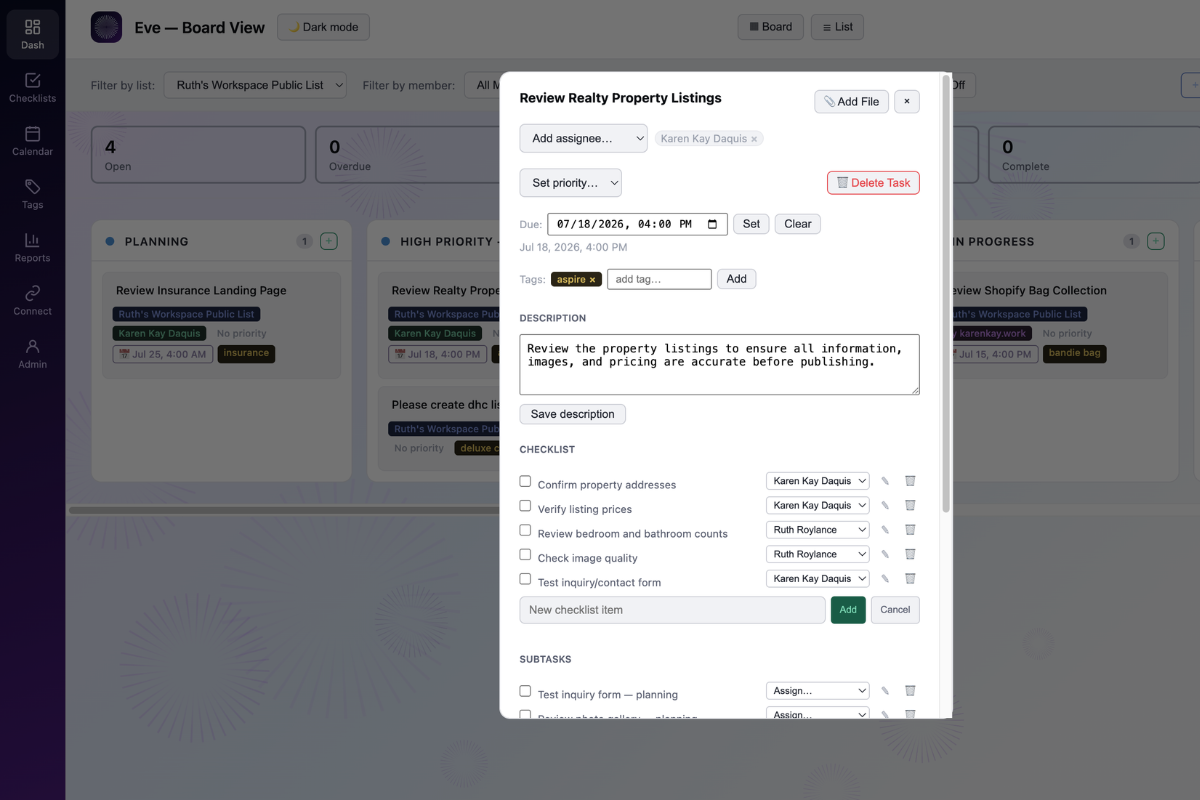
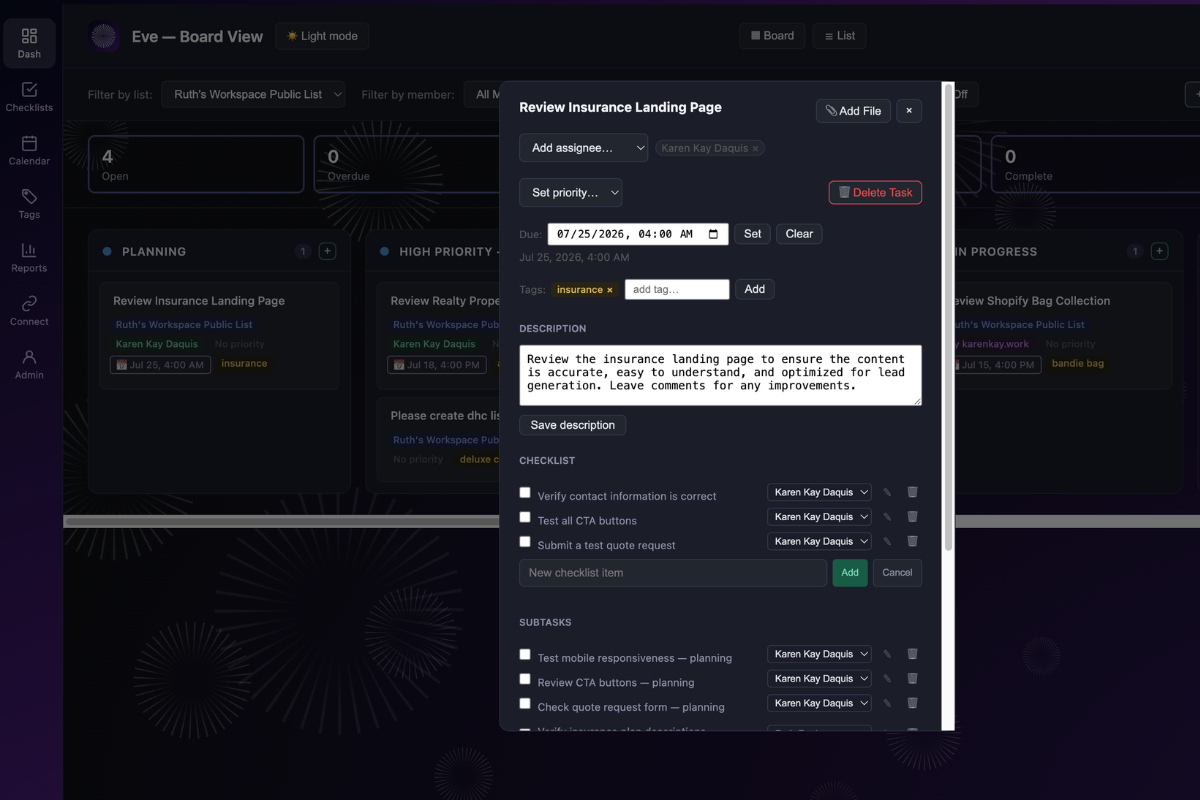
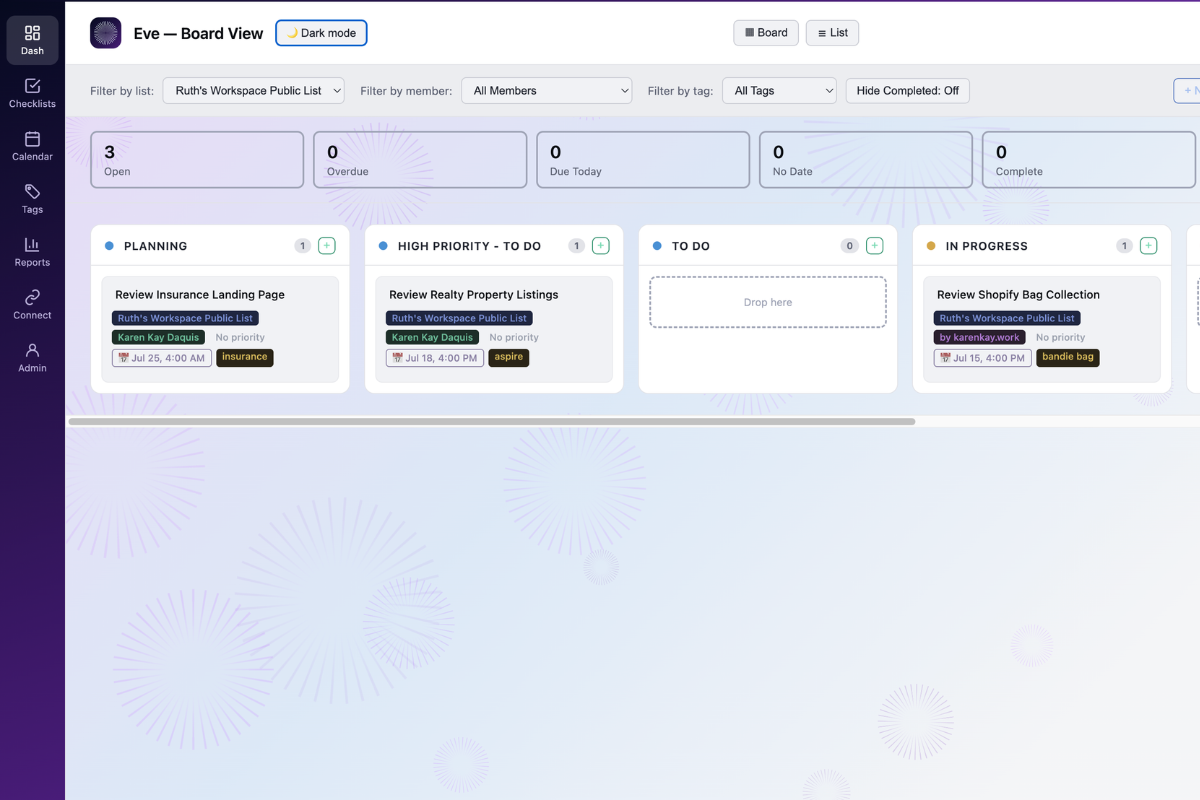
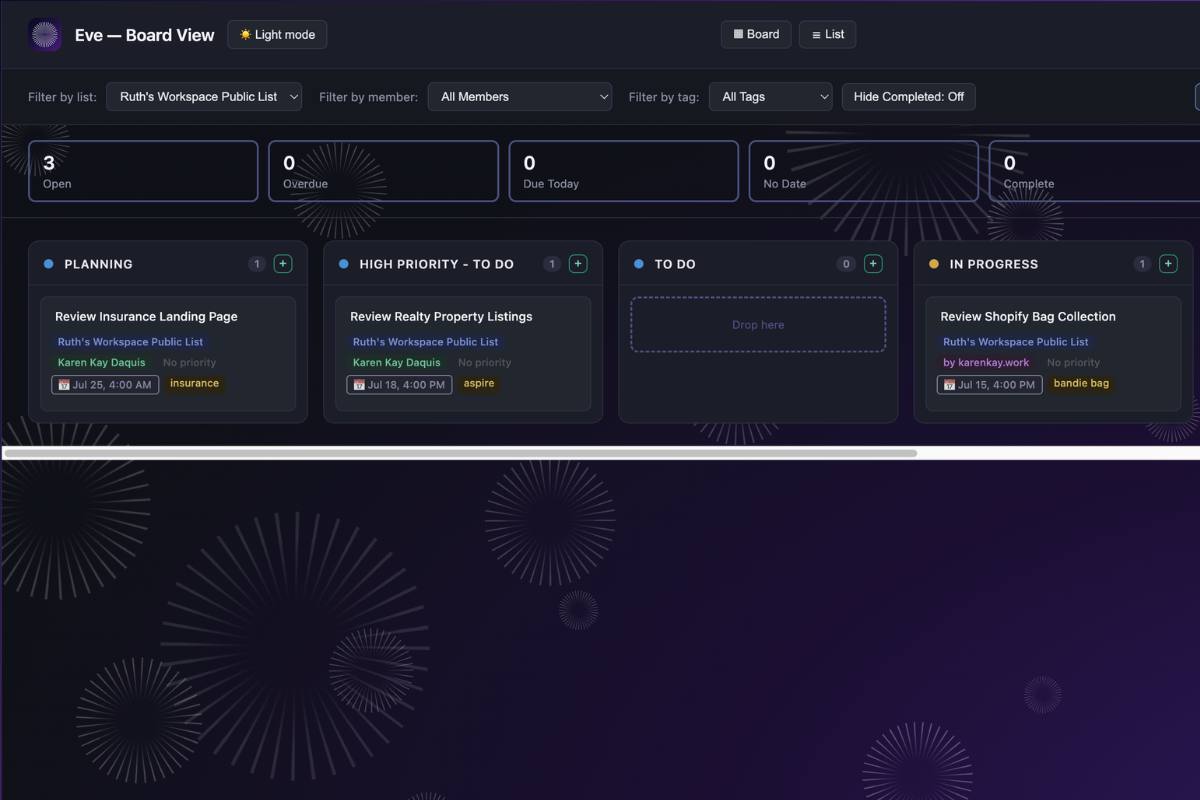
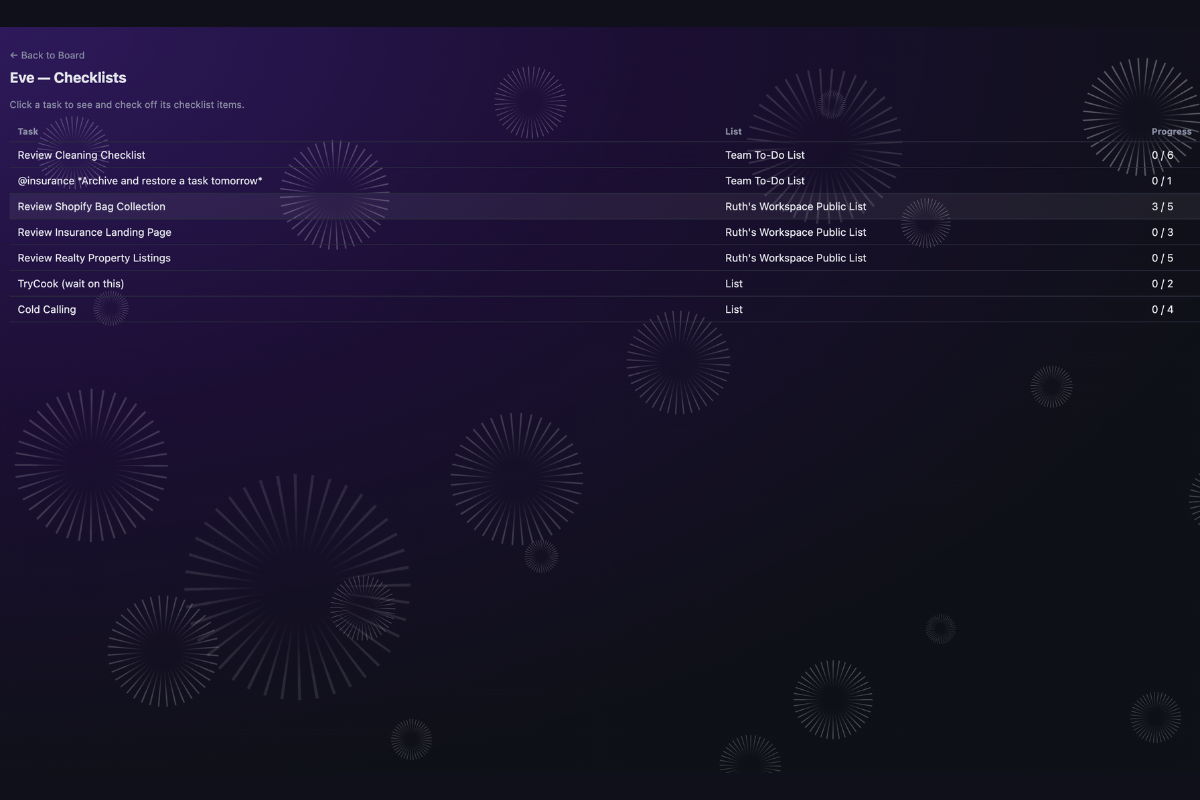
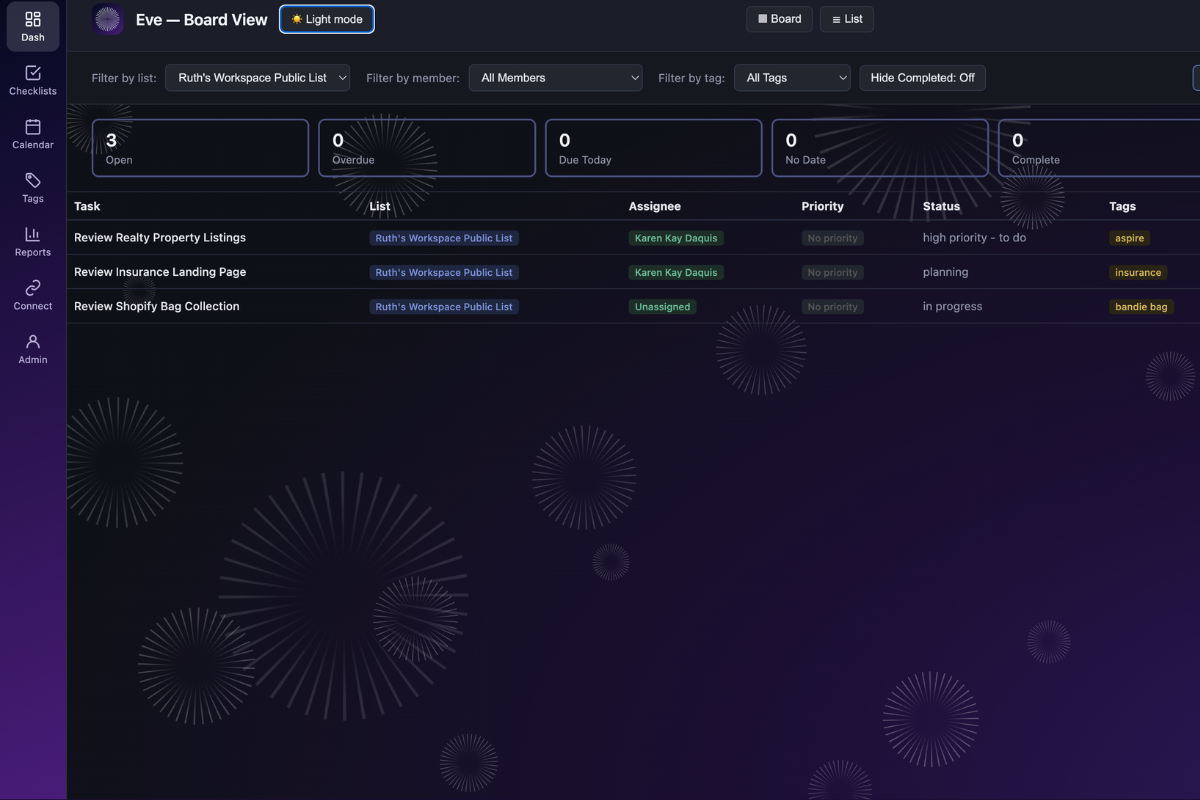
Web dashboard (Board view) A full kanban/list board for a more visual, drag-and-drop view of the same live ClickUp data — task creation with list, stage, assignee, and tags, inline tag editing, new-list creation, checklist/subtask management, file and comment threads with @mentions, and an activity log. It's auto-synced with Slack, so a change made in one place shows up in the other. The board respects ClickUp list membership, so private lists stay visible only to their members.
This isn't a link preview or a one-off automation — it's a persistent, two-way-synced workspace that lives alongside Slack instead of routing you back to ClickUp for anything beyond the basics.
How I built it
Eve runs on Slack Bolt (Socket Mode) for the Slack side and a lightweight Flask app for the web dashboard, in the same process. Task operations — creation, status changes, priority, rename, and comments — are routed through a ClickUp MCP server integration, with automatic REST API fallback if the MCP call fails, so the core experience never breaks due to the integration layer.
Assigning and unassigning people is REST-only by design: ClickUp's MCP tooling can only replace a task's entire assignee list in a single call, not add or remove one person at a time — which breaks on any task with multiple assignees. REST also handles everything else MCP doesn't cover: checklists, subtasks, file uploads, tag edits, new-list creation, and deletions.
Live data is cached in-memory with background refresh, keeping the Home tab and Board fast without hammering the ClickUp API on every click. Notifications flow the other direction: ClickUp pushes changes back to Eve through a webhook, which turns them into real-time Slack DMs to the people who care about that task, with a 30-second background poll as a fallback if the webhook is ever unavailable.
Challenges I ran into
- Silent event loss. Leftover
SLACK_CLIENT_ID/SLACK_CLIENT_SECRETenv vars — even unused — quietly switched Slack Bolt into multi-workspace OAuth mode, which discarded incoming events likeapp_home_openedwith no error. Tracking that down meant learning that Bolt's mode detection is based purely on presence of those vars, not whether they're actually used. - Duplicate webhooks. ClickUp can deliver the same webhook event twice, sometimes more than 45 seconds apart, so a narrow dedup window wasn't enough — I widened it to five minutes to reliably catch true duplicates without dropping distinct events.
- Stale renames. Manual rename overrides in Slack could permanently mask a task's real ClickUp name if the live name changed afterward. The fix was giving every override a timestamped expiry rather than letting it persist indefinitely.
- Slack's own constraints. DMs can't open modals, so quick-add and admin actions had to be redesigned around interactive messages instead. Home tab views also have a hard 100-block limit, which meant capping and paginating task lists rather than rendering everything at once.
- Hidden lists. ClickUp's Personal List doesn't come back from the standard Space/Folder hierarchy walk — it required a direct list-endpoint fetch to surface at all.
What's next
- Finishing the MCP integration end-to-end and moving Eve to persistent hosting so it stays live throughout the judging window
- A Chaser-style reminder system — configurable alerts sent in Slack ahead of task due dates
- Eventually, a hosted multi-tenant version so any team could install Eve without running their own instance

Log in or sign up for Devpost to join the conversation.