Inspiration
I interviewed four professors for this hackathon.I asked them what's the most annoying and painful repeatative tasks they wish AI tools could automate.Their answers were evaluating and checking answers sheets.Insiprations for this project is based on the interview i had with the teachers and i decided to work on this project.
What it does
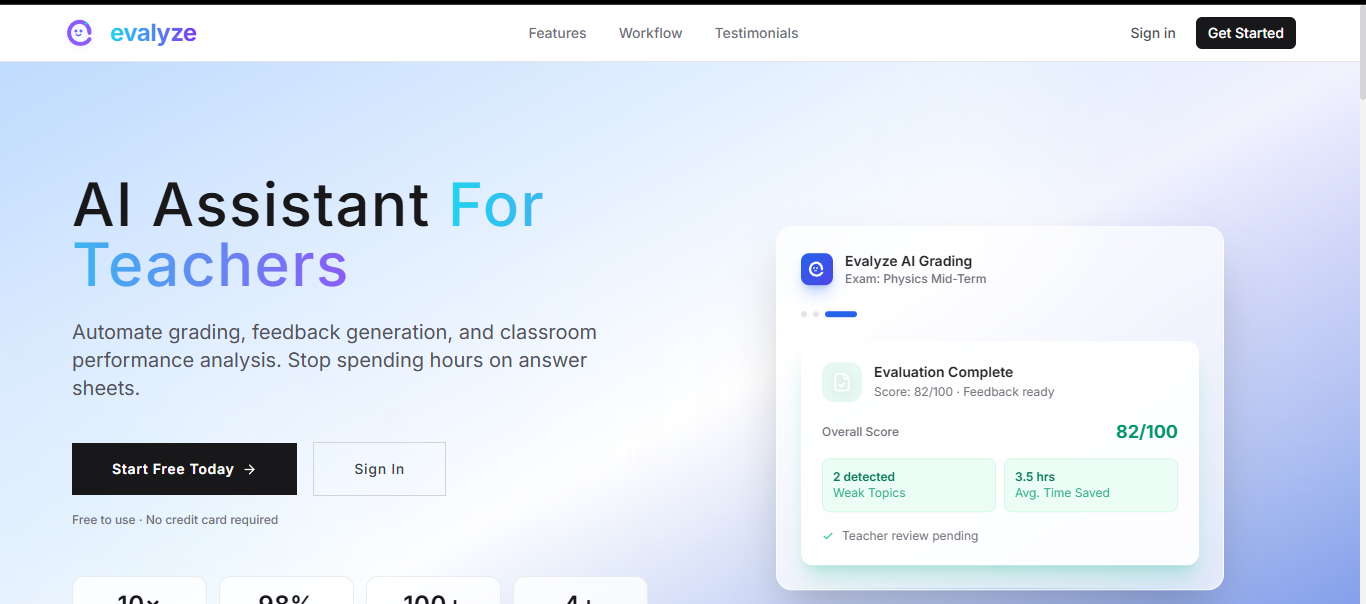
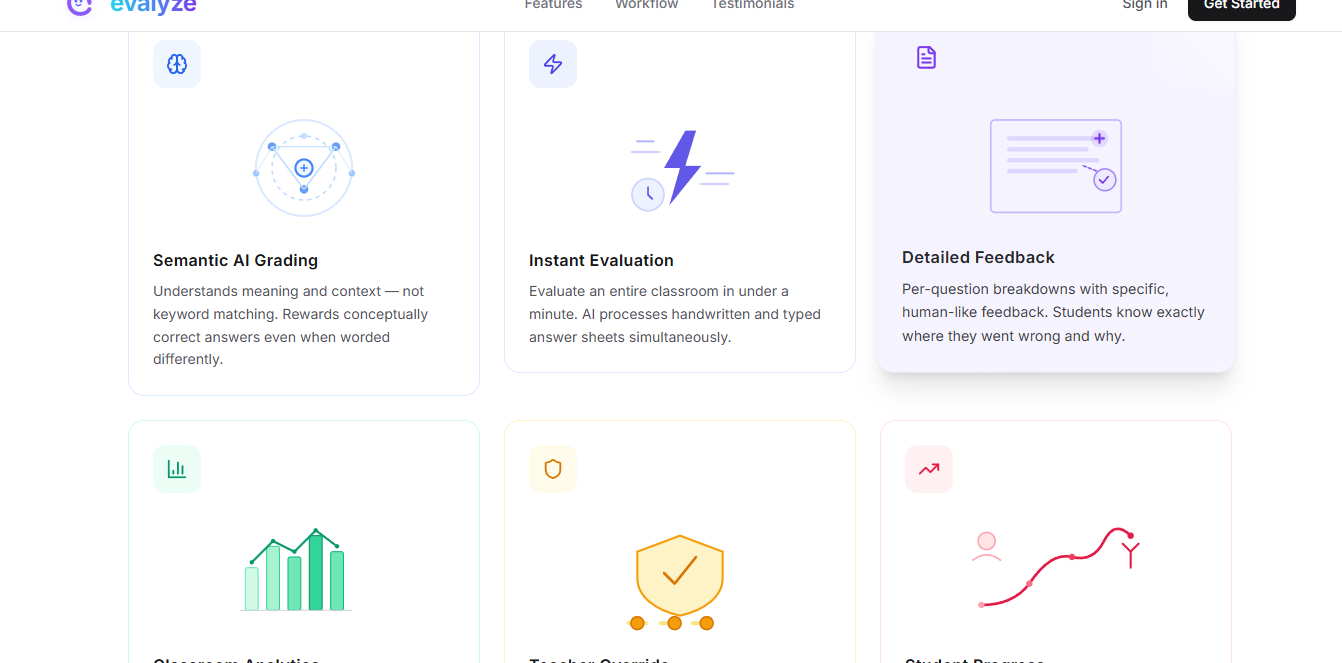
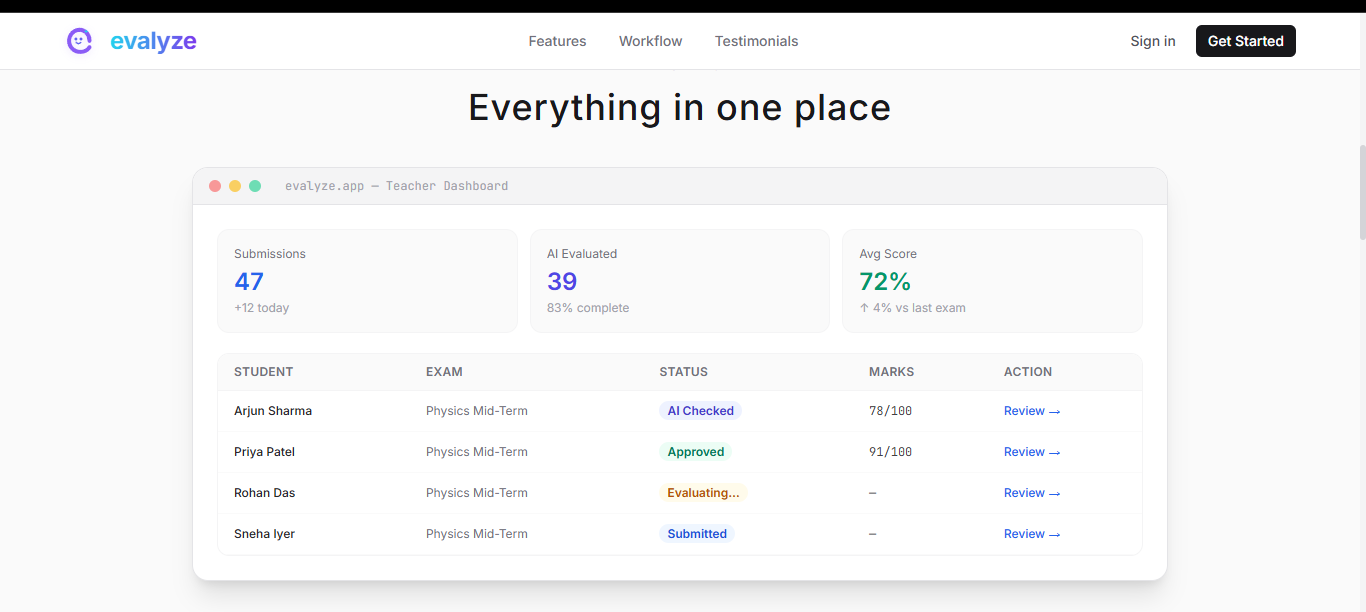
Evalyze is an AI-powered answer sheet evaluation platform that automates the most time-consuming part of a teacher's job especially in place like Nagaland where most teacher are unaware of technology around them — checking student submissions. Teachers create classrooms, set up exams, and upload a model answer key. Students join classroom using a unique code or classroom id and they can upload photos or PDFs of their handwritten or typed answer sheets. From there, Evalyze takes over completely. With one click, Google Gemini Vision reads every answer sheet, understands what each student wrote, compares it semantically against the model answer, assigns marks question by question, writes detailed feedback, and identifies which topics each student struggled with — for an entire classroom in under a minute. Teachers get a dashboard showing every submission, AI-generated marks, per-question breakdowns, and classroom-wide analytics including grade distributions, weak topic patterns, and pass/fail rates.
They can override any AI decision, add private notes, and approve final grades before students see results. Students get more than just a number — they see exactly where they went wrong, which concepts they missed, and specific suggestions on how to improve.
How i built it
I built Evalyze as a full-stack MERN application with a clean separation between the evaluation engine and the product interface. Backend — Node.js and Express handle the REST API, JWT-based authentication, and file uploads via Multer. MongoDB with Mongoose stores users, classrooms, exams, submissions, and evaluation results. The AI evaluation pipeline runs asynchronously so teachers get an immediate response and the UI polls for completion. AI Engine — Google Gemini 2.5 Flash is the core of the product. We built a dedicated Gemini service with four functions: extractAnswers() uses Vision to OCR handwritten and typed answer sheets, evaluateAnswers() performs semantic comparison against the model answer key, generateFeedback() writes student-facing feedback, and generateAnalytics() produces classroom-level insights. Prompts are stored separately for maintainability and tuning. Frontend — React with Vite, TailwindCSS for styling, and Framer Motion for animations. Recharts powers the grade distribution and score trend visualisations. The UI was designed around the teacher workflow — every interaction maps to a real step in the grading process. Infrastructure — Backend deployed on Render, frontend on Vercel with SPA routing configured for React Router.
Challenges we ran into
Getting AI to grade like a teacher, not a search engine. The hardest problem was preventing the model from doing pure keyword matching. A student who writes "velocity stays the same unless a force acts on it" should get credit for Newton's First Law even without using those exact words. We solved this by heavily engineering the evaluation prompt — explicitly instructing Gemini to evaluate semantic correctness, reward partial understanding, and penalise only factual errors, not stylistic differences. Asynchronous evaluation UX. Evaluating a full answer sheet with Vision takes 15–30 seconds per submission. I couldn't make teachers stare at a loading spinner for a batch of 40 students so i built an async pipeline where evaluation runs in the background and the frontend polls for status updates, transitioning through submitted → evaluating → ai_checked → teacher_approved without blocking the UI. File handling across environments. Multer worked perfectly in local development but required careful path handling for Render's ephemeral filesystem. I also had to manage base64 encoding of uploaded images before passing them to Gemini Vision. Database schema conflicts on deployment. An old username_1 unique index from an earlier schema version caused E11000 duplicate key errors in production. I had add a startup routine to detect and drop stale indexes automatically on every deploy.
Accomplishments that I'm proud of
The semantic evaluation quality genuinely surprised us. During testing, a student wrote a partially correct answer using completely different terminology than the model answer — Evalyze awarded partial marks and explained exactly what was missing. That's the moment we felt the core idea was working. I'm also proud of the teacher override system. It would have been easy to just display AI results. Instead i built a full review workflow — AI suggests, teacher verifies, teacher approves — because I knew that trust between educators and AI tools is not automatic. It has to be earned through transparency and control especially in place like Nagaland. Building the classroom analytics from zero evaluation data to a full grade distribution chart with weak topic identification, all generated automatically, felt like a real product moment.
What we learned
Prompting is product design. The quality of Evalyze's evaluations is almost entirely determined by how we frame the task for Gemini — the model boundaries, the instructions around partial credit, the format of the output. Getting this right took more iteration than any piece of code we wrote. I also learned that teachers don't just want automation — they want automation they can trust. Every conversation with the professors I interviewed came back to the same concern: "What if it marks something wrong? And students may not want AI to check their papers" The override and approval workflow was not a nice-to-have. It was the feature that made the entire product believable. Finally, deploying a full-stack AI app across two separate platforms (Render and Vercel) taught us hard lessons about CORS configuration, environment variables, SPA routing, and the gap between "works on my machine" and "works in production." Most importantly i learned why most senior prefer to use next js over react due to the fact that we have to maintain different platforms for the same project
What's next for Evalyze
PDF report generation — One-click export of a student's full evaluation as a formatted PDF they can keep and study from. Twilio - For notification of assignment, updates etc. Batch answer key parsing — Let teachers upload a structured question paper and have AI automatically extract the marking scheme, removing the manual answer key step. Plagiarism detection — Cross-reference submissions within the same exam to flag suspiciously similar answers. LMS integrations — Connect directly with Google Classroom and Moodle so teachers can import rosters and push grades back without leaving their existing workflow. Mobile camera submission — A dedicated mobile interface where students point their phone camera at each page and the app automatically captures, crops, and uploads the answer sheet.
Built With
- express.js
- feedback-generation
- gemini
- jwt
- mongodb
- multer
- node.js
- react
- recharts
- tailwind

Log in or sign up for Devpost to join the conversation.