-

eva identity design
-
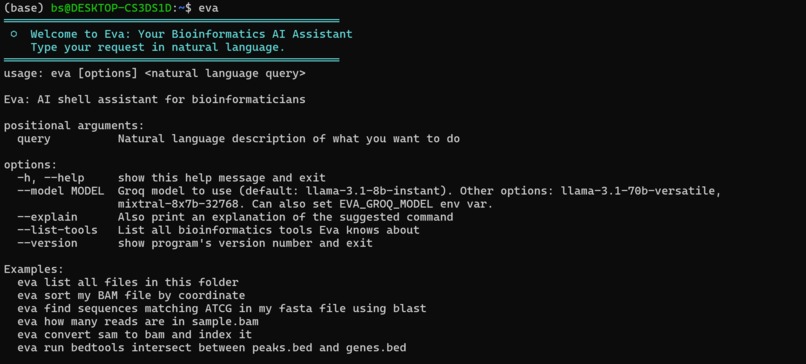
eva main
-

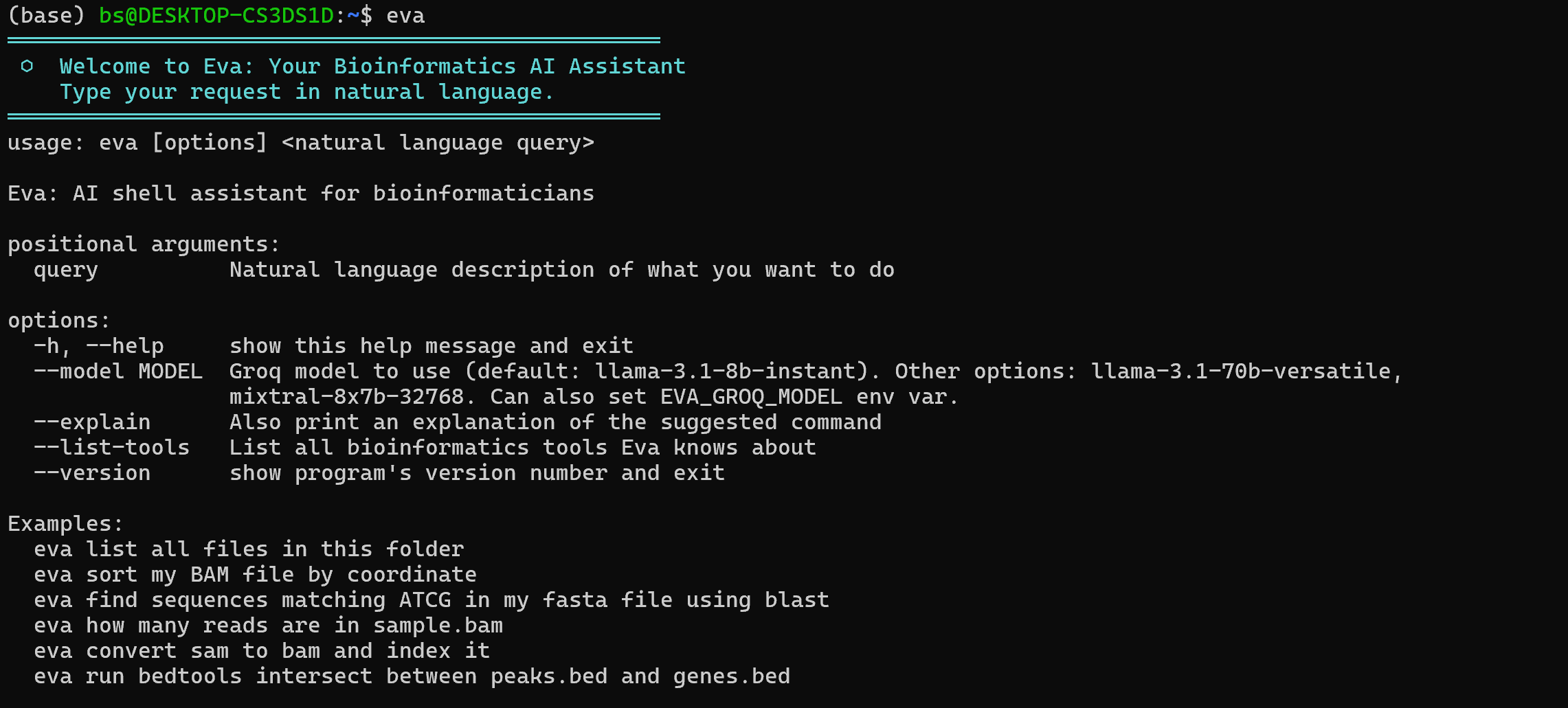
eva usage example
-

eva usage example (2)



Inspiration
Jetbrains proposed as a challenge to create anything that can make developers' lifes easier. As bioinformaticians (well, bioinformatics students), we are required to know and understand multiple packages, programs and languages to understand biological data. Sometimes it's hard to remember all the commands and know how to properly use them for our tasks. We wanted to help these professionals and researchers and make their work a bit easier without ever leaving the terminal.
What it does
eva understands natural language and provides as an output a possible bash command which can solve your request, along with its level of confidence. Its command can be used by the developer and it works on the same terminal directly, so they do not need to open an additional tab.
How we built it
We built it with Python language entirely, with the help of Claude Code, and through Groq API keys.
Challenges we ran into
We had difficulties finding an API key that worked with this model. We first tried a local approach through Ollama, but we realised that it required a very expensive prior installation (memory-wise), and we wanted eva to be a light software, that didn't require much and that developers could eventually change and improve themselves.
Later on, we tried another approach by using Junie and its API key. As a result, we discovered that Junie by itself is not a standalone AI provider, it is an integrated IDE assistant, such that the user could not directly access it and ask different questions.
Accomplishments that we're proud of
We were proud of accomplishing our objective with simple scripts and to use generative AI in our project for the first time.
What we learned
It was our first hackathon (mostly), so we learned a lot! We learned how to tackle a project like this, how to think outside the box and how to program some things we believed unimaginable before.
What's next for ⬡ eva — AI shell assistant for bioinformaticians
We will use it, for sure! We hope more people will and that it evolves into a multi-functional tool to remember commands without leaving the terminal. Our original approach of using Ollama is more robust than using free Groq services, so this is a good branching point as well.


Log in or sign up for Devpost to join the conversation.