-
-
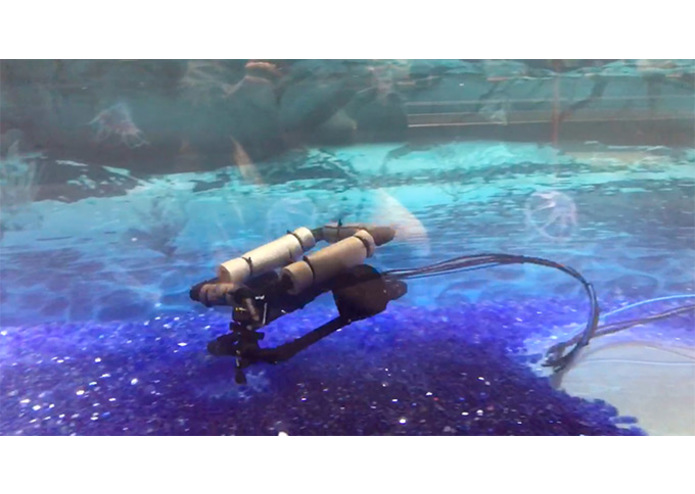
The Europa drone inspires Space Foundation Discovery Center visitors to explore the unkown.
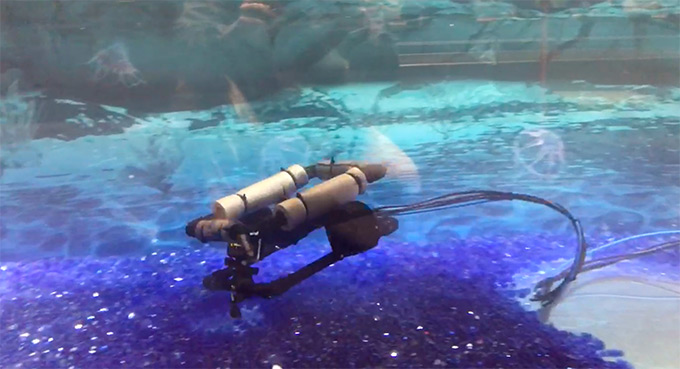
Space Foundation Europa Drone
Control an underwater drone with a USB gamepad, designed for use in the Space Foundation Discovery Center's Mission To Europa interactive exhibit.
Work-In-Progress
This project is still a work-in-progress. One of the biggest gaps at the moment is a need to tune values for each PWM hat and ECS as optimal settings per piece of hardware varies.
Ingredients
- Raspberry Pi (tested with Pi 3B)
- Adafruit 16-Channel PWM / Servo HAT for Raspberry Pi - Mini Kit
- (more soon)
Hardware Setup
More soon on this. Note: When plugging in servos or ESCs, make sure the ground/usually black/usually brown wire is on the bottom/out facing pin.
Install Raspbian
Download Raspbian (lite version) .zip at https://www.raspberrypi.org/downloads/ and unzip.
Insert the disk that will be used the Pi. Burn the downloaded image with Etcher, an app that makes burning images to disk simple.
Configure Raspbian
Insert the prepared Micro SD card into the Pi. With a USB keyboard, HDMI to TV and Ethernet connection plugged in, plug in the power to boot up.
Configure the Pi with raspi-config.
sudo raspi-config
It's important to change the password for security purposes. Choose "1 Change password for the current user", then "", then follow the prompts.
Change the hostname to something other than raspberrypi if connecting to the network (your IT team will thank you). Choose "2 Hostname", then enter a new name that describes this Pi e.g. "europa-drone-1".
Go back to the main screen and select "", then choose "" to reboot.
Install Dependencies
Update and upgrade apt-get which will be used to install needed software.
sudo apt-get update
sudo apt-get upgrade
Install Git.
sudo apt-get install git
Install Nodejs.
curl -sL https://deb.nodesource.com/setup_6.x | sudo -E bash -
sudo apt-get install -y nodejs
Configure i2c Communications
Follow these instructions to install and configure i2c requirements so that the Pi can communicate with the Pi servo hat. Some of the instructions won't match exactly e.g. commenting out something in a file with nothing to comment out and an old version of something not being supported, but it should work for this project:
https://www.npmjs.com/package/i2c
TODO: Cover this in detail here.
TODO: Test i2c communications.
TODO: sudo apt-get install i2c-tools
TODO: sudo i2cdetect -y 1
Install Project Code
Install this project to the Pi.
cd ~
git clone https://github.com/owntheweb/europa-drone.git
cd europa-drone
npm install
Test
Run the following:
node europa-drone/index.js
Start Script On Boot
Edit startup script to run loop that keeps the node script running indefinitely on boot, restarting if it crashes.
sudo nano /etc/rc.local
Add this before the "exit 0" line:
(runuser -l pi -c '/bin/bash /home/pi/europa-drone/bash/loop.bash')&
Restart the Pi. After it is booted, the script should running.
To Be Continued...
Testing notes need to be added. Hardware setup is still being worked out. Anything else missing will be added as available.
Stay tuned!

Log in or sign up for Devpost to join the conversation.