-
-
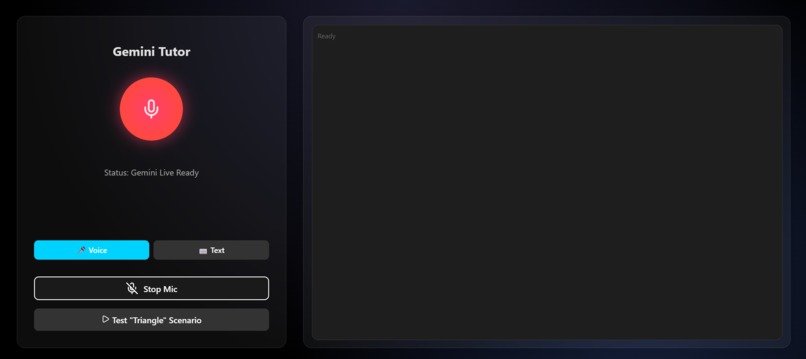
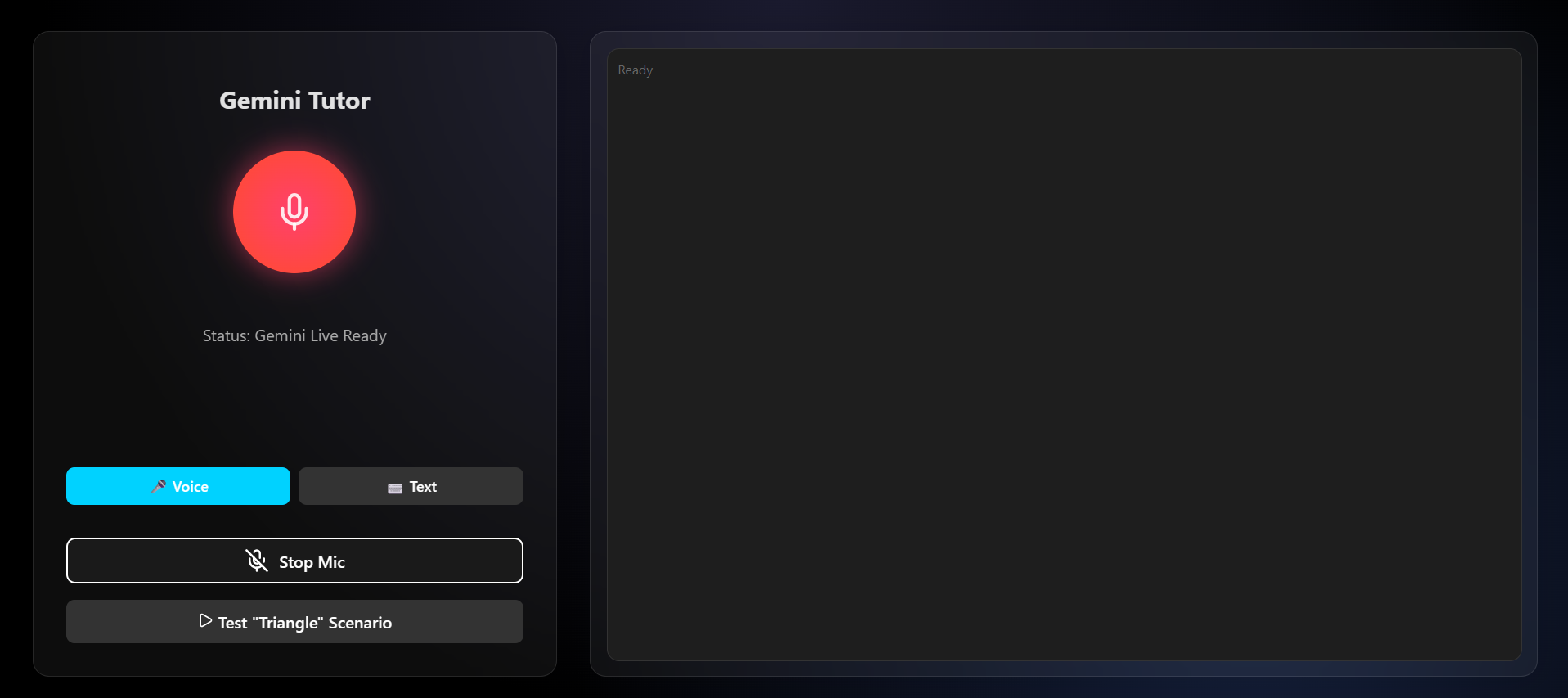
Interface of the app
-
Eureka
Voice-powered AI math tutor with animated visual explanations — powered by Gemini.
Inspiration
I noticed a gap in the educational system of my country that surprisingly wasn't just a local problem.It's a global issue.
Students in colleges need to understand concepts in-depth. Most lectures are not explanatory enough and hence not easily comprehensible, leading to waste of time, effort, and eventually discouragement. Through my research, I discovered that students understand concepts significantly better when tutored one-on-one. Complex concepts are not only broken down more effectively through tutoring but also stick better in memory.
Many platforms exist that attempt to solve this problem, yet they fail for most students. Why? They lack one major feature crucial to understanding:
Visual feedback in natural conversation.
Research has proven that people tend to remember, recall, and understand things better when exposed to information visually. Platforms like ChatGPT, Gemini, and other text-chat based systems try to replicate this, but they lack the visual component that's critical for deep understanding.
NotebookLM, one of Google's revolutionary AI-powered products, came the closest to solving this but complex concepts like solving $$\int_0^\pi \sin(x)\,dx$$ or understanding why $$e^{i\pi} + 1 = 0$$ can't just be explained via audio clips alone. Although it mimics natural conversation while learning, it's still far from what students truly need. An improved version incorporates slide generation alongside audio conversations, but it still doesn't feel dynamic enough to substitute for an actual tutor.
I saw this gap, understood the problem, and started building Eureka , an AI-powered tutoring platform offering natural-like tutoring assistance with live visual interactions synchronized with spoken explanations.
What it does
Eureka is an interactive AI tutoring system that provides a 3Blue1Brown-style learning experience:
- Real-time Voice Conversation — Talk naturally with your AI tutor using bidirectional audio streaming
- Animated Visual Explanations — Watch step-by-step solutions appear on a digital whiteboard as the AI speaks
- Beautiful Math Rendering — LaTeX equations rendered live (e.g., $$x = \frac{-b \pm \sqrt{b^2-4ac}}{2a}$$)
- Paginated Solutions — Long explanations are broken into navigable slides
- Dual Input Modes — Voice or text—your choice
Example: Ask "Solve $$2x + 5 = 15$$" and Eureka will:
- Speak the explanation naturally
- Simultaneously animate each step on the visual canvas
- Display the math beautifully with LaTeX
How we built it
Architecture
┌─────────────────┐       WebSocket        ┌──────────────────┐
│   React Client  │ ◄──────────────────────► │   Node.js Server │
│   (Vite + KaTeX)│       Socket.IO        │   (Express)      │
└────────┬────────┘                         └────────┬─────────┘
         │                                           │
         │ Canvas + Overlay                          │ Gemini Live API
         │ Audio Playback                            │ (v1alpha)
         ▼                                           ▼
┌─────────────────┐                         ┌──────────────────┐
│  Visual Canvas  │                         │  Gemini 2.5 Flash│
│  (HTML5 + DOM)  │                         │  Native Audio    │
└─────────────────┘                         └──────────────────┘
Technology Stack
| Layer | Technologies |
|---|---|
| Frontend | React 19, Vite, Socket.IO Client, KaTeX, Lucide Icons |
| Backend | Node.js, Express, Socket.IO, @google/genai SDK |
| AI Model | Gemini 2.5 Flash Native Audio (gemini-2.5-flash-native-audio-preview) |
| Authentication | Service Account + Ephemeral Tokens (OAuth2) |
Key Gemini Features Used
- Multimodal Live API (v1alpha) — Enables real-time bidirectional audio streaming
- Native Audio Model — 24kHz voice synthesis for natural speech
- Function Calling (Tools) — Custom
animate_solutionanddraw_on_canvastools trigger visual commands - Ephemeral Token Authentication — Secure, time-limited tokens from service account credentials
The Sync Challenge
The hardest part was synchronizing audio narration with visual animations. We solved this by:
- Having Gemini call the
animate_solutiontool with structured step data - Estimating reading time per step:
readingTime = max(1500ms, textLength × 40ms) - Animating steps with CSS transitions timed to match speech cadence
Challenges we ran into
1. Real-time Audio/Visual Synchronization
Getting the visual steps to appear exactly when the AI mentions them was incredibly difficult. Audio chunks arrive asynchronously, and tool calls arrive separately. We iterated through multiple timing strategies before finding the right balance.
2. Ephemeral Token Authentication
The Gemini Live API requires ephemeral tokens for client-side access. Implementing the OAuth2 service account flow with proper token generation, retry logic, and error handling took significant debugging.
3. Browser Audio Context Restrictions
Browsers require user gestures to start audio playback. In text mode, users weren't clicking a "start" button, so audio was silently blocked. We had to ensure initAudioOutput() was called on every user interaction.
4. LaTeX Rendering with Mixed Content
Parsing mixed text and LaTeX (like "Subtract 5 from both sides: $$x + 5 - 5 = 10 - 5$$") required careful regex handling to support multiple delimiters ($, $$, \(, \[).
5. Pagination Without Overlap
Long solutions with many steps caused visual overlap. We implemented a slide-based pagination system with Flexbox layouts to ensure clean, readable displays.
Accomplishments that we're proud of
- True Multimodal Sync — Voice and visuals work together seamlessly, replicating the experience of a real tutor at a whiteboard
- Low Latency — ~128ms audio latency with 2048-sample buffers
- Beautiful UI — Premium dark theme with glassmorphism effects and smooth animations
- Robust Tool System — Custom Gemini function calling for
animate_solutionprovides structured visual data - Dual Input Modes — Seamless switching between voice and text input
What we learned
- Gemini's Multimodal Live API is powerful — Real-time audio + tool calling enables experiences that weren't possible before
- Timing is everything — Synchronizing multiple async streams (audio, visuals, tool calls) requires careful orchestration
- Browser APIs have quirks — AudioContext restrictions, WebSocket handling, and Canvas rendering all have edge cases
- The "last 10%" takes 90% of the time — Getting the sync just right required many iterations
- Visual learning matters — The difference between text-only and visual explanations is night and day
What's next for Eureka
- Image Input — Upload a photo of a problem and have Eureka solve it visually
- Graph Animations — Animate function plots in sync with explanations (e.g., "watch as we graph $$f(x) = x^2$$")
- Multi-language Support — Tutoring in Spanish, French, Hindi, and more
- Mobile App — React Native version for learning on the go
- Subject Expansion — Physics, Chemistry, and Computer Science tutoring
- Collaborative Mode — Multiple students learning together with one AI tutor
- Adaptive Learning — Track student progress and adjust explanation complexity
Built with ❤️ using Google Gemini Multimodal Live API

Log in or sign up for Devpost to join the conversation.