Inspiration
We've all been there: watching dozens of educational YouTube videos, only to close the tab and remember almost nothing. When cramming for an exam, the knowledge seems to go in one ear and out the other. The core problem is passive watching. We aren't truly engaging with the content, so nothing sticks. We created Etudemy to solve this problem by transforming passive YouTube consumption into an active, engaging learning experience.
What it does
Etudemy is a Chrome extension that turns any YouTube video into an interactive quiz. The idea is simple: watch videos and answer questions at the same time.
Here's the user flow:
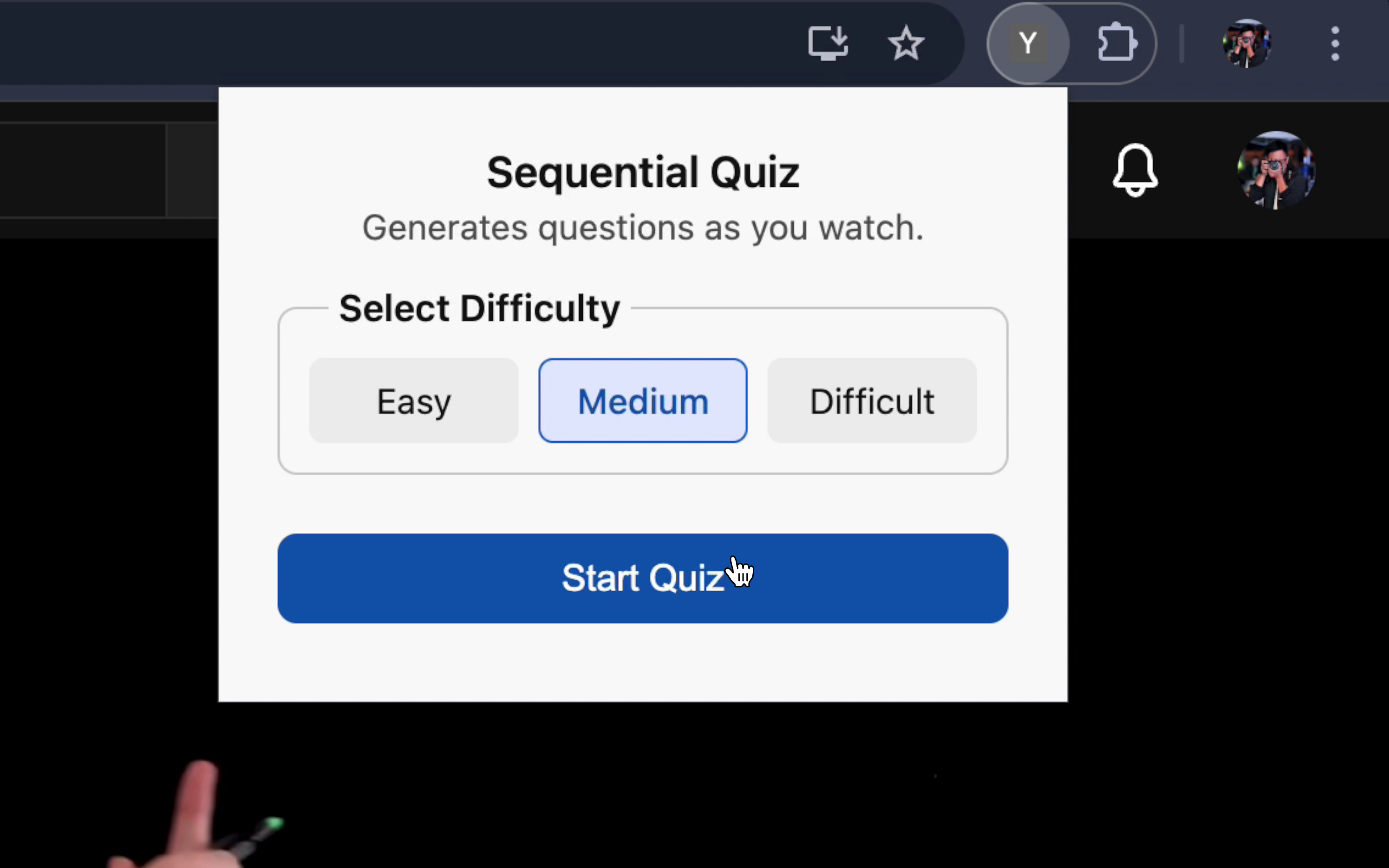
- Click the Etudemy extension icon on a YouTube video.
- Select a difficulty level (easy, medium, or difficult).
- Click "Start Quiz."
The extension then automatically analyzes the video's transcript, splits it into small chunks (approx. 80 words), and uses AI to generate multiple-choice questions for each chunk.
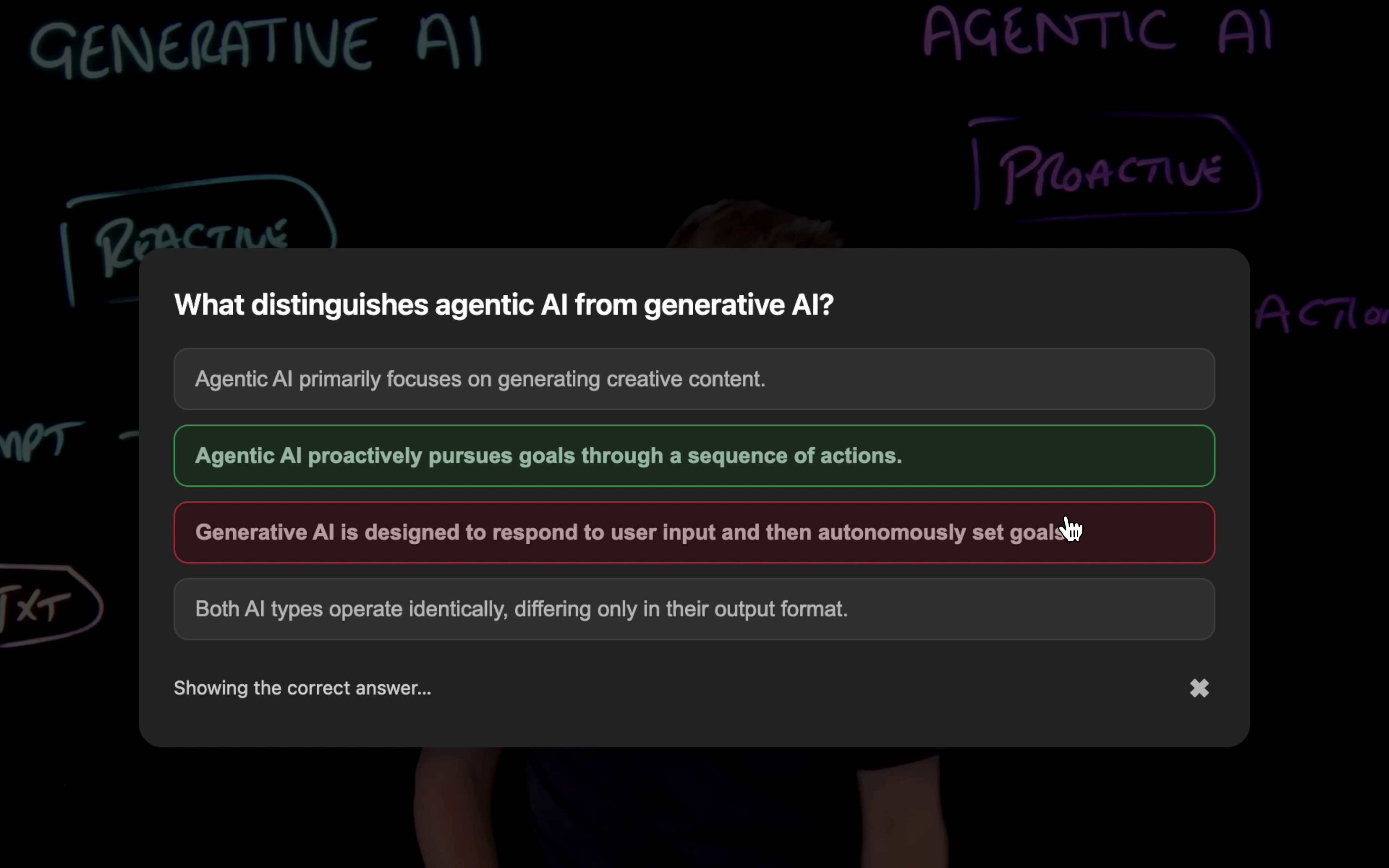
As you watch, the video automatically pauses when it reaches an important knowledge point and displays a question.
- If you answer correctly, the choice turns green, and the video resumes.
- If you answer wrong, the extension shows you the correct answer before continuing.
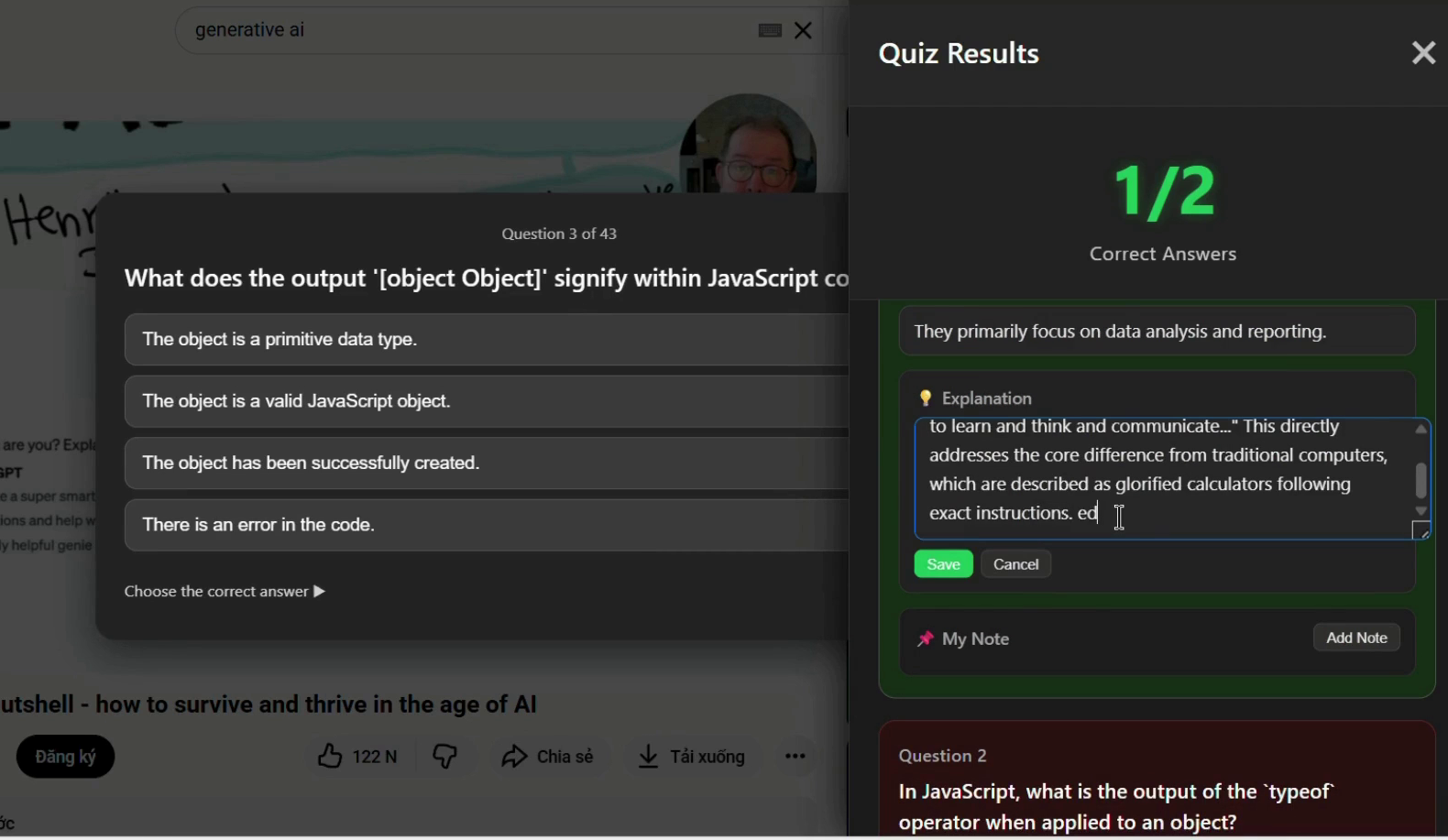
At any time, you can click "Stop Quiz" or "View Result." A results panel appears on the right side of the screen, showing your score and a full review of the questions. From this panel, you can also add the AI-generated explanation or your own personal notes to your review, allowing you to learn, test your knowledge, and take notes all in one place.
How we built it
Etudemy is built as a Chrome Extension using several key technologies:
- Chrome Extensions APIs: We use content scripts to interact with the YouTube video player and popup actions for the main user controls.
- YouTube Transcript Access: The extension programmatically fetches video captions by extracting the
ytInitialData/ytInitialPlayerResponseJSON from the page or by calling theget_transcriptendpoint. This works even if the transcript panel is closed. - Google Gemini Language Model API: The core of our question generation lies with AI. We use Gemini Nano, running locally on the user's computer, to analyze each transcript chunk.
- Structured JSON Output: We force the AI to return a strict JSON schema for every quiz, ensuring reliability:
json
{
  "question": string,
  "options": [string, string, string, string],
  "answerIndex": integer,
  "explanation": string
}
The content script then monitors the video's current time and injects the correct quiz question as soon as the playback reaches the corresponding timestamp.
Challenges we ran into
A primary challenge was synchronizing the quiz popups with the video's timeline. We had to implement "anti-spoil" logic to ensure a question only appears when the video reaches that specific segment, not before.
Another challenge was reliably fetching transcripts across all types of YouTube videos (including Shorts) without requiring any manual user action.
Finally, ensuring the local Gemini Nano model consistently generated well-formed, structured JSON that matched our schema required careful prompt engineering and validation logic.
Accomplishments that we're proud of
We are proud of creating a seamless tool that fulfills our initial mission: turning passive watching into active recall. The entire process is automatic, from fetching the transcript to generating questions and timing the popups.
Our biggest accomplishment is the "all-in-one" learning experience. Users can watch, be tested, review answers with explanations, and add their own personal notes without ever leaving the YouTube video. The use of a local, on-device AI (Gemini Nano) also means the process is fast and respects user privacy, as no personal data or transcript content is collected.
What we learned
Through this project, we learned how to programmatically access and parse YouTube's internal data structures to extract transcripts reliably. We gained significant experience in implementing on-device LLMs (Gemini Nano) for real-time content generation. This project also honed our skills in using Chrome content scripts to dynamically interact with and control a complex web application like the YouTube player.
What's next for Etudemy
Our hope is to continue enhancing this learning experience, helping more users stay engaged, focused, and truly understand what they learn from video content.


Log in or sign up for Devpost to join the conversation.