-
-
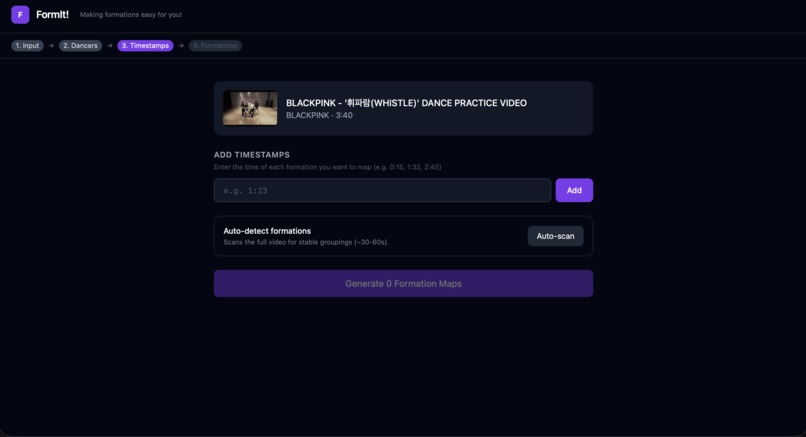
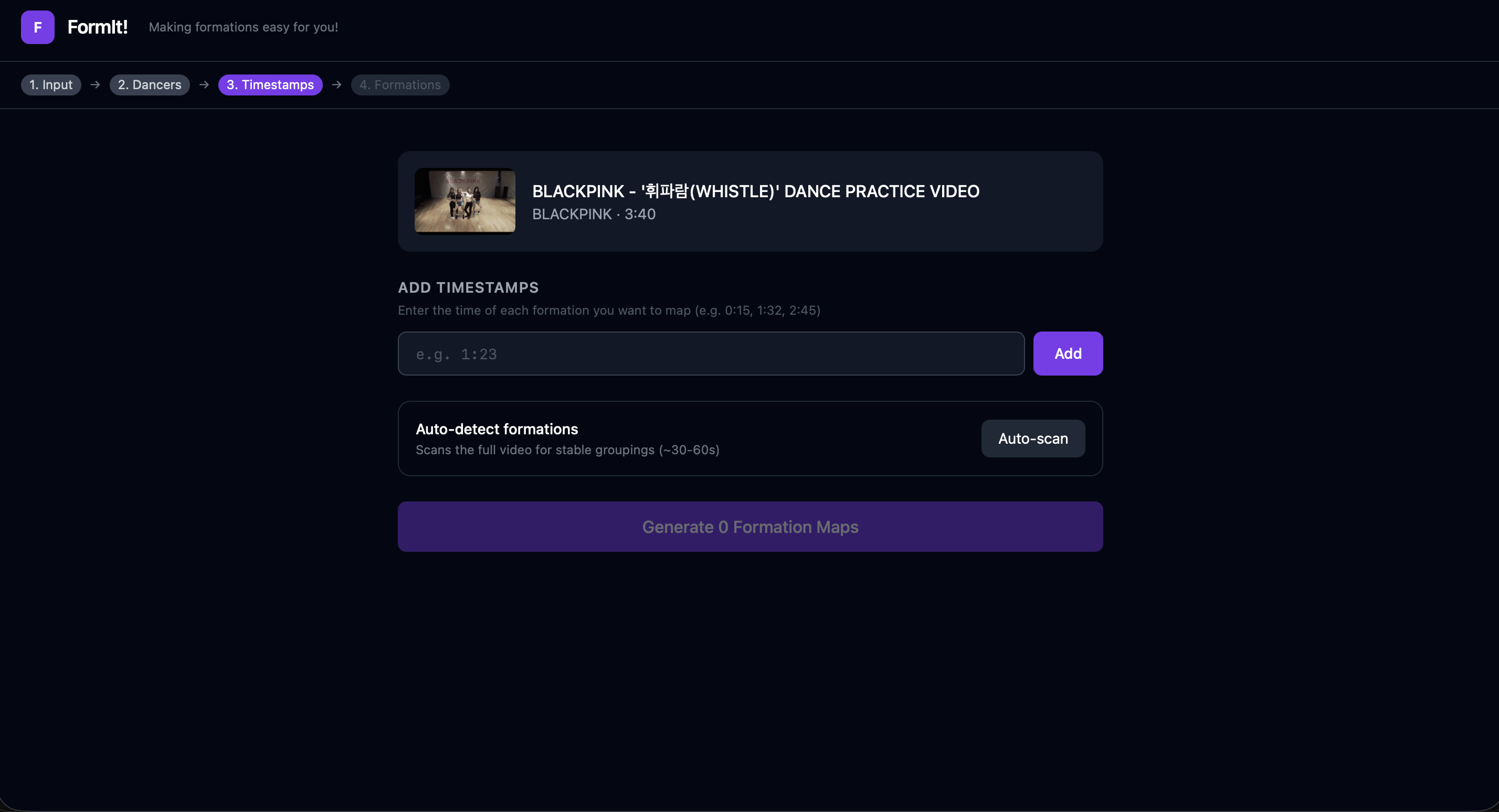
Choose/Auto-Scan Formations
-
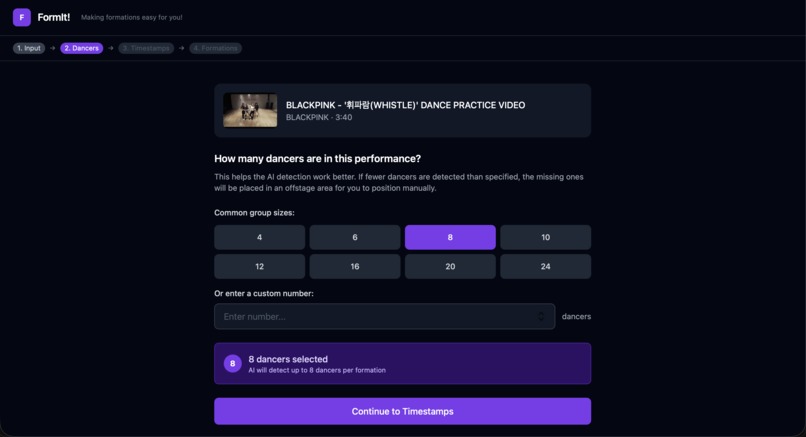
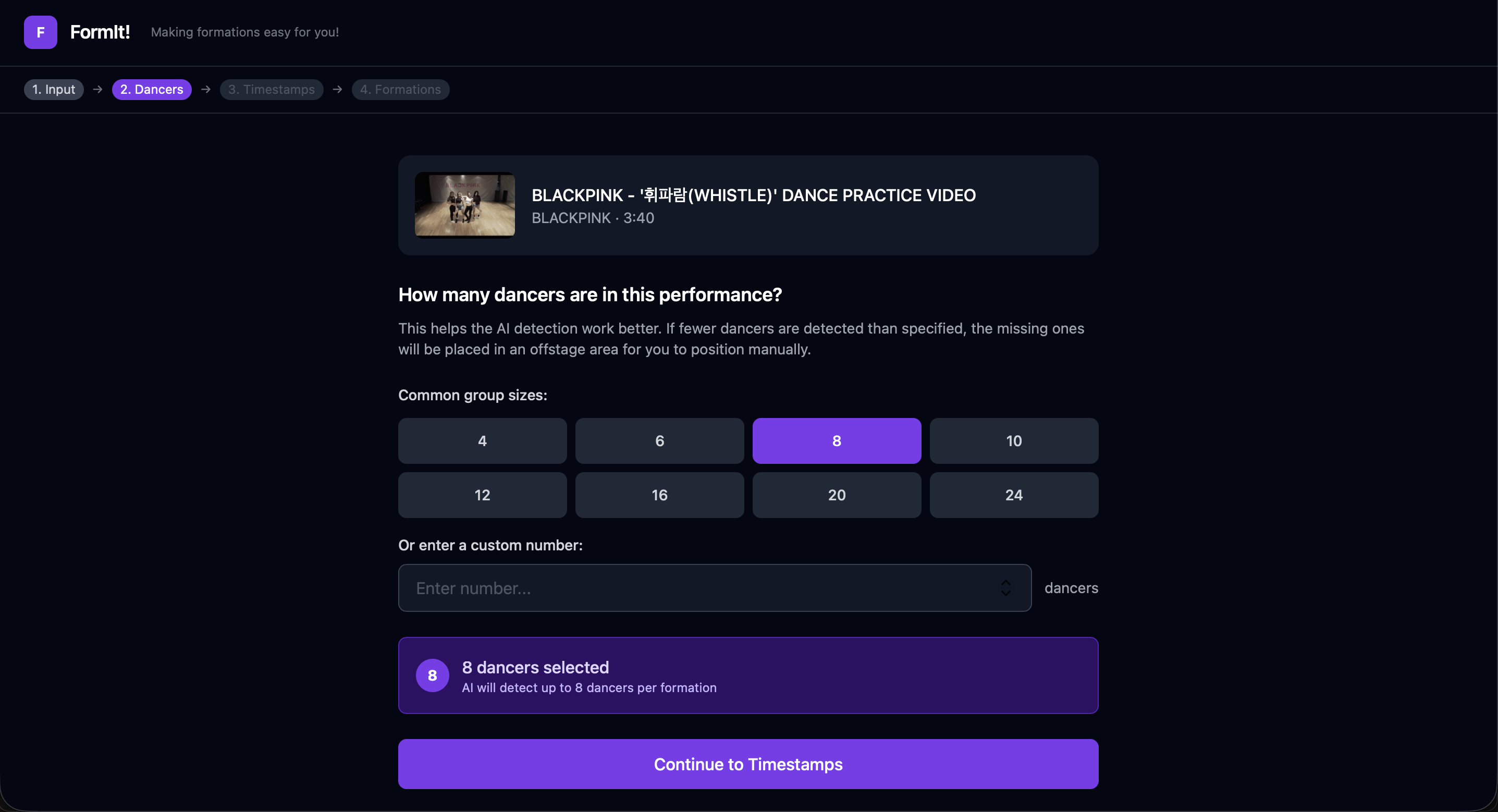
Choose # of Dancers
-
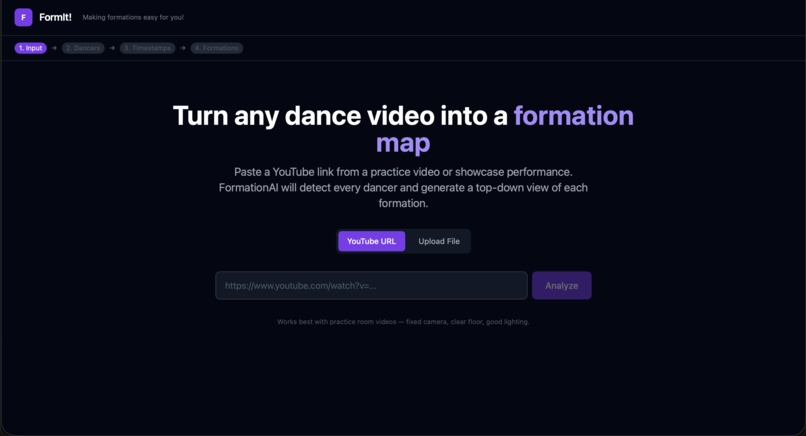
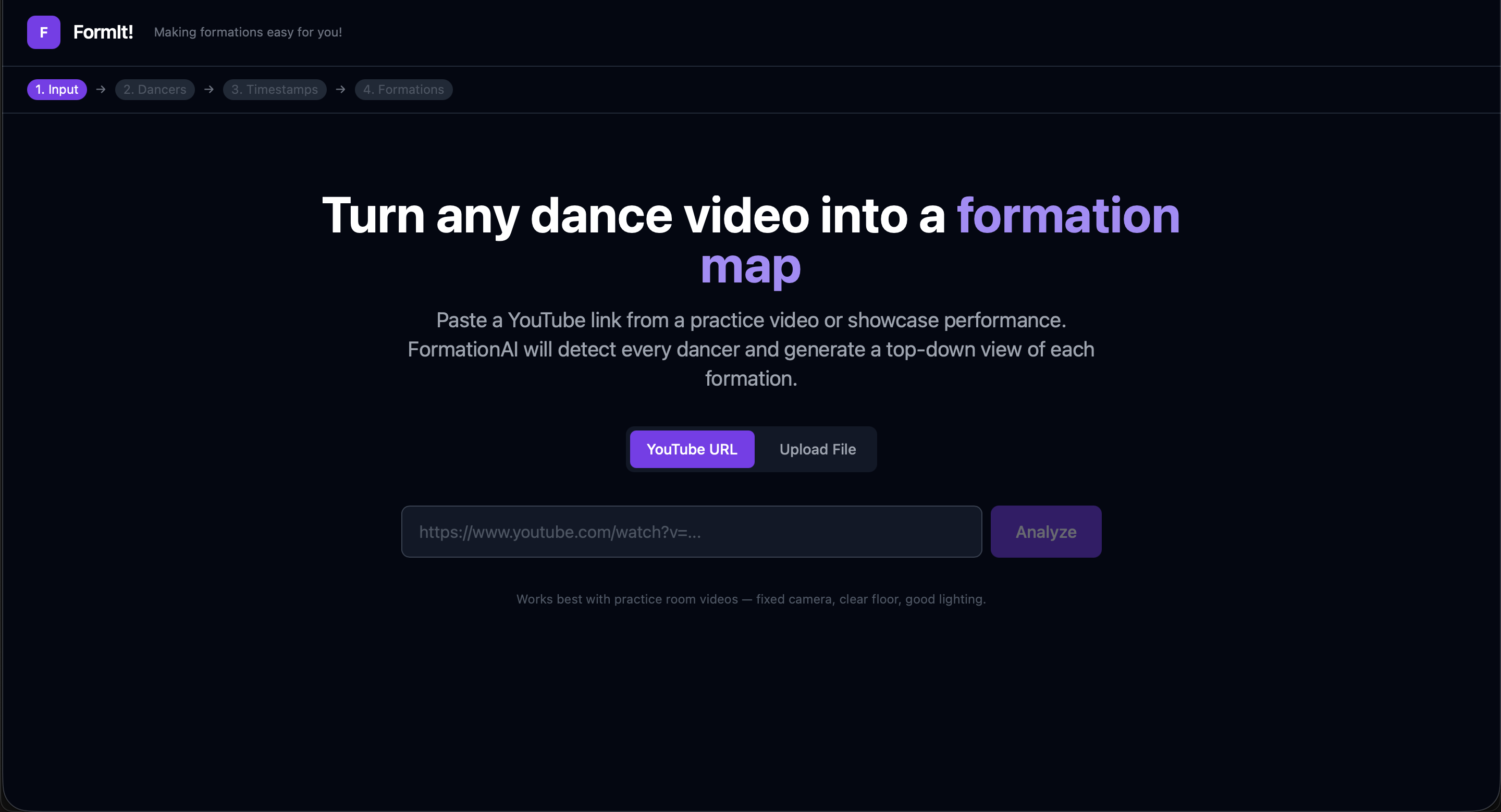
Input Link/File
-
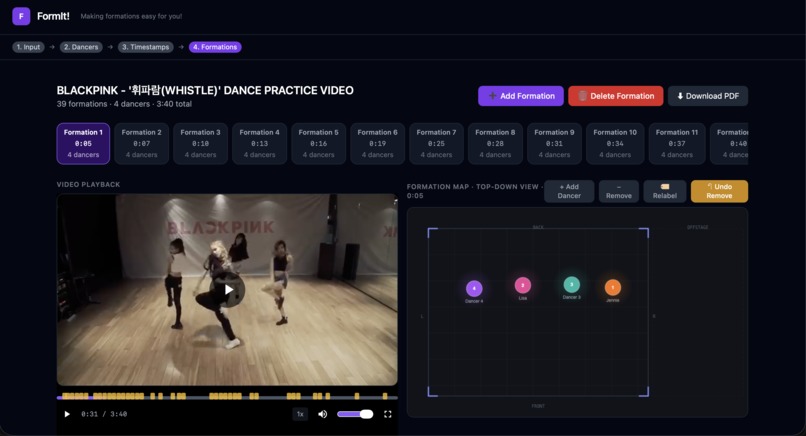
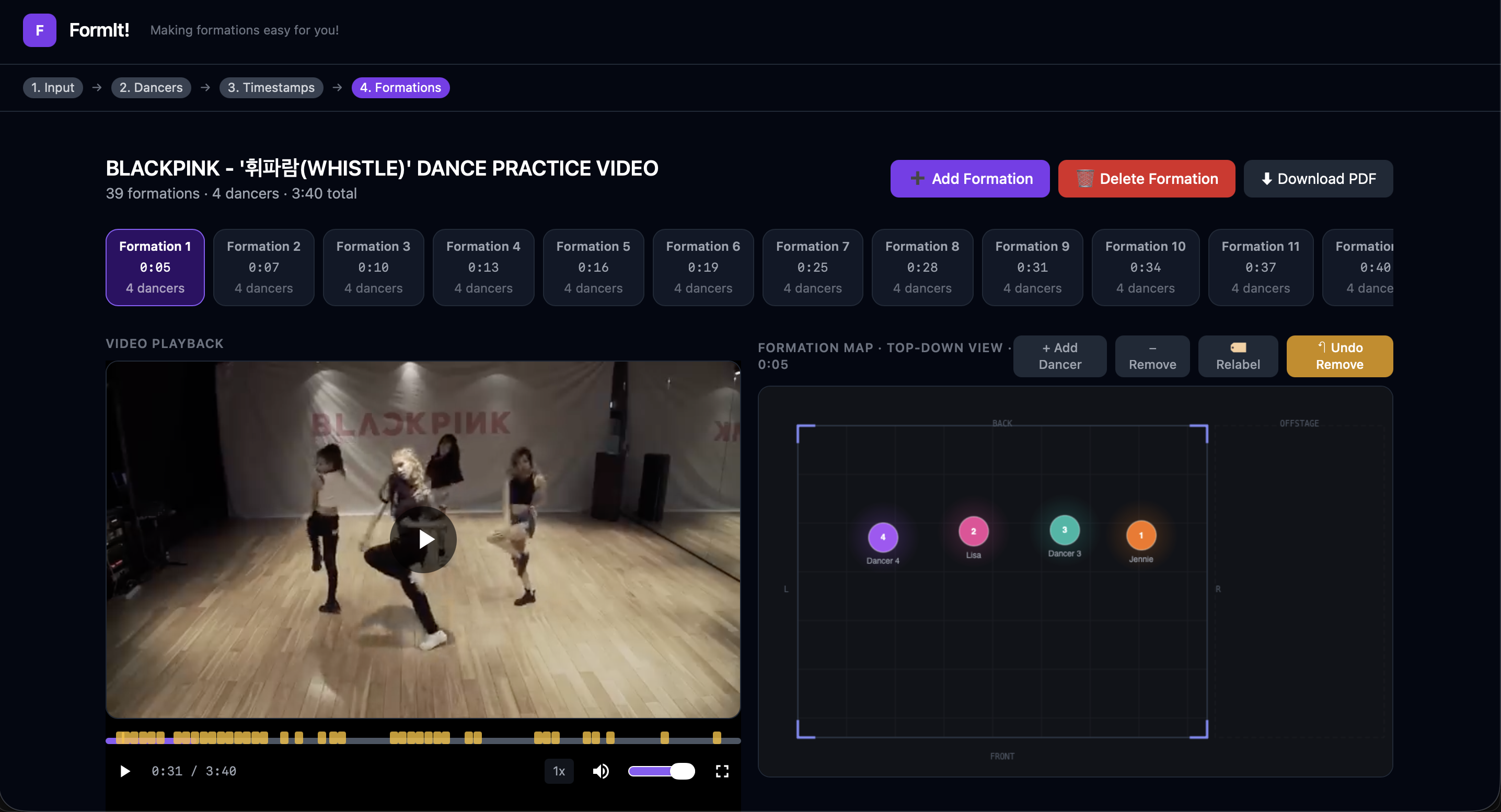
Review Formations + Download
FormIt!
Turn any dance video into a top-down formation map — built for student choreographers at large-scale showcases.
Inspiration
At Cal Poly, showcases like Illuminate, LanternFest, and CultureFest bring together dozens of non-audition dance groups on a single stage. The student choreographers behind these performances are managing 50–80 dancers with no professional tools. They pause and rewind rehearsal videos, sketch formations by hand on paper, and guess at spacing. We've been in those rehearsals. We've seen the group chat screenshots of stick-figure diagrams drawn on notebook paper at 1 AM. We built Formit because choreographers deserve better than that.
What it Does
Formit takes a YouTube link to a rehearsal or performance video and turns it into a set of clean, top-down formation diagrams — the kind of output that would normally require a professional choreography tool or hours of manual work.
Here's the workflow:
- Paste a YouTube link — the app downloads the video server-side and displays it in a custom player with seeking, speed control, and formation markers on the timeline.
- Auto-scan or manually pick timestamps — the scanner analyzes the full video using motion detection, people counting, and scene-cut analysis to find moments where dancers are holding a formation. Users can also type in specific timestamps (e.g.
1:23) to capture exact moments. - Set your dancer count — tell the system how many dancers are in your group so it can track missing/offstage performers.
- Generate formation maps — for each timestamp, the system extracts the frame, runs YOLOv11 pose estimation to detect every dancer, and applies a perspective homography to produce a top-down bird's-eye view of the stage.
- Review and edit — a side-by-side viewer shows the original video frame alongside the generated formation diagram. Dancers are numbered, color-coded, and draggable. You can add or remove dancers, adjust positions, and add formations at any point in the video.
- Export — download everything as a PDF with original screenshots, labeled frames, and top-down maps, or grab the raw JSON data.
How we Built it
Backend — Python with FastAPI. The heavy lifting happens in a pipeline of specialized services:
downloader.py— pulls video from YouTube via yt-dlp with H.264 codec enforcement and FFmpeg remuxing so the browser can always play it back.extractor.py— extracts JPEG frames at selected timestamps using OpenCV, with a legacy motion-based formation detector as fallback.scanner.py— the position-aware formation scanner. Samples the video at configurable intervals, runs YOLO on each sample, and uses greedy nearest-neighbor matching to compare dancer positions between frames. Only emits a new formation when average positional displacement exceeds a threshold. Exposes real-time progress via polling.detector.py— YOLOv11 pose estimation for per-frame dancer detection. Returns normalized positions, bounding boxes, 17 keypoints per dancer, and confidence scores. Also supports BoT-SORT tracking for consistent IDs across frames.matcher.py— cross-frame dancer matching using HSV color histograms (torso region) combined with proximity scoring. Greedy assignment ensures consistent dancer IDs across formations.transformer.py— perspective homography. Maps dancer foot positions from the camera view to a top-down stage plane using OpenCV'sfindHomographyandperspectiveTransform. Renders the final formation diagram with color-coded, numbered dancer dots.
Frontend — React with Vite and Tailwind CSS. Key components:
- A custom video player with range-request streaming, playback speed control, formation markers on the timeline, keyboard shortcuts, and buffered-progress visualization.
- A formation viewer with side-by-side original frame and top-down diagram, draggable dancer positions, add/remove dancer controls, and a scrollable formation timeline.
- Real-time scan progress with polling during auto-detection.
ML/CV Stack — YOLOv11n-pose (Ultralytics), OpenCV for frame extraction and homography, BoT-SORT for multi-object tracking, NumPy for coordinate math.
Challenges we Ran Into
Perspective transformation is hard. Mapping a front-facing camera angle to a top-down view requires estimating the stage floor plane. Without user-calibrated stage corners, we had to use assumed trapezoid coordinates that work reasonably well for typical rehearsal footage but break down with unusual camera angles. Getting the homography source points right took a lot of trial and error.
Dancer matching across formations. When dancers move between formations, their appearance changes (different angle, lighting, occlusion). Pure position-based matching fails when everyone shuffles. We ended up combining HSV color histograms of the torso region with proximity scoring — appearance handles the "who is who" and proximity breaks ties. It's not perfect, but it's surprisingly effective for rehearsal videos where outfits are consistent.
Auto-detection false positives. Our first approach used simple pixel differencing to find "stable" moments. It triggered on every pause in camera movement, empty frames, and single-person shots. We rebuilt it as a multi-signal system: motion detection AND people counting AND scene-cut detection AND temporal stability, all with configurable thresholds. The position-aware scanner in scanner.py was a second rewrite that compares actual dancer positions instead of raw pixels.
Offstage dancers. When a dancer exits the frame, YOLO stops detecting them, but the choreographer still needs to know where they are. We added offstage placeholder positions so the dancer count stays consistent and IDs don't get reassigned to the wrong person.
Accomplishments that we're Proud of
- The full pipeline works end-to-end. Paste a YouTube link, get formation diagrams. No manual setup, no calibration required, no ML knowledge needed.
- The position-aware scanner. It genuinely finds formation changes by comparing where dancers are standing, not just whether pixels changed. It handles swaying, camera shake, and lighting shifts that broke our earlier approach.
- Consistent dancer IDs across formations. The appearance + proximity matcher keeps Dancer 3 as Dancer 3 even when everyone moves. This is the feature choreographers care about most.
- The custom video player. Formation markers on the timeline, keyboard shortcuts, range-request seeking, playback speed control — it feels like a real tool, not a hackathon demo.
- Sub-second formation generation. Frame extraction, YOLO detection, and top-down rendering complete in under a second per formation. Fast enough to add formations interactively while watching the video.
What we Learned
- Computer vision heuristics need layering. No single signal (motion, people count, edge detection) is reliable alone. Combining multiple weak signals with AND logic produces much better results than trying to perfect any one of them.
- Greedy matching is good enough. We considered Hungarian algorithm assignment for dancer matching but greedy nearest-neighbor with a distance cutoff works well in practice and is much simpler to debug.
- Browser video compatibility is fragile. You can't just save any video as
.mp4and expect it to play. Container format and codec both matter, and the failure mode is a cryptic "format not supported" error with no details. - Normalized coordinates simplify everything. Representing all positions as 0–1 fractions of frame dimensions made the homography, matching, and rendering code dramatically simpler and resolution-independent.
- Hackathon scope is about cutting the right corners. We skipped 3D reconstruction, audio sync, and multi-camera support. We kept consistent IDs, draggable positions, and PDF export. Those choices made the difference between a demo and a tool people would actually use.
What's Next
- Stage calibration UI — let users click four stage corners to define the actual floor plane, replacing our assumed trapezoid with a precise homography.
- Audio-synced timeline — detect beats and musical sections to auto-suggest formation timestamps aligned with the music.
- Formation transition animations — interpolate dancer positions between consecutive formations to visualize how the group moves.
- Multi-group showcase planning — support multiple dance groups sharing one stage, with per-group formation sets and combined stage views for showcase directors.
- Shareable links — generate a URL for a formation set so choreographers can share with their team without everyone running the app.
- Mobile-friendly viewer — dancers check formations on their phones at rehearsal. The viewer needs to work well on small screens.


Log in or sign up for Devpost to join the conversation.