Inspiration
The Problem Physical security is a $120 billion industry, yet most estate managers still review CCTV footage the same way they did in 1995: a human being, scrubbing through hours of video. A single 24-hour camera feed takes 3 hours and 40 minutes to audit manually. For a mid-sized property with several cameras, that's hours of review per day, an operational impossibility that forces reactive, not proactive, security. The Insight We interviewed three property management companies during ideation. Every workflow was identical: An incident is reported. A manager manually reviews footage across multiple cameras. They take screenshots and write a Word report. For insurance or police, they export clips to USB. The footage is rich data, but it dies in video files. There is no searchability, no aggregation, no intelligence layer. Modern multimodal AI can now process video at scale, so we built the intelligence layer that property management has been missing. Design Philosophy We didn't want "another security app." We wanted a Command Center, something that feels like it belongs in a SOC (Security Operations Center). Every design decision, from the dark HUD aesthetic to monospace data labels, was intentional.
What it does
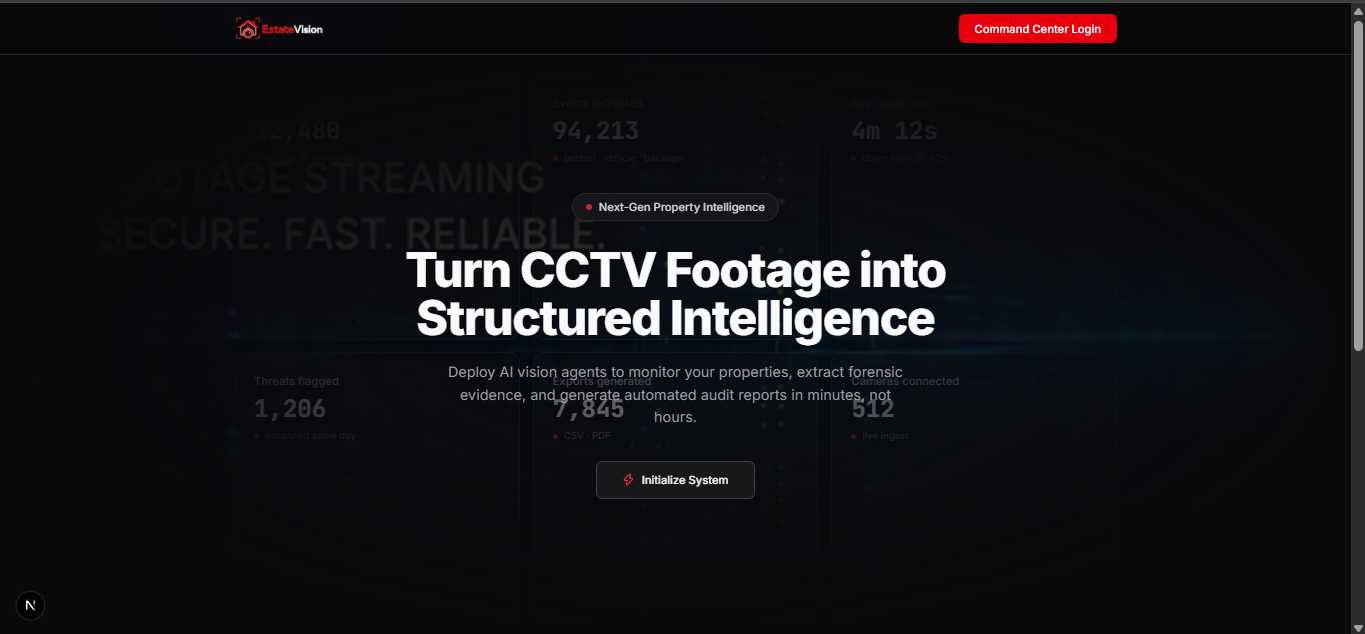
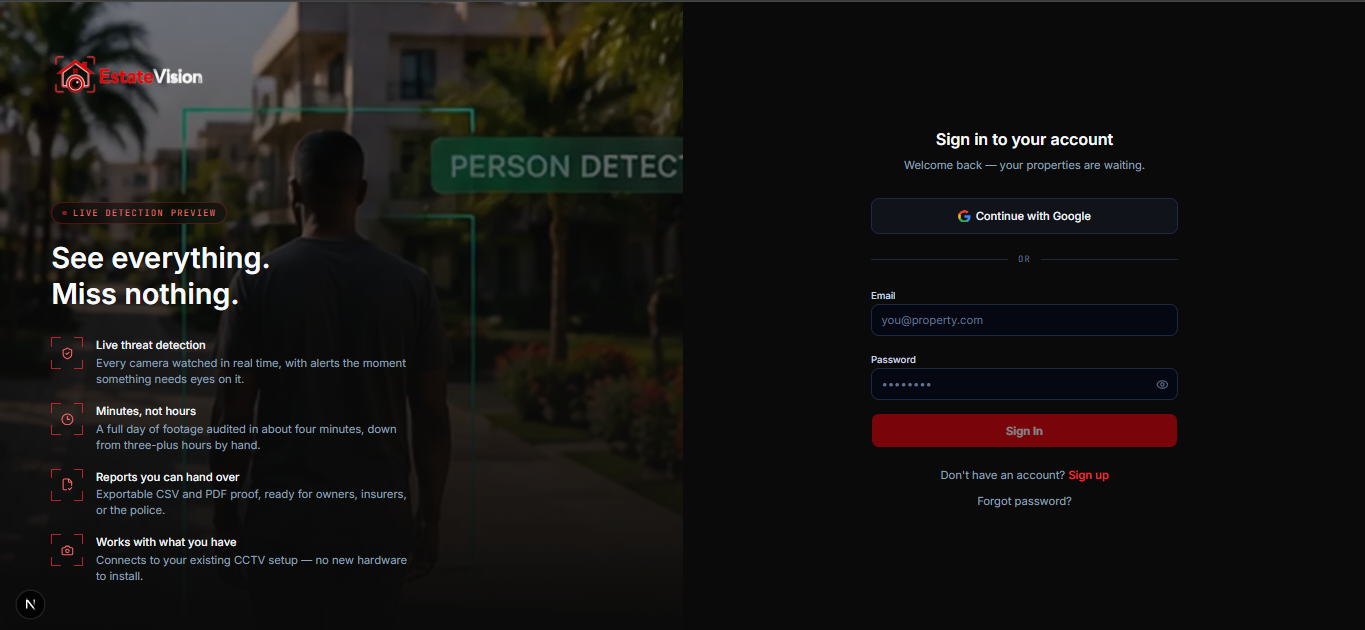
EstateVision is a full-stack AI-native CCTV intelligence platform with real authentication, real storage, real AI inference, and persistent data.
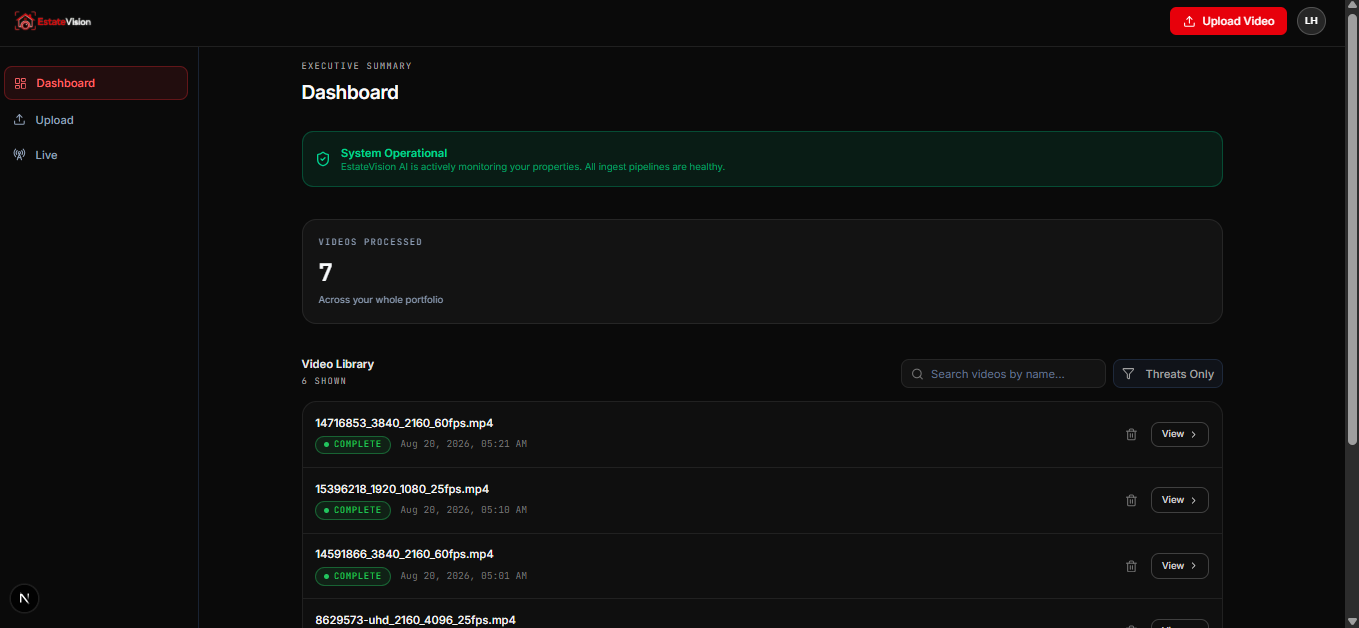
- Intelligent Video Ingestion & Processing Direct-to-Cloud Upload: Users drag-and-drop video files (MP4, MOV, AVI up to 500MB). The browser uploads directly to Cloudflare R2 via presigned PUT URLs — the file never touches our Next.js server. Automatic AI Audit: Once uploaded, the video is downloaded server-side, sent to Google's Gemini multimodal AI for full-video analysis, and returns a structured JSON report with: A chronological narrative summary with embedded MM:SS timestamps A boolean threat_detected flag Status Polling: The UI auto-polls Firestore every 3 seconds while a video is in processing or queued state, updating the dashboard in real-time.
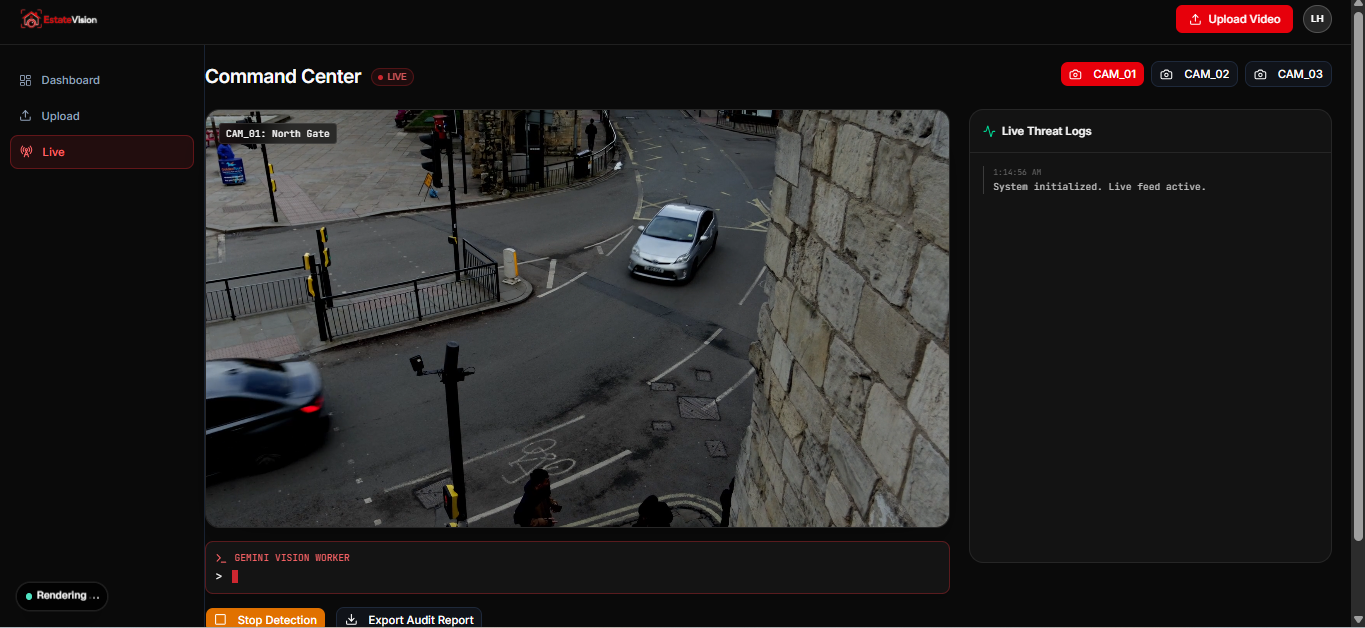
- Live Operations Command Center Real-Time Frame Analysis: Connects to live camera feeds (demo uses looped MP4s). Every 4 seconds, it captures a frame from the HTML5 element to a hidden , encodes it as a base64 JPEG, and sends it to a Server Action running Gemini Vision. Typewriter Threat Log: AI responses render with a character-by-character typewriter effect into a terminal-style HUD, creating a "live analyst" persona. The system guards against overlapping requests using a React ref-based semaphore. State-Aware Guarding: If the user pauses detection mid-request, the in-flight result is discarded rather than overwriting the "PAUSED" state — a critical UX detail for real-world security workflows.
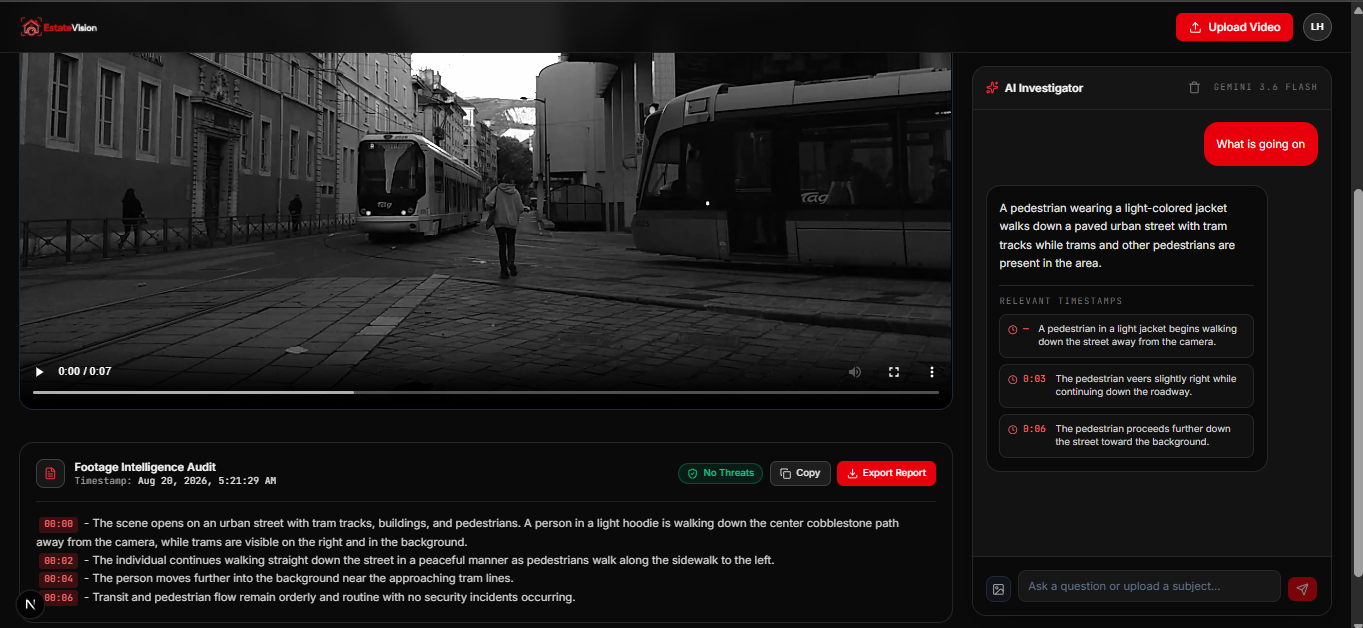
- AI Investigator (Conversational Video Analysis) Natural Language Queries: Users can ask questions like "What time did the red truck arrive?" or "Was anyone wearing a blue jacket?" Screenshot Subject Tracking: Users can upload a reference image (e.g., a screenshot of a suspect). The AI uses this as visual context to locate the subject in the video and return precise timestamps. Persistent Chat History: All conversations are stored in Firestore under video_chats/{videoId}, allowing investigations to resume days later. Clickable Timestamps: AI responses containing timestamps render as interactive buttons that seek the video player to the exact second.
- Structured Event Database Every detection is stored as a typed document with: timestamp_seconds: Precise temporal location object_class: person, vehicle, package, animal severity: safe (cyan), warning (amber), threat (red) confidence: 0–1 float bbox: Normalized [x, y, width, height] for spatial heatmapping label: Human-readable description
- Reporting & Export In-App Audit Reports: Formatted, timestamped reports with threat status badges and one-click copy/download. Aggregated CSV/JSON Export: Cross-video filtering by date range, camera, and object class, flattened for Excel or SIEM ingestion.
How we built it
Technical Stack Deep Dive Frontend Next.js with App Router and React Server Components. We use Server Actions for all mutations, eliminating the need for a separate REST API layer. Tailwind CSS v4 with a custom design system. We intentionally overrode default tokens to create a "dark-only" HUD aesthetic. :root and .dark carry identical tokens to prevent any light-mode flash. Base UI for accessible primitives — Dialogs, Dropdowns, Toasts, Progress bars. Every interactive element has visible focus rings meeting WCAG AA. Zustand for lightweight, slice-based state management. Dedicated stores for: uploads (with complex lifecycle states), video detail (with polling logic), reports (with cursor-based pagination), and UI (confirmation modals). Backend & Infrastructure Firebase Authentication: Supports Email/Password and Google OAuth. Every Server Action begins with requireUser(idToken), which verifies the JWT using Firebase Admin SDK. This means even if someone discovers a Server Action endpoint, they cannot invoke it without a valid, unexpired Firebase session. Firestore: NoSQL document store with denormalized counters (event_count on video docs) to prevent N+1 queries on the dashboard. We use BulkWriter for batch deletions because Firestore lacks cascade deletes and DELETE WHERE. Cloudflare R2: S3-compatible object storage with zero egress fees. We use the AWS SDK v3 with a custom endpoint (r2.cloudflarestorage.com) to generate presigned PUT and GET URLs. The browser uploads directly; the server only orchestrates keys. Google GenAI SDK: Unified SDK for Gemini multimodal AI. We use it for: Full-video analysis (upload → poll → generate JSON) Frame-by-frame live analysis (base64 image → text description) Conversational investigation (video + text + optional image → JSON with timestamps) The Multi-Key Failover System Gemini's free tier has aggressive rate limits. Rather than failing when one key hits a quota, we built withGeminiFailover(): TypeScript // Reads GEMINI_API_KEY_1, GEMINI_API_KEY_2, GEMINI_API_KEY // If key 1 returns 429/401/403, the ENTIRE operation reruns with key 2 This is architecturally necessary because Gemini file uploads are key-scoped. Key 2 cannot poll or generate content against a file uploaded by Key 1. So we don't "resume" — we restart the entire upload-poll-generate sequence on the next key. This makes our demo resilient enough to handle a hackathon judging room where multiple judges might trigger AI calls simultaneously. Upload Resiliency We implemented a 3-attempt retry loop with exponential backoff for the actual file upload to R2. We distinguish between: Network errors (xhr.onerror): Retry with reset progress and 2-second delay Permission errors (403 CORS): Fail immediately with a descriptive message Abort errors (user clicks Cancel): Silent cleanup Code Quality & Testing TypeScript strict mode throughout. Every Firestore document has a corresponding interface in lib/types/event.ts. Vitest unit tests for formatting utilities (formatBytes, formatDuration, formatDateTime). Fixture validation tests: The mock JSON fixture (events.mock.json) has a full test suite asserting schema compliance, unique IDs, referential integrity (events reference valid videos), and temporal consistency (events don't exceed video duration). ESLint 9 with Next.js core web vitals and TypeScript configs.
Challenges we ran into
Challenge 1: The Gemini File API State Machine Gemini's video analysis requires a multi-step asynchronous workflow: Upload the local video file → receive a fileInfo object Poll every 3 seconds checking fileInfo.state until it transitions from PROCESSING to ACTIVE Only then can you reference the file in generateContent Finally, delete the remote file to avoid quota pollution The Bug: During testing, we encountered a race condition where fileInfo.name was occasionally undefined after upload, causing the polling loop to throw. We also learned that if the Server Action timeout is shorter than the video processing time, the entire operation dies mid-poll. The Solution: We wrapped the entire sequence in a try/finally block ensuring cleanup, added explicit null checks on fileInfo.name, and implemented the multi-key failover so that a timeout on one key doesn't poison the entire demo. Challenge 2: Firestore's Lack of Relational Features We needed to delete a video and all its associated events. Firestore has no foreign keys, no cascade delete, and no DELETE WHERE video_id == "...". The Bug: Our first implementation fetched event IDs client-side and deleted them one by one. This was slow, unreliable, and could leave orphaned events if the user closed the tab mid-deletion. The Solution: We moved deletion to a Server Action using Firebase Admin's BulkWriter. It automatically batches operations into 500-document chunks and handles retries. We also enforce ownership checks at every layer: the client can only request deletion of a video whose user_id matches the authenticated Firebase UID. Challenge 3: CORS and Direct Browser Uploads Configuring Cloudflare R2 to accept direct browser uploads requires precise CORS rules on the bucket. During development, we hit 403 Forbidden errors that were indistinguishable from network failures. The Solution: We added explicit status-code handling in our XHR upload logic. A 403 returns "Storage permission denied. Cloudflare CORS policy might still be updating." A network error triggers the retry loop. This distinction saved us hours of debugging and gives users actionable feedback. Challenge 4: Real-Time Frame Capture Without Blocking the UI The Live Operations page needs to capture frames from a playing element, draw them to a , export as base64 JPEG, and POST to a Server Action — all without dropping frames or freezing the UI. The Solution: We use a hidden canvas (never rendered to DOM) and a ref-based isAnalyzingRef semaphore to prevent overlapping requests. The typewriter effect runs on a separate setInterval, decoupled from the analysis loop, so the UI feels responsive even when the network is slow. Challenge 5: Mock Mode vs. Production Parity For hackathon demos, we needed the app to run without any Firebase project configured. But mock mode must behave identically to production or judges will encounter broken flows. The Solution: We built a comprehensive mock fixture with 5 videos and 10 events, plus a USE_MOCKS flag that branches every data call. The mock data satisfies the same TypeScript interfaces as Firestore documents, and our fixture tests enforce this contract. Mock mode even simulates upload progress with a setInterval that increments progress by 7% every 120ms.
Accomplishments that we're proud of
- Production-Grade Architecture in days This isn't a mocked frontend with fake data. It's a real application with: Real authentication (Firebase Auth with ID token verification on every server action) Real storage (Cloudflare R2 with presigned URLs) Real AI inference (Gemini multimodal with video understanding) Real database persistence (Firestore with proper indexing and security rules)
- The Multi-Key Gemini Failover Most hackathon projects using AI APIs die when they hit a rate limit. We engineered around it. The withGeminiFailover utility reads multiple API keys and retries the entire operation on the next key. This is the difference between a demo that works once and a demo that works reliably.
- Zero-Server Upload Architecture By using presigned URLs, a 500MB video uploads directly from the browser to R2. Our Next.js server never sees the bytes. This is how real SaaS products handle file ingestion, and implementing it correctly in a hackathon context demonstrates architectural maturity.
- The AI Investigator The conversational interface with screenshot subject tracking is genuinely impressive. The ability to upload a reference image and ask the AI to locate that subject across a video, then receive clickable timestamps that seek the player, is a feature that would take traditional VMS vendors months to implement.
- Design Cohesion We built a bespoke design system rather than using default styling: Custom CSS variables for HUD accents (--hud, --threat, --warn) Glassmorphic cards with backdrop-blur-md Monospace data labels with tracking-wide uppercase styling Red corner brackets on critical metric cards WCAG AA compliant focus rings on every interactive element
- Comprehensive Error Handling Every async operation has a failure path: Uploads retry on network errors AI calls failover on rate limits Firestore reads degrade gracefully in mock mode Auth failures redirect to login with toast notifications Video processing failures update the Firestore document with status: "failed" and a plain-language error_message
What we learned
Technical Lessons Server Actions change how you think about APIs: With Next.js Server Actions, you don't build REST endpoints — you export async functions. This eliminates boilerplate but requires strict server/client boundary discipline. We learned to always validate inputs and re-verify auth server-side, since Server Actions are effectively public POST endpoints. AI video processing is I/O bound, not compute bound: The bottleneck isn't Gemini's intelligence — it's the round-trips. Uploading a file, polling for readiness, and downloading results takes 30–90 seconds for a 5-minute video. This taught us to design UIs around asynchronous, long-running jobs rather than synchronous requests. Presigned URLs are non-negotiable for file uploads: Routing large files through your application server is an anti-pattern. Learning to generate presigned PUT URLs with the AWS SDK and validate ownership via key prefixes ({uid}/{videoId}/...) is a pattern we'll use in every future project. Firestore is not a relational database: We hit the "no cascade delete" wall early. The solution (BulkWriter) works, but it reinforced that Firestore is best for document-oriented, denormalized data. We now deeply appreciate why event_count is denormalized on the video document. Canvas frame capture has browser quirks: canvas.toDataURL("image/jpeg", 0.7) quality settings, crossOrigin="anonymous" on video elements, and readyState checks are all necessary for reliable frame extraction. We now have a reusable pattern for client-side video frame analysis. Hackathon Strategy Lessons Mock mode is a force multiplier: Building NEXT_PUBLIC_USE_MOCKS early meant our frontend developers could build the entire UI without waiting for backend infrastructure. It also makes the project demoable forever, even if the Firebase project is suspended. Type safety pays dividends: Strict TypeScript caught dozens of errors that would have manifested as runtime bugs during judging. The Part type from @google/genai was particularly tricky — without strict typing, our multimodal request payloads would have failed silently. Invest in the "wow" features: The typewriter effect on the Live Ops page and the clickable timestamps in the AI Investigator took extra time, but they're what judges remember. Functional utility alone doesn't win hackathons — delight does.
What's next for Estate vision
Short-Term (0–3 months) ONVIF/RTSP Camera Integration: Move beyond demo MP4 loops to connect to real IP cameras. We'll use an FFmpeg bridge to ingest RTSP streams into our processing pipeline. Background Job Queue: Replace synchronous Server Action processing with BullMQ + Redis. This allows instant upload acknowledgment and scalable, retryable background processing. Email Alerting: When threat_detected === true, automatically email property managers with a summary and deep-link to the video. Medium-Term (3–6 months) Facial Recognition Watchlist: Expand the existing watchlist schema to support facial embeddings. When a detected face matches a watchlist entry, trigger immediate alerts. Cross-Camera Tracking: Correlate events across cameras using temporal and spatial heuristics. "Subject seen at Camera 1 (North Gate) at 14:03, then Camera 4 (Loading Bay) at 14:07." Mobile React Native App: Push notifications for real-time alerts, offline report viewing, and photo capture for watchlist enrollment. Long-Term (6–12 months) Edge Deployment: Deploy lightweight detection models (YOLO/RT-DETR) on edge devices (NVIDIA Jetson, Coral TPUs) for on-premise processing that doesn't require cloud upload — critical for privacy-sensitive clients. SIEM Integration: Export events via syslog or webhook to platforms like Splunk, Datadog, or Sentinel for enterprise security workflows. White-Label SaaS: Multi-tenant architecture allowing security firms to brand the platform as their own and manage multiple client properties from a single dashboard. Predictive Analytics: Train models on historical event data to predict high-risk time windows and recommend optimal security patrol schedules. Business Model EstateVision will launch as a B2B SaaS with tiered pricing: Starter ($49/property/month): 5 cameras, basic AI audit, email reports Professional ($149/property/month): 20 cameras, live ops, AI investigator, CSV export Enterprise (custom): Unlimited cameras, edge deployment, SIEM integration, SLA support Thank you for reviewing EstateVision. We built this not just as a hackathon project, but as a viable product that addresses a genuine, multi-billion-dollar industry pain point. Every line of code, every design token, and every architectural decision was made with real-world deployment in mind. — The EstateVision Team
Built With
- aws-sdk
- cloudflare
- firebase-admin-sdk
- firebase-client-sdk
- firestore
- google-genai-sdk-(gemini-flash)
- javascript/typescript
- next.js
- node.js
- r2
- react-19
- tailwind-css-v4
- zustand


Log in or sign up for Devpost to join the conversation.