-
-
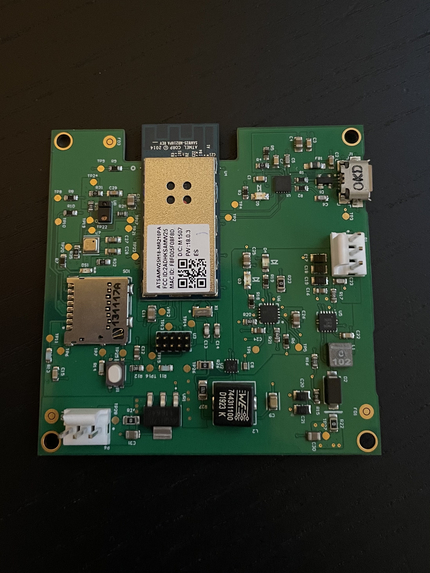
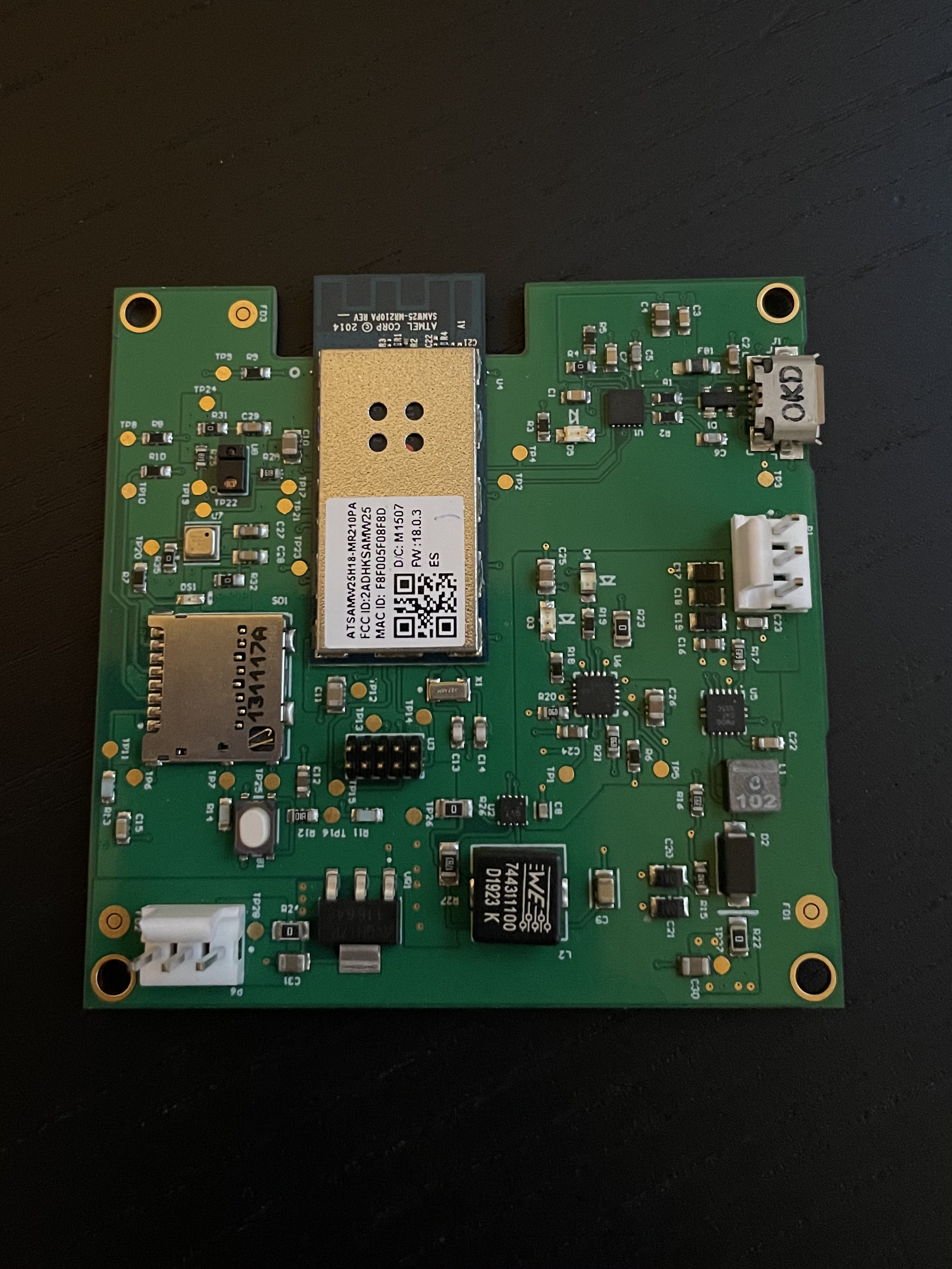
Base PCB assembly
-
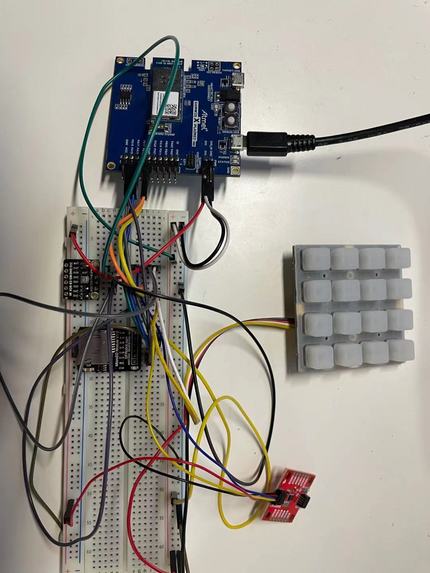
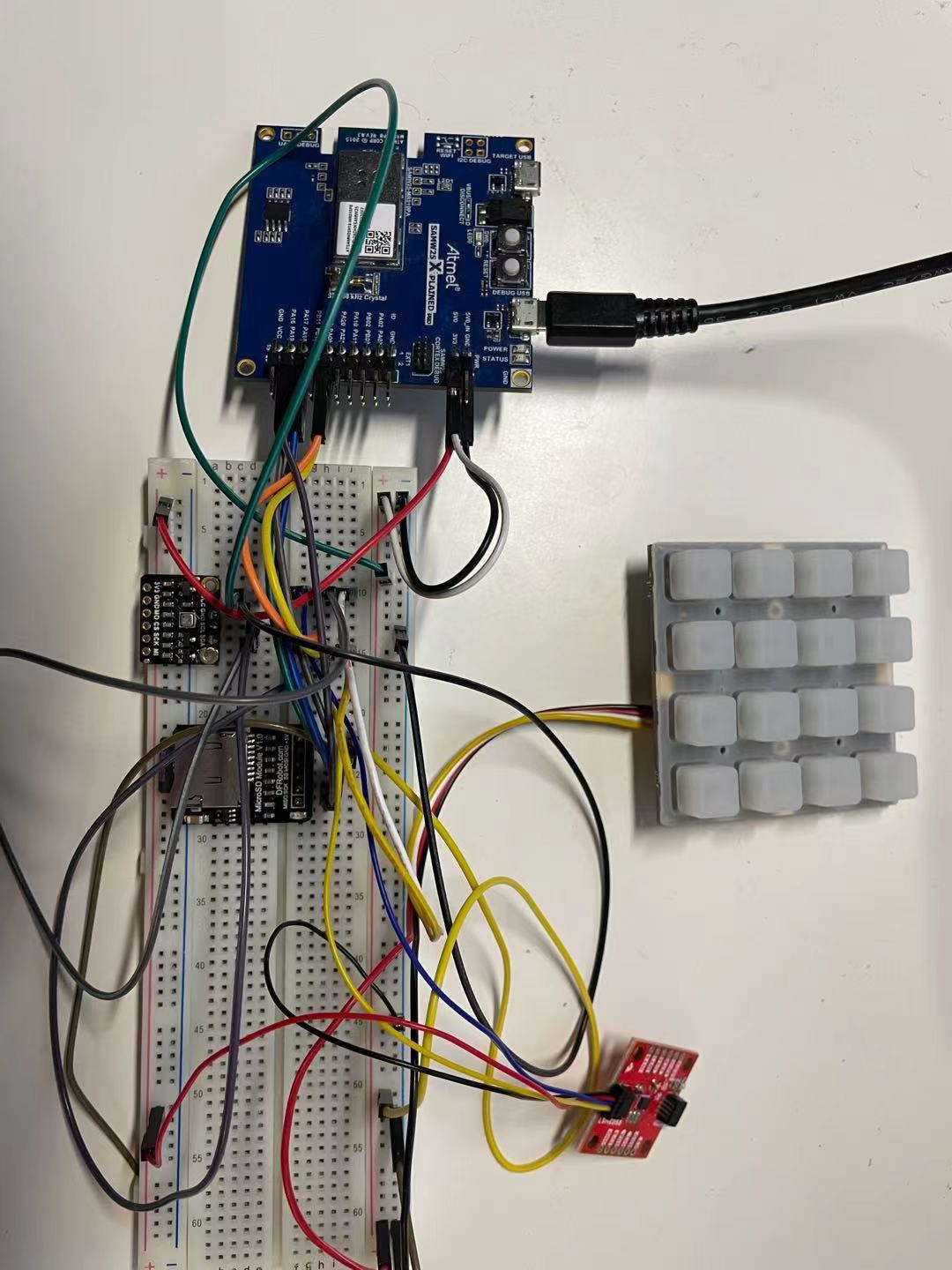
SAMW25 Xplained Board Wire connecting
-
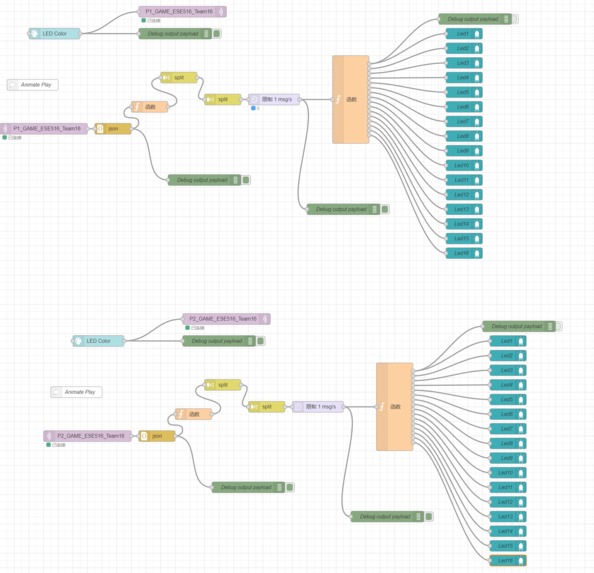
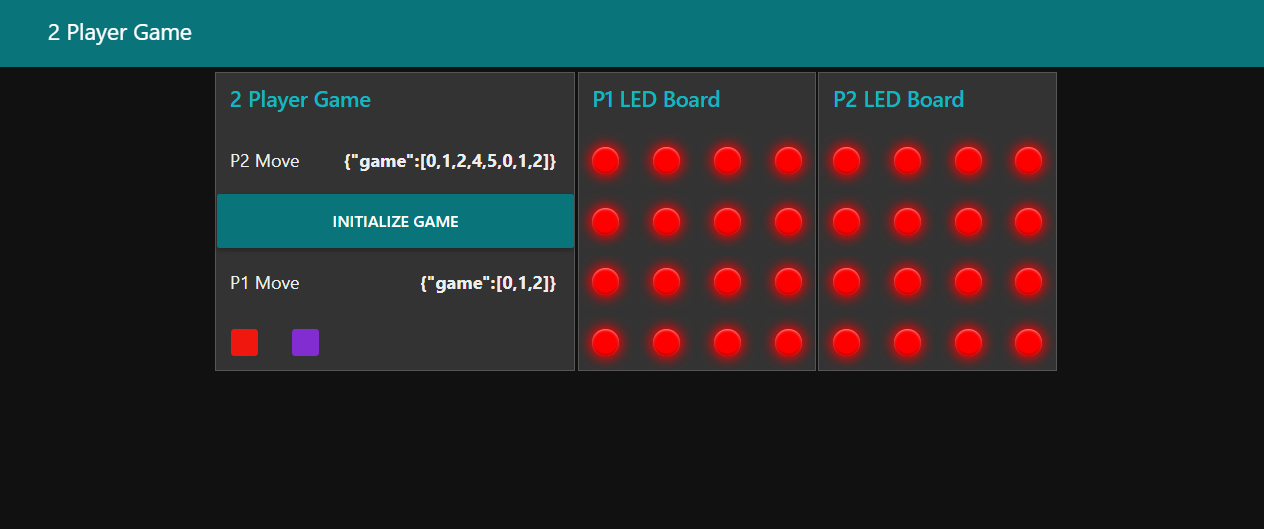
Node-RED Dashboard
-
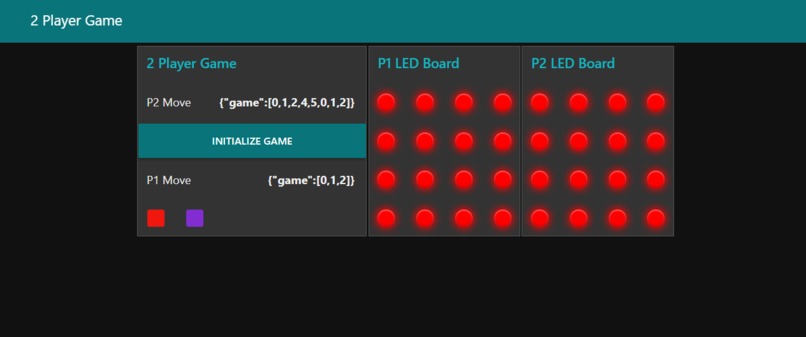
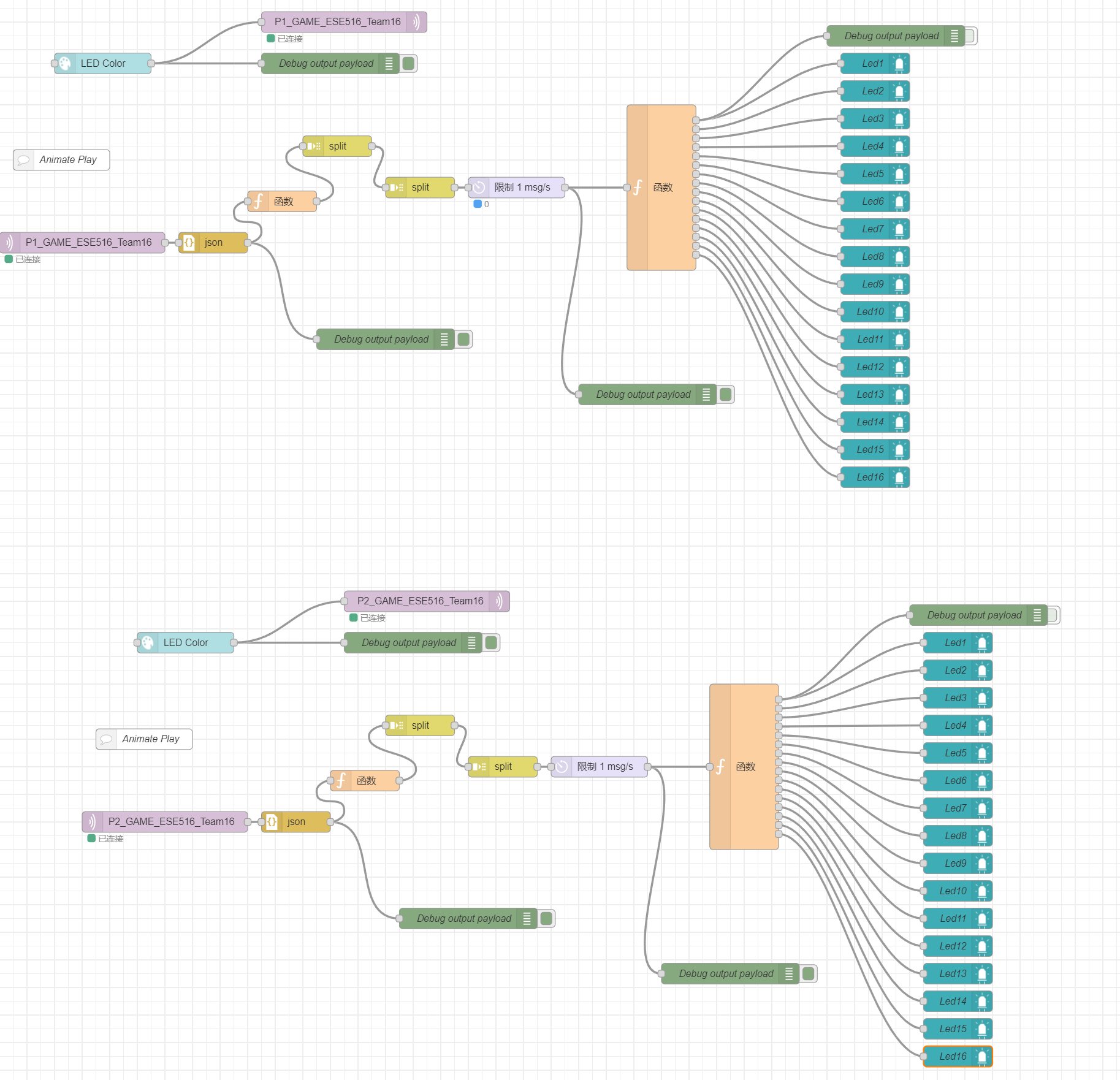
Node-red Frontend
Inspiration
Our inspiration of the project is coming from a classic game, Simon Says. This game is basically following the action that is shown on the board. It is a great game to play indoor with friends. It is a great way of relaxing during leisure times and it is easy to learn and play. We are combining the idea of the game and the technology of IoT. Therefore, people can play this game at the same at two totally different locations as long as they have access to Wi-Fi. This project is a great way to demonstrate IoT system.
What it does
Our project is an IoT system that implements Simon Says game that has single player mode or player vs. player mode. We also enable the system to change the led color as the weather changes. Each player will use a 4x4 keypad to interact. When the game start, player 1's keypad will have LED 0 flashes once, this indicates the game has started. Player 1 needs to press LED 0 first, then press any key on the keypad. After the keys are pressed, it will be sent to player 2. The keys combination that are pressed by player 1 will then be shown on player 2's key pad. After the combination is shown, player 2 needs to follow the combination shown earlier and press one extra key on the keypad. The key combination will then be sent back to player1. The game is like this going back and forth until one player cannot follow the correct key combination.
How we built it
We are building it using a 4x4 keypad, an accelerometer, BME680 environmental sensor, and SAMW25 module. The BME680 is connected to SAMW25 through I2C. Using the driver given by manufacture, we can adjust the LED color on the keypad based on different values reading. The 4x4 keypad is also connected to SAMW25 thorough I2C. The packet received and sent are using MQTT broker to connect to Node Red. For single player mode, after player 1 has sent its move, player 2 represented by computer will generate a random move on Node Red then sent back to player 1. An interface is built through Node Red. We also have built CLI for terminal control, we can set the LEDs' color, read the environmental readings, reset device, etc.
Challenges we ran into
We chose to use SAMW25 module instead. When we use the keypad, we had some problem with hardware connection. Also, there are challenges when I try to use the Bme680 sensor. The I2C driver does not work at the first time and I use the logic analyzer to debug the communication process. When we used CLI command on a terminal we can sometime see some ghost button that was being pressed. For example, when we type "getbutton" on the terminal, sometimes a bunch of buttons that we never pressed are shown been pressed, even key 19 that is not even exist on the keypad. Furthermore, we had some connection issue with the SD card reader. One of the SD card reader we have are often shown cannot be located. We have to reset the device and plug and unplug the wires to make it stable. Besides, the error "stack overflow in the RTOS" is often met in the development. We increase the stack size of responding task, which deepens the understanding of running RTOS on a MCU. Due to the delay of product delivery, we have not fully debugged our PCB board yet.
Accomplishments that we're proud of
We are proud of coming a long way making this project possible. We have built a successfully working IoT system. We can successfully integrate IoT in our system. The knowledge that we have learned in class can be nicely applied on our project. We are proud of working as a team and discuss and overcome the problems we had.
What we Learned with the prototype
The prototype that we have built taught us the whole cycle of PCB developing. We have learned from the very basic knowledge of development. We have learned different layers that a PCB can have and what each layer can do. We have learned how to distribute different components across the board and make it elegant. We have learned how to use Altium as a handy tool. We learned how to select different components on a BoM. We have learned how to deal with different voltages using different power design.
What we learned
In this project, we have learned how to use Microchip Studio. We had a chance to practice C language. We have learned using different threads to complete different tasks and get familiar with RTOS. We have learned how to use Node Red for the packet receiving and sending and even use it for user interface. We have learned MQTT protocol to connect IoTs.
What's next for ESE516_Thinking
The next step for our team is to integrate more different sensors. Using more sensors will make our product more versatile. We could make the sensors to better integrate with the 4x4 keypad or even using a LCD screen. We can also make the user interface more elegant than the way it is now. Another thing we can do next is getting to use our own PCB board for the project. We need to try how to use our own PCB and learn how we make the design of a PCB better next time.

Log in or sign up for Devpost to join the conversation.