-
-
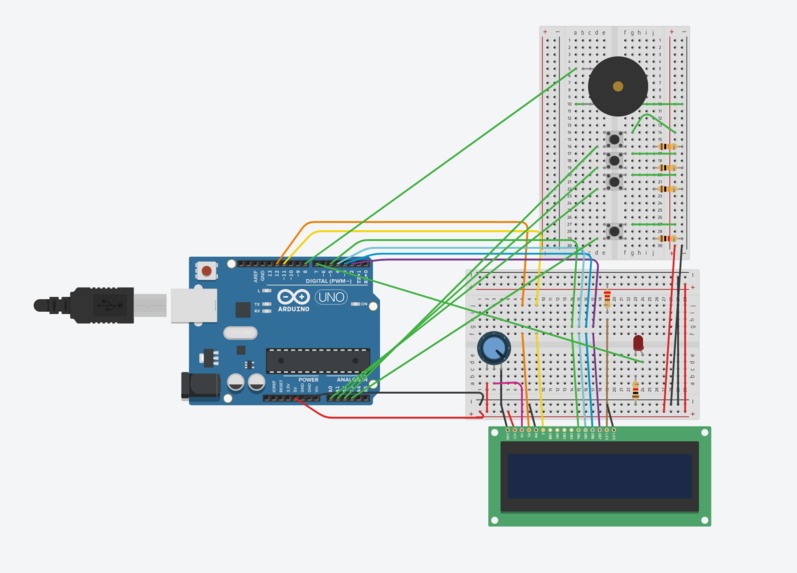
circuit
-
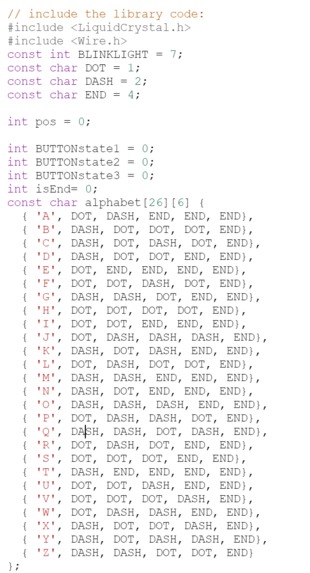
code (part 1)
-
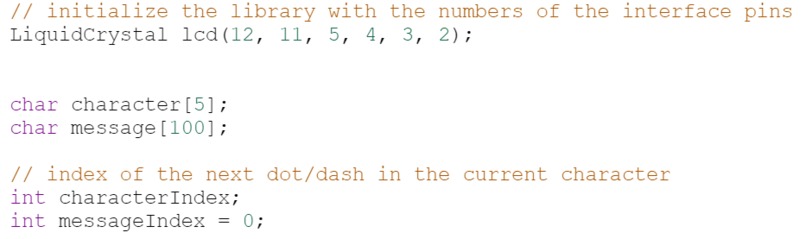
code (part 2)
-
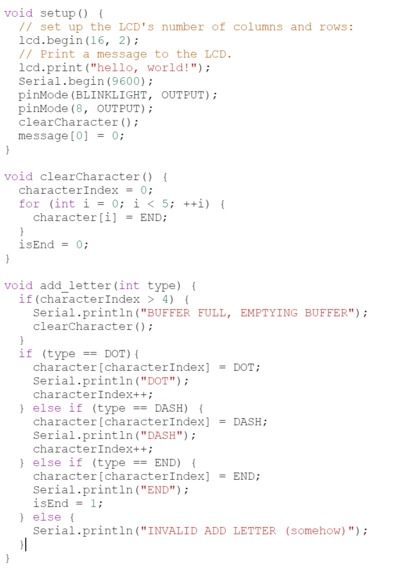
code (part 3)
-
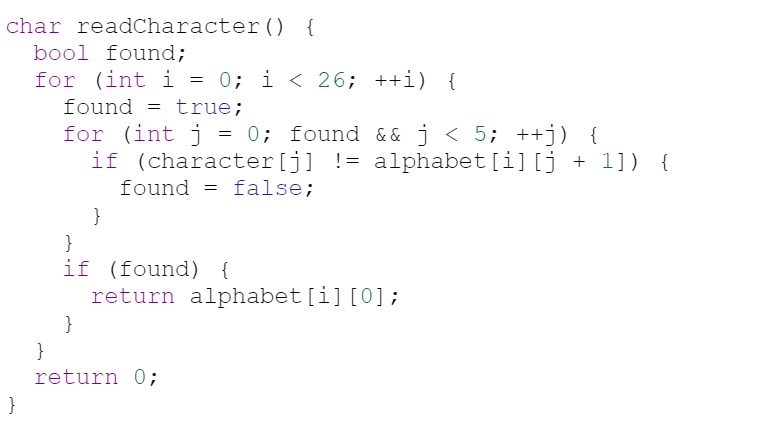
code (part 4)
-
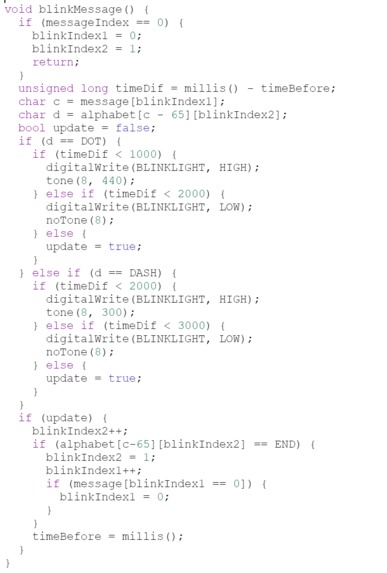
code (part 5)
-
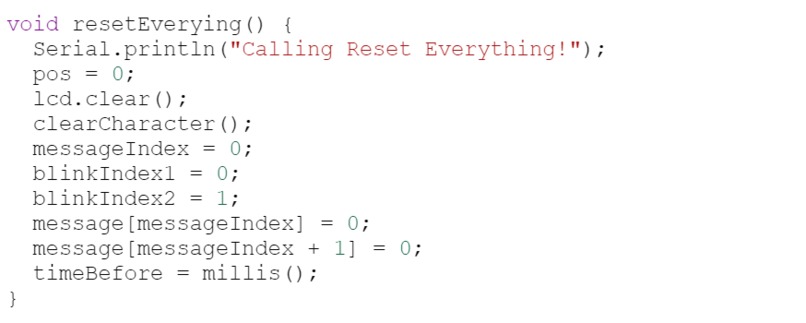
code (part 6)
-
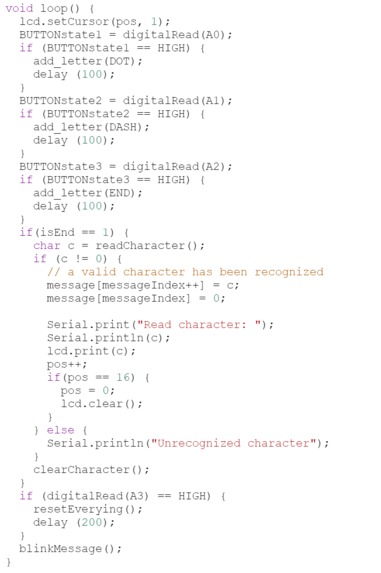
code (part 7)
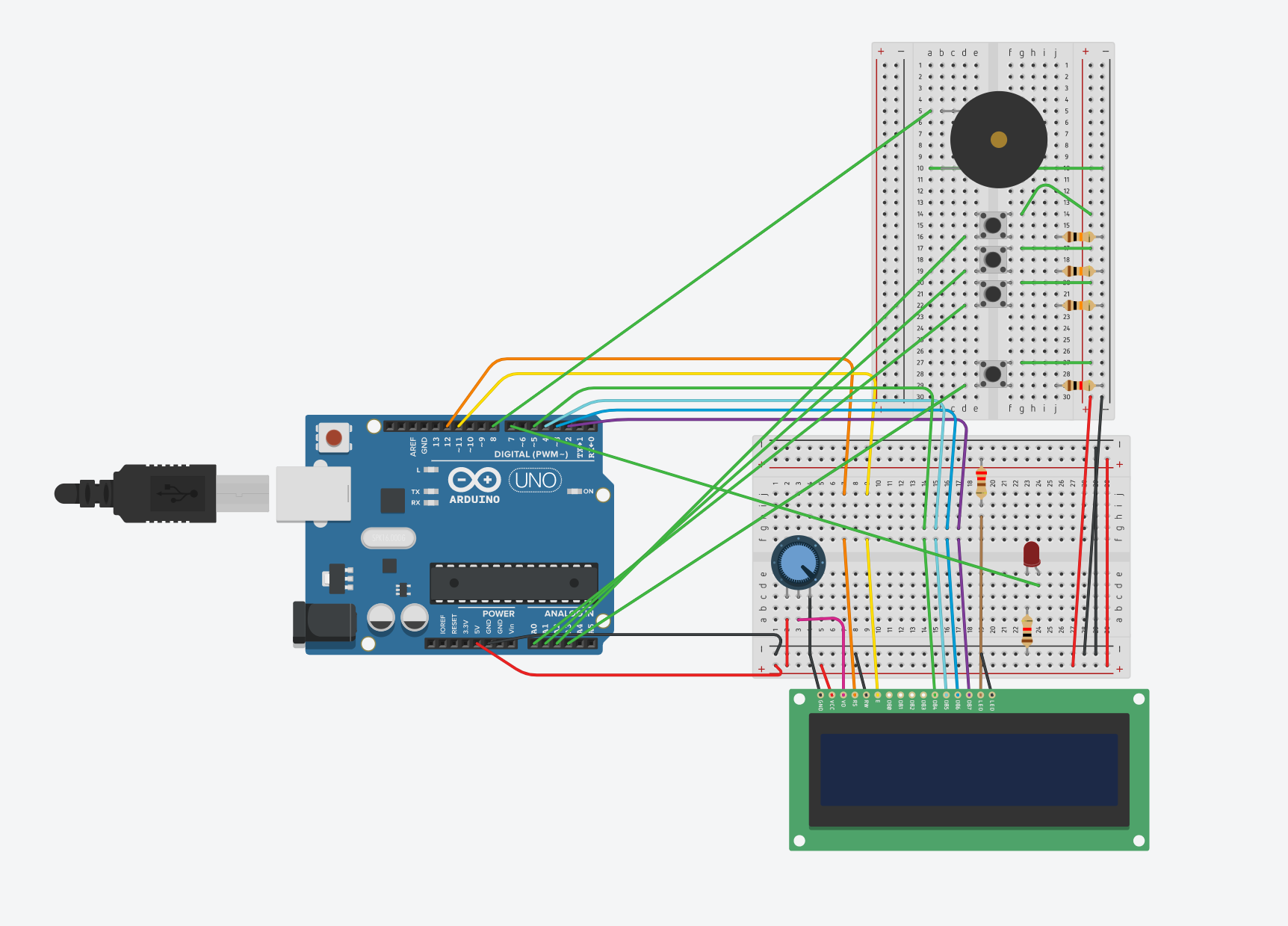
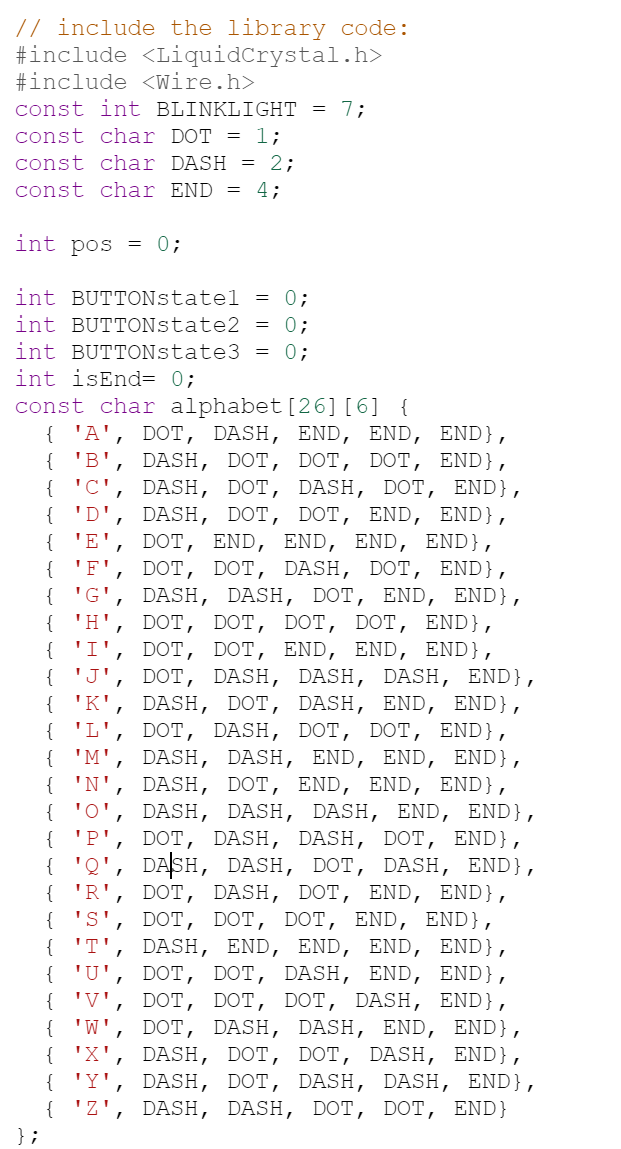
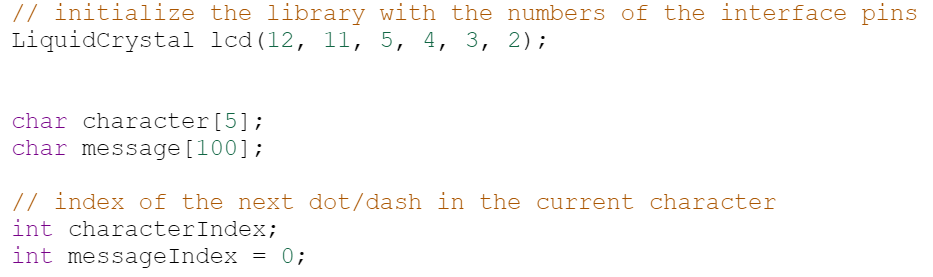
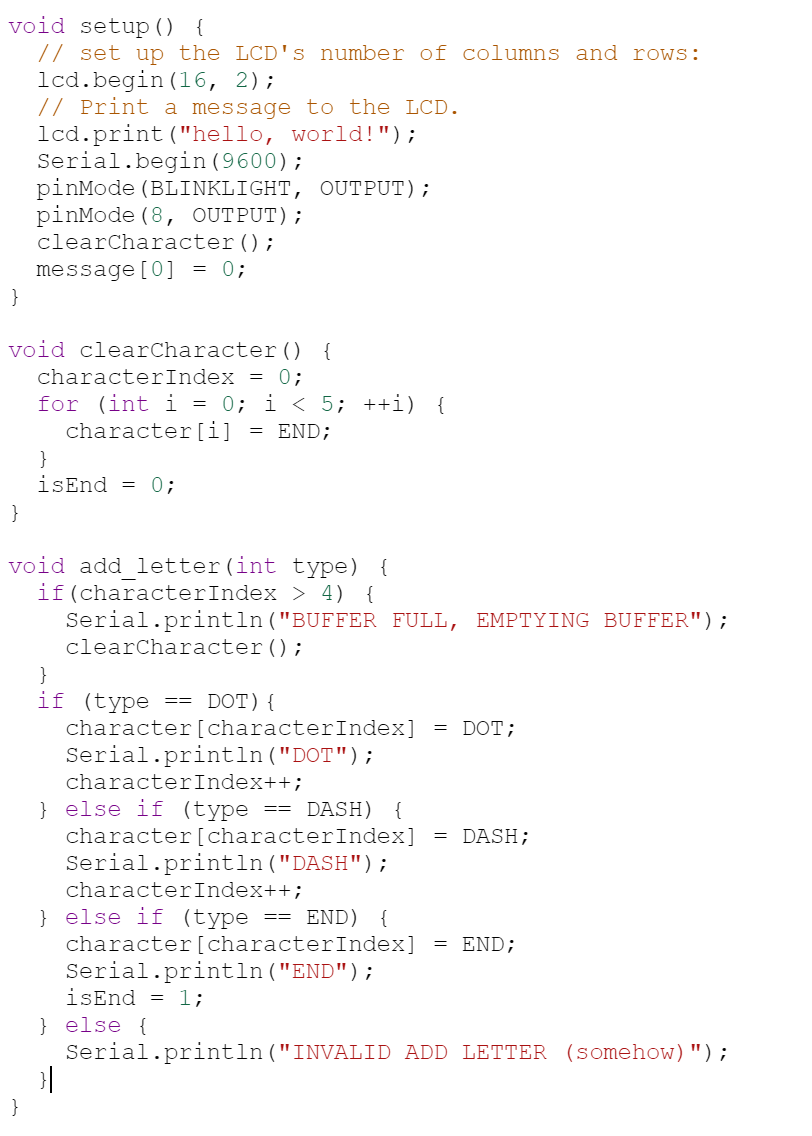
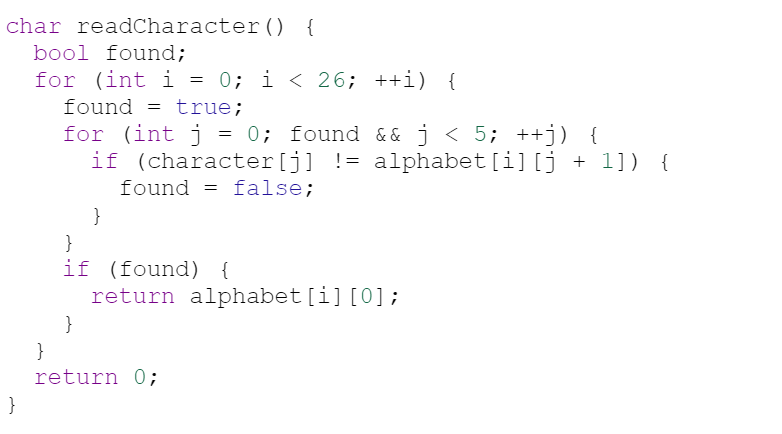
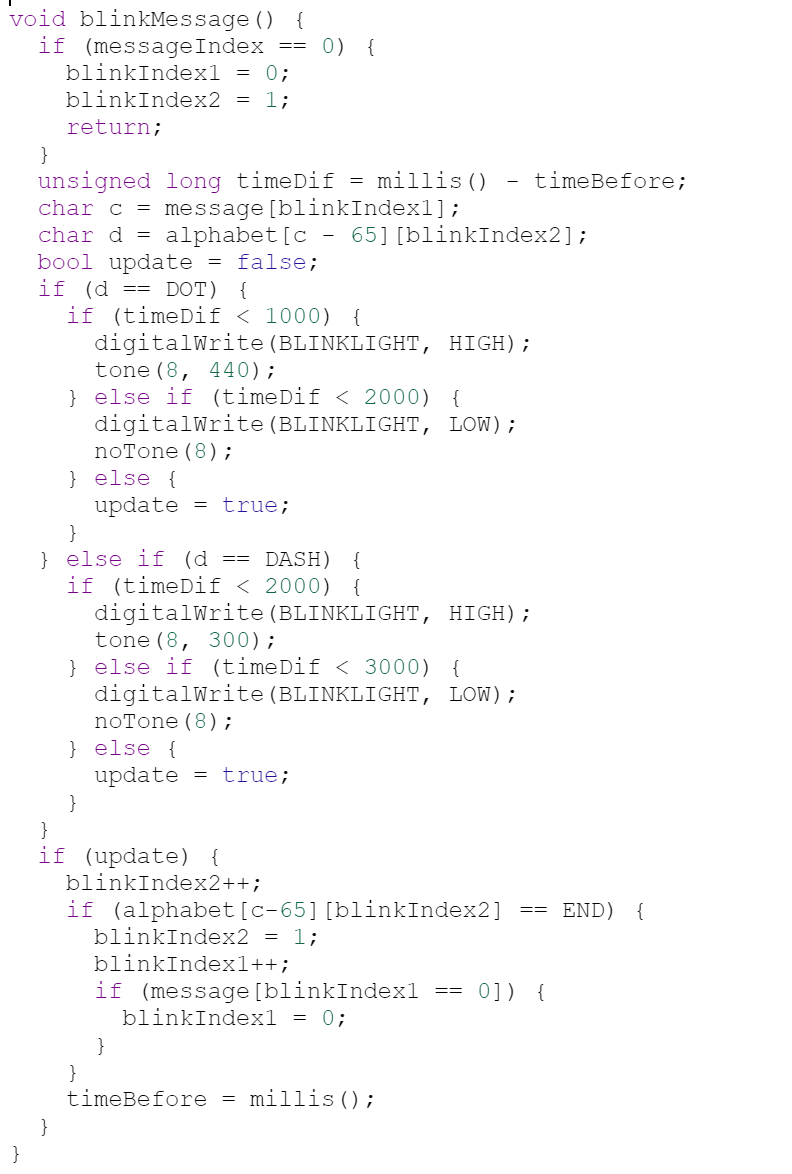
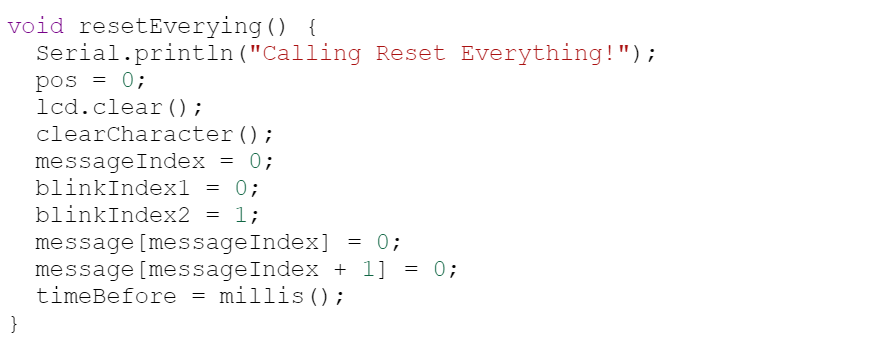
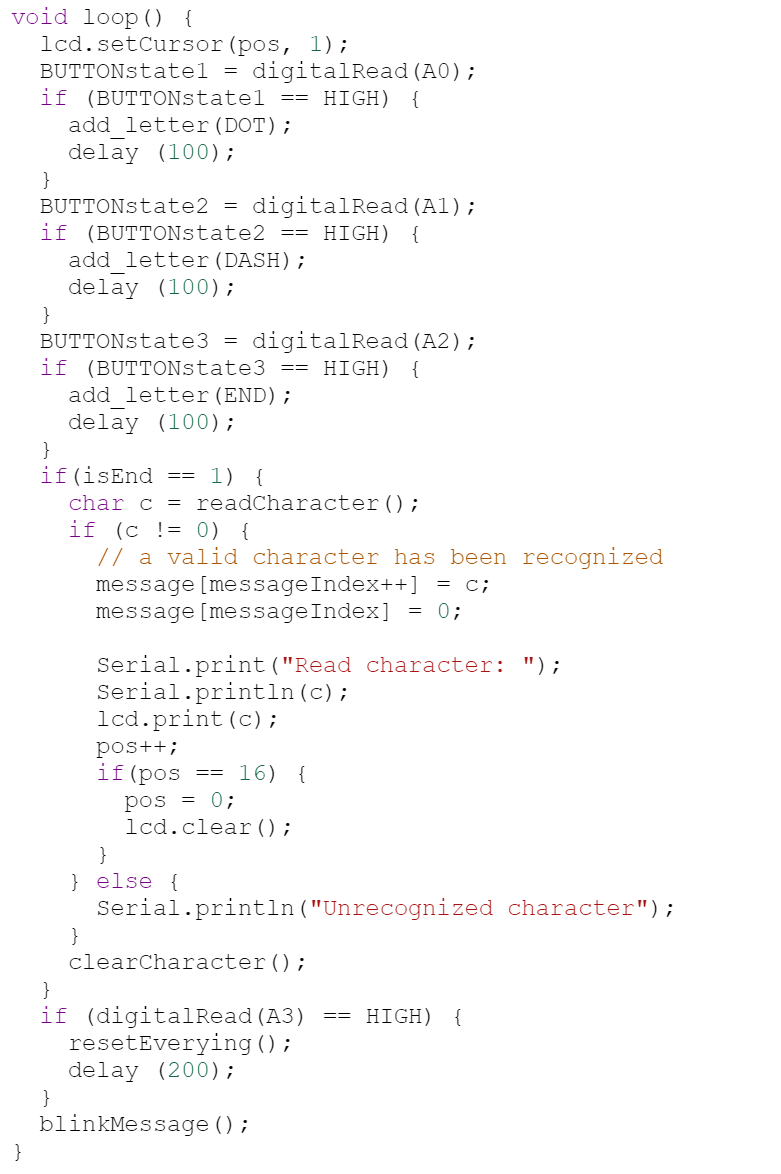
The purpose of this project is to create an efficient and intuitive interface to input, translate, and transmit morse code. As a way of background, Morse code is a method used in telecommunication to encode text characters as standardized sequences of two different signal durations, called dots and dashes. These dots and dashes usually indicate how long a signal is held (a dot would usually be half the length of a dash). Most users of morse code require the user to not only know the correct duration of the dots and dashes, but also realize when a specific letter in the encoding stops and the next one starts. Our application seeks to eliminate this uncertainty by including a ternary operator (an END key) to indicate when a character has been finished. All together, there are 4 buttons, one for dots, one for dashes, one for END (meaning end of character), and one to clear the buffer. Once characters are input correctly, our application transmits the contents of the buffer using a Piezo speaker and an LED, providing two forms of sensory feedback. It also displays the contents of the buffer on an LCD screen.
As it pertains to the real world, morse code is still a form of encoded language that can be used in situations where normal communication is strained. One application for its use can be for facilitated communication among those with non-verbal autism and motor impairment. With four buttons, users with difficulty communicating verbally and with a conventional keyboard can express themselves by using the four buttons to encode their speech into morse code, allowing themselves to communicate with others. Another application can be related towards a survivalist setting. With an included speaker and bright LED (given that it can scale upwards appropriately), those in danger in either far, remote, or deserted places can communicate with with nearby cities or with passing airplanes. This is with the assumption that in the future development of these applications, the speaker and LED can be scaled upward as to allow for a successful transmission of the message.
Built With
- arduino
- lcd

Log in or sign up for Devpost to join the conversation.