-
-
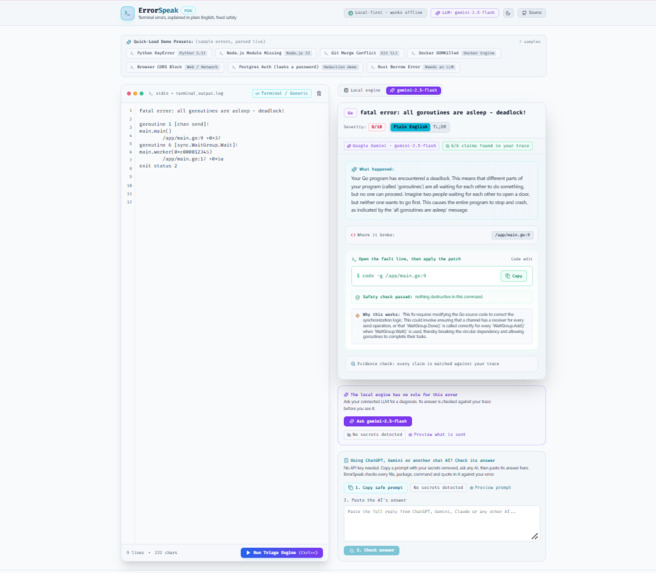
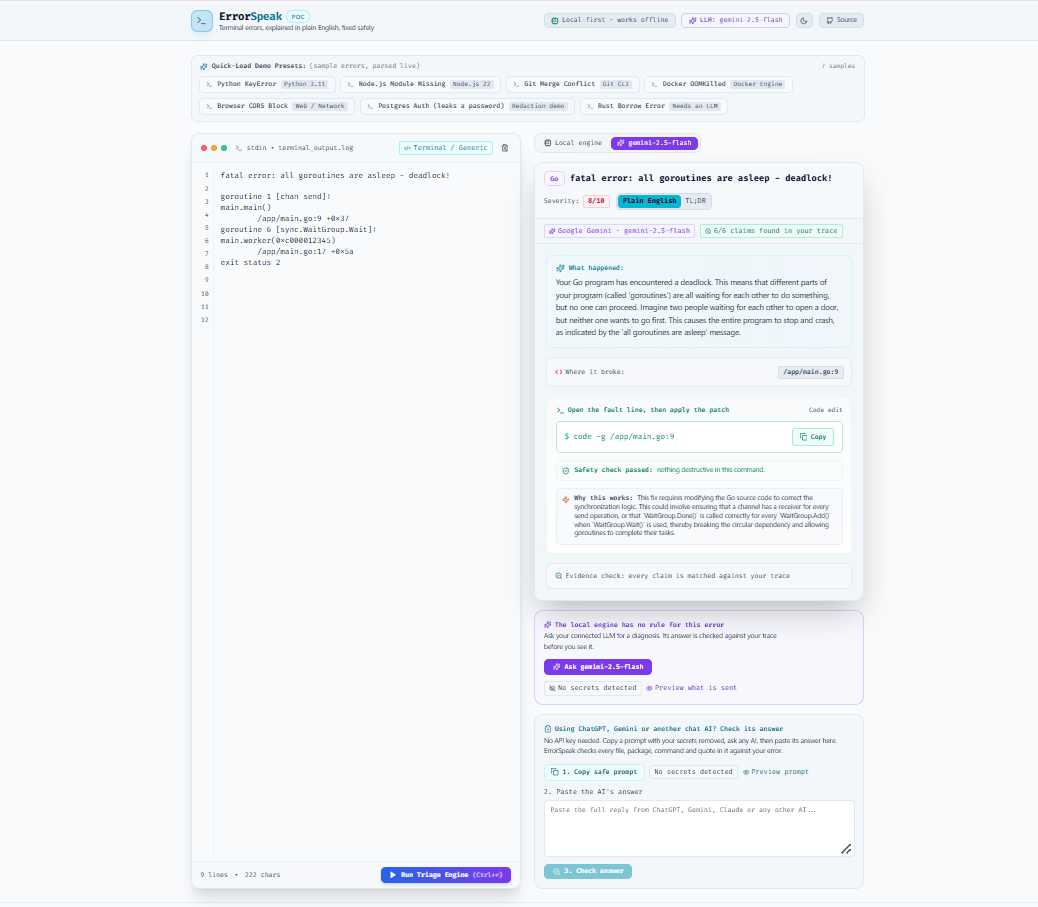
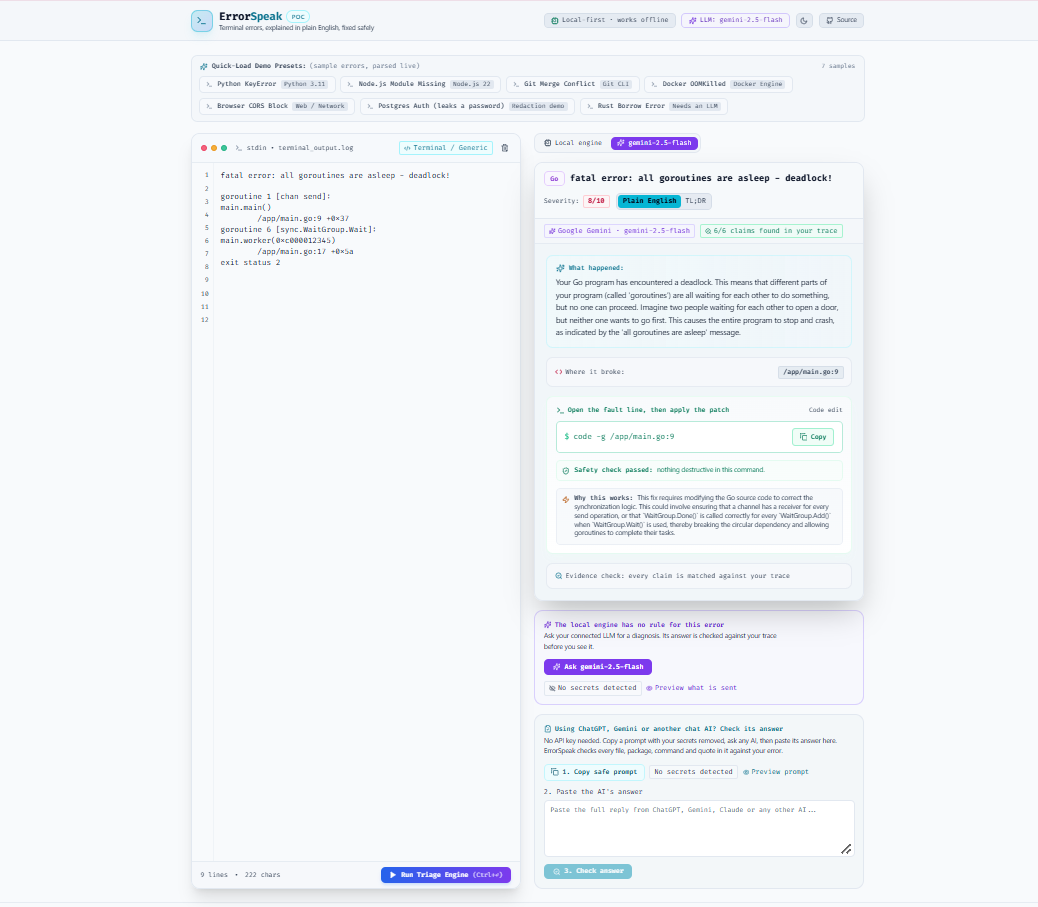
Go deadlock: no local rule, so Gemini 2.5 Flash explains why every goroutine is stuck. All 6 of its claims are found in the trace.
-
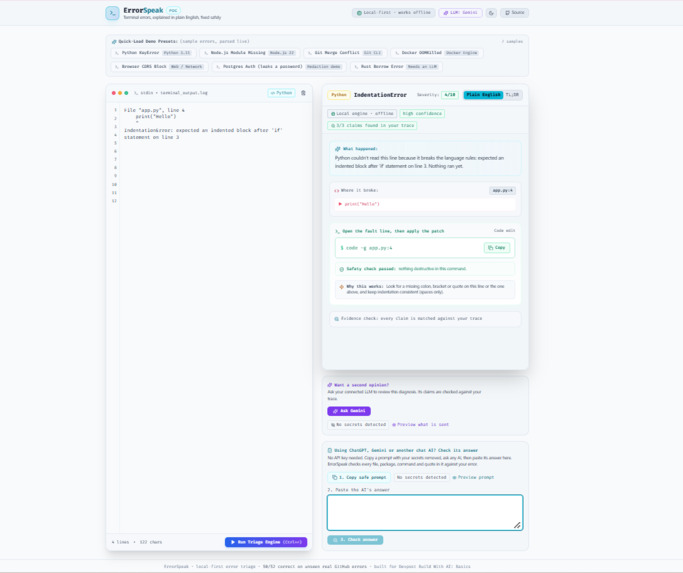
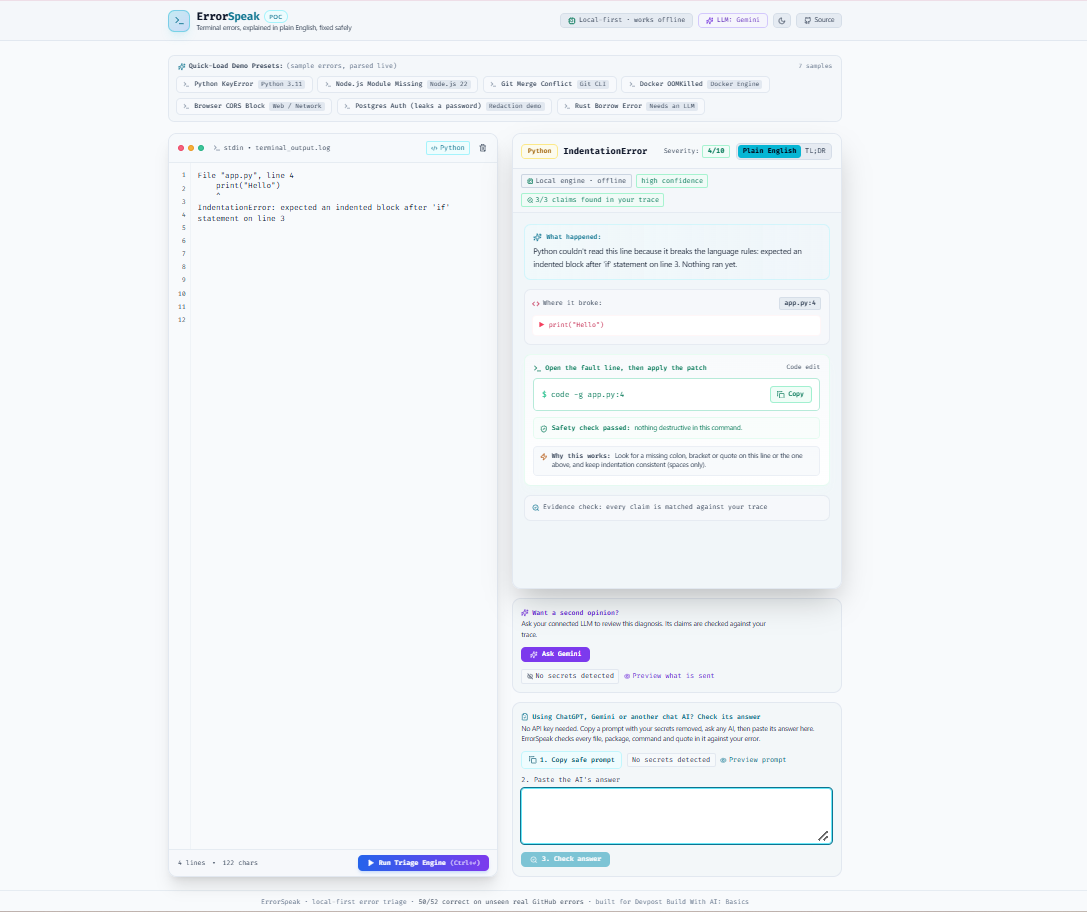
Python IndentationError: solved offline by the local engine with high confidence. It opens app.py at line 4 so you can indent it.
-
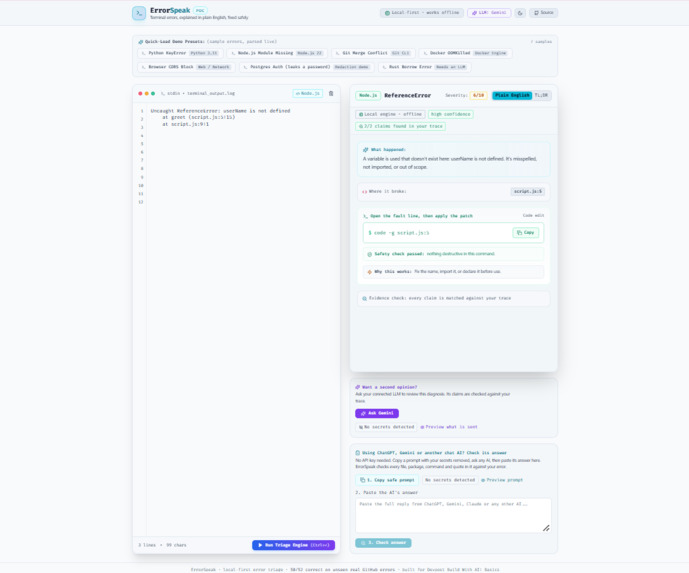
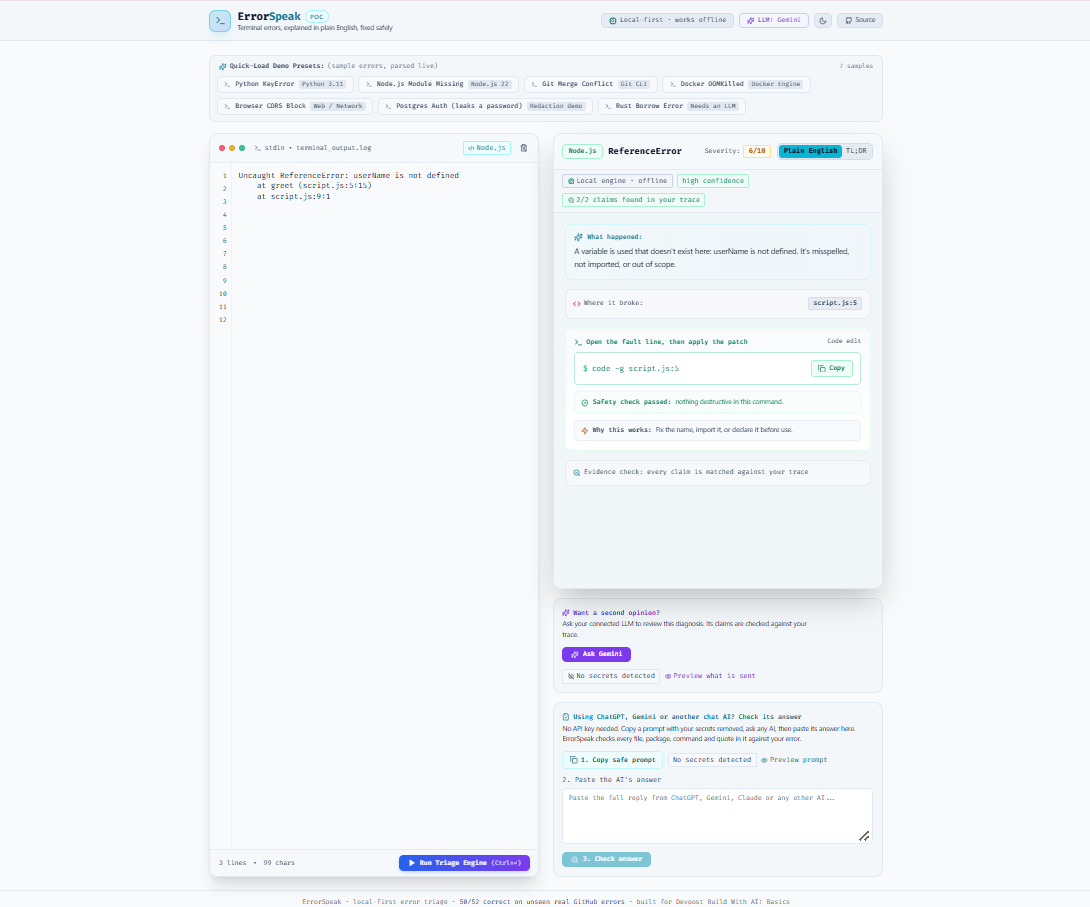
JavaScript ReferenceError: userName is not defined. The local engine points to script.js line 5 and explains how to fix it.
-
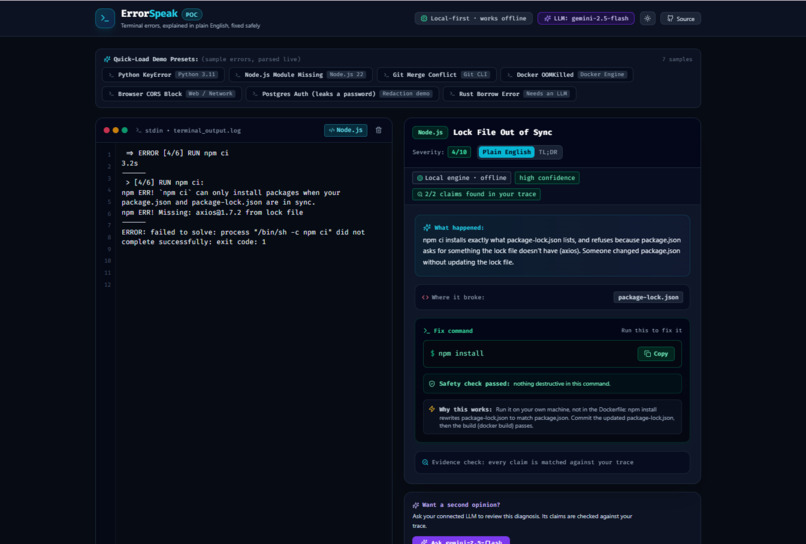
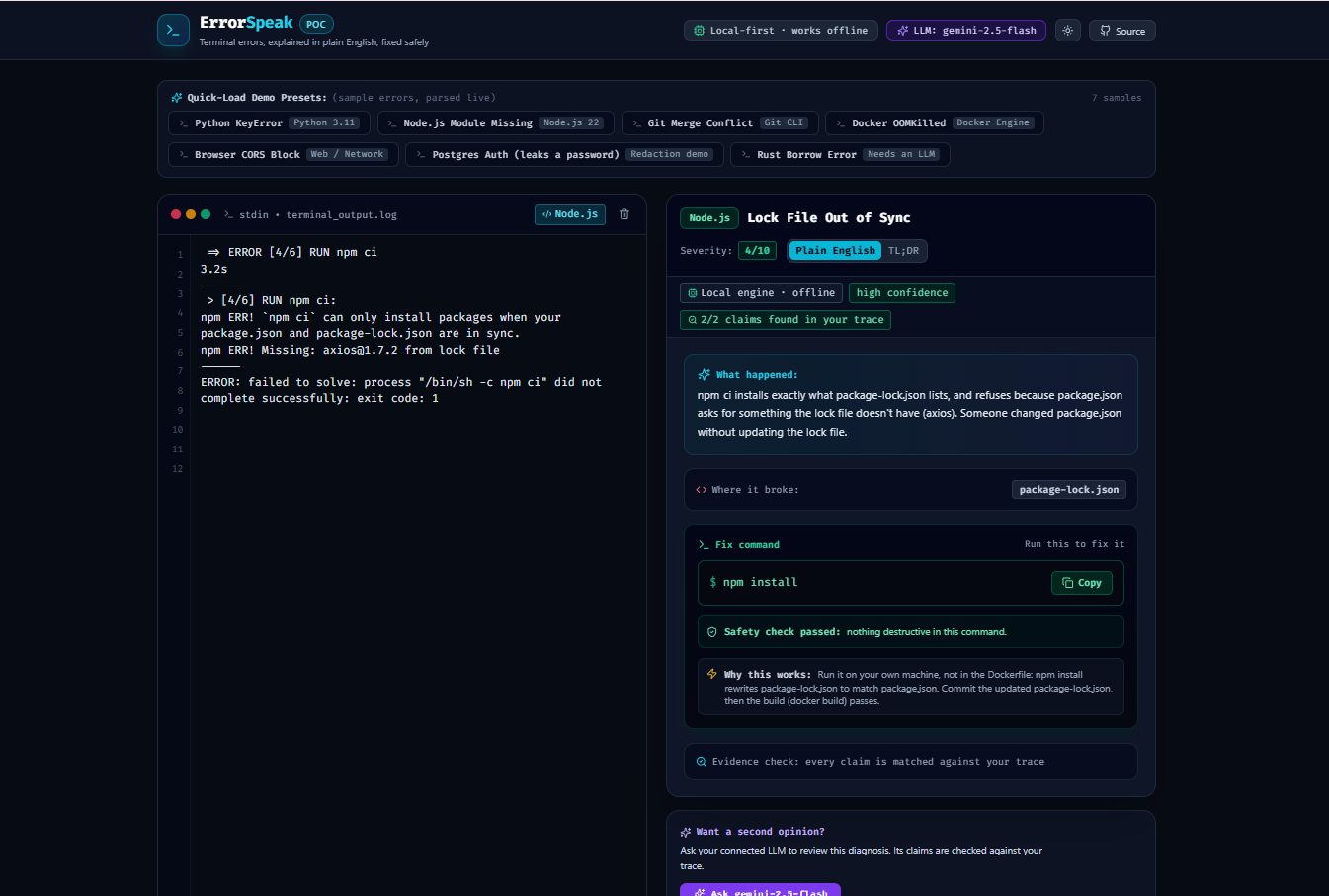
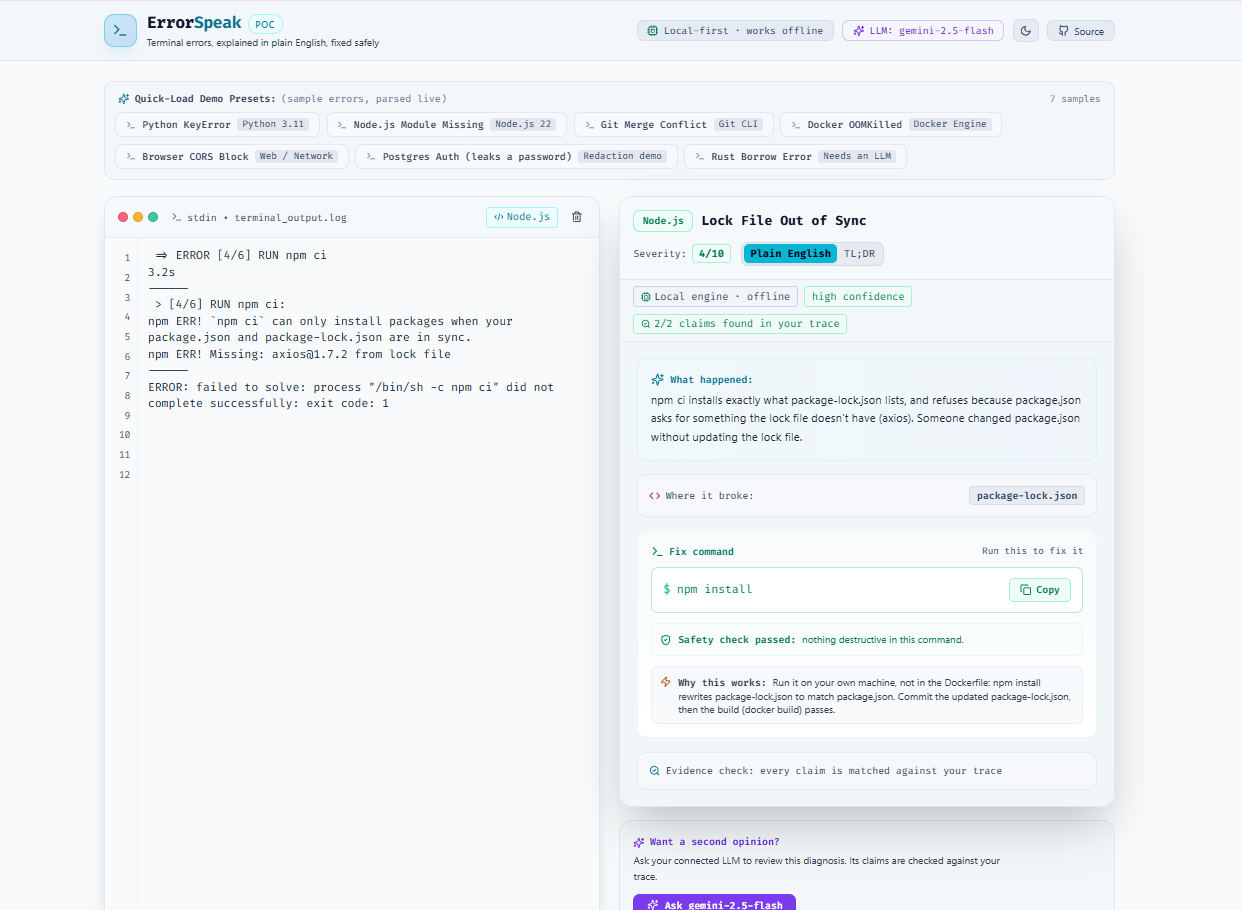
Docker npm ci lock file error: solved offline by the local engine with high confidence. Fix: npm install, then commit the lock file.
-
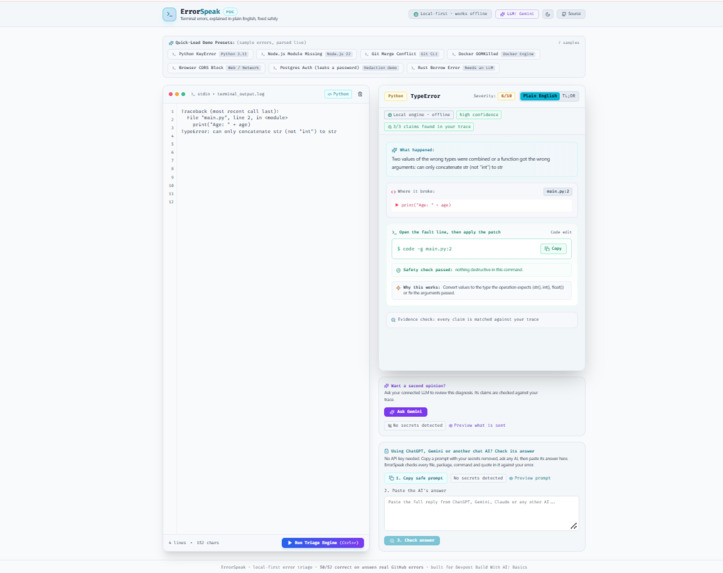
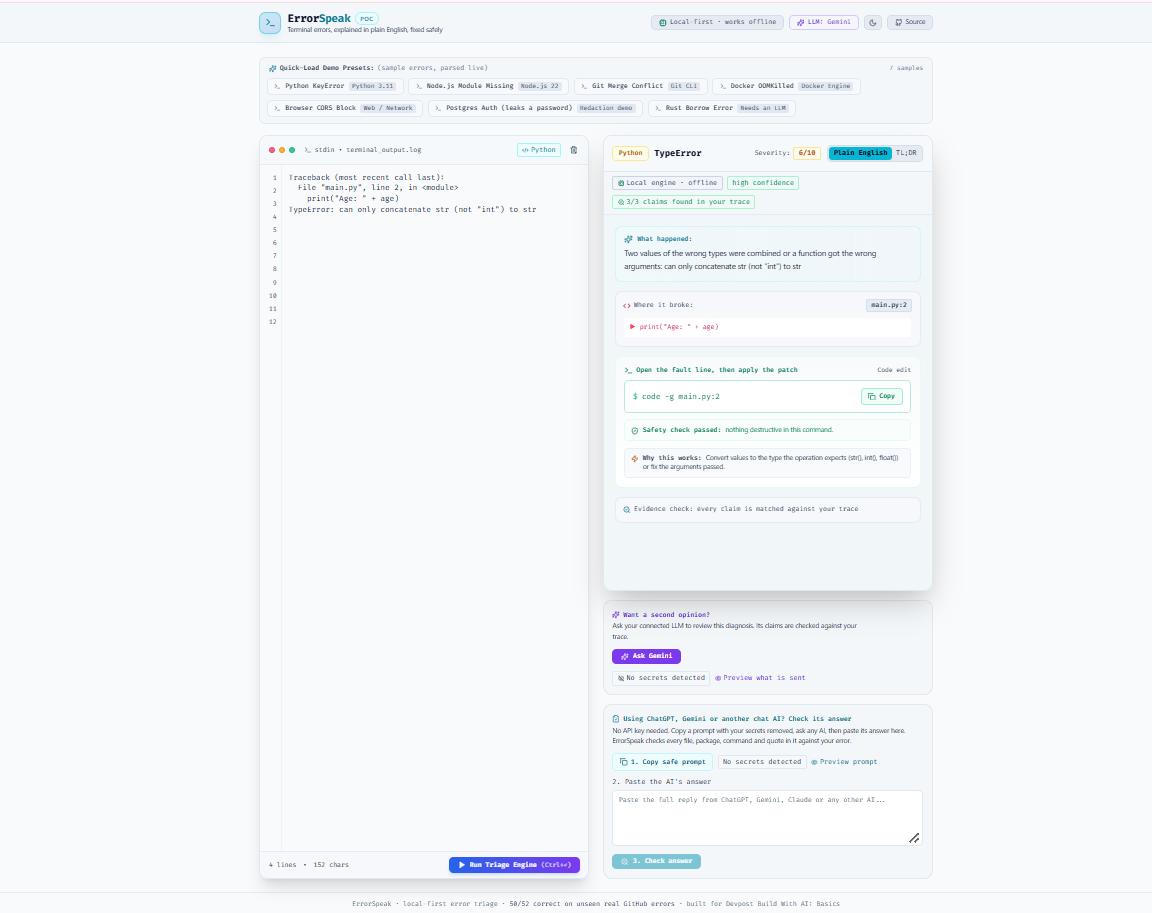
Python TypeError in main.py line 2: a string and a number can't be joined. The local engine explains it and suggests using str().
-
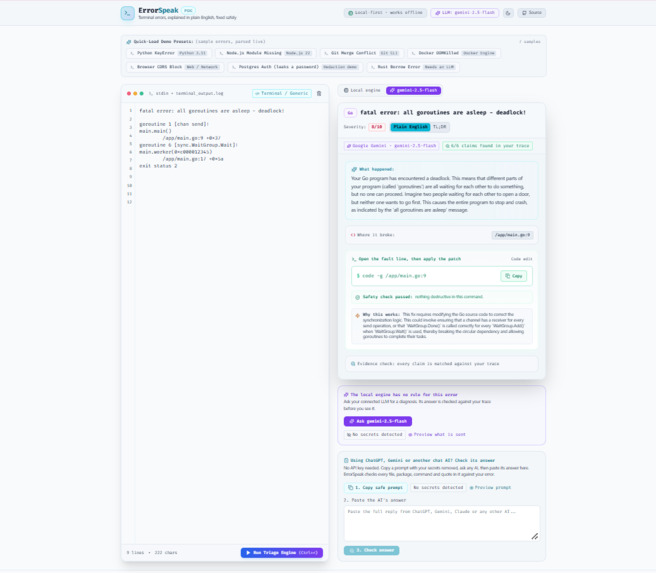
Same Go deadlock in light theme: Gemini's answer passes the evidence check (6/6 claims) and the safety check before you see it.
-
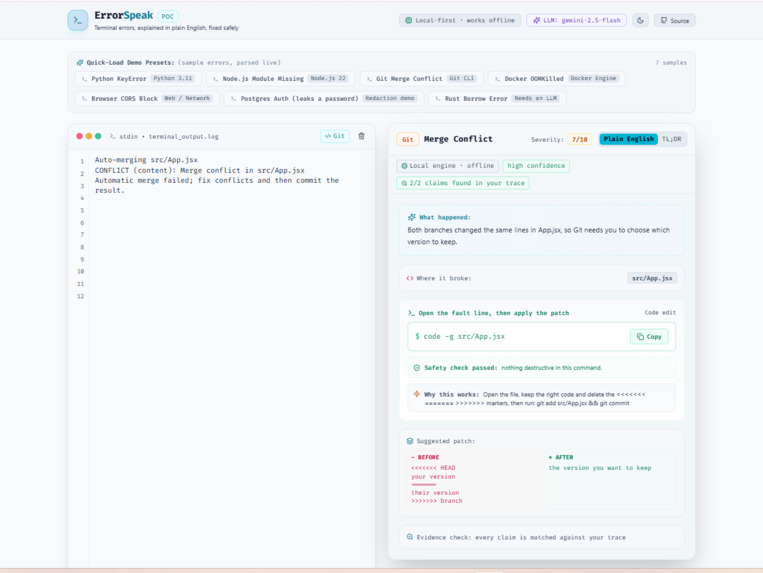
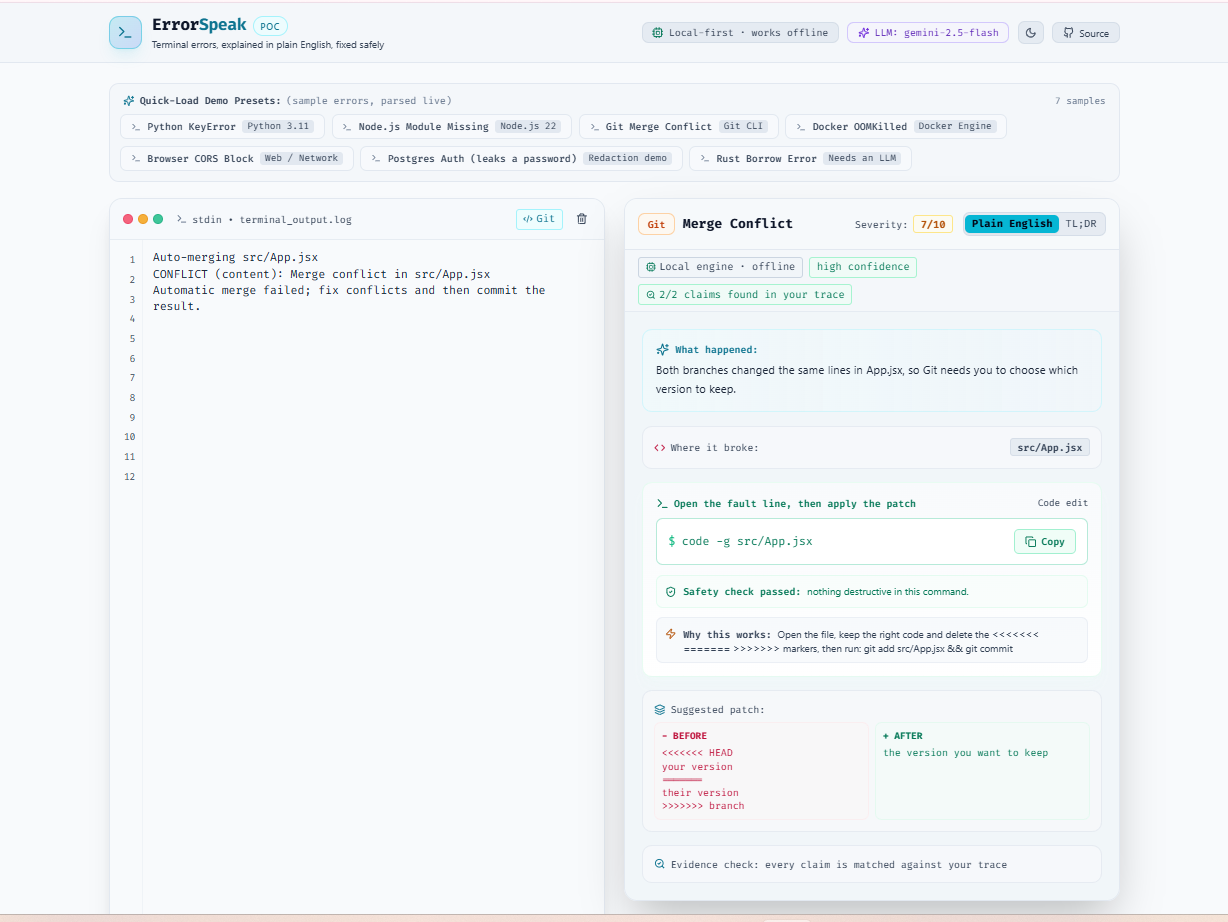
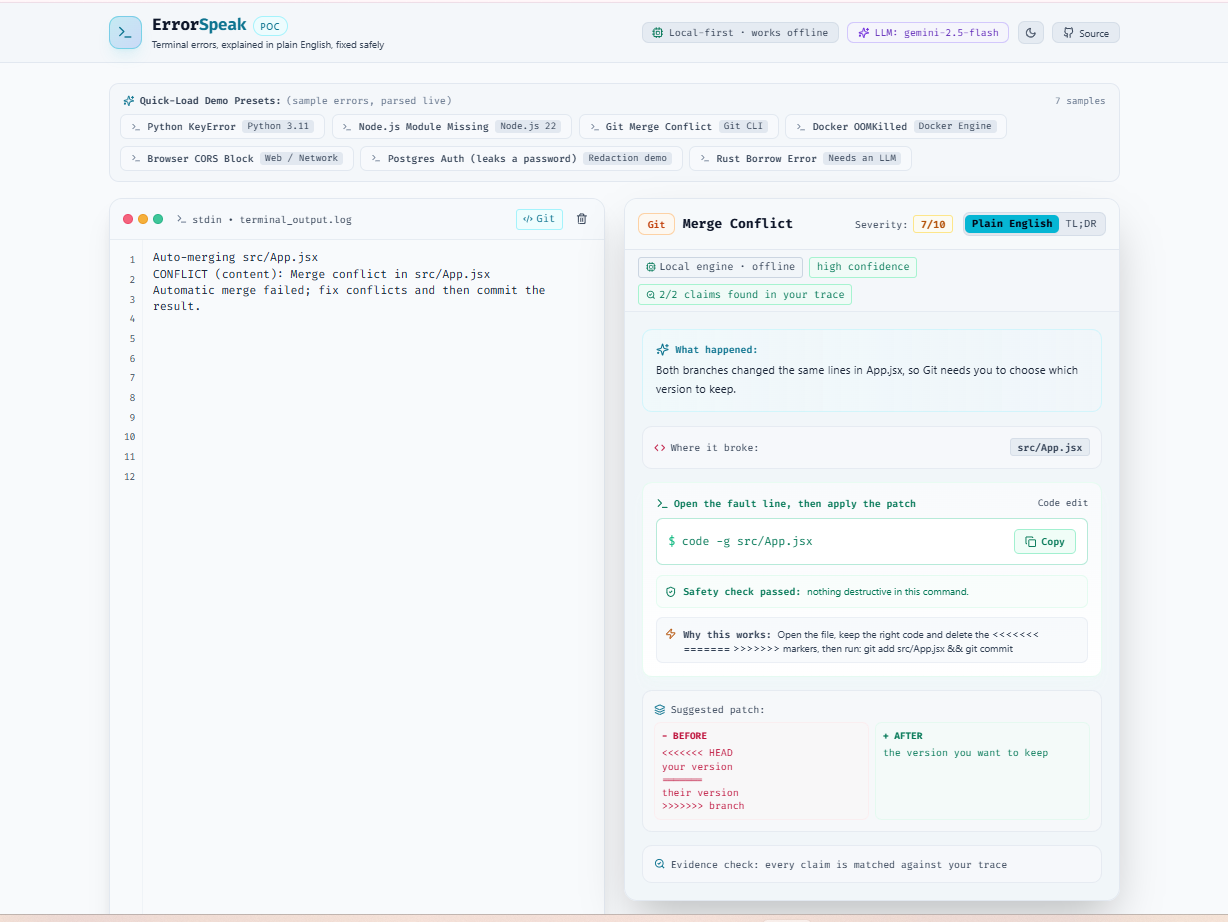
Git merge conflict in src/App.jsx: the local engine shows the conflict markers and which version to keep, then how to commit it.
-
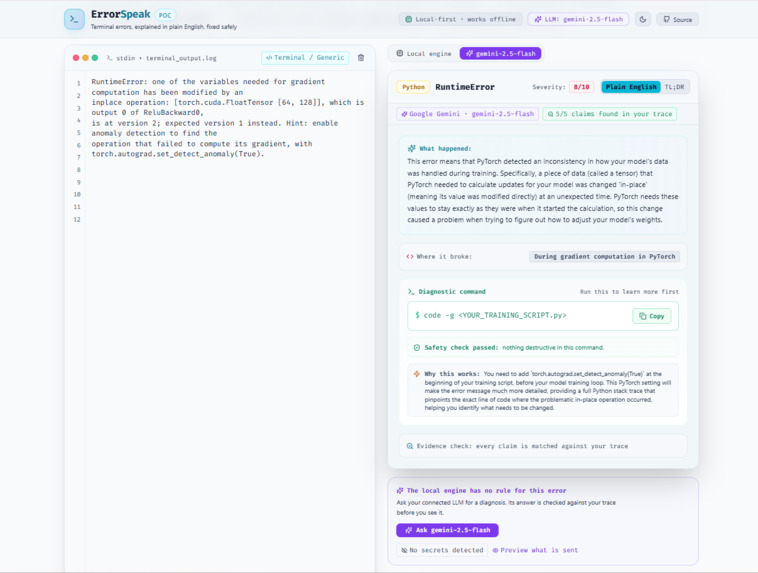
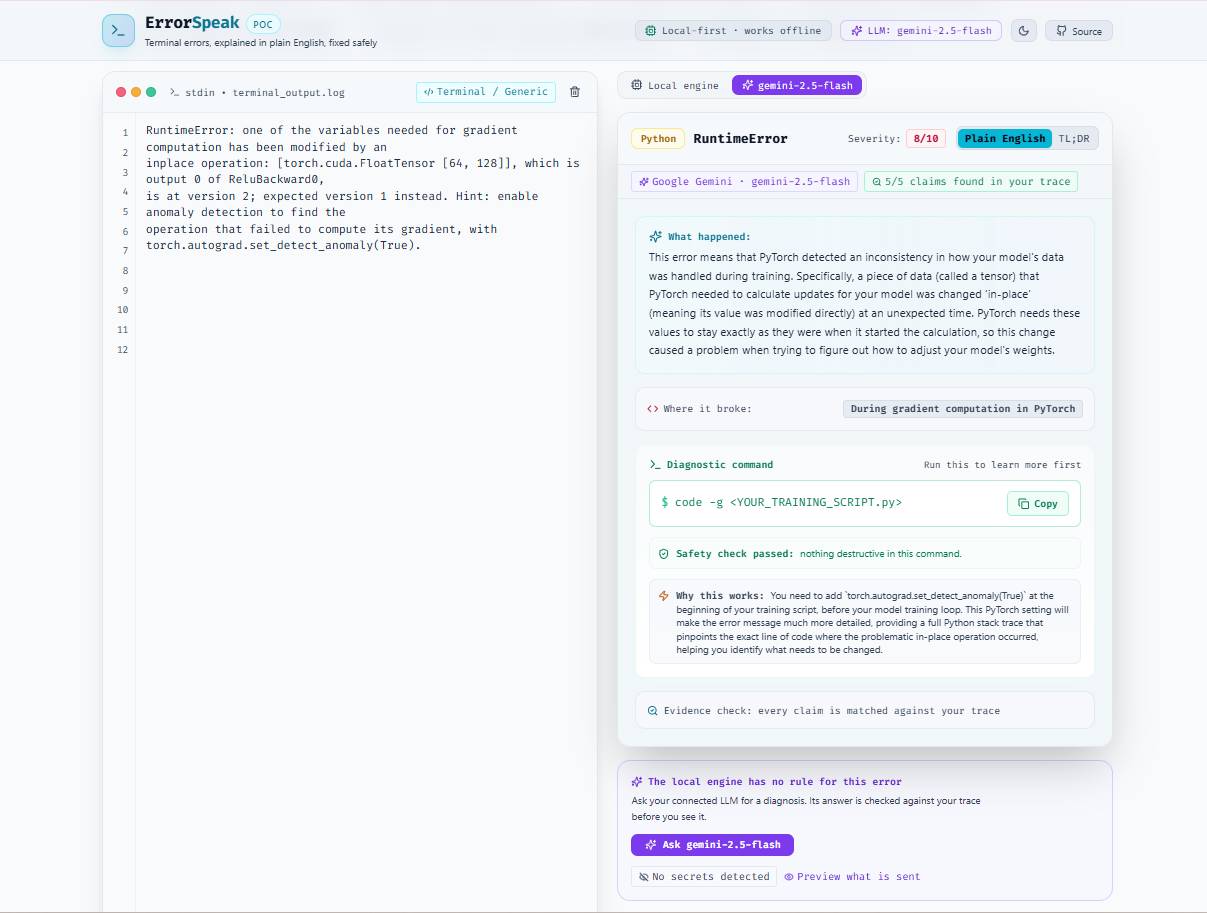
PyTorch gradient error: Gemini 2.5 Flash explains the in-place tensor change and suggests anomaly detection. 5/5 claims verified.
-
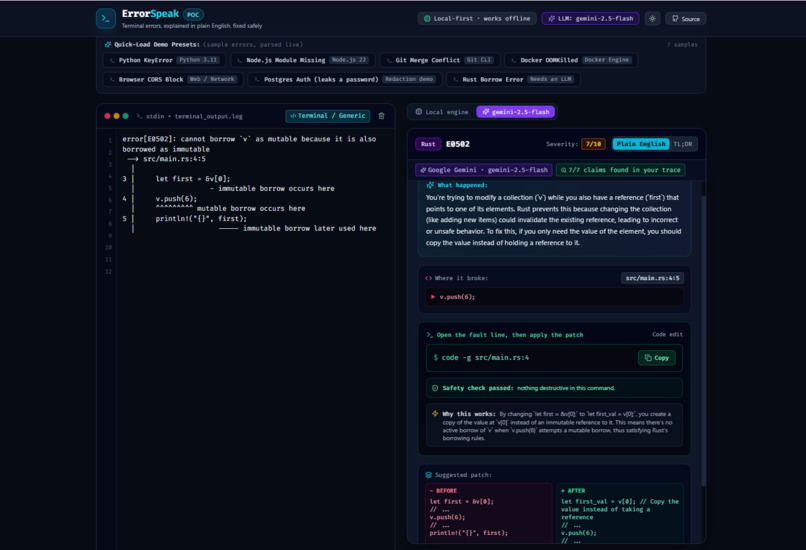
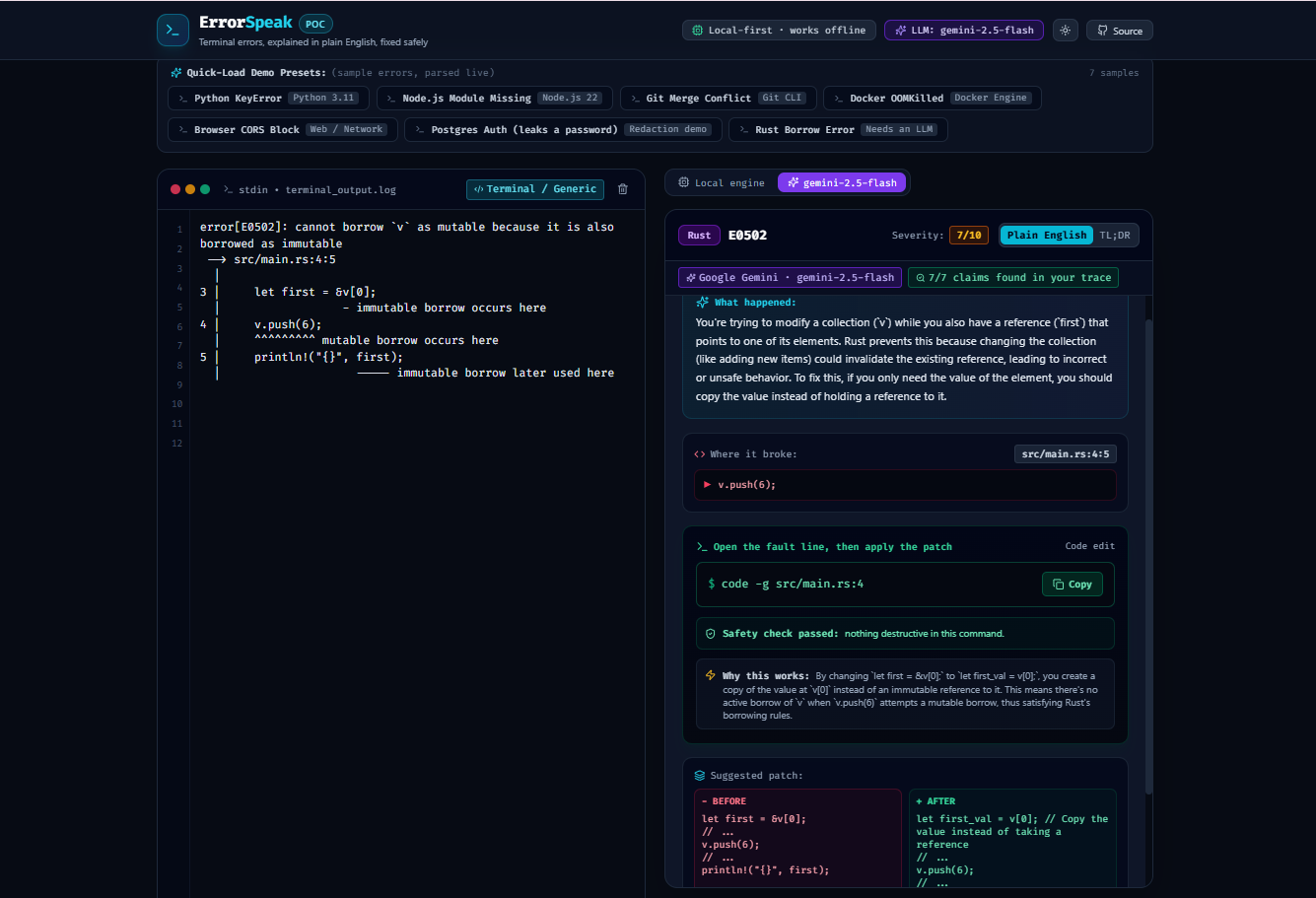
Rust borrow error E0502: Gemini 2.5 Flash suggests a patch, all 7 claims are found in the trace, and the command passes the safety check.
-
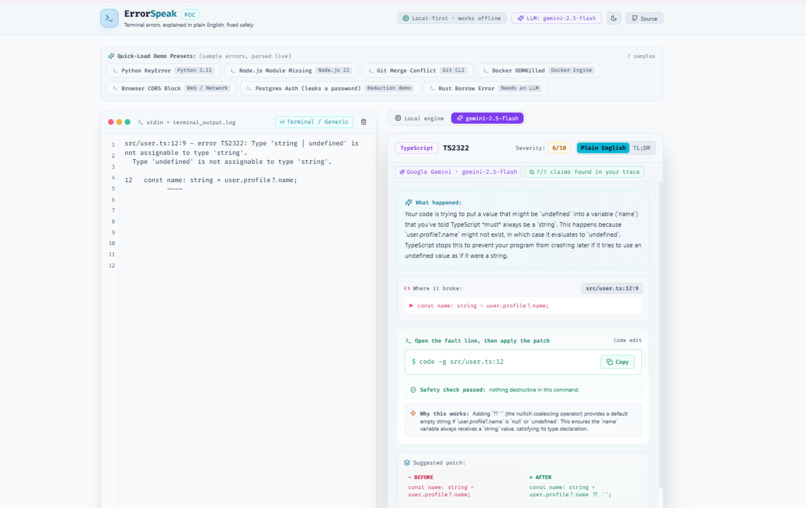
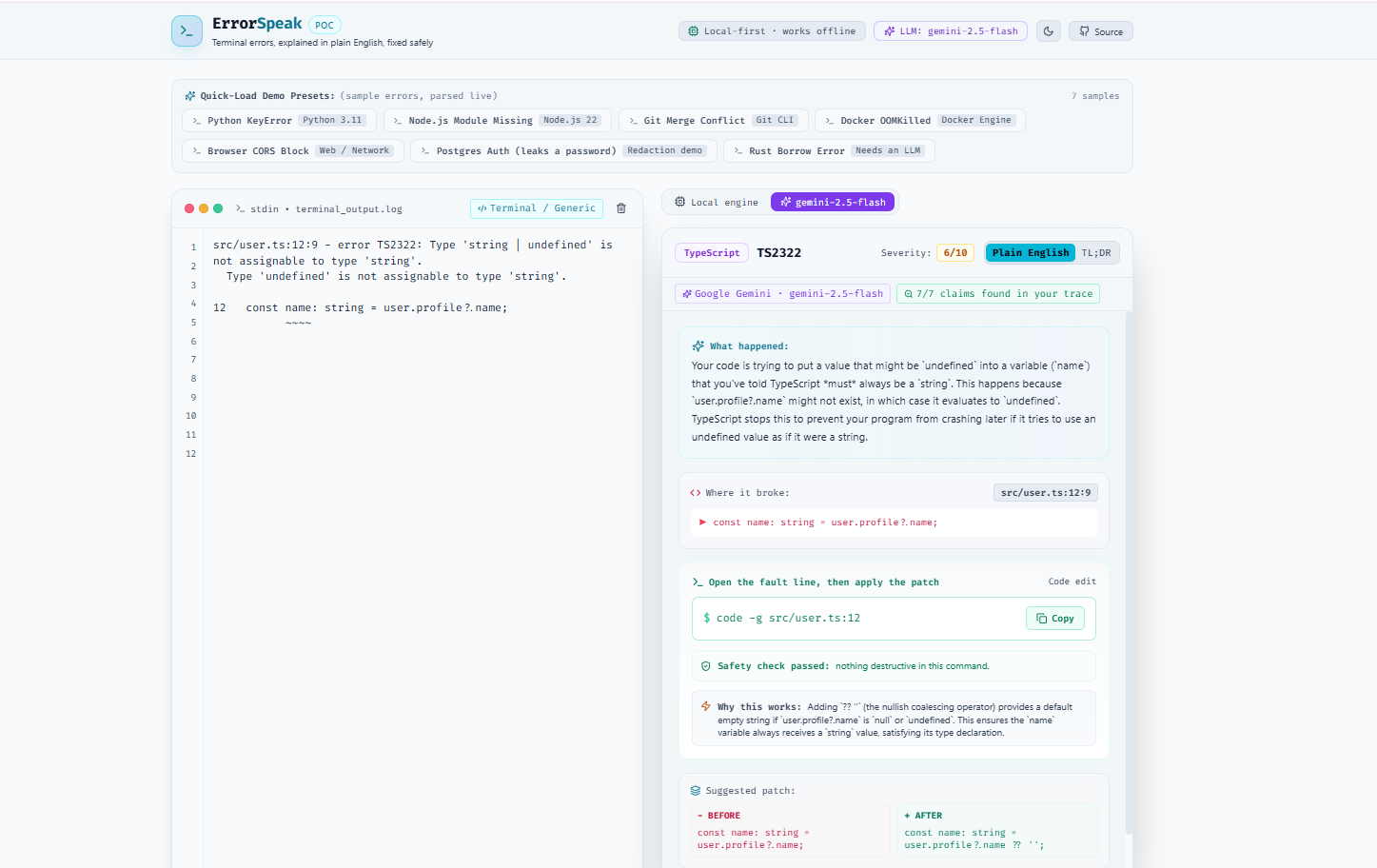
TypeScript TS2322: Gemini 2.5 Flash explains why name can be undefined and suggests a ?? '' default. All 7 claims are verified.
-
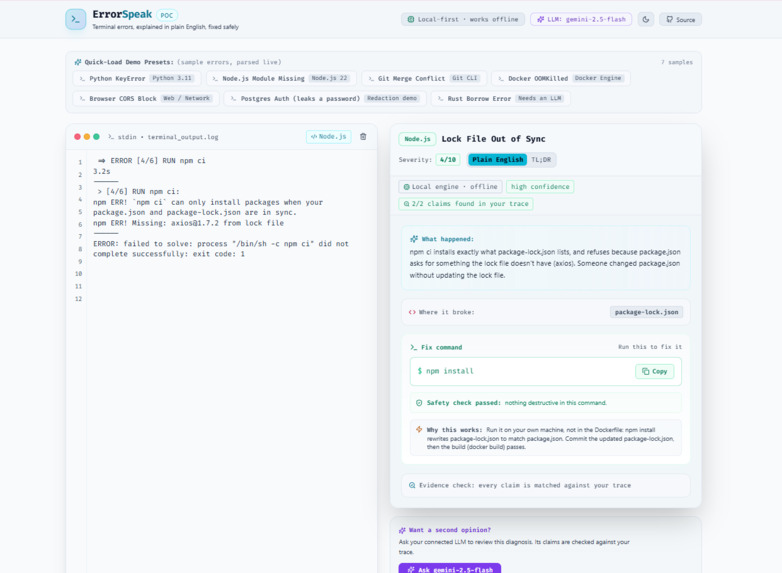
npm ci lock file error in light theme: the local engine finds both claims in the trace and the npm install fix passes the safety check.
-
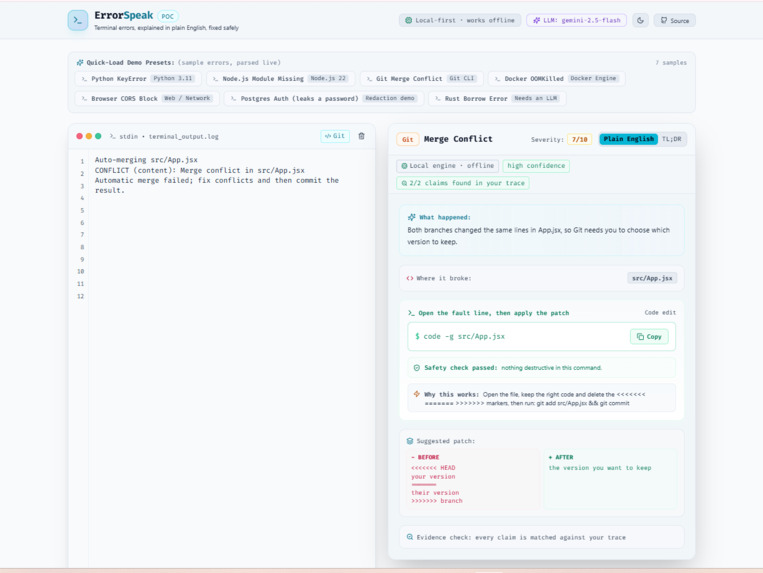
Git merge conflict, local engine: both claims found in the trace, high confidence, and a patch showing the HEAD and branch versions.
-
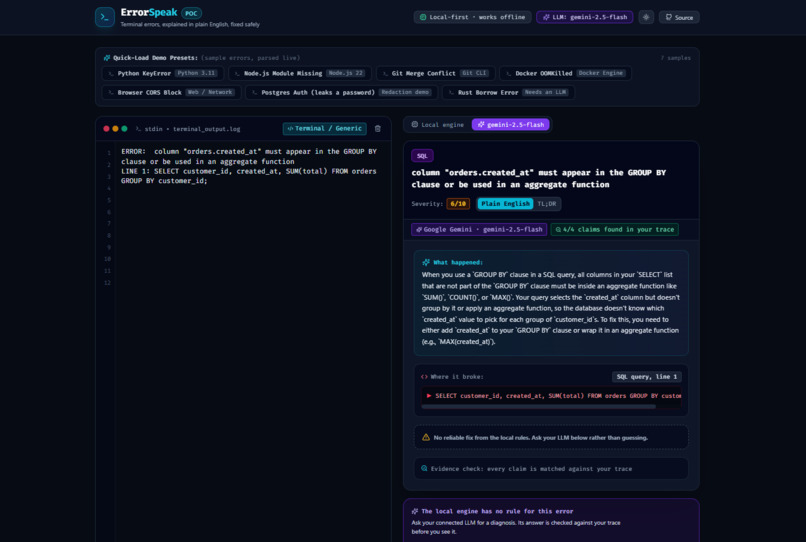
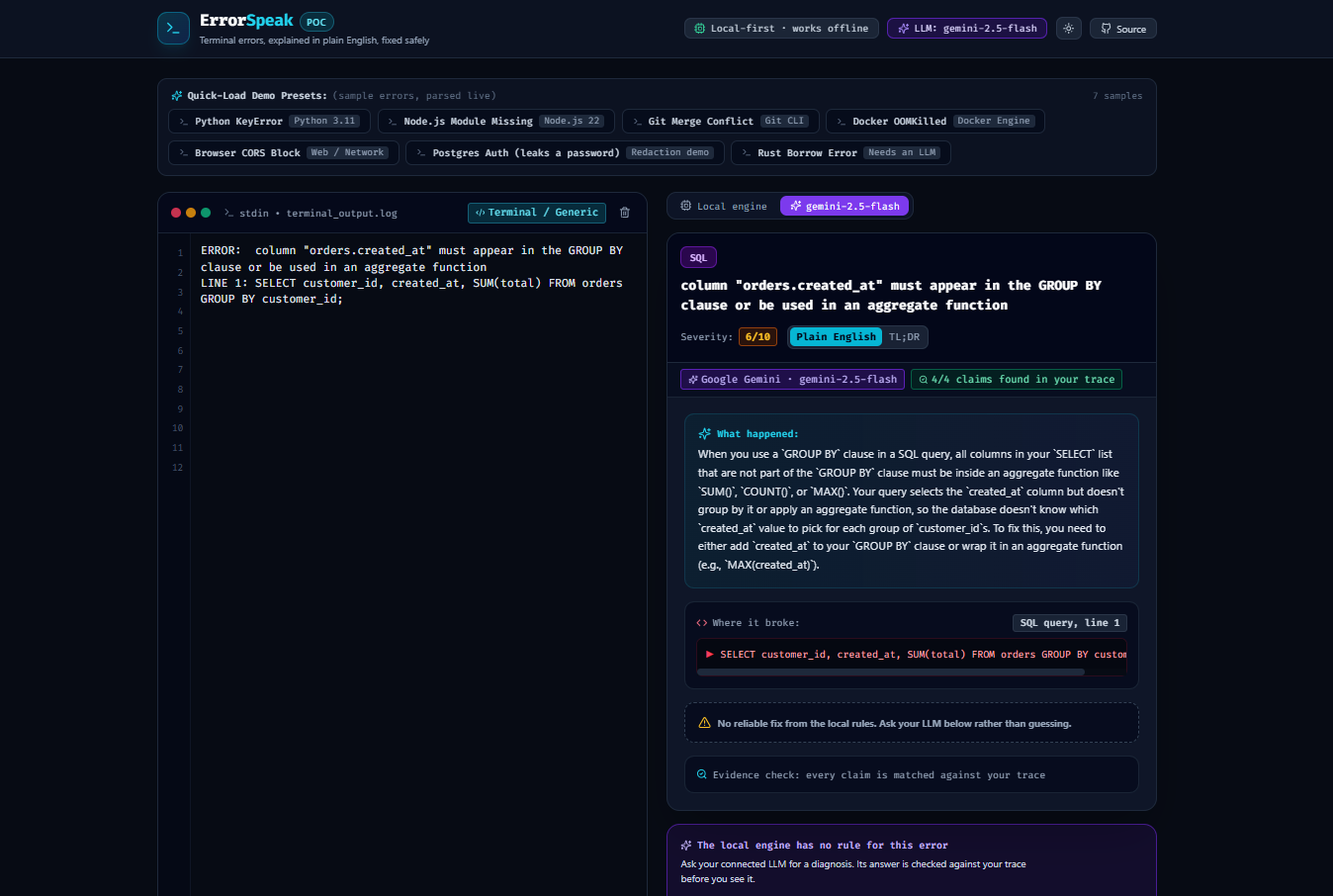
SQL GROUP BY error: no local rule, so Gemini 2.5 Flash explains it, and ErrorSpeak finds all 4 of its claims in the real error.
Inspiration
When the problem hit me. A few nights ago, I was stuck on a 50-line terminal crash. The cause was simple: a missing npm package, but it was buried under so much stack trace noise that it took me far too long to find. I'm not a beginner, and even I got stuck.
Who faces it. Beginners, bootcamp students, and junior developers feel this the most. To them, a wall of red text doesn't say "you forgot to install a package." It says "you broke something and you don't know what."
What happens when the usual fix fails. Most people do what I almost did: paste the error into an AI chatbot and run whatever it says. But AI answers can be confidently wrong. They can invent files, recommend fake packages (a known malware trick), or suggest destructive commands like rm -rf or git reset --hard. An experienced developer might notice. A beginner usually can't, and a small error turns into lost hours, a broken project, or a security problem.
Why it matters. AI is becoming the first place developers go for help, and that only works if the answers can be trusted. If a tool could explain the error in plain words, point to the exact line, and prove its fix comes from the real error, beginners could use AI without blindly trusting it.
Why this hackathon. Build With AI: Basics is about building with AI the right way, and that is exactly ErrorSpeak's problem: AI help is only useful when it is checked. The skill pack also made me plan before coding and measure my work against the judging criteria, which is how ErrorSpeak ended up tested on real errors instead of just my own samples.
What it does
ErrorSpeak explains terminal errors in plain English for beginner developers, and checks every answer, including AI answers, against the real error before you run anything.
Paste your terminal output (or pick one of 7 sample errors), and ErrorSpeak:
- Detects the environment: Python, Node.js, Git, Docker, CORS, or shell/PowerShell.
- Points to the exact file and line that broke.
- Explains it in plain words, with a "Plain English" view for beginners and a "TL;DR" root cause for experienced developers.
- Gives a copy-paste fix with a note on why it works.
On real errors from public GitHub issues, it was fully correct on 50 of 52 supported errors it had never seen, and it suggested 0 dangerous commands across all 103 supported errors.
How it's different: Chatbot apps like ChatGPT, Copilot, or Claude give you an answer and leave it to you to decide whether to trust it. ErrorSpeak can use those same models, but it checks every answer before you see it.
- Evidence check: every file, line, package, and quoted code in a fix must appear in your real error, or it gets flagged.
- Safety check: every command is rated safe, caution, or danger, so
rm -rf,git push --force,DROP TABLE, orcurl | share flagged before you run them. - Connect any LLM: for errors the local rules don't know, ask Anthropic Claude, OpenAI, Google Gemini, OpenRouter, Groq, or a local model like Ollama, using your own key. The AI's answer goes through the same checks.
- Secret redaction: API keys, passwords, tokens, emails, and user folder paths are removed before anything is sent to an AI, and you can preview exactly what is sent.
- Check any AI's answer (no key needed): copy a safe prompt, ask any chatbot, paste its reply back, and ErrorSpeak flags invented files, fake packages, and risky commands.
The local engine runs fully in your browser, works offline, and answers in milliseconds. AI is there for the hard cases, not for everything.
How I built it
I planned and built ErrorSpeak with the Devpost Learn Skill Pack (challengepost/learn-ai-basics). Using "flipped interaction," the AI agent interviewed me first. I decided the idea, the audience, what was in and out of scope, and which checks mattered; together we wrote scope.md, prd.md, spec.md, and a build checklist.md that started with 3 slices and grew to 9 as the project improved. Claude Code then helped write the code one slice at a time, and I tested each slice before moving on.
The app uses React 18, Vite, and Tailwind CSS with no backend. The local engine is a rule-based JavaScript parser that reads tracebacks from 6 environments.
For the AI integration, there is one shared prompt and Zod schema that every provider must follow, which requires verbatim evidence lines from the trace. Claude is called through the Anthropic SDK with structured output, low effort for speed, and server-side fallbacks. Other providers use an OpenAI-compatible endpoint, with replies validated against the same schema. Every AI answer then goes through the same evidence and safety checks as the local engine. GitHub Actions deploys the app to GitHub Pages on every push.
Challenges I ran into
- Every tool reports errors differently. Python puts the key line at the bottom, Node.js near the top, Docker uses exit codes like 137, and CI logs add timestamps and noise. Reliably finding the right file and line took a lot of trial and error.
- Making AI answers trustworthy. Some providers enforce a schema, some return loose JSON, and some think for minutes on a simple error. One strict schema, validation on every reply, and checking each quoted evidence line character by character solved it.
- A score that looked better than it was. I collected 141 real errors from public GitHub issues using 15 fixed searches, and the expected answers were labeled blind by a separate reviewer pass that saw only the error text, never ErrorSpeak's output. I improved the parser by studying its misses on a development set: it went from 34/51 all correct with 12 confident-but-wrong answers to 45/51 with 4. But I'd tuned it on those exact errors, so that score flattered it. For an honest number, I collected a separate held-out set after tuning stopped and scored it only once: 50/52 correct, with 1 confident-but-wrong answer.
- Keeping secrets safe. Error logs often contain keys and passwords, so redaction had to run before every AI request, with a preview of exactly what is sent.
Accomplishments that I'm proud of
- AI that gets checked, not blindly trusted. Whether the answer comes from Claude, Gemini, GPT, or a local model, it passes the same evidence and safety checks.
- Honest results on real errors. 50 of 52 correct on unseen errors, only 1 of 67 confident answers wrong, every claim in every report found in the original error, and 0 of 103 supported errors given a dangerous command.
- Knows when it doesn't know. 29 of 30 errors from unsupported languages (Rust, Go, Java) were marked low confidence across both sets, which is exactly when ErrorSpeak suggests asking the AI.
- Shipped and live at ErrorSpeak, with dark and light themes and keyboard accessibility.
What I learned
Don't trust a score you tuned on. My development score jumped from 34/51 to 45/51, and it felt great until I realized I had been fixing the exact errors I was grading. The held-out set gave me the real number. It's the same lesson ErrorSpeak teaches about AI: an answer only counts once it has been checked against something it didn't see coming.
AI works best when you know when to use it. Fast local rules handle common errors instantly and offline, and the AI handles the rare ones. Together they cover much more than either one alone.
Trust is a feature. Asking a model to show its evidence only helps if you actually check that evidence.
Planning keeps you honest. Writing the scope, PRD, and spec first meant very few rewrites. Reviewing the plan against the judging criteria also caught real gaps, like an LLM connector that was planned but not yet built and sample answers that were canned, and I fixed them before submitting.
What's next for ErrorSpeak
- Run the same 141-error test against connected AI models, so users can see how each model compares.
- A CLI command (like
npx errorspeak run "npm start") that catches errors live. - A VS Code extension that shows plain-English fixes next to the red squiggly lines.
- More local rules for languages like Rust, Go, and Java, so fewer errors need an AI call.
Built With
- anthropic
- claude-code
- gemini
- github
- github-actions
- javascript
- openai
- react
- tailwindcss
- vite
- zod

Log in or sign up for Devpost to join the conversation.