-
-
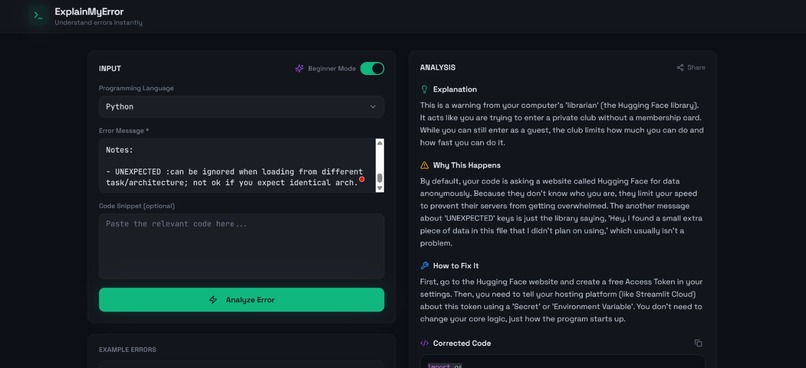
ExplainMyError's Landing
-
🚀 About the Project
Developers, especially beginners, often struggle with cryptic programming errors. Messages like "TypeError: Cannot read property 'map' of undefined" can be confusing and intimidating, causing developers to spend hours searching documentation, forums, and debugging blindly.
We built ExplainMyError to solve this problem.
ExplainMyError is an AI-powered debugging assistant that translates complex error messages into clear, human-readable explanations. Instead of just showing an error, the platform explains:
- what the error actually means
- why it occurred
- how to fix it
- and provides an example of corrected code
Our goal is simple: help developers understand errors instantly and debug faster.
💡 Inspiration
The idea came from a very common experience in programming: spending a long time trying to understand a simple error message. For beginners, error messages often feel like a different language.
Rather than forcing developers to search multiple resources, we wanted a tool that behaves like a mentor sitting next to you, explaining the issue clearly and guiding you toward the fix.
🛠️ How We Built It
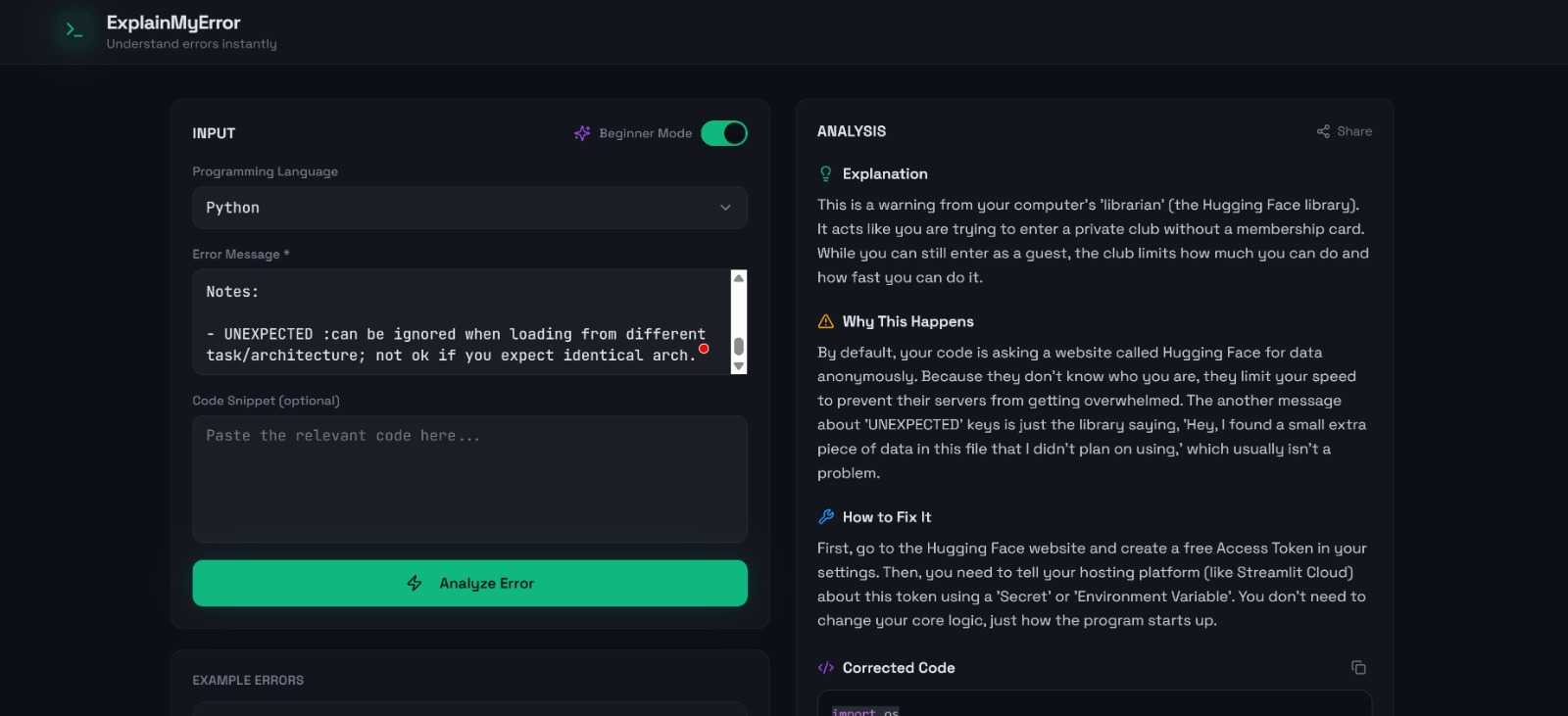
The application is a modern web interface where developers can paste:
- a programming language
- an error message
- an optional code snippet
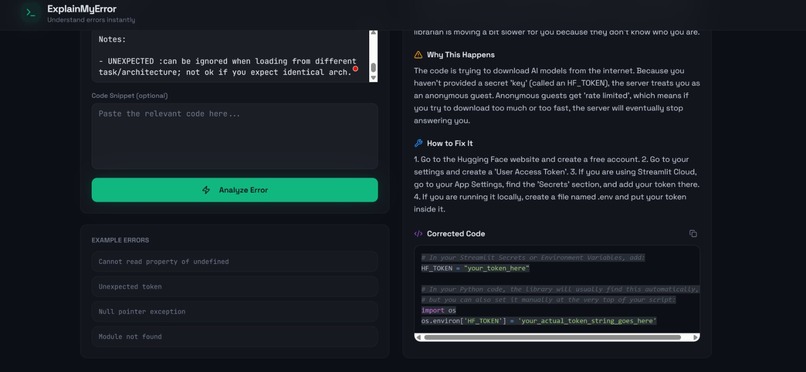
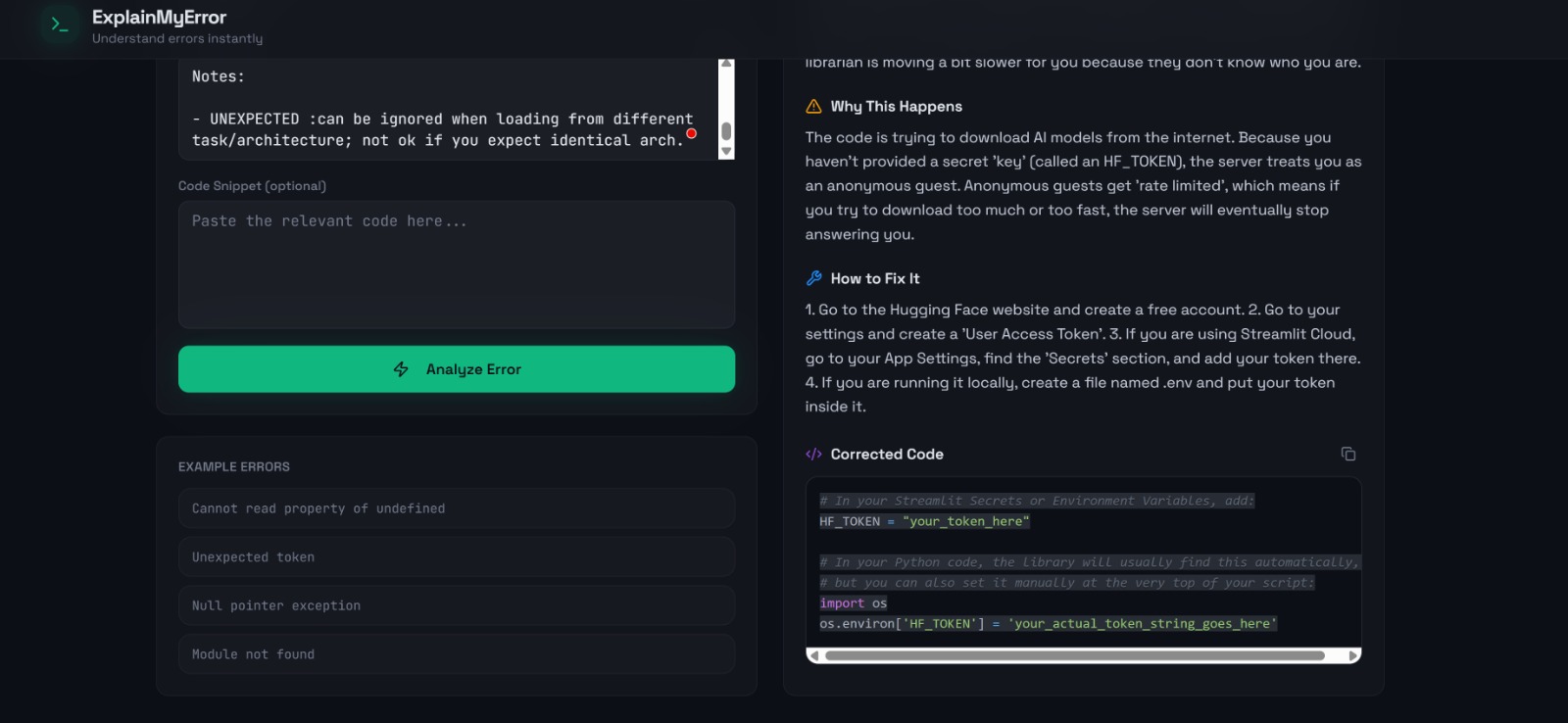
Once submitted, the system analyzes the input and generates structured responses including:
- a simplified explanation
- the root cause of the error
- step-by-step guidance to fix it
- an example of corrected code
The interface is designed with a clean developer-focused UI, including syntax-highlighted code blocks and a smooth analysis workflow to make debugging feel intuitive.
🧩 Challenges We Ran Into
One of the main challenges was ensuring that explanations remain clear and beginner-friendly while still being technically accurate.
Another challenge was designing a user interface that feels natural for developers while keeping the workflow extremely simple: paste an error, analyze it, and immediately understand the solution.
Balancing clarity, usability, and responsiveness within a short hackathon timeframe was also an interesting challenge.
📚 What We Learned
While building this project, we explored how AI can be used to bridge the gap between technical output and human understanding.
We also learned the importance of designing tools that focus on developer experience, not just functionality.
Most importantly, this project reinforced the idea that small tools solving everyday developer problems can create a huge impact.
🌍 Impact
ExplainMyError aims to help students, beginner programmers, and even experienced developers save time and frustration when debugging code.
By transforming error messages into understandable explanations, we hope to make programming more accessible, less intimidating, and more efficient for everyone.
Built With
- ai
- javascript
- llm-api
- react


Log in or sign up for Devpost to join the conversation.