-
-
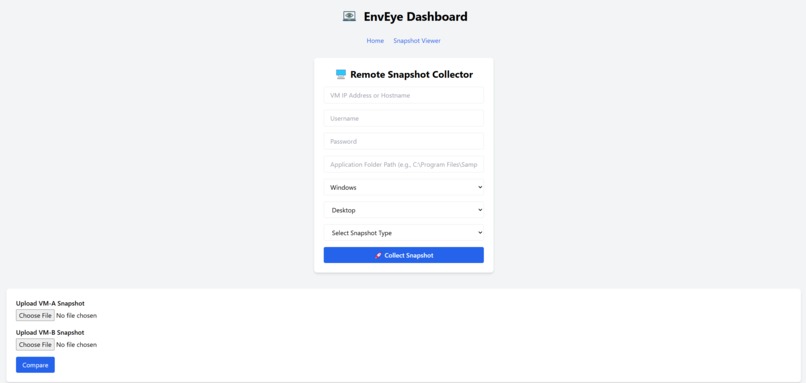
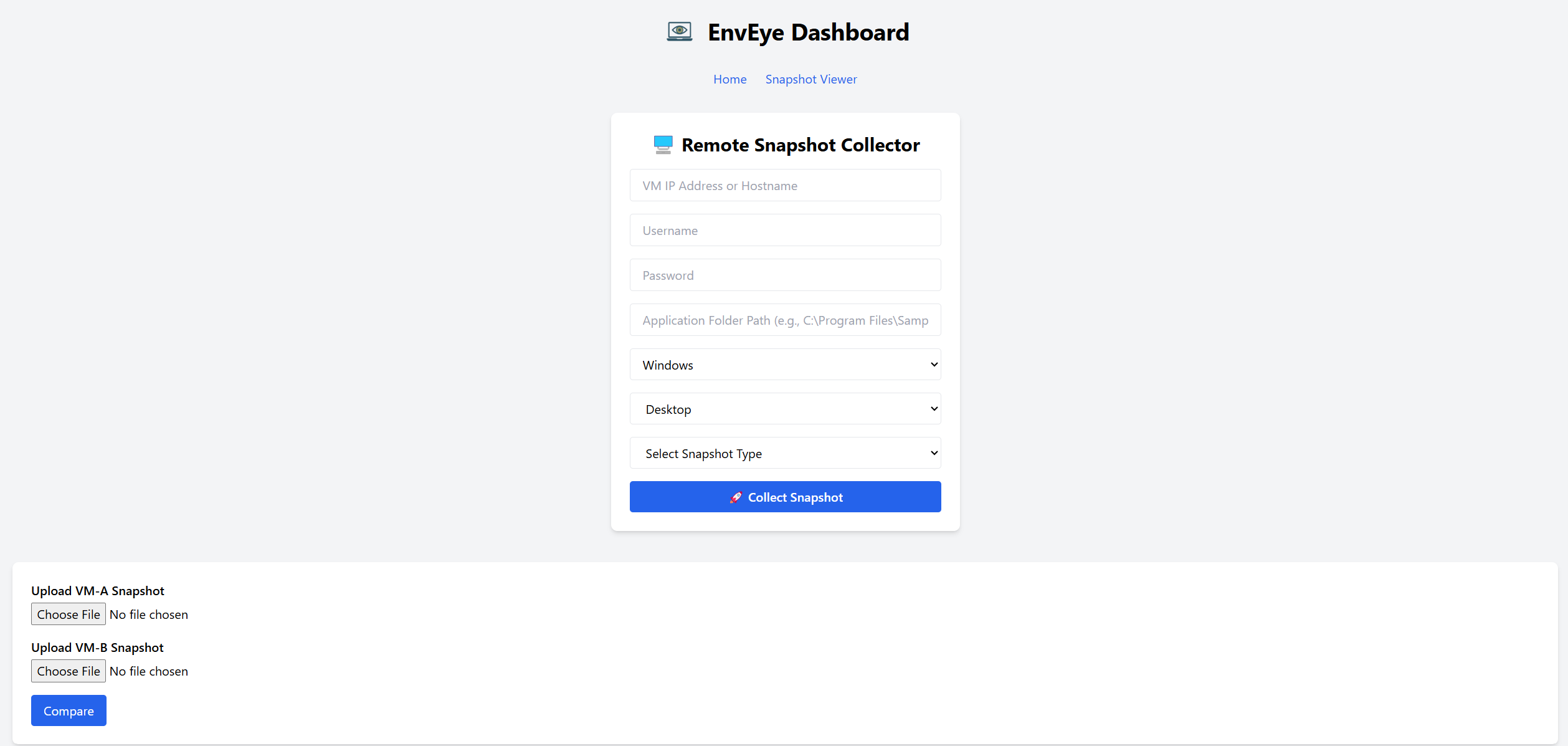
Remote snapshot collector
-
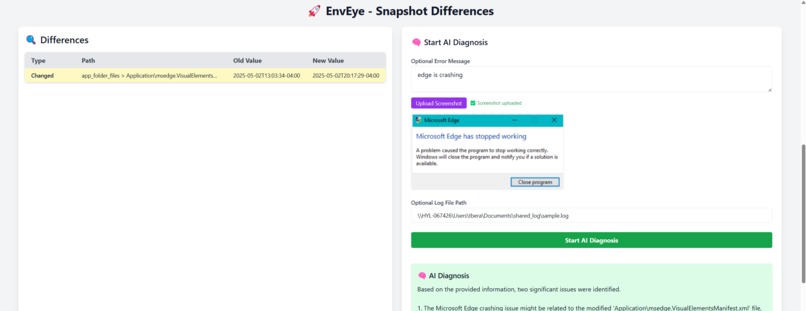
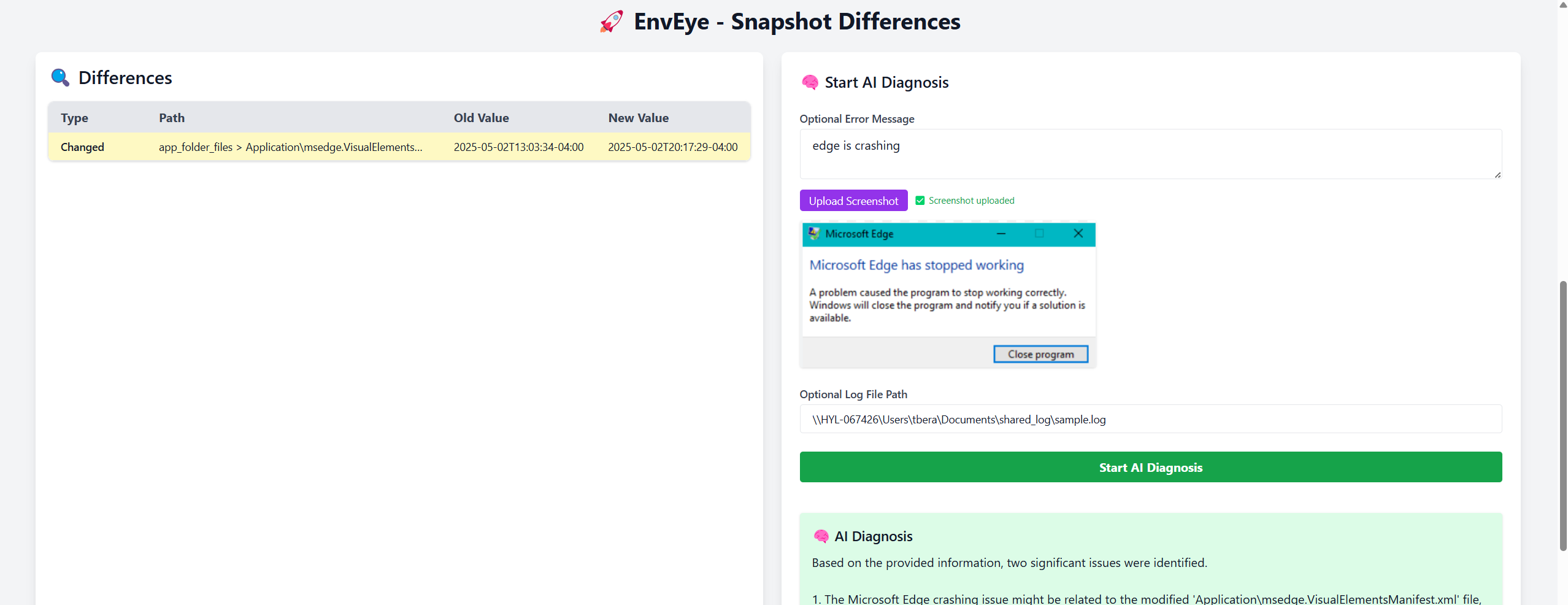
Snapshot comparator and AI root cause analysis
-
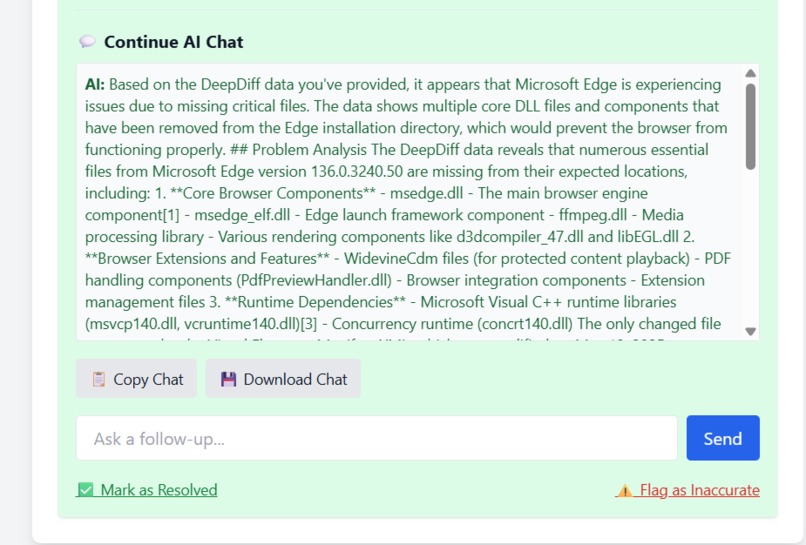
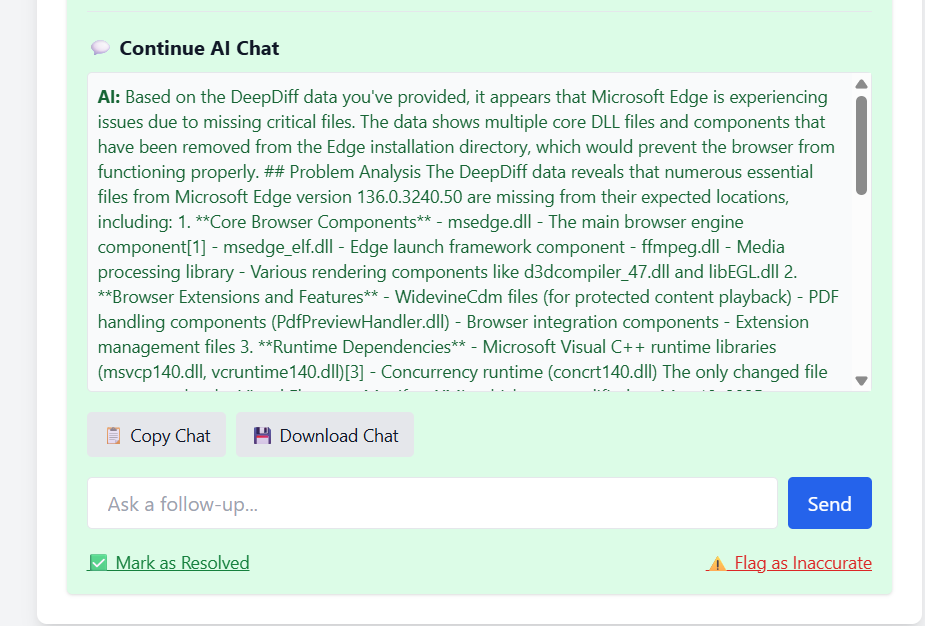
AI follow-up chat
-
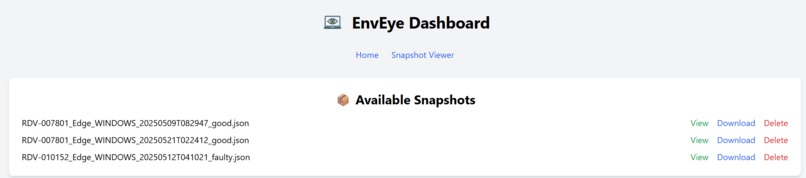
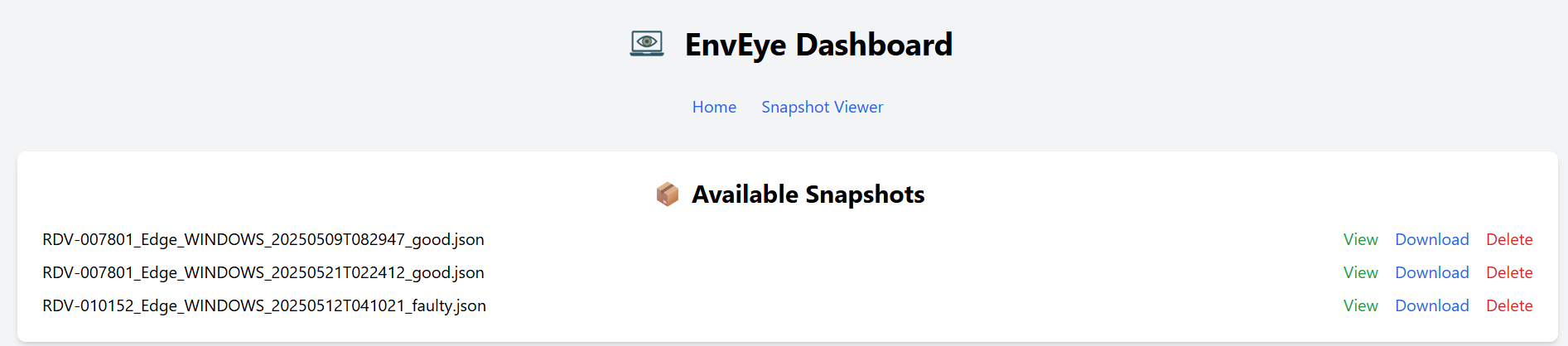
Snapshot viewer
Inspiration
The inspiration behind EnvEye came from the challenges developers and DevOps teams face when debugging production environments. In modern cloud-native architectures, environments are constantly evolving, and understanding the root cause of an issue can be daunting. Logs are scattered across multiple servers, and configurations change without proper documentation. The goal of EnvEye was to automate and simplify this process by comparing snapshots of system environments, helping teams identify what changed and why their applications broke. This would save significant time spent manually searching through logs and configurations, leading to faster resolutions.
What it does
EnvEye is an intelligent snapshot comparator and debugger designed to make troubleshooting in production environments faster and smarter. It works by collecting snapshots of system states (e.g., environment variables, configurations, installed packages) and comparing them to spot the differences. With the help of AI models like OpenAI, Perplexity, and Gemini, EnvEye analyzes these changes, identifies potential root causes, and suggests fixes. Additionally, EnvEye can process error screenshots using OCR technology and offer targeted advice for fixing issues. It helps developers, DevOps teams, and IT support quickly identify and fix issues, reducing downtime and improving the efficiency of the debugging process.
How we built it
We built EnvEye using a combination of modern web technologies and AI-backed analysis to deliver a powerful yet user-friendly debugging tool.
Key Technologies:
- Frontend: We used React, Vite, and TailwindCSS to build a smooth, responsive user interface for interacting with snapshots and AI-generated diagnostics.
- Backend: The backend is powered by FastAPI (Python), providing a fast, scalable API to handle snapshot uploads, AI requests, and serve responses.
- AI Integration: We integrated AI models such as OpenAI's GPT, Google Gemini, and Perplexity to analyze the environment snapshots and provide real-time diagnostics.
- OCR: For error debugging, Tesseract OCR is used to extract text from screenshots that are uploaded by users, helping us provide more context for AI analysis.
- Snapshot Collection: A Go-based agent uses WinRM/SSH to remotely collect snapshots from target environments (Windows/Linux/Mac systems).
The system is modular, allowing easy expansion of the AI models and support for different operating systems and cloud platforms.
Challenges we ran into
During development, we faced several challenges:
Snapshot Consistency: Ensuring that snapshots were captured in a consistent, structured format was critical for accurate comparison. We had to implement a validation process to ensure all necessary system context (e.g., environment variables, configurations) was captured properly.
AI Analysis Accuracy: While AI provided powerful diagnostics, fine-tuning the models to give actionable insights in real-time was a challenge. The AI needed to understand complex system changes, often from diverse environments, and provide valuable feedback quickly.
Security & Privacy: Handling sensitive configuration data in the snapshots required robust encryption and secure storage practices. Ensuring that user data remained safe was paramount throughout the development process.
UI/UX Design: Balancing powerful features with a user-friendly interface was difficult. We wanted the app to be intuitive for developers but also packed with features like error screenshot analysis and real-time AI help without overwhelming the user.
Accomplishments that we're proud of
AI-Powered Diagnostics: The integration of AI models like OpenAI, Gemini, and Perplexity to quickly analyze system snapshots and give actionable feedback is one of the key features we're proud of. This helps significantly reduce the time it takes to diagnose issues.
Snapshot Comparison: The ability to compare environment snapshots across systems, configurations, and versions, and then visualize those differences with DeepDiff, makes troubleshooting much more efficient.
OCR Integration: The OCR-powered error screenshot analysis is a standout feature. It allows users to upload a screenshot of an error message, which is then processed to extract text and give relevant insights into the issue.
Modular & Scalable Design: The backend is built with a modular design that makes it easy to swap AI providers, extend features, and add support for new environments.
Efficient Remote Snapshot Collection: The use of a Go-based agent to collect snapshots remotely from different operating systems (Windows, Linux, macOS) without requiring agents to be installed directly on the target system was a major accomplishment.
What we learned
AI Integration: We learned a lot about how AI can be applied to real-time debugging, especially in understanding complex configurations and environments. Fine-tuning AI to provide meaningful insights and actionable suggestions was a key learning process.
Snapshot Validation: Ensuring that snapshots are both complete and consistent before uploading was crucial to the success of the tool. We had to implement strict checks and validation to ensure the quality of the data.
Security and Compliance: We learned about the importance of data privacy and how to handle sensitive system configuration data securely. This involved implementing encryption for stored snapshots and limiting access based on user authentication.
User-Centric Design: Striking a balance between powerful functionality and an intuitive interface was a challenge. We learned how to prioritize simplicity while keeping advanced features accessible for power users.
What's next for EnvEye - Intelligent Snapshot Comparator and Debugger
We are excited about the future of EnvEye and have several enhancements planned:
Expanded AI Capabilities: We are working on enhancing the AI models to provide more accurate, context-aware diagnostics, with even more focus on predictive diagnostics, where AI suggests potential issues before they cause failures.
Cloud & Kubernetes Support: Adding cloud integrations for platforms like AWS EC2, Azure, and Google Cloud to support snapshot collection directly from cloud environments. We are also exploring Docker and Kubernetes support for containerized environments.
Batch Snapshot Comparisons: Supporting batch comparisons where multiple snapshots can be compared against each other, which would be particularly useful for large-scale environments with numerous servers or services.
Automated Root Cause Analysis for Multi-region Systems: As cloud-native environments scale, analyzing multi-region or multi-cloud systems will become essential. We are looking to enhance EnvEye with the ability to provide root cause analysis for such distributed systems.
GitOps Integration: We aim to enable comparison of environment snapshots against known-good configurations from a GitOps repository or pre/post-deployment scripts, helping automate validation of environment changes.
Enhanced Collaboration Tools: In future versions, EnvEye will introduce team collaboration features, enabling multiple engineers to work together on a shared snapshot, making team-based debugging and diagnostics more efficient.

Log in or sign up for Devpost to join the conversation.