-
-
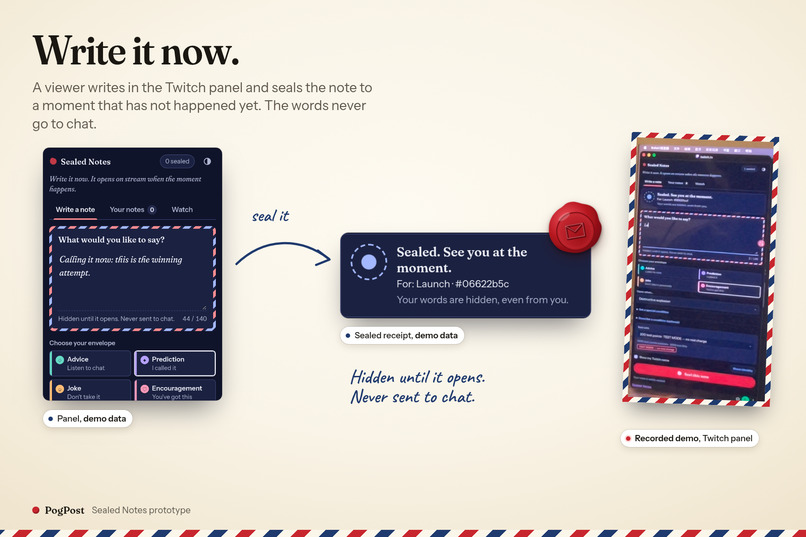
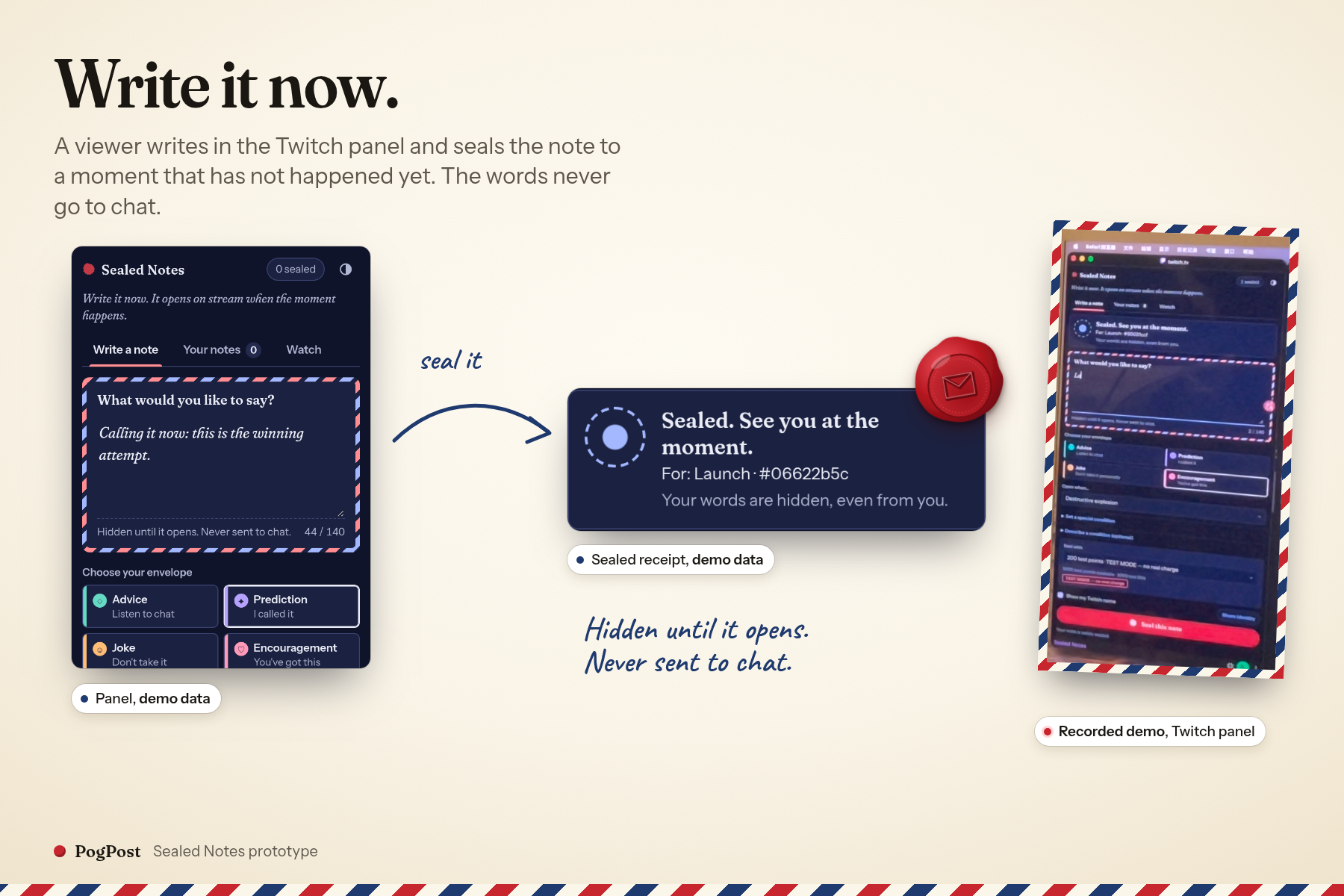
Write and seal inside the Twitch panel. Demo data and a frame from the recorded Twitch demonstration.
-
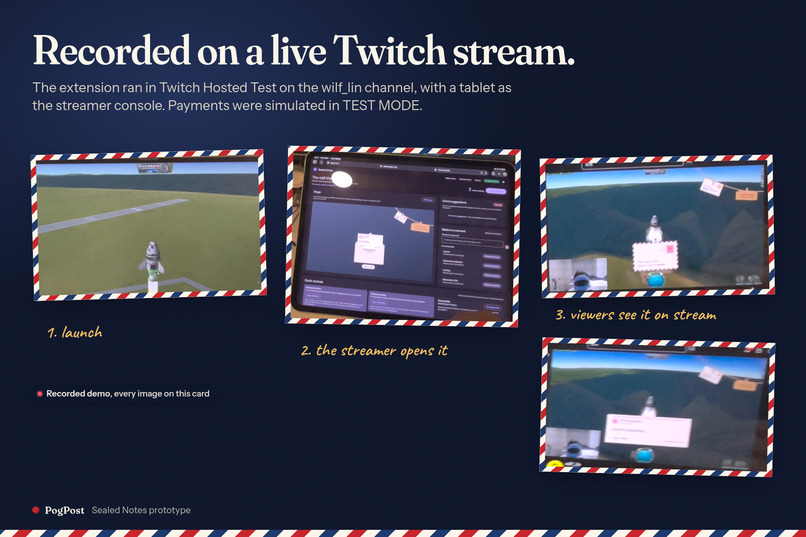
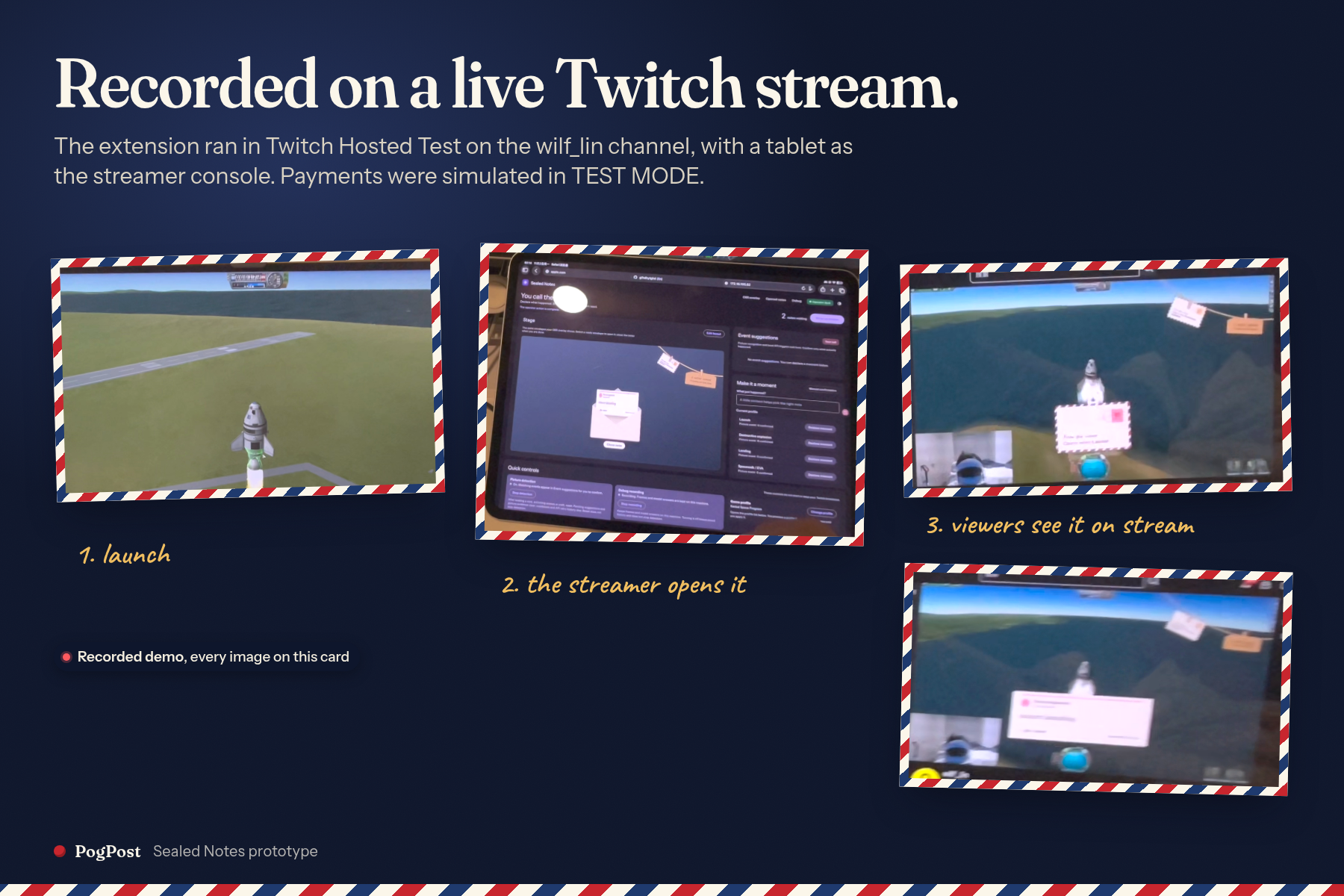
Real Twitch demo on wilf_lin: launch, streamer opens, viewers see the reveal. Hosted Test; simulated payments.
-
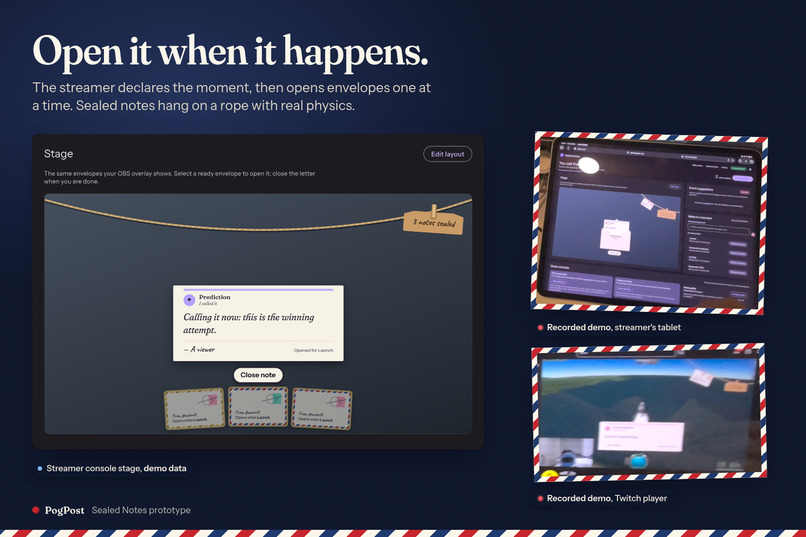
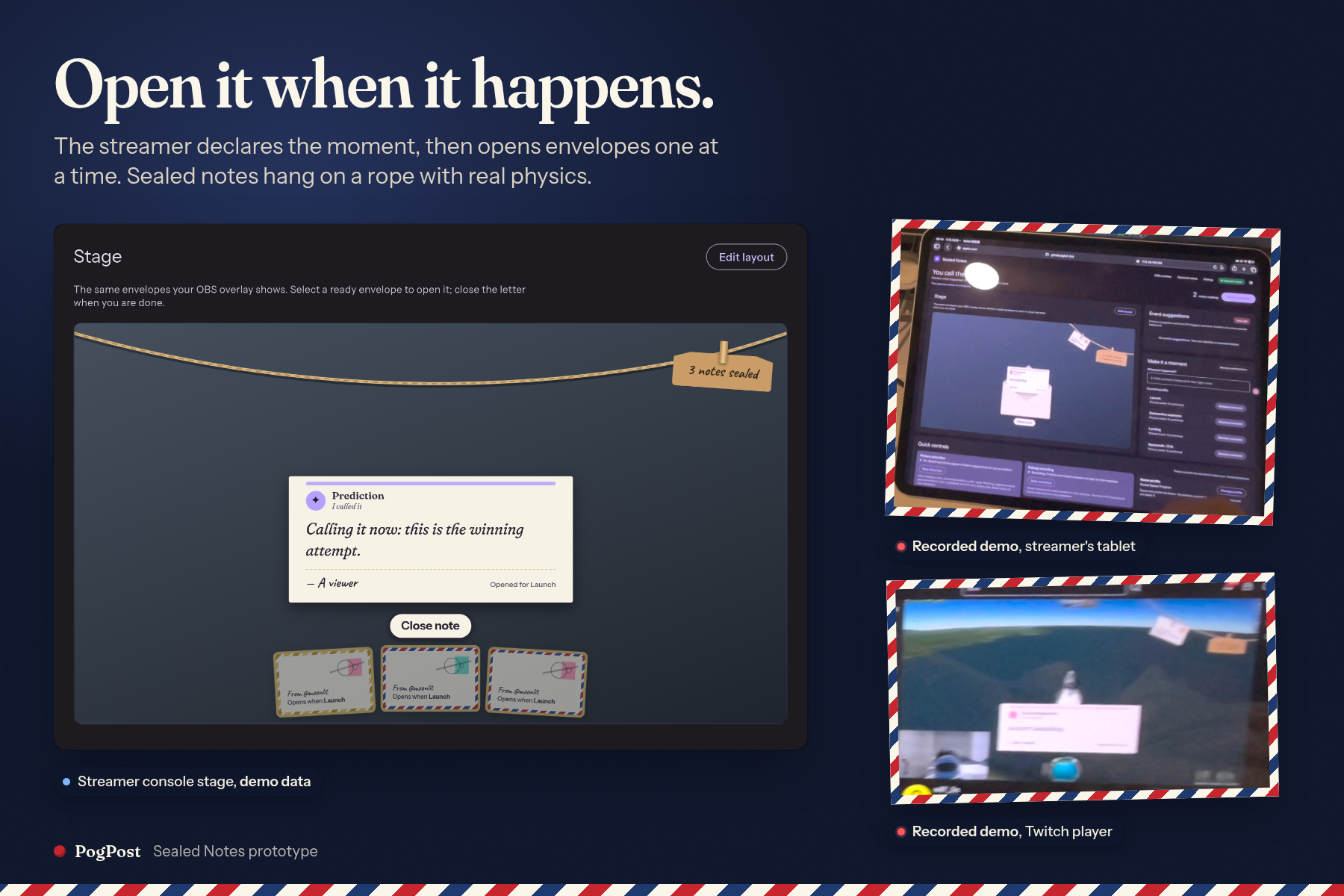
The streamer declares a moment and opens one envelope at a time. Demo UI beside the recorded tablet and Twitch player.
-
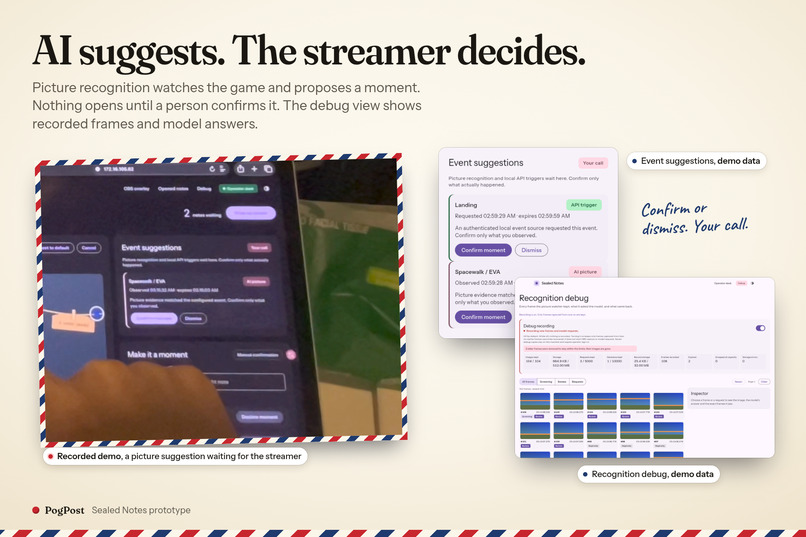
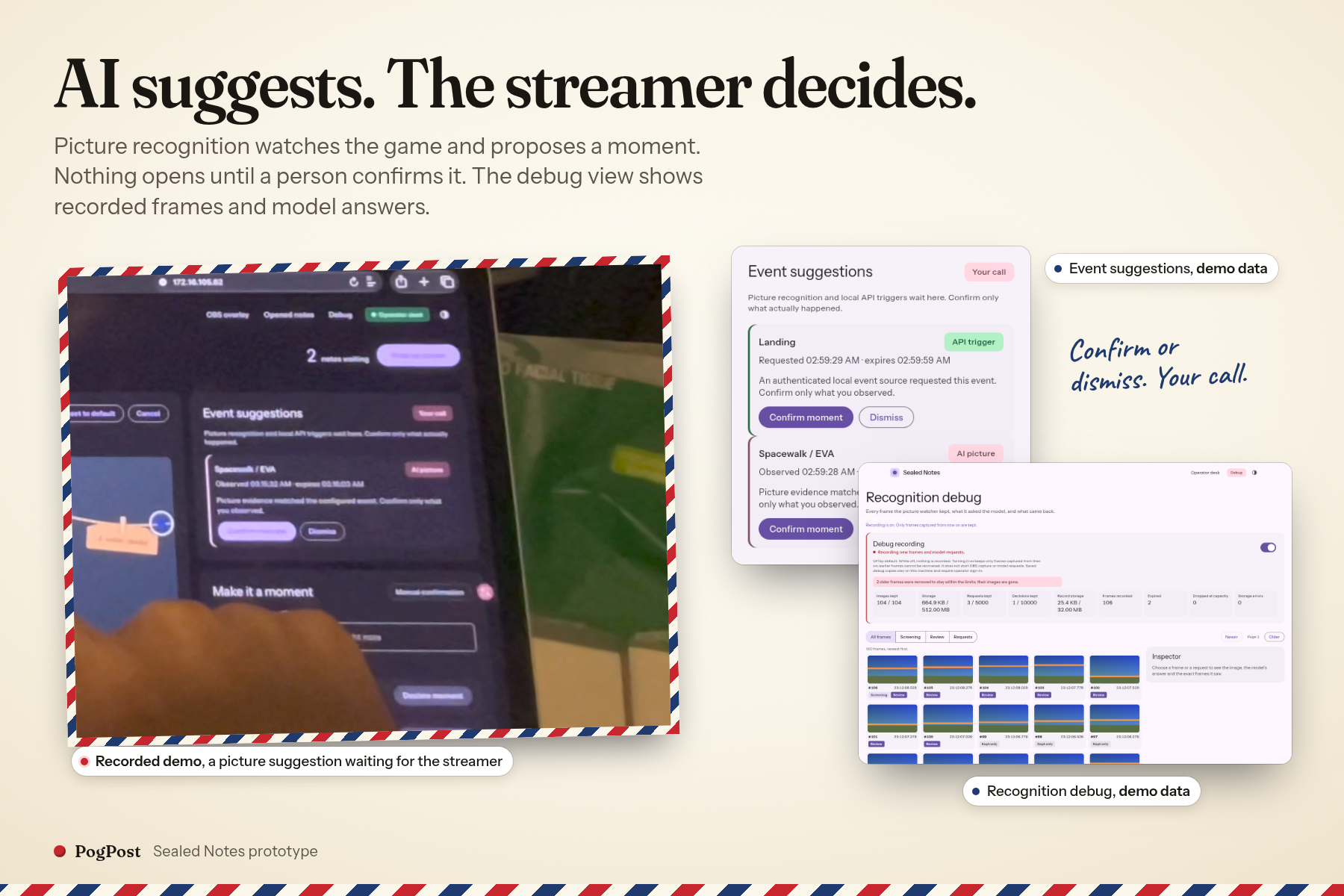
AI suggests; the streamer decides. Recorded suggestion card beside demo-data event controls and recognition debug.
-
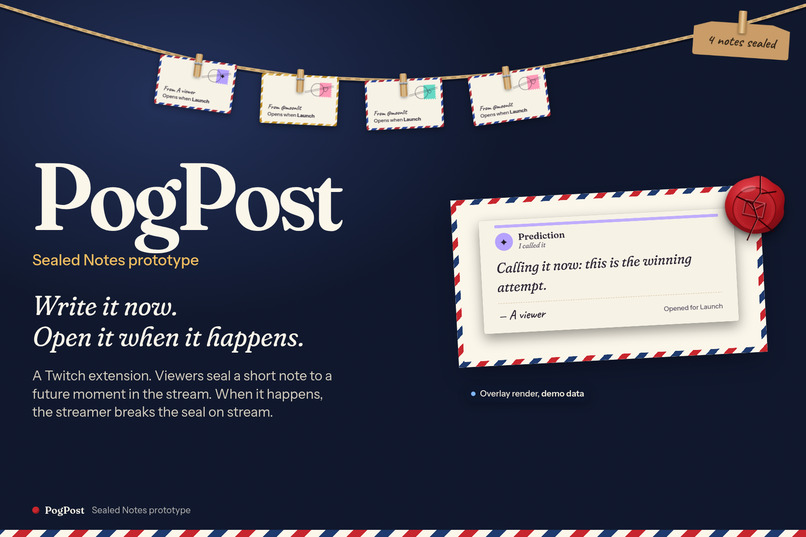
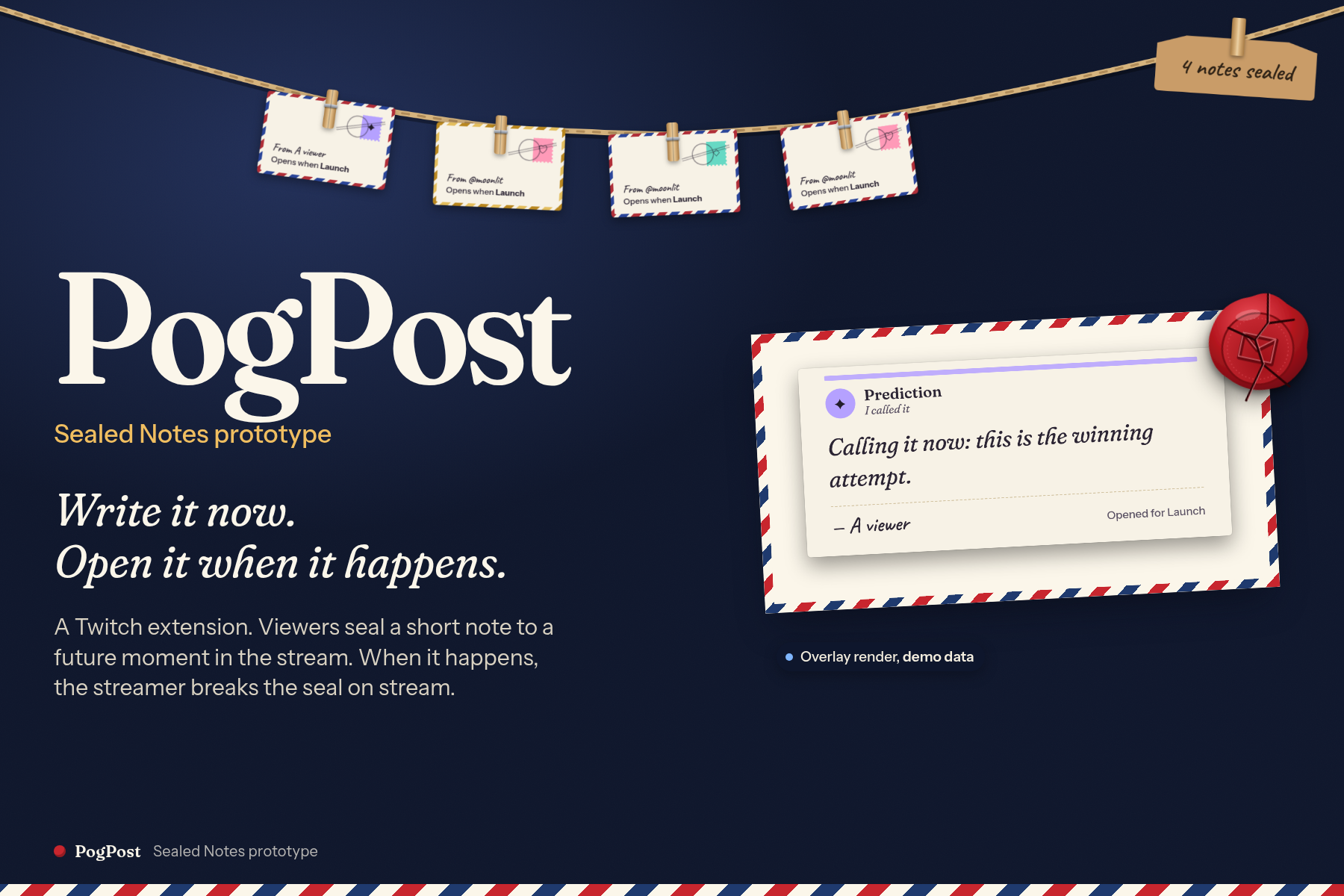
PogPost / Sealed Notes: seal a private note now, then open it at the moment. Overlay render with demo data.
-
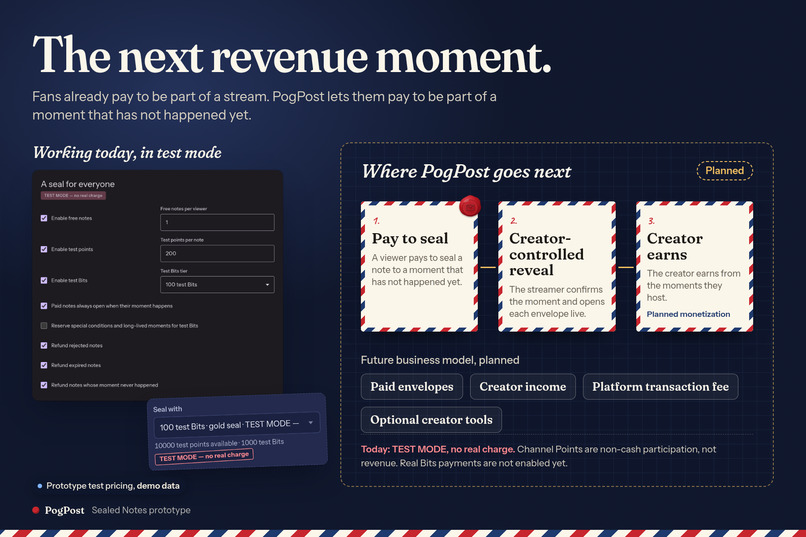
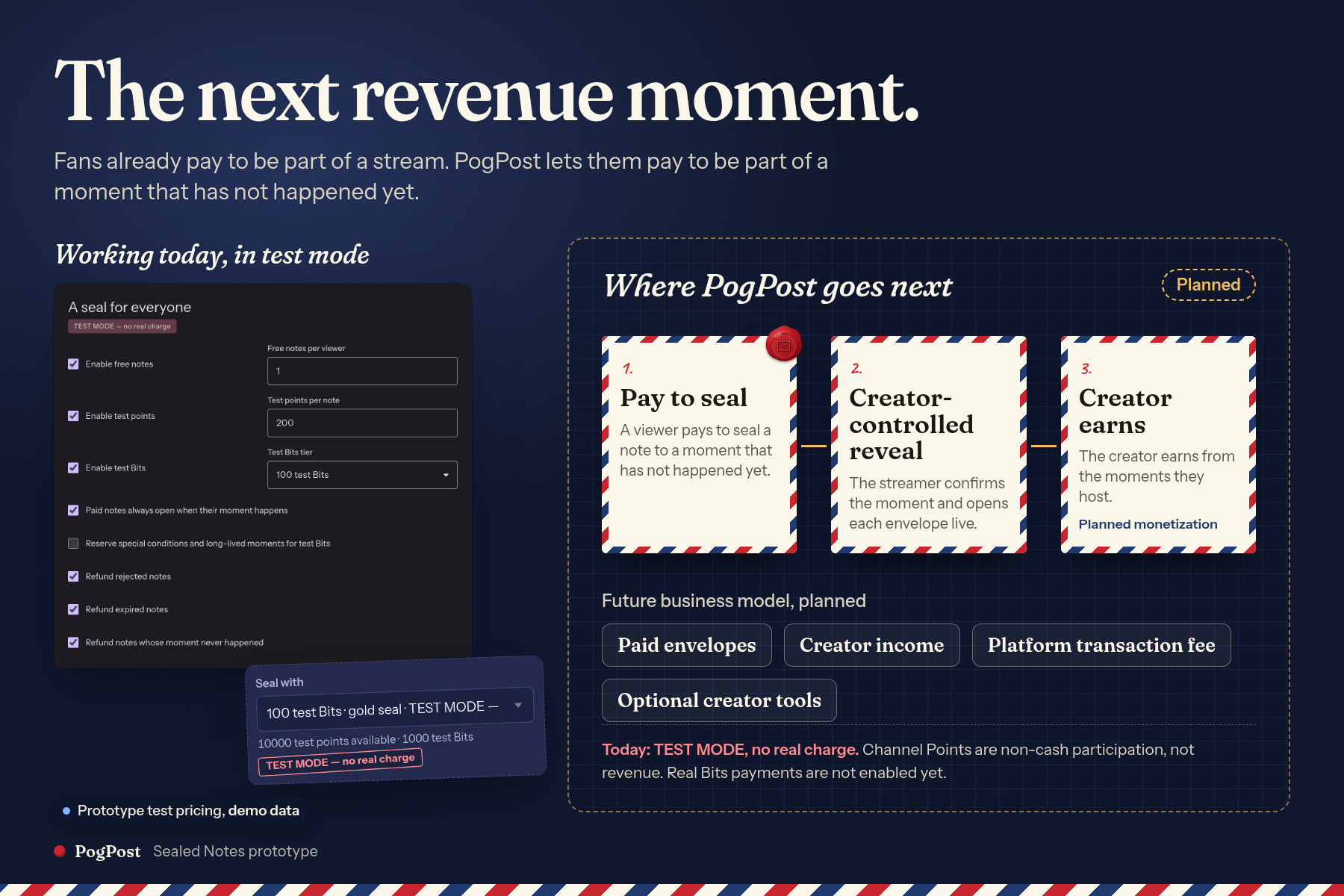
Paid envelopes, creator income and optional creator tools: our planned business. Prototype pricing uses test currency only.
What is PogPost?
PogPost is an “open when…” mailbox for Twitch. Viewers write a personal note, seal it for a future stream moment, and watch the streamer reveal it when the time is right. A prediction before a risky attempt, a joke saved for a funny fail, or a thank-you at wrap-up becomes something the whole community can react to together.
Built with OpenAI Codex, PogPost connects a Twitch Extension, a streamer control desk and an on-stream envelope display. The OpenAI Decisions API helps review notes and suggest when a moment has happened. The streamer chooses what to open and when.
The moment that inspired us
Picture a Kerbal Space Program launch. A few sealed envelopes hang on screen while the streamer concentrates on the rocket. Everyone can see that messages are waiting. The words stay hidden until the reveal.
The rocket clears the pad. The streamer confirms the moment and opens an envelope: “I believed in this rocket.”
That message was written before anyone knew the outcome. After a chaotic launch, it could get a laugh. After several failed attempts, it could mean something more. The anticipation, the reveal and the streamer's reaction become part of the show.
We wanted to give viewers a way to create that kind of moment, including people who usually watch quietly. One thoughtful note can be enough to take part.
How it works
The streamer selects a game profile or defines the moments available for the stream. Viewers participate directly through the Twitch Extension panel.
- Write and seal. Choose a category and an available moment, write a short note, and seal it. Viewers choose whether their name appears.
- Wait for the moment. Notes go through moderation before public display. When the streamer confirms an event suggestion or declares a moment manually, matching approved envelopes become ready to open.
- Open together. The streamer chooses an envelope, breaks its wax seal and reveals the letter. The OBS broadcast display and viewer Watch view follow the same reveal. The streamer closes it before opening another.
Confirming an event and opening a letter are separate actions. This lets the creator finish the action, catch their breath and give a message the attention it deserves.
Why it belongs on Twitch
For viewers, participation can be personal and low pressure. They can write once and keep watching, with something of their own to look forward to. A prediction can become an “I called it” moment. Encouragement can arrive after a hard-won success. A joke can land just when the stream needs one.
For streamers, the community contributes material they can pace themselves. The creator decides which approved envelope to open and how long it stays on screen. A reveal can fit between attempts or help bring a stream to a close.
For everyone watching, the waiting is part of the fun. The envelopes make anticipation visible. Even viewers who never submit a note can enjoy finding out what someone wrote and how the streamer responds.
The distinctive idea is the connection between the viewer's own words and a future event. The outcome changes how the message lands. That gives a small piece of audience participation a beginning, a wait and a payoff.
Designed to feel like opening a letter
Envelopes hang from a moving rope. A selected envelope opens, its wax seal breaks and the letter unfolds. The visual sequence makes the transition from private note to shared reaction easy to follow.
The streamer can adjust the layout around their content. Reduced-motion support offers a calmer presentation. The controls keep preparing, opening and closing a letter explicit, so the creator always knows what the audience will see next.
How we built it with Codex
Codex was our main coding and integration partner. We used it to build note submission, review and reveal, along with privacy checks, saved state and synchronized displays. It helped connect Twitch and OBS, turn KSP-specific event logic into editable profiles, and add tests around streamer controls.
During rehearsals, we worked with Codex to trace failures through logs, inspect event decisions and check fixes. It also helped prepare the Twitch Hosted Test package. Our submission video includes a development recap using actual prompts and replies from the build thread.
The application uses JavaScript, HTML and CSS with a Node.js backend. The server checks Twitch authorization, saves notes between restarts and keeps the streamer, broadcast and viewer displays in sync. Sealed text is withheld from viewer feeds until opened. Authorized reviewers can inspect notes held for moderation.
Claude contributed visual design and motion. Reused Twitch infrastructure is credited in the repository's provenance record.
Where the Decisions API helps
The Decisions API answers focused questions with explicit answer choices in two parts of the experience:
- Before a reveal: assess note safety, classify the message and check whether it fits the selected moment. Uncertain moderation results are held for human review.
- During the stream: examine OBS screenshots for events defined in the current profile and suggest a moment for the streamer to confirm.
The words come from viewers, and the final reveal stays with the streamer. Manual moment controls are always available. Visual recognition works from screenshots, with KSP as our demonstrated preset. Other recognition profiles would need their own testing.
Challenges and what we learned
Recognizing an event was only part of the problem. A model could identify a moment while earlier observations or timing rules kept the suggestion from advancing. Captured frames, decision logs and explicit blocking reasons helped us diagnose those cases with Codex.
We also adapted the viewer display to Twitch's embedded-view restrictions. Keeping presentation state on the server made sure the screens agreed on which letter was open. Both challenges led to a better interaction: suggestions are inspectable, controls are explicit and the creator sets the pace.
What judges can try
The submission demo shows the working Twitch Hosted Test prototype, including the viewer panel, streamer controls, KSP footage and envelope reveal. The interface and repository use the working name Sealed Notes.
The repository records 406 passing local unit tests, plus separate browser checks for the reveal flow, shared presentation and responsive layouts. These cover local and mocked behavior. The Extension is in Hosted Test, and all prototype payments and refunds are simulated, with no real charges.
Judges can also try the complete local viewer, streamer and overlay flow without API keys or Twitch test access. With Node.js 24 or newer, run npm ci, then npm run demo -- --port=8790, and open http://127.0.0.1:8790. This demo uses simulated identities and AI responses. The repository includes setup instructions for the real integrations.
What's next
Our next step is testing with creators and viewers to learn which moments they most enjoy saving a note for. We want to make setup and moderation easier, then explore formats such as an artist finishing a piece or a community wrapping up a charity stream through editable moments and manual controls.
The experience we want people to come back for is simple: write something now that becomes special when the moment arrives.
Built With
- codex
- css3
- html5
- javascript
- node.js
- obs-studio
- openai
- playwright
- twitch
- websockets

Log in or sign up for Devpost to join the conversation.