
Inspiration
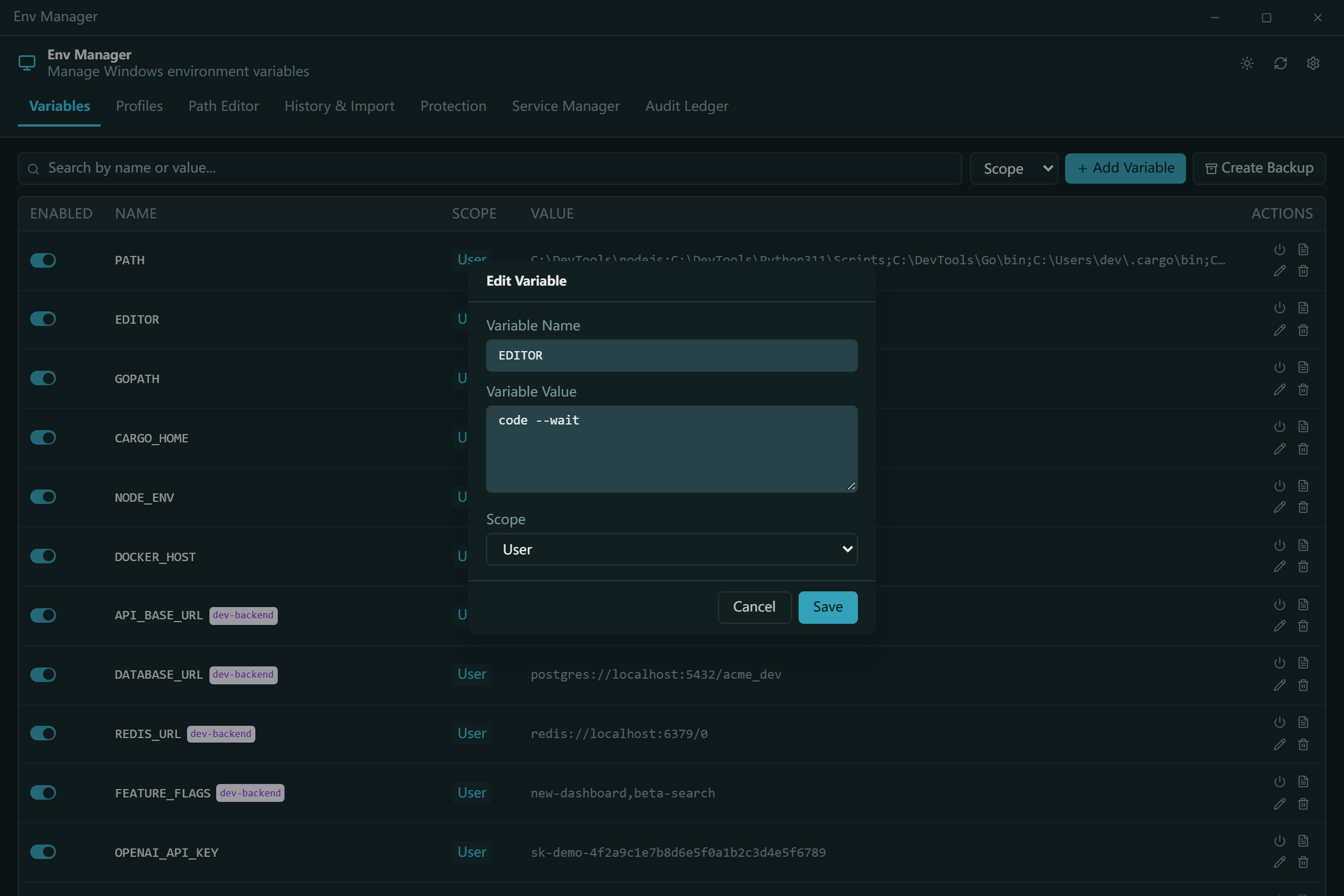
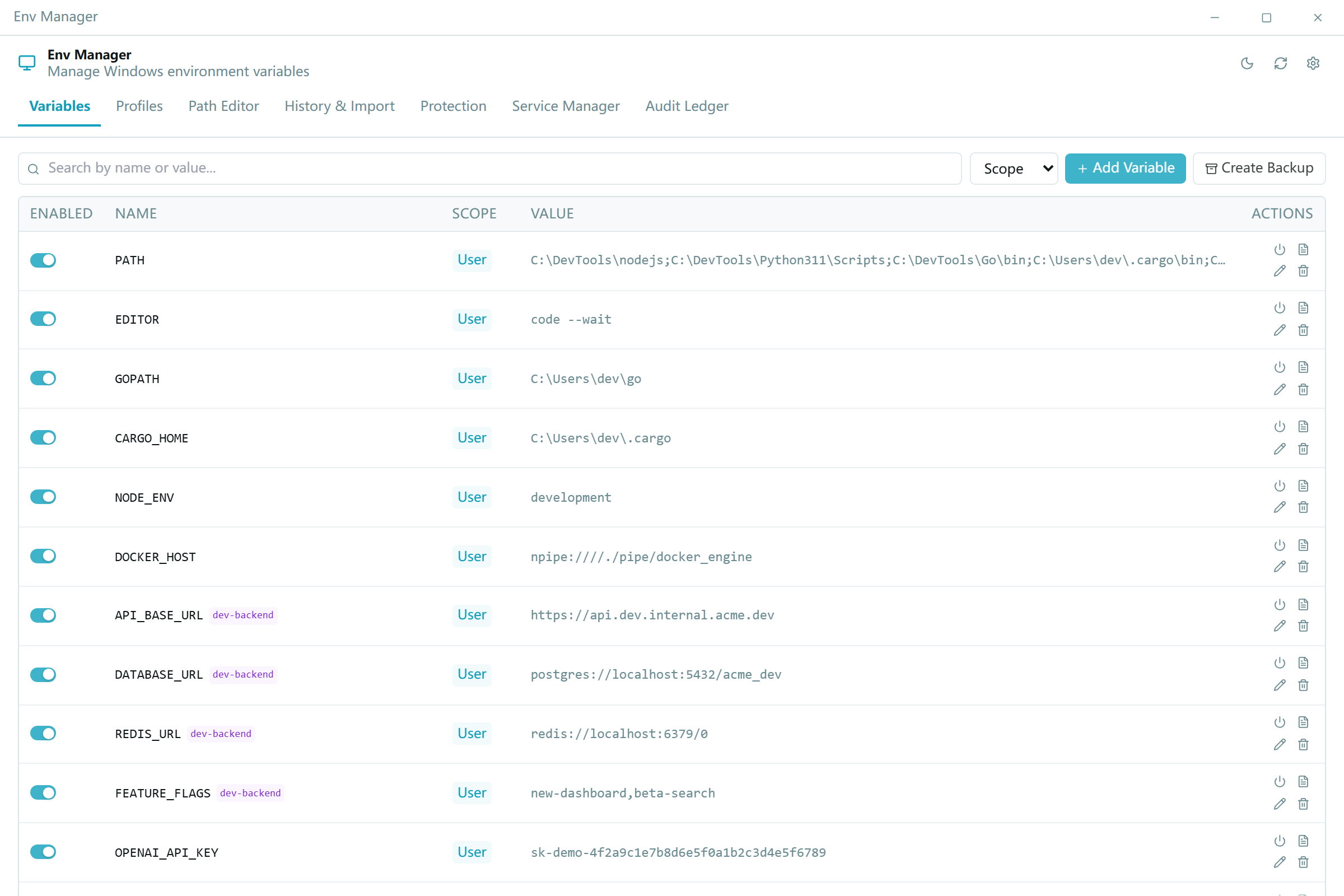
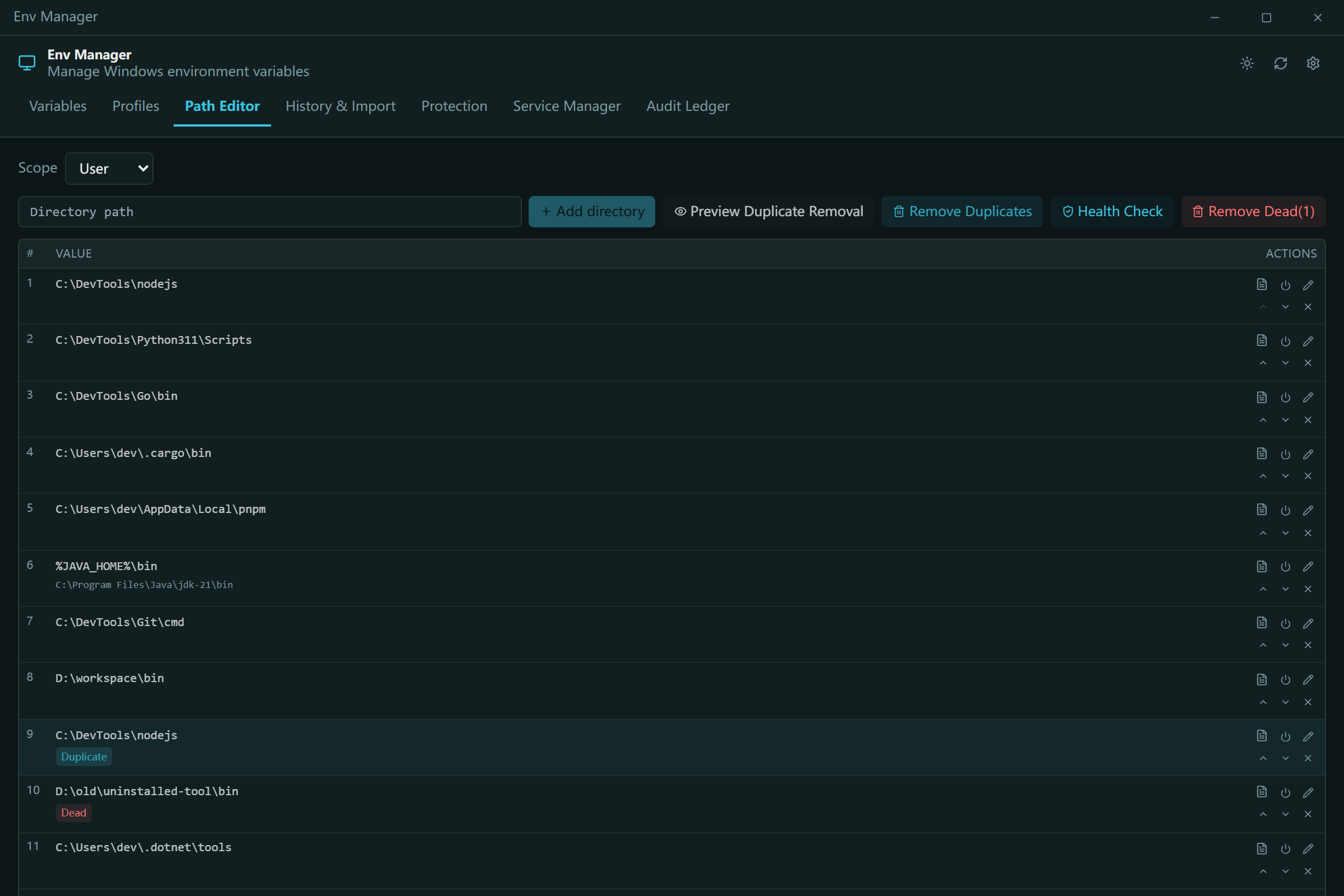
Every developer on Windows knows the drill: open System Properties → Advanced → Environment Variables, and stare at a single-line "Edit text" dialog that hasn't really changed since Windows XP. One wrong keystroke and your PATH is a single ;-joined blob with no undo. We broke PATH one too many times — a duplicate entry here, a dead folder there, a deleted system variable we couldn't get back — and decided the fix shouldn't be "remember to export your registry first."
At the same time, we watched AI coding agents (LLM CLI tools) become real operators of developer machines. They can read config files and run shell commands, but environment variables — the thing every toolchain depends on — had no agent-friendly interface. No structured output, no machine-readable contract, no safety rails. Two frustrations, one project: a Windows environment-variable manager that is safe for humans and first-class for AI agents.
What it does
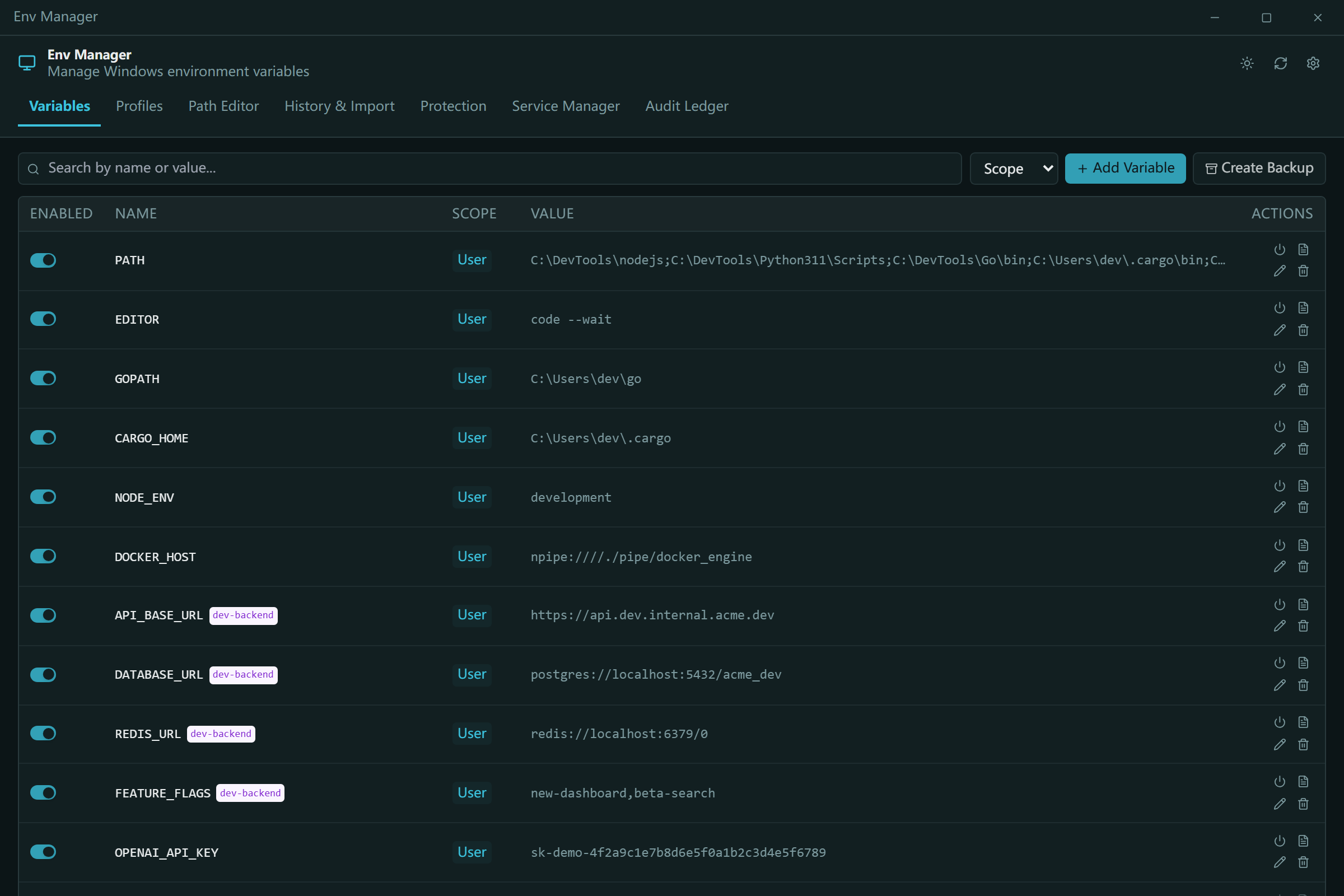
Env Manager is a lightweight, open-source Windows environment-variable manager with both a GUI and a CLI:
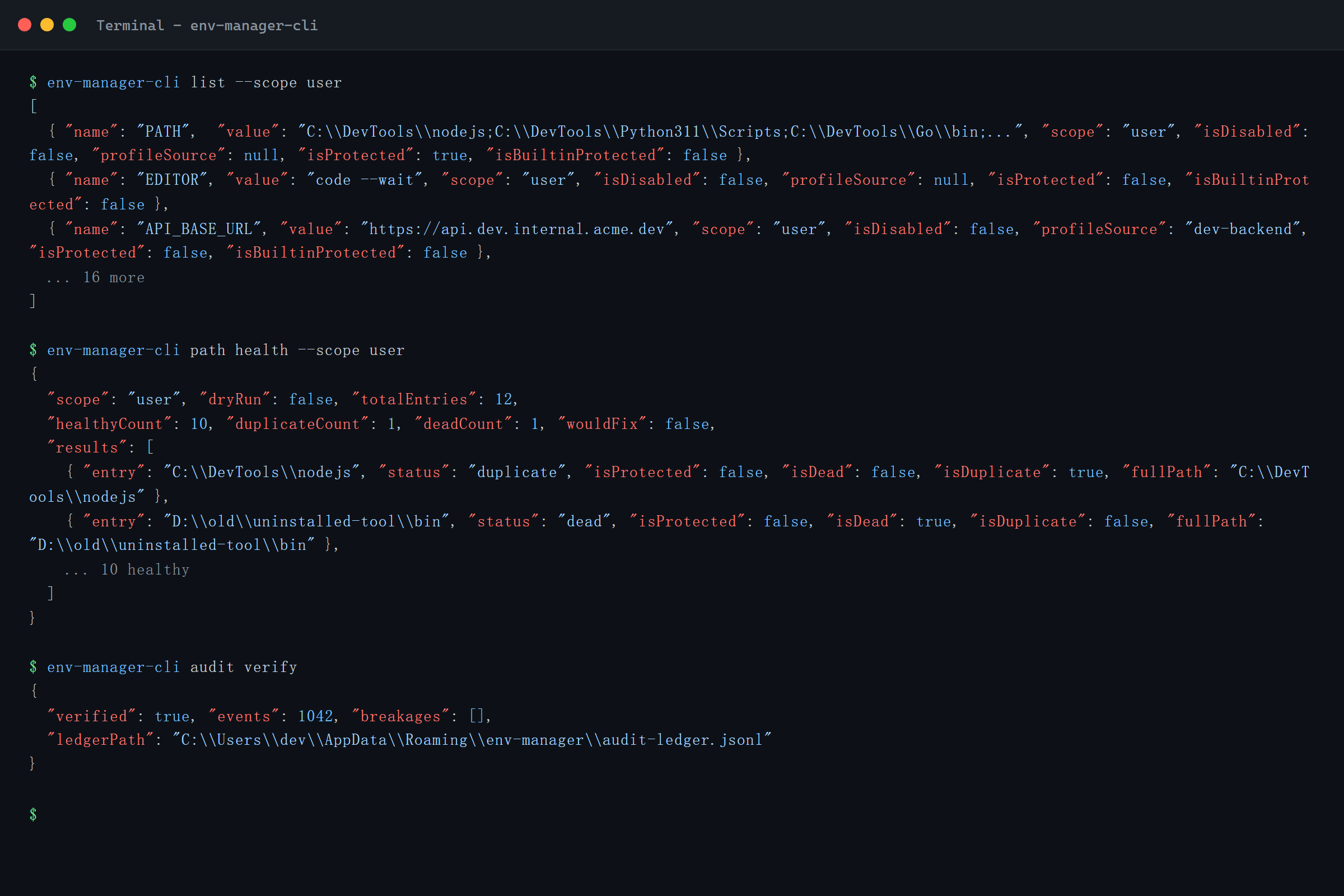
- Agent-native CLI — 18+ commands with a first-class machine contract:
env-manager-cli agents --jsonexposes the full command table as structured JSON, and an agent manual (AGENTS.cli.md) ships inside the binary, so any LLM agent can discover the interface at runtime. - Profiles — Global profiles apply variable sets to the real registry; Launch profiles inject an isolated environment into a single process without ever touching the registry. Set up per-project environments, roll them back, and preview conflicts before applying.
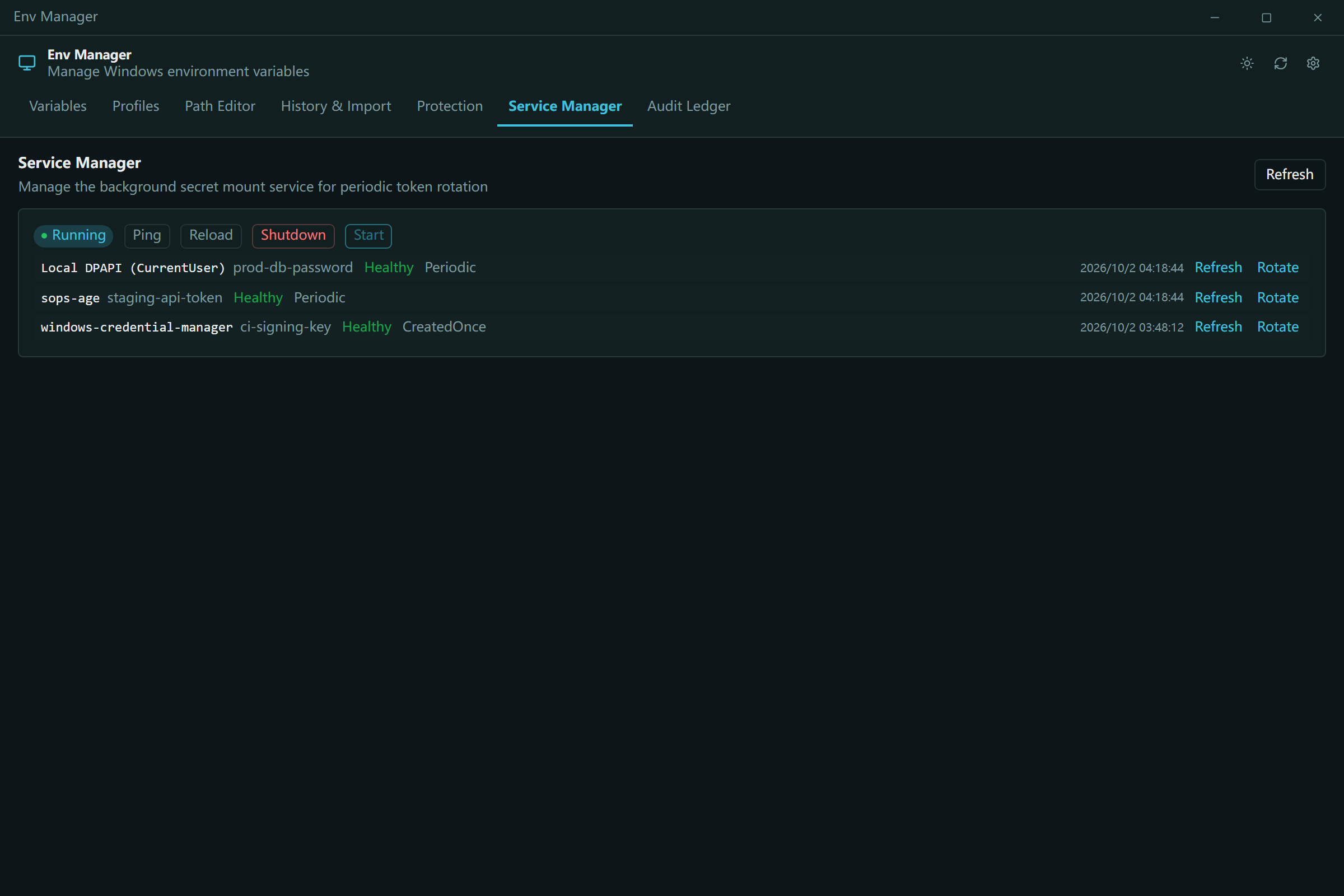
- 8 secret providers, zero plaintext — DPAPI, Windows Credential Manager, PowerShell SecretStore, HashiCorp Vault, SOPS, Azure Key Vault, 1Password, and AWS Secrets Manager. Secrets are referenced by mounts and decrypted at launch; plaintext never persists to disk or logs.
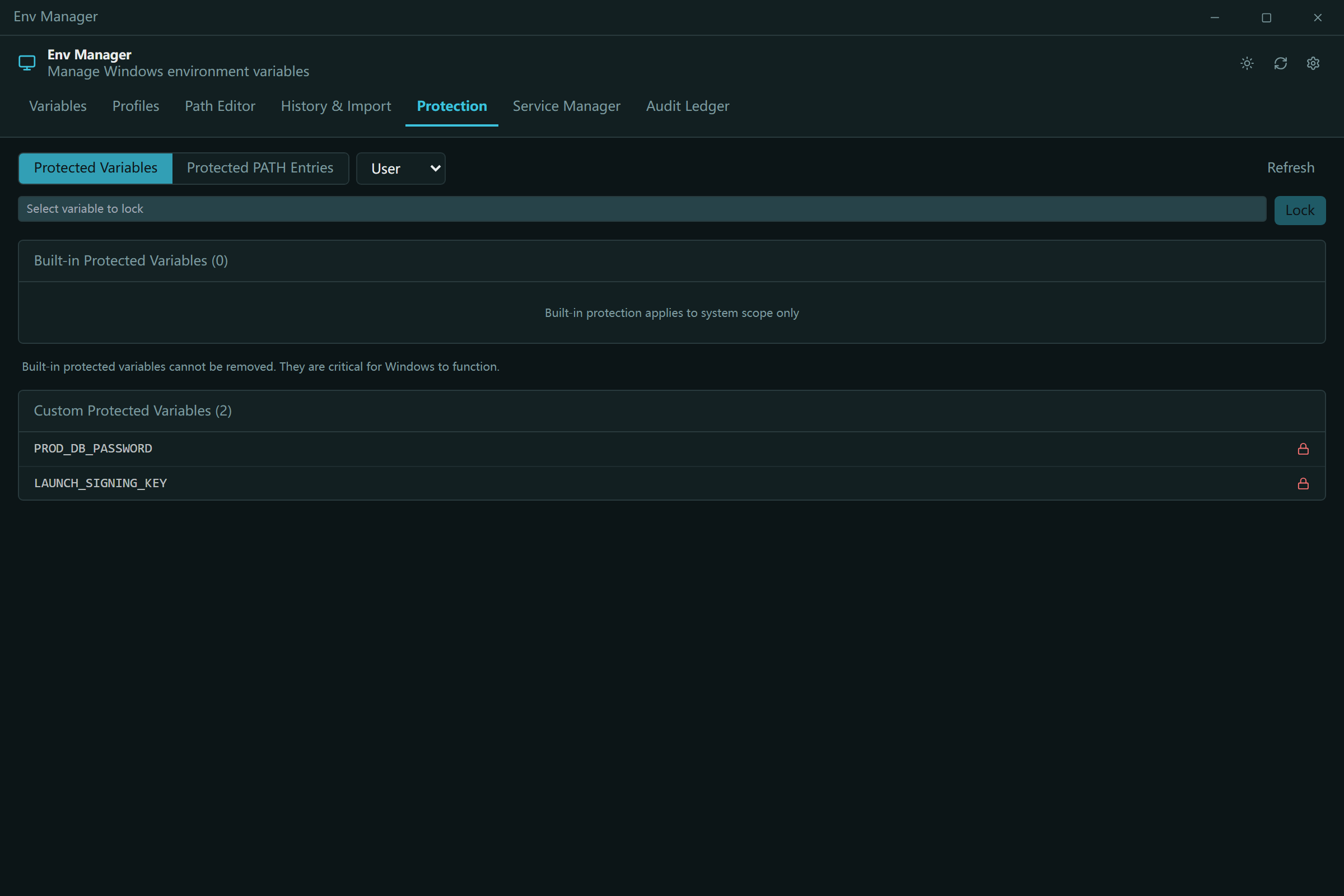
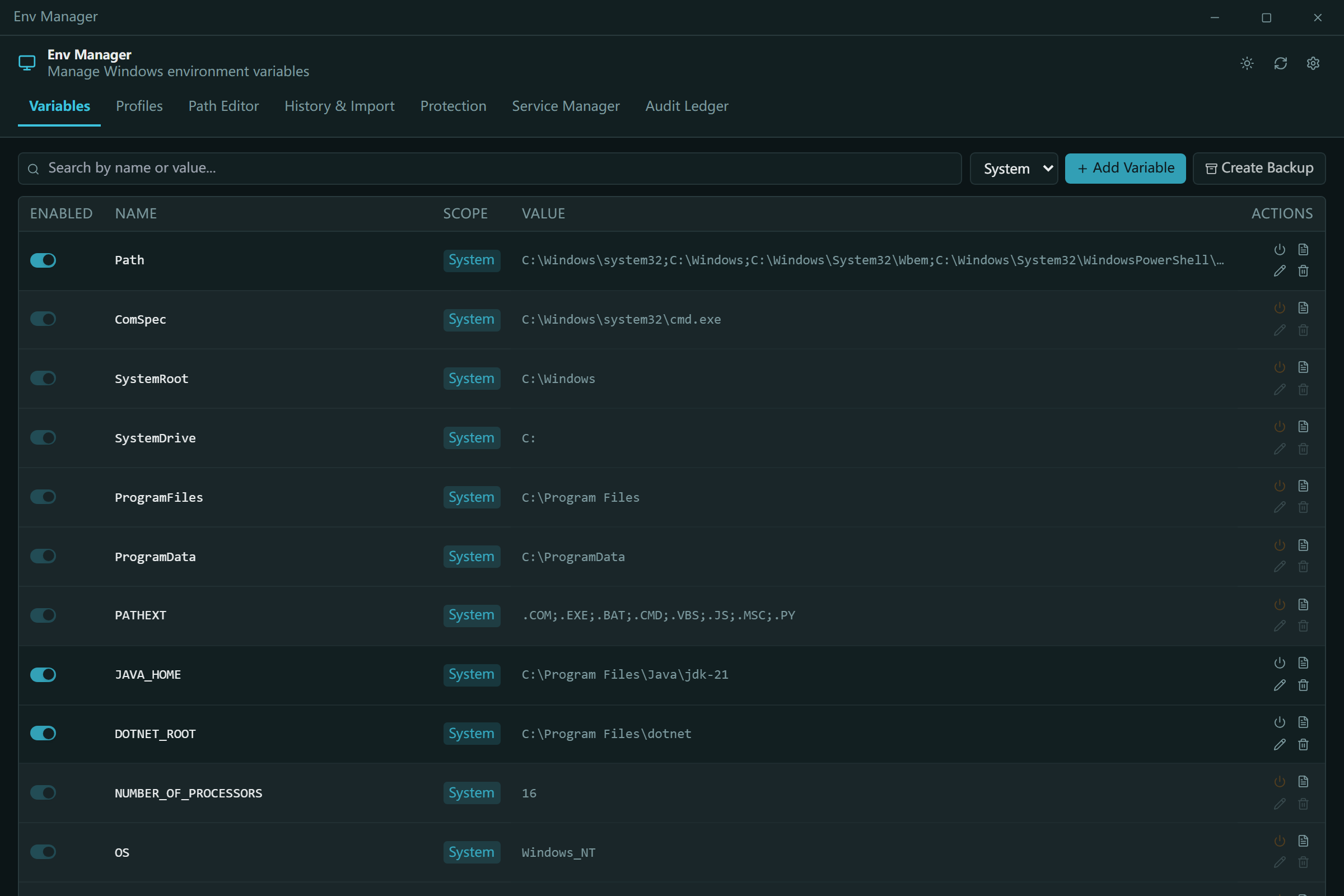
- Safety by construction — system variables and PATH entries can't be deleted or renamed by accident. Every write is a three-layer serialized contract: mutex → write lock → verify-before-swap.
- PATH health — detects duplicates and dead entries, with
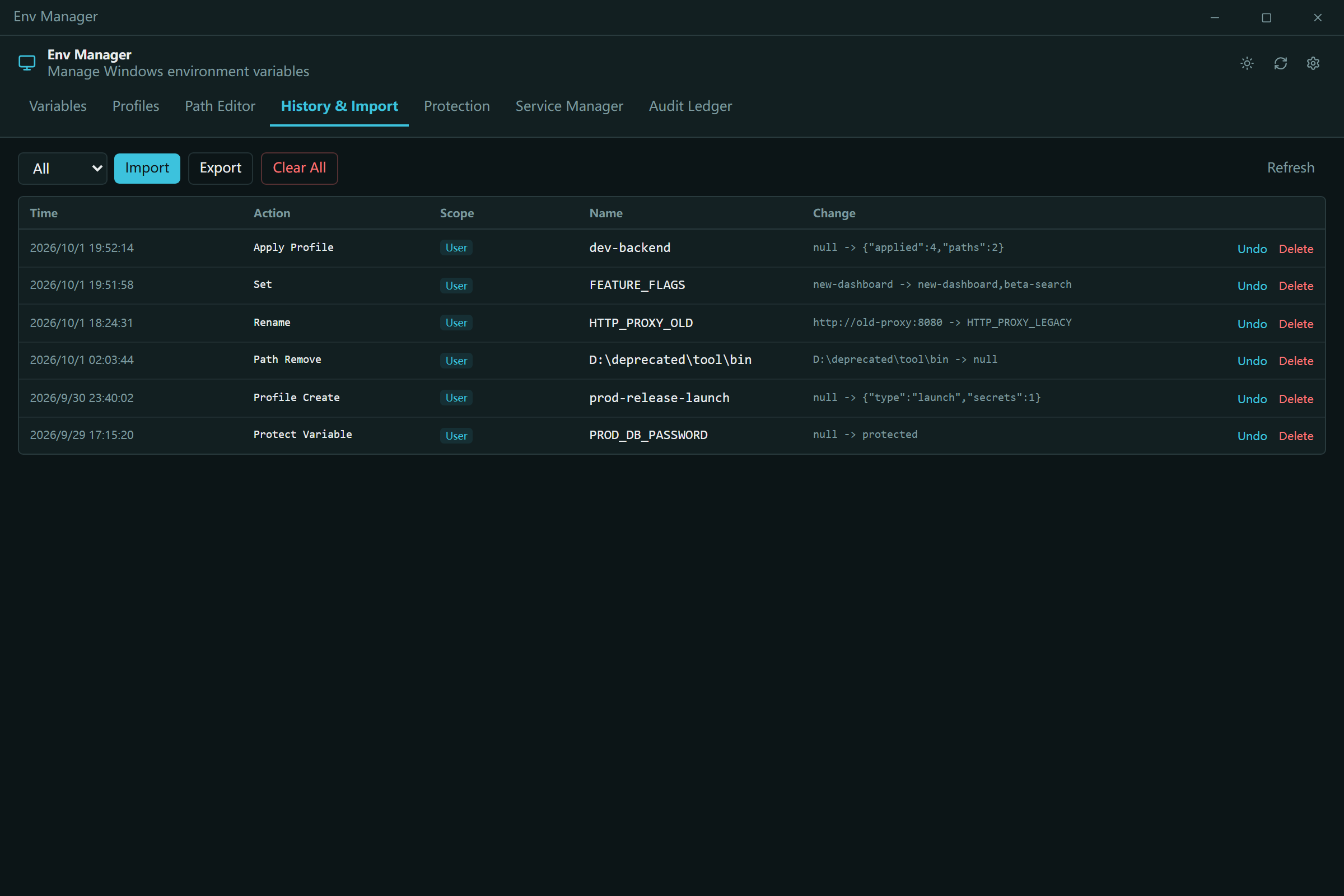
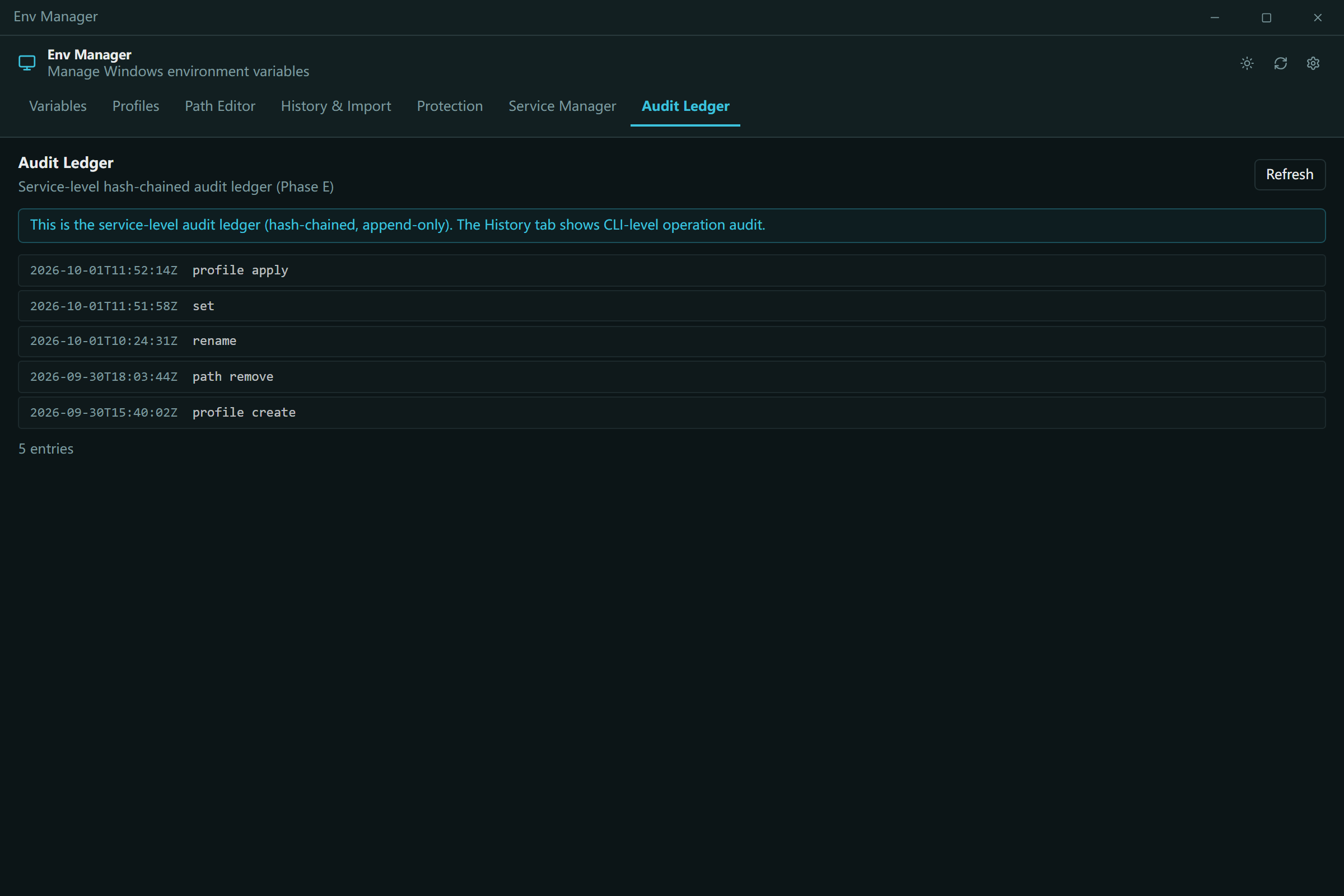
--fixand--dry-run. - Audit ledger — append-only, SHA256 hash-chained history of every change, with rollback and disaster-recovery export.
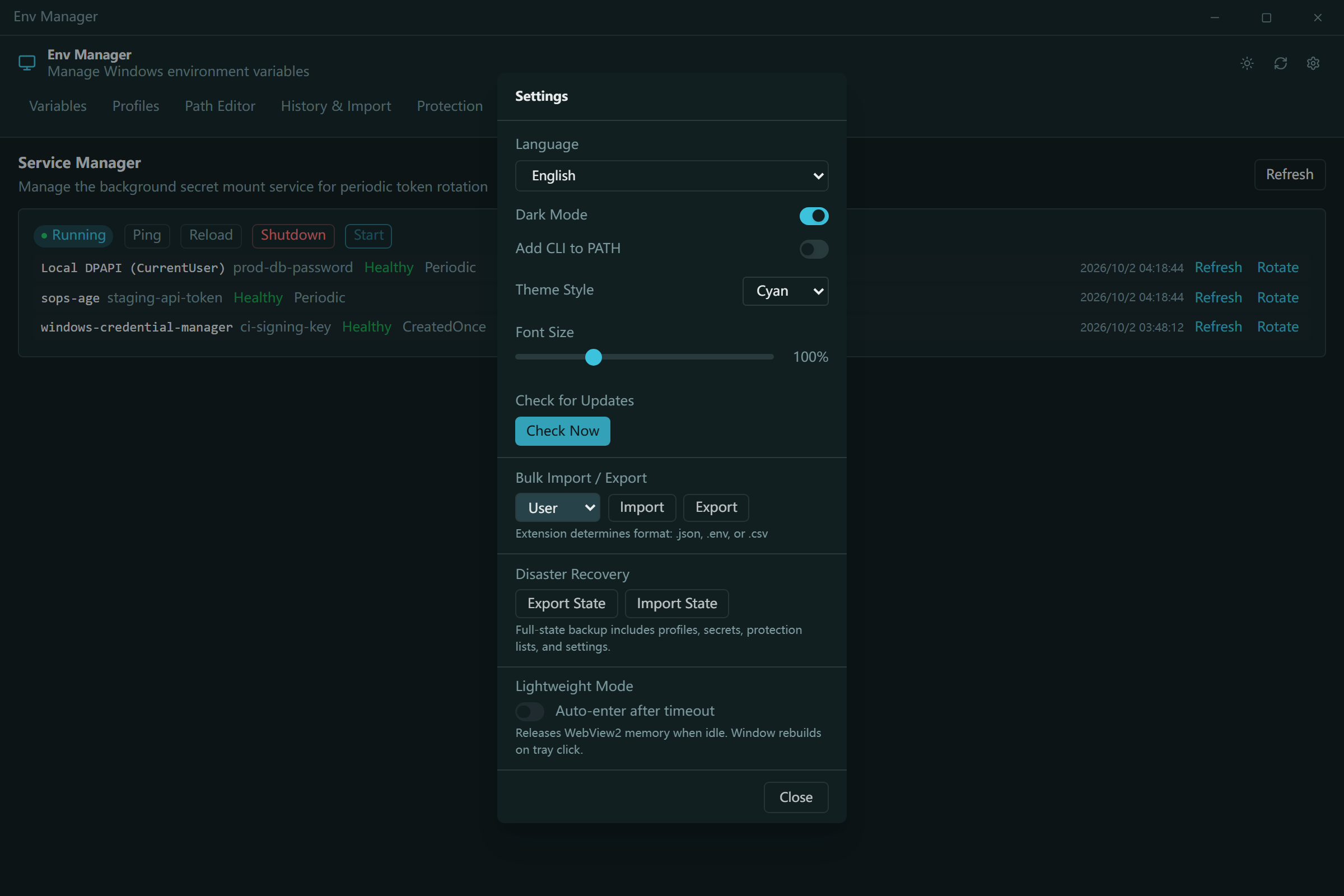
- Dual-mode UX — a native Tauri 2 + Svelte GUI for humans, a C# CLI for scripts, CI, and agents. Both go through the exact same registry contracts, so behavior never diverges. 10-language i18n.
How we built it
The project is a four-layer architecture, each layer with one job:
- CLI backend (C# / .NET 10) — the single source of truth. Reads and writes the Windows Registry directly, enforces protection rules, owns the audit ledger and secret-provider integrations.
- Tauri shell (Rust) — embeds the CLI as a bundled resource, spawns it as a subprocess, and exposes results to the frontend over Tauri IPC with an explicit capability whitelist.
- Svelte 4 frontend (TypeScript) — the GUI. No local web server; production assets are served through Tauri's
tauri://protocol inside WebView2. - Service crate (Rust) — a standalone
env-manager-service.exethat owns the secret-mount reconcile loop, reachable through named-pipe IPC with three runtime modes: Windows Service, user background process, or one-shot CLI gateway. The CLI'sservicesubcommand is a thin IPC client, so all secret refresh operations funnel through one authority — no races between the CLI and the reconciler.
Conventions we leaned on hard:
- Single funnel for secrets: GUI → CLI → service → provider. Plaintext never crosses an IPC boundary — only mount IDs and timestamps do.
- Schema versioning from day one:
profiles.jsonandsecretMount.jsoncarry explicitschema_versionfields with a migration registry, so upgrades are deterministic instead of best-effort. - No plaintext, even in errors: a
ScrubExceptionMessagehelper masks secret-bearing patterns from exception messages before they can reach stderr or logs.
Challenges we ran into
Making it impossible to do the dangerous thing. Protecting system variables isn't one check — it's a contract that has to hold across every code path: CLI commands, the GUI, renames, change-scope operations, and rollback. We ended up modeling every mutation as disable → verify → swap, with exact registry value-kind verification on restore, so a failed operation can never leave the registry half-written.
Secrets without a server. We wanted 8 providers with no central database and no plaintext on disk. The design that emerged — Secret Envelopes and Secret Mounts referenced by ID from profiles — let us keep profiles agent-readable (agents can list and apply profiles that reference secrets without ever seeing a value) while the service is the only process that ever decrypts anything.
One authority for refresh. Having both the CLI and a background service able to decrypt the same mount creates a classic race. We closed it with a single-entry funnel: the CLI can only request refreshes from the service over a named pipe, never perform them itself. It's slower to design than "just call the provider," but it's the difference between a desktop tool and something you can trust in automation.
Cross-process traceability. GUI, Rust service, and C# CLI are three processes. We added a per-request request ID propagated through an environment variable and the IPC JSON body, so grep <request_id> across all three log files reconstructs one transaction end-to-end.
Accomplishments that we're proud of
- The agent contract is real, not a sidecar:
agents --jsonreturns 18+ fully-typed commands, and the agent manual ships inside the binary — so the documentation can never drift from the executable. An LLM agent pointed at the binary can operate the tool safely with zero prior knowledge. - Zero-plaintext posture across 8 heterogeneous providers, from local DPAPI to cloud secret managers, behind one five-method interface.
- A hash-chained audit ledger: every mutation is append-only and tamper-evident, and the full state exports as a DPAPI-encrypted archive for disaster recovery.
- Safety that survives mistakes: protected variables, serialized writes, verify-before-swap, and rollback mean the tool can manage the very thing it's most likely to break — PATH — better than the OS does.
- It's genuinely small and fast: a standalone installer, no Electron, no background web server — the GUI idles in the megabytes.
What we learned
- Designing for agents changes your API surface for the better. Forcing
--jsonmodes, stable exit codes, idempotent operations, and explicit contracts made the CLI dramatically cleaner for humans too. Agent-friendliness turned out to be a proxy for API discipline. - Adversarial patterns generalize. Anti-squatting flags and DACL hardening on named pipes, TOCTOU elimination on registry writes, input caps on IPC — treating your own local IPC as an attack surface pays off in robustness even before it pays off in security.
- Schemas and migrations are cheaper than recovery. Versioned JSON with a migration registry costs almost nothing early and saves you from every risky in-place edit later.
- Windows environment management is deceptively deep — registry value kinds (REG_SZ vs REG_EXPAND_SZ),
WM_SETTINGCHANGEbroadcasting, user vs. machine scope merge semantics in PATH — and the "boring" details are exactly where data loss hides.
What's next for Env Manager
- Code signing & winget — SignPath Foundation open-source signing is in progress;
winget install env-manageris next once release artifacts are signed. - Auto-updates — signed, delta-based updates via the Tauri updater plugin, so managing environments never depends on remembering to update the manager.
- A richer agent ecosystem — deeper
agentCapabilitiesscoping (per-deployment whitelists for what agents may do), plus MCP-server exposure so agents can manage environments as a native tool. - Backing up the machines we don't control — cloud-backed profile sync and a scheduled backup reconciler, extending the audit ledger from a log into a full time-machine.
- Community profiles — shareable, reviewable profile packs for common stacks (Node, Python, CUDA, Docker Desktop) so "works on my machine" becomes "works from the same profile."
Built With
- cli
- csharp
- desktop-app
- dotnet10
- environment-variable-manager
- environment-variables
- msi-installer
- rust
- svelte
- tauri
- windows
- windows-10
- windows11

Log in or sign up for Devpost to join the conversation.