Inspiration
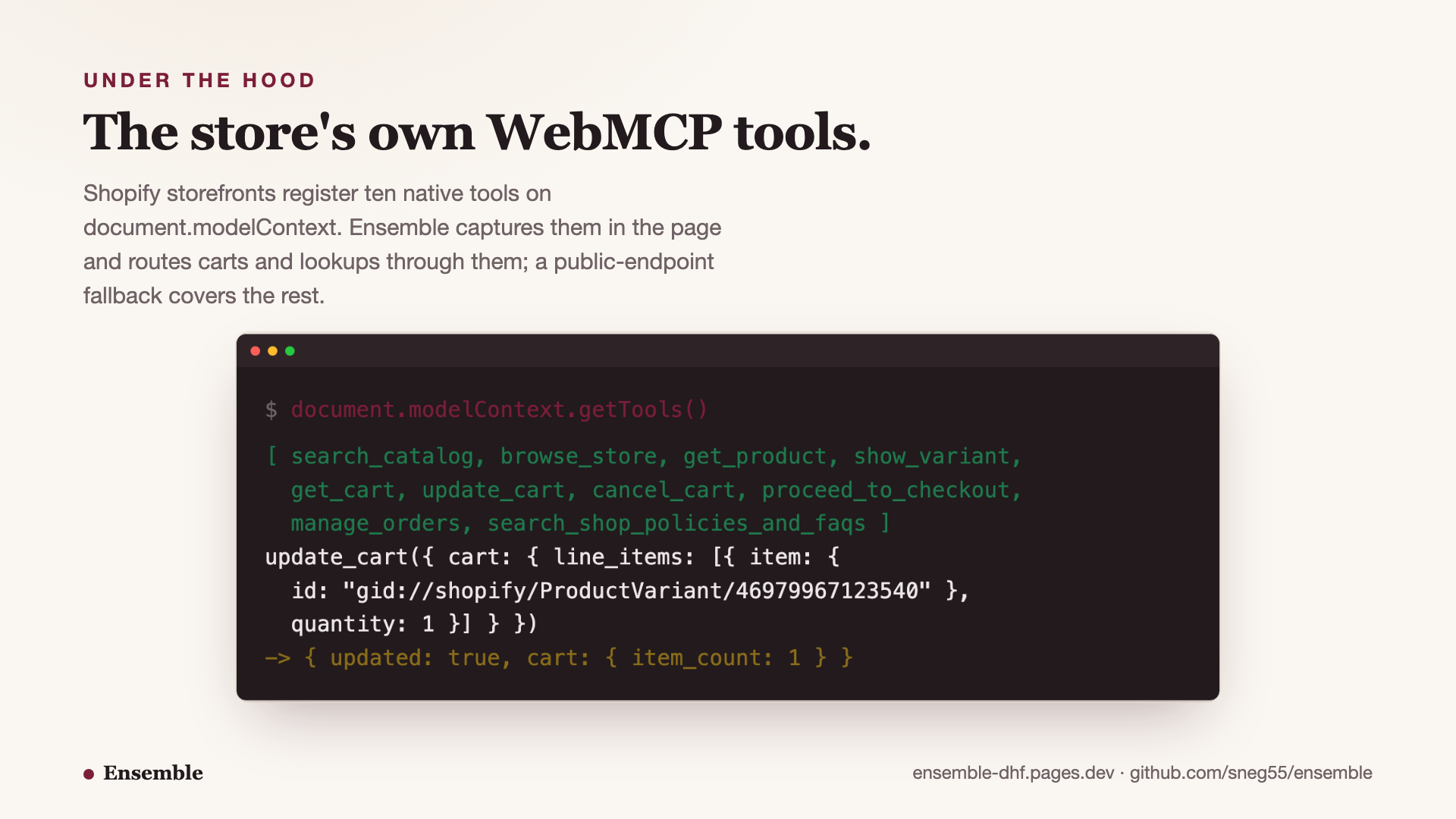
Shopify storefronts already register native WebMCP tools on document.modelContext.
It is on by default on Liquid storefronts, no store opt-in: catalog search, product
lookup, and cart updates, published by the page itself as a contract any agent may use.
The contract is live. The agent side is what has been missing.
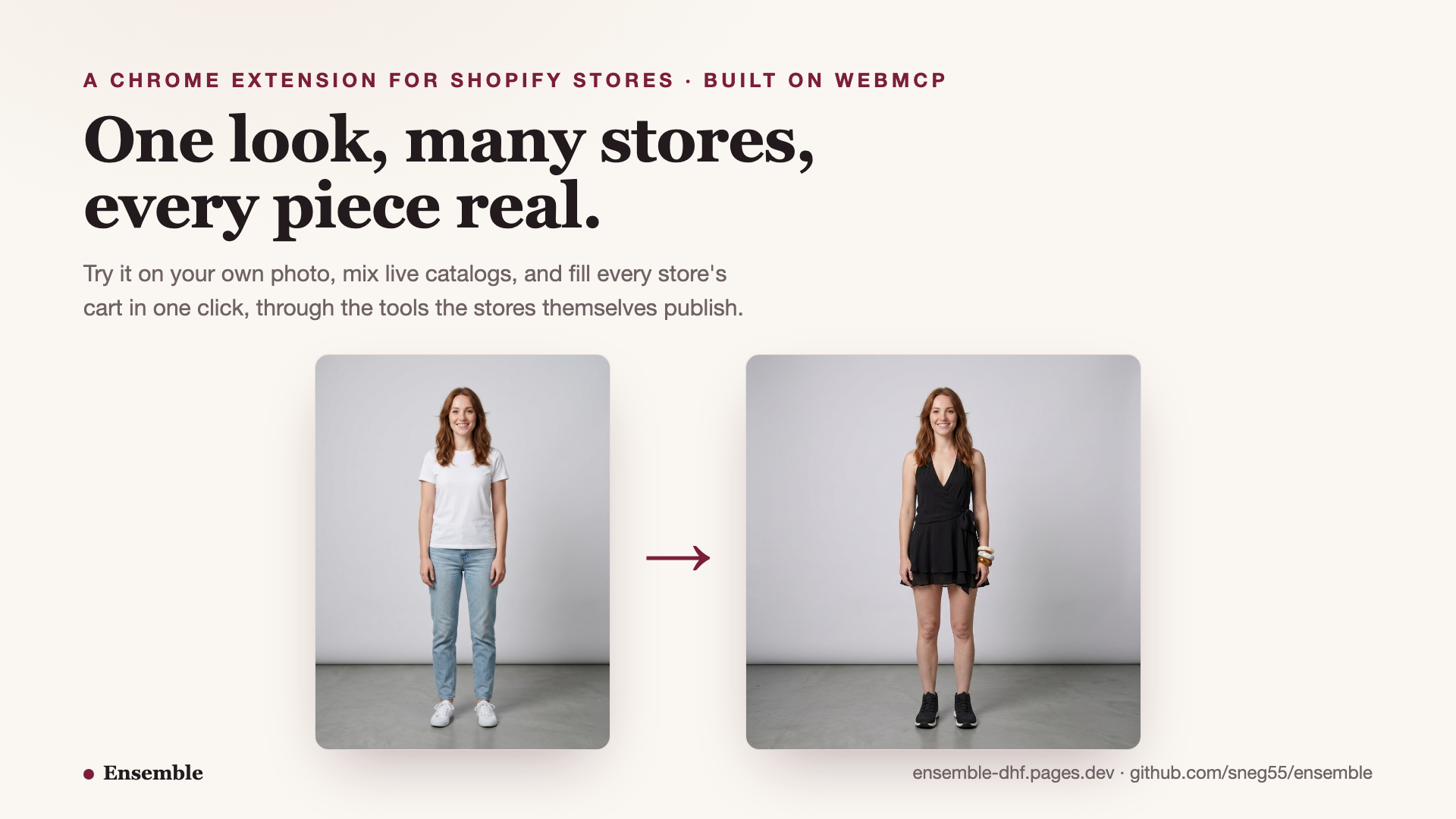
Meanwhile the actual shopping problem has not moved. An outfit rarely comes from one store. Putting one together means tabs, screenshots, and re-finding everything at checkout, and the try-on tools that exist paste a product image onto a photo without knowing what the item is, what it costs, or whether your size is in stock.
Ensemble puts the two together. Shopping across stores is the shape WebMCP was made for: the page itself declares what an agent may do here, search this catalog, add this variant, and the agent composes those grants across origins into one task. No scraping, no guessing at themes, just the surface the store maintains for itself.
What it does
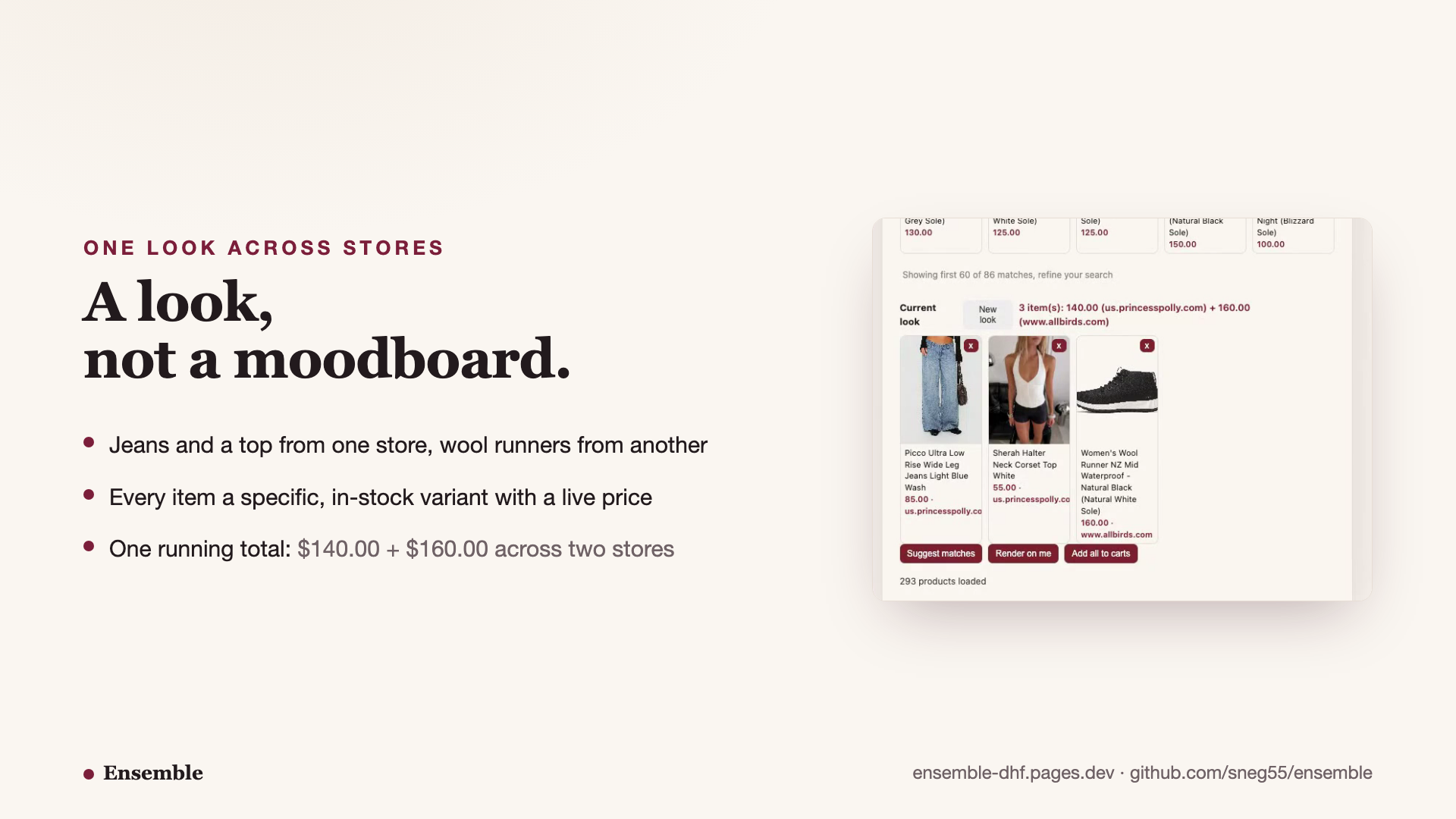
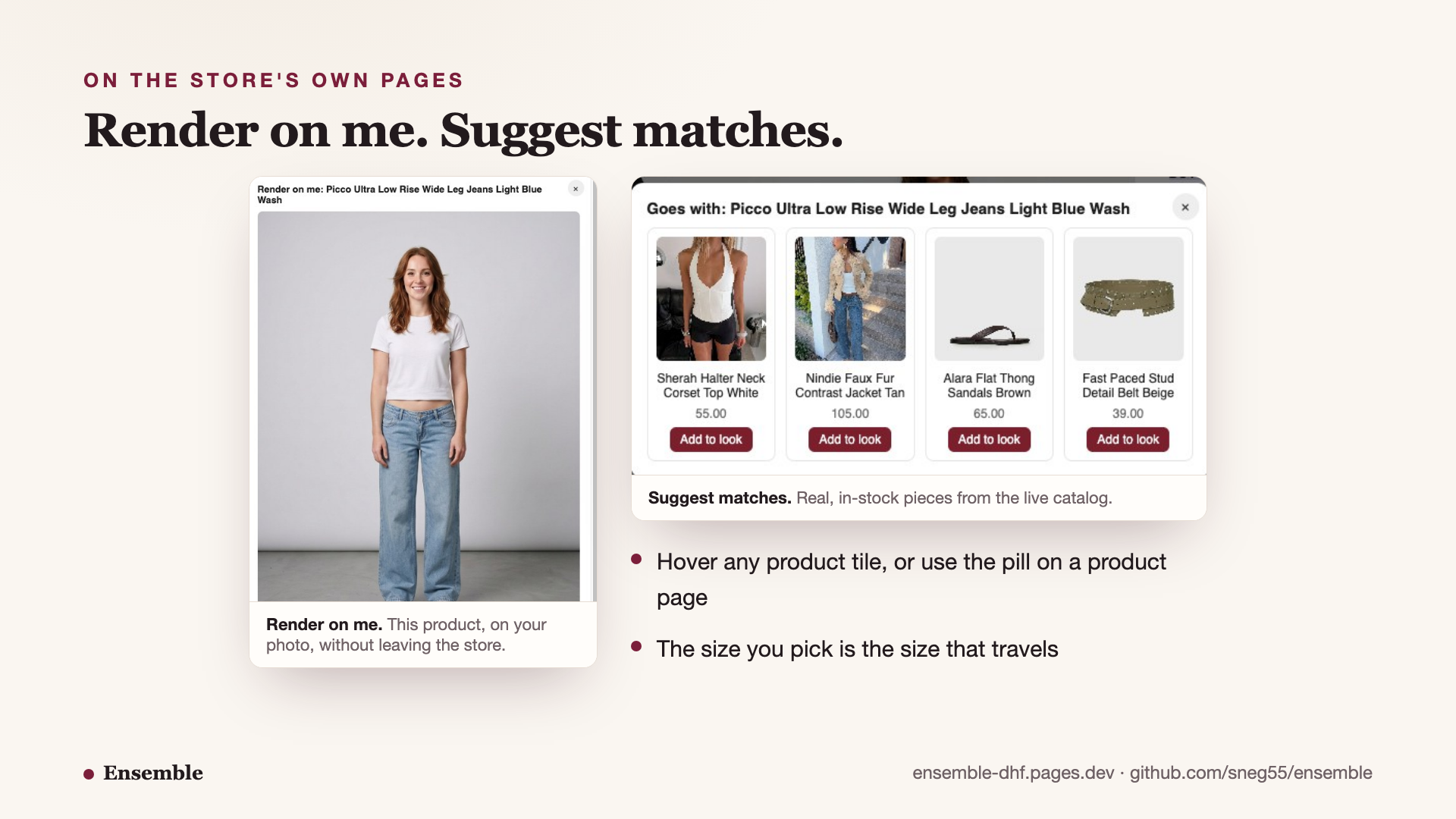
Ensemble is a Chrome extension. Browse any Shopify store and its catalog loads into a side panel automatically; every store you visit becomes a chip, and one look spans all of them with a running total. Hover a product tile on the store's own grid and two buttons appear: Render on me shows that item on your photo without leaving the page, and Suggest matches proposes pieces from the store's live inventory that complete the outfit. On a product page, a compact pill offers the same controls and picks up the exact variant you selected, so US 2 on the page is US 2 in the cart.
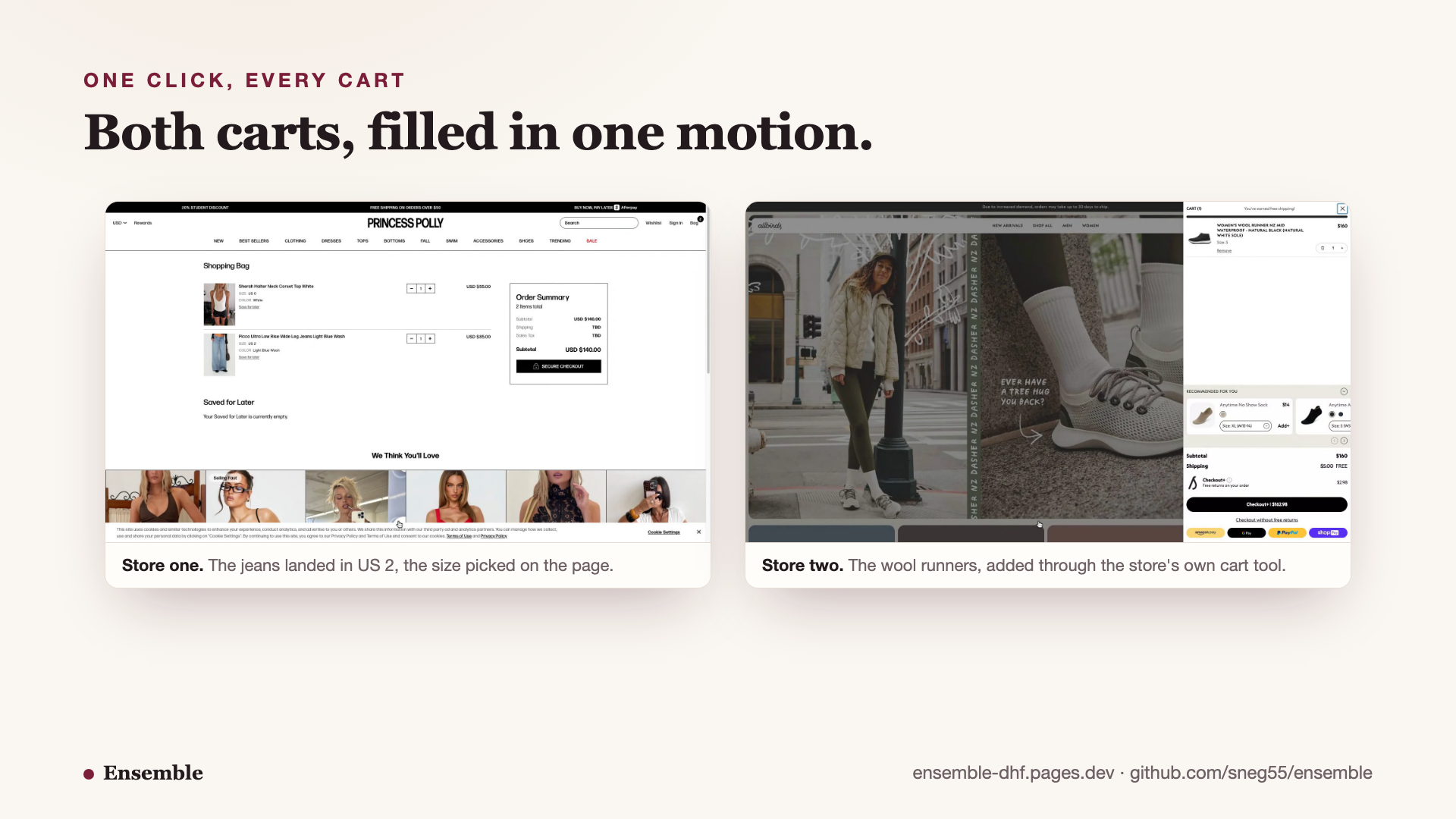
When the look is right, one click fills every store's cart with exactly those variants. Checkout stays native per store: Ensemble fills the carts, you finish each one in the store's own checkout, where trust and payment already live.
Every item in a look is a specific, in-stock variant with a live price. A look in Ensemble is purchasable, not a moodboard.
The division of labor is the point. The person makes the taste decisions: which jeans, which size, whether the jacket earns its place. The agent does the cross-store bookkeeping: searching the catalogs you have browsed, resolving each choice to an in-stock variant with a real price, filling carts on multiple origins in one action. And the storefront draws the boundary, because its registered tools define exactly what the agent may touch. None of that was reliably possible when acting on a store meant scraping its theme.
How we built it
The WebMCP layer is a MAIN-world content script injected at document_start. When the
browser exposes the WebMCP API (Chrome with the WebMCP feature enabled), it wraps
modelContext.registerTool and captures every tool object the storefront registers.
On stock Chrome, where no native API exists yet, it plants a minimal modelContext
shim first; Shopify's storefront script feature-detects it and registers its ten native
tools into the shim unchanged. Either way the extension ends up holding the store's own
tool objects and serves listTools and callTool to the extension's isolated world
over a postMessage bridge.
Product lookups and cart adds go through the store's registered tools first:
get_product for variant data, update_cart with variant GIDs (Shopify's global
IDs), get_cart to confirm what actually landed. Storefronts that register nothing fall back to the public
/products.json and /cart/add.js endpoints, so the same flows work everywhere and
the supported surface is preferred wherever it exists.
The overlay UI lives in an open shadow root so store CSS cannot touch it, and finds product cards by climbing from the hover target to the smallest container holding exactly one product handle, which survives themes that cover their tiles with overlay layers. Try-on renders and style suggestions run on Gemini with the user's own key. There is no server: the photo and the key stay in local extension storage.
Challenges we ran into
The tool-call contract has sharp edges the examples do not show. executeTool at the
API boundary takes a JSON string and rejects a tool name in place of the registered
tool object, but a captured tool's execute callback takes parsed arguments, because
the native layer parses before invoking. Passing the wrong shape does not error
loudly; Shopify answers with a polite "No line_items provided" and your cart stays
empty. We also learned that update_cart's top-level id addresses existing cart
lines only; adds must nest the variant GID under item.
On a product page, the store's own get_product returns only the currently selected
variant, a single-element array. To honor the size a shopper picked we resolve variants
catalog-first and match requested IDs in both GID and numeric forms, verified live by
watching a stored look flip from the default US 0 to the selected US 2.
Repeat adds taught us that Shopify dedupes them, returning updated: false with no
item count, so cart confirmation falls back to get_cart rather than trusting the add
response. And real storefront themes fight overlays: one of the live demo storefronts
covers its product tiles with layers that swallow hover targets, which is what forced
the container-climbing card detection.
Accomplishments we are proud of
The full loop runs against live storefronts: catalog in, look built, render on the shopper's photo, and both stores' carts filled with the exact variants, a dress from one catalog and wool runners from another under one total. The native tool path works on stock Chrome today through the shim capture, so the WebMCP story does not wait for a browser flag. And variant fidelity is proven end to end, the size picked on the page to the line in the cart.
What we learned
WebMCP's design carries real weight in practice: because the page defines the tools, an agent can act on a store it has never seen without guessing at DOM structure, and the same contract that serves a chat agent serves a product UI like ours. The gap between a demo and a product is exactly the sharp edges above, and the supported surface made them tractable to debug.
What's next
Tighter checkout is the obvious V2, exploring how far per-store checkout can collapse toward one action. Beyond that, the look itself wants to become a page: a shareable board that registers its own WebMCP tools, so your agent can discuss, edit, and price a look you were sent. At that point Ensemble both consumes the open web's tools and contributes surface back to it.
Try it
- Open https://ensemble-dhf.pages.dev and download ensemble.zip (or clone github.com/sneg55/ensemble).
- chrome://extensions, Developer mode, Load unpacked, pick the folder.
- Paste a free Gemini API key in the extension options (aistudio.google.com/apikey).
- Visit any Shopify store, click the toolbar icon or just hover a product tile.
- Optional, for the native API path: run Chrome with --enable-features=WebMCP. Without the flag the shim capture keeps every feature working.
Built With
- chrome-extension-manifest-v3
- cloudflare-pages
- gemini-api
- javascript-(vanilla-es-modules
- no-build-step)
- node:test
- shopify-native-storefront-tools
- webmcp-(document.modelcontext-/-navigator.modelcontext)

Log in or sign up for Devpost to join the conversation.