-
-
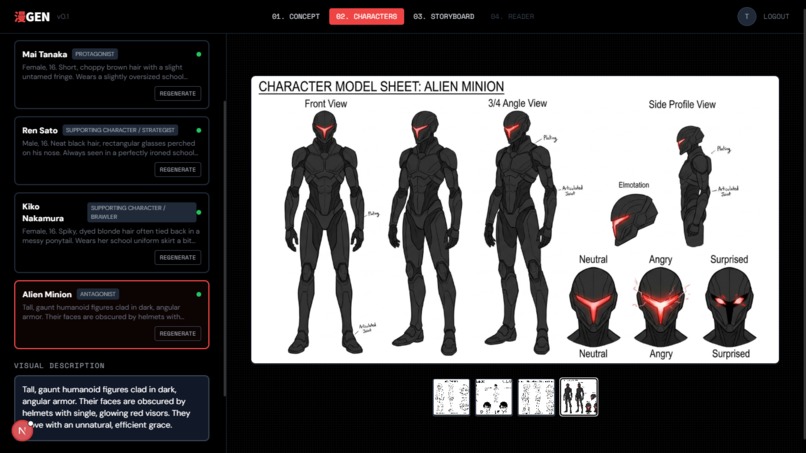
Character Design
-
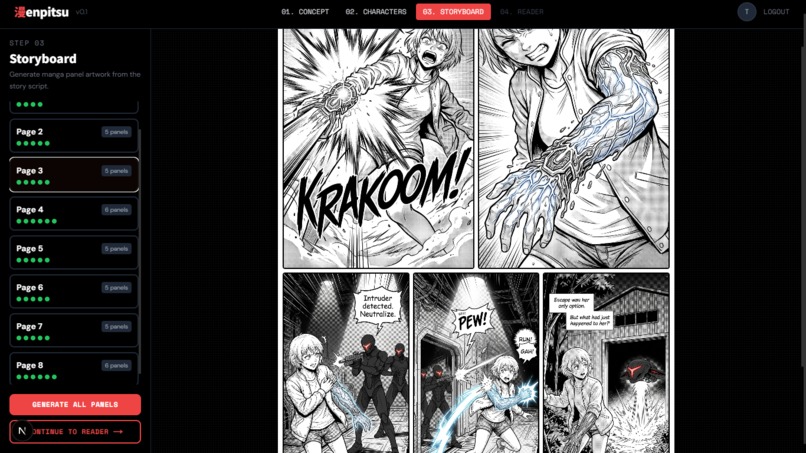
Storyboard
-
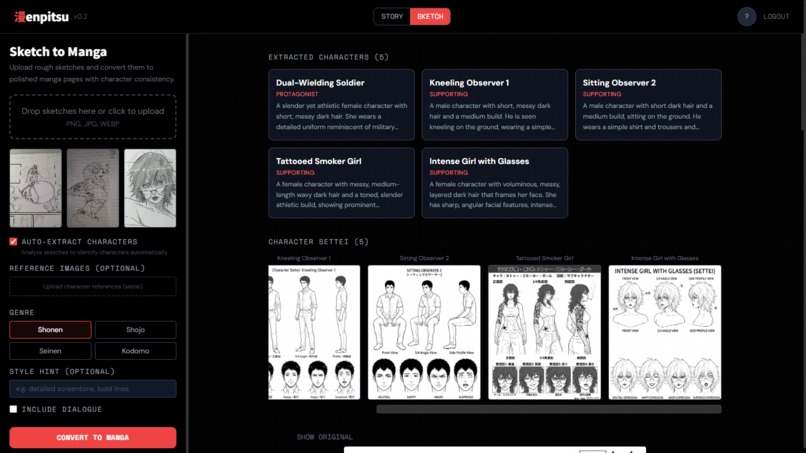
Sketch Planning
-
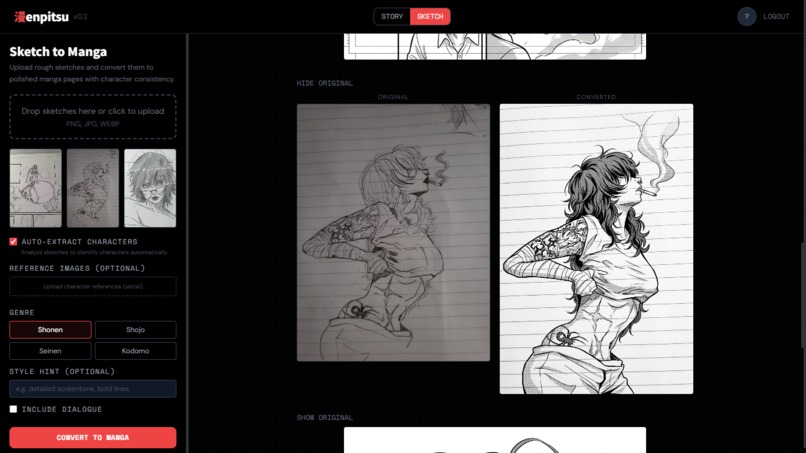
Sketch Exhibit 2
-
Sketch Exhibit 1
-
Sketch Exhibit 3
Inspiration
Manga is one of the most expressive storytelling formats in the world, but creating it requires years of artistic training. We wanted to democratize manga creation — letting anyone with a story idea produce a real, illustrated manga with consistent characters and cinematic black-and-white panels, powered entirely by Gemini's multimodal capabilities.
The name Enpitsu (鉛筆) means pencil in Japanese — the tool every manga artist starts with.
What it does
Enpitsu is a four-step AI manga studio with three generation modes:
- Concept — You pick a genre (shonen, shoujo, seinen, kodomo) and describe your story. Enpitsu uses Gemini 2.5 Flash to generate a full manga script: title, synopsis, characters, and panel-by-panel scene descriptions with dialogue.
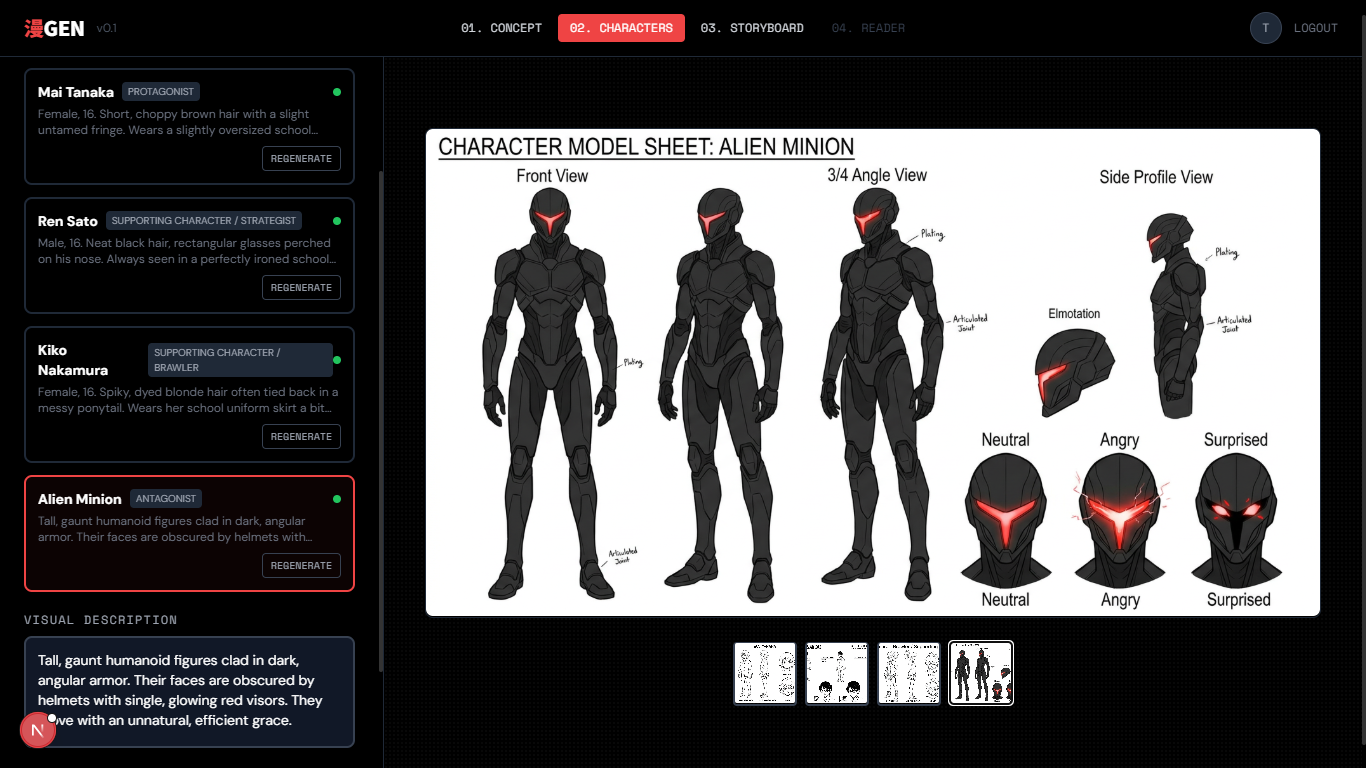
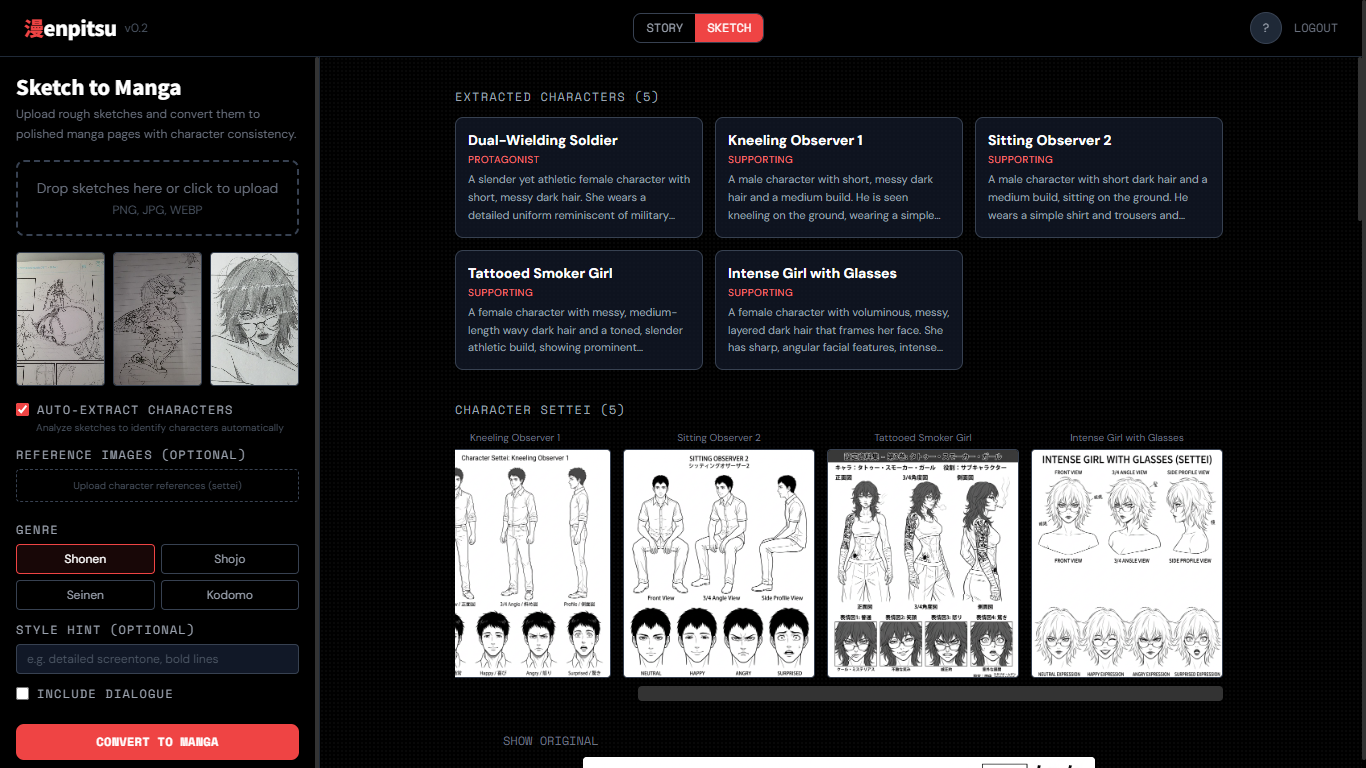
- Character Sheets — For each character, Gemini's image models generate a professional settei (設定) model sheet — the same kind of character reference sheets used in real anime production — showing front, 3/4, and side views plus emotion expressions.
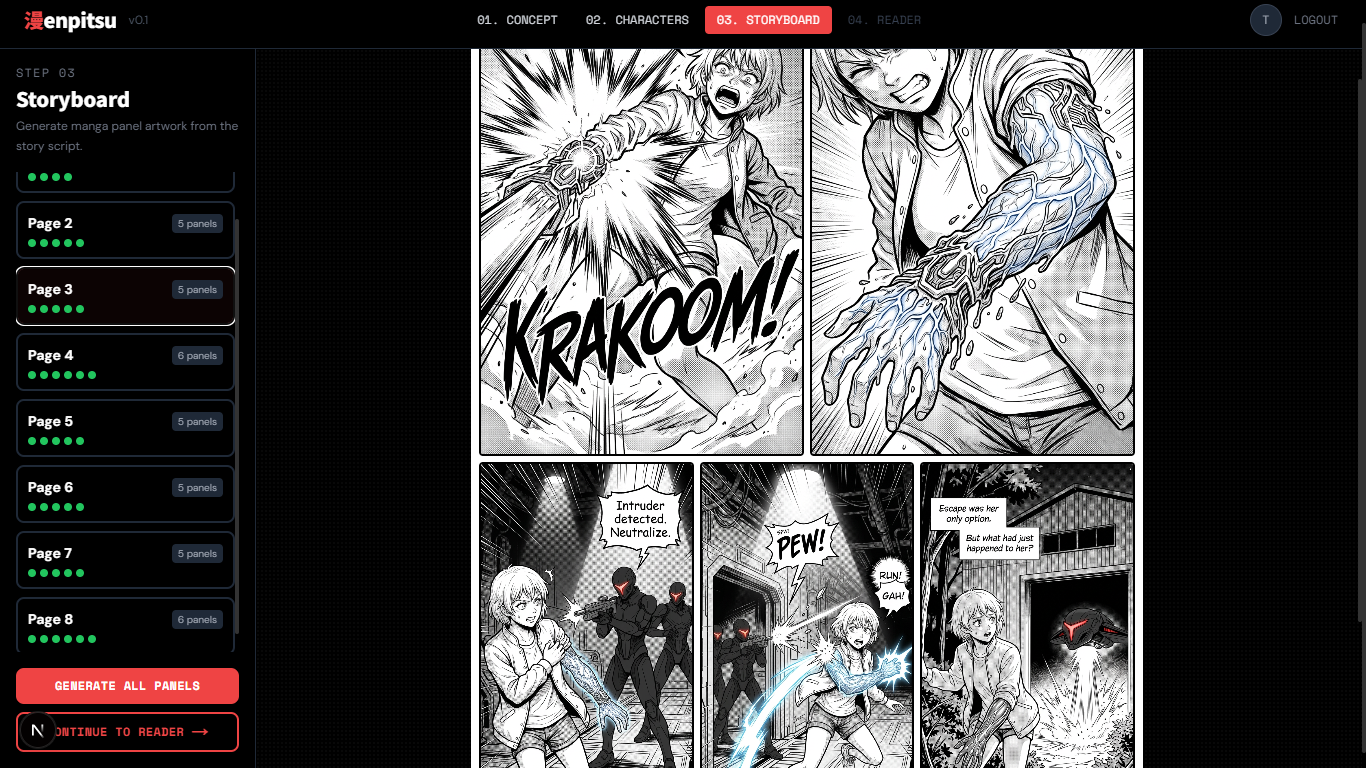
- Storyboard — Enpitsu generates every panel as a black-and-white ink illustration in Weekly Shonen Jump style. Every character sheet is passed as a multimodal image reference on every panel call, ensuring visual consistency across the entire manga.
- Reader & Export — The completed manga is displayed page by page and can be exported as a PDF.
Generation modes:
- Step-by-step — Walk through each stage with full creative control.
- Auto mode — Generate a complete manga in one click from a single prompt.
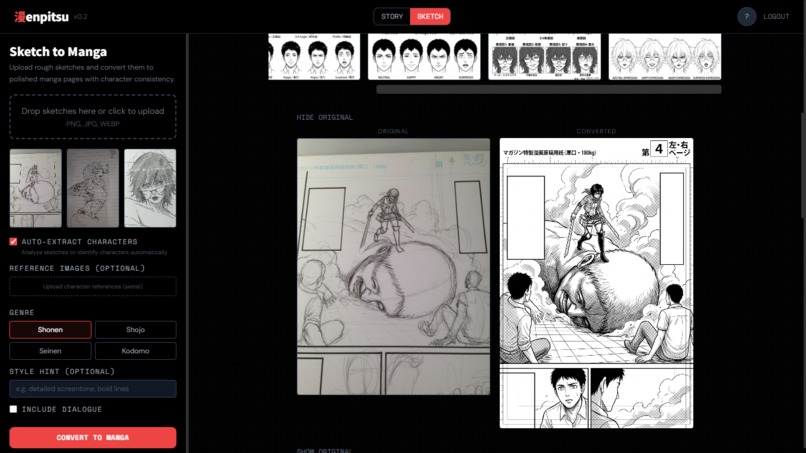
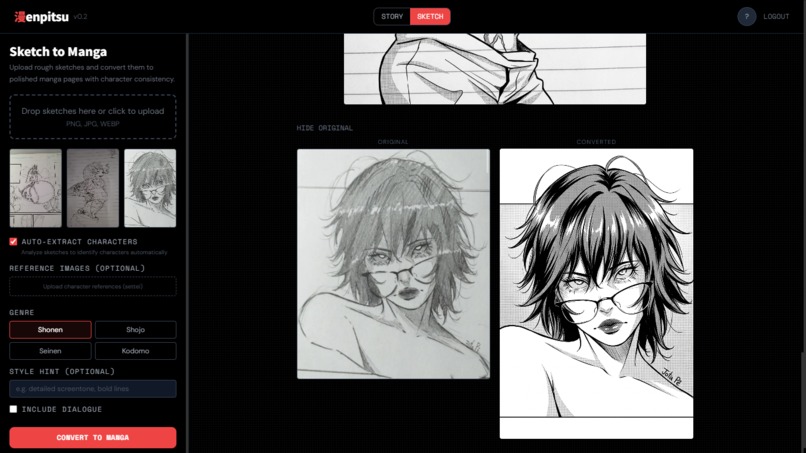
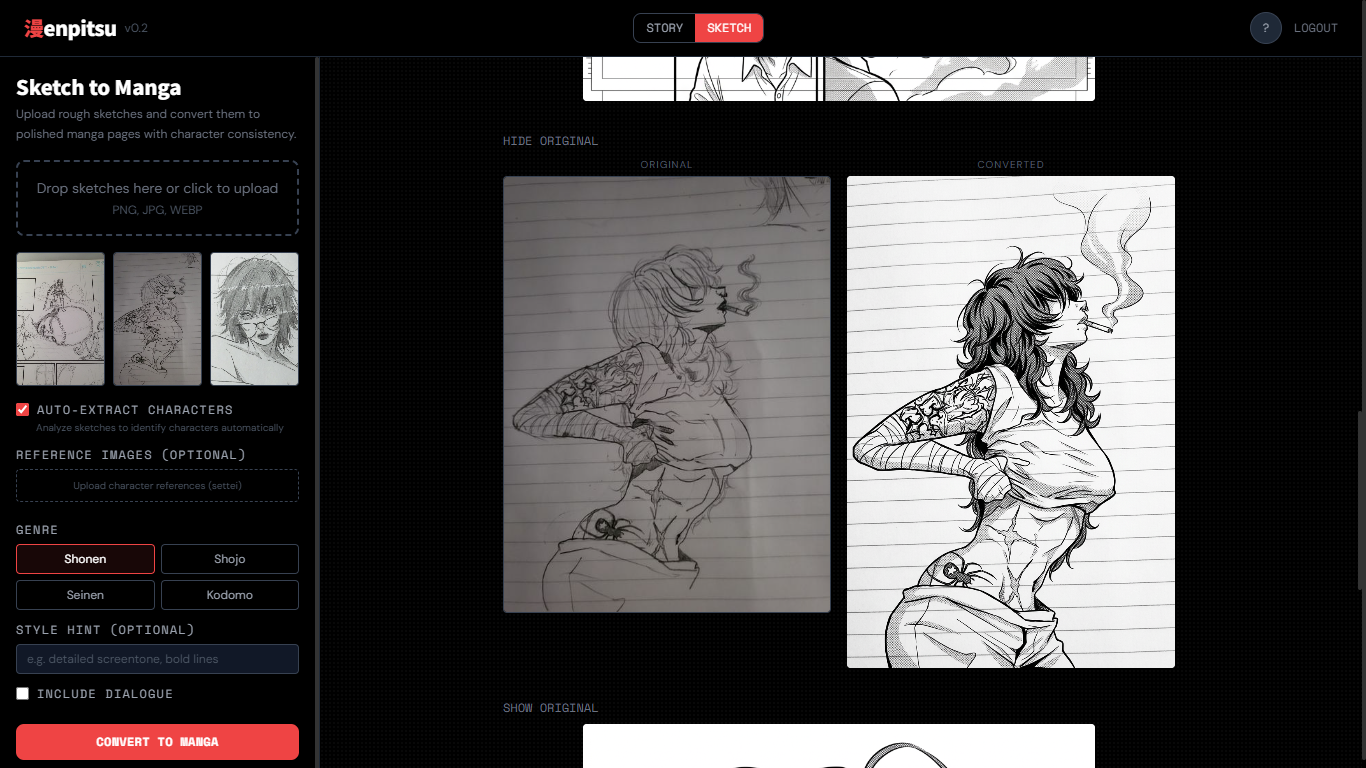
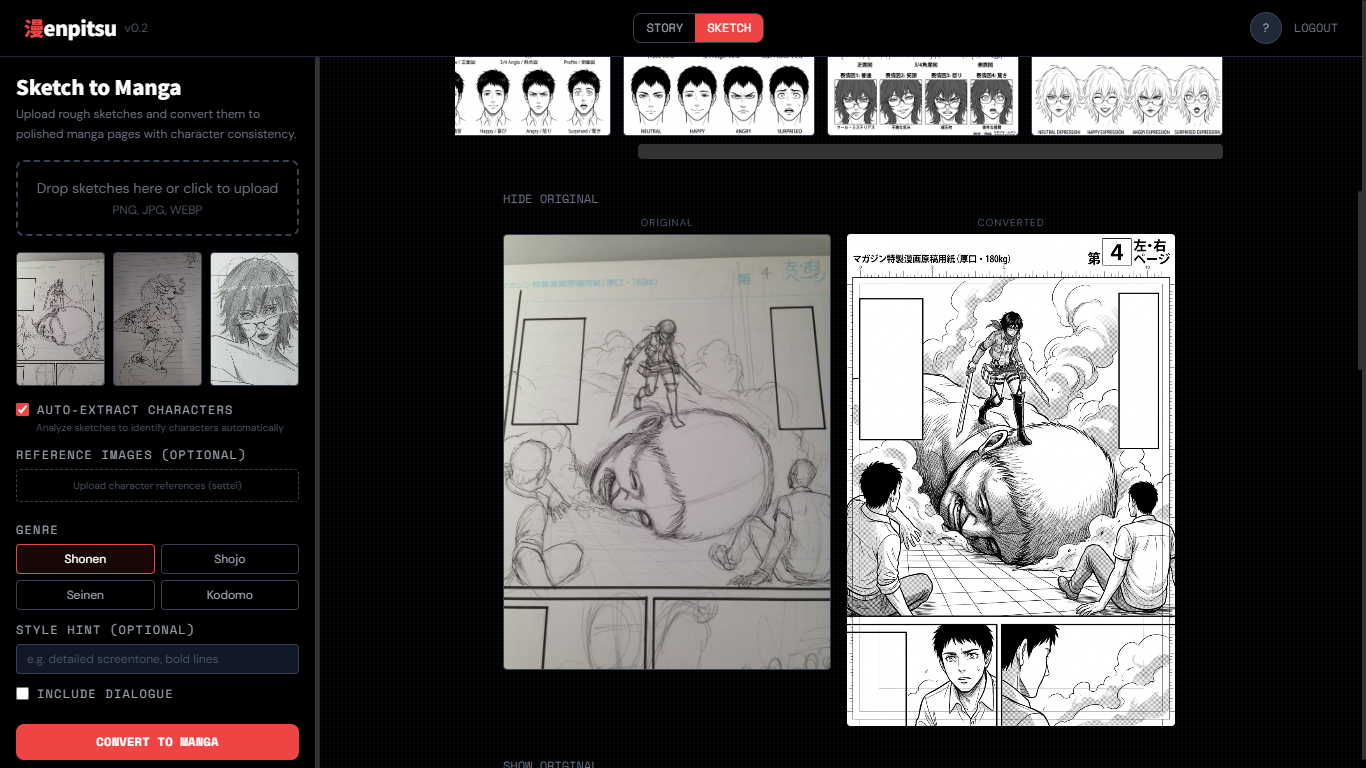
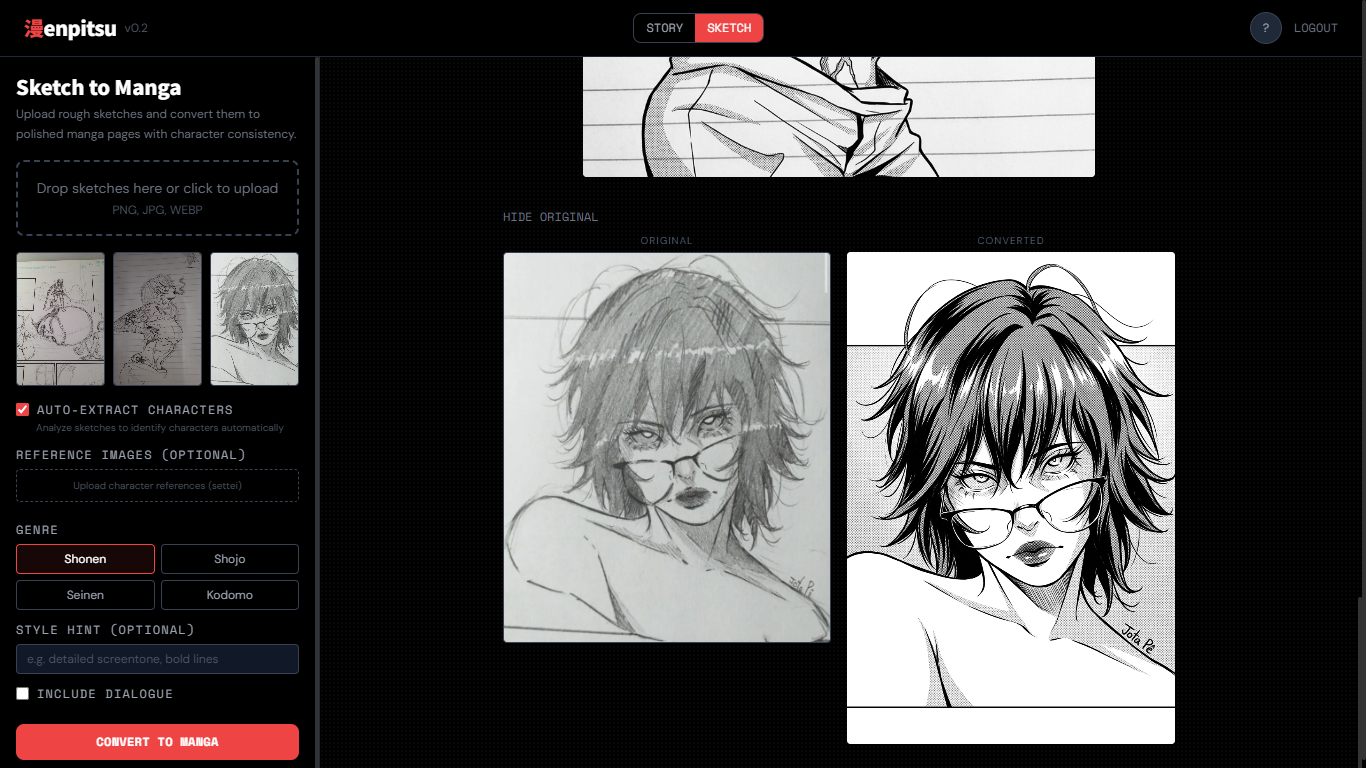
- Sketch-to-manga — Upload rough sketches and let Gemini render them as finished manga panels in your style.
How we built it
- Frontend: Next.js 16 (App Router) + React 19 + TypeScript + Tailwind CSS 4. Manga state flows through a global
MangaContext. Long-running generation steps stream results in real time via Server-Sent Events (SSE). - Backend: Python FastAPI served by Uvicorn. Three endpoints handle the pipeline —
/api/generate/story(JSON),/api/generate/character-sheets(SSE), and/api/generate/panels-stream(SSE). - AI: Google Gemini 2.5 Flash for structured story JSON output. Gemini image models (with a three-model fallback chain) for character sheets and panels. The Google GenAI SDK (
google-genai) is used throughout. - Multimodal consistency trick: For every panel, we pass all character settei sheets as image parts in the multimodal request, labelled as either "IN THIS PANEL" or "reference only". We also pass the previous panel for visual continuity. This is the core technique that keeps characters looking consistent across scenes.
- Auth: Firebase Google OAuth on the frontend; Firebase Admin SDK verifies Bearer tokens on every backend request.
Challenges we ran into
- Character consistency across panels is the hardest problem in AI manga generation. A character who looks one way in panel 1 can drift by panel 5. We solved this by sending every character's full settei sheet as a multimodal image reference in every single panel generation call, combined with a detailed text description as a backup signal.
- Streaming long-running generation — generating 20+ panels one by one takes time. We implemented SSE so users see panels appear as they're generated rather than waiting for a single large response.
- Gemini image model availability — image generation models are in preview and can be unavailable. We implemented a three-model fallback chain so generation degrades gracefully rather than failing outright.
Accomplishments that we're proud of
- A complete end-to-end pipeline: text prompt → structured script → character model sheets → illustrated panels → exported PDF manga, all in one app.
- The settei-based multimodal consistency approach — passing character reference sheets as images into every panel generation call is a novel technique that meaningfully improves visual consistency.
- Real-time streaming UI that shows panels appearing one by one as they generate, making the wait feel like watching an artist draw.
What we learned
- Gemini's multimodal input is powerful for visual consistency tasks — treating character sheets as "visual anchors" passed to every generation call is a practical pattern for any project needing consistent AI-generated characters. It extends naturally to sketch-to-manga, where user drawings become the anchor instead.
- Structured JSON output (
response_mime_type: application/jsonwith a Pydanticresponse_schema) makes Gemini's text output directly usable without fragile parsing. - SSE is the right protocol for streaming AI generation results — simpler than WebSockets for unidirectional server-to-client streaming. We use it for both character sheet generation and panel generation as independent streams.
- Auto mode changes the product entirely. Letting users skip the step-by-step flow and generate a full manga in one click felt like a different app — and surfaced a real design question about how much creative control users want vs. how much they want magic.
What's next for Enpitsu
- Project persistence: Save and resume manga projects from a personal dashboard.
- Panel regeneration: Re-roll individual panels without redoing the whole manga.
- Style variety: Support for different manga art styles beyond Weekly Shonen Jump (e.g., josei, horror, 4-koma).
- Expanded sketch-to-manga: Richer support for multi-character sketch uploads with per-character style locking.
Built With
- fastapi
- firebase-admin-sdk
- firebase-authentication
- framer-motion
- google-gemini-2.5-flash
- google-gemini-image-models
- google-genai-sdk
- html2canvas
- jspdf
- next.js
- python
- react
- server-sent-events-(sse)
- tailwind-css
- typescript
- uvicorn
- zod

Log in or sign up for Devpost to join the conversation.