-
-
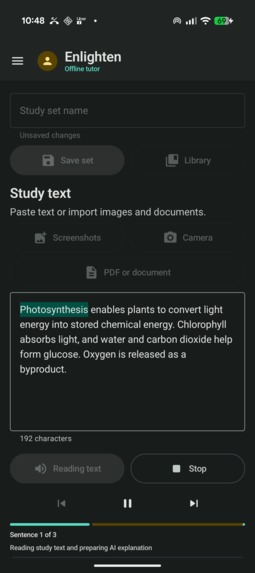
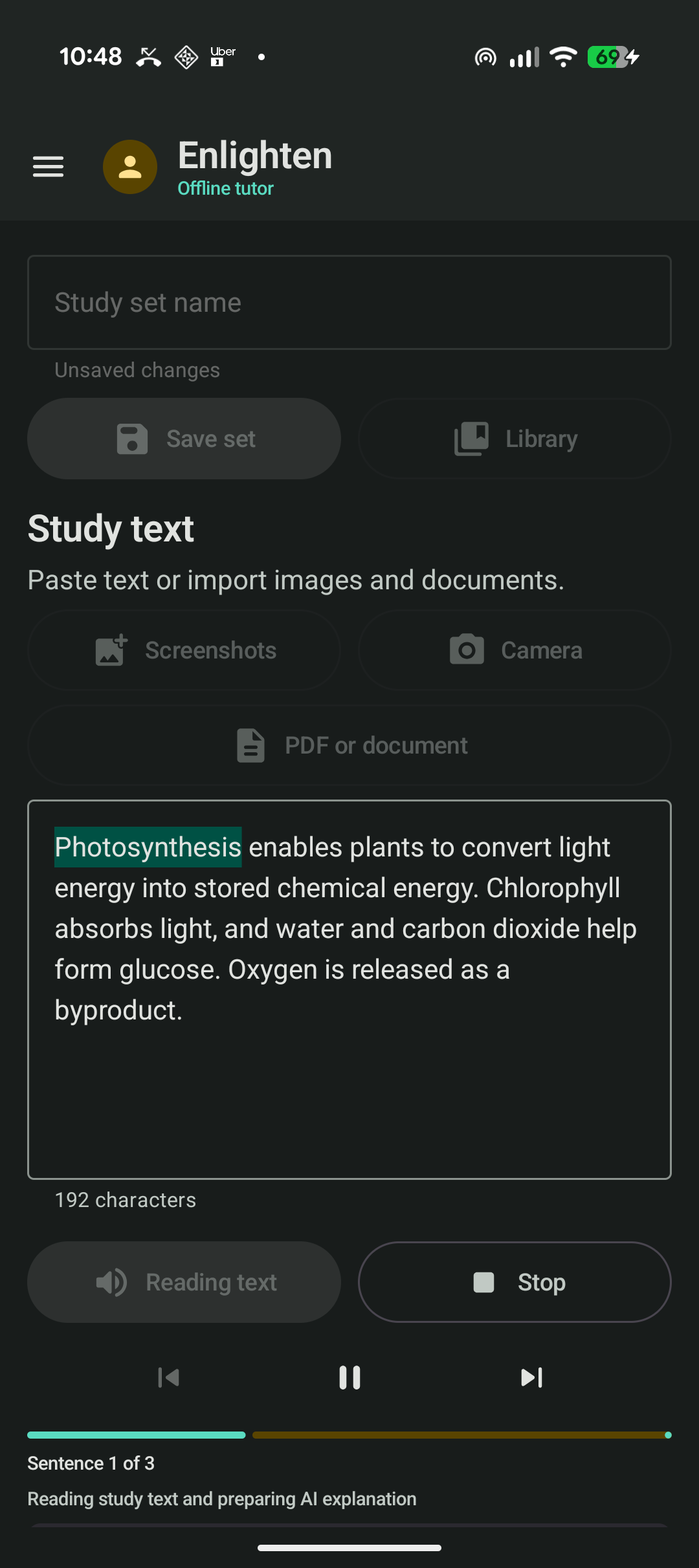
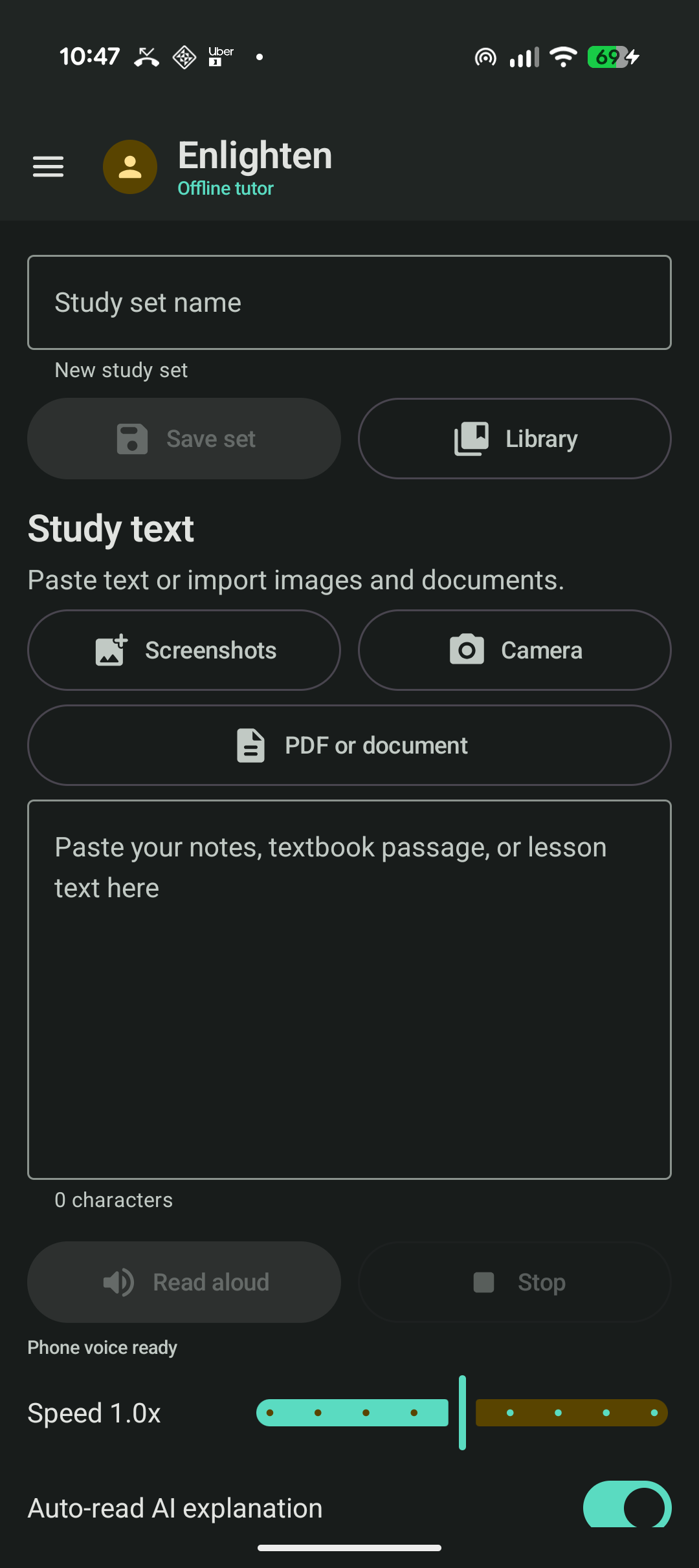
Live word highlighting while Enlighten reads study material aloud
-
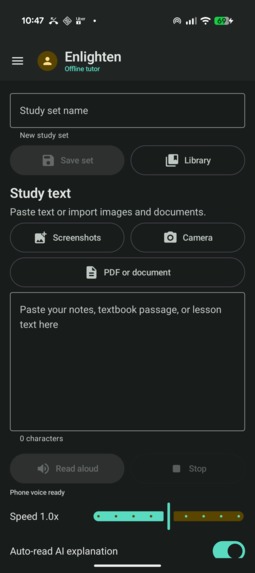
Study tools and local AI connection controls
-
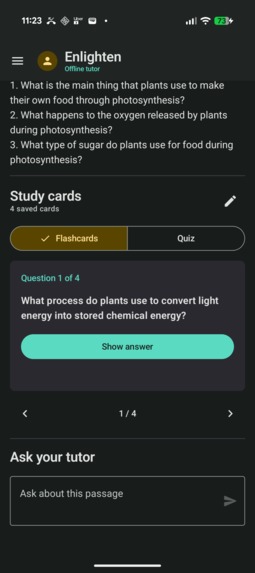
Saved study sets, flashcards, quizzes, and tutor workflow
Inspiration
I recently began studying cybersecurity while continuing to work as an Uber driver. By the time I reached home, I was often too tired to finish dense reading. That experience sparked Enlighten: a study companion that helps students learn while commuting, exercising, or doing everyday tasks, without turning study time into more screen time.
Study material also arrives in inconvenient formats: screenshots, a classroom-board photo, a scanned PDF, a DOCX file, or a dense textbook paragraph. Students often have to jump between OCR tools, reading apps, chatbots, notes, and flashcard products. I wanted one private workflow that moves from capture, to listening, to understanding, to active recall.
What it does
Enlighten accepts pasted text, up to ten screenshots, a camera photo, a PDF, DOCX, or TXT file. It extracts text on the Android phone and reads the passage aloud using an installed offline voice. As speech progresses, the current word is highlighted and the student gets sentence-level playback controls.
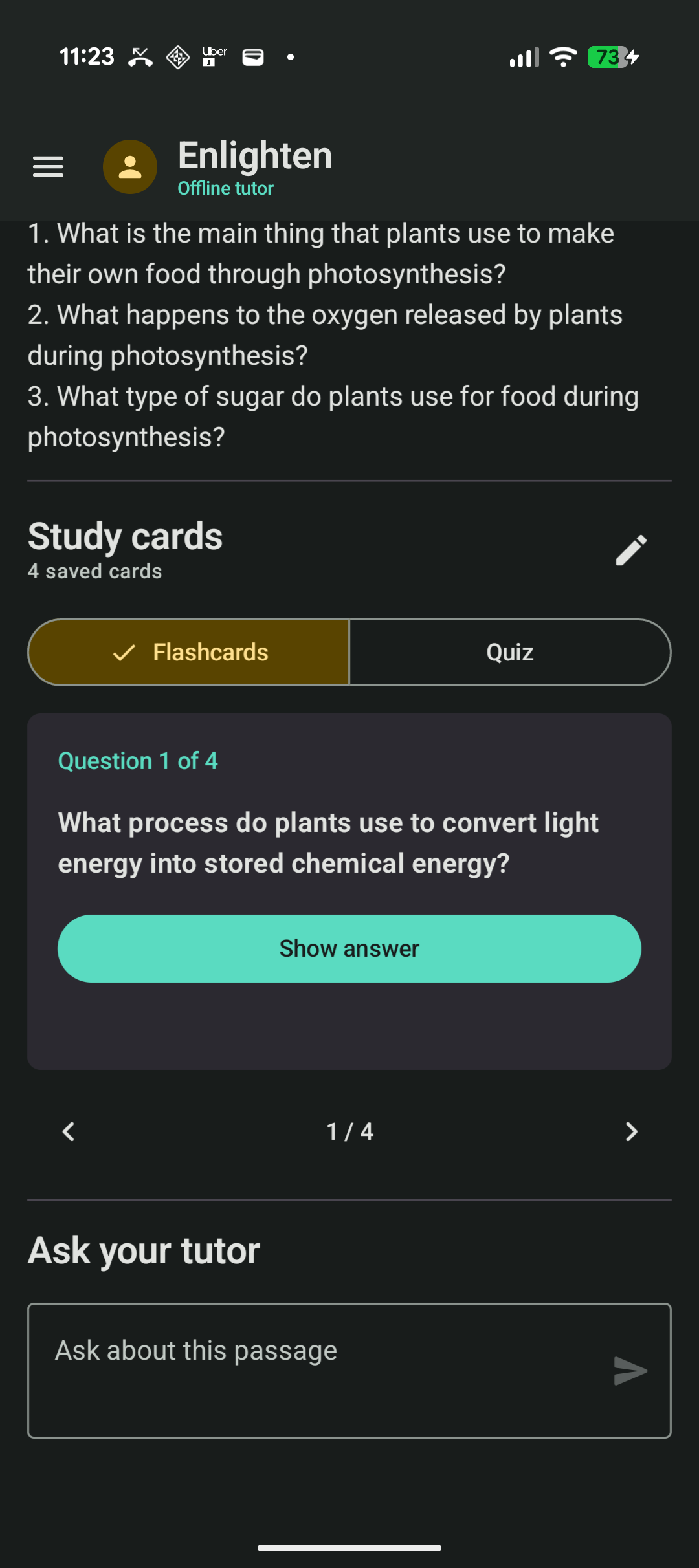
When automatic explanation is enabled, Enlighten prepares a structured AI explanation while the source is still being read. When the source ends, it continues directly into the explanation. Students can then generate editable flashcards, switch to a self-check quiz, ask passage-grounded tutor questions, and save the entire study set locally.
The AI runs through Ollama on the student's own computer using llama3.2:3b. This avoids paid inference APIs and creates a clear privacy boundary: files and OCR stay on the phone, while only text prompts travel over the student's private local network to their own model.
How I built it
The native Android app is written in Kotlin with Jetpack Compose and Material 3. State is exposed through StateFlow from a ViewModel. Bundled ML Kit performs image OCR. Android PdfRenderer converts scanned PDF pages for recognition, while DOCX content is parsed from its XML package. Android TextToSpeech provides offline speech, sentence controls, and word-range callbacks. Private app files store study sets and the profile image with atomic writes.
The app communicates directly with Ollama through its local /api/tags and /api/generate endpoints. Explanation and tutor prompts use low temperatures for stable educational output. Flashcards request structured JSON. The selected quantized 3.2B model occupies about 2 GB and generated approximately 133 tokens per second on the development RTX 3070 during a measured warm benchmark.
Codex powered by GPT-5.6 was my engineering collaborator throughout the build. The Build Week task metadata confirmed the exact model as gpt-5.6-sol. It inspected the codebase, implemented feature slices, wired Android platform APIs, debugged behavior on a real Pixel 9, ran tests and lint, and performed a complete architecture and security audit. I directed the learning experience, privacy constraints, product priorities, and real-device acceptance tests.
Challenges
The most interesting interaction problem was making local AI latency disappear into the reading experience. Enlighten starts explanation generation while Android is speaking the source. A narration state machine tracks whether the app is reading the source, waiting for AI, or reading the explanation. Generation IDs stop old TTS callbacks from advancing a newer session.
Input handling also needed several careful paths. Screenshots and photos can go directly to ML Kit. PDFs must be rendered page by page without exhausting phone memory. DOCX files are ZIP packages that require safe XML parsing. Every path returns clean text to the same study session with useful progress and error states.
Local-network inference avoids API cost but introduces setup and security trade-offs. The app validates the server address, checks for the expected model, applies timeouts, and explains that the computer and phone must be reachable. The repository includes a Windows helper for starting Ollama on the LAN and warnings not to expose the port publicly.
Accomplishments
- Built a coherent native Android product rather than a single AI prompt demo.
- Combined multi-image OCR, camera capture, and three document formats in one study flow.
- Added live speech highlighting and automatic continuation into the AI explanation.
- Built saved study sets, editable flashcards, quiz mode, and grounded tutor chat.
- Kept OCR, files, settings, and speech local to the student's devices.
- Tested the experience on a real Pixel 9 and produced repeatable Gradle tests and lint checks.
- Measured the local model instead of presenting guessed performance claims.
What I learned
Local-first AI is not simply a cloud request with a different URL. The product must explain availability, secure the network boundary, handle model warm-up, constrain document context, and remain useful when the model computer is unavailable.
I also learned that accessibility features can become the main product experience. Word highlighting, voice selection, adjustable speed, and automatic handoff are not secondary polish. Together they change dense source material into a guided lesson.
Working with Codex was most effective when product decisions remained explicit. Codex could move quickly through implementation and verification once the learning goal and privacy constraint were clear.
What's next
The immediate roadmap is token-aware chunking for long documents, source citations, cancellation and stale-result protection, and database-backed study history. The next product milestone is an on-device AI provider for compatible phones, with Ollama retained as an optional higher-quality local provider. Persistent mastery and spaced repetition will turn generated flashcards into a longer-term learning system.
Built With
- android
- codex
- compose
- coroutines
- jetpack
- kotlin
- llama
- material
- ml
- ollama
- speech
- stateflow
- text
