-
-

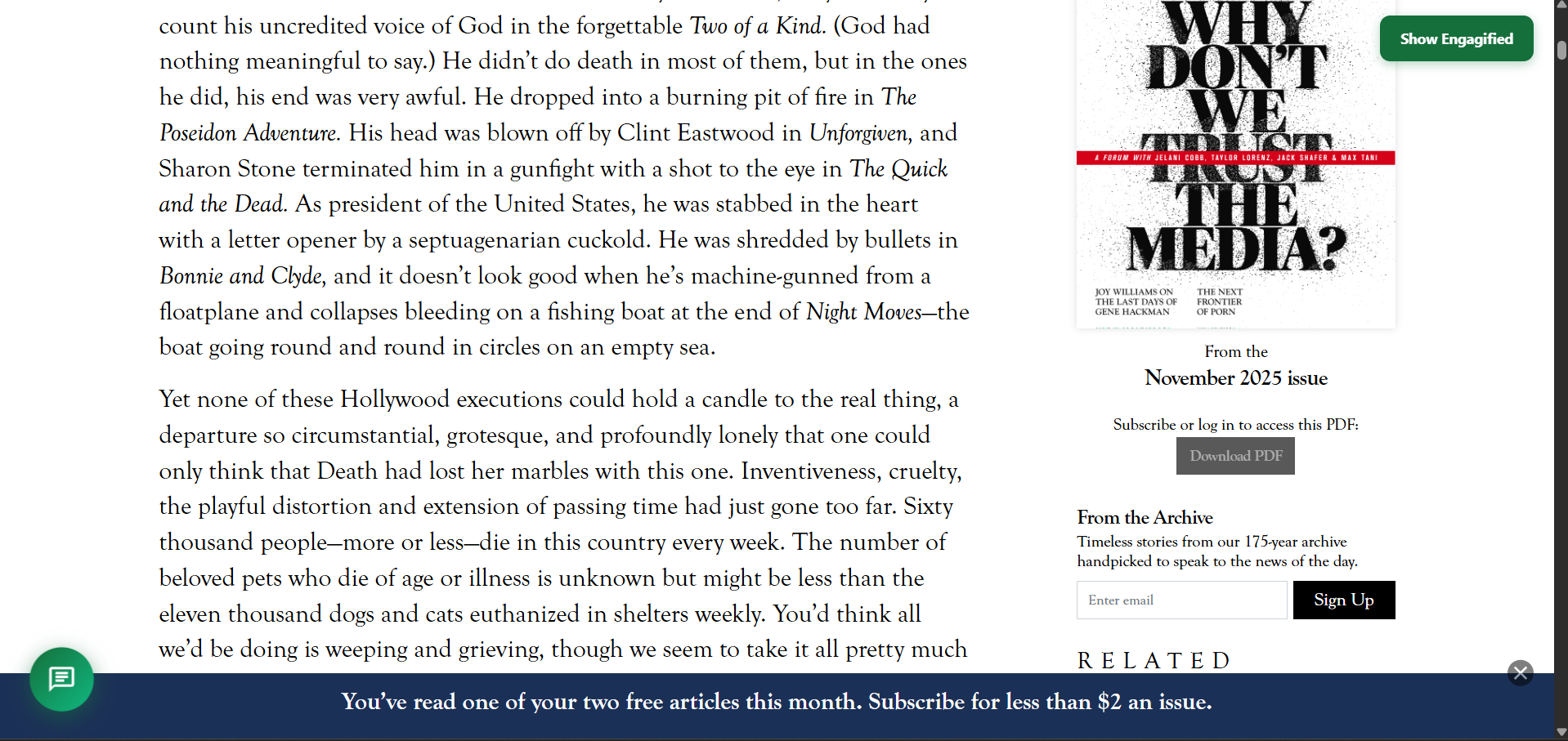
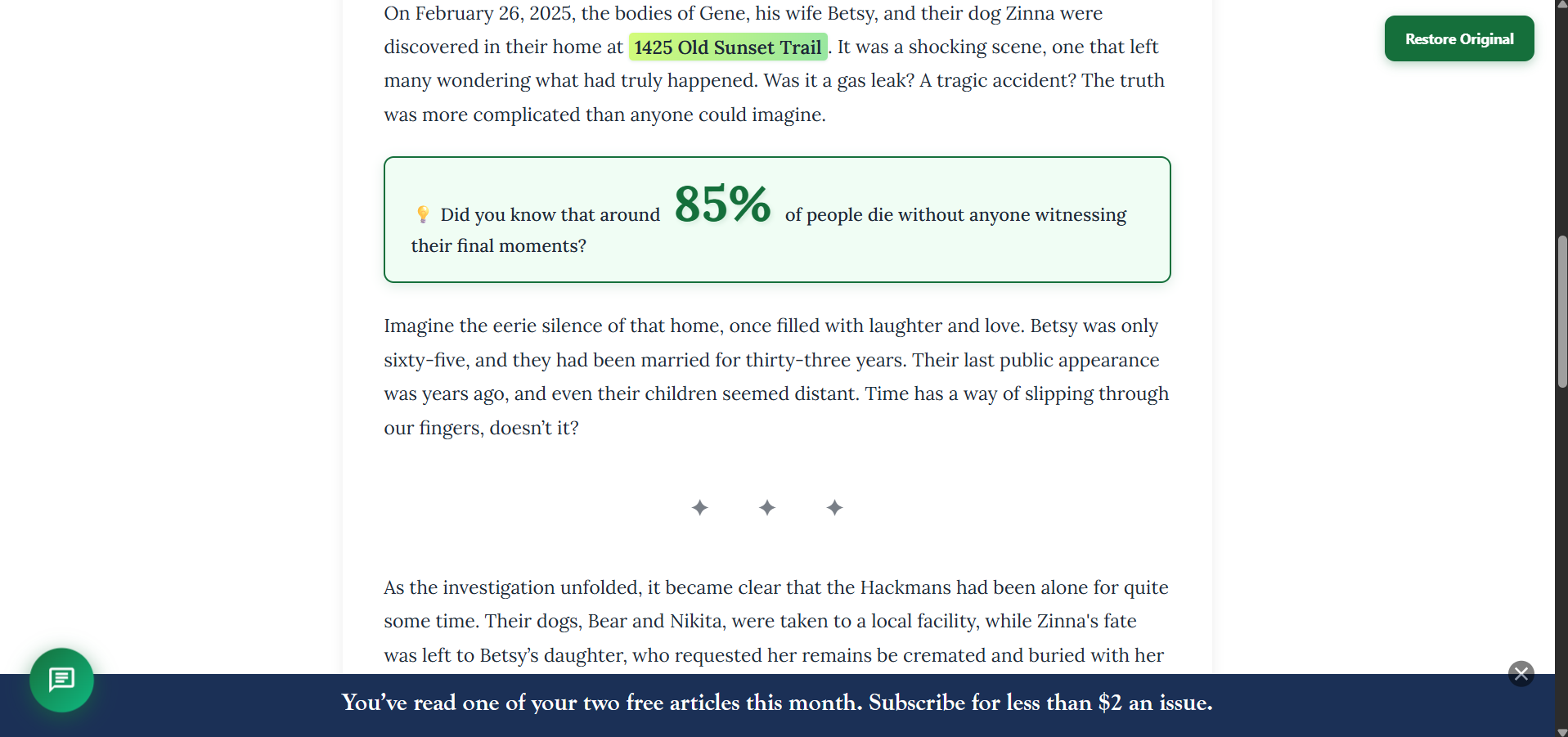
Before Engagify
-
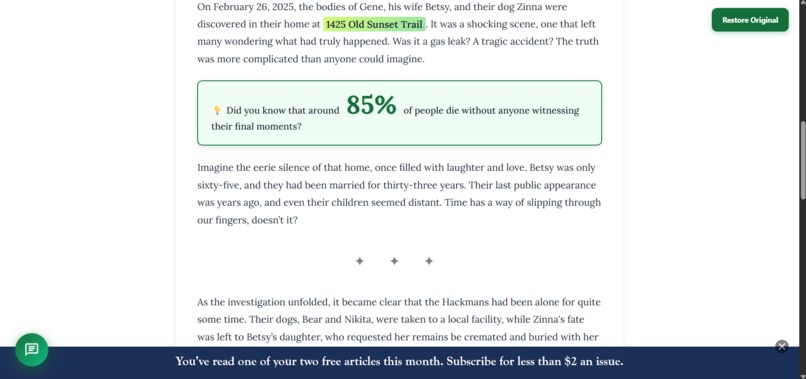
After Engagify
-
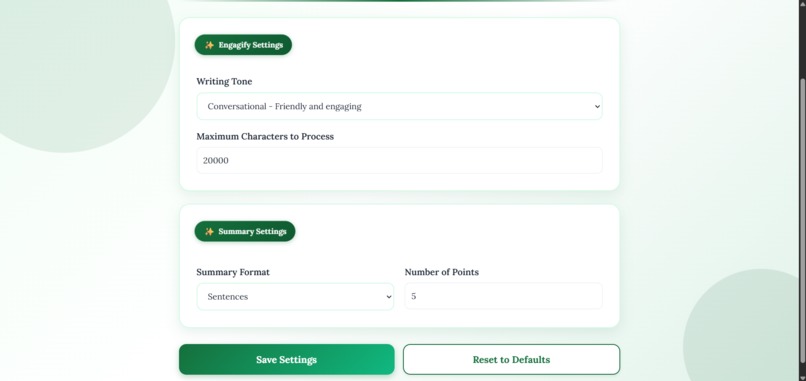
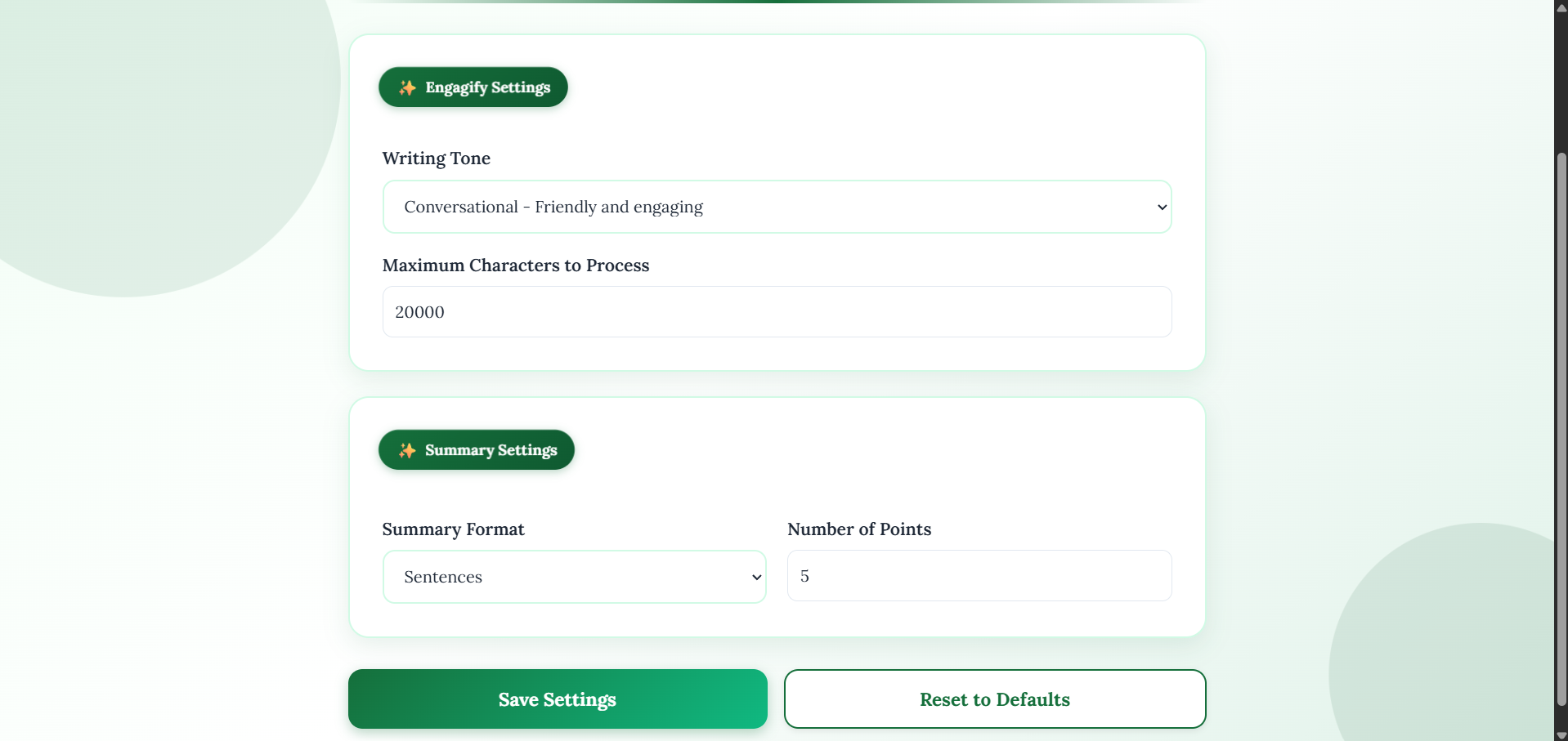
Customization Menu
-
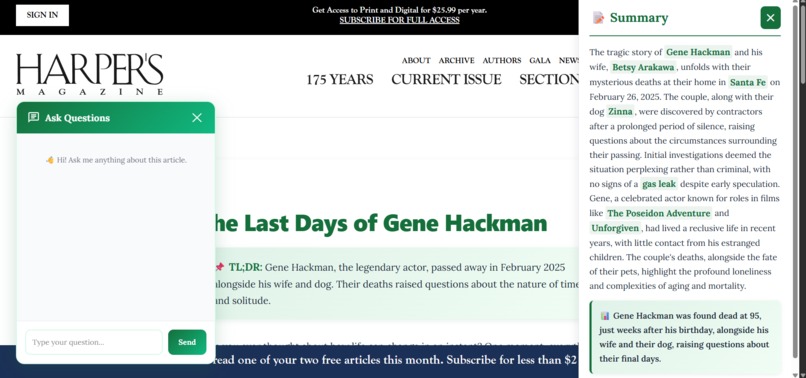
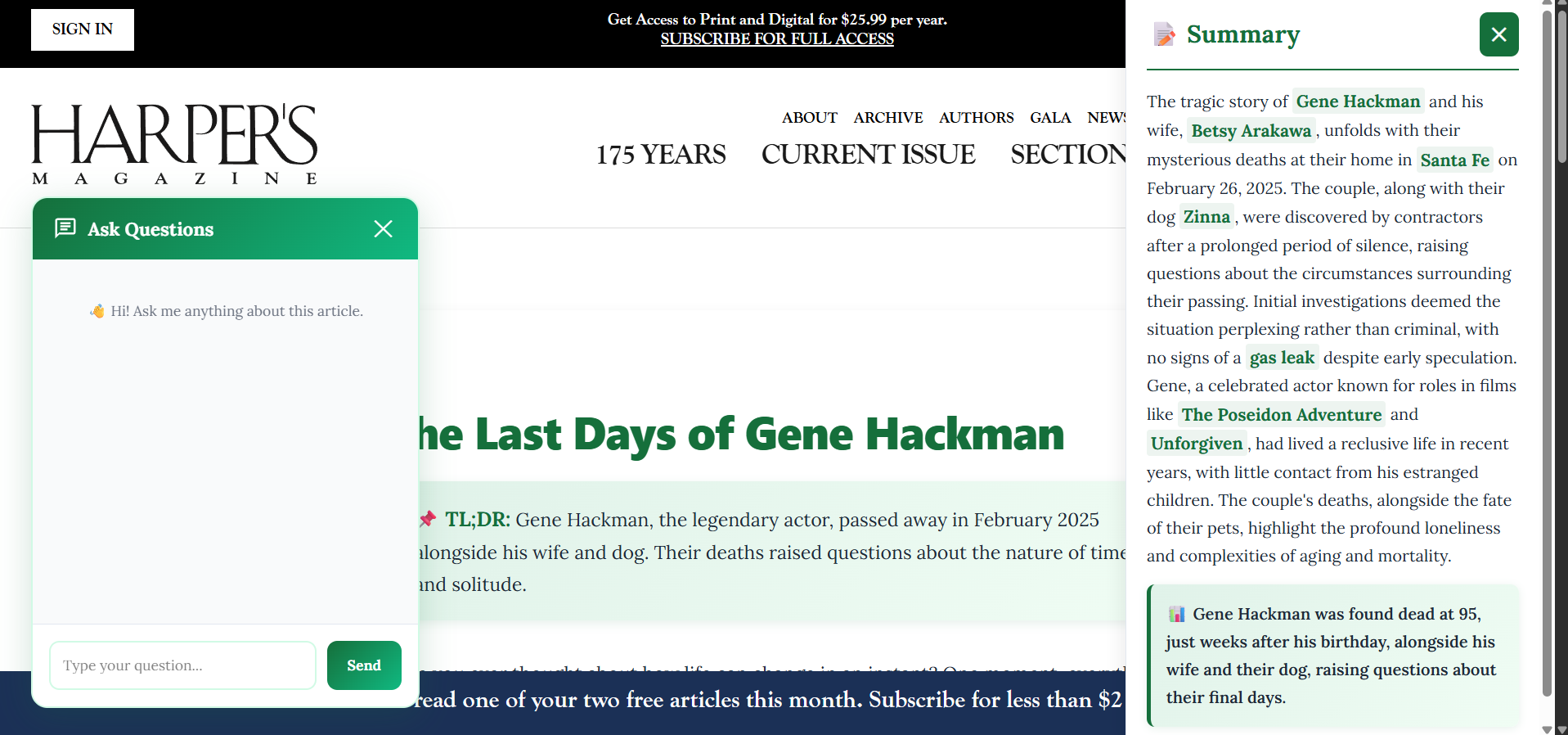
Summary + Chatbot Assistant
Inspiration
With attention spans shifting because of social media and tech, it is harder for a lot of people to consume long texts without becoming extremely bored or distracted. We decided to build Engagify to solve that, a chrome extension that transforms any article into something people actually WANT to read! We’ve noticed students and professionals struggling with dense academic papers and long-form content, often giving up before finishing. Our goal was to make reading engaging without sacrificing depth or accuracy!
What it does
This chrome extension revolutionizes how you read content with 3 big features: There is a Summarize feature that creates intelligent bullet-point or sentence summaries with key terms highlighted in bold, An feature Engagify transforms boring articles into visually stunning, scannable content with color-coded highlights, callout boxes, and engaging formatting, and an AI Chatbot that answers questions any questions about the article. Along with all of this, users can customize their experience with options for changing summary lengths and styles, tone and processing limit. Everything happens instantly with one click, there's no sign-ups, no data tracking, simply better reading!
How we built it
We used JavaScript for the chrome extension framework with content scripts that analyze and transform web pages in real-time. The frontend has many custom CSS animations, cool gradient designs, and good readability. We used OpenAI's API to power the summarization, content transformation, and chatbot features, carefully crafting prompts to generate consistent, high-quality output. The extension uses Chrome's storage API to save user customizations and a local Node.js server to securely handle API calls. We also implemented dynamic theming and animations with CSS variables. We chose vanilla CSS over frameworks like Tailwind or Bootstrap to keep the extension incredibly lightweight; our entire extension is under 100KB. Chrome extensions run on every page a user visits, so minimizing bundle size and eliminating unnecessary dependencies is critical for performance. Pure CSS also means zero compilation time and instant load speeds.
Challenges we ran into
Since we had never made a chrome extension before, we didn’t really know where to begin. We had to do a good bit of research before we could start the coding. There were many things we weren’t used to that we eventually got over. Also, making the chat bubble expand with a smooth animation while maintaining functionality took lots of tries to get the transform origins and keyframes right. We also found it hard to work with chrome's content script limitations, particularly around accessing page content without triggering security policies and ensuring our styles didn't conflict with existing website CSS.
Accomplishments that we're proud of
We are very proud of creating the entire seamless and polished UI and UX with smooth animations and intuitive interactions that feel "chrome native". Along with that, we are proud of implementing the little convenient features such as the "restore original" button or the larger highlighted quantitative data was something we really took pride in. But most importantly, we successfully made reading actually enjoyable. Testing on dense research papers and news articles would show dramatically improved engagement and comprehension. We could see ourselves using this product.
What we learned
We learned that small design spruce-ups could be extremely transformative on the output. Adding the CSS animations and cool design absolutely increased our excitement when using the extension. Along with that, chrome extension architecture taught us about content script isolation, message passing between components, and the importance of defensive coding when injecting into unknown websites. We also got significantly more practice with git and pair programming.
What's next for Engagify
In the future, we want to implement a theme system with a dark and light theme alongside a sliding color bar that changes the colors that the extension uses. We also want to implement a "reading time" estimator and progress tracker to help users take control of their content consumption. Along with that, we would want to have more extensive AI-powered features, like notecard generation for example. Finally, we want to create collaborative features where teams can share engagified versions of articles and discuss them within the extension; that would make reading more active and collaborative.
Built With
- css
- express.js
- html
- javascript
- node.js
- openai-api


Log in or sign up for Devpost to join the conversation.