-
-
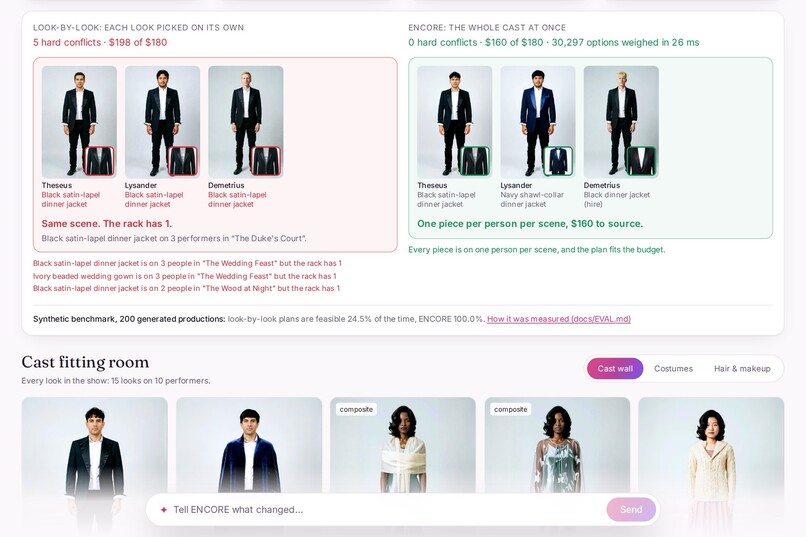
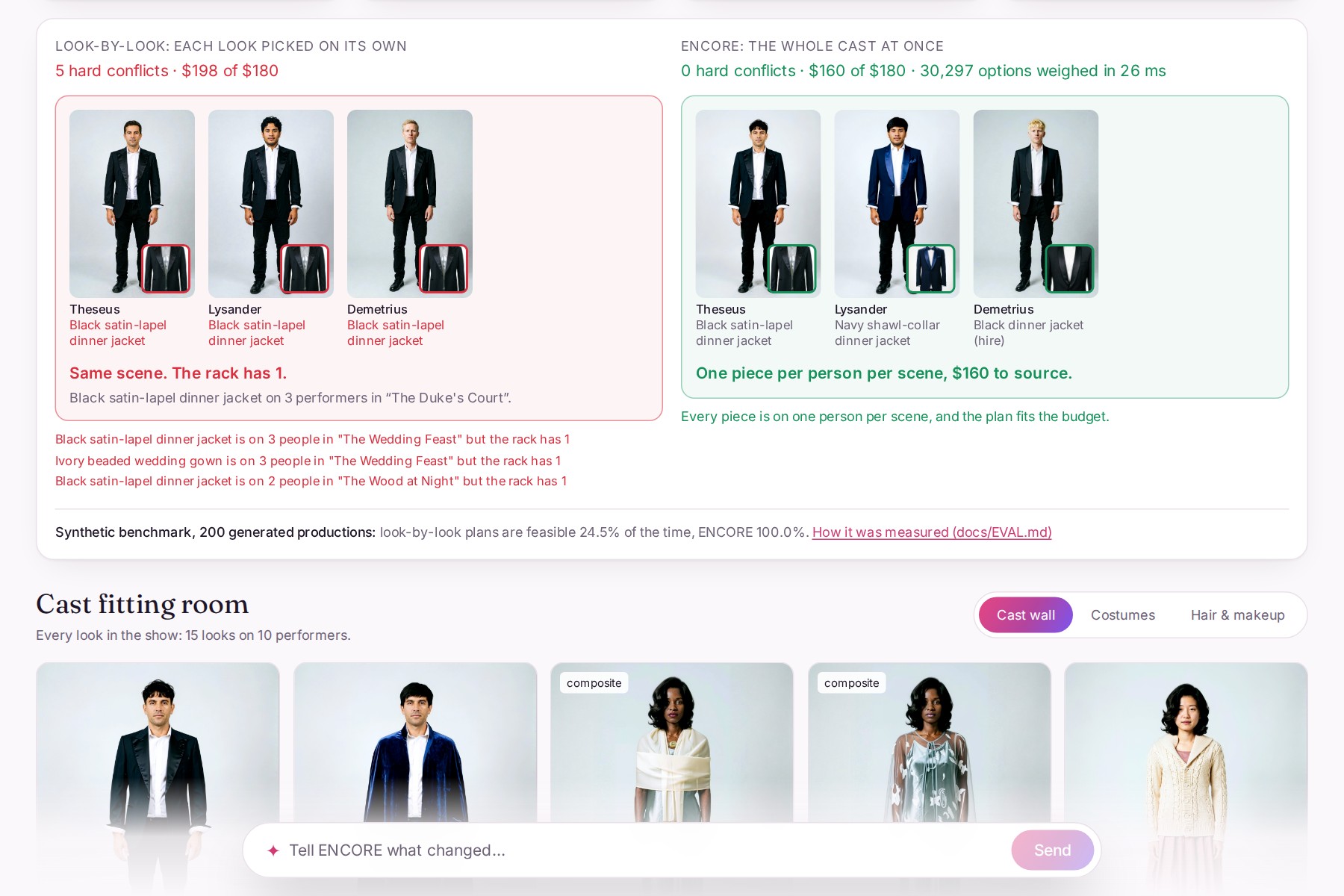
Look by look: 5 conflicts and over budget. ENCORE: 0 conflicts and $20 to spare.
-
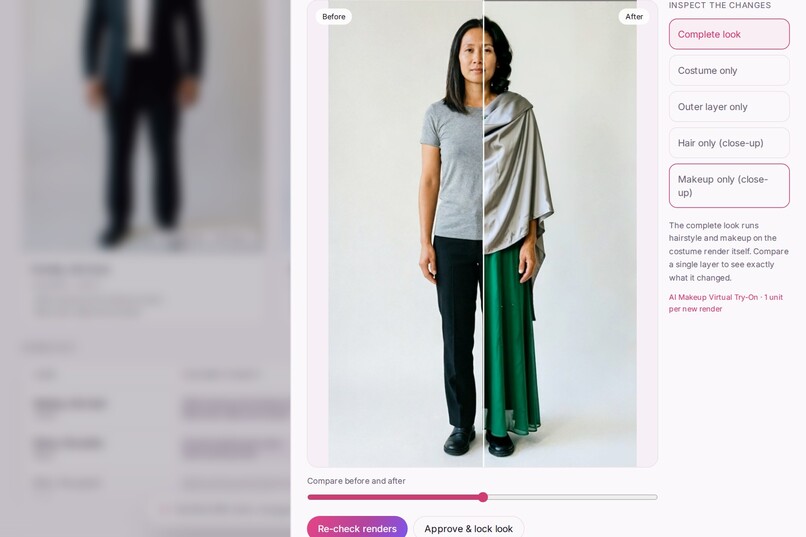
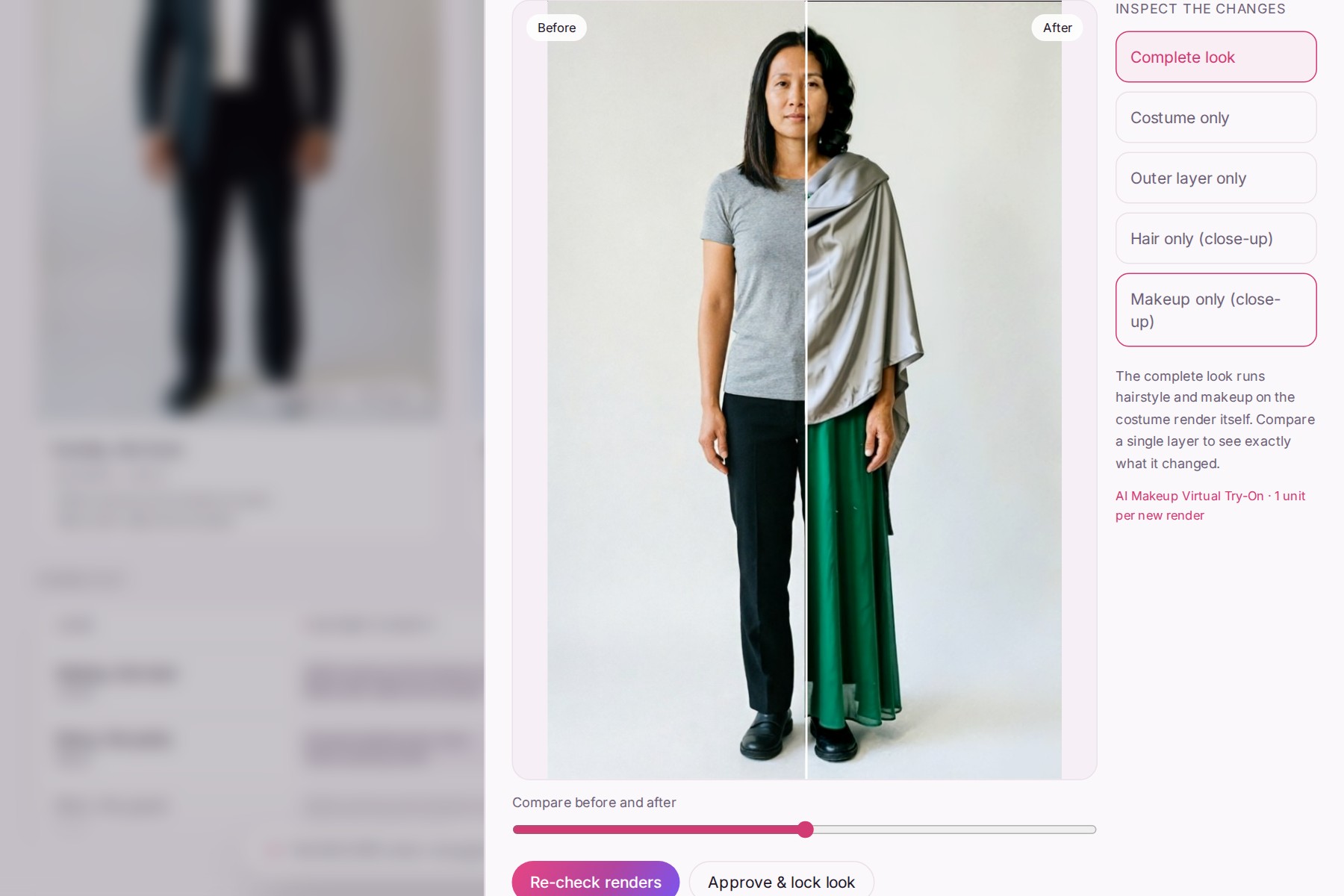
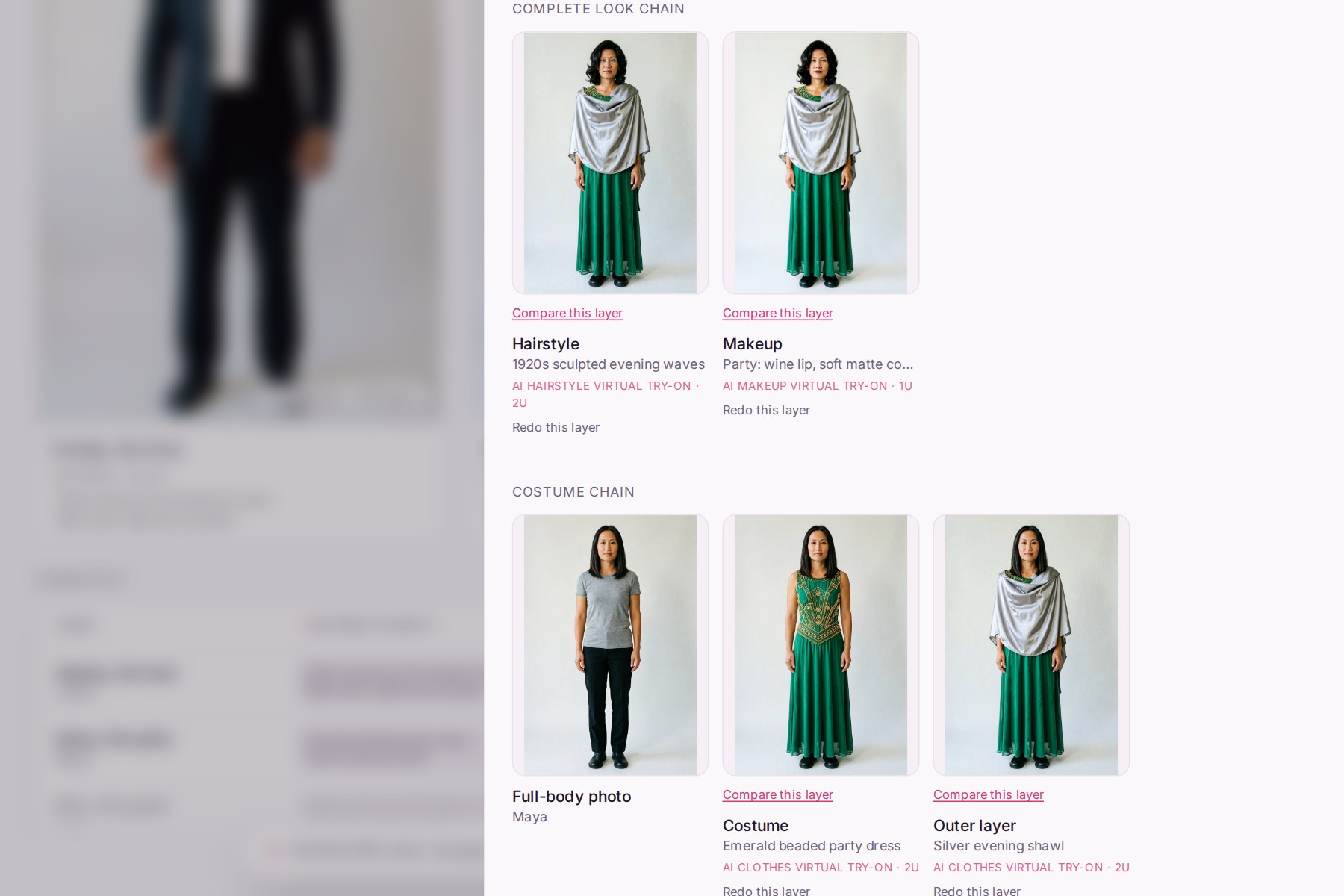
Before and after: the performer's photo and her complete look, made by four YouCam API calls.
-
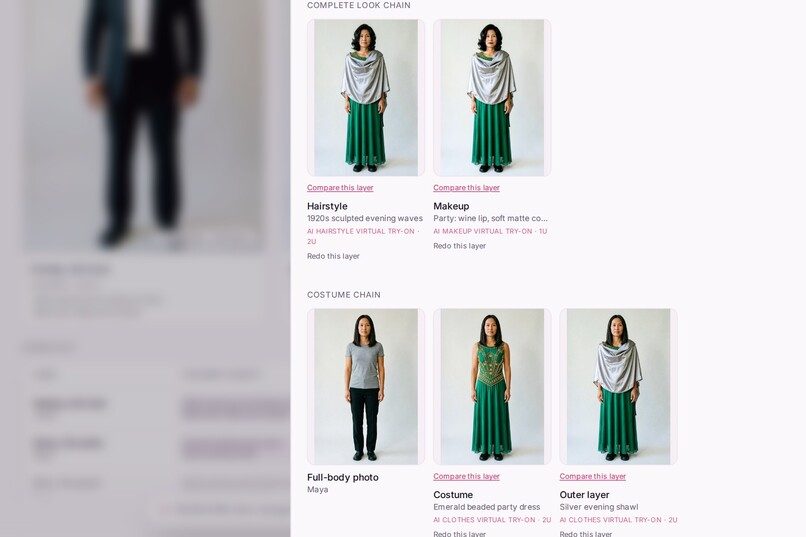
Every layer and the API that made it: costume, outer layer, hairstyle, makeup.
-
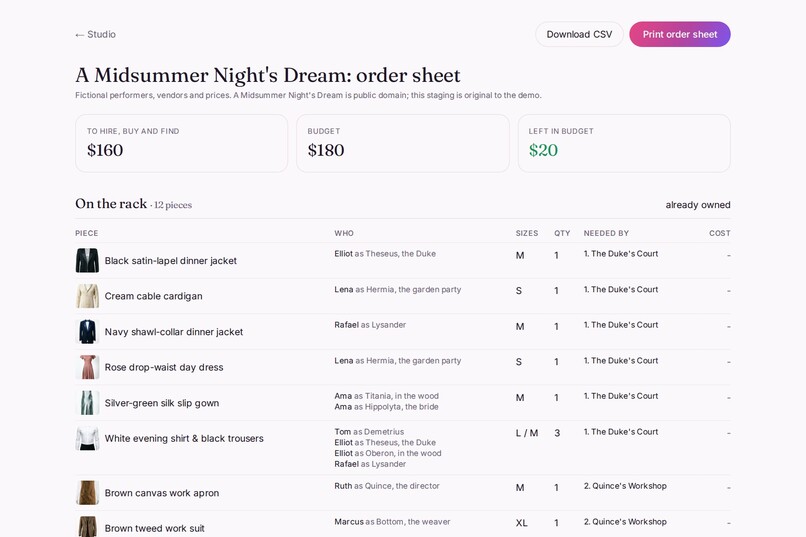
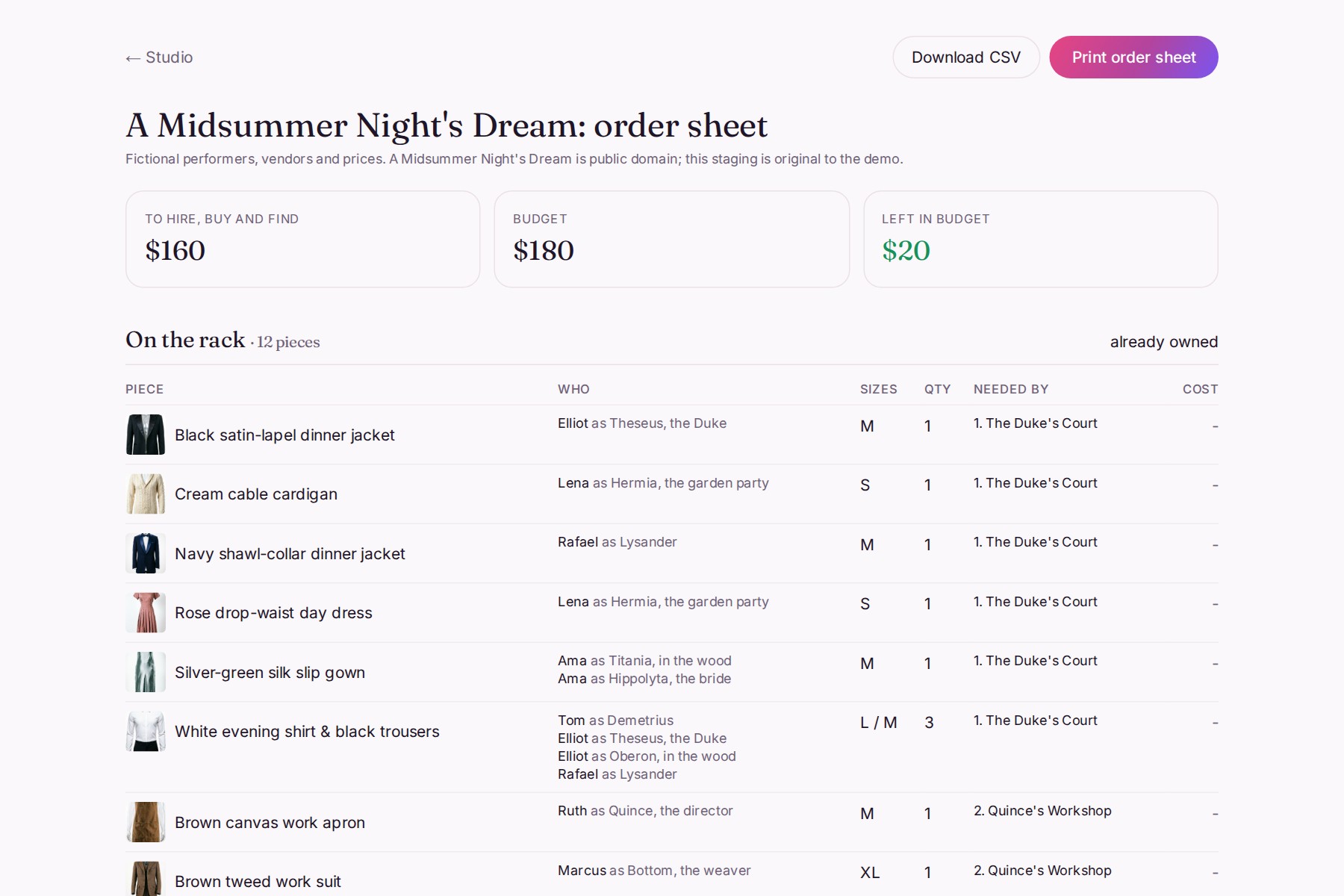
The order sheet: what to pull, hire, buy or find secondhand, with sizes and totals.
-
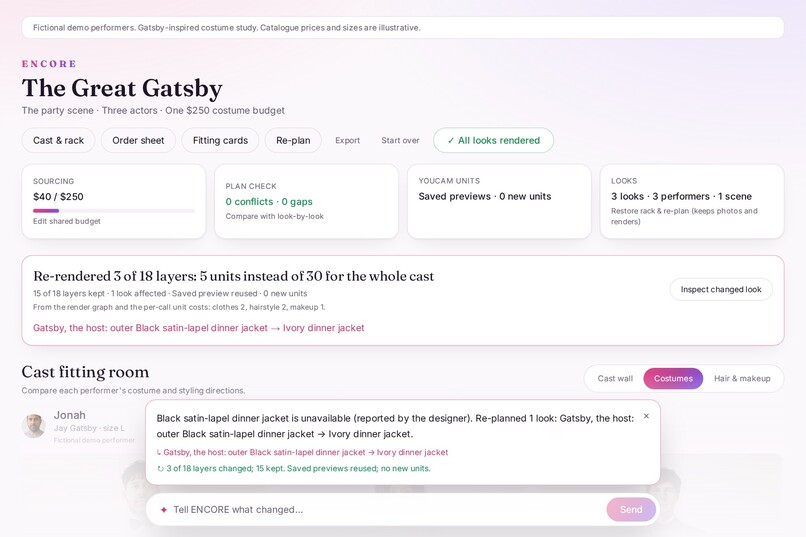
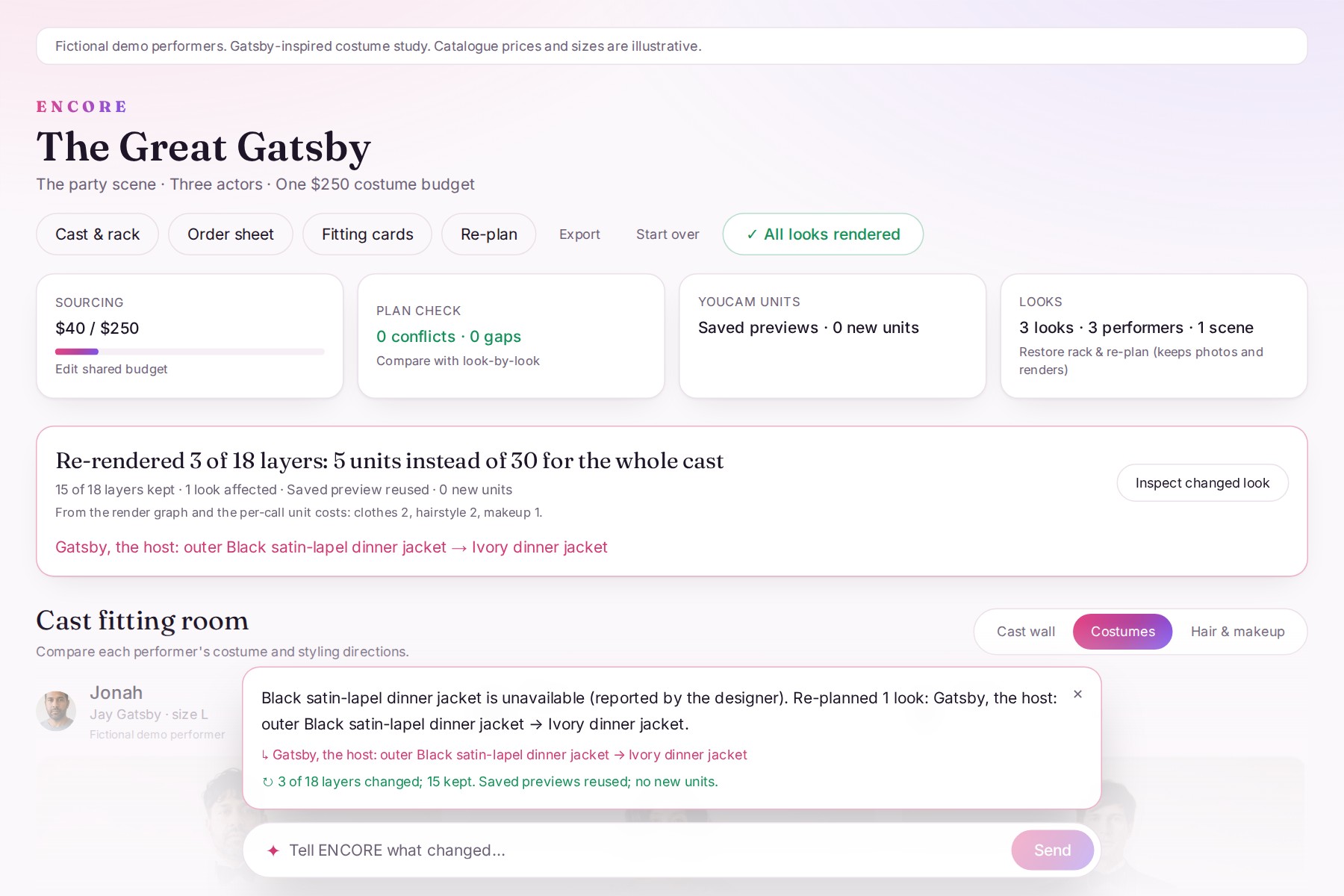
One sentence re-plans one look: 3 of 18 layers re-rendered, 5 units instead of 30.
-
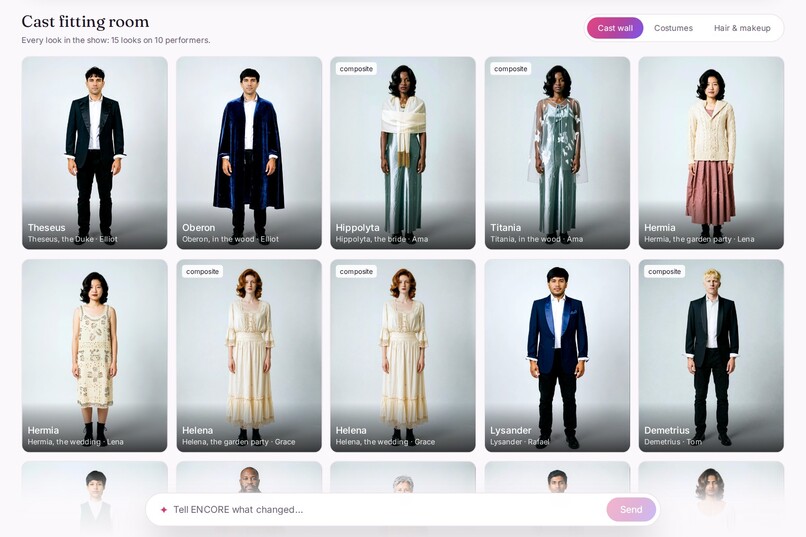
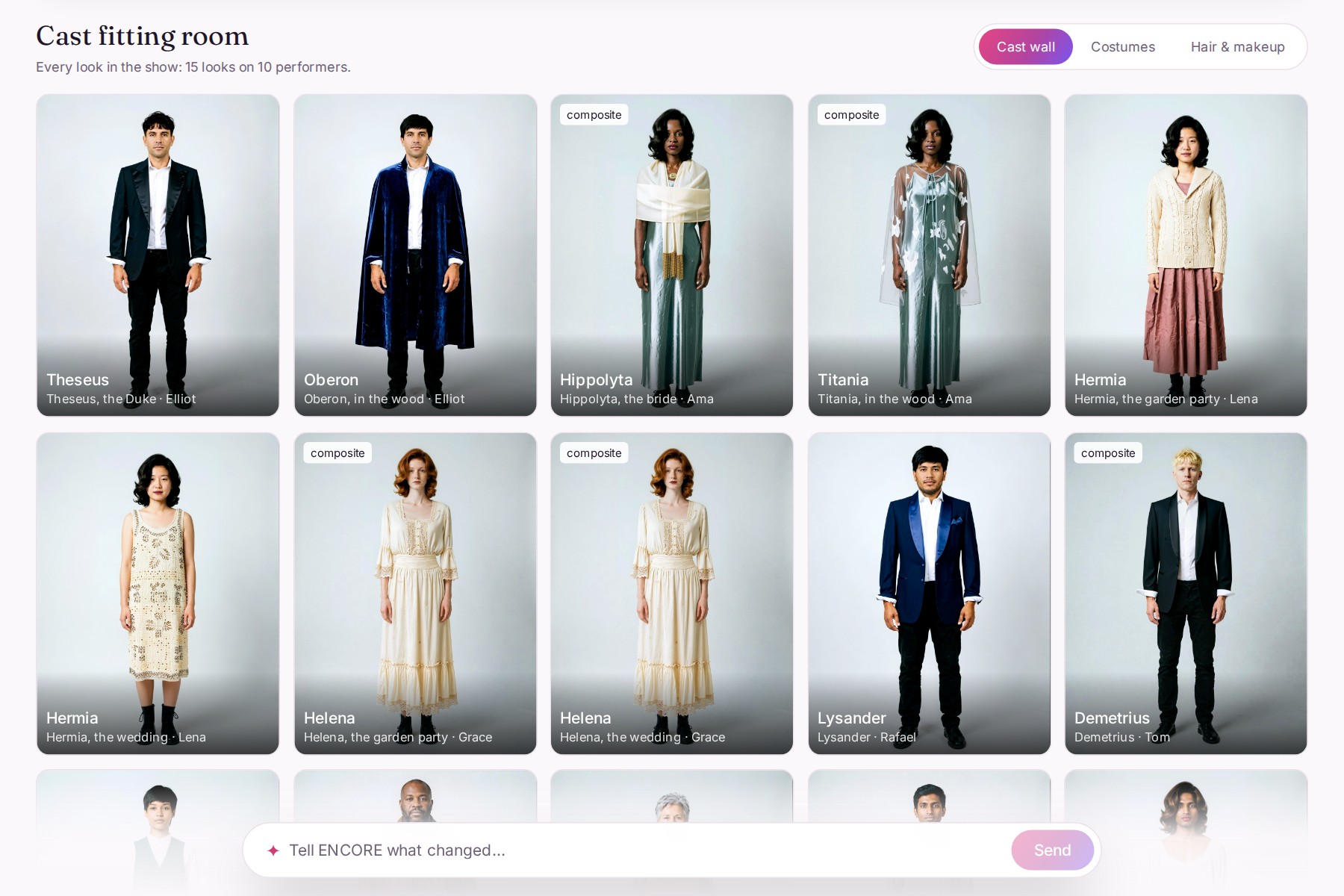
A Midsummer Night's Dream: 15 complete looks on 10 fictional performers, every one rendered with YouCam.
Inspiration
Try-on apps dress one person. A show dresses a whole cast from one shared rack, scene by scene, on one small budget. Community theatres and schools hire costumes by the week, pay extra for weeks spent on fittings, and pay replacement value for alterations that can't be undone. The expensive mistakes (two actors needing the same jacket in the same scene, a look that doesn't work on the actual performer) usually show up at the fitting, after the hire clock has started.
I wanted a costume designer to see opening night first, then rent or buy only what the show really needs. The sourced figures are in docs/PROBLEM.md.
What it does
- Plans the whole cast at once. A solver assigns rack pieces to every look in every scene: never more wearers in a scene than the rack holds, only sizes that fit, never over budget. Anything it can't fill becomes a sourcing need (hire, buy or secondhand), not a hidden double-booking.
- Shows the conflict. The plan check puts a look-by-look plan beside ENCORE's. In the Midsummer showcase, that's 5 hard conflicts and $198 of a $180 budget, against 0 conflicts and $160.
- Renders every look on the performer with the YouCam API: costume, outer layer, hairstyle and makeup in one image, each layer's output feeding the next call. The inspector shows every layer with a before/after slider and the API that made it.
- Re-plans in one sentence. "Gatsby's black dinner jacket is damaged" re-plans only Gatsby's look (an ivory jacket from a fictional hire house, $40) and re-renders only the layers that changed: 3 of 18, 5 units instead of 30.
- Ends in paperwork a wardrobe team uses: an order sheet (pull, hire, buy, secondhand, per performer, with sizes, totals, and CSV) and fitting cards that mark hired pieces "pin or tack only", so nobody cuts what has to go back.
How I built it
- Next.js and TypeScript. The production is saved in the browser (IndexedDB). The YouCam key stays on the server; the browser only talks to the app's own API routes.
- YouCam APIs at runtime: AI Clothes Virtual Try-On (v4, including
garment_category: "outer"to layer a shawl or jacket over the costume), AI Hairstyle Virtual Try-On and AI Makeup Virtual Try-On, plus the File and Credits APIs. YouCam text-to-image generated the fictional Midsummer cast and rack photos (33 images, by script). - Plain code for everything that must be right: the planner (a branch-and-bound solver), conflicts, budget, and unit costs. A language model is optional (Gemini or Claude) and only turns words into structured input: a written brief into scenes and roles, a rack photo into tags, a sentence like "the jacket is torn" into planner operations. Its output is validated, and every number on screen comes from the solver.
- A content-keyed render graph. Each layer's key hashes its inputs plus its parent's key, so a change re-keys only that layer and the ones built on it. The repair cost is read from the graph: clothes 2 + hairstyle 2 + makeup 1 = 5 units, against 30 to re-render the whole cast.
- Never pay twice. Task IDs are saved before polling, so a reload resumes a render instead of starting a new one.
- Tested: 92 unit tests, including the no-face retry, and a synthetic benchmark over 200 generated productions (docs/EVAL.md). Every unit spent is logged in docs/LIVE_RUNS.md.
Challenges I ran into
- Small faces. In full-length photos, the face is small, and makeup sometimes returns
error_no_face. ENCORE then crops the head from the same render, runs makeup on the crop, matches the tone, pastes it back and labels the look "composite". Failed tasks aren't charged, so the retry is safe. - Errors arrive as HTTP 200, with
task_status: "error"and the details in a string. I parse them into messages a person can act on. - Hats. The Hat API regenerated the whole image, so headwear stays in the plan and on the fitting cards instead of the preview.
- Garment photos matter. My first ivory stole photo was read as a vest, so I generated a clearer garment photo and re-rendered that look.
Accomplishments that I'm proud of
- Two complete showcases on real YouCam output: Gatsby (3 performers, 18 layers) and A Midsummer Night's Dream (10 performers, 15 complete looks, 4 scenes, doubled roles).
- On the synthetic benchmark, look-by-look plans are feasible 24.5% of the time and ENCORE's 100.0%.
- The one-sentence repair re-renders a single look live in the demo, and the order sheet and fitting cards update with it.
What I learned
Layer order matters. Hair and makeup work best on the clothed image; pasting a separately styled head showed a seam. When the no-face fallback has to paste a head back, it comes from the same render, with tone matching and a feathered edge. And the costly mistakes in a show are planning mistakes, so the plan has to come before the pictures.
What's next
Supplier feeds: hire houses publish their stock as an encore.catalogue.v1 JSON feed (the schema is in the repo), and designers try that stock on their cast before they call.
Honest limits
All performers, vendors, and prices in the demos are fictional and labelled. Previews support appearance decisions; fittings still decide fit. The benchmark is synthetic. The hosted test copy has no API key, so it shows saved renders and labels any new render as a sketch.
