-
-
-
-
-
-
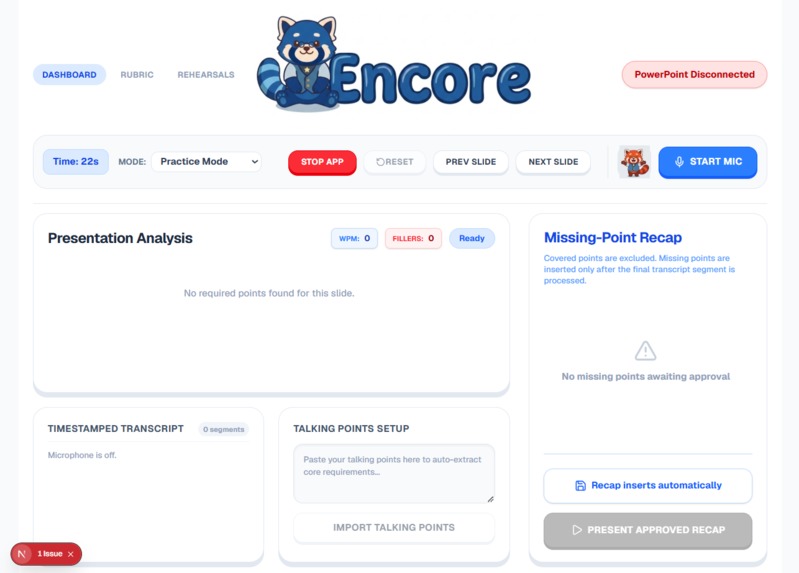
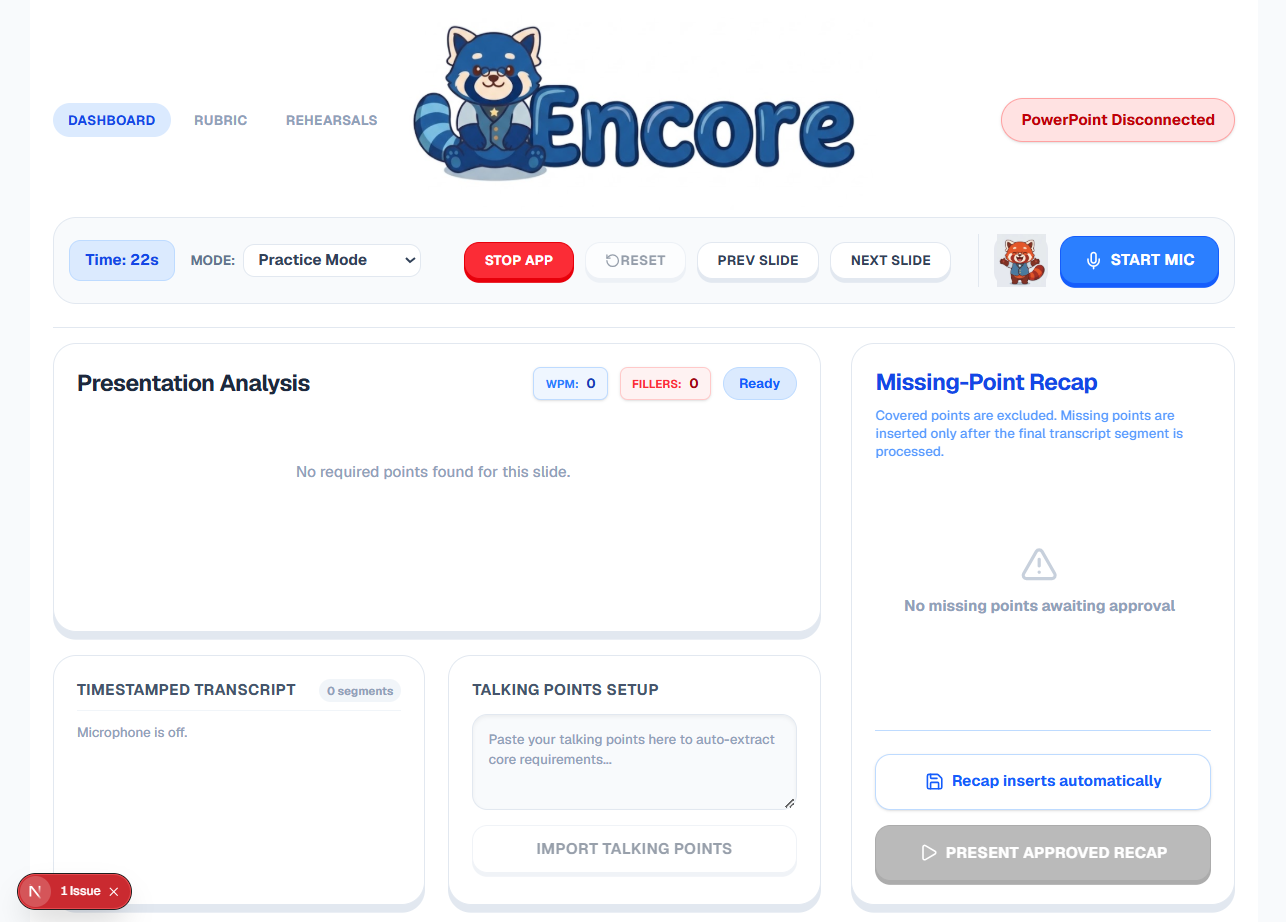
Practice mode
-
Inspiration
Presentations are static, but people aren't.
I have seen how easy it is for someone to understand their project completely and still lose important points because they freeze, lose their train of thought, get overwhelmed, or struggle to find the exact words they want to say.
Traditional presentation tools do very little to help in that moment. PowerPoint can show your slides, but it does not know what you actually said, what you forgot, or when you need help.
This can be especially difficult for neurodivergent presenters dealing with cognitive overload, non-native speakers who may express the right idea in different words, and students presenting under pressure.
I wanted to build something specifically for those moments.
That became Encore — your AI Presentation Safety Net.
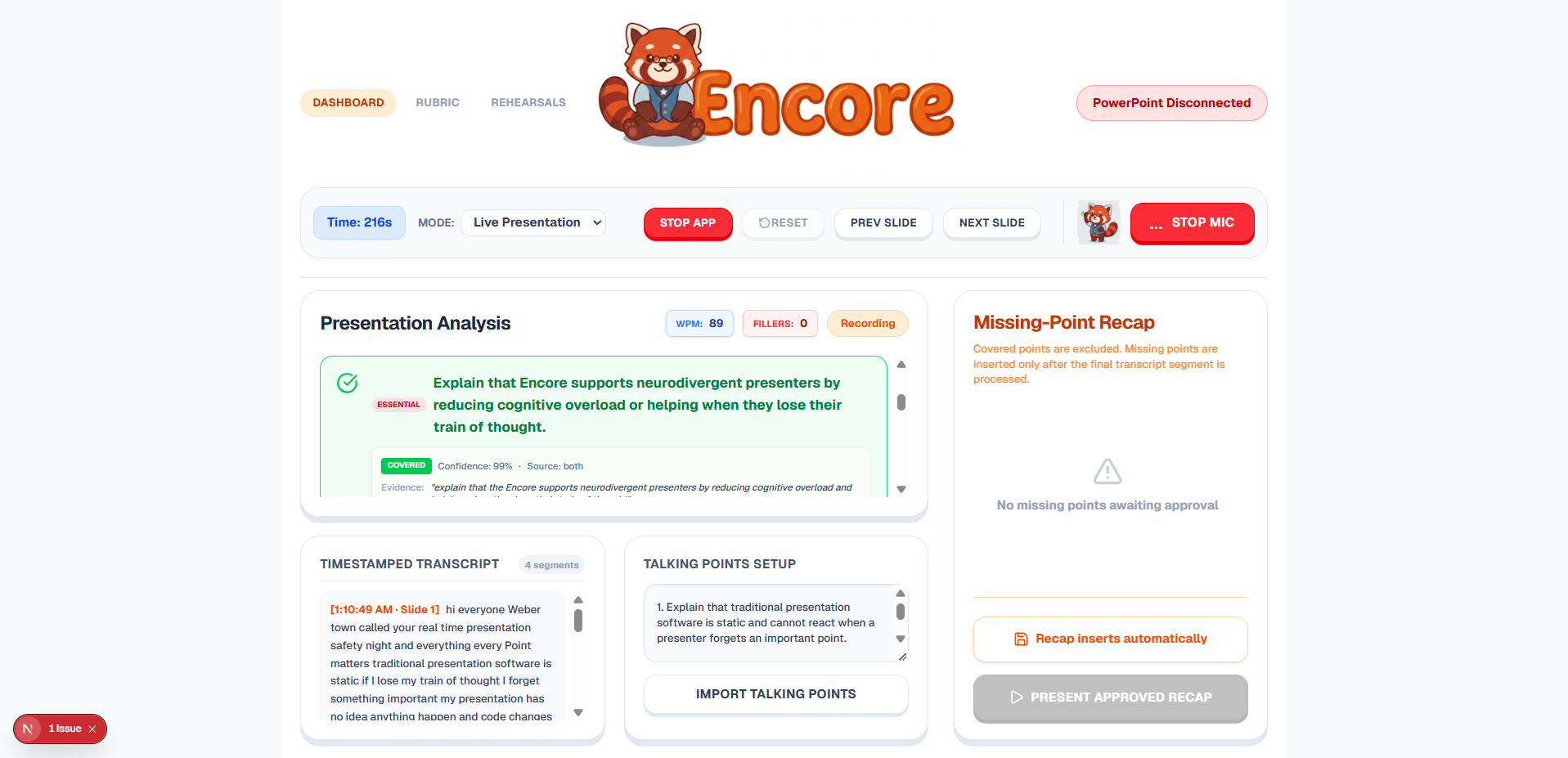
Instead of only grading someone after a presentation is finished, Encore listens while they speak, understands what they actually communicated, and helps them recover important information before the presentation ends.
What it does
Encore is an AI-powered presentation copilot that supports the presenter before and during a presentation.
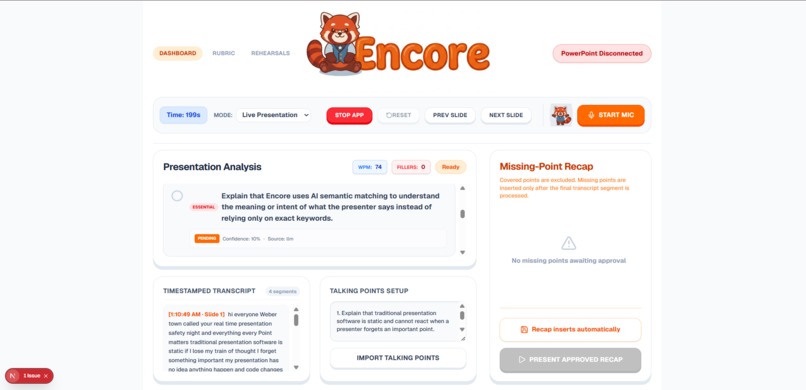
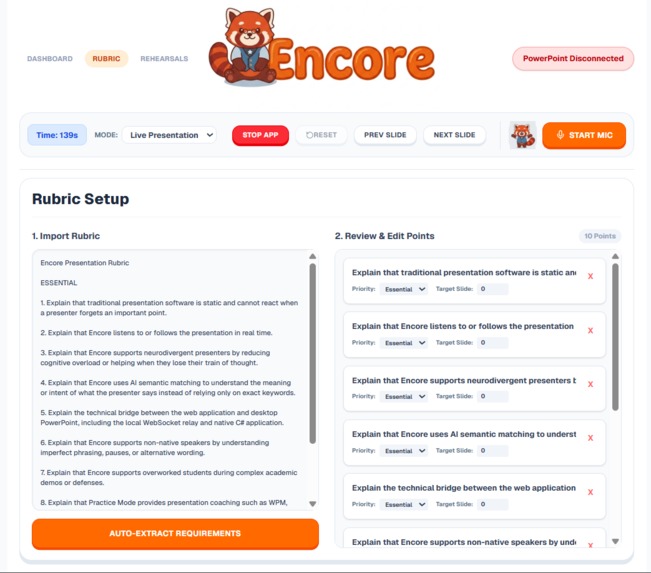
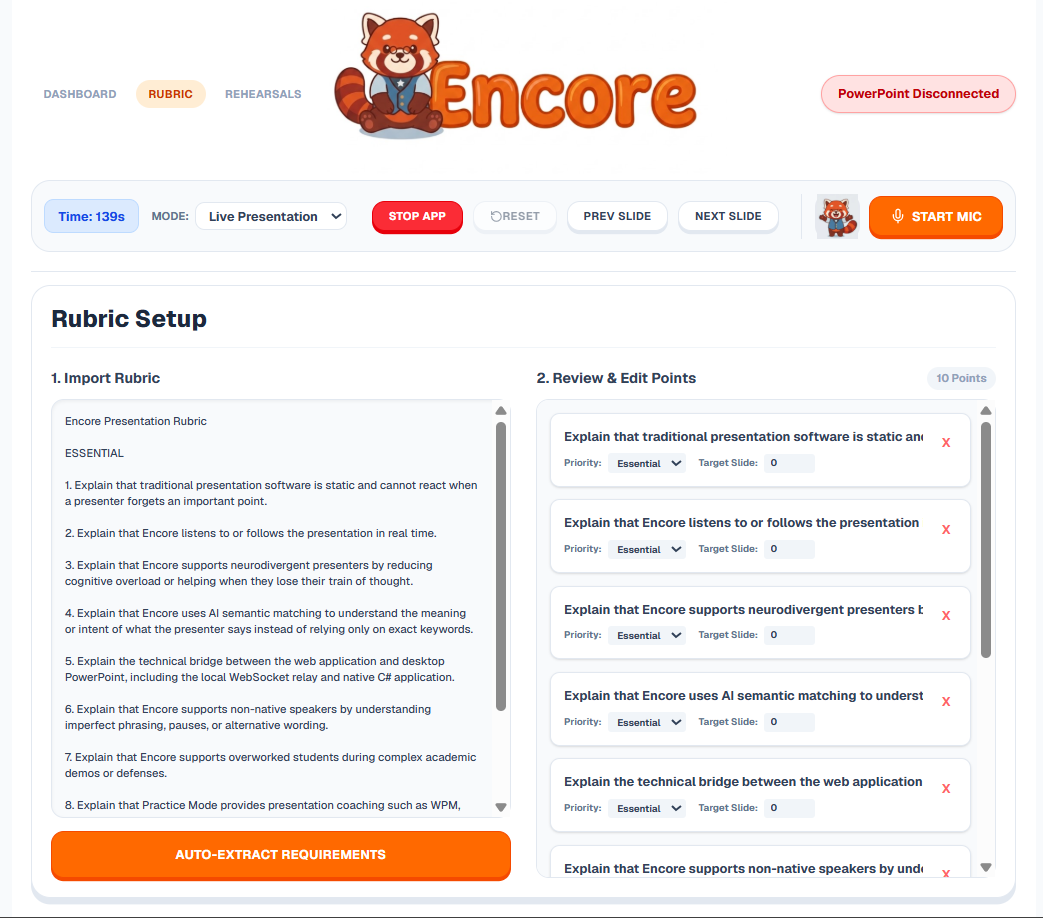
A user can paste in a rubric, assignment requirements, or important talking points, and Encore tracks those requirements while they speak.
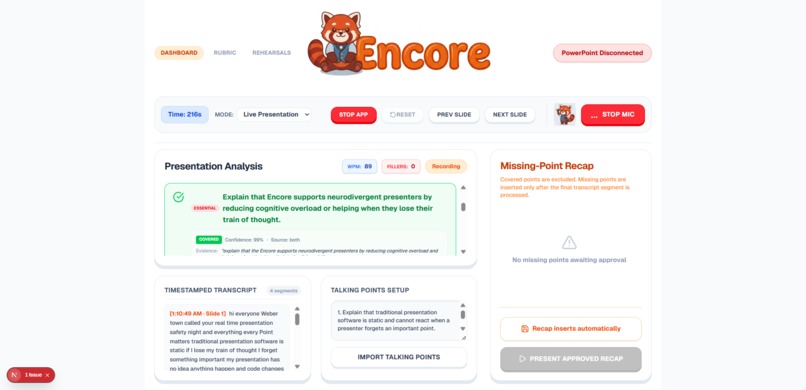
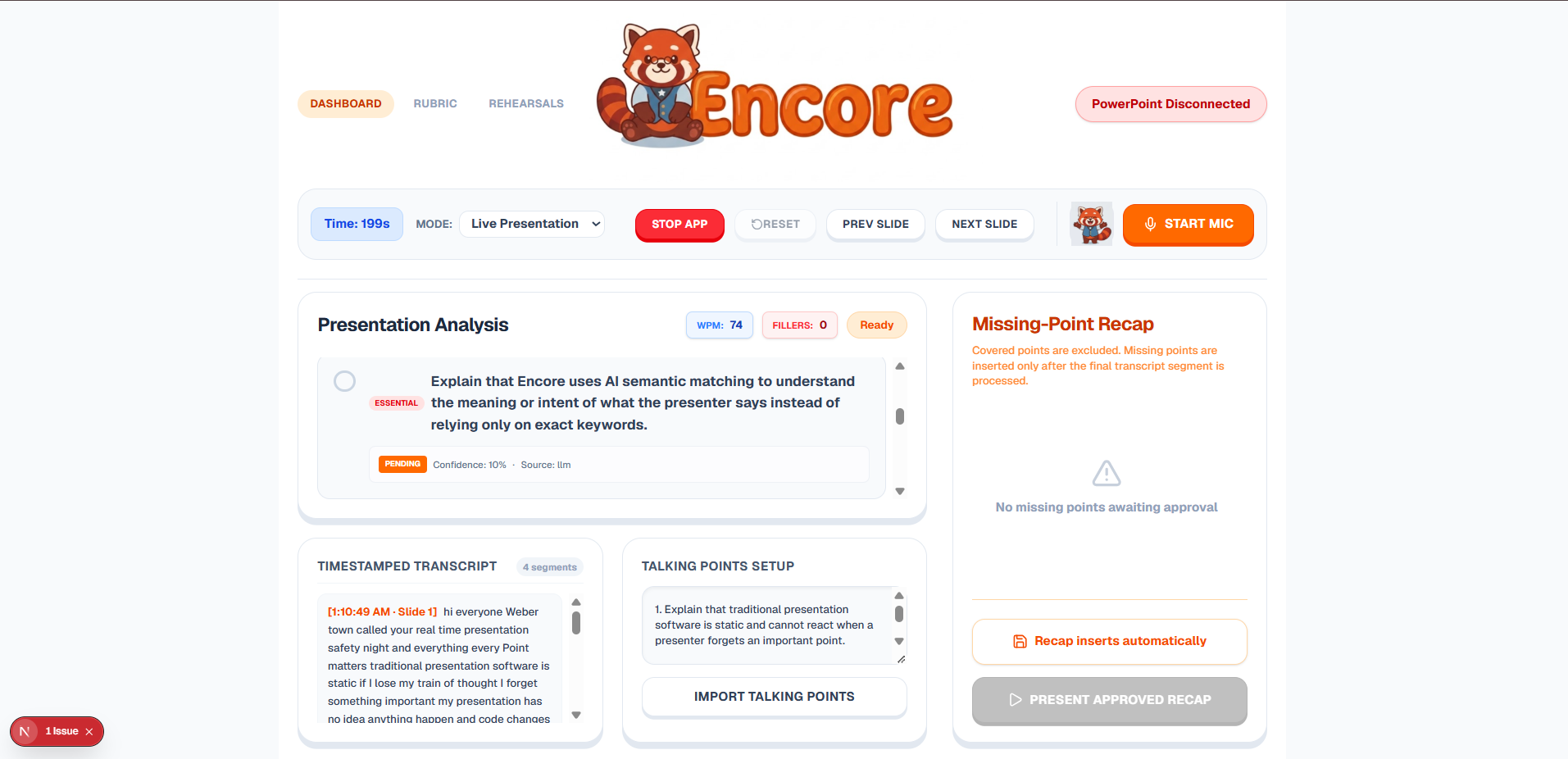
Instead of relying only on exact keywords, Encore uses Gemini AI semantic matching to understand the meaning and intent behind what the presenter says.
This is especially useful for the people I built Encore for:
- Neurodivergent presenters can rely on Encore to track requirements when cognitive overload makes it difficult to remember everything at once.
- Non-native speakers do not need to memorize exact wording because Encore evaluates meaning instead of perfect phrasing.
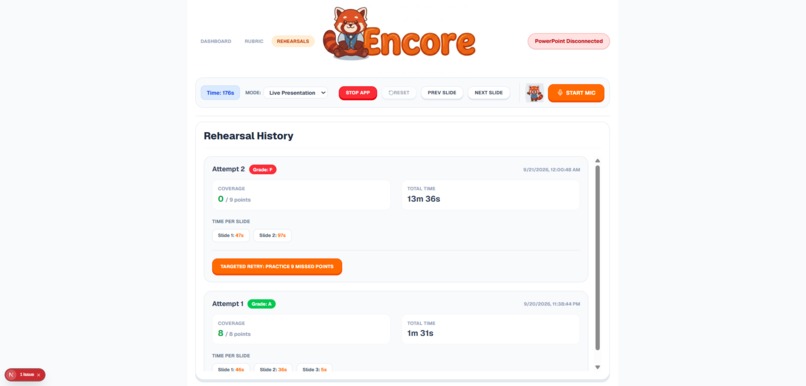
- Students can practice against an actual assignment rubric and get another chance to recover important points they accidentally miss during a demo.
Encore also includes:
- Smart Rubric Import to turn raw requirements into trackable talking points
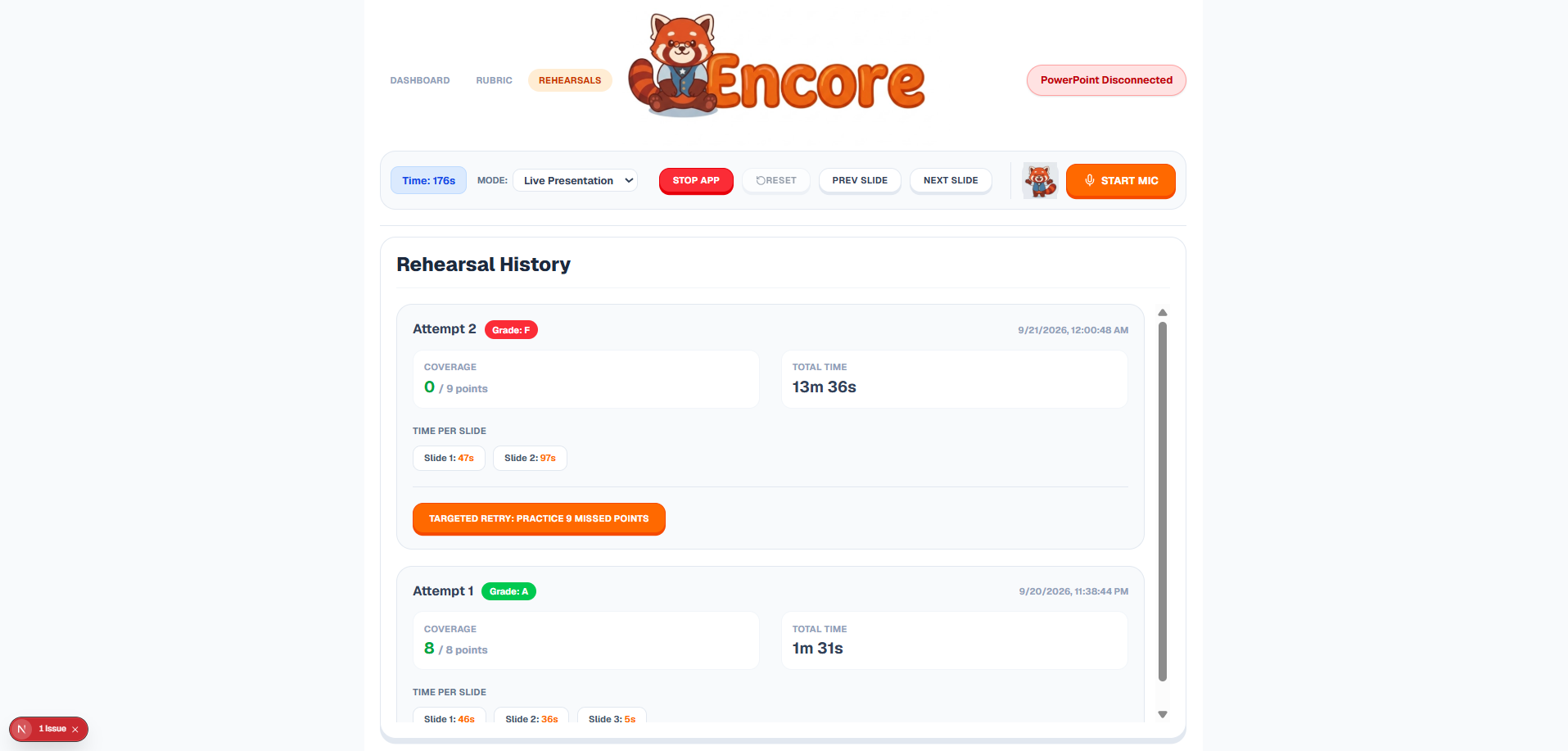
- Practice Mode with WPM, filler-word tracking, coverage scoring, and targeted retries
- Live semantic matching that tracks whether required ideas were actually communicated
- Evidence tracking showing what part of the transcript satisfied each requirement
- Native alerts when a presenter is speaking too quickly or running out of time
- Missing-Point Recaps that recover important information the presenter forgot
My favorite part is the live demo.
I intentionally skip required points during my own presentation. Encore listens, detects what I never covered, and creates a recap that can be added directly into PowerPoint before the presentation is over.
Instead of just telling you afterward that you failed, Encore gives you a chance to recover while it still matters.
How I built it
Encore combines a modern web application with a native Windows application.
- Next.js + React power the main interface
- Web Speech API provides live transcription
- Google Gemini handles rubric extraction and semantic intent matching
- A local Node.js WebSocket relay connects the browser to the desktop
- A C# .NET 9 application uses Microsoft Office Interop to communicate directly with PowerPoint
The main flow is:
Speech → Next.js → Gemini → WebSocket → C# → PowerPoint
This architecture allows a web-based AI experience to interact with a real PowerPoint presentation while it is running.
Challenges I ran into
One of the biggest challenges was getting a browser application to control desktop PowerPoint.
Browsers are intentionally sandboxed, so my Next.js application could not simply tell PowerPoint to create a slide or display a native notification. I solved this by building a local WebSocket bridge and a C# application that could communicate directly with PowerPoint.
Another challenge was semantic matching. I did not want Encore to simply mark vaguely related statements as covered. I had to balance semantic similarity, confidence, and transcript evidence so that Encore could understand different wording without becoming too generous.
Real-time speech was also challenging because transcription arrives in multiple pieces. I had to make sure Encore preserved the full presentation transcript rather than evaluating only the most recent sentence.
Finally, generating a useful recap required making sure multiple missed points stayed separate instead of being compressed into one vague AI-generated statement.
Accomplishments that I'm proud of
I'm most proud that Encore is a working end-to-end prototype rather than just an idea.
I was able to:
- Track presentation requirements from live speech
- Match semantic meaning instead of only exact keywords
- Show evidence for why a requirement was marked covered
- Track WPM and filler words during practice
- Build targeted practice around missed requirements
- Connect a Next.js application to native C# code in real time
- Communicate with a live PowerPoint presentation
- Generate recovery content for missed requirements
- Inject recovery content back into the presentation
- Display native presentation alerts
Most importantly, Encore can demonstrate its own purpose live:
I intentionally forget something → Encore notices → PowerPoint helps me recover.
What I learned
I learned that building a reliable AI product is about much more than simply sending text to an LLM.
I had to think about questions like:
- What counts as enough evidence to mark something as covered?
- How do I prevent semantic false positives?
- How should uncertainty be handled?
- How do I maintain context throughout a live presentation?
- When should AI intervene without distracting the presenter?
I also learned how powerful it can be to connect modern AI with software people already use instead of replacing it.
PowerPoint was never designed to be controlled by an AI running in a browser, but combining Next.js, WebSockets, C#, and Office Interop allowed me to create that connection.
Most importantly, I learned that the best presentation assistant should not replace the presenter.
The human still tells the story. Encore is just there when they need it.
Impact
Encore is designed around a small but real problem: people can know what they want to say and still fail to communicate an important point under pressure.
For learners and presenters who experience cognitive overload, language barriers, or presentation anxiety, current tools mostly provide static slides or feedback after the presentation is already over.
Encore provides something different: a fallback during the presentation itself.
For students, this could mean practicing directly against an assignment rubric and making sure important requirements are not forgotten.
For neurodivergent presenters, it can reduce the cognitive burden of simultaneously remembering every requirement while speaking, managing slides, monitoring time, and interacting with an audience.
For non-native speakers, semantic matching means they can focus on communicating the idea instead of memorizing an exact sentence.
Encore does not try to speak for the presenter.
It gives the presenter a safety net.
What's next for Encore
I would like to continue developing Encore with:
- Multilingual presentation support
- Personalized pacing and presentation coaching
- More accessibility options for different presenter needs
- Classroom and team rubric sharing
- Support for additional presentation platforms
- Post-presentation analytics
- Smarter timing and pacing alerts
- More personalized recovery suggestions
Encore started with one question:
What if your presentation could actually listen to you?
The larger goal is to move presentation software from:
"Here are your slides."
to:
"I've got your back."
Built With
- .net-9
- artificial-intelligence
- c#
- google-cloud
- google-gemini
- llm
- machine-learning
- next.js
- node.js
- powerpoint-interop
- react
- speech-recognition
- tailwind-css
- typescript
- web-speech-api
- websockets
- win32-api
- windows-forms


Log in or sign up for Devpost to join the conversation.