-
-
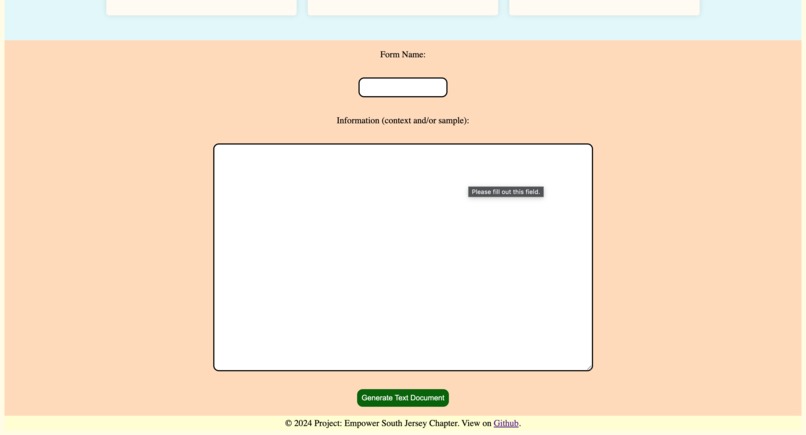
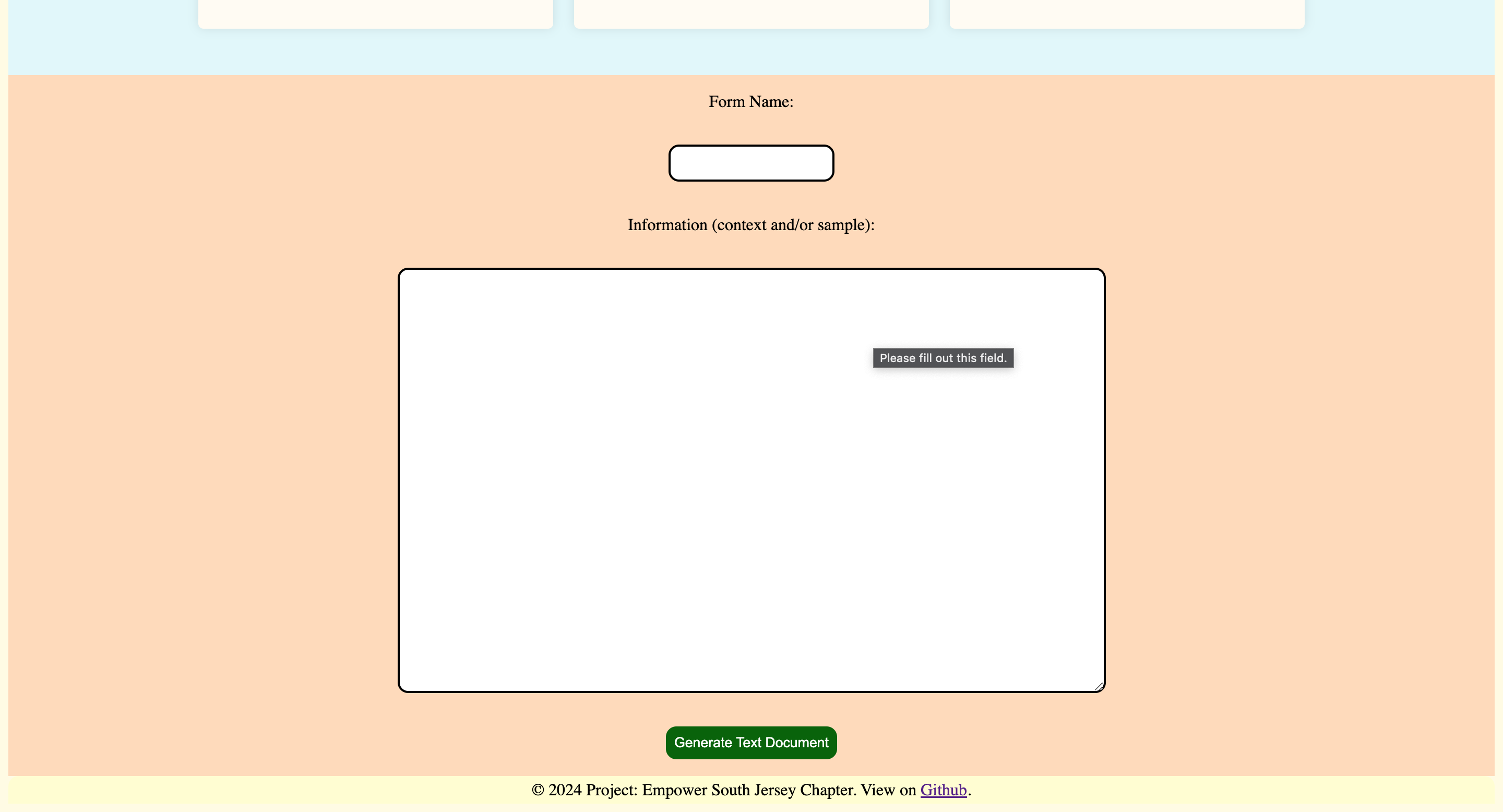
Enter the name or category of a document and your situation-specific information to generate a full draft of the legal document.
-
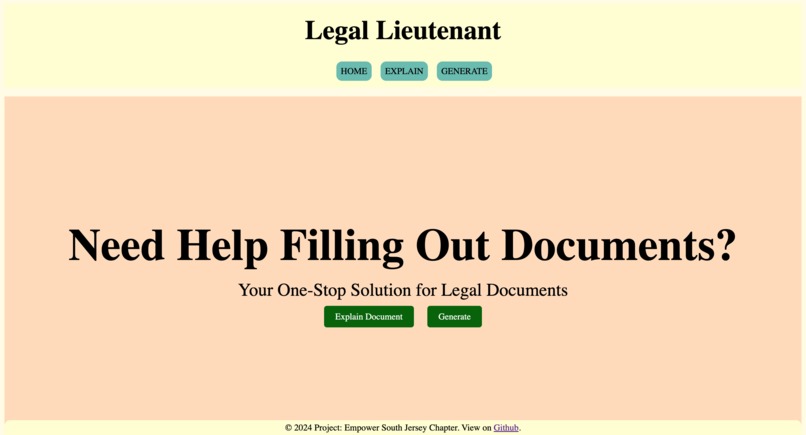
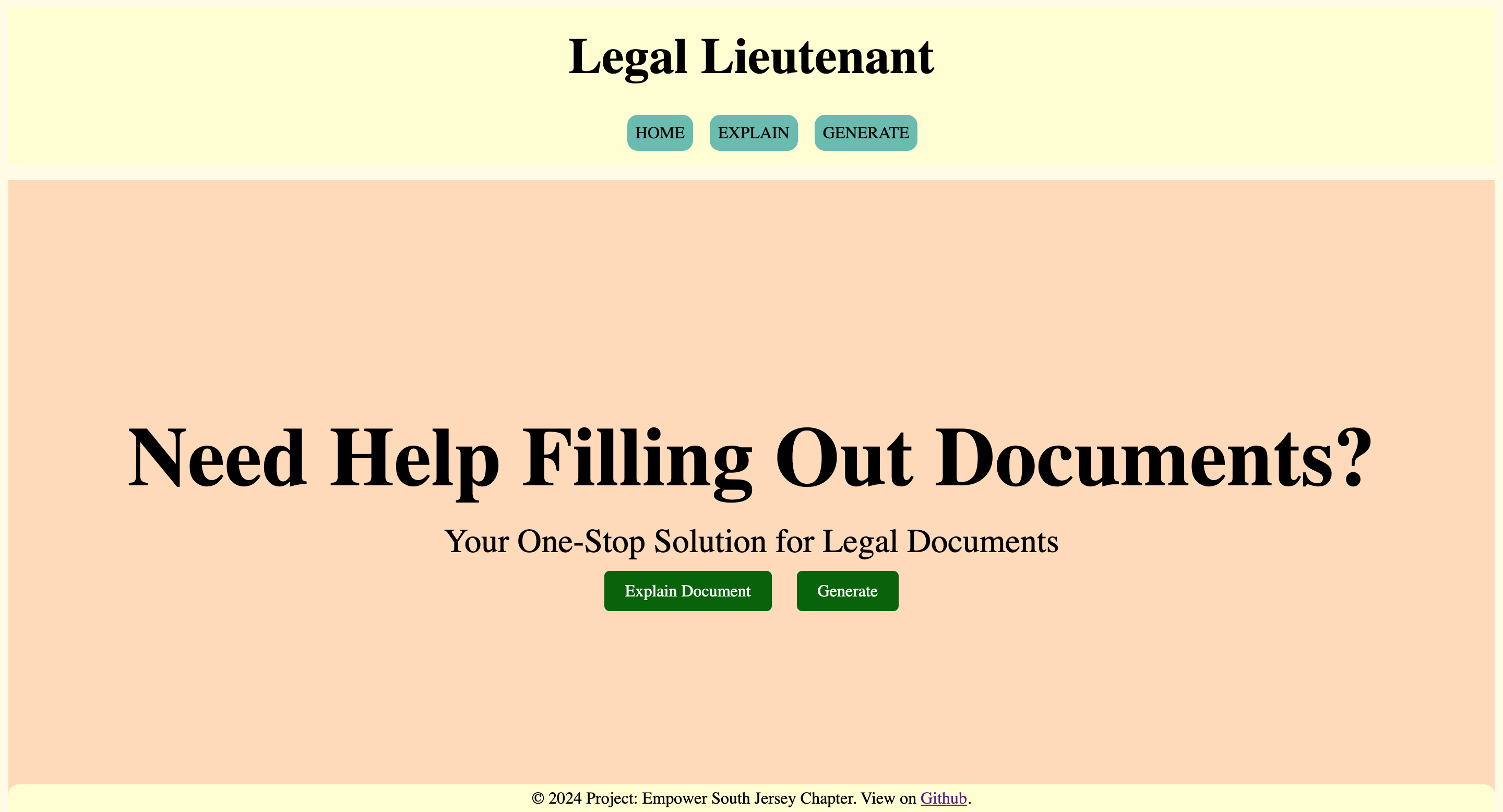
Explore the different features of the site using the navigation bar on the home page. Link: https://legal-lieutenant.vercel.app
-
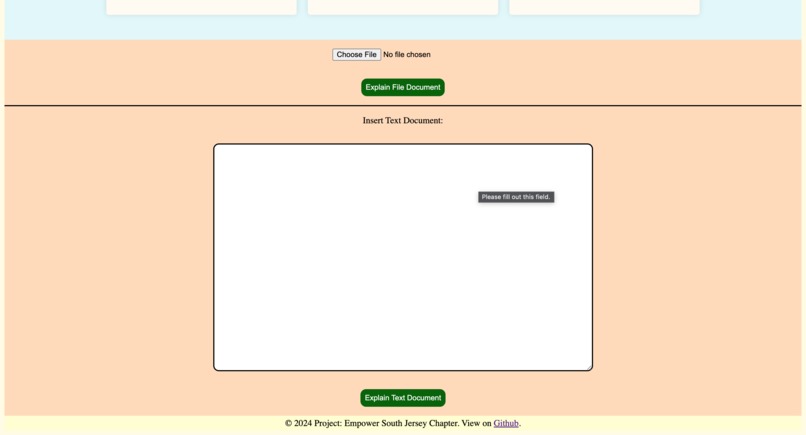
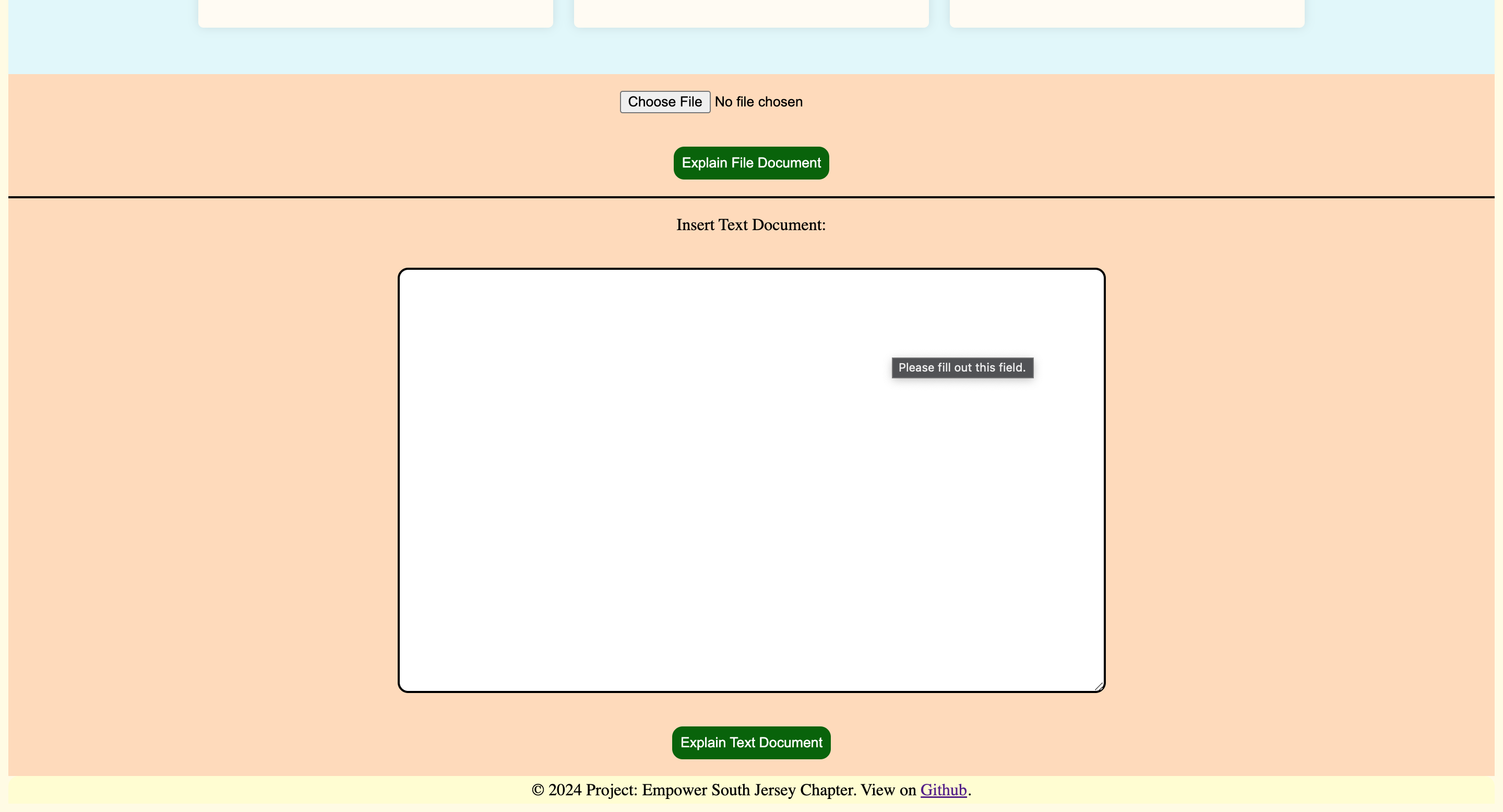
Upload a file or enter the text of a legal document to have our site split it into sections and summarize/analyze each section.
-
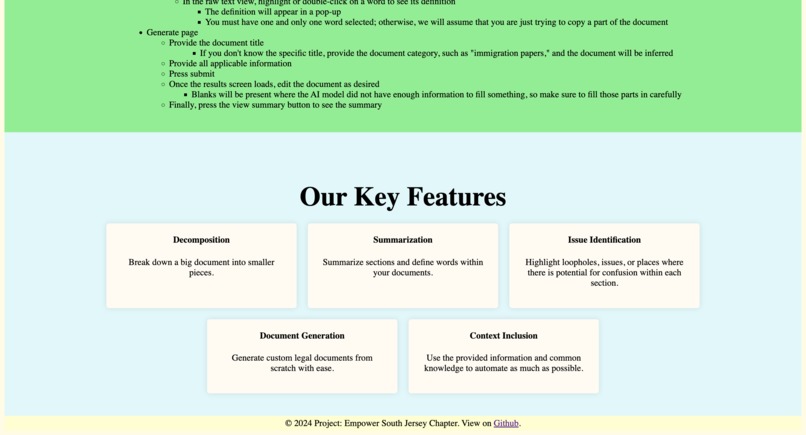
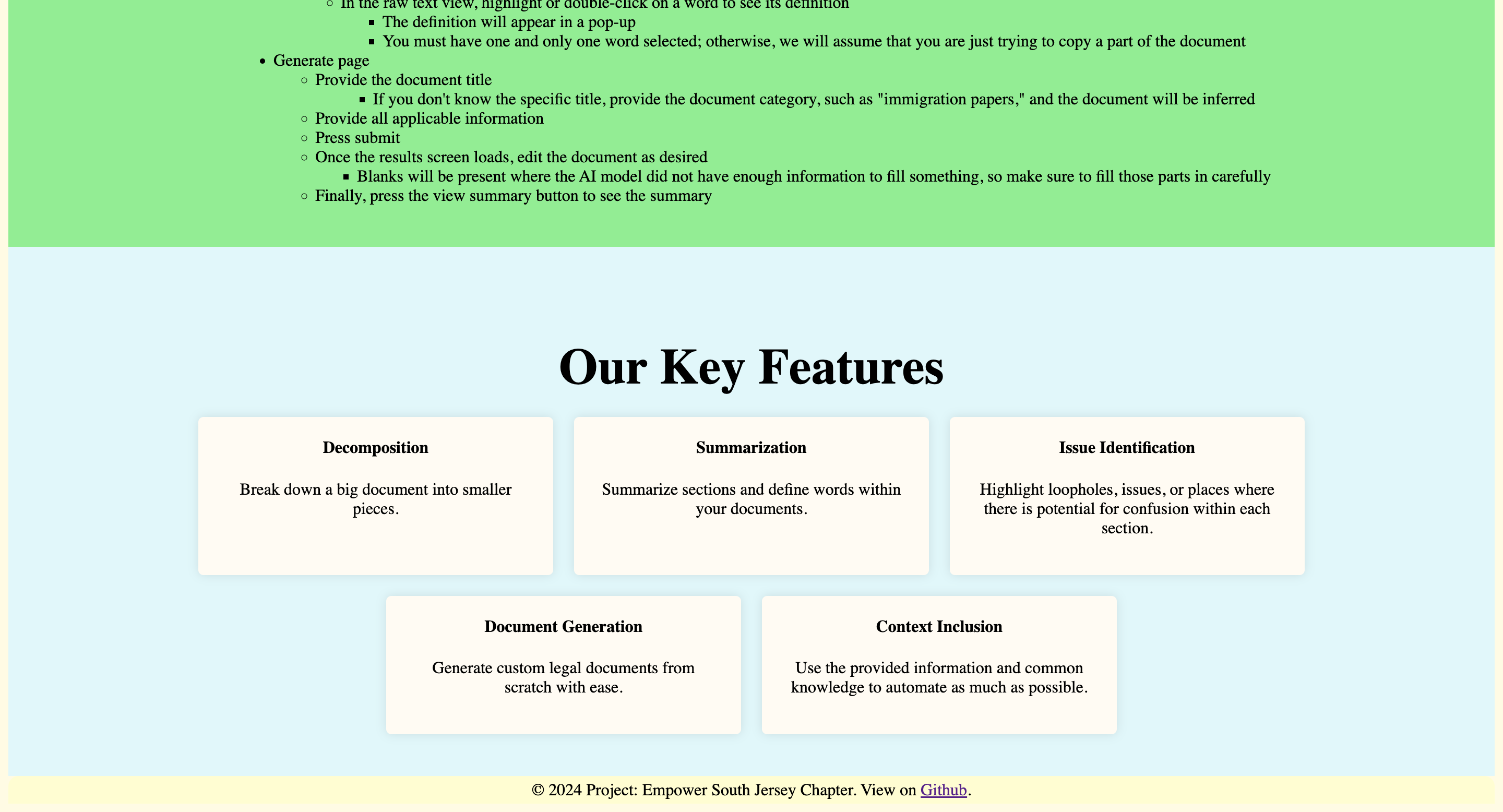
See the user guide and feature descriptions by scrolling down on the home page.
-
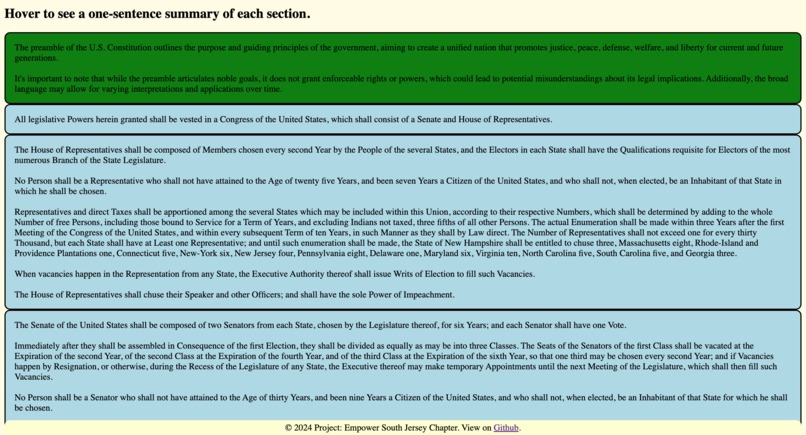
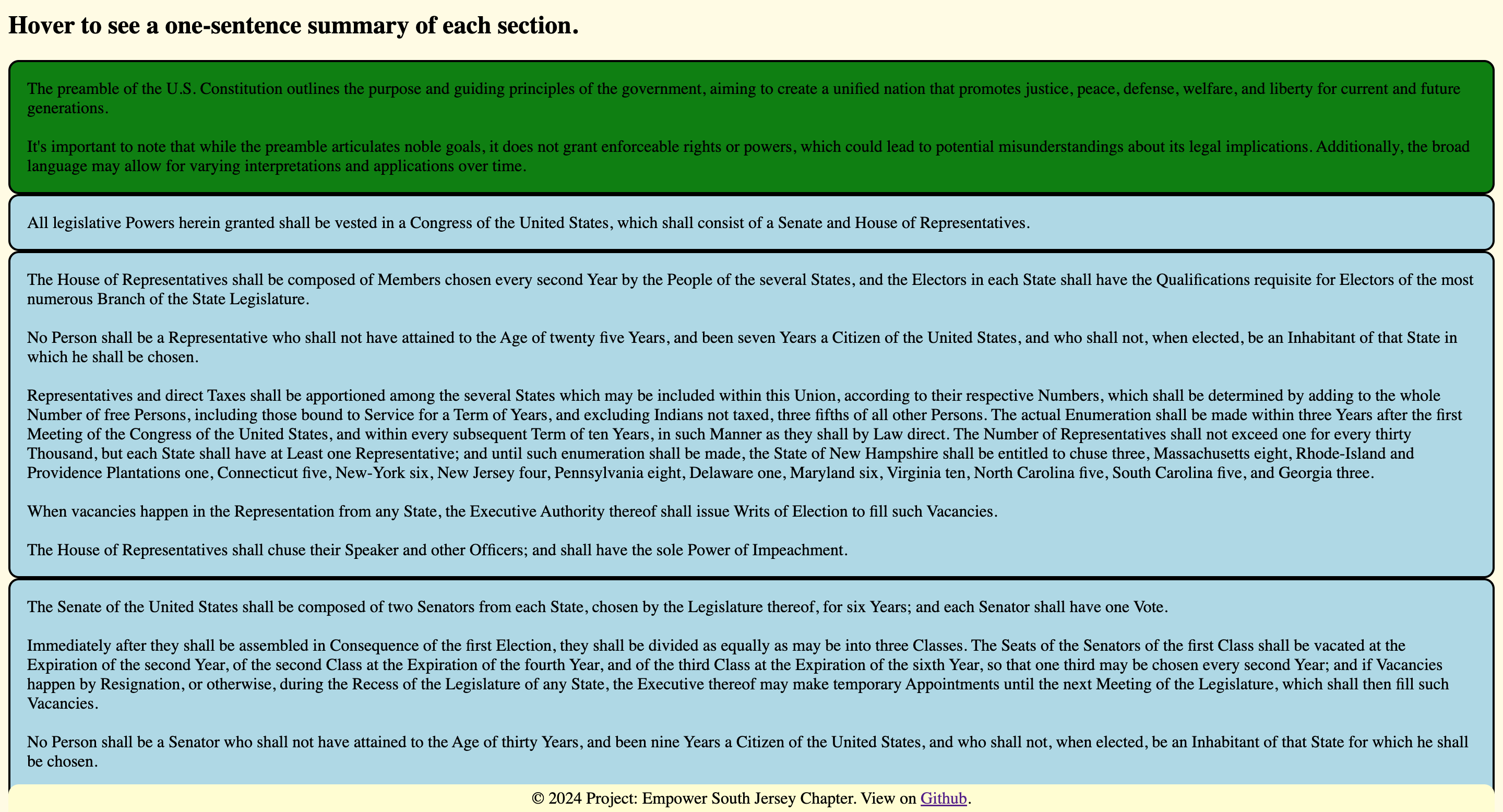
Example: The Constitution analyzed (provided information: summary, loopholes, clarifications, etc.)
Legal Lieutenant
Project Description
Our website is designed to assist first-generation, low-income students in navigating complex and dense legal documents, such as immigration forms, employment documents, the FAFSA, and various contracts. Legal counsel is often very expensive, so these students are often alone, wandering through the vast complexities of the U.S. legal system without assistance. This can lead to them signing predatory contracts or filling out forms incorrectly, which could jeopardize their future, especially at critical junctures. In response to these issues, our website simplifies the process of understanding and creating important legal documents by summarizing sections, defining difficult terms, and generating filled documents from scratch based on provided information (such as personal information or an outline).
Inspiration
The inspiration for this project stemmed from our personal experiences as first-generation students whose parents immigrated from India. We witnessed firsthand the challenges our families faced in understanding and completing complex forms without adequate guidance. Some of them fell into traps, signing documents they did not understand, which led to issues that they are still suffering from to this day. These experiences highlighted the need for a tool that could bridge the gap and provide much-needed support. By creating this website, we aim to empower students like us, ensuring they have the resources and confidence to navigate the legal system.
What It Does
- Definitions: Helps fill out forms or documents like immigration paperwork, contracts, or the FAFSA by defining complex terms in those documents.
- Document generation: Creates legal documents from scratch, tailored to the user’s specific needs and provided information.
- Document summarization: Provides summaries of intelligently chunked sections of any given document, ensuring users understand the content and requirements.
- Automatic clarifications: Highlights potential areas of concern, including loopholes and confusing sections, in section summaries.
How We Built It
This is available on GitHub: ps-coding/LegalLieutenant
A live URL is also available: https://legal-lieutenant.vercel.app
- Overall, our application is run through an express.js server. We use EJS as the view engine so that we can dynamically populate the page using the response from the server before the page reaches the client. This way, the contents of the page are accurate the moment that it arrives (i.e., no client-side JavaScript is required for the initial rendering, unlike in vanilla React or Angular). EJS also allows the use of “partial” templates, which we use for our head, navbar, and footer. We use multiple CSS style sheets and multiple JavaScript files based on what each page needs. Common styles for the navigation bar and footer are in a core CSS file, form styling is in a form CSS file that is imported in all pages that use forms, etc. Client-side JavaScript is used for several features like text replacement on hover and dynamic size adjustments. We also use asynchronous JavaScript to power our “highlight to define” feature by using fetch on a dictionary API.
- We made the summarize feature using OpenAI’s GPT-4o-mini model. The model is fast, cheap, and intelligent enough for our purposes. The user uploads their file to our server – which we handle using the multer package – and then the contents of the file (PDF, DOC, DOCX, etc.) are read using the any-text package. The file is then marked to be asynchronously deleted. We then break up the document into smaller sections based on common legal section dividers (e.g., "part x," "section x," "article x," "preamble," "definitions," etc.) using a complex and thorough regular expression that allows for various formatting differences (e.g., different types of numerals after different identifiers) yet is still accurate. If that division method does not work, we fall back to chunking based on word count, ensuring that sentences are not split. This way, each section of the document gets its own summary and its own description of common pitfalls. By providing smaller sections of the document to the AI model at a time, we are able to produce more accurate and relevant results.
- For the generate feature, we pass the document title and any accompanying user-provided information to the AI model. Because of OpenAI’s safeguards, we engineered the prompt to clarify that this is only a draft and that it will be manually reviewed later; otherwise, the model refused to generate anything. The resulting document is displayed in a results page, where the user can edit the contents of the document if they want to. Afterward, they can click one button to send their newly generated document off to the summarize page to better understand what the AI created piece by piece.
Challenges We Ran Into
- Chunking: We did not want the AI to summarize the entire document; we wanted a section-by-section summary to enable users to get help right where they need it. However, using gpt-4o-mini to divide the document into sections intelligently would have doubled the input tokens and thus doubled our costs. Thus, we devised a mostly reliable method of chunking the document into pieces without AI using regular expressions (as described above).
- Model safeguards: OpenAI is rightfully concerned about the use of its models, so it has put safeguards in place. Unfortunately, those safeguards initially blocked the generation of legal documents. Thus, we used prompt engineering to clarify that the document is only a draft, which made the AI willing to create the document.
- Resizing boxes: On the document summary page, the section summaries reveal themselves when the corresponding section is hovered over. However, as the summary is always shorter than the actual text, the section box would usually shrink in size, which led to a jitter effect. To combat this, we now calculate the size of the box before the text is swapped for the summary, and we set that to be the fixed minimum height of the section box. After the hover state is removed, we return the box's minimum height to the "auto" setting.
Accomplishments That We're Proud Of
- Intuitive site: The pages are clearly labeled, and the site is easy to navigate through. The UI is simple, and because we utilize core HTML5 elements, our site is mostly accessible by default. We have added robust tags for SEO and accessibility purposes.
- No cost for the user: By optimizing the queries that we send to the model, we have reduced the cost of the website so much that we do not foresee needing to charge the user or place advertisements on the website any time soon.
- Highly accurate chunking: The chunking mechanism is generally very accurate. Although some horribly formatted documents do result in slightly less sensible or uneven partitions, which is something we plan to optimize in the future, most documents are grouped into very easy-to-read and logical chunks. These chunks enable the user to only view summaries for the parts that they are actually confused about, and the chunking mechanism that we have developed results in more detail (and a higher accuracy) for each section's summary. Most importantly, this chunking is done very fast and is done without AI to reduce our costs and compute time.
- Flexibility: We offer the user the option to upload a document of almost any format or to enter the document text on their own. We also offer the ability for the user to provide as much or as little information as they wish when generating a document: if they do not provide certain pieces of information, we have made sure that the AI model marks dependent sections with an underscore instead of hallucinating data. This makes our website relatively accurate, reliable, and versatile.
What We Learned
- Importance of data privacy and security: We ensure that we delete any documents that the user uploads immediately after we analyze the text within them to ensure that the user's sensitive information stays safe. We also keep our secrets in a .env file, which we have made sure to ignore from Git to prevent abuse. Lastly, we have set rate limits for the same reason of preventing the abuse of our OpenAI API key.
- Prompt engineering: As mentioned earlier, we had to skillfully manipulate prompts in order to get back a useful response for the document generation feature. This will become an increasingly important skill as AI becomes more and more prominent.
- Hosting considerations: We researched various hosting platforms, including Netlify, Fly.io, Render, and Vercel. We looked at their free tier limits, integration abilities, etc. before settling on Vercel. Even once we linked our GitHub repository to Vercel, there were a lot of things that we needed to tweak to get the site to render properly (we had to change the file-upload directory to /tmp and change the paths of various routes to match what Vercel expects). While learning how to evaluate different hosting options, we also learned how to search through technical documentation and extract relevant information.
What's Next
- UI improvements: Our UI is simple and mobile compatible, but it is still relatively basic. We felt that it was more important to work on our core system design (to establish a stable foundation), file structure (to make contributing easier), back-end code (to get key features working), and integrations (to link up all APIs elegantly) for the purposes of this hackathon, but we have much grander aspirations for the UI going forward. We plan to use Figma to design an updated user interface over the next month or so.
- Form walkthroughs: Currently, the generate feature creates a document based on the AI’s knowledge and the information the user provided about themselves and the document’s sections. However, in the future, we plan to add the ability for the website to help the user step by step through common forms like the FAFSA instead of outputting the entire generated form all at once. This will make it easier for the user to understand every part of what they are doing and verify the form piece by piece.
- Document chat: Although our summarization, clarification, and loophole identification system is quite comprehensive (yet still concise), the user might still have more questions. Thus, we would like to add the ability for the user to chat about the document in a side panel within the website itself if they need any additional information.
Built With
- css
- dictionaryapi.dev
- ejs
- express.js
- gpt-4o-mini
- html5
- javascript
- openai
- vercel


Log in or sign up for Devpost to join the conversation.