-
-
Empower.AI
-
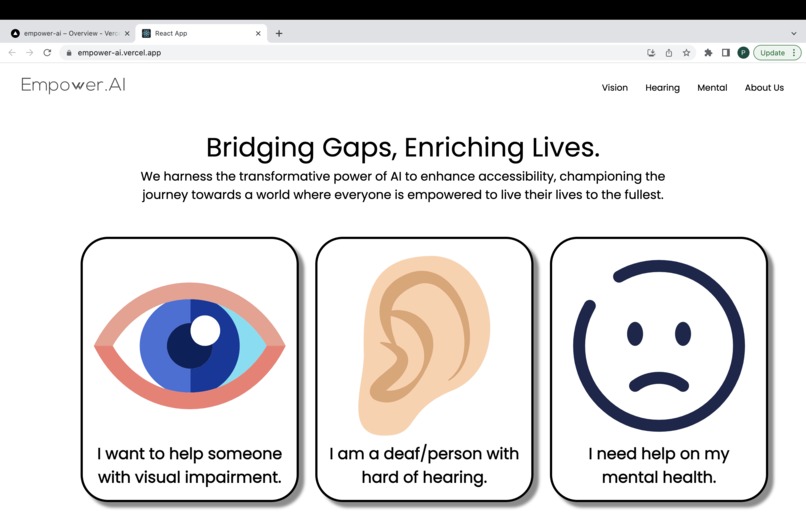
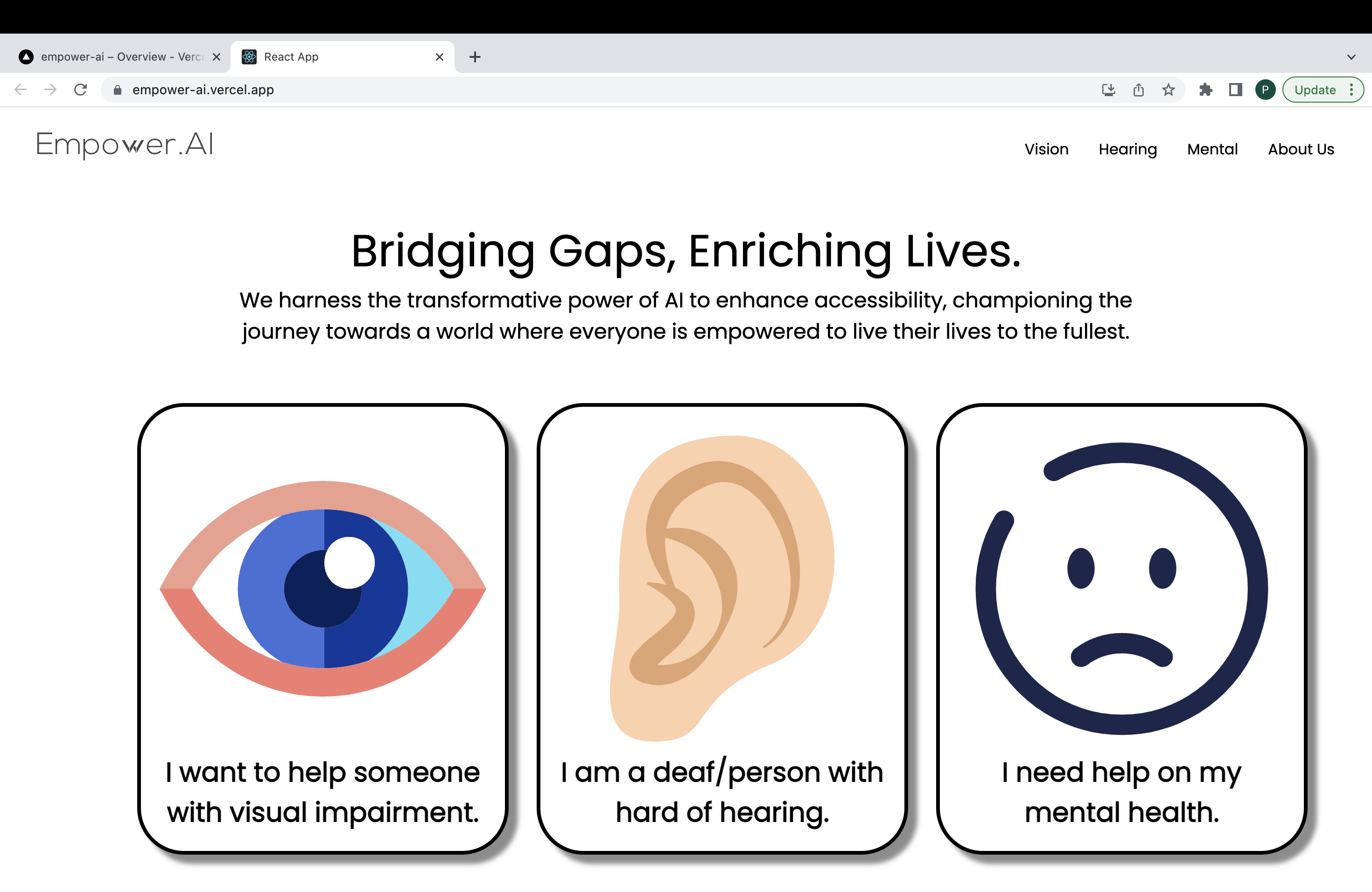
Homepage with React App
Inspiration
This project, titled "Empower.AI," was inspired by the everyday challenges faced by individuals with visual and hearing impairments and other types of disabilities. Our endeavor was to develop assistive technology tools leveraging the power of Artificial Intelligence (AI) to alleviate some of these challenges and create a more inclusive world.
The project consists of three main components: an Image Captioning and Text-to-Speech system for people with visual impairments, and a Speech Recognition system for deaf individuals and Psychology assistant for people with mental health issue.
In Indonesia itself, around 1.6 million people suffered from blindness because of Cataract. This alone has encouraged me to help them, including other type of disabilities to create a platform and break the boundaries with the normal people.
The inspiration for this project also stemmed from the observed lack of seamless and user-friendly assistive tools for people with visual and hearing impairments. Upon encountering several instances where individuals struggled to interact with their environment or access information due to these limitations, I was motivated to leverage technology to bridge this gap.
The strength of AI in understanding, interpreting, and transforming data made it an ideal choice for this endeavor. Thus, with the aim of empowering individuals with disabilities to navigate their world more freely and independently, the idea for this project was born.
What it does
Image Captioning and Text-to-Speech System The Image Captioning system is designed to assist individuals with visual impairments. The system uses Generative Image2Text by Microsoft to understand the content of images and generate descriptive captions with the model "GIT_BASE_COCO". This can be extremely beneficial for interpreting visual content on social media platforms, websites, or even real-world environments.
To make the generated captions accessible to the visually impaired, we incorporated a Text-to-Speech system using Coqui-TTS. This converts the generated captions into audible speech, enabling the user to "hear" what the image is about.
The combined Image Captioning and Text-to-Speech system allows visually impaired users to better understand and interact with their visual surroundings, enhancing their overall experience and interaction with the world.
Speech Recognition System The Speech Recognition system is tailored to assist deaf or hard-of-hearing individuals by transcribing spoken language into text. The system uses Whisper AI to understand and transcribe spoken words, making audio content accessible to those who cannot hear it.
This can be particularly helpful in situations such as watching videos, attending lectures, or participating in conversations. With the transcriptions provided by the Speech Recognition system, deaf individuals can understand the content of audio and engage more fully in their daily activities.
In addition to that, we also added a summarization. People might not be comfortable to read every script in an explanationn video, so we use the benefit of GPT 3.5 to summarize the text from the output of Whisper AI.
How I built it
For the Image Captioning, I used the repo Generative Image2Text by Microsoft. I created a FastAPI to be able to interact with it by sending HTTP POST Request of the image binary. The API will then process the image and send the output to Coqui-TTS. After the audio is generated, the API will send the audio as a FileResponse to the React App.
For the speech recognition, I used Whisper AI base model to transcribe the speech. The sample speech I provided in the video is one of the AndrewNg lecture videos available on YouTube. If the user tick the summarize checkbox, it will instruct the API to return the summary instead of the raw script of the audio. This is performed using OpenAI GPT 3.5-turbo with 16k tokens because video script usually has a long tokens.
I also planned to use LangChain to train the OpenAI GPT 3.5 to implement the Psychological Agent to help people with mental issues. I have already collected the csv responses as the training data, but I'm unable to finish it due to the time limitation.
Last but not least, I deployed the API with ngrok free app. Obviously, I won't deploy it permanently. This is just for the demo video that I used my phone with for the visual impairment tool. But the React App does get permanently deployed with Vercel which is available on my Github repo.
Challenges I ran into
Pipelining the code into a single API is pretty hard. Along with the installation problem, I changed my model a few times before getting into the right one (for now). I believe there might be another better solution to combine this, but for now I will keep to this way.
Also, I'm lucky because I have Ubuntu and CUDA installed on my Laptop. Any of this won't happen if I don't have this settings.
Accomplishments that I'm proud of
Successfully created the API.
What I learned
Piepelining can be really hard
What's next for Empower-AI
Mental Health and other disabilities problem. Improve the model capabilities by the upcoming AI research.

Log in or sign up for Devpost to join the conversation.