-
-
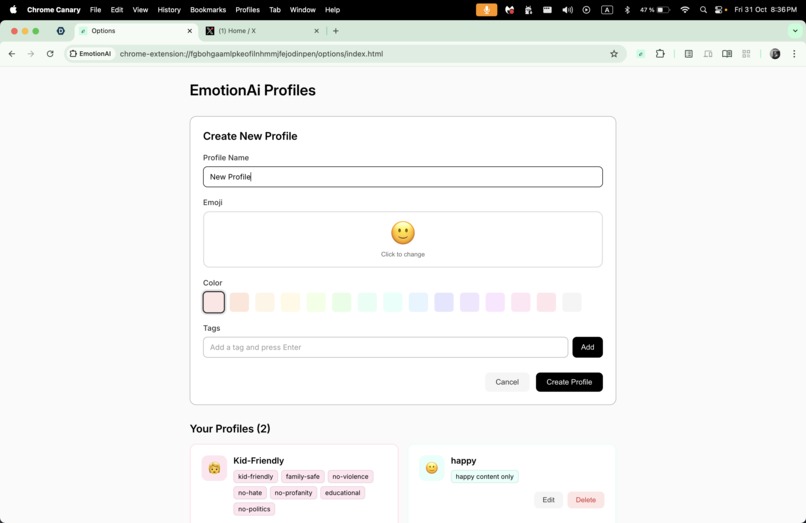
profile creation flow
-
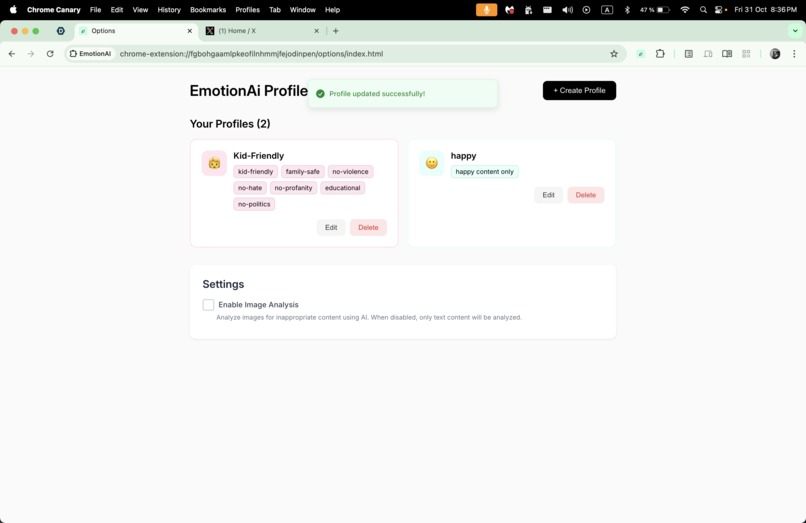
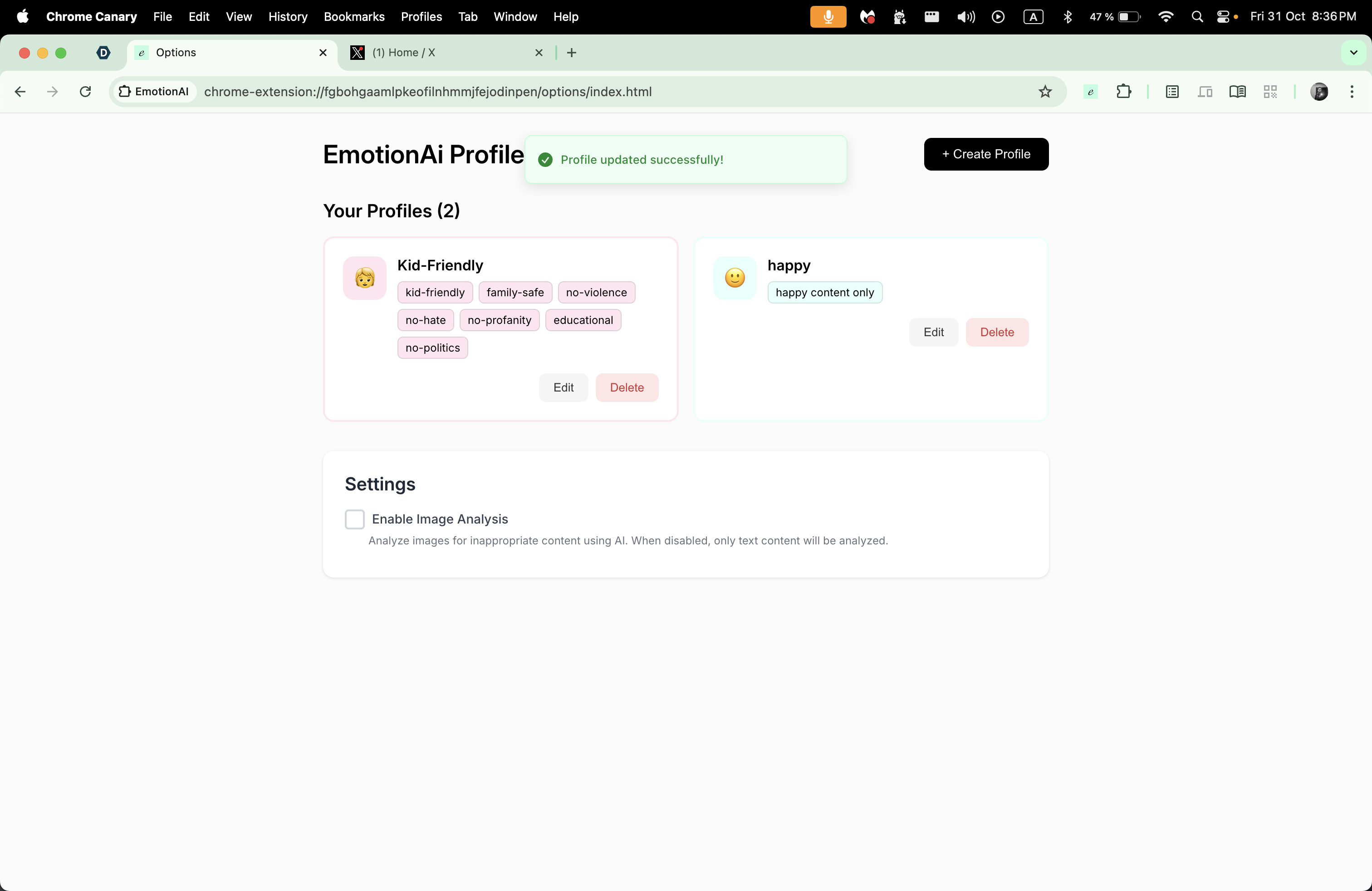
extension options page
-
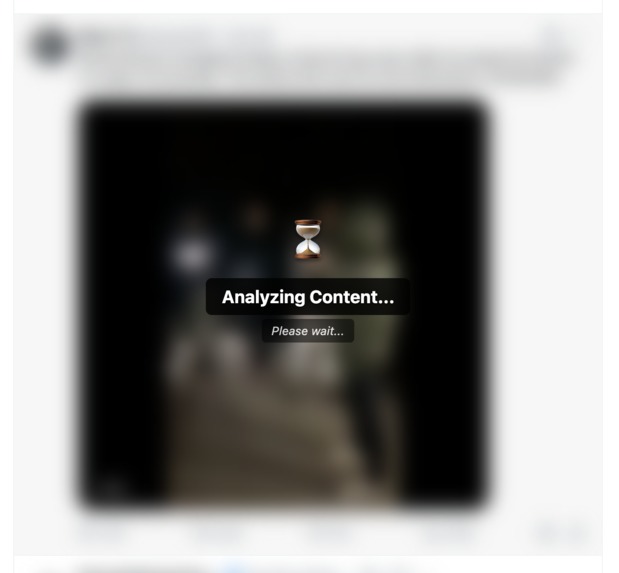
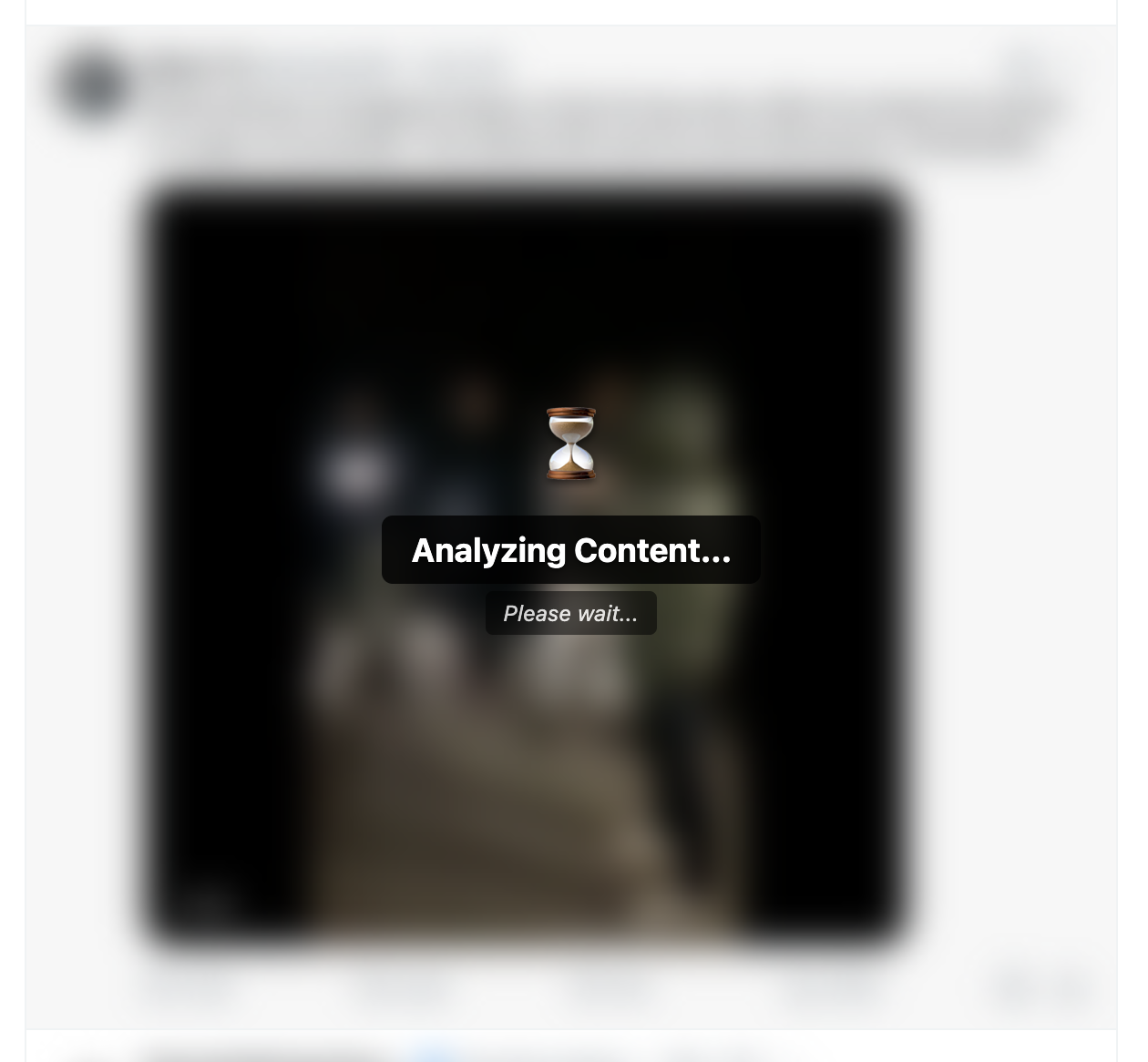
example of content during analysis flow
-

example of blocked content
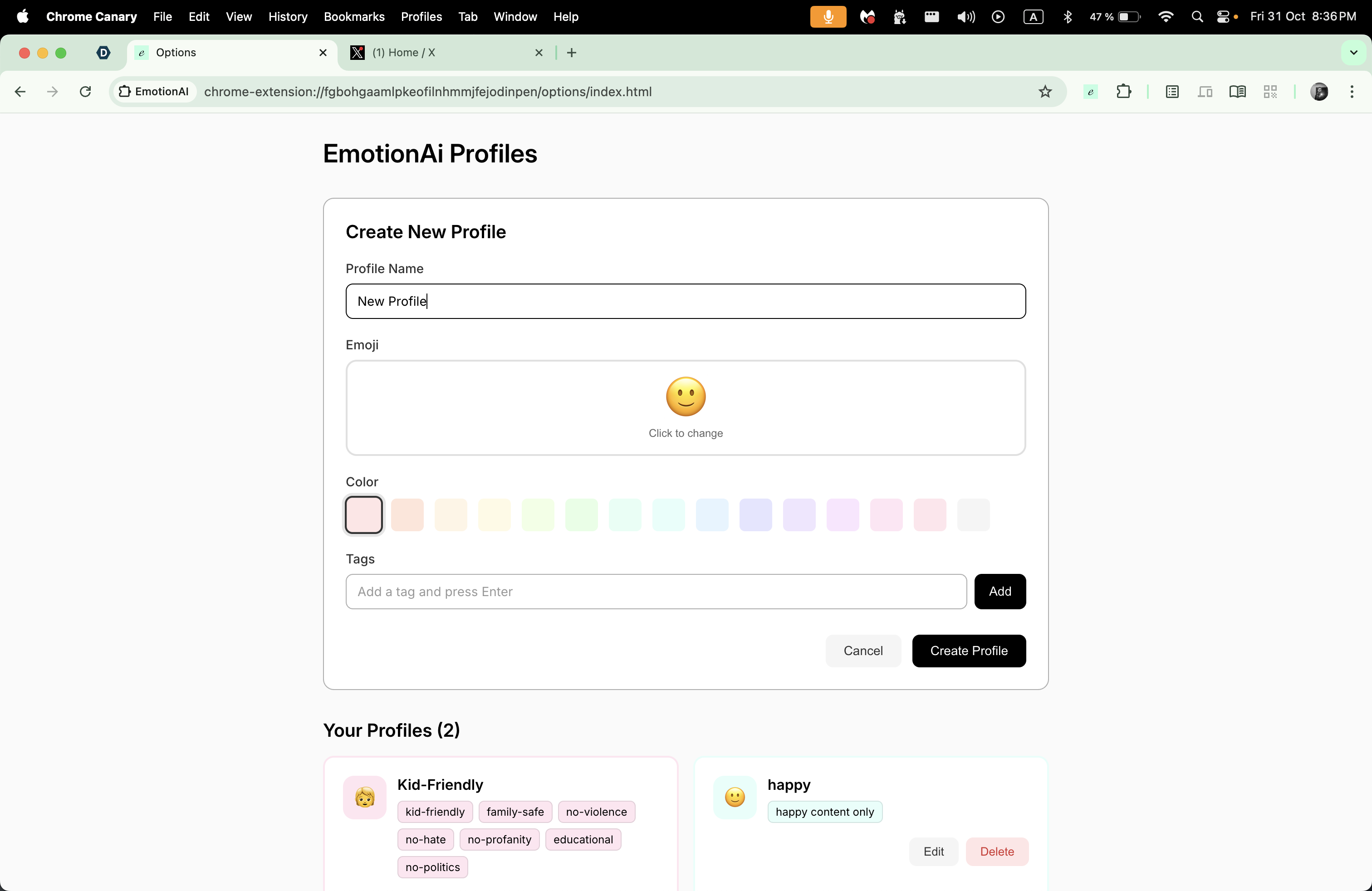

EmotionAI - Intelligent Content Safety Guardian
Inspiration
The internet is an incredible resource, but it's also full of content that can be harmful, triggering, or inappropriate for different audiences. We've all experienced moments where we wished we could control what appears on our screens - parents trying to protect their children, individuals managing PTSD or anxiety triggers, educators creating safe learning environments, or professionals wanting to focus without distractions.
Current solutions fall short: cloud-based content moderation raises privacy concerns and costs money, keyword filters are easily bypassed and lack context awareness, and one-size-fits-all blocking is too rigid. We were inspired by the potential of Chrome's Built-in AI to solve this problem differently - what if we could run powerful AI models locally, analyze both text and images in real-time, and personalize filtering to each user's needs, all while keeping 100% of the data on their device?
That's how EmotionAI was born: a privacy-first content safety extension that puts users in control.
What it does
EmotionAI is a Chrome Extension that uses Gemini Nano (Chrome's Prompt API) to analyze and filter web content in real-time, protecting users from harmful or inappropriate material while maintaining complete privacy - all processing happens locally on your device.
Key Features:
- Privacy-First: 100% client-side AI processing with Gemini Nano - no data ever leaves your device
- Multimodal Analysis: Analyzes both text AND images using Chrome's multimodal Prompt API
- Personalized Profiles: Create custom safety profiles with your own tags (Kids, Work, Mental Health, etc.)
- Real-Time Filtering: Instant content analysis as pages load with smart DOM monitoring
- Smart Actions: Blur, hide, or highlight unsafe content based on your preferences
- Zero Cost: No API quotas, no server costs, works completely offline after setup
The extension monitors web pages as they load, analyzes content against your personalized safety profile, and automatically filters anything that doesn't align with your settings. For example, a parent might create a "Kids" profile that filters violence and explicit content, while someone managing anxiety might filter triggering news topics. The AI understands context, not just keywords, so it catches nuanced harmful content that traditional filters miss.
How we built it
We architected EmotionAI as a Chrome Manifest V3 extension with a monorepo structure, leveraging multiple cutting-edge technologies:
Core AI Integration:
- Prompt API with Gemini Nano: We built a clean wrapper (
geminiLLM.ts) around Chrome's Prompt API that handles both text and multimodal image analysis - Structured Output: We use schema-constrained JSON responses (
responseConstraint) to ensure reliable safety decisions - Parameter Tuning: Optimized temperature (0.3) and topK (40) for consistent, conservative safety assessments
Content Monitoring System:
- DOM Observation: Used MutationObserver for real-time monitoring of page changes
- Smart Element Selection: Selective analysis of relevant content to minimize processing overhead
- Image Extraction: Canvas API and ImageBitmap for efficient image processing
- Debouncing & Caching: Performance optimizations to handle dynamic pages
Technical Stack:
- TypeScript 5.8+ for type safety across the entire codebase
- React 19.1 for the options page and UI components
- Vite 6.3 for fast builds with hot module replacement
- Turborepo 2.5 for monorepo management with shared packages
- SCSS for modern, maintainable styling
Architecture:
- Background service worker coordinates AI analysis and profile management
- Content scripts monitor and manipulate page content
- Options page provides React-based profile management UI
- Shared packages (@extension/storage, @extension/shared, @extension/ui) for code reuse
Mathematical Decision Process: We formalized content filtering as:
$$ C(x) = \begin{cases} \text{action}(x), & \text{if } p(\text{unsafe}|x, \text{profile}) > \tau \ x, & \text{otherwise} \end{cases} $$
where ( \tau = 0.8 ) is our confidence threshold and action can be blur, hide, or highlight.
Challenges we ran into
1. Multimodal Analysis Stability Getting image analysis working reliably was tough. Gemini Nano's multimodal capabilities were cutting-edge but sometimes unstable. We had to implement fallback strategies - if multimodal analysis fails, we gracefully degrade to text-only analysis using alt-text and surrounding context.
2. Performance vs. Accuracy Trade-offs Running AI analysis on every piece of content could slow pages to a crawl. We had to find the right balance:
- Implemented content truncation (2000 char limit) for faster analysis
- Added analysis timeouts (30 seconds max) to prevent hanging
- Built debouncing and selective element analysis
- Created a caching system to avoid re-analyzing the same content
We learned that being too strict (( \tau = 0.9 )) led to over-censoring innocent content, while being too lenient (( \tau = 0.6 )) missed harmful material. After testing, ( \tau = 0.8 ) gave us the sweet spot.
3. Dynamic Page Handling Modern web pages constantly update - infinite scroll, React updates, lazy loading. We had to make the content monitor smart enough to track what's been analyzed without creating memory leaks or analyzing the same content repeatedly.
4. Privacy-First Architecture with Manifest V3 Manifest V3's service worker model meant we couldn't maintain long-lived connections. We had to architect our session management carefully to balance efficiency (reusing sessions) with resource constraints (service worker limitations).
5. Edge Cases & Error Handling Network timeouts, model not available, malformed content, session failures - we encountered dozens of edge cases. Building robust error handling with graceful fallbacks took significant effort but was crucial for production readiness.
Accomplishments that we're proud of
🏆 First Multimodal Content Safety Extension We believe EmotionAI is the first Chrome extension to use Gemini Nano's multimodal capabilities for comprehensive content safety - analyzing both text AND images in real-time.
🔒 True Privacy-by-Design We achieved something special: powerful AI content filtering with zero data leaving the user's device. No external APIs, no cloud processing, no telemetry - just pure client-side AI.
⚡ Production-Ready Performance Despite running on-device AI analysis, the extension feels fast and responsive. Our optimizations make it practical for everyday browsing.
🎨 Intuitive User Experience We built a beautiful, modern options page where users can create and manage profiles effortlessly. The blur-and-reveal interaction pattern feels natural and puts users in control.
📚 Clean, Documented Codebase We maintained high code quality with TypeScript, comprehensive error handling, and detailed documentation. The monorepo structure with shared packages makes the code maintainable and extensible.
🧪 Innovative Architecture Patterns Our "preventive blur" approach (blur first, reveal if safe) prevents exposure during analysis - a unique pattern we're proud of developing.
What we learned
Technical Insights:
- How to efficiently run multimodal AI models in a browser extension context
- Session management strategies for Chrome's Prompt API
- Performance optimization techniques for real-time content analysis
- The importance of graceful degradation and fallback strategies
- How to balance accuracy, performance, and user experience
AI/ML Learnings:
- Prompt engineering for reliable safety classification
- Using structured output constraints for consistent results
- Parameter tuning (temperature, topK) for different use cases
- Multimodal analysis combining visual and textual signals
- The challenges of context-aware content moderation
Product Design:
- Privacy-first architecture doesn't mean sacrificing features
- Personalization is key - one-size-fits-all doesn't work for content filtering
- Transparency and user control build trust (show why content was filtered)
- Performance perception matters as much as actual performance
Chrome Extension Development:
- Manifest V3 service worker constraints and workarounds
- Efficient communication between content scripts and background workers
- DOM manipulation without breaking page functionality
- Building maintainable extensions with modern tooling (Vite, Turborepo)
Most Importantly: We learned that client-side AI is transformative. Chrome's Built-in AI APIs enable entirely new categories of privacy-respecting applications that would be impossible or impractical with cloud-based AI. This project opened our eyes to the potential of on-device intelligence.
What's next for EmotionAI
Short-term Enhancements:
- 🌍 Multi-language Support: Extend content analysis beyond English
- 🎯 Advanced Profile Features: Profile scheduling (Kids mode during school hours), sharing profiles between devices
- 📊 Analytics Dashboard: Show users statistics about filtered content (privacy-preserving, local only)
- 🎨 Custom Actions: Let users define their own content actions beyond blur/hide/highlight
- ⚙️ Per-site Settings: Override global profiles for specific websites
Medium-term Goals:
- 🔌 Browser Expansion: Port to Firefox and Edge when they support similar on-device AI
- 🤝 Community Profiles: Allow users to export/import profile templates (while maintaining privacy)
- 🧠 Adaptive Learning: Let users provide feedback to fine-tune their profile over time
- 🔗 API for Developers: Enable other extensions to integrate with EmotionAI's analysis
Long-term Vision:
- 🌐 Platform Services: Partner with education platforms, parental control systems, and corporate tools
- 🎓 Research Collaboration: Work with mental health professionals to optimize trigger content filtering
- 🛡️ Industry Standard: Make client-side content safety the norm, not the exception
We're excited about EmotionAI's potential to make the web safer and more accessible for everyone, while proving that powerful AI can respect user privacy. The future is on-device intelligence, and we're just getting started! 🚀
Built With
- eslint
- manifestv3
- pnpm
- promptapi
- react
- scss
- turborepo
- typescript
- vite

Log in or sign up for Devpost to join the conversation.