Inspiration
Every Twitch community has its own language: the emotes everyone reaches for, the regulars who keep returning, and the moments that make chat explode. We wanted those shared reactions to become something viewers could play together.
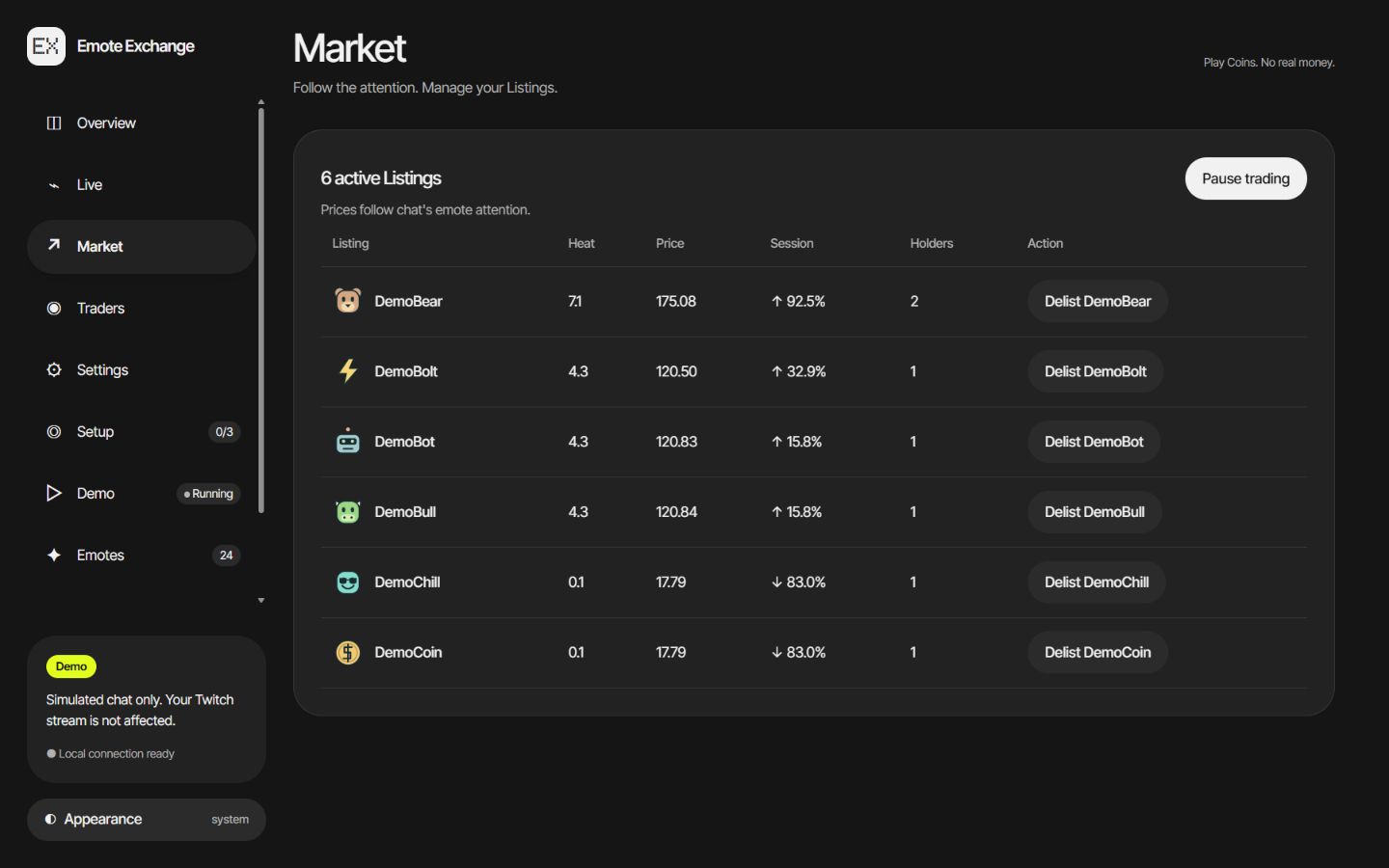
Emote Exchange gives that attention a visible story. An emote becomes a Listing, chat activity moves its Price, and viewers decide when to buy or sell using free play Coins. The game lives alongside the stream, where the community already gathers.
What it does
Emote Exchange turns a channel's recognized emotes into a live community market. Two different Chatters using an emote can trigger its IPO. Prices follow recent emote attention, with diminishing credit for repeated Uses from the same person.
Viewers participate directly in Twitch chat:
- Buy and sell: trade whole shares of a listed emote with
!buyand!sell. - Follow a Portfolio: use
!portfolioor!pfto see Coins, Holdings, Net Worth and a live Streak. - Check in: say
!greetingsfollowed by a few words to claim Coins once per open Stream. Consecutive Streams build a Streak and increase the reward. - Find the action:
!marketshows playing instructions and the hottest tickers;!topshows the leading Traders. - Earn Coins: start with a balance, earn a Stipend for qualifying chat minutes, receive a Follow bonus, or qualify for a Raid Visa after a Raid.
The streamer can give an existing Trader a Grant from the dashboard or with the broadcaster-only !grant command. Mods and the broadcaster can pause trading, Freeze a Trader or Delist an emote.
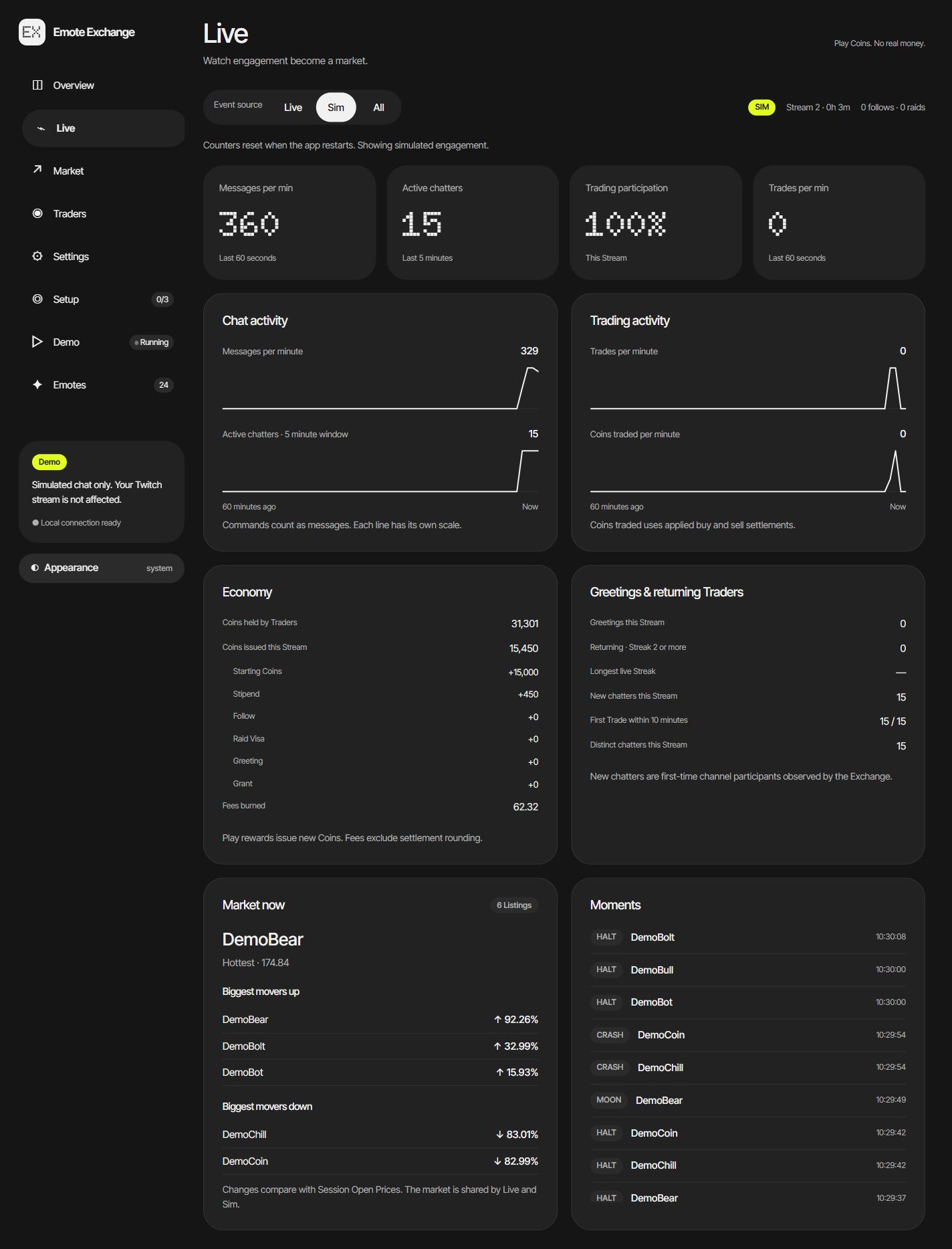
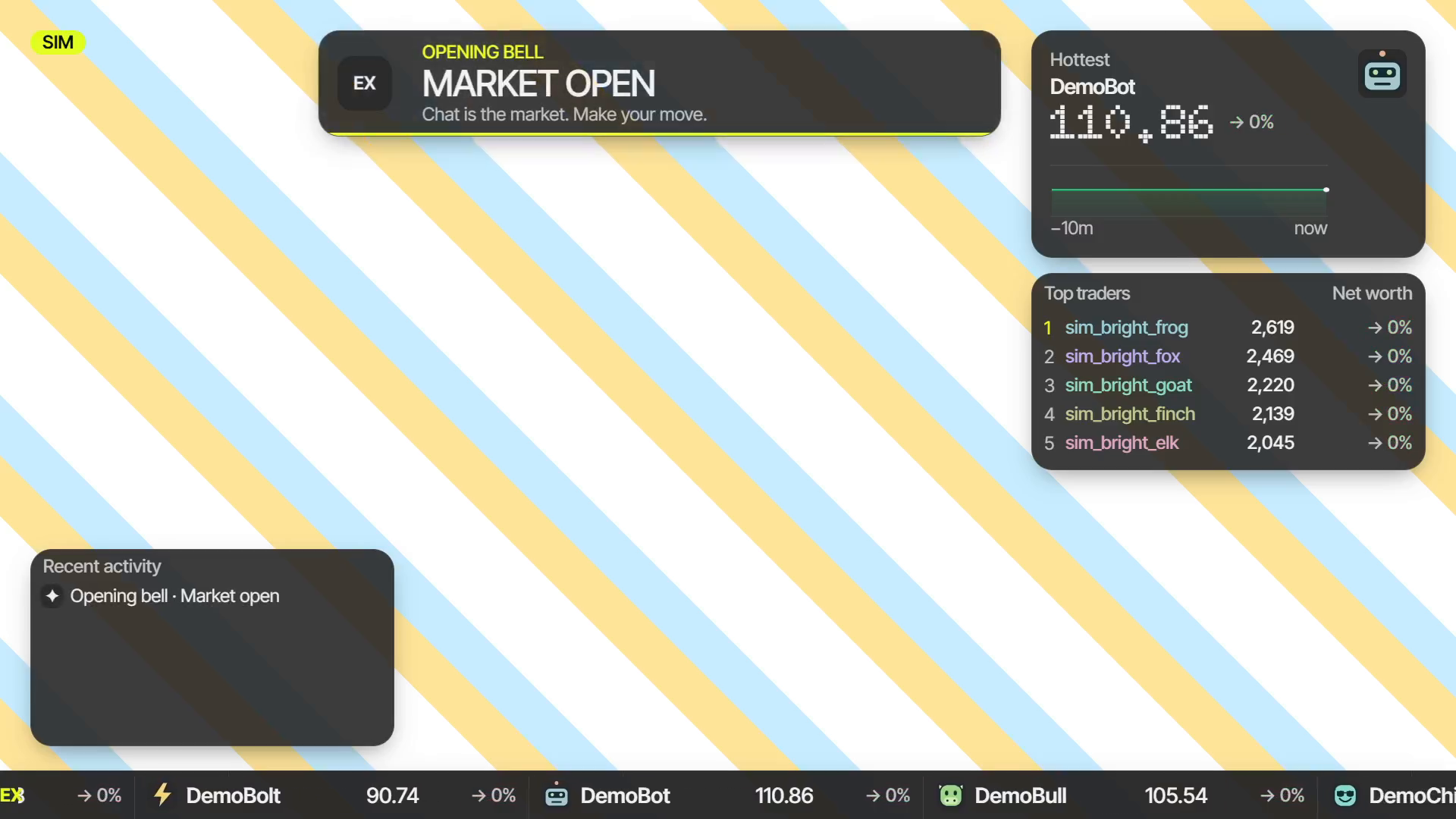
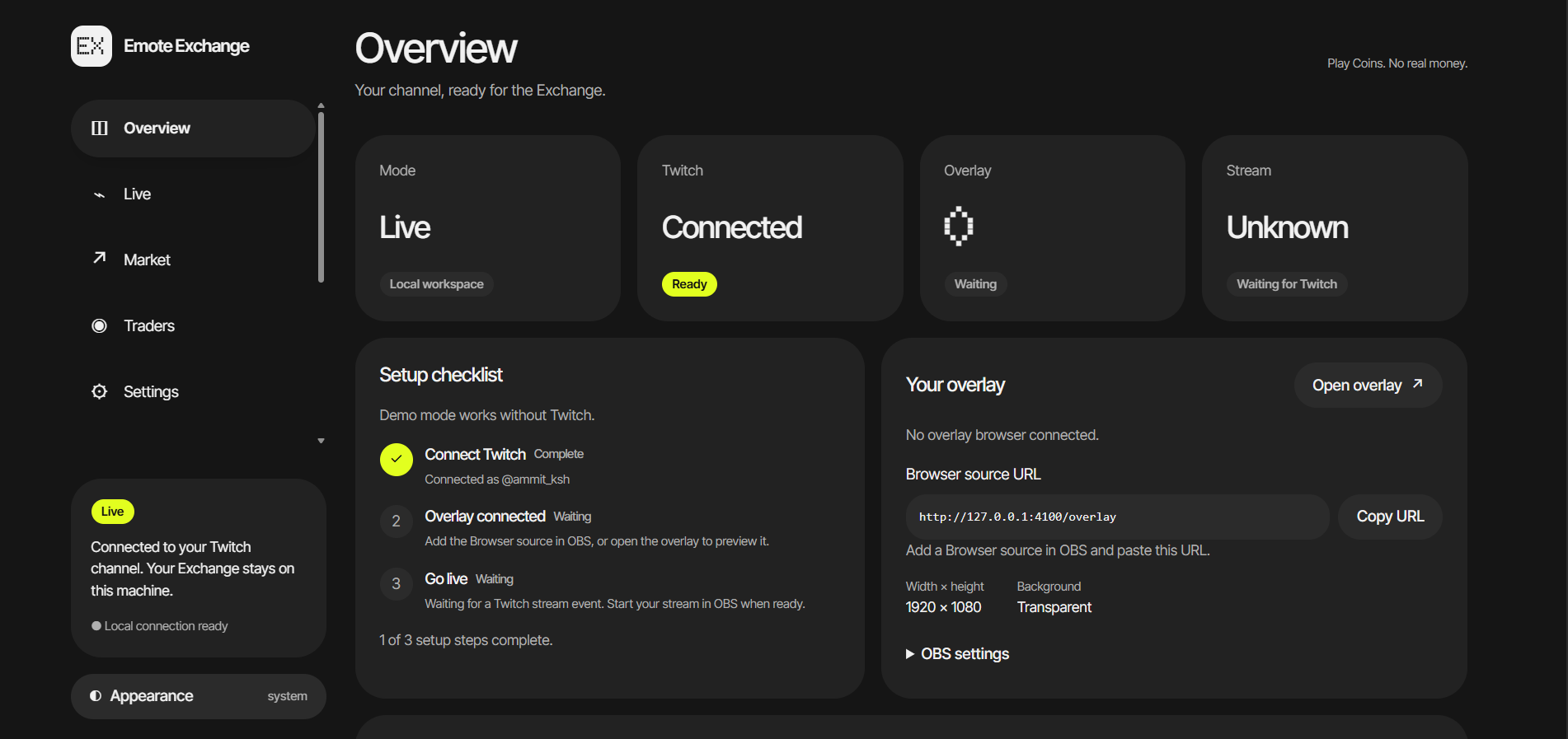
A transparent OBS overlay shows the Price tape, chart, leaderboard, recent activity and market moments such as IPOs, Halts, Moons and Crashes. The dashboard brings together market controls, Traders, emote catalogs and Live analytics for engagement, participation and the economy.
Coins have no cash value: there are no deposits, withdrawals or real-money redemption. Portfolios and Streaks survive app restarts. A bundled demo lets someone explore the app without connecting a Twitch account.
Commands viewers can try
The examples use DemoBull; on a connected channel, choose an active Listing from !market.
| Command | What happens |
|---|---|
!buy DemoBull 2 |
Buy two shares at the current Price, including the Fee |
!buy DemoBull max |
Buy as many shares as the Trader can afford within the trade limit |
!sell DemoBull 1 |
Sell one share |
!sell DemoBull all |
Sell all owned shares of that Listing |
!portfolio or !pf |
Show Coins, Holdings, Net Worth and a live Streak |
!greetings good evening |
Claim the once-per-Stream Greeting reward |
!market |
Show instructions and the hottest tickers |
!top |
Show the top three Traders |
The broadcaster can use !grant @name 500 to give an existing Trader 500 Coins. Mods and the broadcaster can use !market pause, !market resume, !freeze @name, !unfreeze @name and !delist DemoBull.
Check-ins and Coin rewards
These are the default rewards; the app uses validated settings.
| Reward | Coins |
|---|---|
| Starting balance for a new Trader | 1,000 |
| Stipend for a minute with qualifying non-command chat | 10 |
| Follow bonus | 200 |
| Raid Visa for an eligible first-time Chatter within five minutes after a Raid | 500 |
| First Greeting claim | 50 |
| Each consecutive Stream's Greeting claim | 10 more, reaching 140 at Streak 10 |
| Broadcaster Grant | Chosen amount, up to the configured maximum; default maximum 10,000 |
The check-in follows Streams, not calendar days. A Trader can claim once per open Stream. Skipping a whole Stream breaks the Streak. Greeting words are not retained or echoed by the app; only the claim matters.
How we built it with Codex
I used OpenAI Codex throughout the build, while I handled product direction, account approvals and real viewer testing.
Planning: I asked Codex to review the repository docs, refine the technology choices and organize the work into sprints with clear acceptance checks.
Market rules: We tested Price behavior with fixed experiments before building the engine. Codex helped implement trading, whole-Coin settlement, Greetings, Streaks, Grants and analytics.
Incremental development: I worked through one task at a time, reviewed the running result and asked Codex to verify and commit each completed task.
Design: I shared UI references and requested a product redesign. We refined the dashboard and OBS overlay, checking contrast, numbers and Feed readability at full and half scale.
Twitch integration: Codex implemented OAuth, EventSub and Helix replies through a rate-limited queue. I authorized the accounts and sent real viewer commands to verify bot replies, balances and overlay updates.
Review and debugging: Codex caught demo buys arriving before emotes became Listings. We corrected the order and added a scenario check requiring accepted Trades.
Verification: We ran type checks, lint, tests, build and production smoke checks. The verified build has 184 passing tests covering settlement, permissions, restart recovery and simulated-output isolation.
Deployment: I chose Render after the frontend-only Vercel deployment could not run the Node backend. Codex helped add Turso persistence, verify hosted behavior and document local setup.
Challenges we ran into
Making a small chat feel active. The game needs meaningful Price movement without requiring thousands of messages. Attention Share, fading Heat and diminishing repeats help a small community create a visible market story.
Making rewards understandable. Coins, Fees, Greetings, Streaks and Grants need clear feedback. Bot replies, the Feed and the Traders list show what happened, while whole-Coin settlement keeps balances predictable.
Keeping the stream readable. An overlay competes with the content behind it. We refined contrast, numerical widths and Feed spacing over bright and dark backgrounds, including the striped scene used in the recorded demo.
Accomplishments we're proud of
The full interaction loop works through real Twitch chat: a viewer checks in, buys, checks a Portfolio, sells and receives a streamer Grant. The bot replies and the overlay reflect those actions. The streamer can also watch participation on the Live page and manage the market from one dashboard.
The offline demo uses the same market rules, includes original bundled emotes and supports scenarios such as Opening day, Pump and dump, Raid wave and Greeting streak. Simulated activity is identified and does not send messages to Twitch.
What we learned
A stream game needs reasons to participate beyond trading. Check-ins recognize returning Chatters, Grants let the streamer reward a moment, and the leaderboard gives the community something to follow together. Clear feedback and a readable overlay are central to making those features feel connected.
What's next
We would like to add Portfolio overlay cards, optional sound cues, longer historical charts and export/import tools. These are future ideas, rather than features claimed in the current build.
Built with
OpenAI Codex, TypeScript, Node.js, React, Vite, Hono, SQLite, Twitch API, Twitch EventSub, Server-Sent Events, OBS Studio. Demo narration: ElevenLabs.
The dashboard scenario screenshots show simulation. The launch-film frame shows actual Twitch chat and app responses recorded locally in OBS.
Try it locally
Follow the app README for the required Node and pnpm versions. From the repository root:
pnpm install --frozen-lockfile
pnpm dev:exchange
Open http://localhost:4100/, choose Start demo, and view http://127.0.0.1:4100/overlay. The bundled demo needs no Twitch keys. Live Twitch use requires the streamer's own application credentials and account connections, as described in the README.
Built With
- elevenlabs.
- hono
- node.js
- obs
- openai-codex
- react
- server-sent-events
- sqlite
- twitch
- twitch-eventsub
- typescript
- vite
