-
-
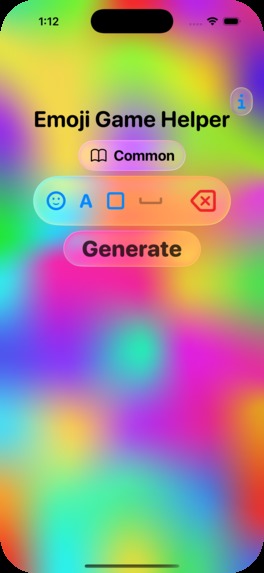
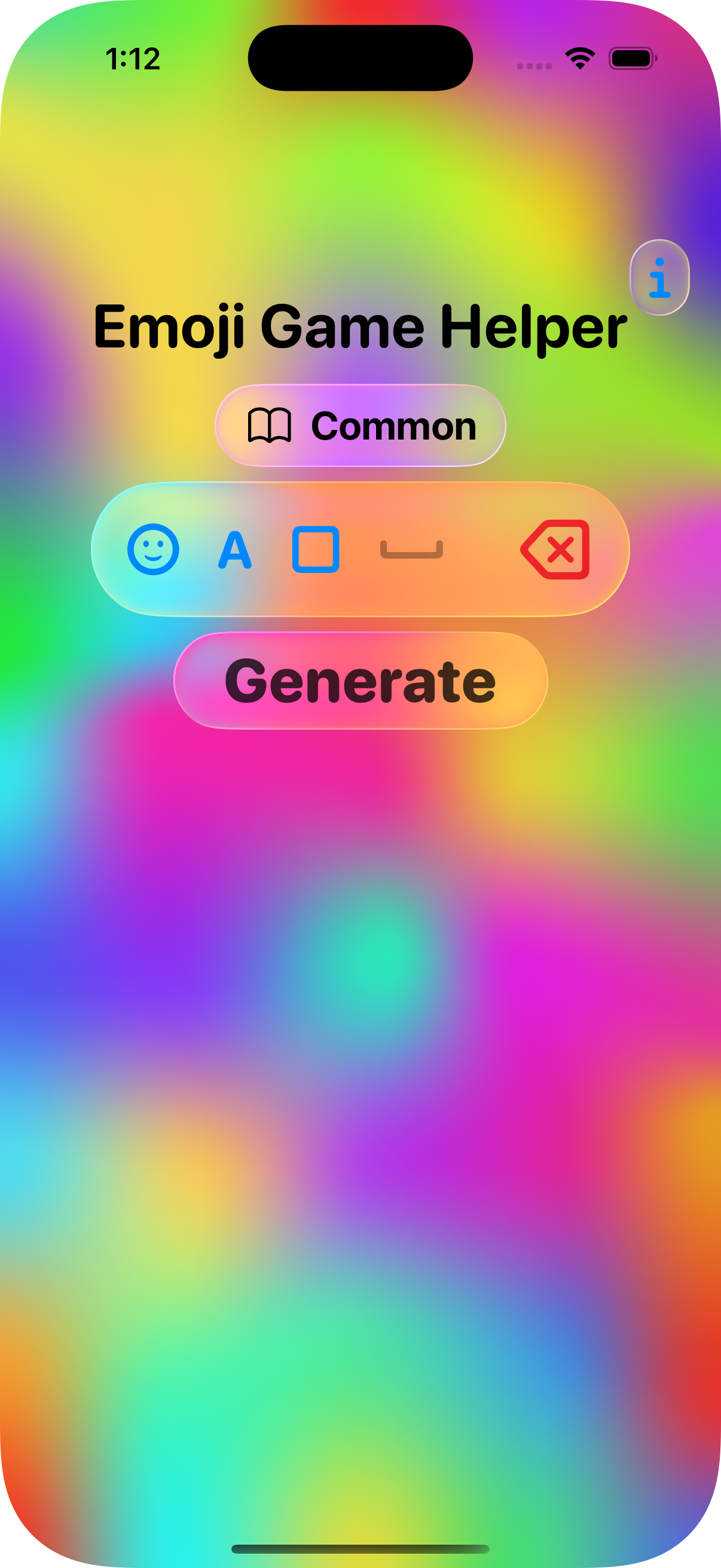
Emoji Game Helper main screen
-
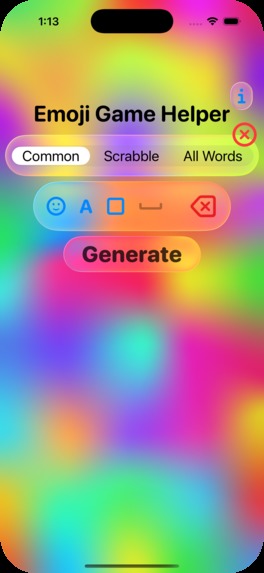
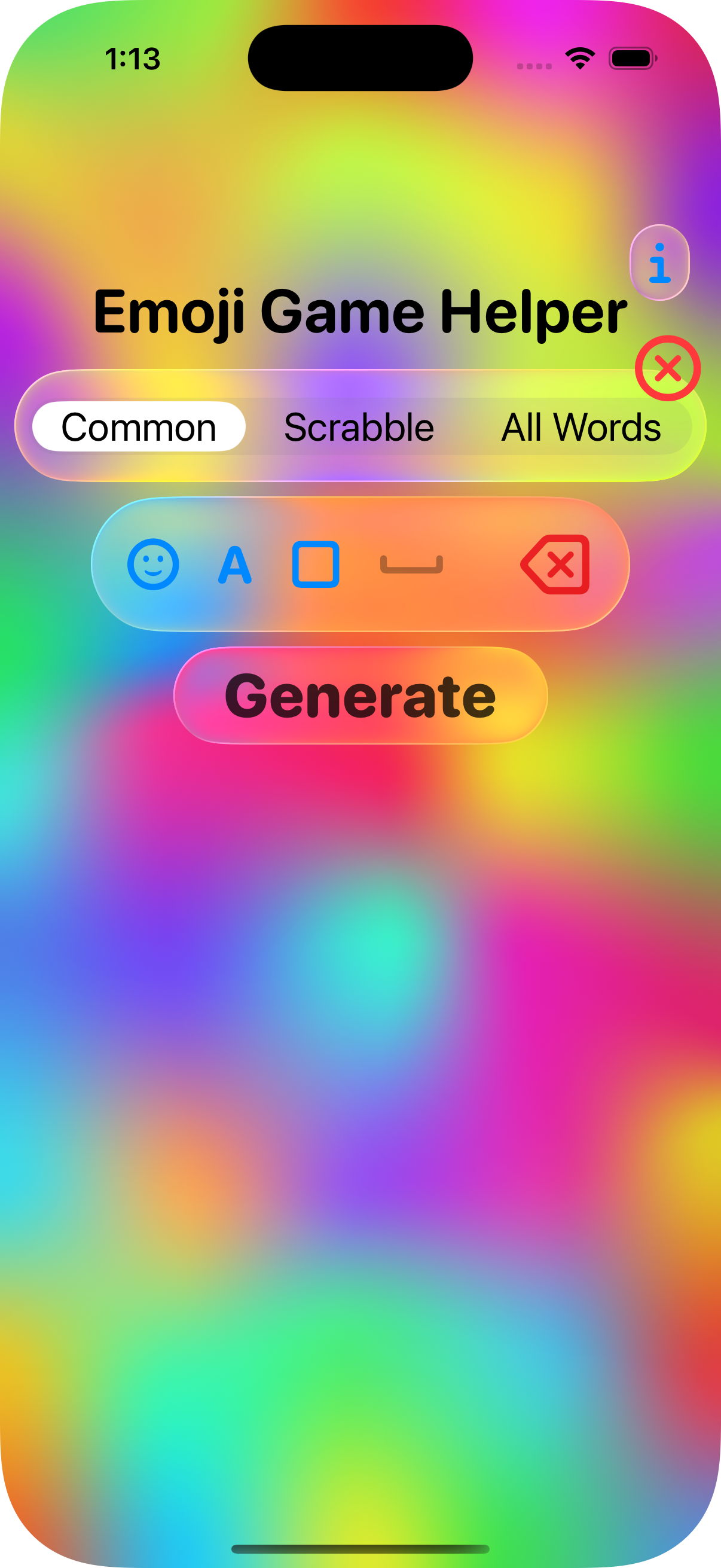
Choosing a word list
-
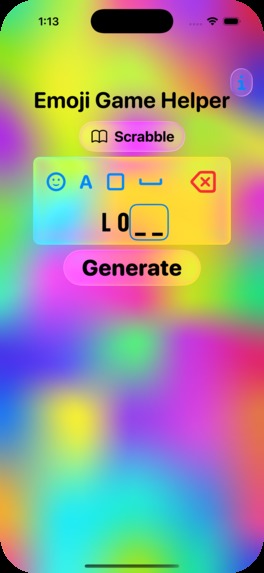
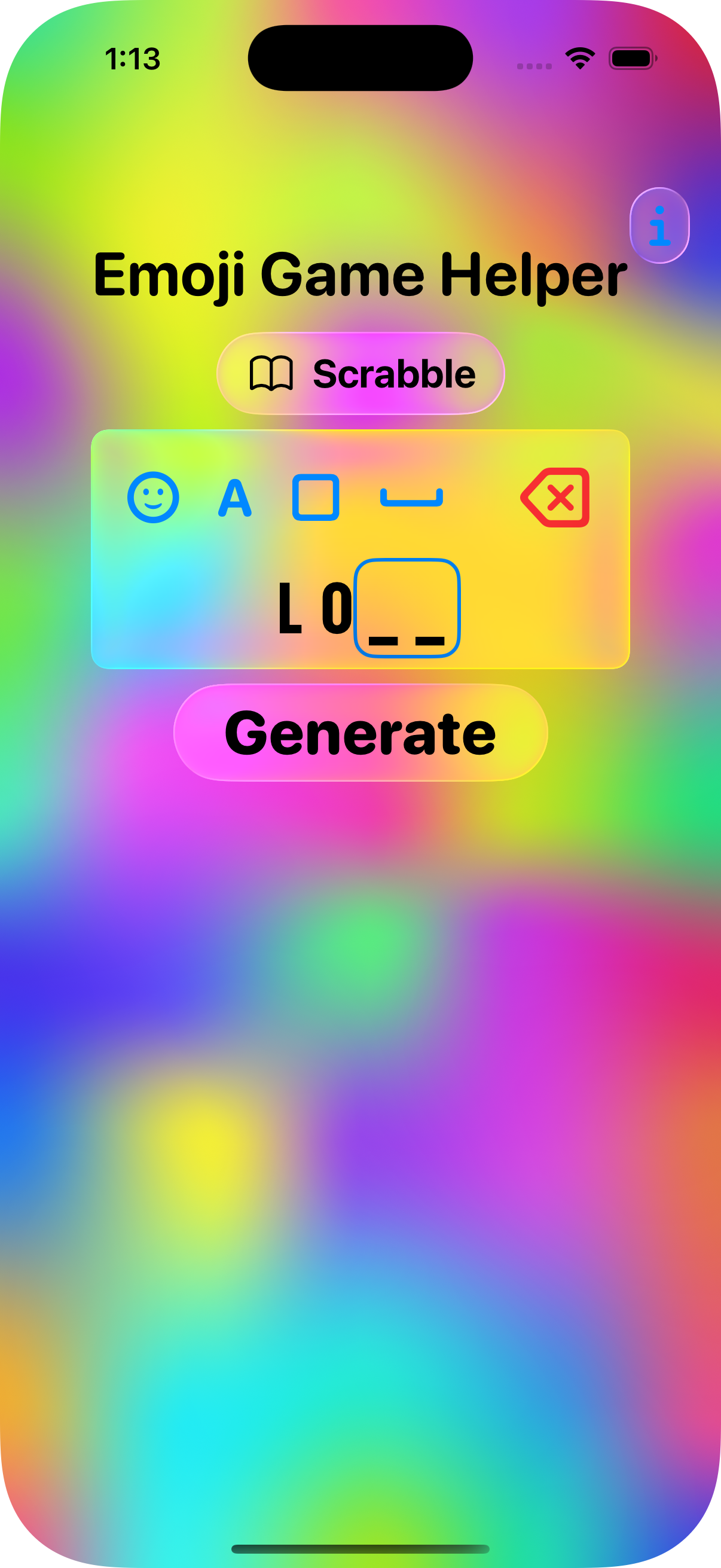
Creating a puzzle pattern
-
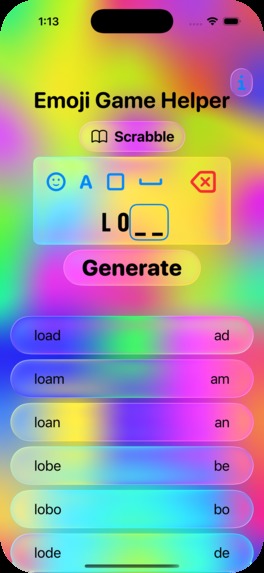
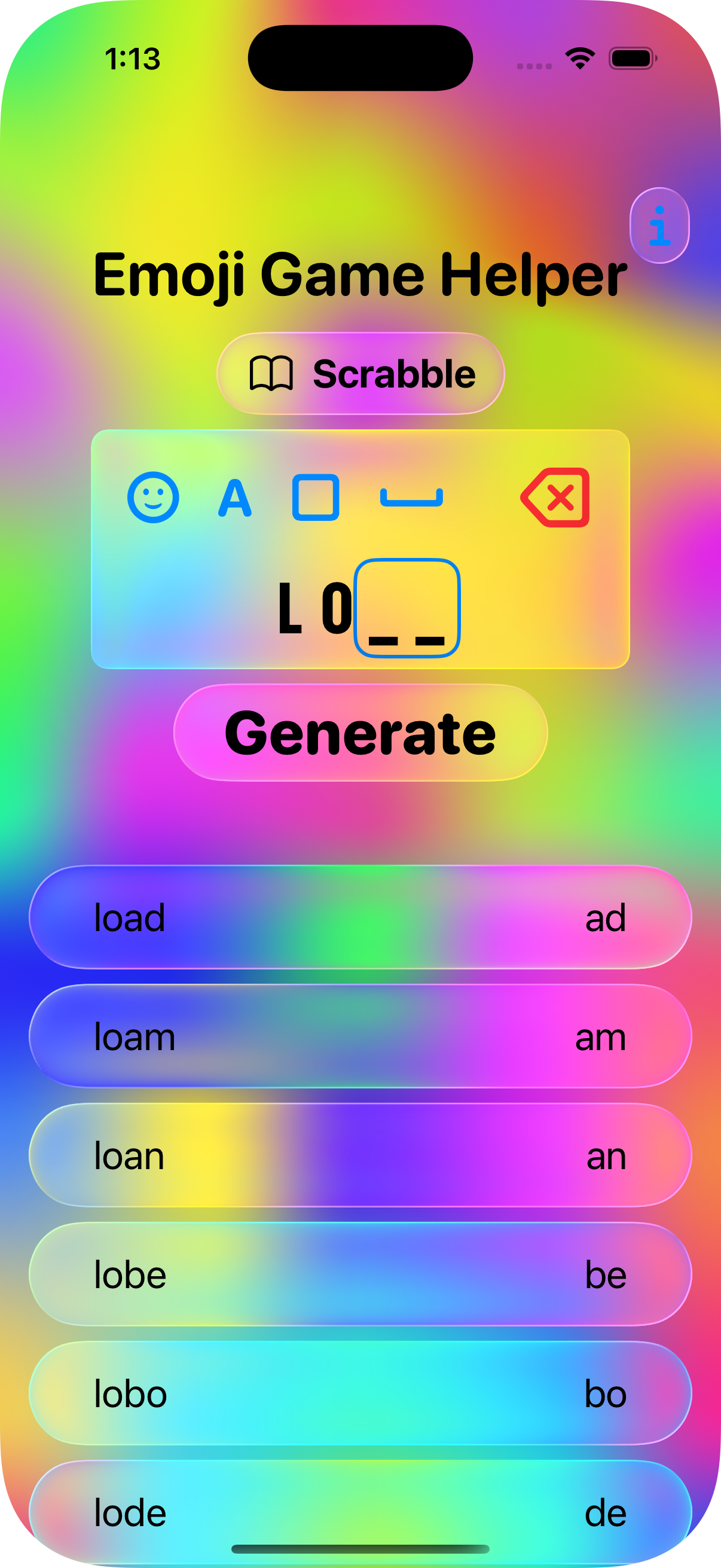
Generated answers
Inspiration
I started playing Apple's Emoji Game as soon as the iOS 26 beta was available, and I loved it. But at times it was confounding. I looked for some online help, but found none. The Emoji Game has a unique format that requires one to solve 2 (or more) words at the same time. So, I decided to create my own helper app specifically for the game. I also wanted to learn the new Liquid Glass design paradigm, so I went all-in.
What it does
The Emoji Game presents several word patterns to solve for each puzzle. A pattern can contain placeholders for the emoji solution, fixed letters, and spaces. In the app you enter a pattern that matches one from the puzzle, pick a word list, and tap the Generate button. The app uses an algorithm I created to find word combinations that solve both the full word in the pattern and the subset emoji word. The potential solutions are listed, and you can look through them to get a hint on how to solve the puzzle.
For example, the puzzle might have the pattern:
L O _ _
The app will come up with many possible solutions such as:
LOAD AD
LOAN AN
LOBE BE
As the left words solve the full word pattern, and the right word is the corresponding Emoji word.
How we built it
I created an app using Swift and SwiftUI. It's cross-platform and runs on iOS, iPadOS, macOS and visionOS. While I initially built the app using the Liquid Glass interface available in x26 OSes, I also made it work for those running the prior version X.4 or above (e.g. iOS 18.4) as Apple made the Emoji Game available to those running back to that version.
Word pattern matching can be quite slow if one searches though all possible words in a large list. So I implemented a custom prefix trie for each word list. This greatly speeds up the search. It's a custom implementation as the trie needs to deal with wildcards.
I also decided to try making a flowing animated background to really highlight the glass effects. I had a little help from AI to get the parameters the way I wanted, but I used a SwiftUI MeshGradient for the layout, while animating the parameters.
Challenges we ran into
I had many challenges. The first was implementing the Liquid Glass interface. There is not a lot of documentation or examples, so I had a lot of trial and error. The next challenge was making the interface compatible with older OSes without Liquid Glass. It took a while to get an interface that at least looked close, and a lot of conditionals.
A big challenge was trying to figure out how to represent the puzzle patterns. There are several possible variations. I first tried making a way to describe a pattern with parameters (e.g. word length, prefix characters, etc.). This was getting too confusing, so I pivoted to a "builder" interface where you use buttons to recreate the puzzle pattern.
Implementing a prefix trie to handle wildcards took a lot of thought and experimentation.
Accomplishments that we're proud of
I'm really proud that the app works as well as it does and is actually useful. I have now used it to help with a few puzzles.
What we learned
I learned a lot about implementing the Liquid Glass interface. I also learned about implementing a prefix trie to speed up word pattern searches.
What's next for Emoji Game Helper App
I want to get some user feedback before considering any new features. I also need to integrate Revenue Cat for payments. I have considered several revenue models and want to survey users before settling on one. Some future features could include solving multiple patterns at once to create word phrases, and maybe using AI to analyze emoji set images to give hints on what words they might imply.
I also want to work on improving the word lists. I include 3 in the app, but the puzzle can sometimes represent non-words like places or names.
Built With
- swift
- swiftui


Log in or sign up for Devpost to join the conversation.