-
-
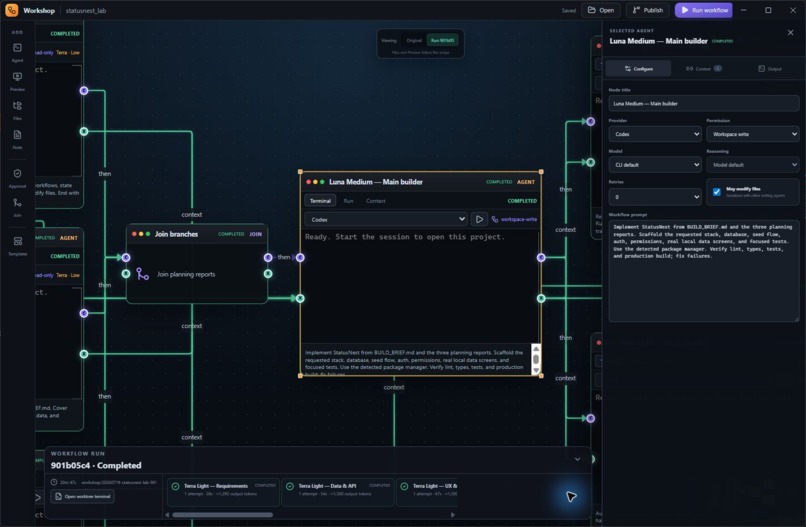
Configure each agent’s model, reasoning level, permissions, retries, and role.
-
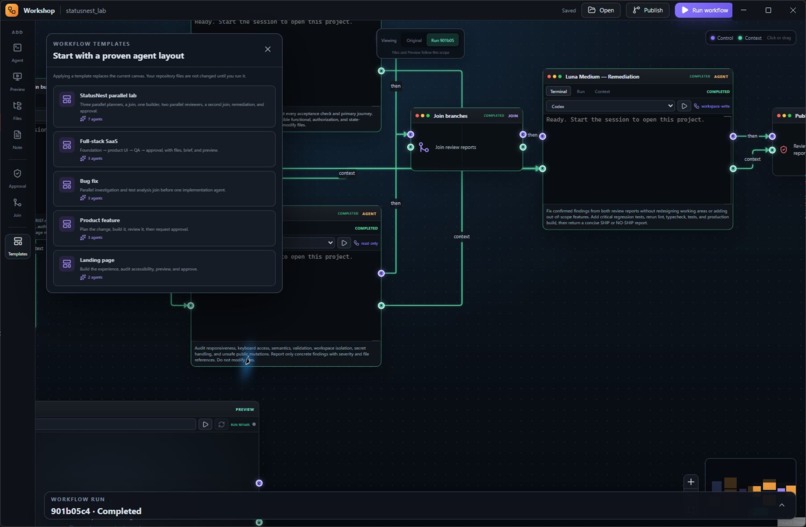
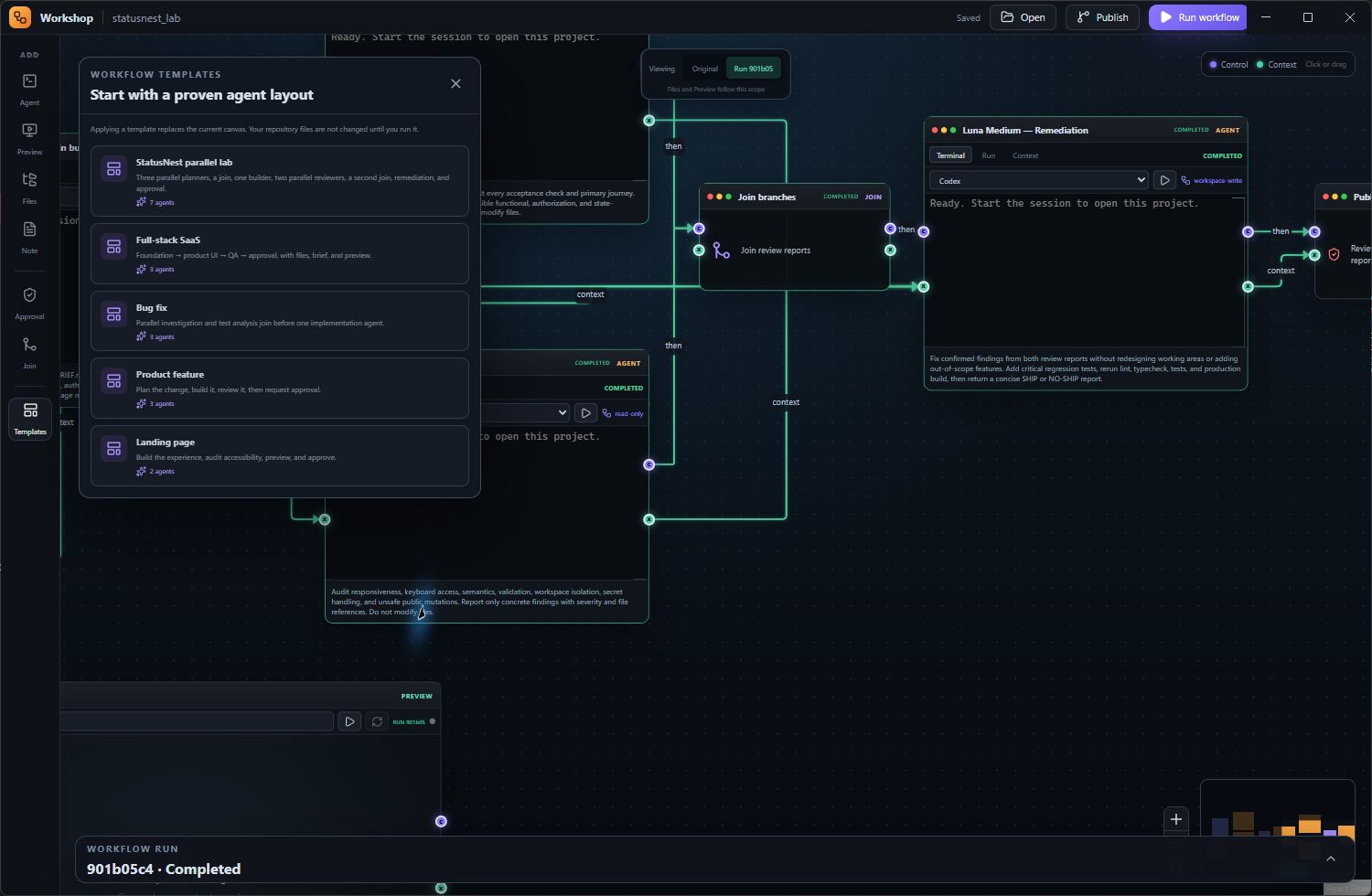
Start quickly with reusable templates for full-stack builds, features, and bug fixes.
-
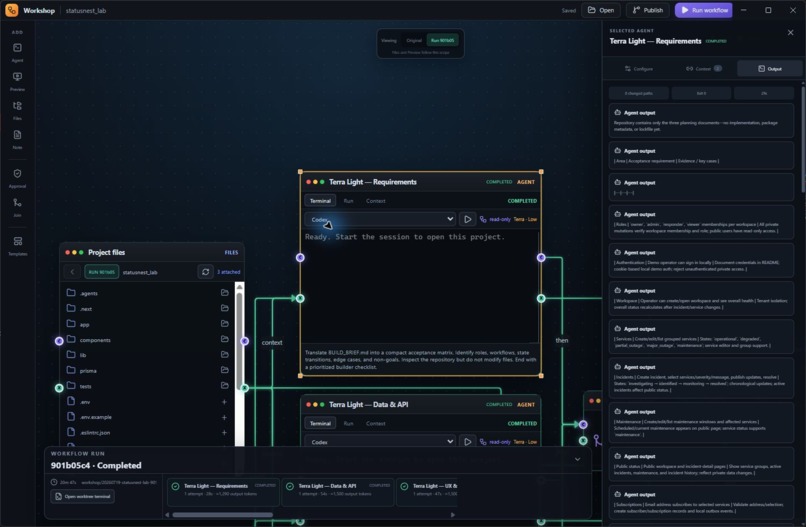
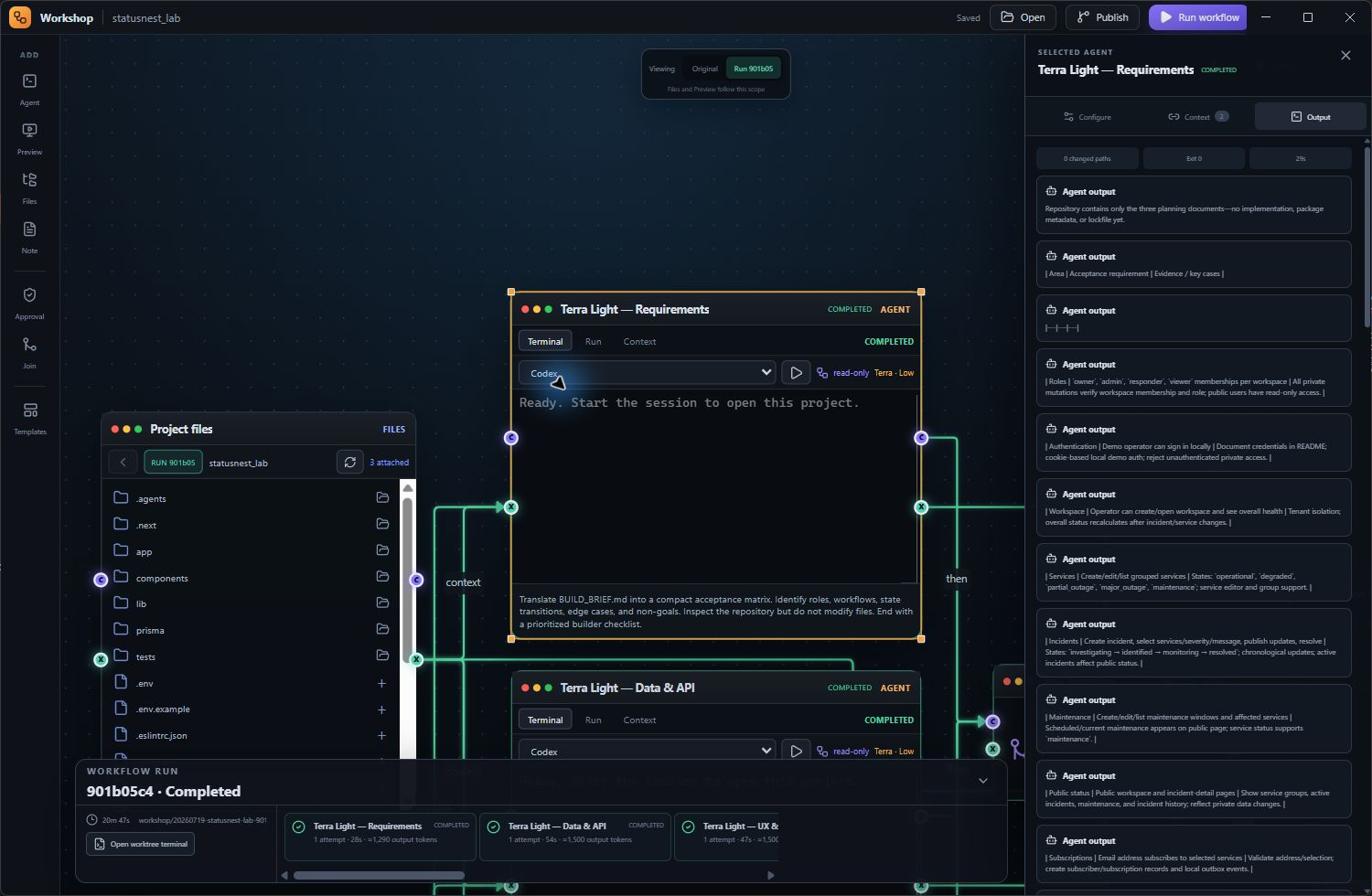
Review readable agent activity, completed tasks, changed files, and workflow results.
-
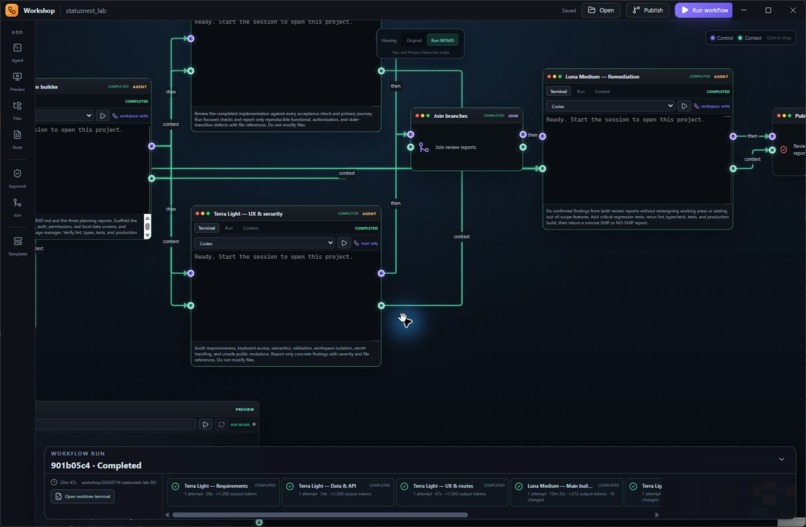
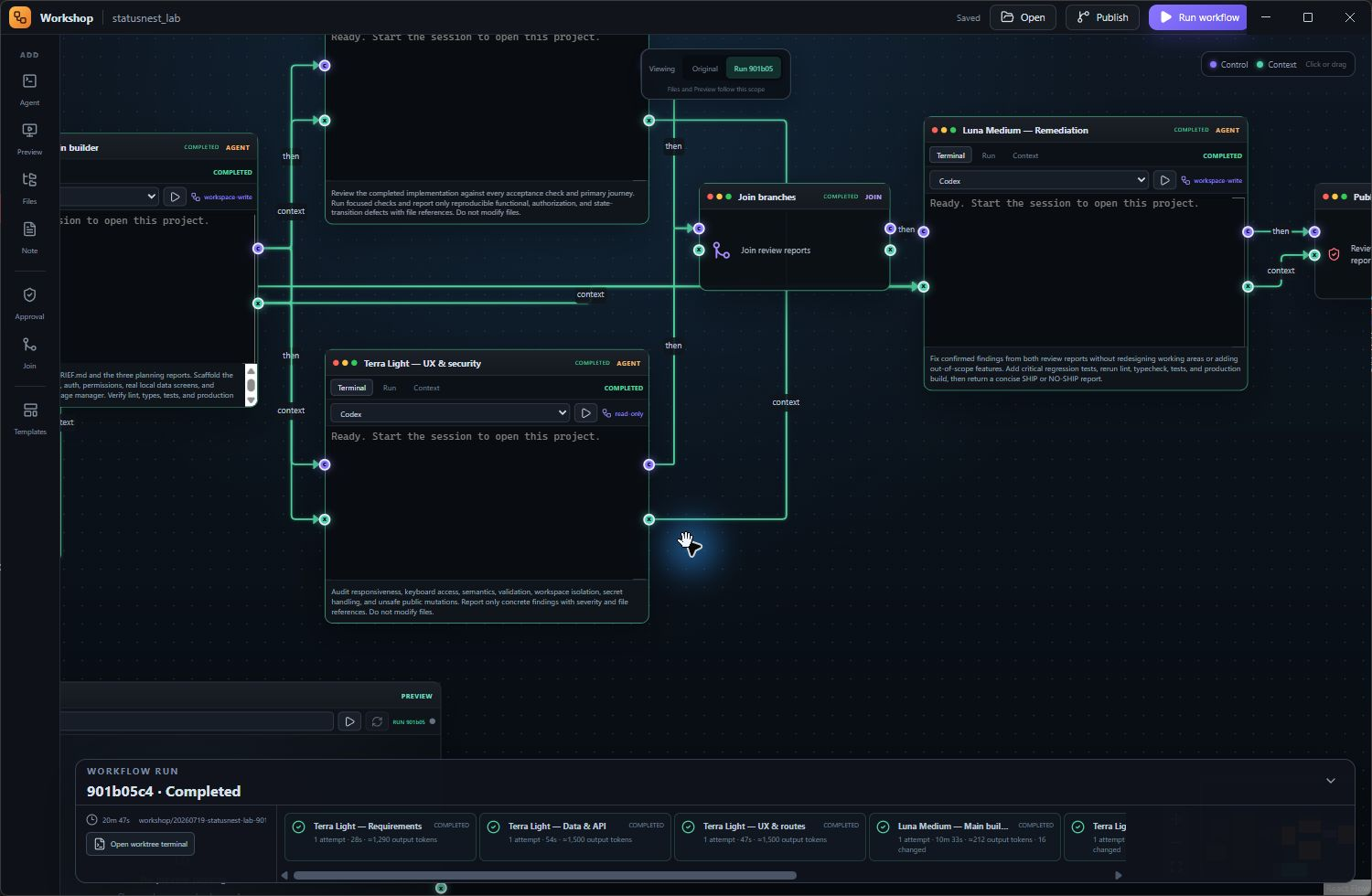
Branch, join, approve, and monitor work visually.
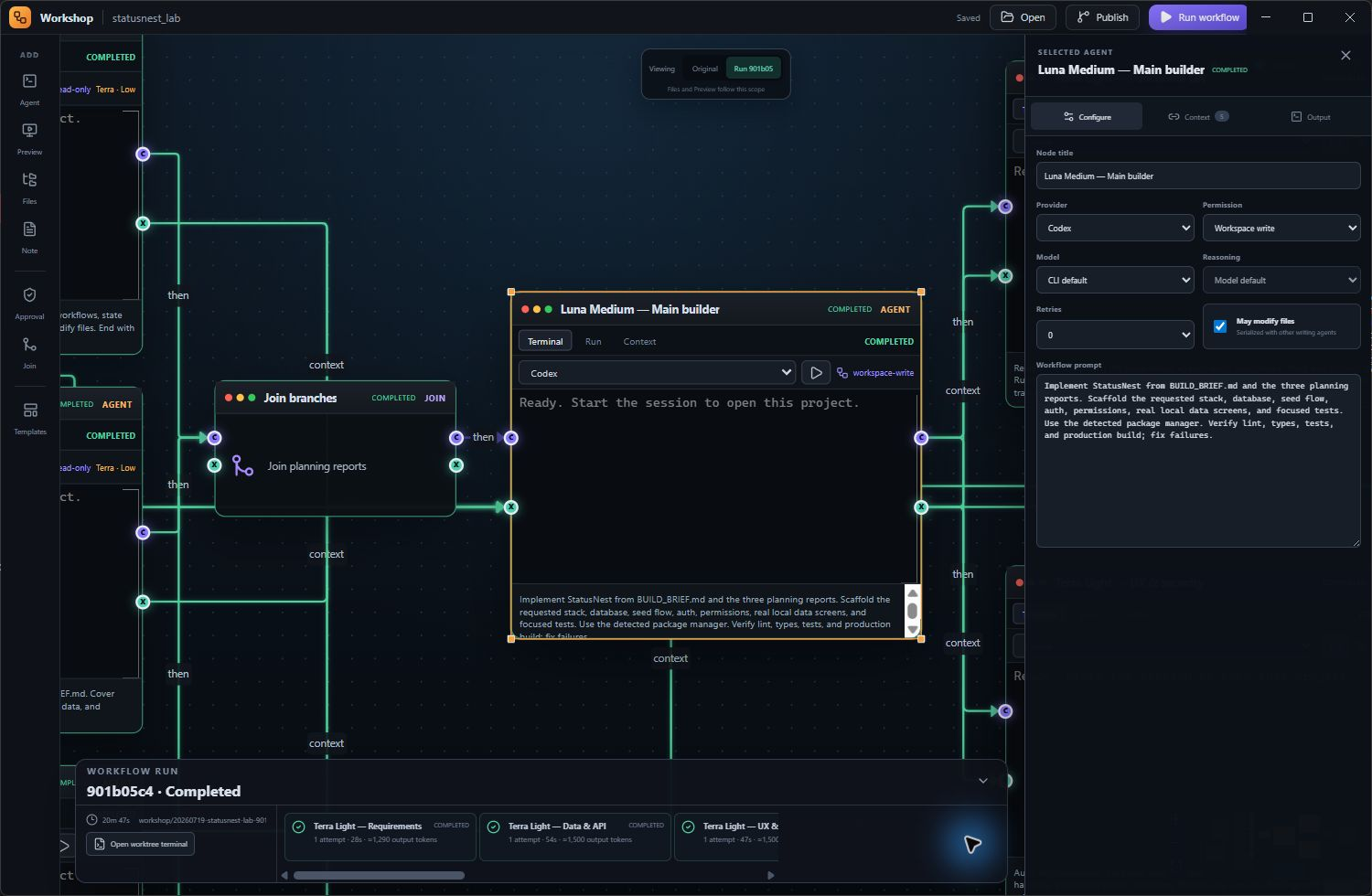
Inspiration
I kept running into the same problem while using coding agents: everything lived in separate chats and terminal windows. One agent might plan a feature, another might build it, and I would have to manually move information between them while remembering what each one was doing.
I wanted something more visual. I liked the idea of putting the whole process on a canvas where I could see the agents, files, instructions, previews, and connections between them.
That idea became Emberframe Studio.
What it does
Emberframe Studio (Previously Emberframe Workshop) is a Windows desktop app for organizing AI coding agents on a visual canvas.
You can add:
- Coding agents
- Project files
- Markdown build briefs
- Live app previews
- Approval steps
- Parallel branches
- Join nodes
The purple connections decide what runs next. The green connections pass information such as build briefs, selected files, and results from previous agents.
For example, two agents can inspect a project at the same time. One can focus on the interface while the other looks at the technical implementation. Their results can then meet at a join and be passed to a builder agent.
Each workflow runs inside its own Git branch and worktree. This means agents can change files without immediately touching the developer's main copy of the project. The developer can review the result before deciding whether to keep or publish it.
How we built it
I built Emberframe Studio in Codex with help from GPT-5.6 Sol at high reasoning effort.
GPT-5.6 helped me plan the architecture, write and debug features, improve the interface, create tests, and work through Windows packaging problems. I still made the product decisions, tested each version, reported what was broken, and decided what needed to change next.
The app uses:
- Electron
- React
- TypeScript
- Vite
- React Flow
- SQLite
- xterm.js
- Windows ConPTY
- Git worktrees
It also connects to locally installed tools such as Codex, Claude Code, Gemini, Git, and GitHub CLI. It uses the developer's existing logins instead of storing provider credentials itself.
I also added a small Electron preload bridge so the interface only receives the desktop features it actually needs. Live previews are limited to local addresses started for the current project.
Challenges we ran into
A lot of the work was simply getting all the different parts to cooperate.
Early on, the connection points were visible on the nodes, but dragging between them did not produce a visible connection. Workflow runs would start without making it clear what the agents were doing. Raw Codex output appeared as large blocks of JSON, which was technically correct but almost impossible to follow.
Windows created its own set of problems. Interactive terminals initially failed because the app could not find the correct shell or PTY files. Some agent commands were passed incorrectly through PowerShell, and longer package installations timed out even though they were still making progress.
Git worktrees were another challenge. The agents were correctly editing isolated copies of the project, but the file viewer initially showed the original repository. It looked like nothing had changed, even when the agent had created many files. I had to make the current run and its worktree much clearer in the interface.
There were also plenty of smaller issues, including invisible edges, stale workflow states, failed resume attempts, unreadable logs, preview cleanup, and Electron packaging errors.
Most improvements came from running the app, seeing where it became confusing, and fixing that specific problem.
Accomplishments that we're proud of
I am proud that Emberframe Studio became more than a visual mockup.
It can open a real Git repository, run real coding-agent CLIs, pass context between agents, execute parallel workflow branches, join their results, and keep every run isolated from the original project.
Some of the parts I am most proud of are:
- Real interactive agent terminals
- Parallel agent workflows
- Readable agent output instead of raw JSON
- Isolated Git branches and worktrees
- Approval gates before important actions
- Failed-step recovery and resume
- Live local web previews
- Reusable workflow templates
- Model and permission settings for individual agents
- Windows and Microsoft Store packaging
The most satisfying moment was running a complete workflow and watching separate agents plan, build, test, and return a working project without needing to manually copy information between terminals.
What we learned
The biggest thing I learned is that adding more agents is not automatically useful.
The difficult part is deciding what each agent knows, when it should run, where it can make changes, and what still requires human approval.
I also learned how important it is to show what the system is doing. A workflow can be working correctly in the background and still feel broken if the interface does not clearly show its status, output, and file location.
Finally, Git isolation made the whole idea feel much safer. Agents can experiment freely, while the developer still decides what becomes part of the real project.
What's next for Emberframe Studio
There is still plenty I want to improve:
- Clearer workflow debugging
- Better diff review
- Selective file publishing
- More workflow templates
- More agent integrations
- Token and cost tracking
- Improved keyboard navigation and accessibility
- macOS support
- Optional collaboration features
My goal is to keep making Emberframe Studio easier to understand and more practical for real development, while leaving the developer in control of their code, credentials, and final decisions.


Log in or sign up for Devpost to join the conversation.