-
-
-
-
-
-
-
-

1024x1024 logo
-
App screenshot without device frames (1179 × 2556)
-
App screenshot without device frames
-
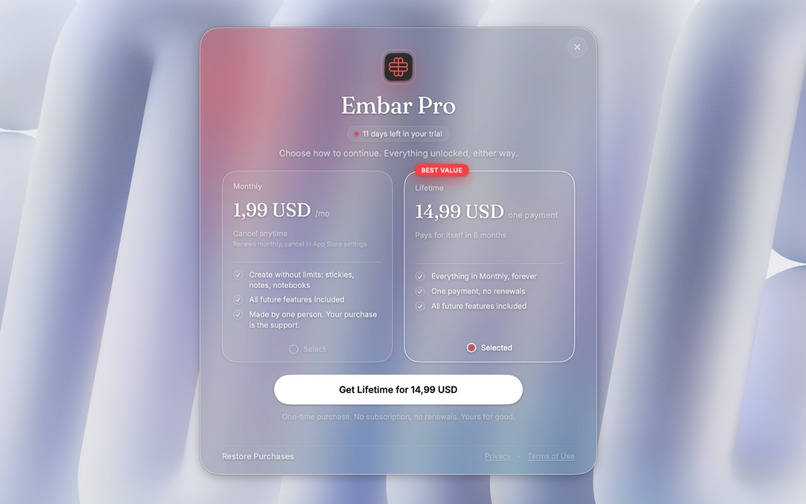
Paywall powered by RevenueCat

Inspiration
We are the most informed generation in history, and at the same time, it seems, the least thoughtful. How is that possible? We have unlimited access to information: we read, we learn, we grow. But what is our privilege has also become our curse. Our lives are fragmented. Our time is cut into pieces, our focus keeps switching, distractions are everywhere. And in all that noise, there is often simply no room left for thinking.
I felt this myself. I'm a student, originally from Ukraine, and my head is always full of thoughts, ideas and things I can't forget. I think everyone knows this feeling of overload. To clear my head, I wrote my thoughts down wherever was closest: in a notebook, in a notes app, in a Telegram chat, on some random scrap of paper. And in the end, everything got lost.
So one day in April, I decided to build myself a tool that would always be at hand. Something that would appear out of nowhere, as if with a wave of a magic wand, take everything extra off my mind, and disappear as soon as I no longer needed it.
The small project pulled me in, and instead of one evening, I spent six months building Embar.
What it does
Embar is a sidebar notebook for Mac that lets you write things down at the speed of thought. The problem with most note-taking apps is friction: you have to open them, find the right place, switch away from your work. Embar works differently. It is a layer on top of the whole system.
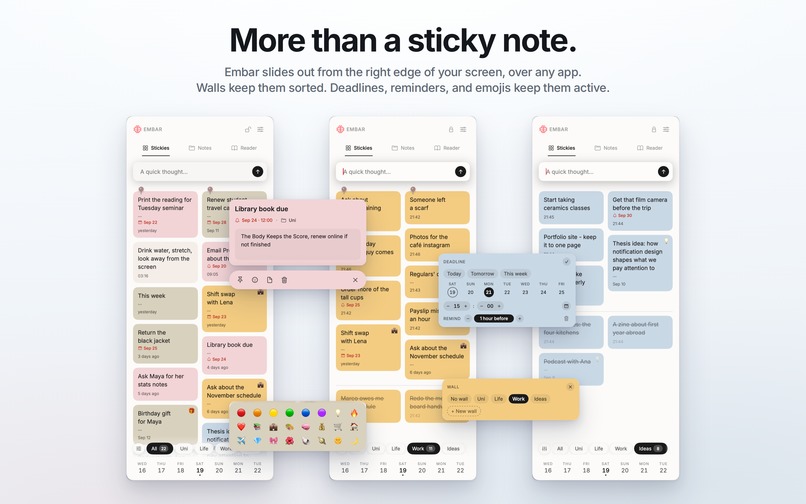
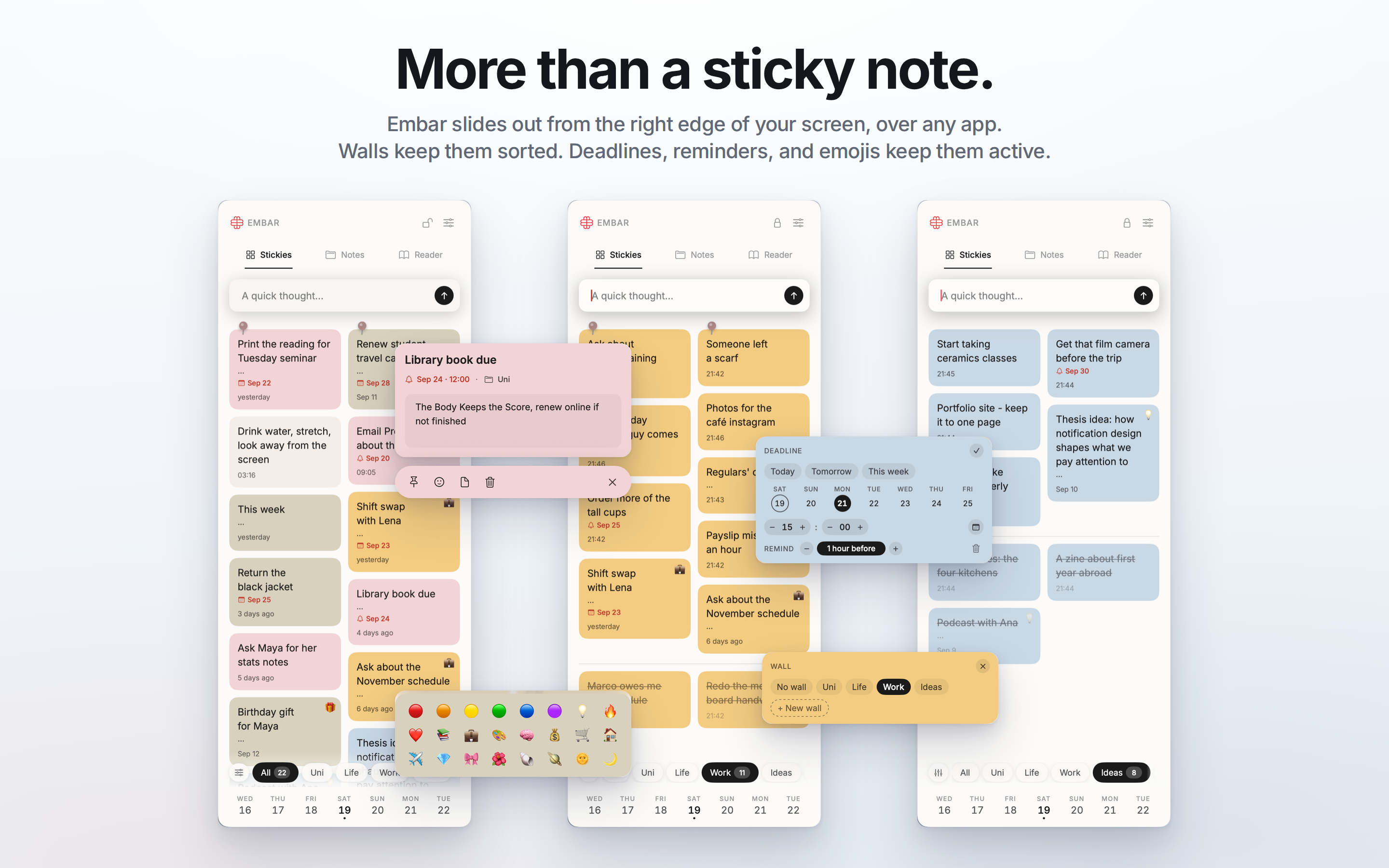
The panel sits just beyond the right edge of the screen and appears over any active window when you move the cursor to the edge or press the ⌥E hotkey. The cursor is already in the input field, so you can write a thought down the very second it appears. When the cursor leaves the panel, it hides, and focus returns to where you were working. And when you have time to go through everything you've collected, you can lock the panel open and widen it, while sorting, filters, walls and palettes let you organize your work exactly the way that suits you.
Inside are three surfaces, each for a different scale of thought, on top of one shared data store.
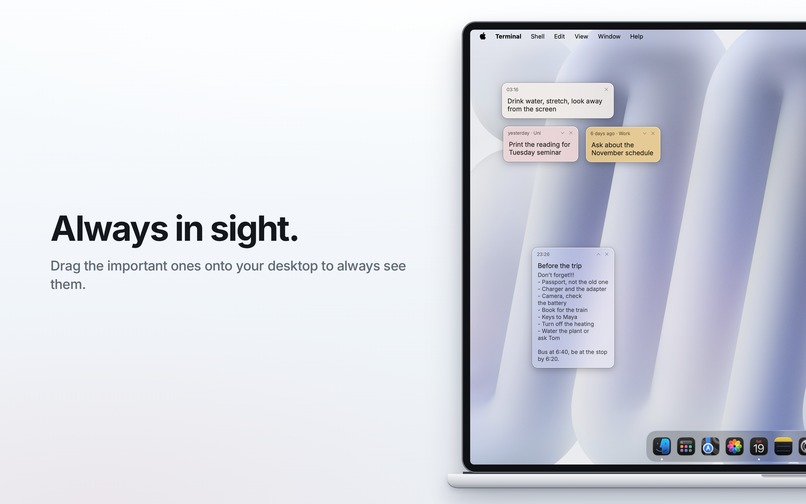
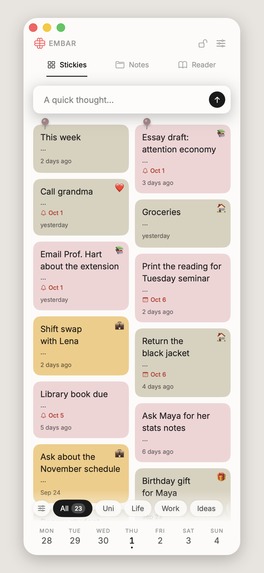
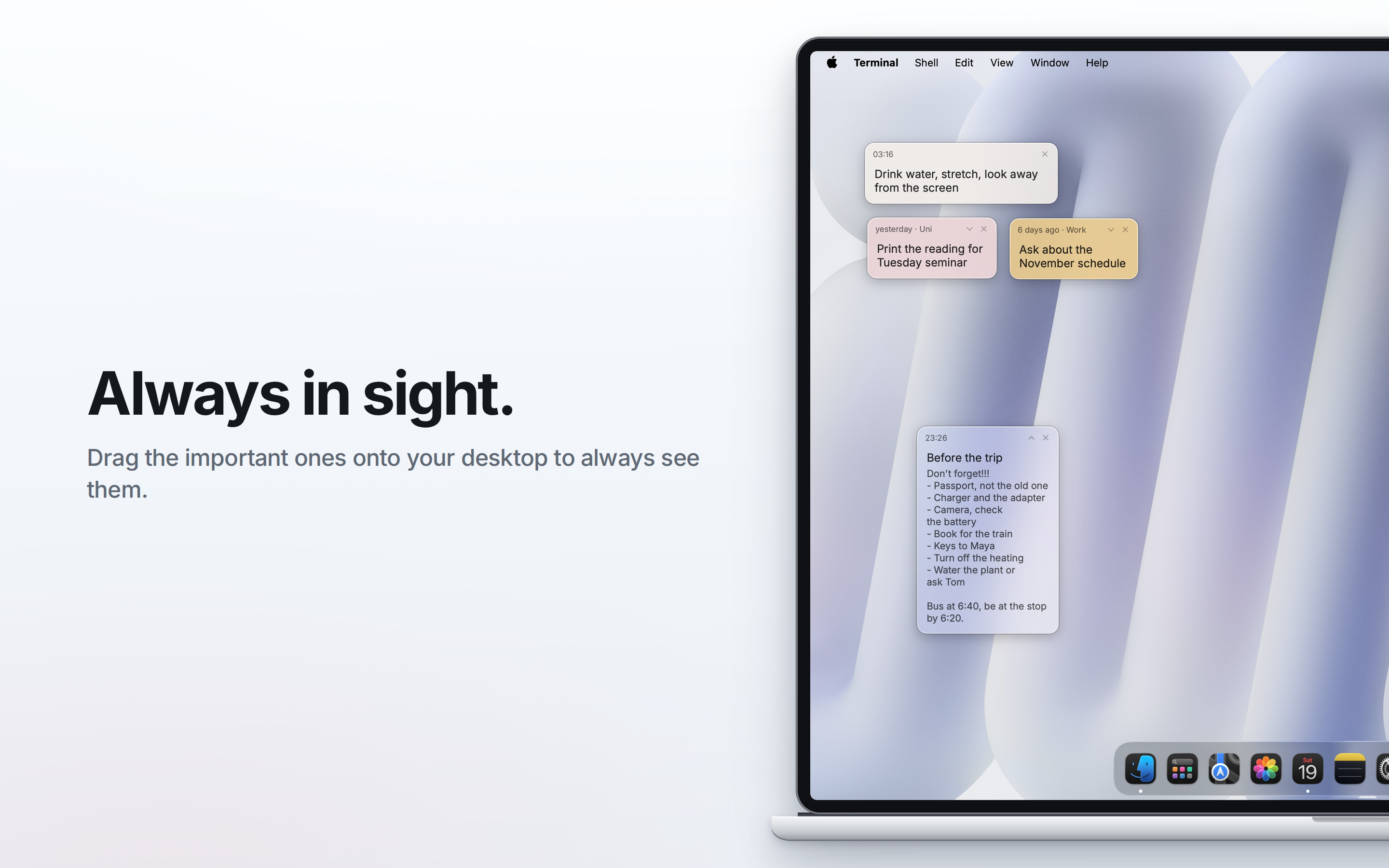
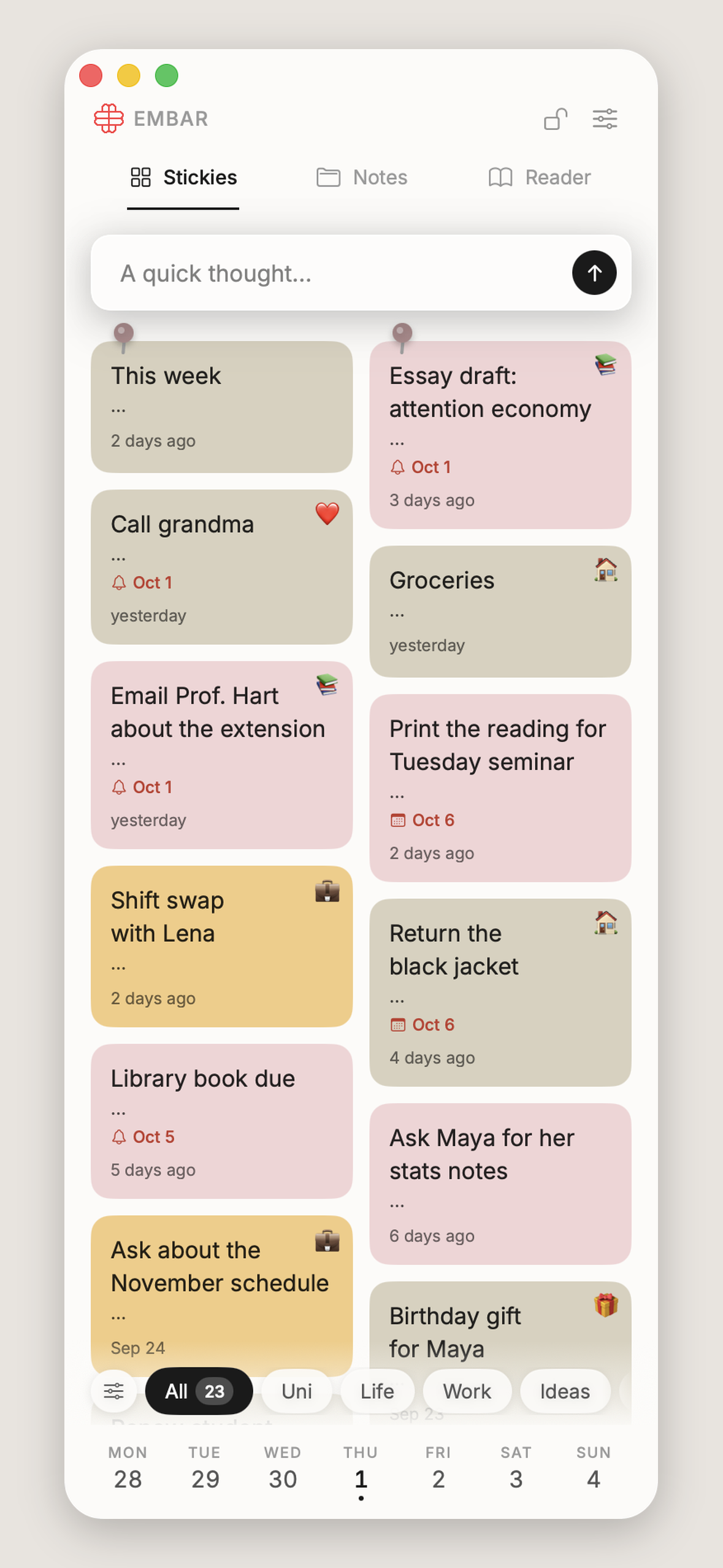
Stickies are for instant capture. One thought takes one sticky. Stickies are sorted into walls (themed collections), and they have colors, deadlines, reminders, pinning and a "done" mark, while counters and filters help you quickly sort through what has piled up. Any sticky can literally be dragged out of the panel, and it becomes a separate note on your desktop, like a widget that is always right in front of you.
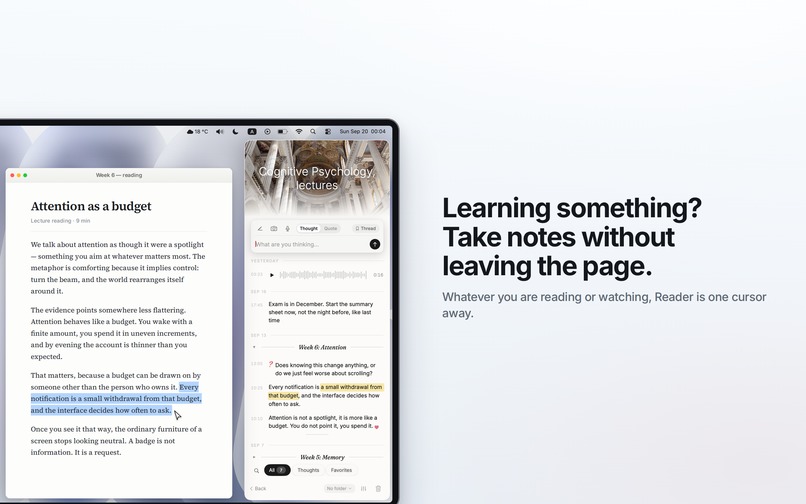
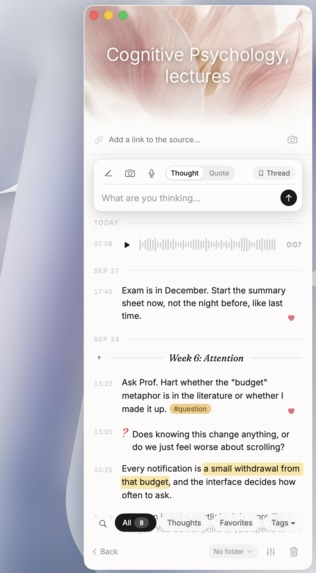
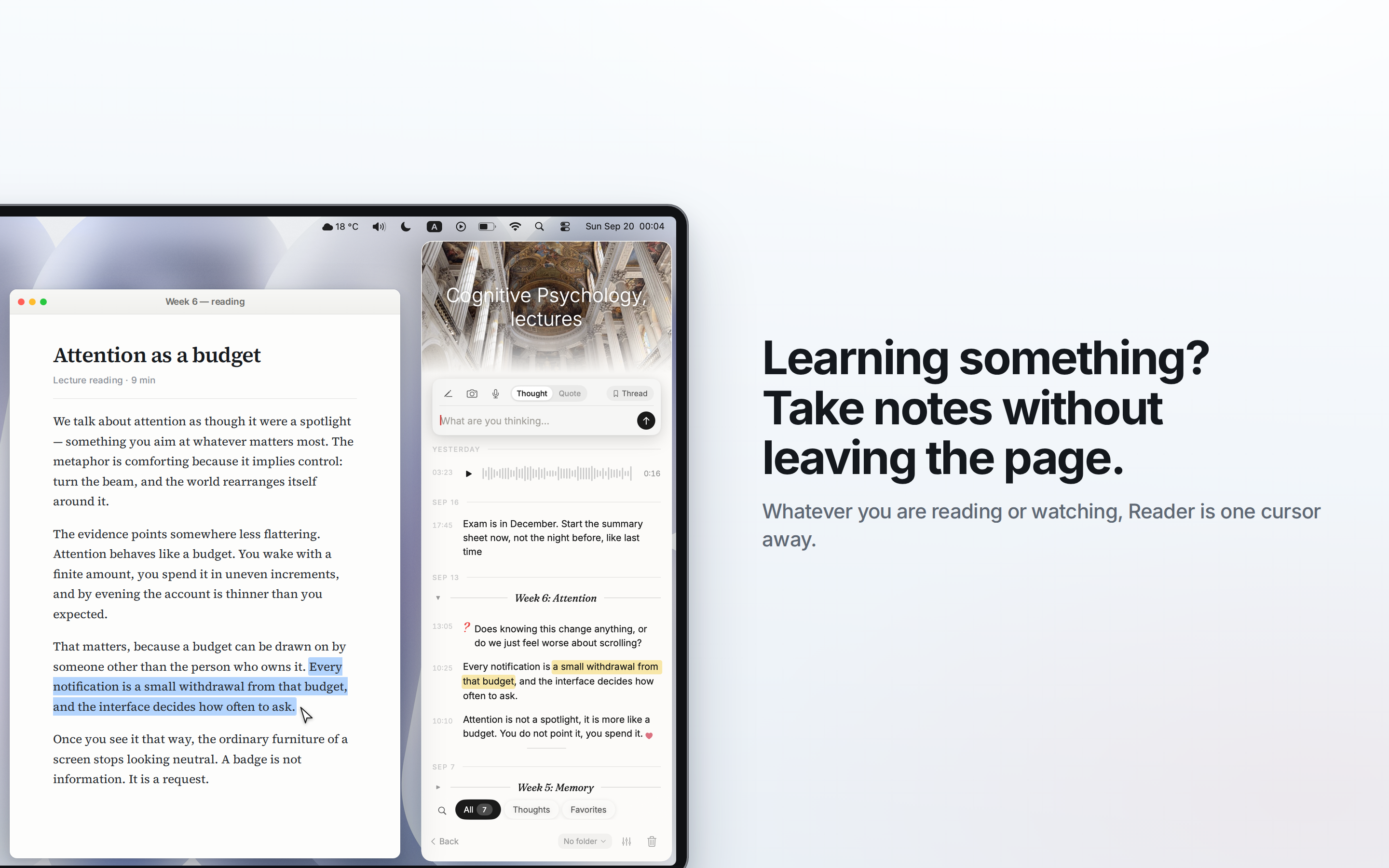
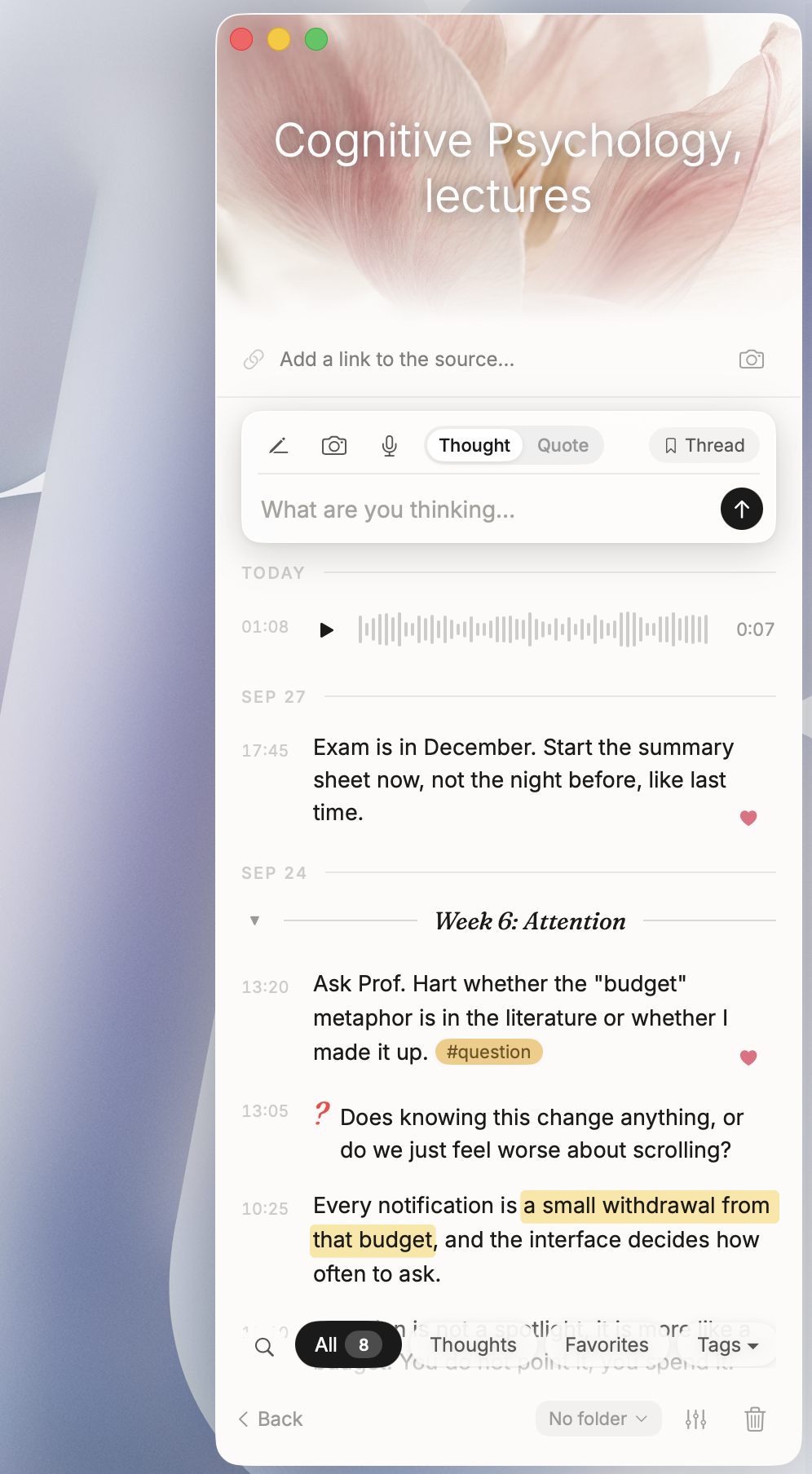
Reader is a working notebook for a source: a book, an article, a lecture or a podcast. Each notebook has a cover and a link to the source, and inside is a chronological stream of thoughts and quotes, colored highlights, photos, voice notes, and threads that group entries by chapter. Its purpose is to be there while you study and to appear on screen when you need it, without wasting time switching between apps.
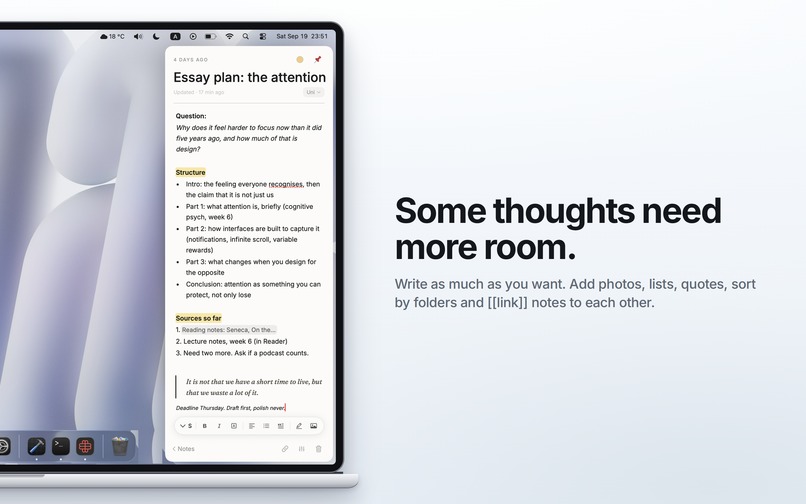
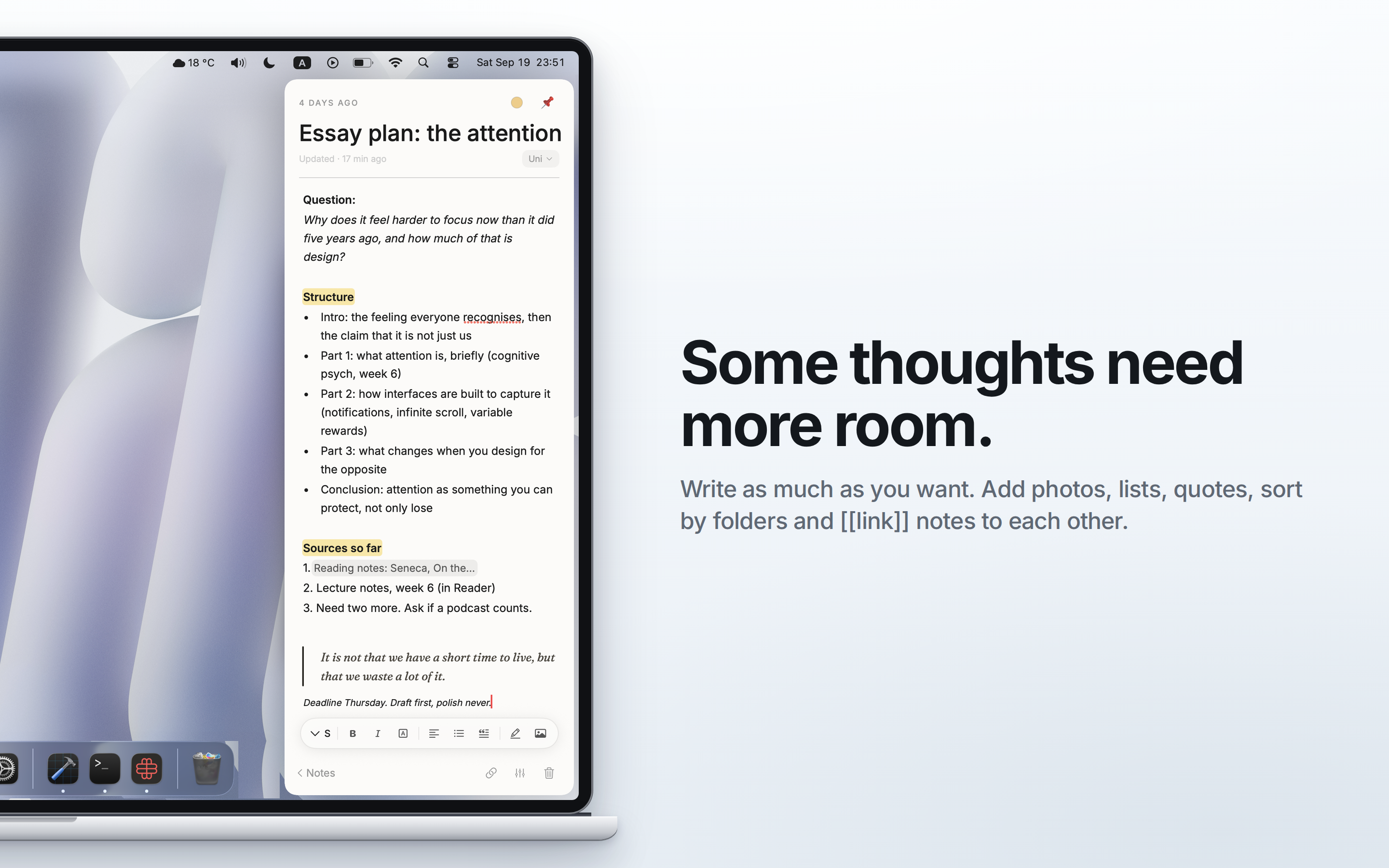
Notes are for longer writing: formatting, photos, quotes, lists, folders. With [[ one note links to another, and every note shows where it is mentioned.
The surfaces are not isolated. A sticky can be turned into a full note, and the link between them is kept on both sides. An entry from Reader can be added to an existing note or start a new one. A thought travels from a quick capture to a developed idea without leaving the app and without losing where it came from.
That is why Embar isn't tied to one specific scenario, but adapts to any:
- a student in a lecture with full-screen slides takes notes without splitting the screen or switching windows;
- a designer in Figma writes down an idea for another project without leaving the canvas;
- a researcher reading a paper saves a quote with a link to the source without opening a separate document;
- anyone in the middle of a workday records a task with a deadline and a reminder in a few seconds.
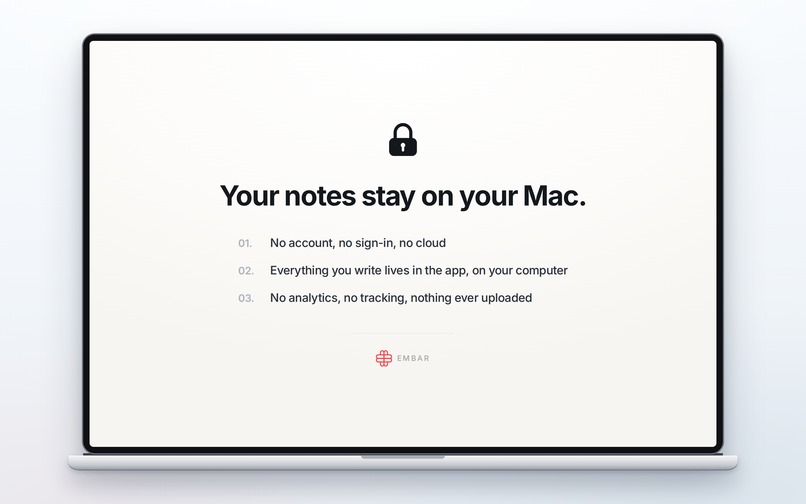
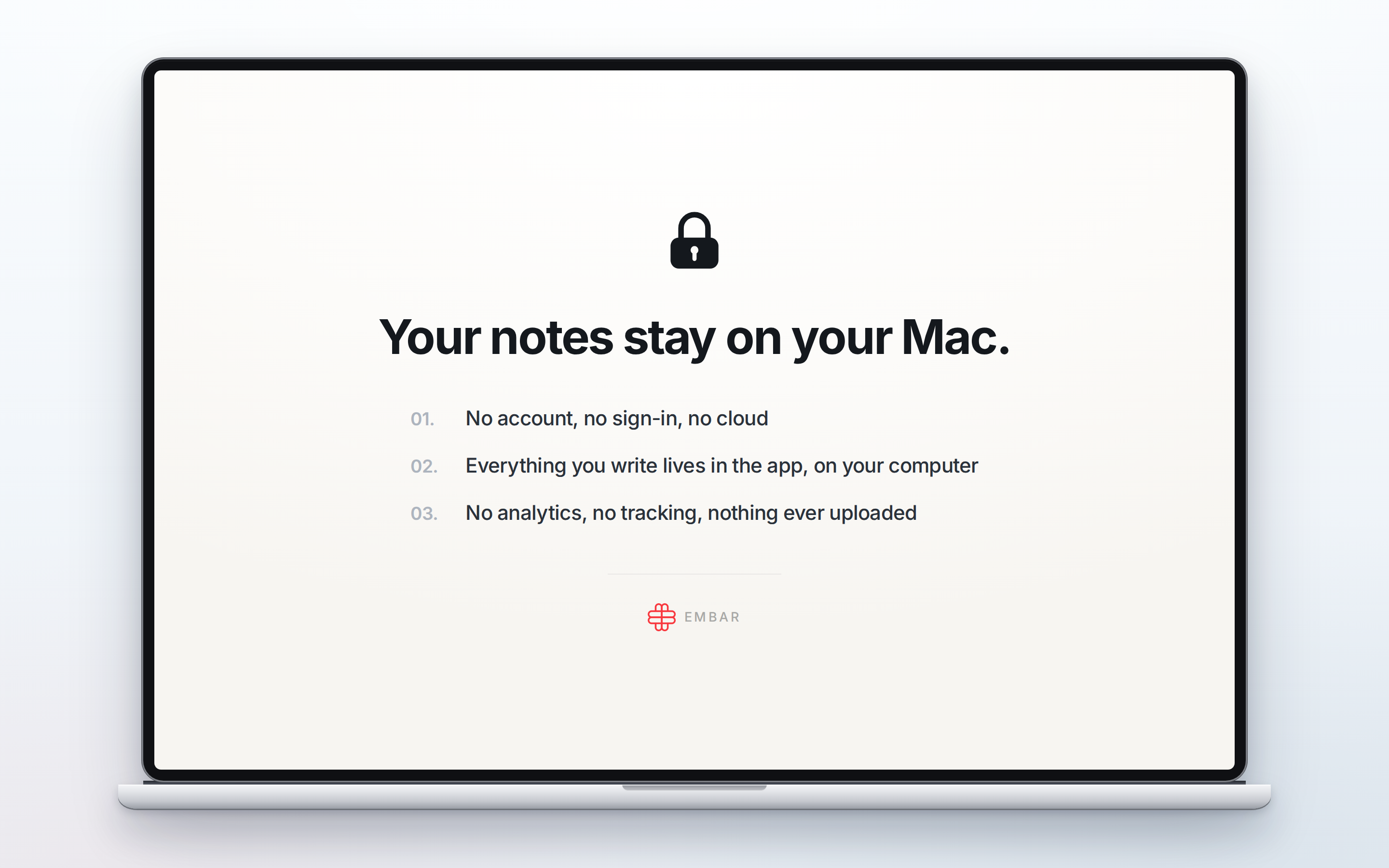
How it differs from classic notebooks and workspaces. These tools demand decisions before you write: open the app, find the right place, define the structure. Embar moves those decisions to later. Capture happens immediately, in your current context, while organizing, expanding and linking become a separate step for when you have time. And no accounts: all data is stored locally on your Mac.
Embar is my entry for the Next Gen Award.
The method behind Embar: Zettelkasten
For decades, the German sociologist Niklas Luhmann kept a card index of around 90,000 cards. He credited it for his productivity: more than 70 books and nearly 400 scholarly articles. Luhmann called his card index his partner in conversation. The method became known as Zettelkasten, "a box of slips".
The method rests on two principles. First: one card holds one thought, written so that it can be understood on its own. Second: connections matter more than structure.
The modern reading of the method, popularized by Sönke Ahrens in How to Take Smart Notes, distinguishes three types of notes. Embar is built on exactly these:
| Zettelkasten | Embar | How it works |
|---|---|---|
| Fleeting notes: raw thoughts, written down immediately | Stickies | One thought takes one sticky. Capture it in a second, sort it out later. |
| Literature notes: the key points from what you read, tied to the source | Reader | A notebook for a book, an article or a lecture: quotes, thoughts, highlights, a link to the source. |
| Permanent notes: mature ideas in your own words, connected to others | Notes | A sticky or a Reader entry develops into a note; notes link through [[ and show backlinks. |
But the method assumes that a thought can be written down instantly. Luhmann always had paper and a pen at hand. On a computer, there is a whole sequence of steps between a thought and writing it down, and every step is a chance for the thought to disappear. And a thought that was never written down will never connect to anything.
Embar brings Zettelkasten into the working environment of a laptop. The panel is always one cursor movement away, capture happens before any decisions about structure, and sorting, developing and linking thoughts become a separate step for when you have time.
How I built it
I started with no experience in development or app design, just an idea and a wish to learn. The first version of Embar was an HTML prototype that I made for myself while sharpening my HTML skills. I opened it in the browser and used it every day, like a normal tool. But one day in a café, a girl at the next table asked me what app it was, because, as she said, she really needed something like that too. That was when I decided to turn it into a real Mac app. Knowing that I wouldn't be able to write a native app on my own for at least the next couple of years, I remembered a phrase everyone has probably heard dozens of times: AI is our future. So in the end, Claude Code wrote the code, and the product, the design and every decision were mine.
Research
- Surveyed more than 25 students at my university
- Based on their answers, I made a list of features that would actually be useful, removed some of the features that existed at the time, and reworked the onboarding several times
Design
- Sketches of every screen, drawn by hand on paper
- The HTML prototype as the reference for how everything looks and behaves
App
- SwiftUI for the interface
- AppKit
NSPanelfor the panel at the edge of the screen - SwiftData for local storage
Monetization
- RevenueCat + StoreKit
Development
- Claude Code + Xcode
- About 43,000 lines of Swift, 407 automated tests
Website
- embar.studio on Cloudflare Workers
Accomplishments that I'm proud of
- I turned an idea into a product on my own. Along the way, starting from zero, I learned the basics of programming, design and product decision-making.
- People asked for the app themselves. I used Embar for myself: in lectures, at the summer school, in cafés and on trains. Again and again, people asked me to share it, because they needed the same thing. Every time I was over the moon, and every time it confirmed that the product is really needed by the people I was building it for.
- Dozens of positive reviews from people using Embar through TestFlight.
- Submitted to the App Store, with the code open on GitHub under GPL-3.0.
Monetization with RevenueCat
Trial
- 14 days of full access, no card and no account. Asking for a card upfront scares off many people, especially students on a budget.
- The trial is not an App Store subscription. On first launch the app writes the start date to the Keychain, so reinstalling doesn't restart it.
Products
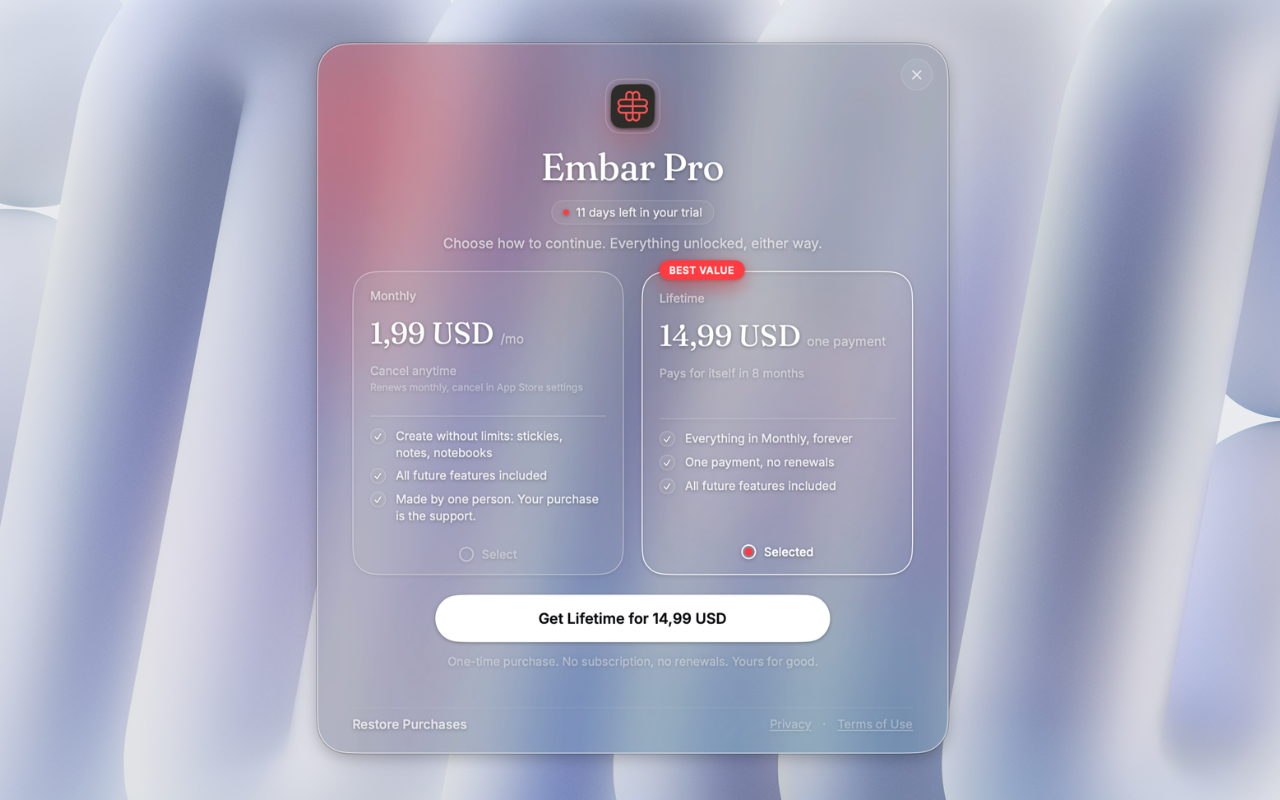
- Lifetime, $19.99. After consulting people from the industry, I chose one-time payment as the main model.
- Monthly, $2.99, for those who need more than two weeks to decide.
RevenueCat integration
- Offerings, a
proentitlement, a custom paywall, Restore Purchases - A 16-day grace period for failed subscription payments
- Purchases are tied to the Apple Account, so access returns after reinstalling through Restore Purchases
Nothing gets locked
- After the trial, the app becomes read-only: everything you wrote can still be viewed, copied, edited, exported and deleted. Only creating something new requires a purchase.
- If RevenueCat doesn't respond (offline, a firewall), the app stays fully open. Better to give access than to lock someone out of their own notes.
Third-degree price discrimination
- Ukraine: $14.99 Lifetime, $1.99 per month
- Ukraine is one of the main launch markets, and I know it well. Regional pricing will expand to other countries as the audience grows.
Challenges and what I learned
Apple's rejection. Apple rejected Embar because it was missing the standard window controls (traffic lights). I thought a sidebar panel didn't need them, but I realized: Embar isn't a background utility, it's a full app, and users expect it to behave the way macOS apps do. I added all three buttons and submitted the app again. → A platform has its rules for a reason: they are what users expect.
Lost progress. At the start, I didn't know what GitHub and version control were, and I lost a significant part of my work. → Now every finished step ends with a commit. AI is a powerful tool, but like any tool, you have to know how to use it and how to lead it.
Security without loss. Notes are personal thoughts, so Embar works fully locally: no accounts, no cloud, no analytics. That means data must not disappear under any circumstances. Deleted items are archived and can be restored, data stays in the app's container even after the app is deleted, the trial is stored in the Keychain, and purchases are tied to the Apple Account. The flip side: until there is iCloud sync, notes live on one Mac. → Every decision has a price, and prioritizing some things always costs you others.
Flexibility vs. simplicity. It was hard to draw the line between wanting to add every feature and not overloading the app. Many features that took a lot of time were eventually removed. → Analyze the user: not everything I like is what they need.
Perfectionism. It was hard for me to release a first MVP that, in my opinion, wasn't perfect. I kept wanting to add one more feature, and one more. That cost me the time I needed to get through Apple's review before the end of the hackathon. → Polishing can go on forever. It matters to know when to put a full stop and ship.
Everything at once. It was hard to combine full-time studies, work, two moves and Embar. There were nights when I wanted to give up, but in the morning I woke up, opened my laptop and kept going. → Time management is everything.
Marketing. This is the next big step, and I'm honestly still very scared of it.
What's next for Embar
- App Store approval and public release
- iCloud sync across multiple Macs
- Voice input for quick thoughts
- An app for iPhone and iPad, because a laptop isn't always at hand
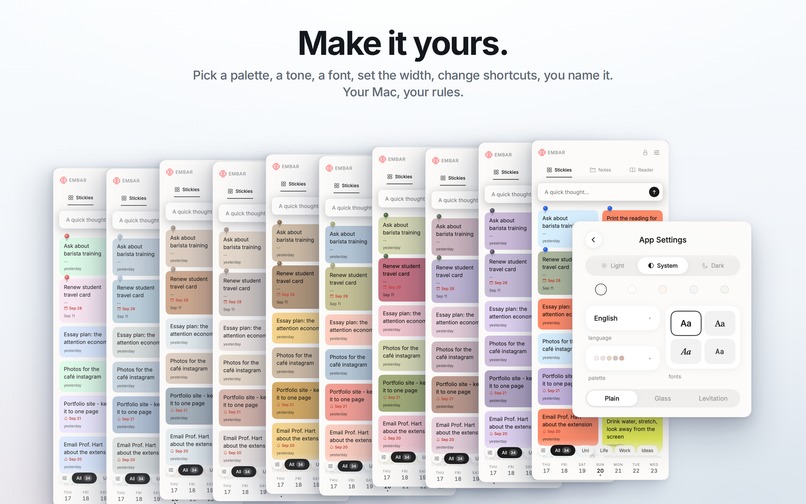
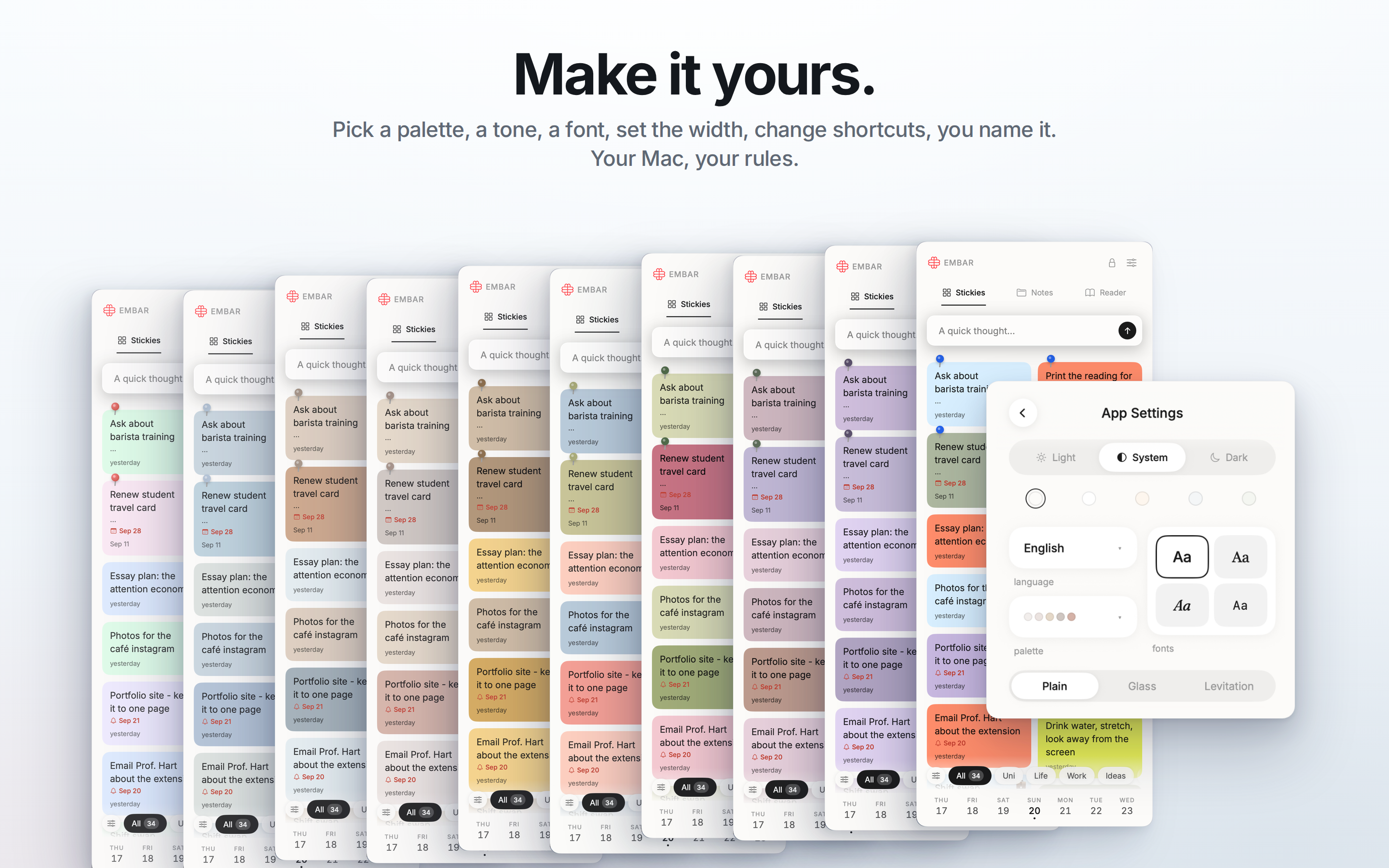
- More customization: dark mode, a glass look for the panel, a choice of fonts, new languages
- Marketing and social media: bringing Embar to students and everyone else who works with information every day
How I would use the prize money
- Time. Right now I combine full-time studies with a job to support myself. The prize would let me work fewer hours and give that time to Embar instead.
- An independent security audit. The security of user data is Embar's top priority, so I want it checked not only by me, but by cybersecurity professionals.
- Marketing. A social media campaign aimed at students, to bring Embar to the people it was built for.
- User research. Paid usability testing sessions with real people, so that the next decisions rest on data rather than guesses.
- Professional localization of the app and its App Store page into new languages.
- Basic development costs: the Apple Developer Program membership and tools, so Embar can keep growing.


Log in or sign up for Devpost to join the conversation.