-
-
EmailMaster
Inspiration
Every day, professionals spend a significant amount of time reading, prioritizing, writing, rewriting, and reviewing emails. Important messages can easily get buried in crowded inboxes, while writing the right response often takes more time than expected.
We wanted to build something that could act like an intelligent executive communication assistant—not just another AI email writer.
This led to EmailMaster: a platform that understands what matters in an inbox, helps users communicate more effectively, and provides security insights before an email becomes a problem.
Privacy was also a major inspiration. Since emails contain highly sensitive personal and business information, we wanted to design the product around a Zero-DB architecture rather than depending on a centralized database to store user email content.
What it does
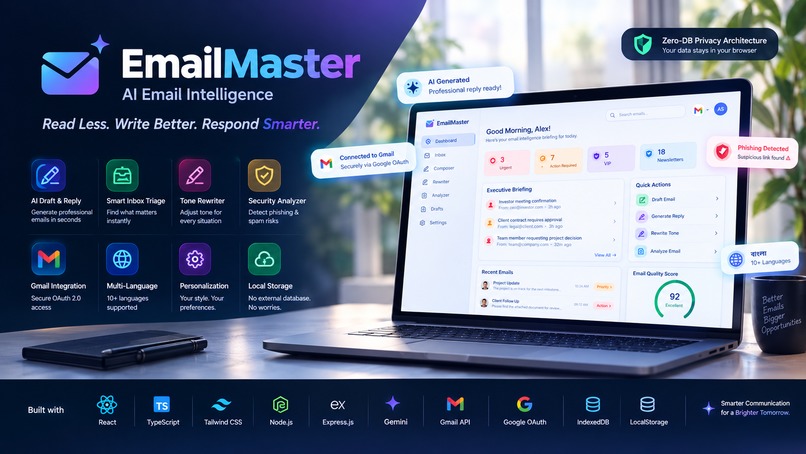
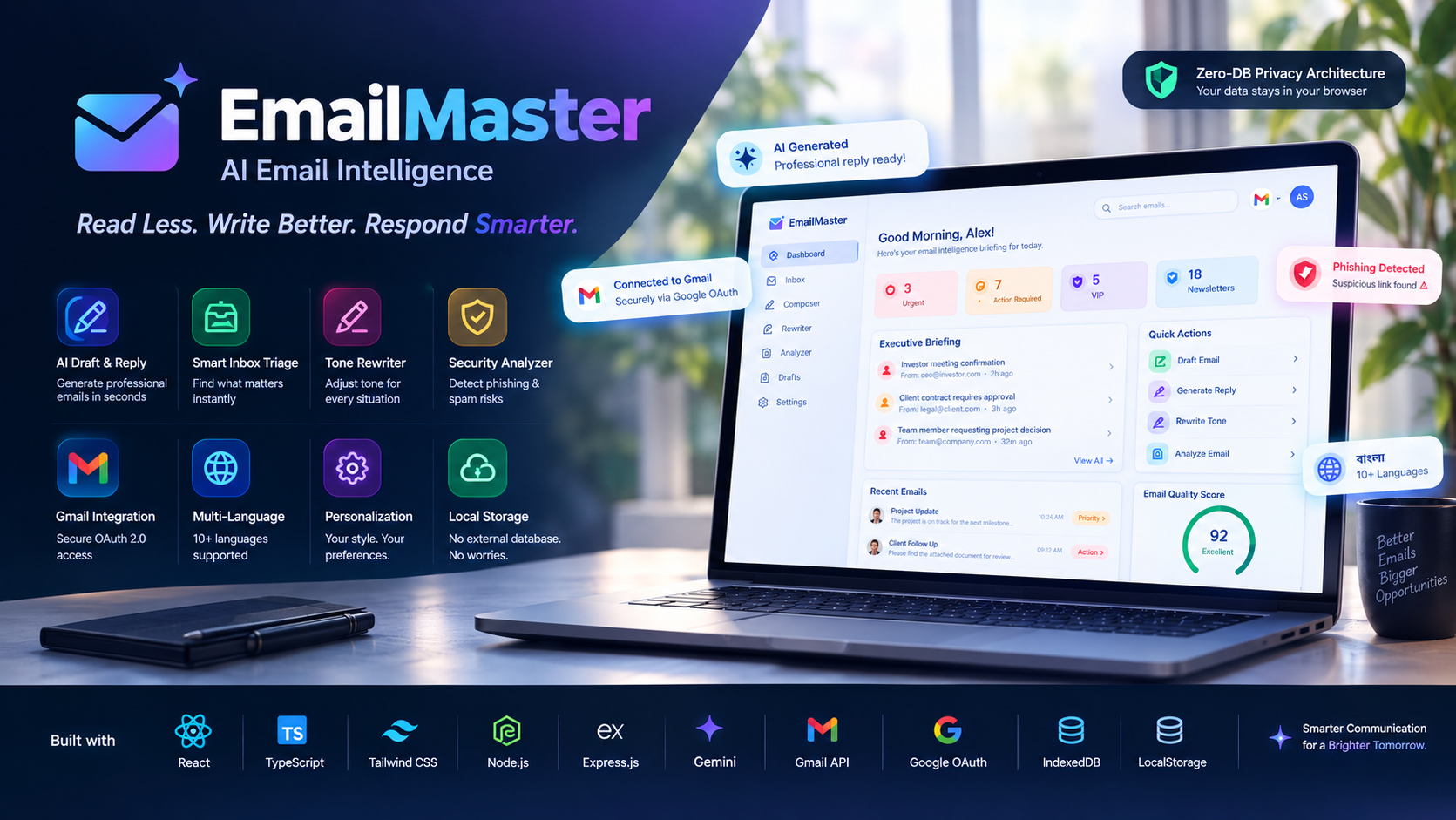
EmailMaster is an AI-powered Email Intelligence platform that manages the complete professional email workflow.
It can:
- Summarize long emails into one-line insights
- Identify urgent, VIP, and action-required messages
- Generate complete emails from simple instructions
- Create intelligent replies
- Rewrite emails into Executive, Professional, Diplomatic, Empathetic, and Urgent tones
- Compare original and rewritten content
- Score emails for clarity, professionalism, and politeness
- Detect potential phishing, suspicious links, and spam indicators
- Connect directly to Gmail through secure Google OAuth
- Support 10+ languages
- Save user preferences and drafts locally
Its key differentiator is its Zero-DB Privacy Architecture, designed to keep user email data within the browser instead of storing it in an external database.
How I built it
I built EmailMaster using a modern React and TypeScript architecture with a component-based interface.
The frontend uses React 19, TypeScript, Tailwind CSS v4, Motion for animations, and Lucide React for interface icons.
For AI capabilities, I integrated Google Gemini through the @google/genai SDK. An Express.js and Node.js backend acts as a secure API proxy so sensitive AI credentials are not exposed directly in the browser.
Gmail integration uses Google Identity Services and the Gmail REST API for authentication and email retrieval.
For privacy-focused persistence, EmailMaster uses browser-based LocalStorage and IndexedDB instead of an external database.
The application is organized into dedicated modules for the dashboard, inbox, composer, rewriter, analyzer, drafts, authentication, storage, Gmail API communication, and internationalization.
Challenges I ran into
One of the biggest challenges was designing AI features that could work together as a complete email workflow instead of behaving like separate AI tools.
Another challenge was handling Gmail authentication and API communication securely while keeping the architecture client-focused.
Privacy was also an important technical challenge. We wanted users to benefit from AI-powered email intelligence without creating a centralized database containing sensitive email content.
We also had to design AI outputs that were concise enough for quick executive decisions while still preserving important context from long email threads.
Finally, creating a responsive and polished interface for multiple complex workflows—Inbox, Composer, Rewriter, Analyzer, Dashboard, and Settings—required careful component design and state management.
Accomplishments that I'm proud of
I am proud that EmailMaster evolved from a simple AI email generator into a complete AI Email Intelligence platform.
The biggest accomplishments include:
- Building an integrated AI inbox triage system
- Creating context-aware email generation and replies
- Implementing multi-tone email rewriting
- Adding email quality and phishing analysis
- Integrating Gmail with secure Google OAuth
- Supporting multiple international languages
- Designing a Zero-DB Privacy Architecture
- Protecting AI credentials through a server-side proxy
- Creating a responsive, executive-focused user experience
Most importantly, the project brings productivity, communication quality, and security together in a single platform.
What I learned
Building EmailMaster taught me that creating a useful AI product is not only about integrating an AI model.
I learned how important it is to design AI around real user workflows, provide structured outputs, handle authentication securely, and protect sensitive data by design.
I also learned more about Gmail API integration, Google OAuth, client-server architecture, browser storage, AI prompt design, TypeScript component architecture, and responsive UI/UX.
Most importantly, I learned that privacy should be considered from the beginning of the architecture—not added as an afterthought.
What's next for EmailMaster — AI Email Intelligence platform
The next goal for EmailMaster is to move from an intelligent email assistant toward a complete AI communication operating system.
Planned improvements include:
- Outlook and Microsoft 365 integration
- Smarter inbox prioritization
- Advanced phishing and security analysis
- AI-powered follow-up reminders
- Calendar and meeting scheduling
- Automated follow-up generation
- CRM integrations
- Team collaboration
- Enterprise security controls
- Organization-level communication analytics
- More advanced personalization based on user writing style
We also want to continue improving the Zero-DB architecture and privacy model so EmailMaster can provide powerful AI capabilities while giving users greater control over their sensitive communication data.
The long-term vision is simple: make EmailMaster the intelligent layer between professionals and their everyday communication.
Built With
- ai
- cybersecurity
- email-intelligence
- express.js
- generative-ai
- gmail-api
- google-gemini
- google-identity-services
- google-oauth-2.0
- google/genai
- indexeddb
- localstorage
- lucide-react
- motion
- natural-language-processing
- node.js
- phishing-detection
- privacy
- react
- responsive
- tailwind-css
- typescript


Log in or sign up for Devpost to join the conversation.