-
-
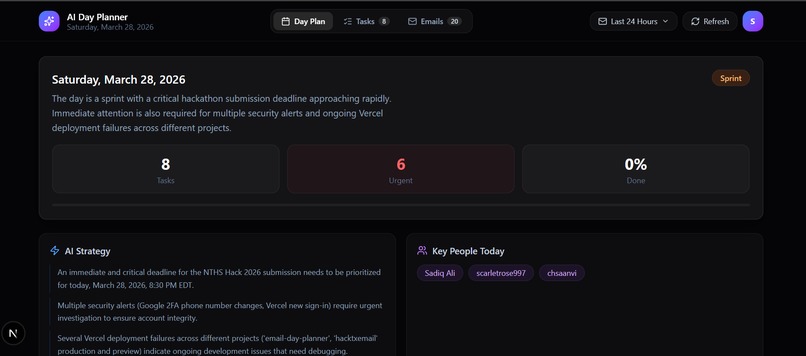
Day Plan
NOTE: WHEN TESTING, THERE ARE ONLY LIMITED USERS WHO CAN TEST. I need to add their email ID. When testing, please tell me the EMAIL YOU ARE USING, and I will add it: my email: [email protected]
Inspiration
Inbox overload is an increasingly common problem in our digital age. Tools like Gmail and Google Calendar are great for communication but they fail to turn messages into actionable plans and are prone to human error. Important tasks, deadlines, and follow-ups often get buried in long threads or are forgotten entirely, creating stress.
This project is inspired by the need to bridge this gap to create structured daily task list.
What it does
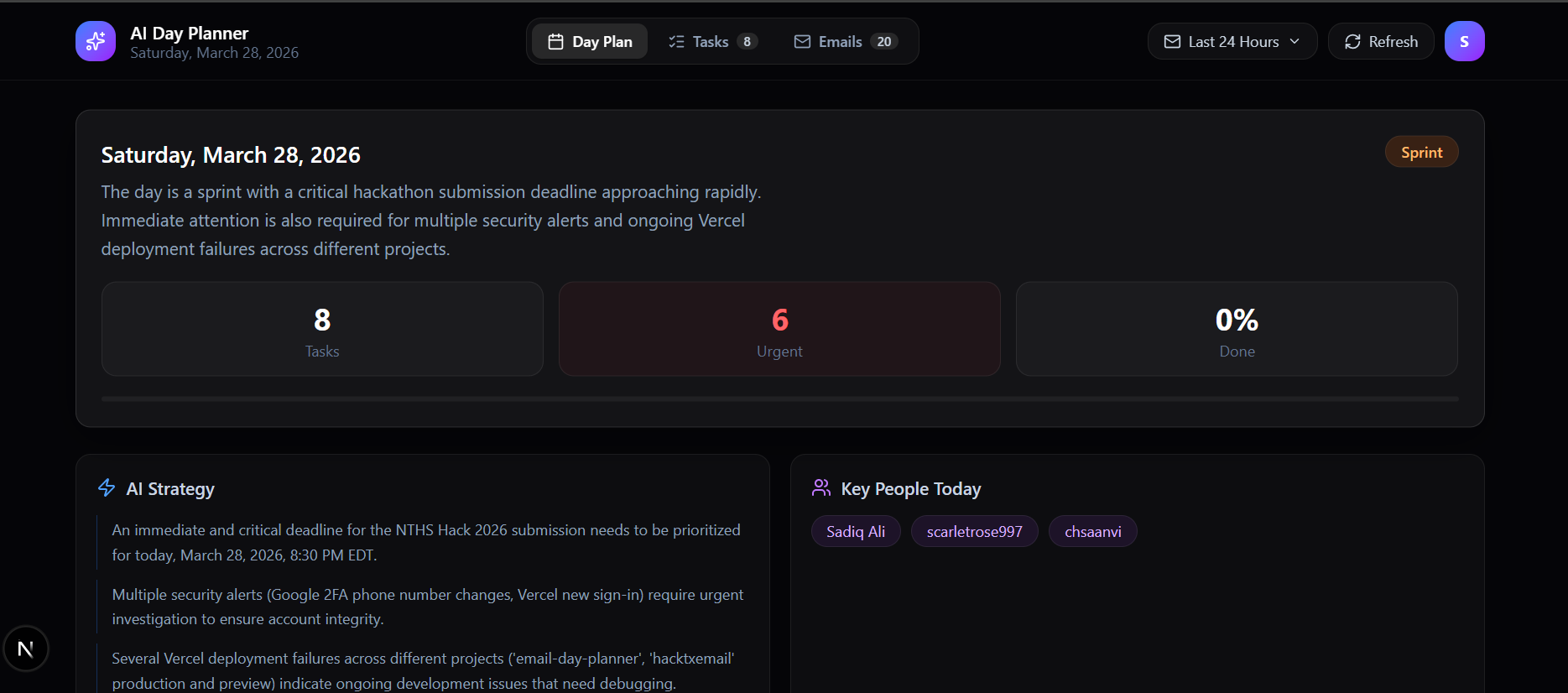
We created an AI-powered email-to-day planner that turns an unstructured inbox into a clear actionable schedule. We directly connected the user’s Gmail inbox to the Gmail API to read a set number of emails the user selects. From there, we utilized the Gemini AI API to analyze each email and extract key information such as requests and deadlines. It structures them into a daily plan and tasks by taking into account various factors. The user then receives an organized task list, reducing stress and enhancing productivity.
How we built it
We built this application using the Next.js 16 framework and TypeScript to ensure a high-performance, type-safe development environment. The core intelligence is powered by the Google Gemini 2.5 Flash API, which performs complex natural language processing to extract summaries and tasks from raw email data. We integrated the Gmail API with NextAuth.js to provide secure, read-only authentication while maintaining a premium dark glassmorphism aesthetic using Tailwind CSS v4. Finally, the entire stack was deployed on the Vercel platform to provide a globally distributed, serverless infrastructure for the hackathon launch.
Challenges we ran into
Our first iteration of the Email reader ran into many issues such as GitHub problems and errors deploying on Vercel, alongside with incompatible dependencies and css errors. Thus, we made the decisive decision to start a new repository, and copy paste the code that worked, and start the code that didn’t work from scratch. One of the first challenges after was getting the development environment set up correctly. We ran into dependency conflicts when installing packages specifically, npm's strict version resolution caused ETARGET errors that blocked the install entirely. We resolved this by switching to the Yarn registry and pinning specific compatible versions of Tailwind CSS v4 and PostCSS. On the authentication and API side, we encountered two separate blockers. First, Google OAuth was in "Testing" mode by default, meaning our own Gmail account couldn't log in until we manually added it as an approved test user in the Google Cloud Console. Second, even after logging in successfully, the app returned a 403 error because the Gmail API hadn't been enabled for the project. We also had to learn how to use google cloud console and configure all the settings, and how to find and incorporate the APIs.
Accomplishments that we're proud of
Despite being novices, we attained a better understanding of using APIs and the responsible use cards. We are proud that we were able to collaborate and program a working product that can be used to help others. Our goal is applicable to anyone, anywhere, at anytime, as long as they have a lot of emails to parse through.
What we learned
We learned that it's important to communicate and ask questions and help when we needed it. We learned the importance of setting up a stable development environment early and managing dependencies early on. It taught as how incremental testing can also reduce these conflicts.
What's next for Email-to-day Planner
Support other communication platforms such as Outlook, Slack, Teams, etc. More refined schedule creation where the user can create time blocks and readjust urgency levels Generate possible replies to emails. Add color and font customization options for accessibility standards

Log in or sign up for Devpost to join the conversation.