Inspiration
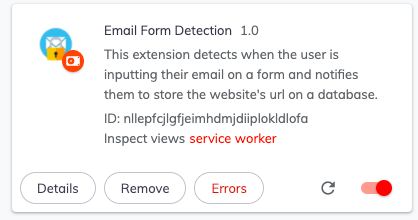
Many sites request sensitive data through forms, so we created an app to keep track of which sites have your information.
What it does
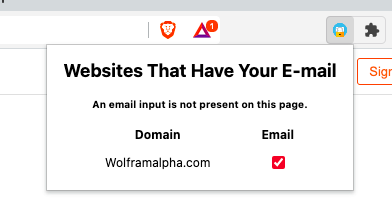
Checks websites for forms. Records user interaction with website email boxes and sends this information to the extension's database when the user clicks submit. Then displays this information for the user.
How We built it
Front end was built with html and css. Backend was comprised of Javascript, php, and mySQL. The database, using google cloud, keeps track of information the users enters. This is done by having the background.js always checking if the user interacts with Email text-entry boxes and Submit buttons. Information is then translated back into the extension's page, which displays the websites that have taken the user's emails.
Challenges We ran into
We were unable to complete the step of linking the database display this information. We are currently continuing to work on this past the deadline, and it will soon be finished. Other difficulties we encountered were various learning curves to new languages, merging branches of code with different features, and finding a streamline solution to incorporate all our features.
Accomplishments that We're proud of
All of us are proud of our commitment to the project over the 24 hour period. We're happy with our extension, even if we weren't able to meet the deadline.
What We learned
We each learned a great deal of the languages mentioned above. We gained valuable problem-solving skills. We developed flexible attitudes that let us have smooth teamwork. But most importantly, we learned that we are capable of creating something we can be proud of.
What's next for Email Form Detection
Display database information onto the extension. Implement other boxes in forms (IE: names, SSID, etc.).

Log in or sign up for Devpost to join the conversation.