-
-
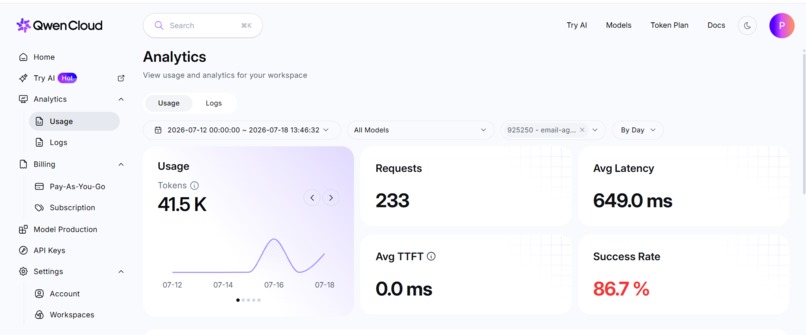
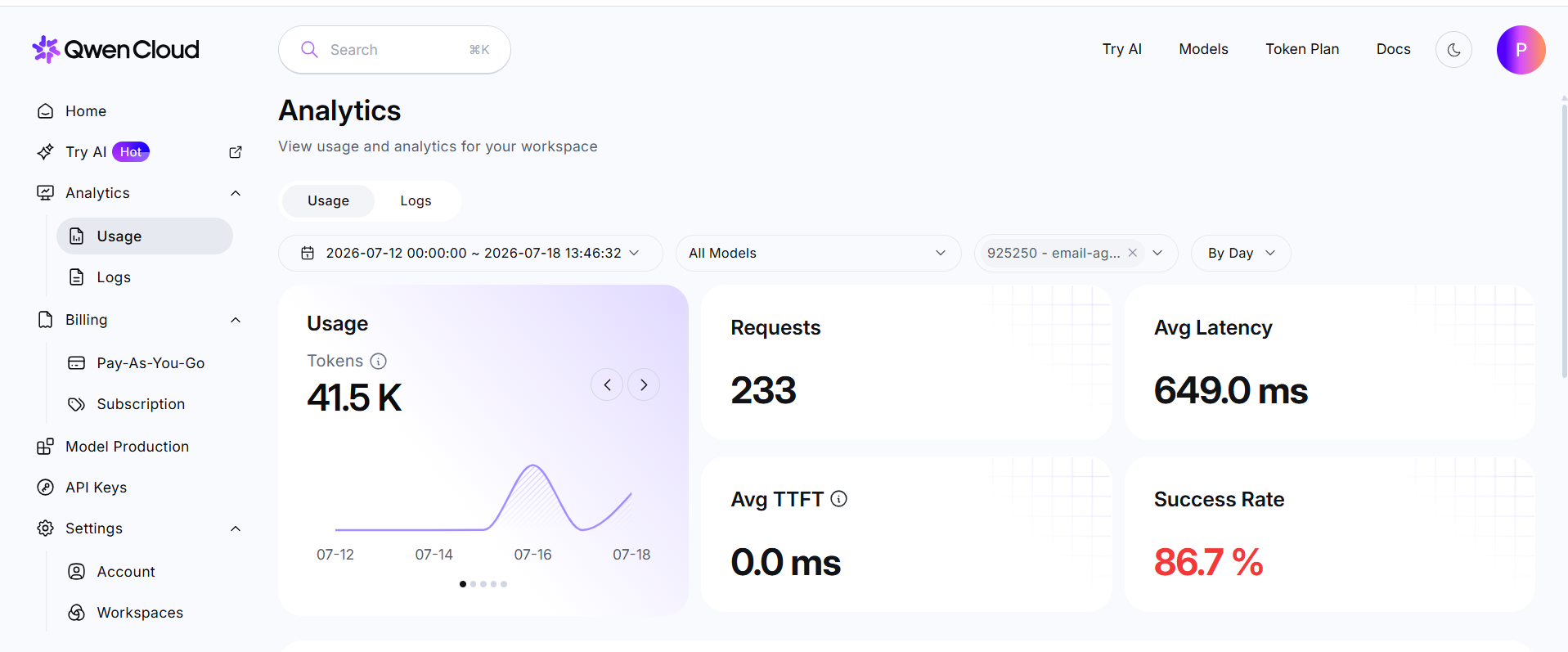
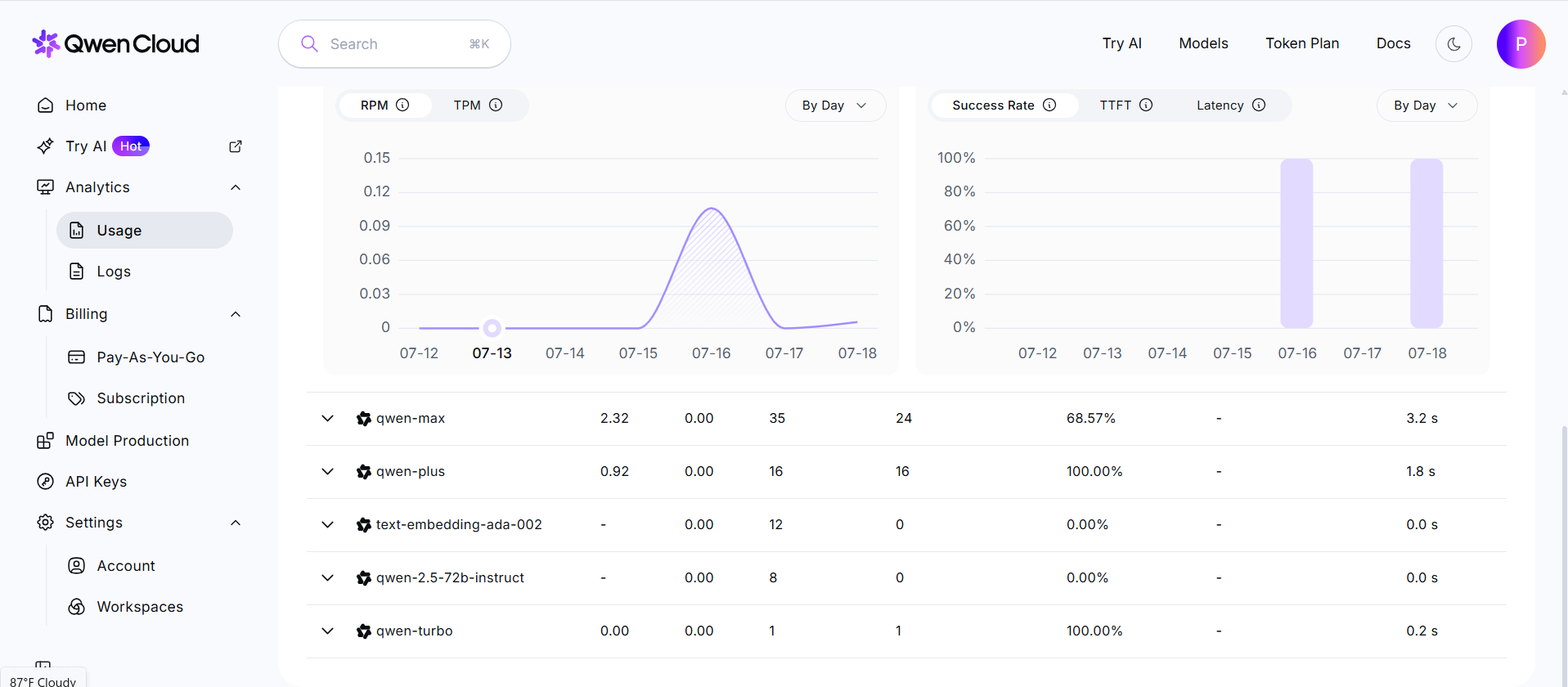
qwen usage
-
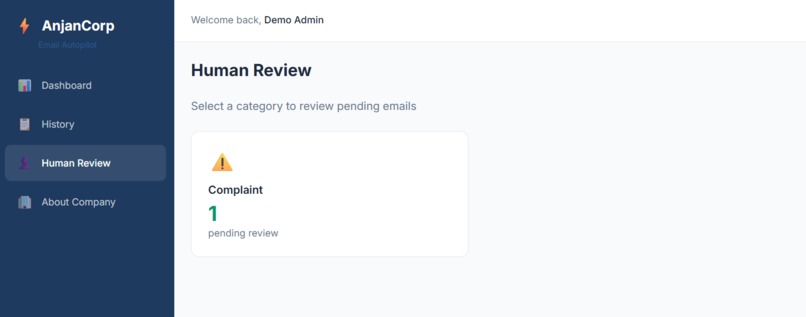
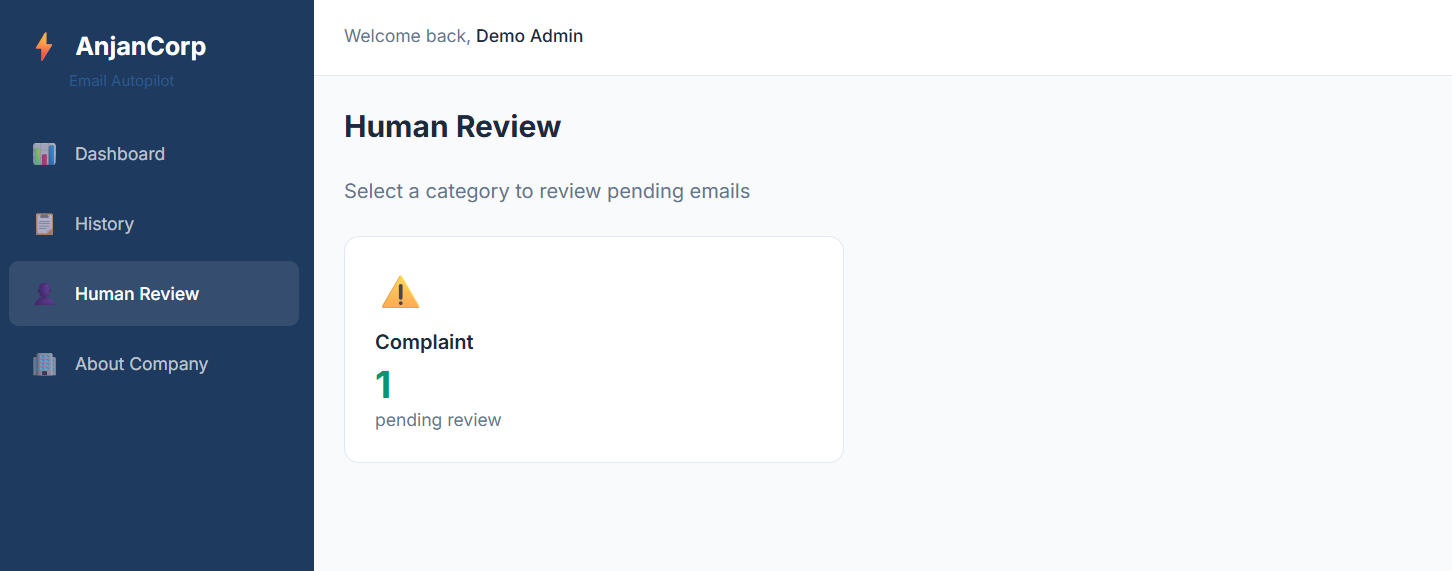
human review section
-
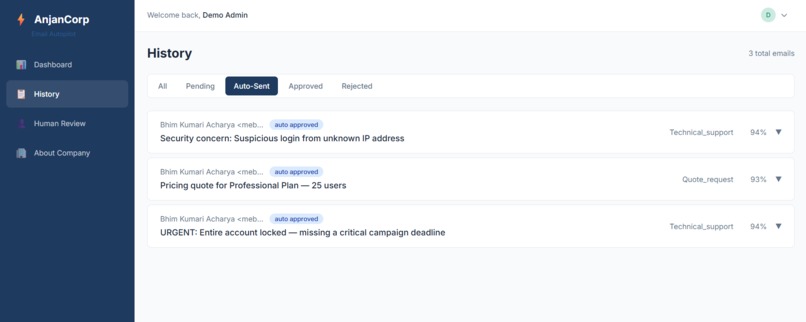
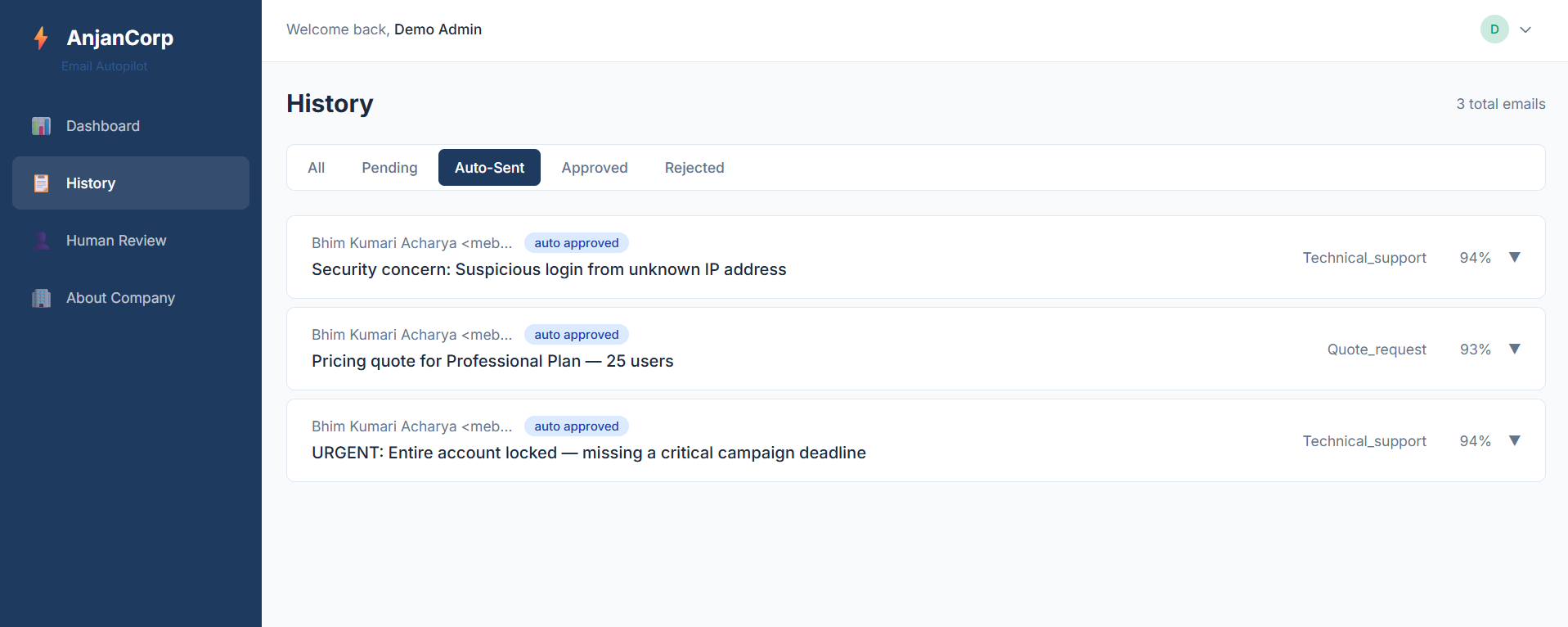
auto sent emails
-
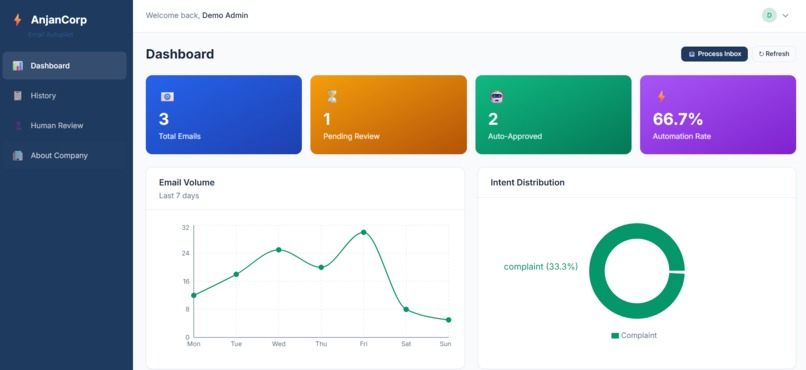
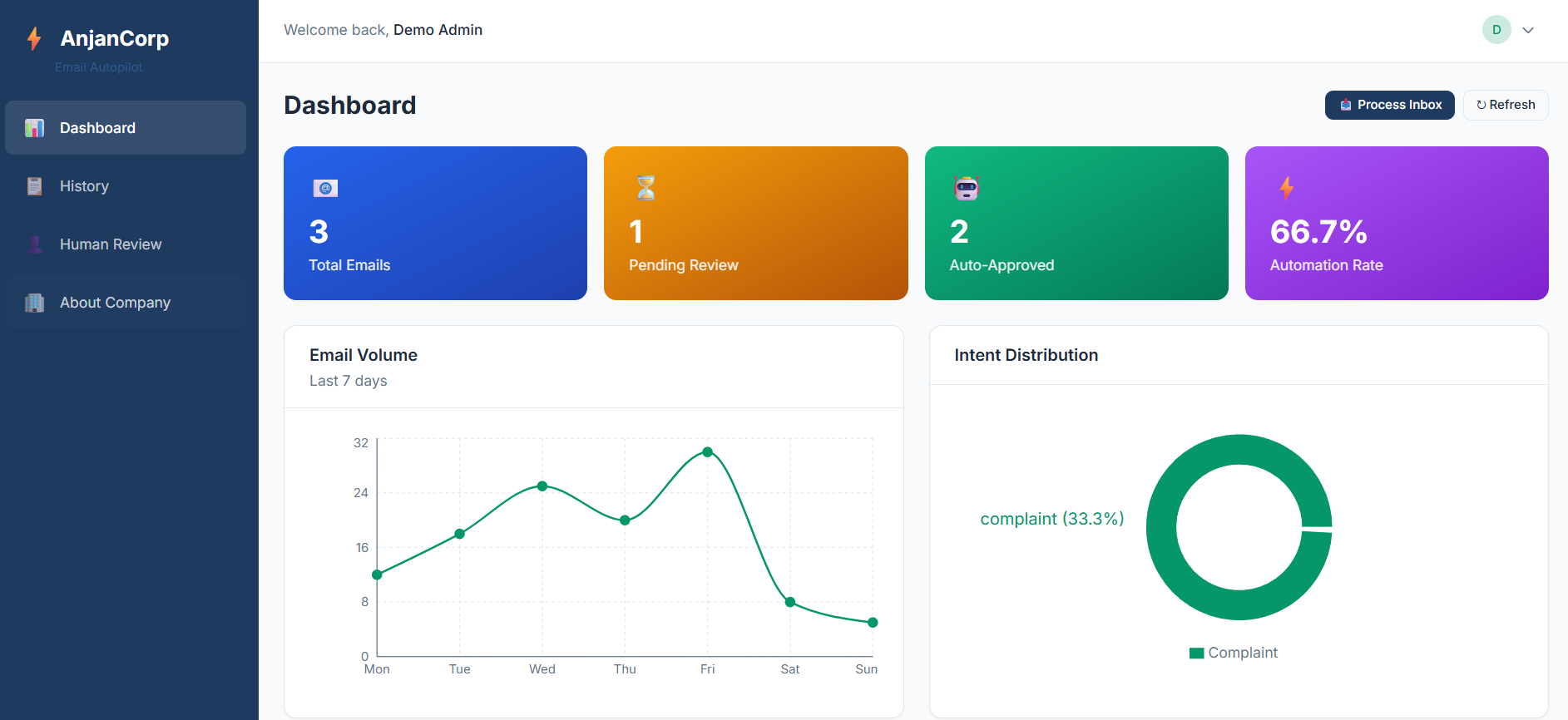
dashboard
-
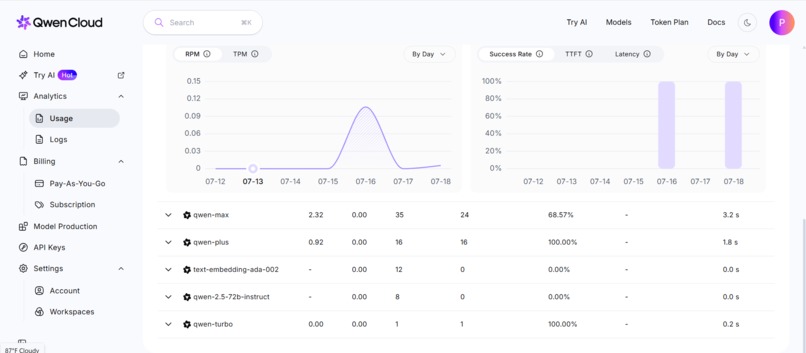
qwen usage 2
-
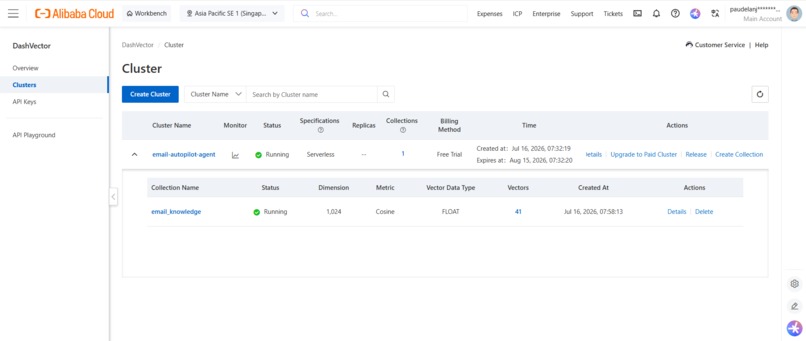
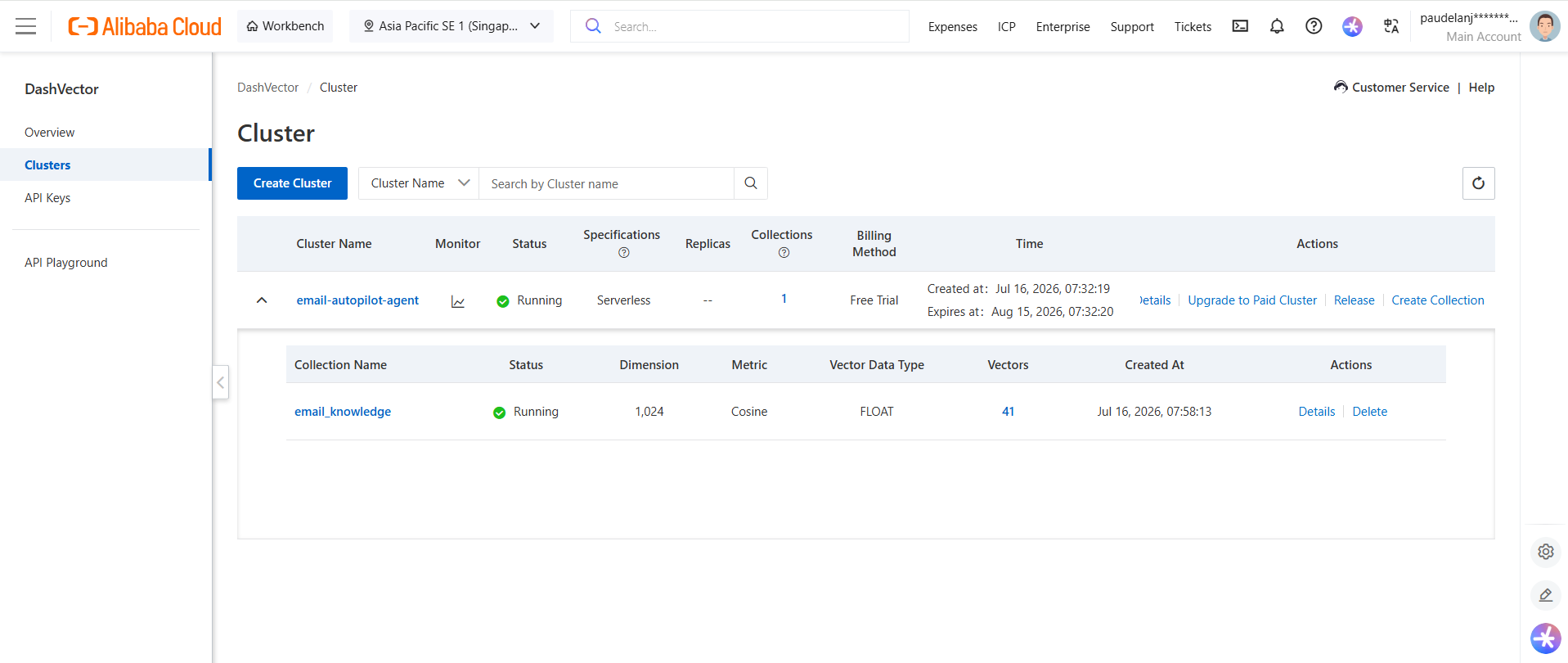
dashvector
Inspiration
Every day, customer support teams spend 3–4 hours manually reading, classifying, and responding to emails. At scale, this breaks down:
- Delays — average response time of 12–24 hours
- Inconsistency — five different agents give five different answers
- Burnout — repetitive triage drains team morale
- Missed revenue — urgent emails from enterprise customers get buried in the noise
We saw this problem first-hand while working with SaaS companies in India. One founder told us his support team of 8 people was spending 70% of their day just triaging — not solving — customer issues. He couldn't scale without doubling headcount.
The question became: What if AI could handle the routine, while humans only stepped in for the edge cases?
That's when we discovered Qwen Cloud.
Why Qwen Cloud?
We chose three Qwen models — all available on Qwen Cloud, no other AI providers needed:
| Model | Role | Why We Chose It |
|---|---|---|
| Qwen-Plus | Email classification | Fast, accurate intent detection with structured JSON output |
| Qwen-Max | Response generation | Superior context-aware drafting with professional tone control |
| Text-Embedding-V4 | Knowledge retrieval | Pairs with DashVector for semantic search over company FAQs |
The entire pipeline runs on Qwen Cloud infrastructure — classification, generation, and vector embeddings all use the same API key. This dramatically simplified our architecture and kept latency low.
What it does
Under the hackathon's Track 4: Autopilot Agent Email Autopilot Agent is a production-ready AI system that fully automates customer email handling:
- Monitors a Gmail inbox continuously via the Gmail API
- Classifies each email by intent (complaint, quote request, inquiry, spam, feedback), priority (urgent → low), and sentiment (positive, neutral, negative) using Qwen-Plus
- Retrieves relevant context from the company knowledge base via DashVector semantic search powered by Qwen Text-Embedding-V4
- Generates a professional, context-aware draft reply using Qwen-Max
- Reflects on its own draft — scoring it for tone, completeness, and factual accuracy
- Routes high-confidence drafts (score ≥ 0.9) to auto-send, and lower-confidence ones to a human review dashboard
Demo setup: For demonstration purposes, the agent monitors a dedicated test inbox (
[email protected]) which receives customer emails and processes them through the full pipeline. This allows us to showcase the complete workflow — from incoming customer email to AI-generated reply — without using a live production inbox.
How we built it
Architecture — Multi-Stage AI Pipeline
📩 Gmail Inbox
   │
   ▼
🧠 Qwen-Plus Classifier
   → Intent (complaint, quote, inquiry, spam, feedback)
   → Priority (urgent → low)
   → Sentiment (positive, neutral, negative)
   │
   ▼
🔍 DashVector Knowledge Retrieval
   → Semantic search over company policies, FAQ, products
   → Real-time context enrichment
   │
   ▼
✍️ Qwen-Max Generator
   → Context-aware draft reply
   → Professional tone adapted to sentiment
   │
   ▼
✅ Quality Reflection
   → Self-scoring: confidence 0.0 – 1.0
   │
   ▼
┌─────────────┴─────────────┐
│                           │
▼                           ▼
Auto-Send (score ≥ 0.9)     Human Review (score < 0.9)
                           → Dashboard approval workflow
Tech Stack:
| Layer | Technology |
|---|---|
| Backend | FastAPI + Python 3.12 |
| AI Models | Qwen-Plus, Qwen-Max, Text-Embedding-V4 (all via DashScope SDK) |
| Vector Database | DashVector (Alibaba Cloud) |
| Database | PostgreSQL 16 |
| Frontend | React + TypeScript + Vite + Tailwind CSS + Recharts |
| Auth | JWT (python-jose + bcrypt) |
| Gmail API (OAuth 2.0) |
Challenges we ran into
- Integration problems for beginners
- DashVector setup at the first time.
Accomplishments that we're proud of
Multi-stage AI pipeline that actually works end-to-end. Most hackathon projects chain a single LLM call to a prompt. We built a production-grade pipeline — classify → retrieve → generate → reflect → route — with each stage running on a different Qwen model optimized for its task.
Quality reflection mechanism. We're particularly proud of the self-scoring loop. The AI doesn't just generate a response — it critiques its own work. If the draft is vague, overly promotional, or doesn't fully answer the customer's question, the reflection step catches it and routes it to a human. This is the difference between a chatbot and a trustworthy agent.
Real Gmail integration — not a simulation. Our agent connects to a live Gmail inbox via OAuth 2.0, fetches real unread emails, processes them, and either sends the reply or queues it for review. No mock data, no simulated inbox — this is a production-ready tool.
Human-in-the-loop dashboard. We built a complete React frontend where support managers can see pending reviews grouped by intent, read the original email alongside the AI's draft, see the confidence score, and approve, edit, or reject with one click. Real-time stats show automation rate, response times, and intent distribution.
100% Qwen Cloud native. The entire AI pipeline — classification, generation, and vector embeddings — runs on Qwen Cloud models via a single DashScope API key. No OpenAI, no Anthropic, no third-party AI providers. This dramatically simplified our architecture and kept latency low.
What we learned
This project taught us several important lessons about building AI agents for real-world use:
AI is only as good as the feedback loop. The quality reflection step was our most important addition. Without it, the AI confidently sends wrong answers. With it, the system catches its own mistakes before they reach customers. This reinforced that self-critique is not a luxury — it is a necessity for trustworthy agent behavior.
Prompt engineering is not a one-and-done task. We iterated on our classification and generation prompts over 20+ times during testing. Small phrasing changes produced meaningfully different outputs. We learned to version-control our prompts and test them against a fixed evaluation set before deploying changes to production.
Production AI needs graceful degradation. Email API rate limits, network blips, and cold-start latency are not edge cases — they are the norm. Every component in our pipeline now has a fallback: retry logic with exponential backoff for transient failures, cached responses when the vector store is slow, and template fallbacks when generation fails entirely.
Human trust must be earned. The confidence threshold of 0.9 was not an arbitrary number — it came from testing hundreds of email scenarios and asking reviewers "Would you feel comfortable sending this?" The right threshold depends on the team's risk tolerance, which is why we made it configurable rather than hard-coding it.
Simplicity is a feature. Using one DashScope API key for all three Qwen models (classification, generation, embeddings) kept our integration clean, reduced overall latency, and eliminated cross-provider reliability concerns. We never regretted choosing the simpler architectural path.
What's next for Email Autopilot Agent
The agent is functional today, but we see clear paths to make it even more powerful:
Multi-channel support. Extend beyond email to WhatsApp, Slack, and web chat — all routed through the same classification → generation → review pipeline.
MCP tool server. Build a Model Context Protocol (MCP) server so the agent can interact with external tools — CRM updates, ticket creation in Jira, order lookups — directly from the AI pipeline.
Learning from human edits. When a reviewer edits an AI draft before approving, those corrections should feed back into the system. Over time, the agent learns which response patterns human reviewers prefer, reducing the review burden further.
Multi-language support. Extend classification and generation to handle emails in Nepali, Hindi, and other languages, reflecting the diverse customer base of the SaaS companies we worked with.
Self-hosted model option. For enterprises with strict data residency requirements, provide an option to run smaller Qwen models locally while keeping DashVector and the pipeline intact.
Built With
- alibabacloud
- dashvector
- fastapi
- google-gmail-oauth
- postgresql
- qwen
- qwen-max
- qwen-plus
- react
- text-embedding-v4


Log in or sign up for Devpost to join the conversation.