-
-
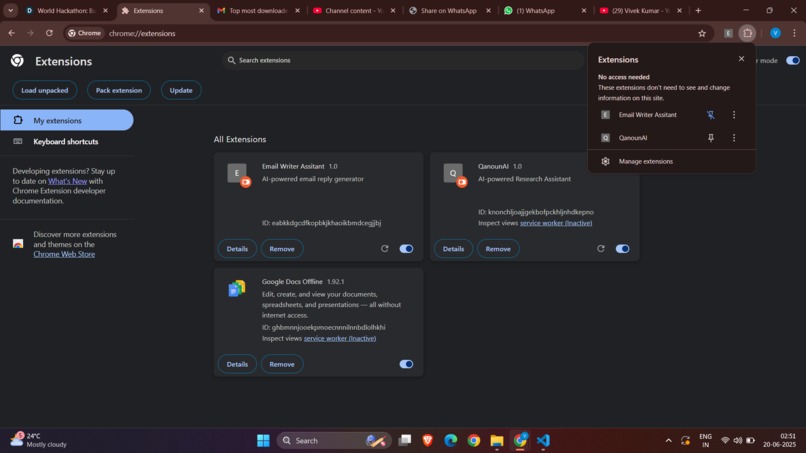
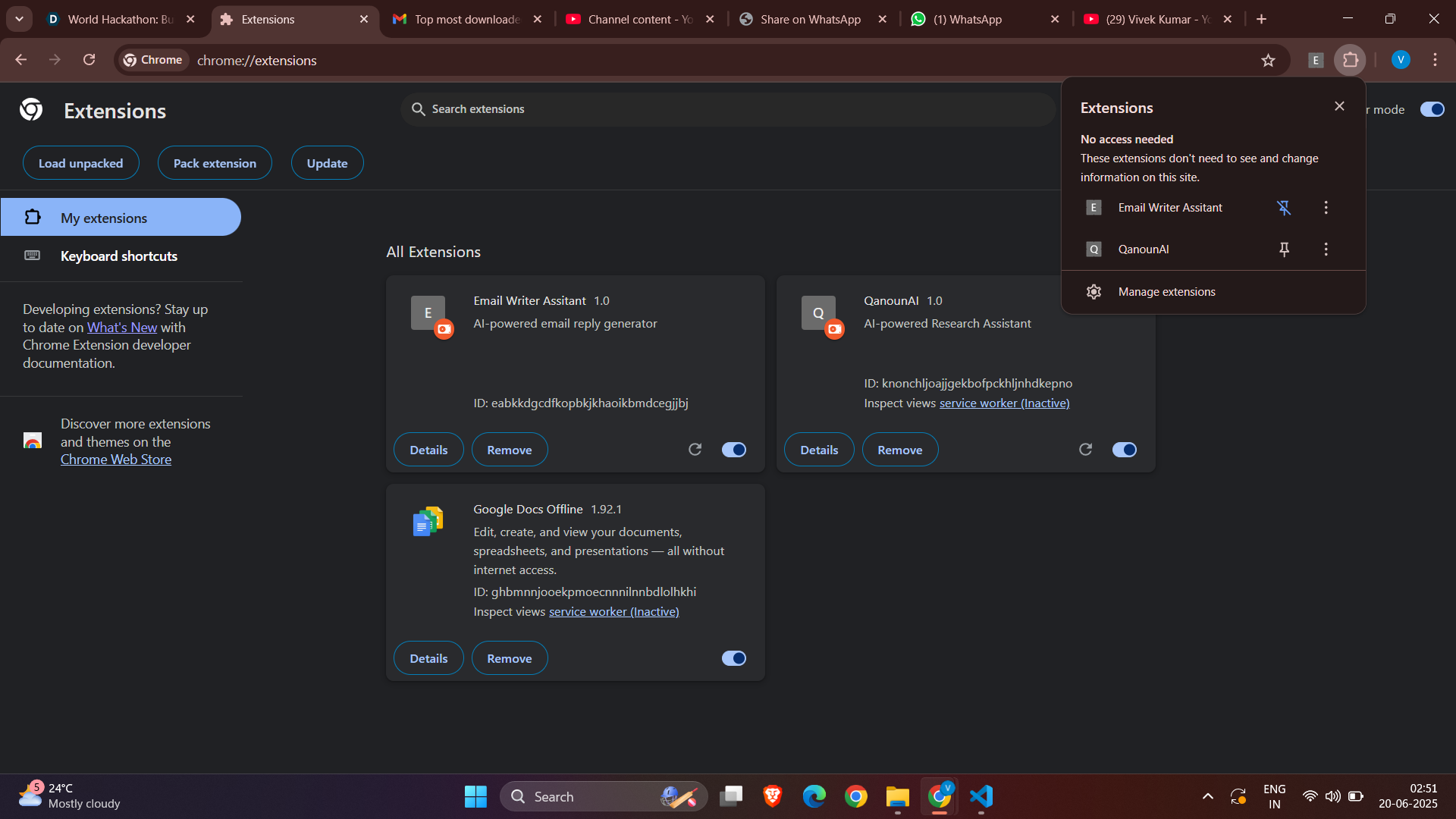
Extension loaded in Chrome, ready to inject AI reply functionality into Gmail.
-
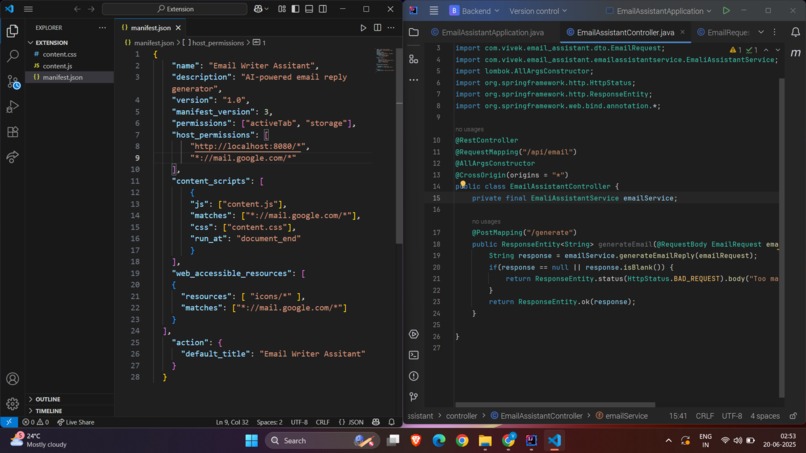
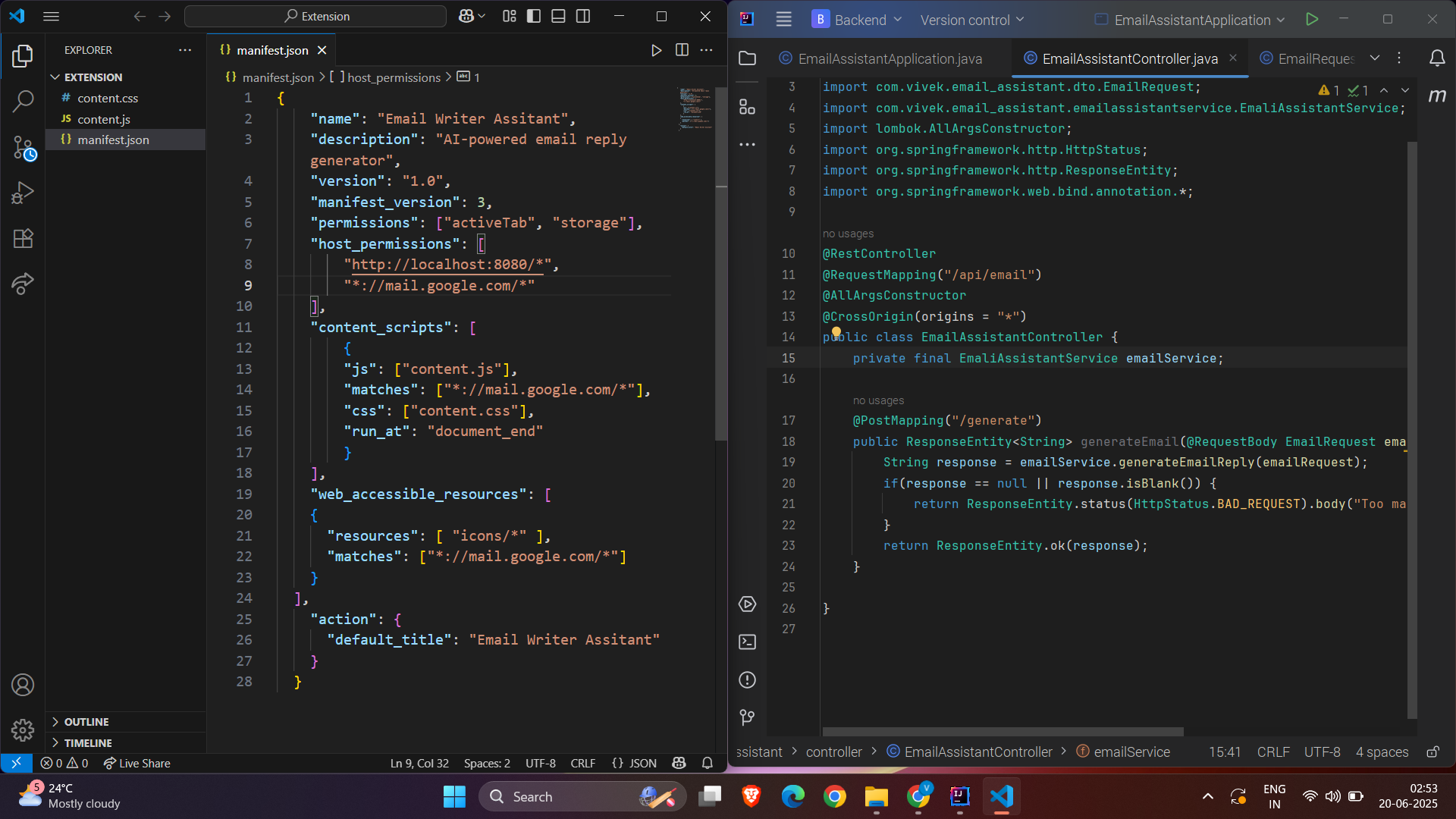
Side-by-side view of Chrome extension config and Spring Boot Gemini API integration.
-
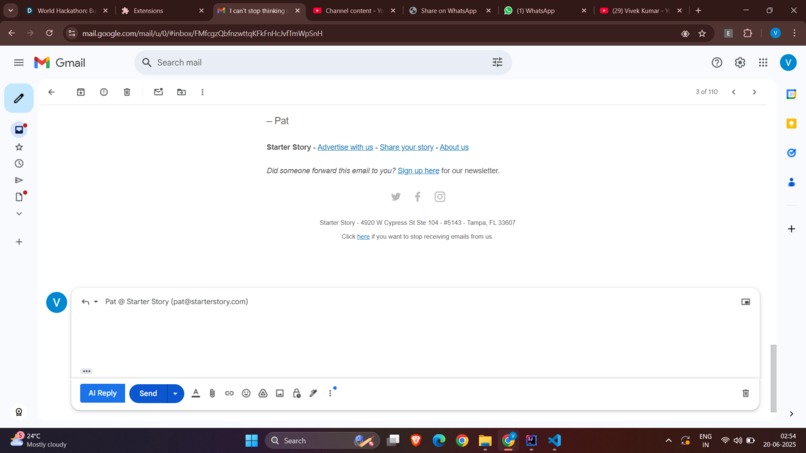
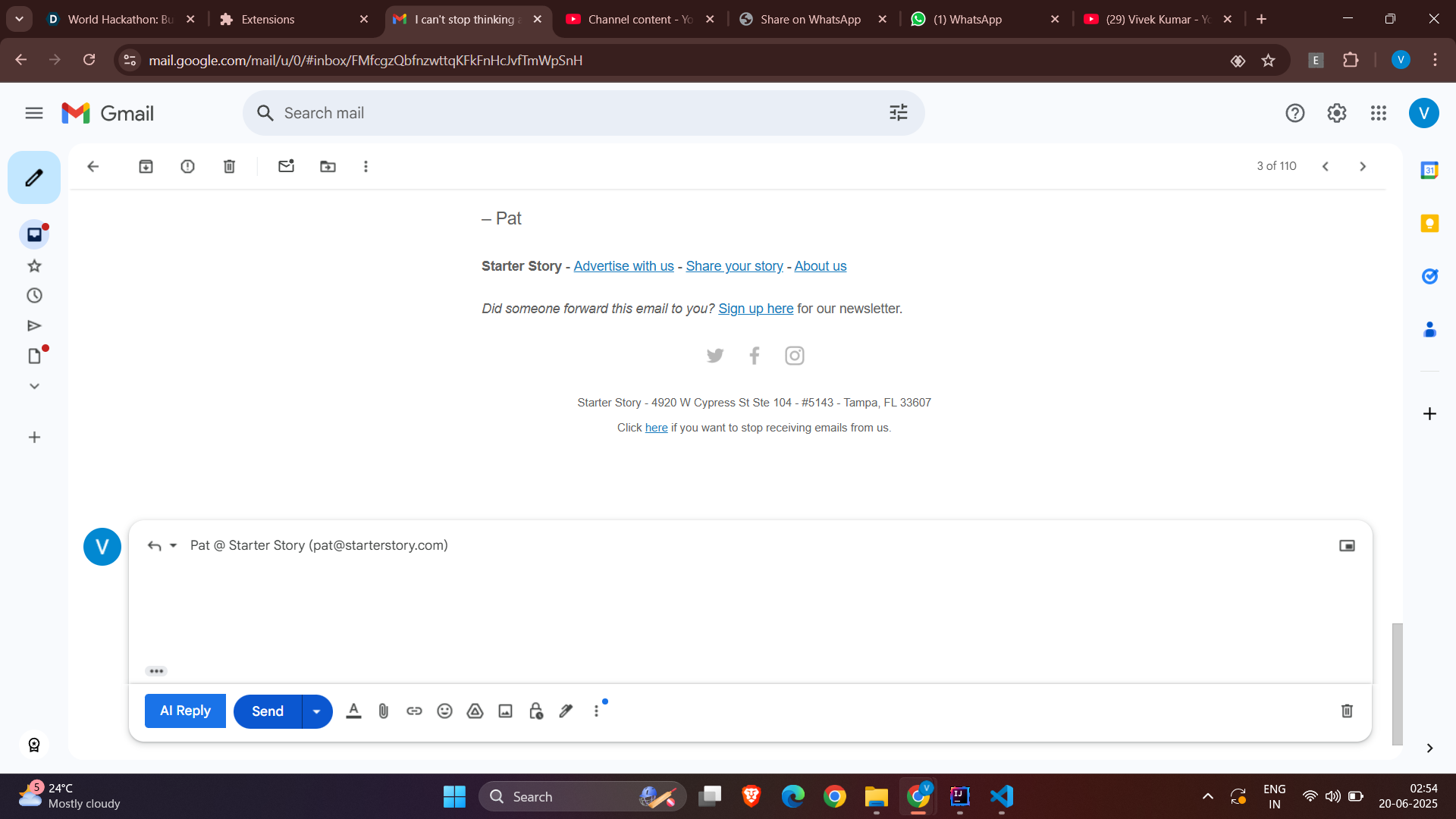
“AI Reply” button injected into Gmail UI using MutationObserver and content scripts.
-
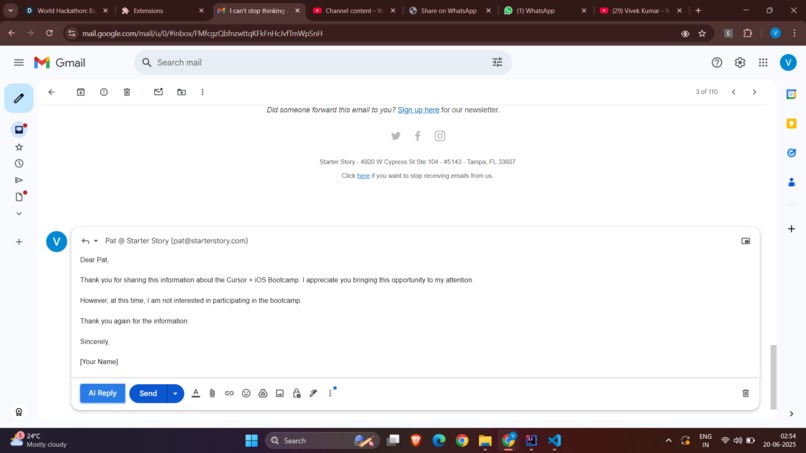
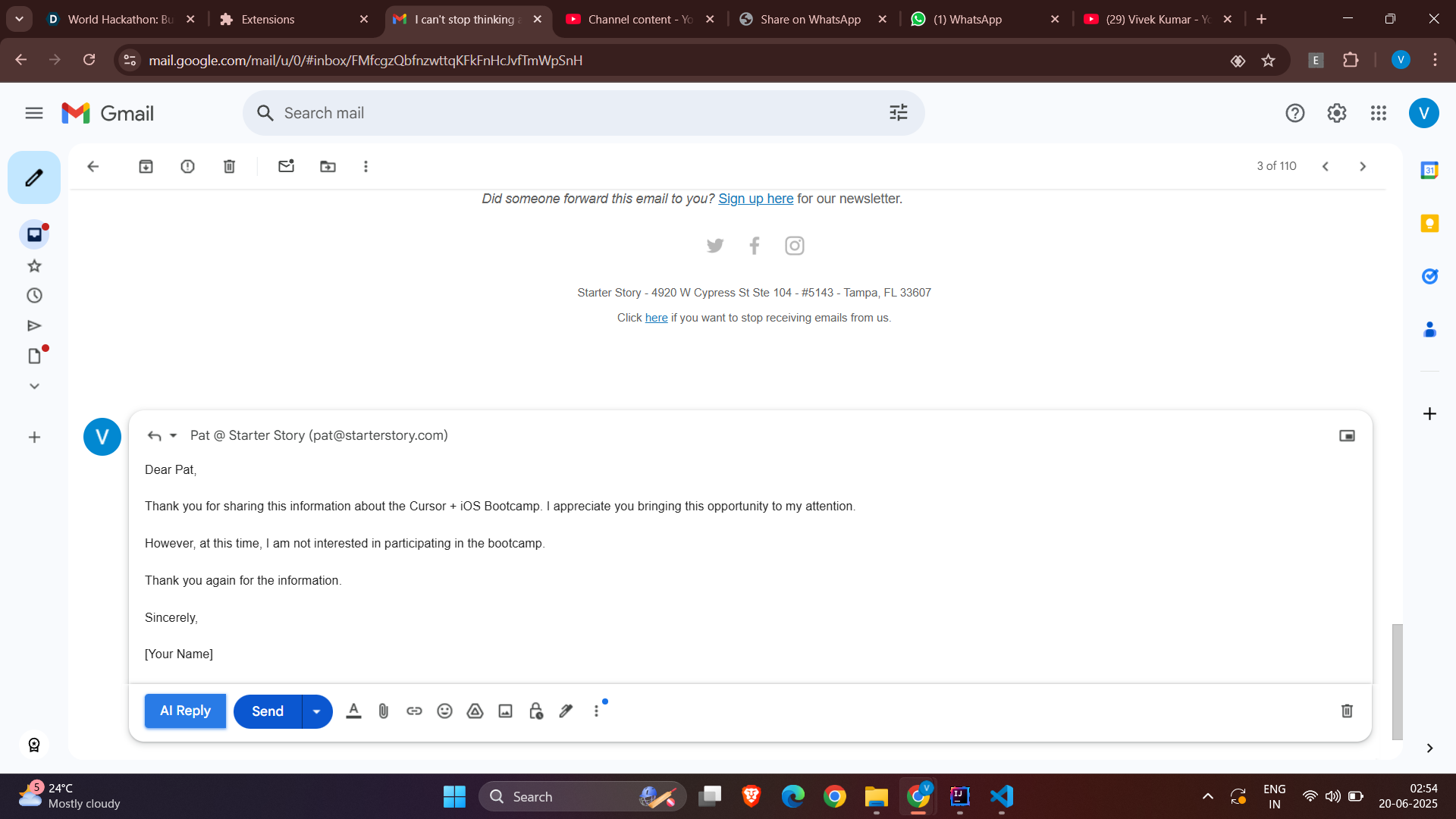
Gemini-generated email reply inserted automatically in Gmail’s reply box.
🧠 Email Assistant – AI-Powered Gmail Chrome Extension
🚀 Inspiration
In today's hyper-digital world, professionals spend hours replying to emails — often repetitive and mentally taxing. We wanted to combine the power of Generative AI with a tool we use every day: Gmail. That's how Email Assistant was born — an AI reply generator that lives inside your inbox.
💡 What It Does
Email Assistant is a Chrome extension that uses Google’s Gemini API to generate smart, context-aware email replies directly in Gmail.
🔑 Features:
- ✨ Adds a "Generate" button when you hit Reply
- 🎯 Lets you select a tone: Formal, Casual, or Friendly
- 🧠 Sends the email context and tone to the backend
- 💬 Receives an AI-generated reply from Gemini
- 📤 Auto-fills the reply and offers one-click Send
🛠️ How We Built It
🧩 Frontend (Chrome Extension):
- HTML, CSS, JavaScript
- MutationObserver to detect Gmail's dynamic DOM
- Injected UI elements (Generate button + Tone dropdown)
- Handled reply insertion and Gmail interaction
🖥️ Backend (Java Spring Boot):
- Exposes REST API endpoints
- Sends email context and tone to Gemini API
- Returns AI-generated reply text
🔍 Challenges We Faced
- Gmail's DOM is dynamic; injecting UI using MutationObserver needed precision
- Designing tone-specific prompts for Gemini AI to match user expectations
- Managing CORS issues between the extension and backend
- Ensuring speed without sacrificing quality in AI replies
🏆 Accomplishments
- Built a fully functioning end-to-end AI assistant inside Gmail
- Successfully used Gemini API for tone-aware responses
- Created a seamless experience without needing Gmail API access
- All built from scratch in under 48 hours
📚 What We Learned
- Deep understanding of browser extensions and the Gmail DOM
- Prompt engineering for tone-specific AI text generation
- Handling cross-origin communications and backend integration
- Designing simple but effective AI/UX experiences
🔮 What's Next
- 🧠 Better context awareness using full email threads
- 🌐 Multi-language reply generation
- 🪪 Personalized replies with user signature and name
- 🔐 OAuth login for secure personalization
- 📦 Publish to Chrome Web Store
- 🔄 Support for other browsers (Firefox, Edge)
📁 Tools & Technologies Used
- Frontend: JavaScript, HTML, CSS, Chrome Extensions API
- Backend: Java, Spring Boot
- AI: Google Gemini API
- Browser: Chrome (extension tested and deployed locally)


Log in or sign up for Devpost to join the conversation.