-
-
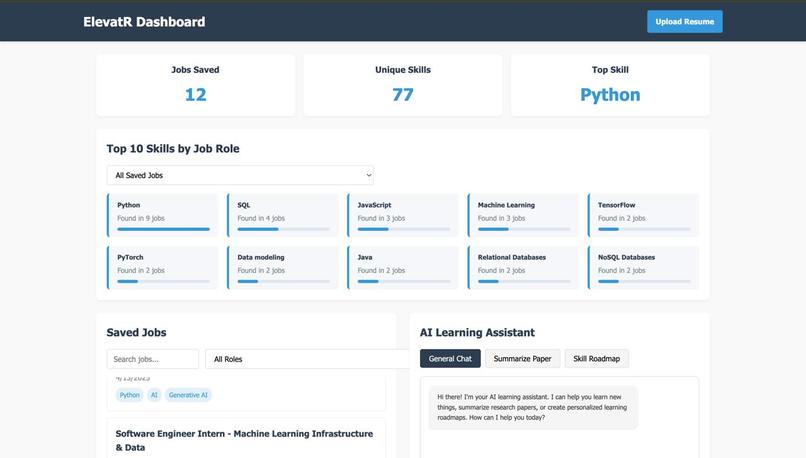
DashBoard
-
-

💡 Inspiration
When you're new to the IT industry, it can be overwhelming to figure out what skills are actually needed for the role you dream of. We were in the same boat, unsure of the specific tools and technologies expected by companies.
While our college curriculum gave us a strong foundation, we realized something important:
The tools and skills used in the industry often go beyond what we’re taught in class.
To bridge this gap, my teammate and I spent countless hours going through job descriptions on LinkedIn, Indeed, and other platforms. We manually read dozens (if not hundreds) of posts just to figure out the tools and skill sets that companies look for.
That experience sparked an idea: Why not build a tool that could do this analysis for us – and for every other student struggling with the same problem?
💼 What it does
ElevatR is a Chrome extension that helps students and job seekers bridge the gap between their current skills and what employers are actually looking for. With just one click, users can:
Save job descriptions from platforms like LinkedIn, Glassdoor, or Indeed
Automatically extract and visualize key skills mentioned in those job listings
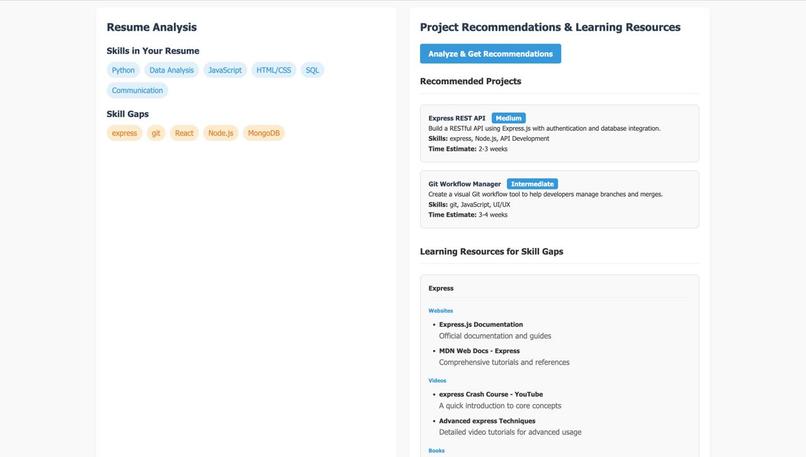
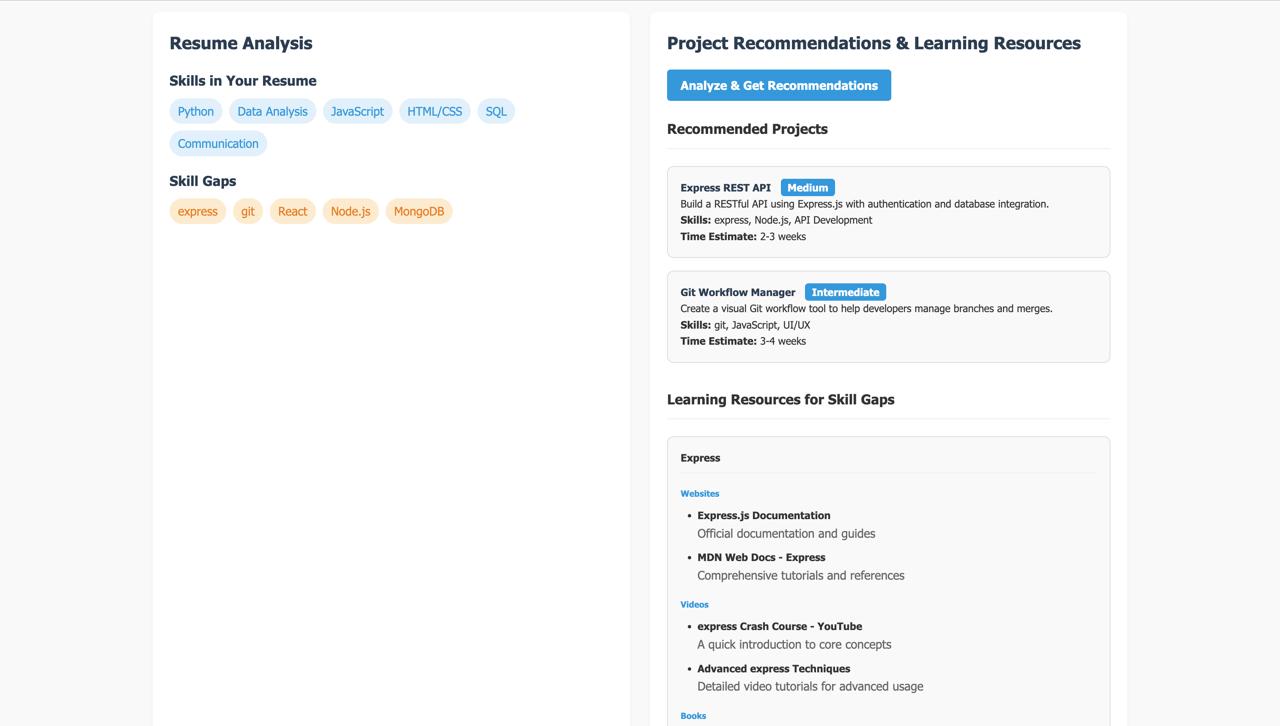
Compare those skills with their own resume to identify gaps
Get personalized project recommendations to build in-demand skills
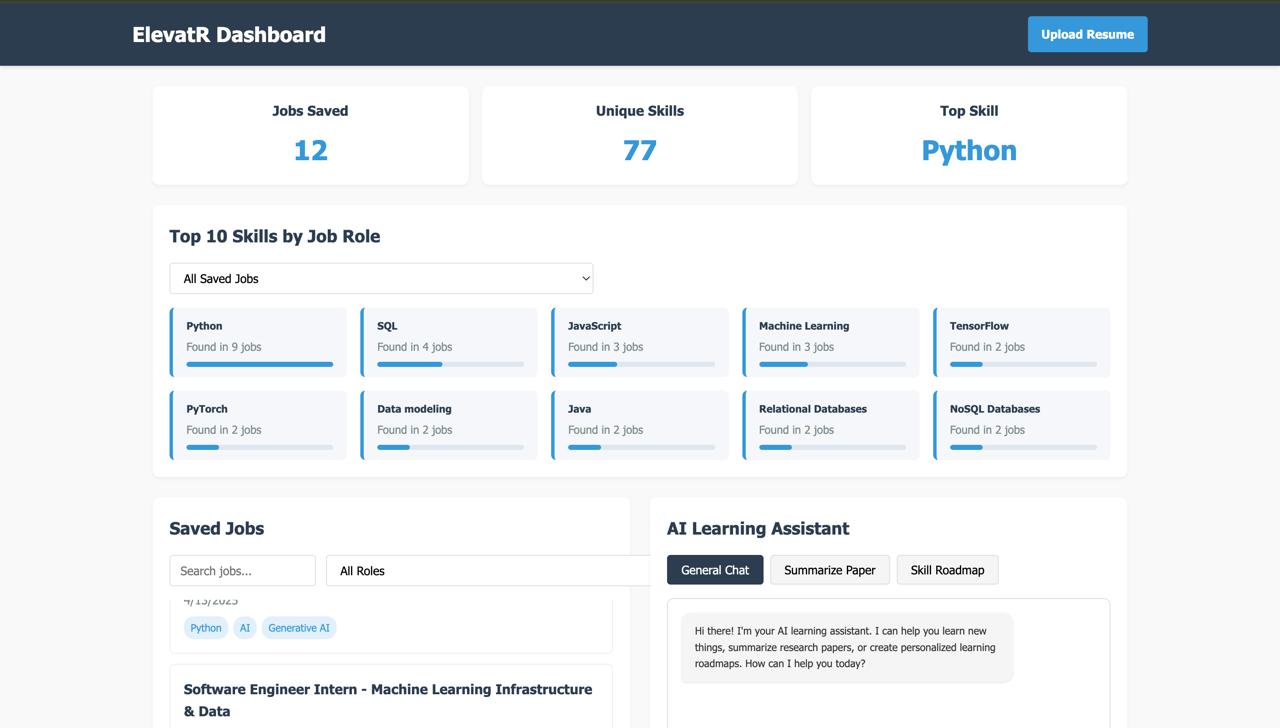
Track skill frequency across multiple job roles through a dynamic dashboard
In addition to these features, ElevatR also includes a powerful AI Assistant you can chat with to get real-time career advice, resume insights, and more.
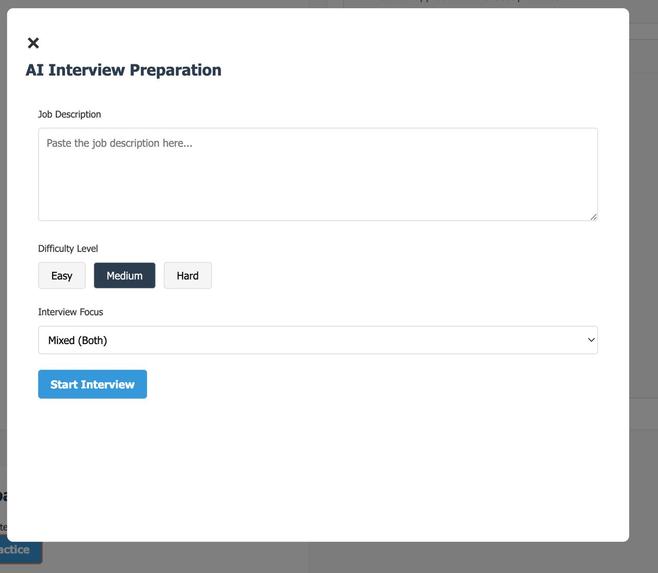
It also offers an AI-powered interview preparation module where the assistant asks role-specific questions, records your answers, and provides a smart summary and feedback to help you improve your performance.
⚙️ How We Built It
Frontend: HTML, CSS, JavaScript, Chart.js
Backend: Python, FastAPI, CrewAI, LangChain
AI Services:
Google Gemini API (chat + resume analysis)
Vectara (interview question generation + document search)
Storage: Chrome Extension Storage API
We used FastAPI to serve our endpoints and Google Gemini to perform the heavy lifting in skill extraction and resume analysis. The agents work together to analyze descriptions, assess gaps, and offer projects to close those gaps.
🚧 Challenges we ran into
Skill Extraction Accuracy: Not all job descriptions are well-written or standardized. Getting consistent, relevant skills from free-form text was tricky.
Resume Parsing: Resumes come in various formats, so comparing them with job descriptions required smart parsing and normalization.
Multi-agent Communication: Coordinating the flow between agents in CrewAI took trial and error.
Time Constraints: Building both a Chrome extension and an AI backend during a short hackathon window was a major hustle!
🏅 Accomplishments that we're proud of
We built a working end-to-end solution—from job description scraping to resume gap analysis and project suggestions.
Learned and implemented a multi-agent AI system using CrewAI in under 48 hours.
Made a tool that we personally would’ve loved to have when starting our career journeys.
Turned a real-life student struggle into a smart, usable, and scalable product.
📚 What we learned
How to build and publish a Chrome extension
How to implement and manage multi-agent architectures with CrewAI
The power of Google Gemini API and LangChain for real-world NLP
🔮 What's next for ElevatR
User Login & Cloud Sync – So students can access their saved data across devices
Project Templates – Direct links to GitHub starter projects or guided tutorials based on skill gaps
Real-time Resume Scoring – Live feedback on how well your resume matches your dream job
Skill Trend Analysis – Show emerging skills across industries and roles
Chrome Store Launch – Make the extension available publicly with one-click install
Built With
- agents
- api
- crewai
- css
- gemini
- html
- javascript
- python
- vectara


Log in or sign up for Devpost to join the conversation.