Inspiration
We built elevate because learning from real people is often hard to access. Whether people want to break into a new career or learn a hobby, finding the right person can be frustrating and also impossible at times. We wanted to make the connection simple, human, and immediate.
What it does
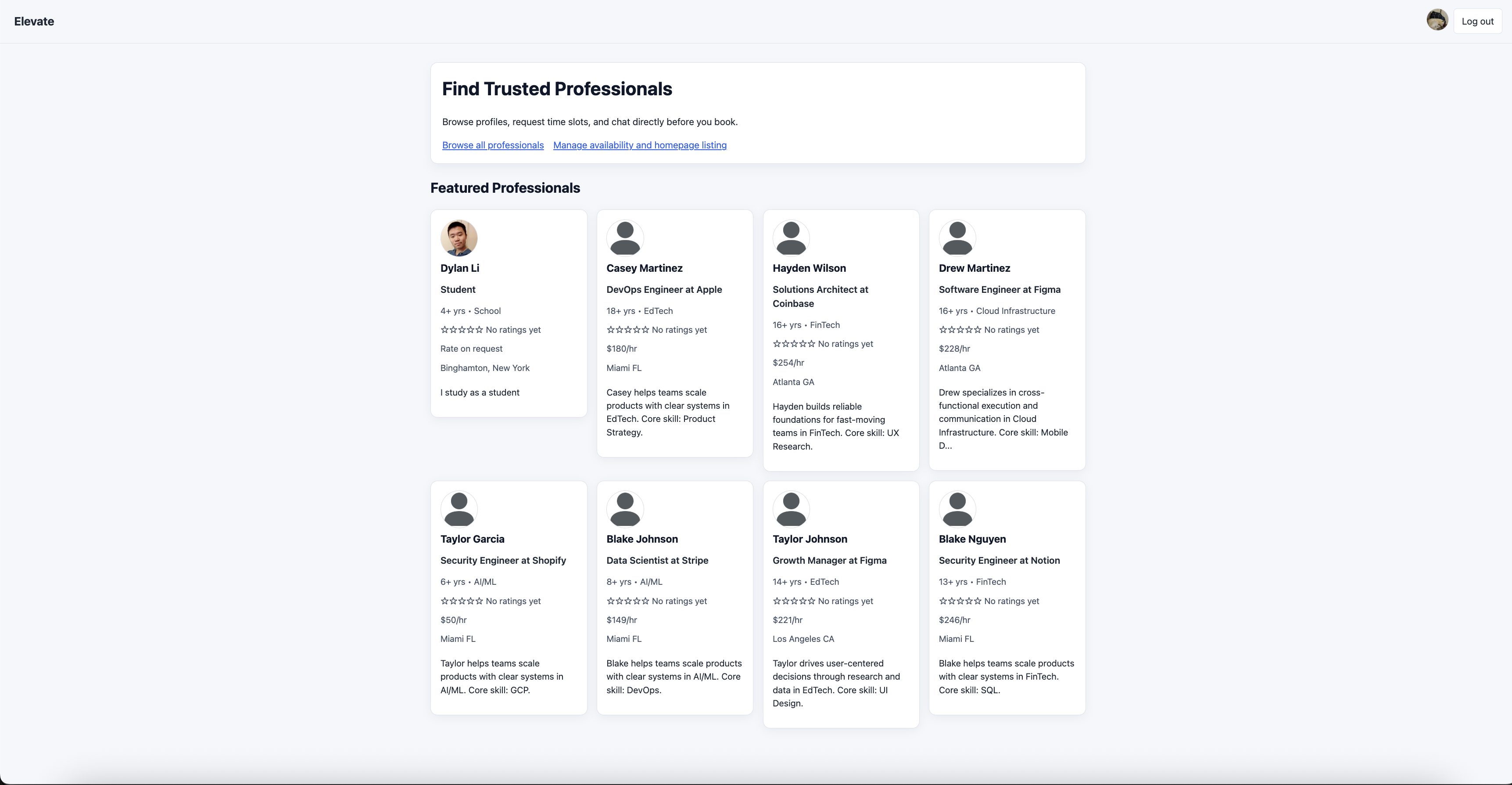
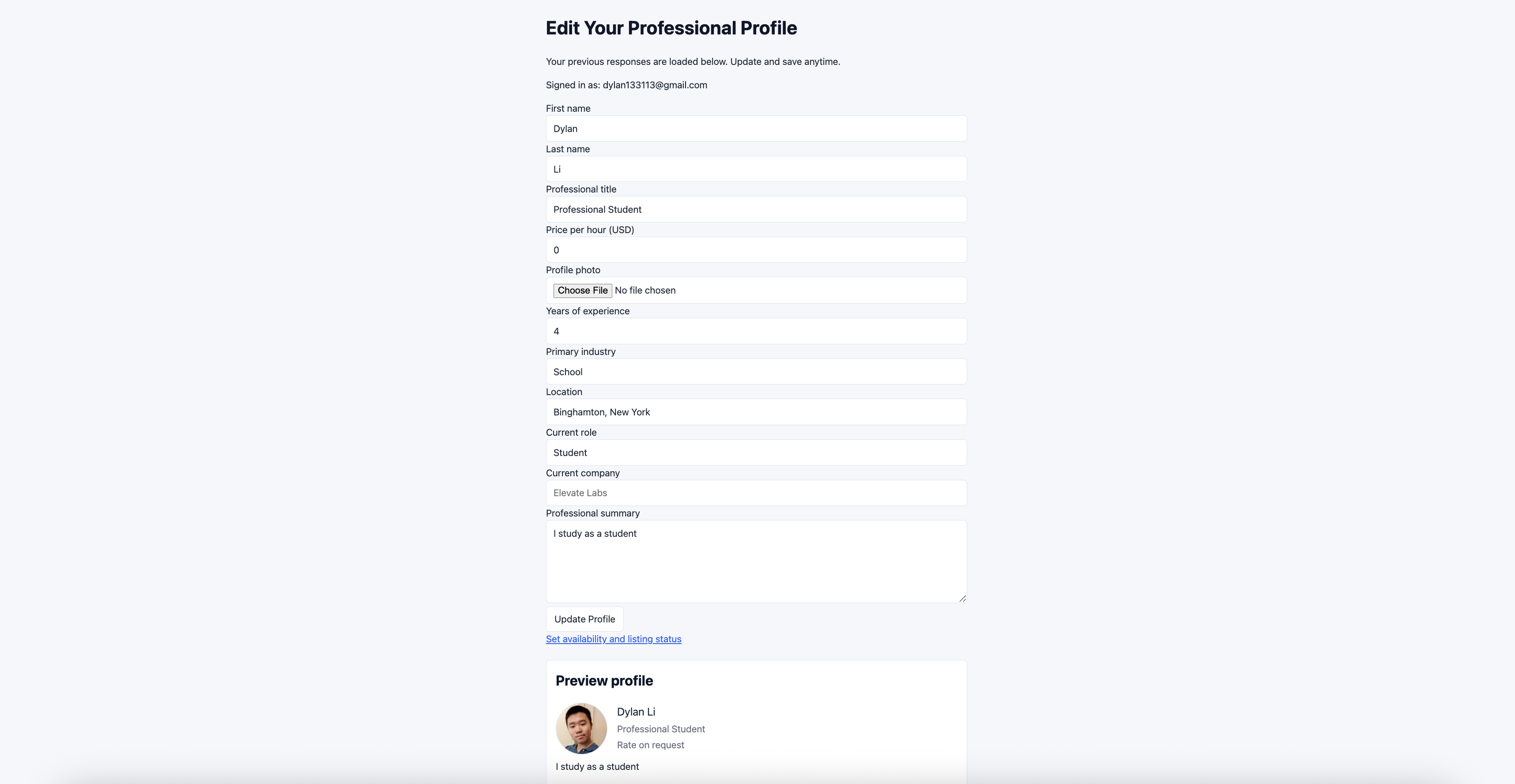
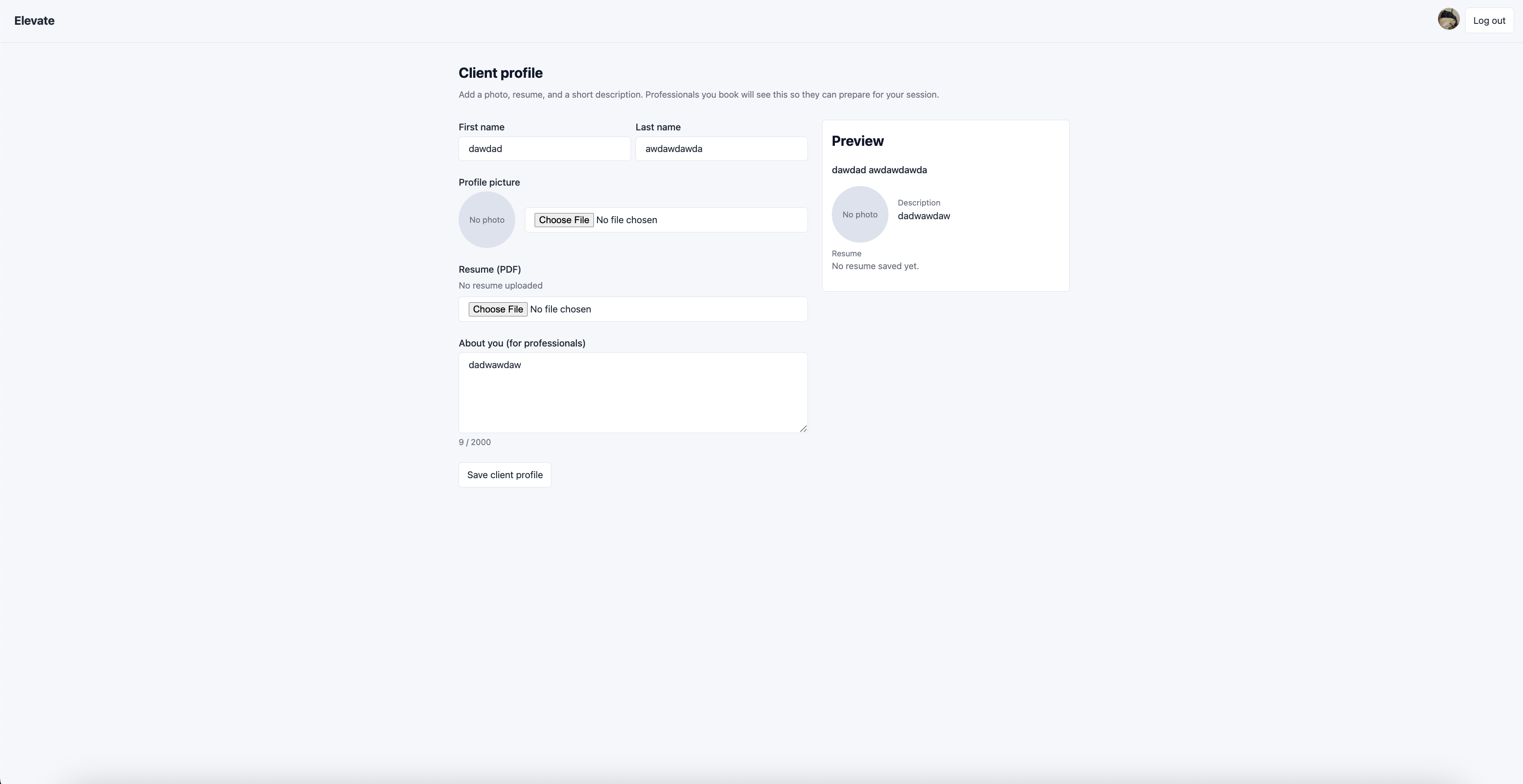
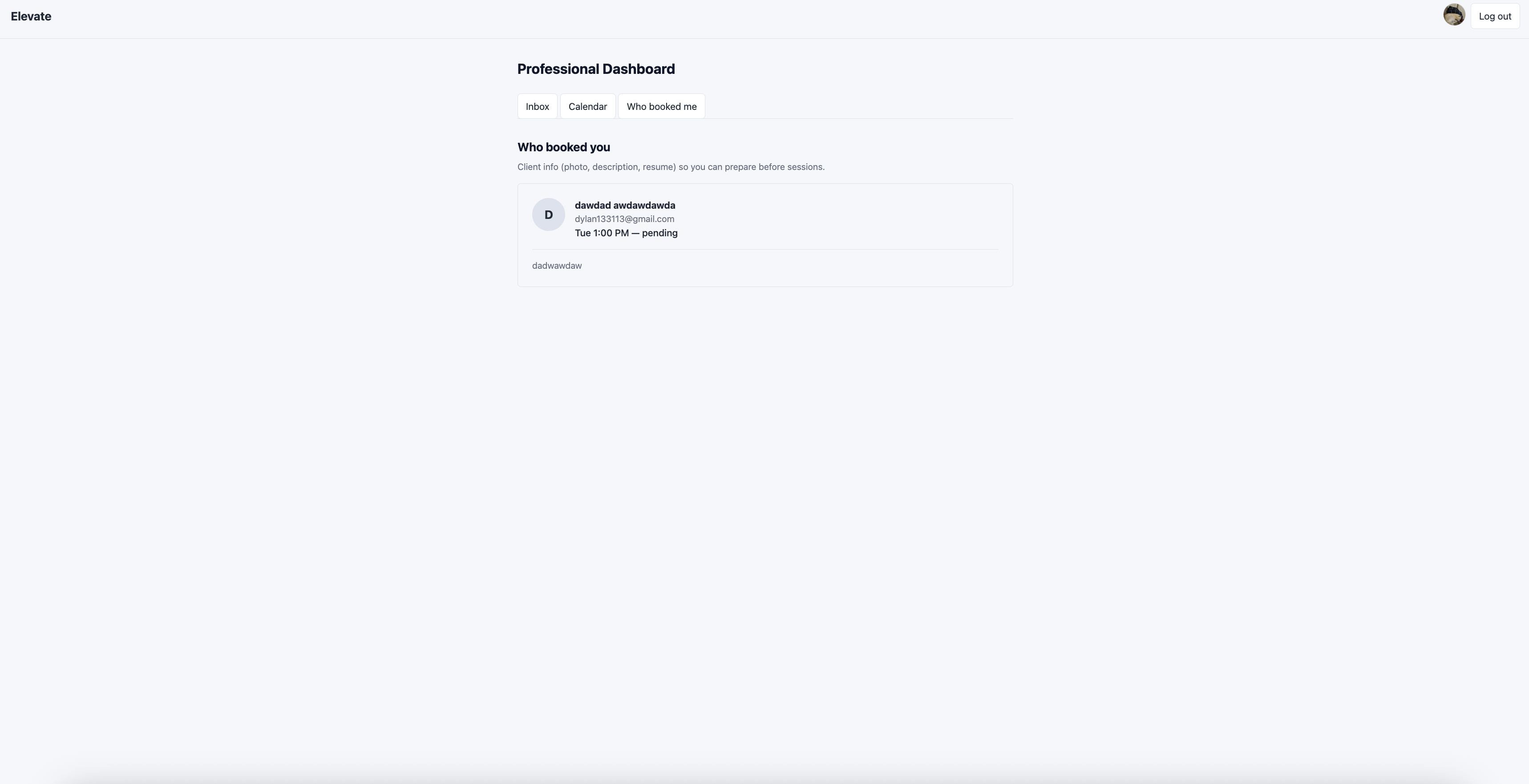
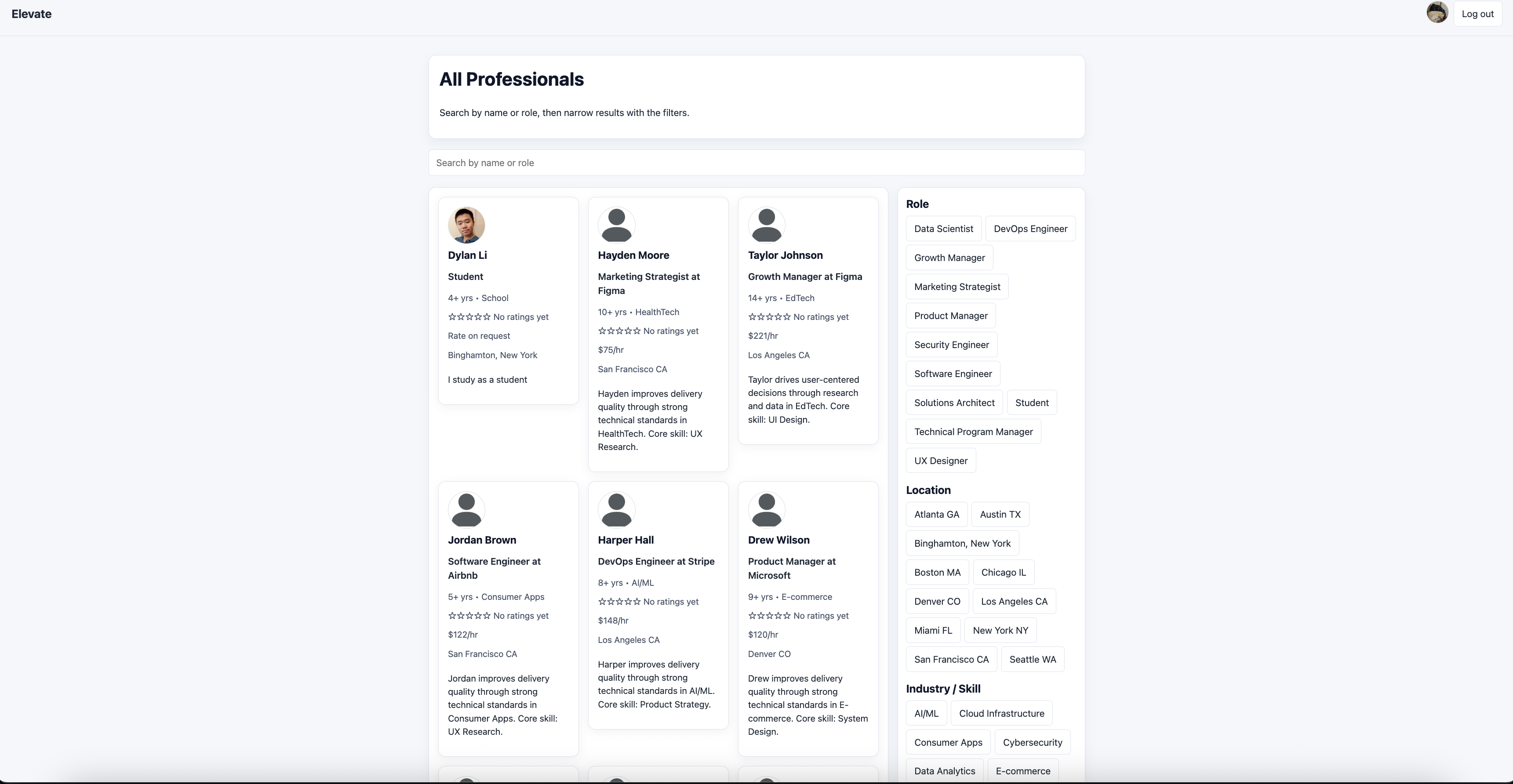
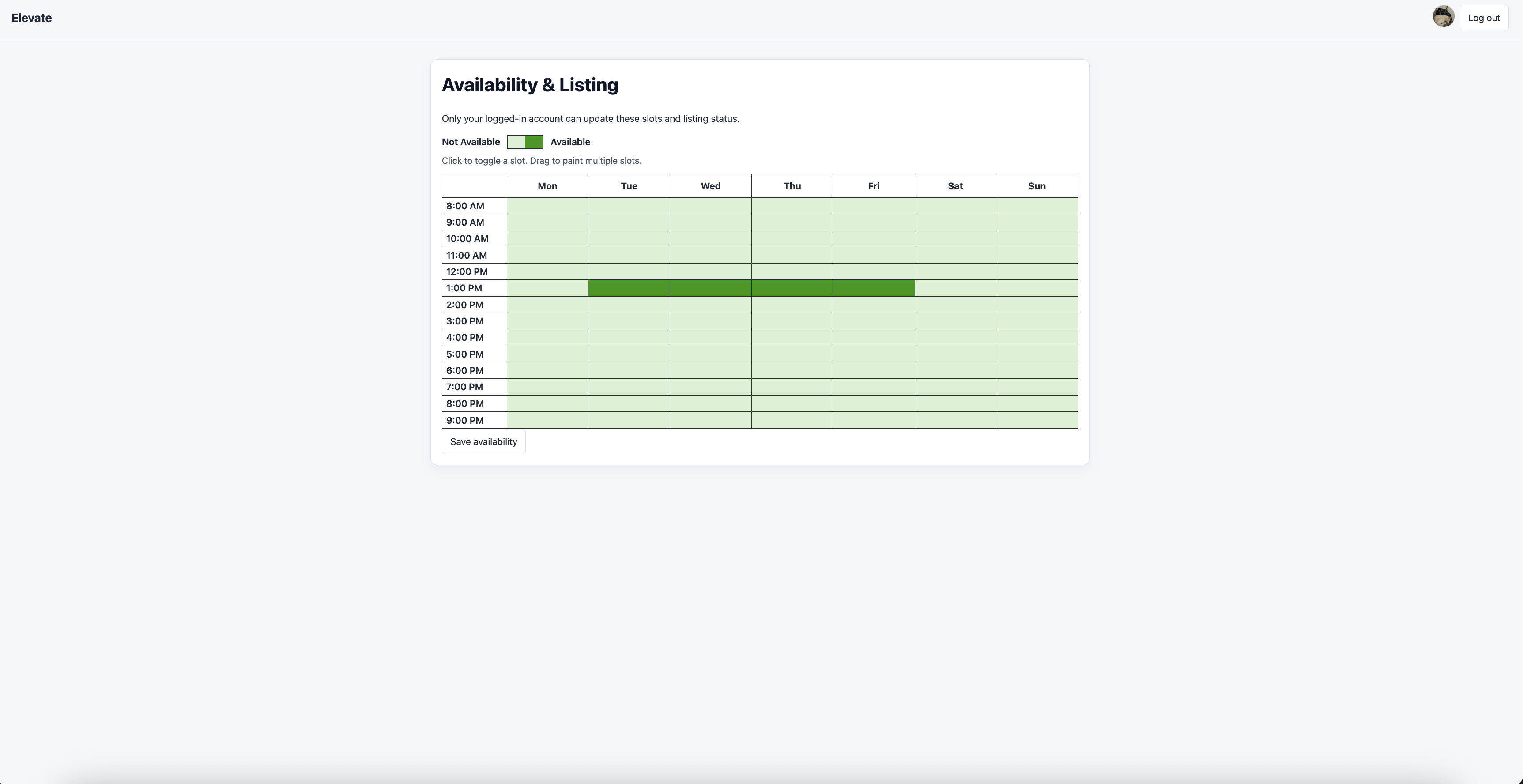
Elevate connects learners with professionals for 1:1 mentorship and guidance. Professionals create public profiles with their background, rates, and weekly availability, while learners build client profiles (photo, resume, goals/context) to help mentors prepare. Learners can discover and filter professionals, start direct chats, and request specific time slots through a shared availability calendar. Professionals manage everything from one dashboard, including inbox conversations, booking requests, and client details before each session.
How we built it
We built Elevate as a two-sided web app with separate but connected experiences for professionals and learners. We implemented profile systems for both sides, including professional public profiles and client profiles with photo, resume, and context. We then built the core session flow around discovery, conversation, and booking: users browse professionals, open direct chat threads, and request time slots through a shared availability calendar.
On the professional side, we created a unified dashboard to manage inbox conversations, schedule requests, and booked-client information in one place. We also integrated authentication and real-time-style updates (polling/streaming patterns) so profile changes, conversations, and booking activity stay current during use. We designed the product flow around three steps: discovery, conversation, and booking. Users can browse profiles, open direct chat, and request time slots through a shared availability calendar. On the professional side, we created a dashboard to manage inbox conversations, schedule requests, and booked client details in one place.
Challenges we ran into
Our biggest challenges was live testing two devices. Initially we tried to share the app over a local IP address so two laptops could use the same network. At first basic pages worked, but authetication flows were inconsistent because Oauth redirect and host restrictions were difficult to resolve.
To solve this, we switched to ngrok whcih gave us a consistent public HTTPS URL for both users.
Accomplishments that we're proud of
We’re especially proud of getting our chat to work as a real messaging experience in our mini demo hosted through ngrok. We built a full conversation flow where a client and start a chat to a professional.
What we learned
Real-time collaboration features (chat, booking updates, availability) are more complex than static CRUD and need strong state handling. OAuth and multi-device testing can break in local-network setups; stable HTTPS tunneling made auth and redirects reliable. Designing profile context for both sides improves session quality by setting expectations before people meet.
What's next for Elevate
Elevate will seek to add end-to-end booking confirmation with accept/decline flow and calendar sync. Integrate payments so sessions can be paid and tracked in-platform, improve matching with smarter search/recommendations based on goals, industry, and availability, add session lifecycle tools: reminders, pre-session notes, and post-session feedback, and ship trust and quality features like verified profiles, stronger reviews, and moderation/reporting.

Log in or sign up for Devpost to join the conversation.