-
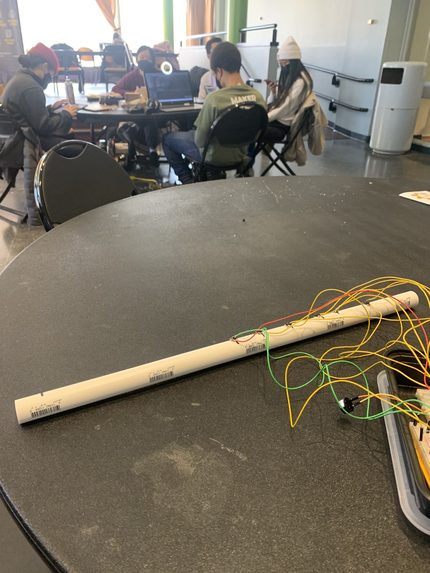
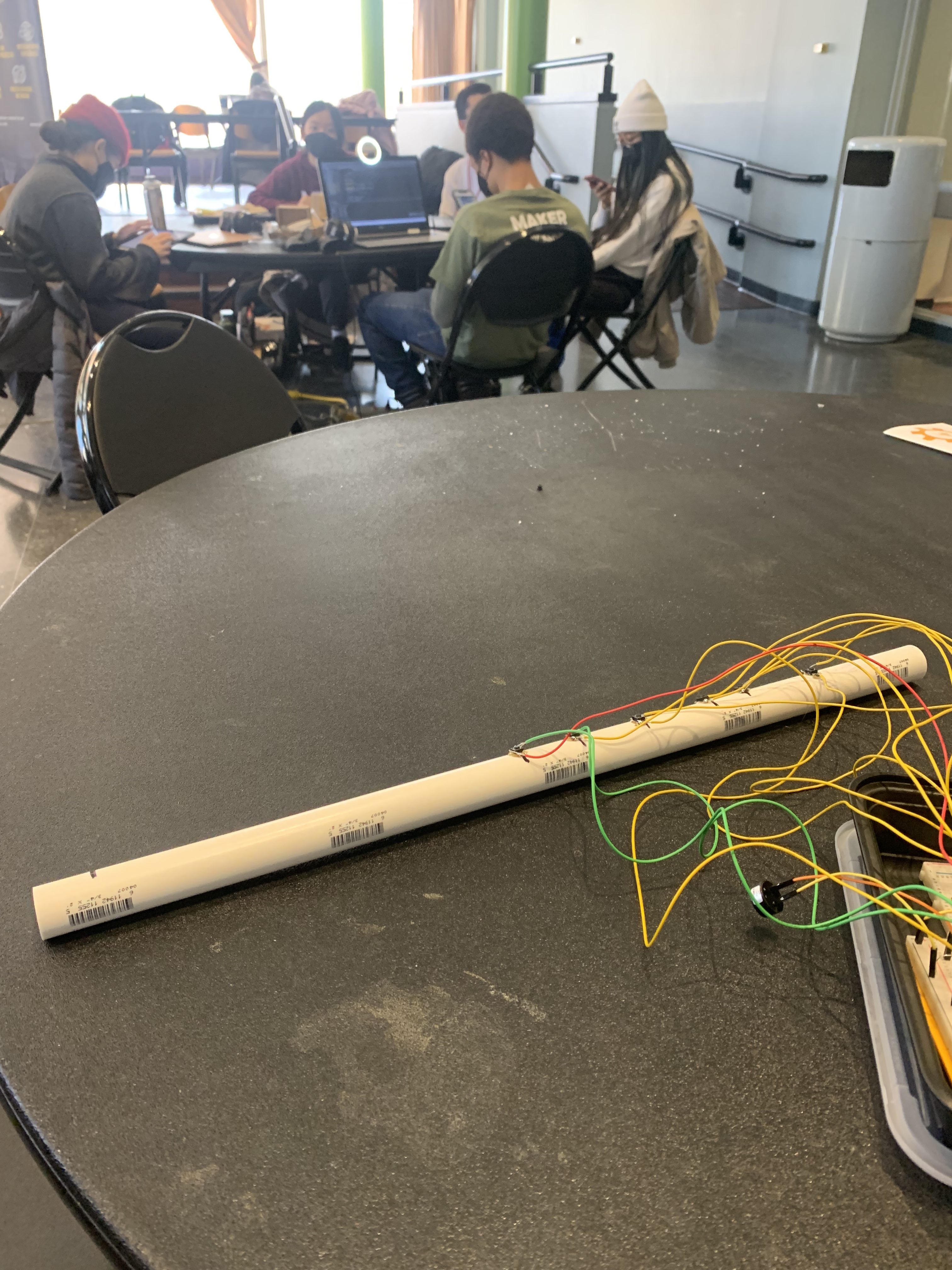
This is the flute body, with wires connecting the switches to the circuit.
Inspiration
I am a drummer, and there are a lot of electronic practice equipment available. Many of my musical friends, who play flutes and other wind instruments, don't have electronic alternatives for practice. This project was attempting to simulate a flute with an electronic interface.
What it does
It simulates notes played by a 6-key flute, with different combinations of button presses resulting in a different frequency signal coming from the onboard speaker.
How we built it
Each button is in a separated small circuit. When the switch is pressed, a signal is sent to a digital input pin on the Arduino, which relays the pressed buttons to a separate speaker circuit. The speaker then plays a frequency, corresponding to the signal frequency, and at a certain volume, corresponding to the signal amplitude. There are 14 unique combinations resulting in notes, corresponding to a chromatic scale.
Challenges we ran into
The biggest challenge was the incorporation of an op-amp for the speaker circuit. I was unable to get it to work in the time allotted, but the intention was to increase the amplitude sent to the speaker.
Accomplishments that we're proud of
I am very proud of the attachment idea of the buttons onto the PVC flute body. They are currently hot glued to the PVC pipe and soldered to a connection wire (going back to the circuit). This allows the flute to have more mobility than being tied directly to the breadboard.
What we learned
I learned a lot about Arduino's and flute physics throughout this process. I wanted to ideate and solve how to incorporate switches into the circuit, and I'm glad that learning about Arduino led to engineering realizations.
What's next for ElectroFlute
I would like to add an amplifier and a potentiometer to the speaker circuit, which would allow me to amplify the speaker and vary the output volume. In addition, I would like to add an air pressure sensor to act as a toggle switch for whether a signal gets sent to the speaker.

Log in or sign up for Devpost to join the conversation.