-
-
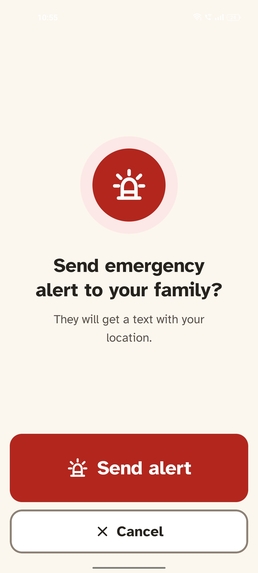
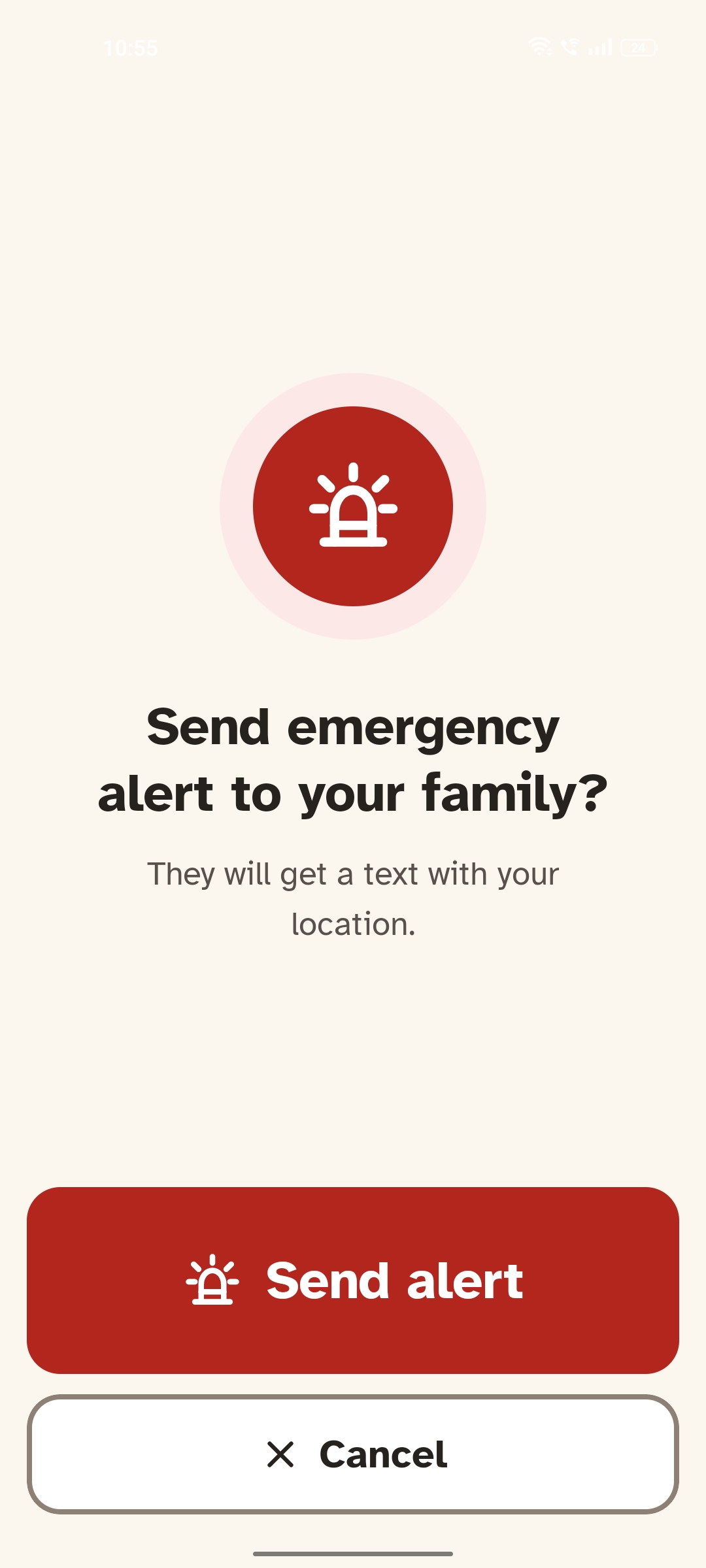
SOS Screen
-
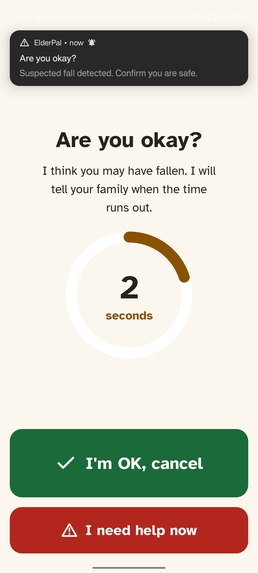
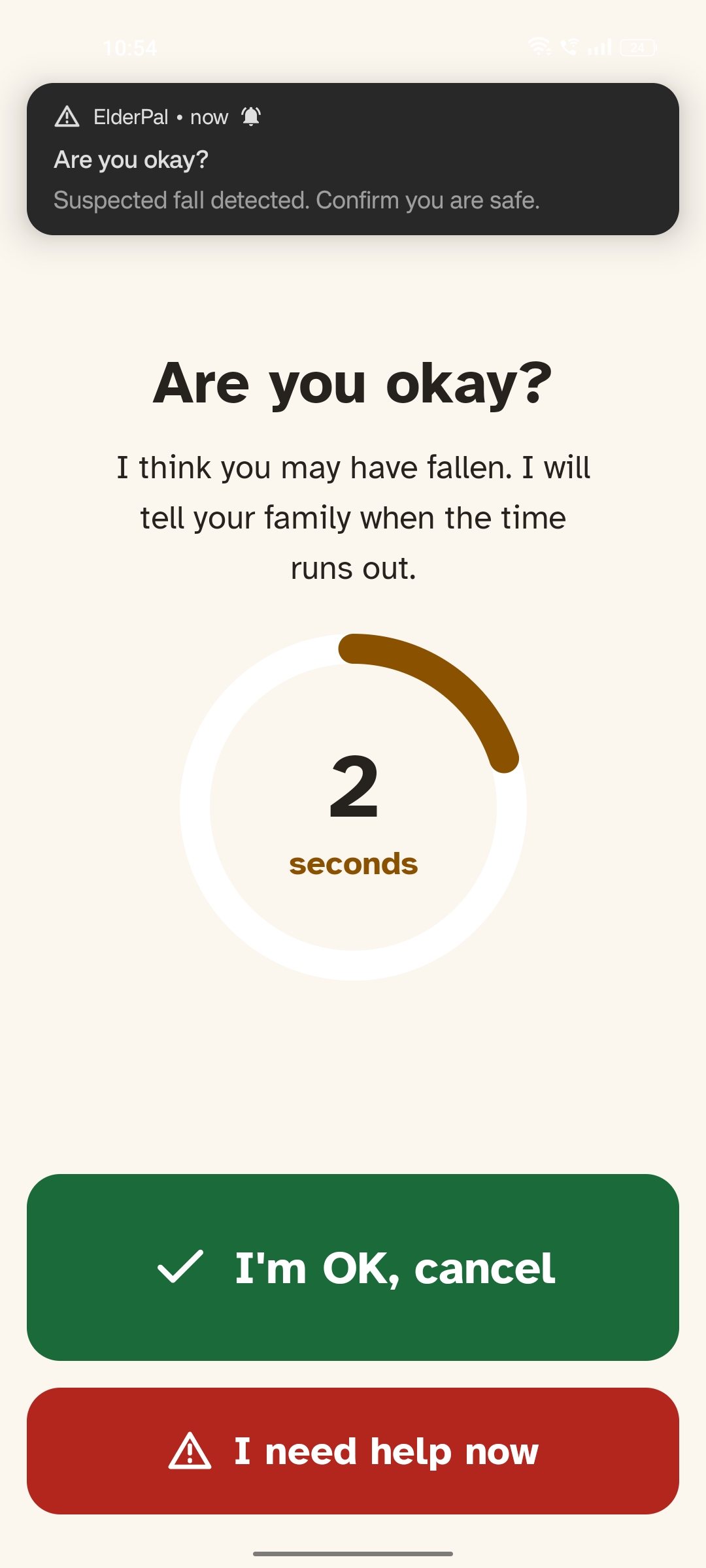
After fall is detected screen
-
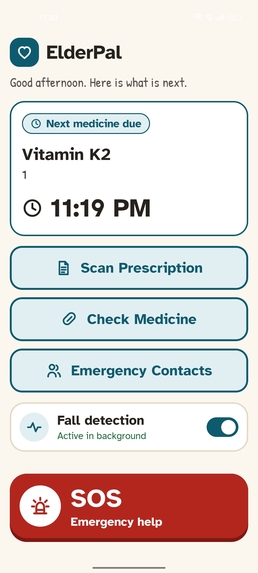
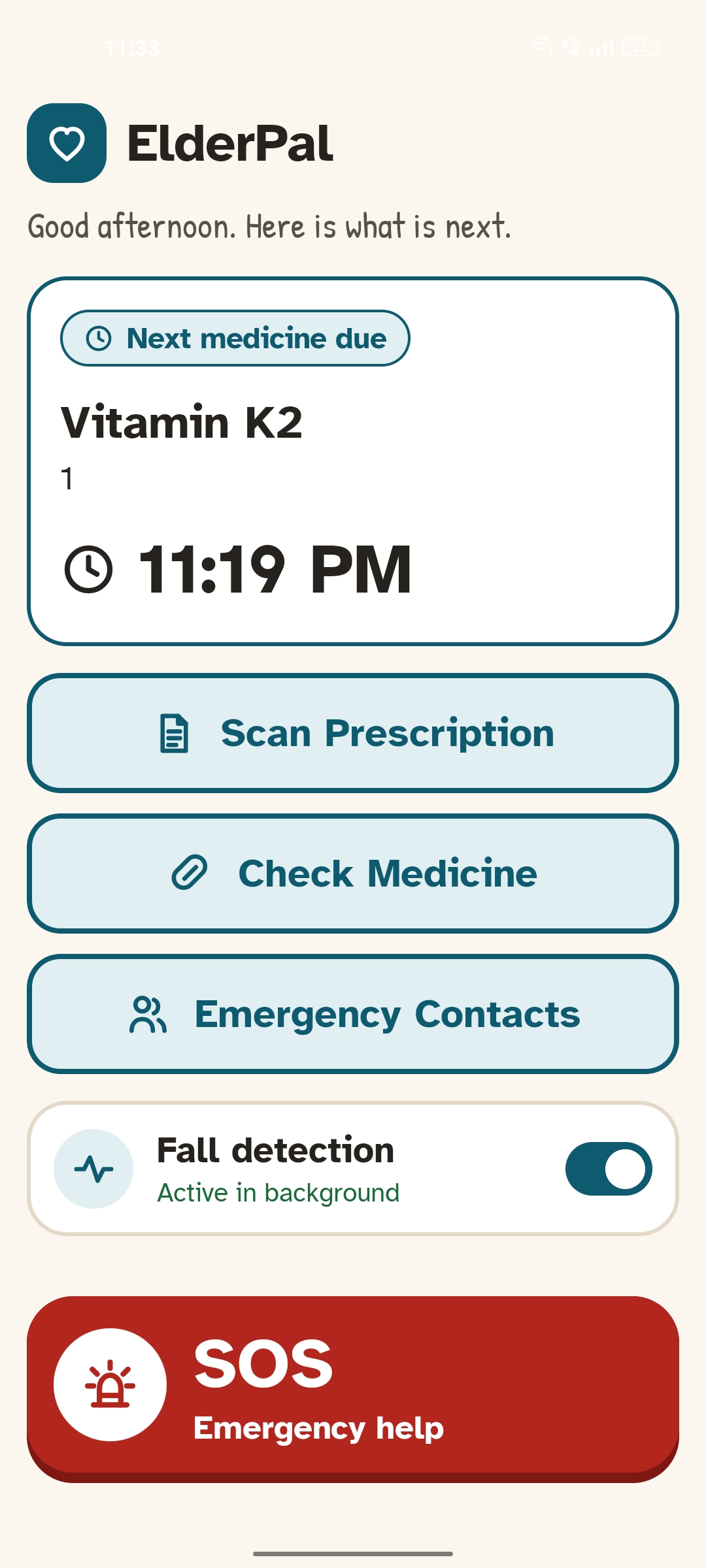
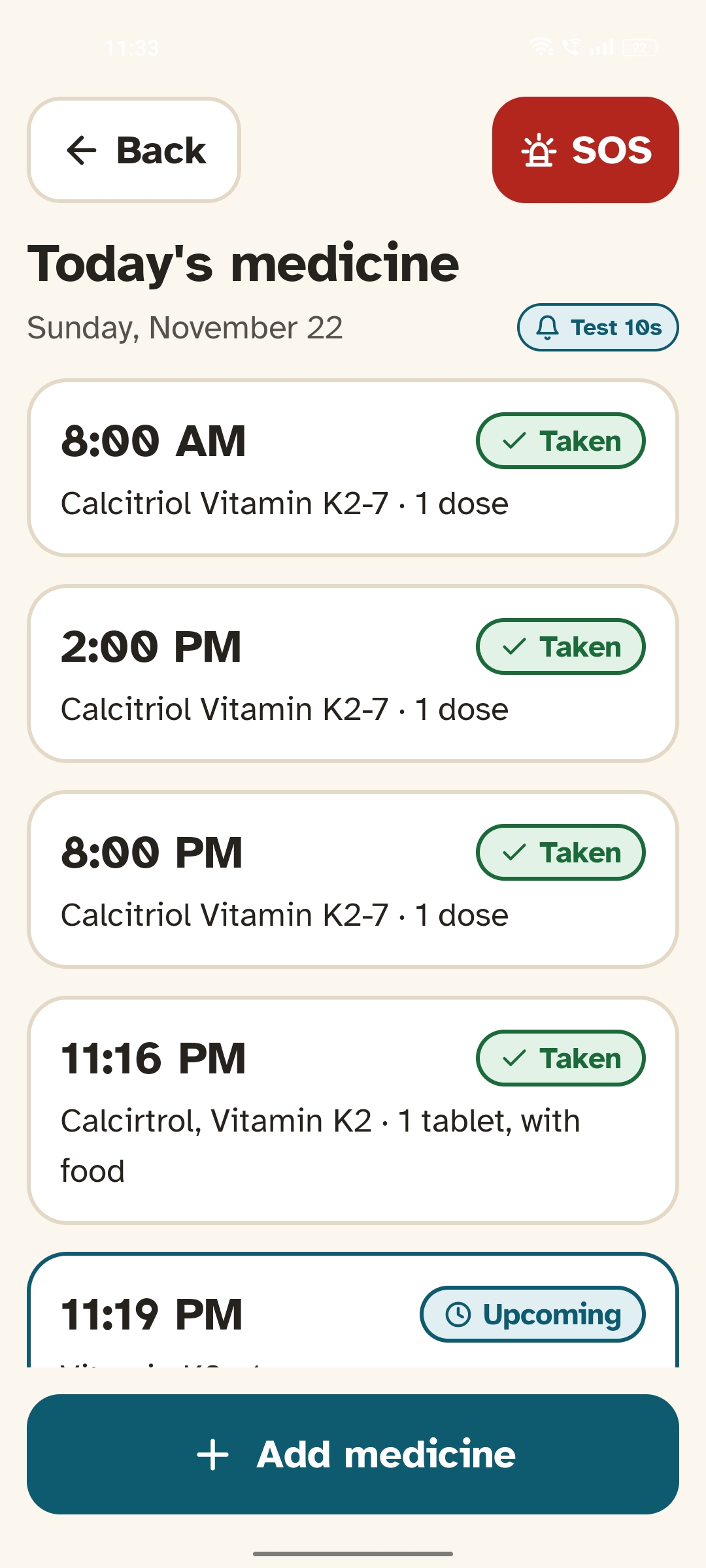
Home screen
-
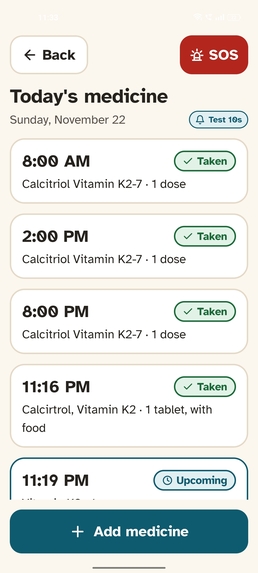
Reminder Screen
-
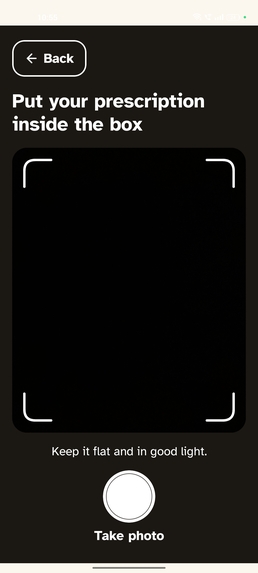
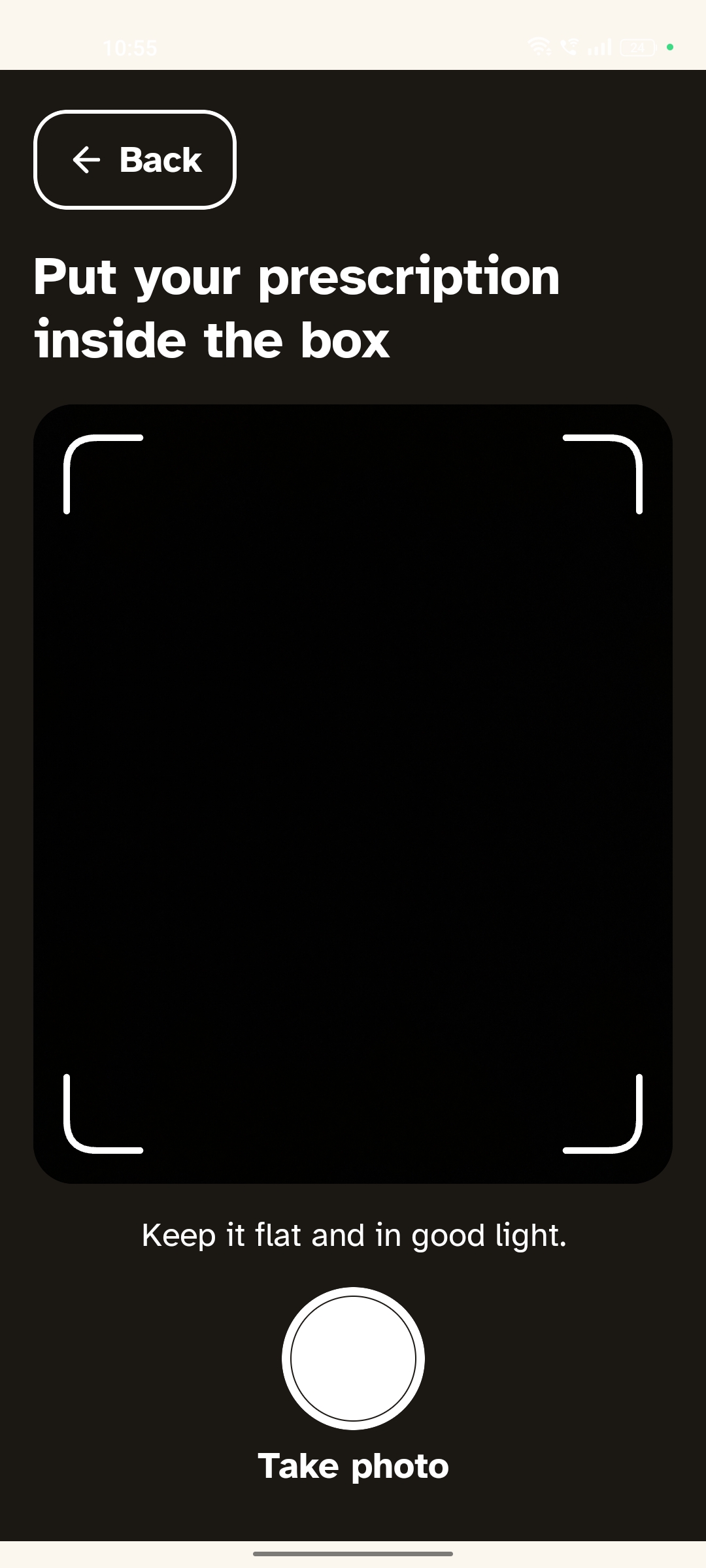
Screen where you're asked to take a picture of medicine
Inspiration
Older adults living on their own face two quiet dangers: taking the wrong medicine or the wrong dose, and falling with nobody around to notice. Many already carry a smartphone, but most health apps assume a tech-confident user. We wanted something with large text, simple screens and a safety net for the family. [Add a personal line here: for example, a grandparent, relative or neighbor who inspired this.]
What it does
ElderPal is an Android app for older adults and their families.
- Reminders and schedule: it reminds you at each dose time, with a "remind me in 10 minutes" option, and keeps a log of doses taken.
- Label check: photograph a medicine label and AI reads the printed text. The app itself then checks whether the dose is due, and it never says "All good" unless its own schedule agrees.
- Prescription scan: photograph a printed prescription and the app proposes a schedule. Nothing is saved until the person confirms.
- SOS and fall detection: a suspected fall or an SOS press starts a 10-second countdown that lets the person cancel a false alarm. Otherwise, family gets a text with the location and the last medicine taken, a direct phone call from the phone, and an optional automated voice call.
How we built it
We built it in Kotlin with Jetpack Compose, using Navigation Compose for screens and DataStore for local storage, so health data stays on the phone. Reminders use AlarmManager with a boot receiver. Camera capture uses CameraX. The label check and prescription scan send the photo to the Gemini API. Fall detection reads the accelerometer in a foreground service using a free-fall, impact and stillness sequence. Alerts use Android's SMS, location and call APIs. The optional voice call uses Twilio's REST API. The UI was designed in Claude Design, and we used Google Antigravity as our AI coding assistant, working from a written spec and step-by-step prompts. All demo data is fake.
Challenges we ran into
- AI service reliability: the model our assistant first chose had already been retired, and the replacement sometimes returned "service unavailable". We added retries and separate messages for no internet, a busy service and an unclear label.
- Making AI safe: we didn't want an AI guess to tell someone a medicine was safe. We split the work so the AI only reads text, and the app decides on timing and the dose log.
- Fall detection: phone-sensor detection is hard to tune. Getting the alert screen to open from a background service on newer Android versions took several fixes, and real detection is still experimental, so we included a Simulate fall button for demos.
- Permissions: SMS, calls, location, camera, notifications and motion each needed a clear explanation, and a flow that doesn't ask twice.
Accomplishments that we're proud of
- A full working flow from reminder to label check to alert, on a real phone.
- The "AI reads, the app decides" design, which keeps the safety-critical decision out of the model's hands.
- Alerts that carry useful context (location, time, last medicine taken), not just "help".
- Large, plain-language screens, with icons and words together so color is never the only signal.
What we learned
- AI models and APIs change fast, so keep the model name in one constant and plan for outages.
- Phone-based fall detection is a heuristic, so be honest about its limits and give a cancel option.
- Specs and small, scoped prompts get better results from an AI coding assistant than big open-ended ones.
- Safety features need fallbacks: if SMS permission is denied or a call fails, something else should still work.
What's next for ElderPal
- Move the voice-call credentials behind a secure cloud function so nothing sensitive is in the app.
- Regional language support and a family-side view.
- Smartwatch support.
- On-device label reading as an offline fallback.
- Better fall detection, with tuned thresholds and real-world testing.
