-
-
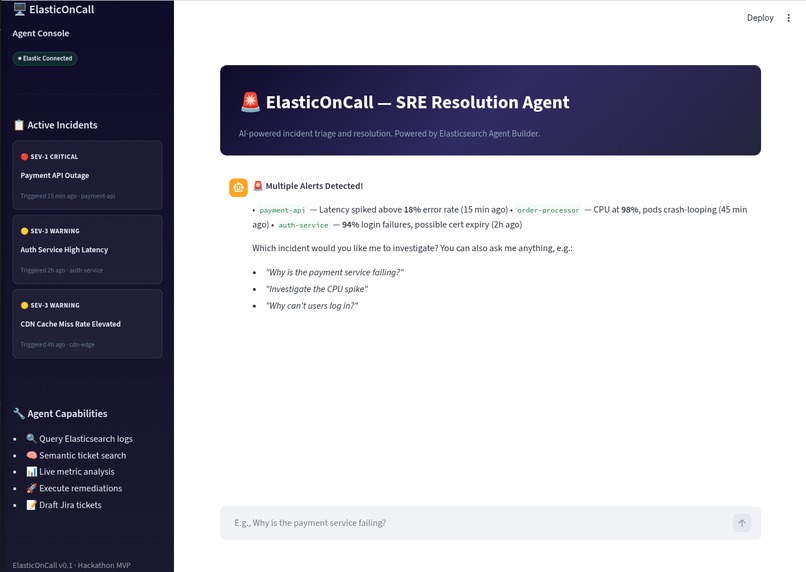
ElasticOnCall
-
Readme
-
ElasticOnCall — The SRE / DevOps Resolution Agent
Problem Solved
When production goes down at 3 AM, every second counts. However, on-call engineers (SREs and DevOps) usually spend the first 15-20 minutes of any incident doing tedious manual labor: jumping between Kibana log dashboards to isolate the error, and then desperately searching Jira or Confluence to see if the team has encountered this exact error before.
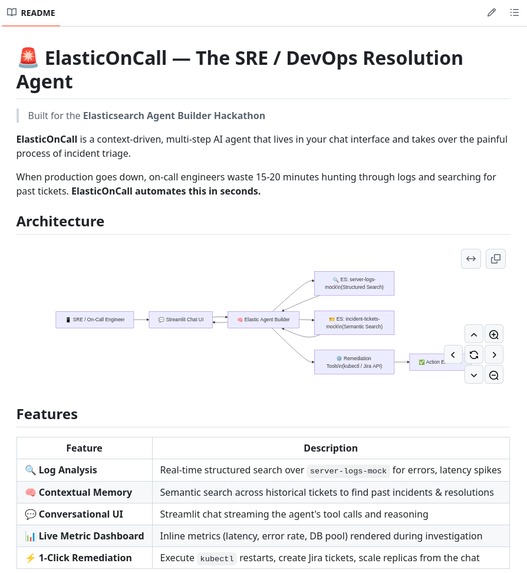
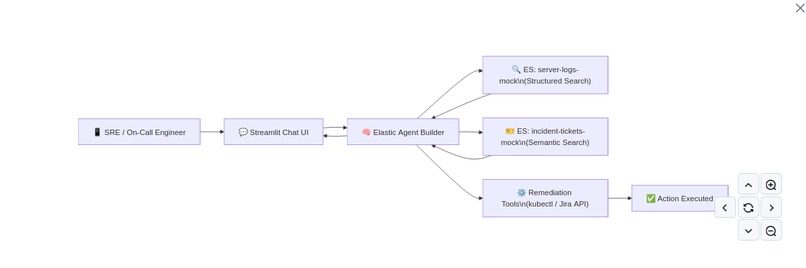
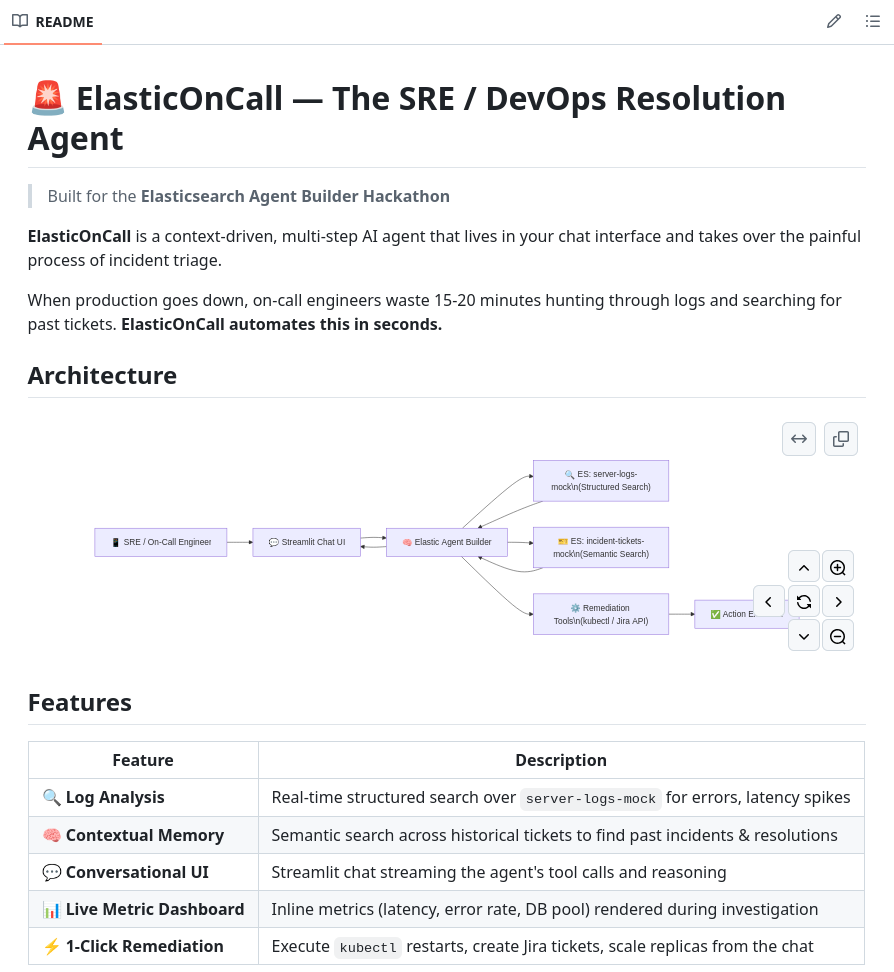
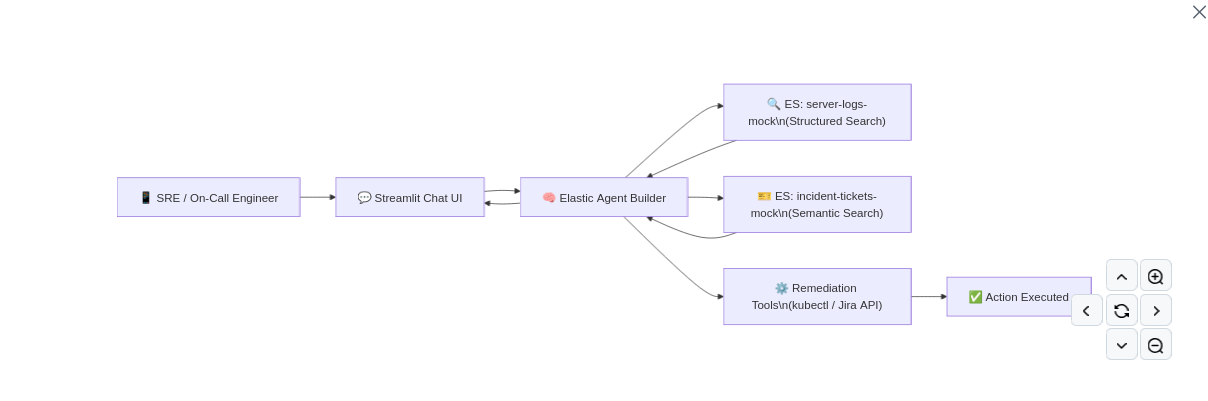
ElasticOnCall solves this by acting as a proactive Level-3 SRE Agent. It listens for system anomalies and instantly triages the incident. Instead of just answering questions, it autonomously executes a multi-step workflow: it uses Tools to query Elasticsearch for the latest error stack traces, and then cross-references those traces using semantic search against a database of resolved historical tickets. The result is an instant root-cause analysis and an actionable remediation plan. Features Used We built ElasticOnCall entirely on the back of the Elasticsearch Serverless platform and Elastic Agent Builder.
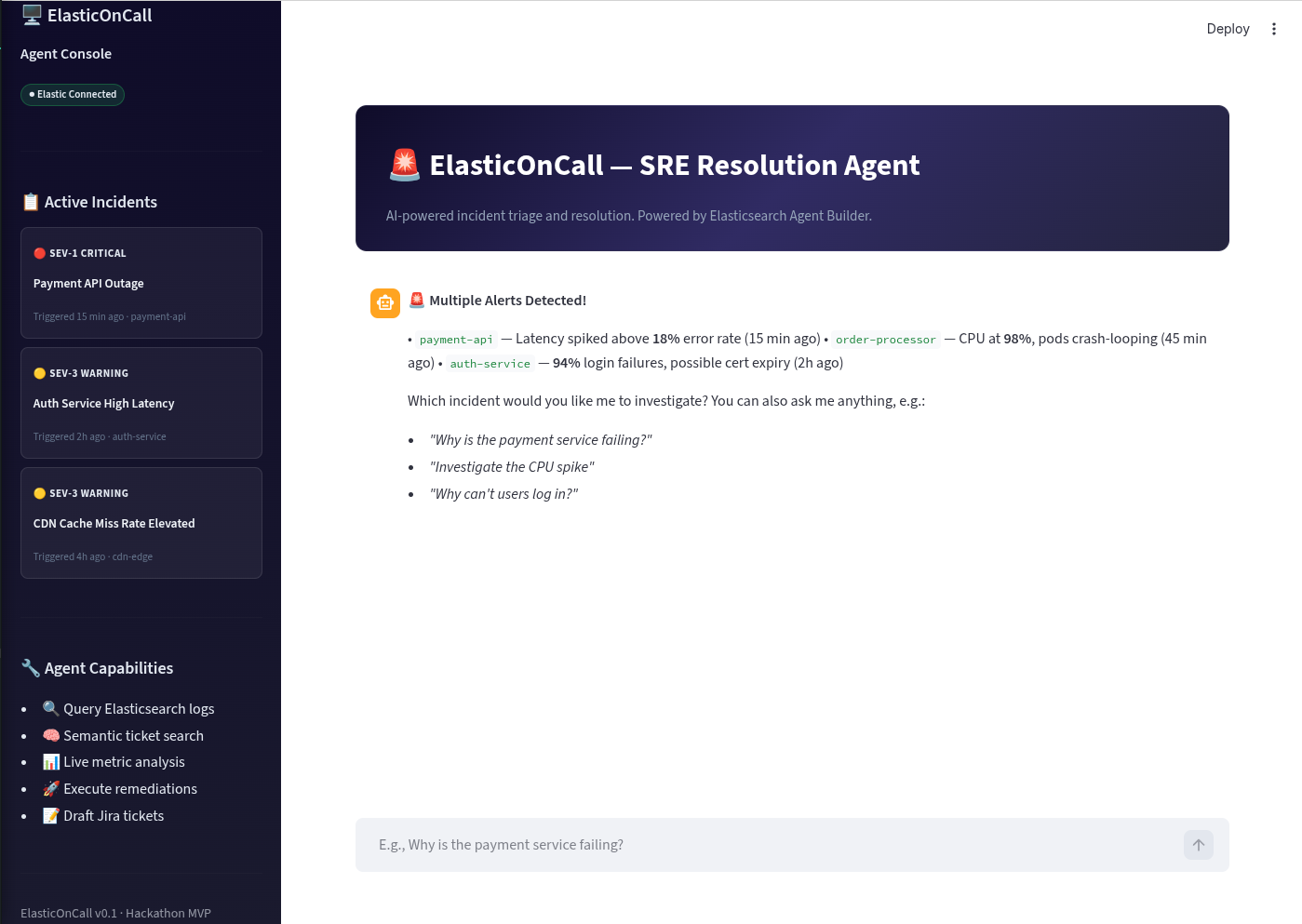
Structured Search: We ingested mock JSON server logs and built a search tool within Agent Builder to allow the LLM to query latency_ms spikes and status_code: 500 errors. Vector Data / Semantic Search: We ingested historical incident reports. The agent uses this as its "long-term memory" to correlate new cryptic stack traces with plain-English ticket resolutions. Multi-step Reasoning via Agent Builder: The agent is given a custom persona and instructed to first investigate the logs, second search for similar historical contexts, and third synthesize a final Slack-style notification. Interactive BI & Remediation UI: Connecting to the Agent via API, our custom front-end instantly populates an inline metrics dashboard for the incident, and presents users with actionable Execute buttons to resolve issues without ever leaving the chat interface. Features We Liked & Challenges We Had What we loved:
The sheer speed of getting an Agent up and running. The Kibana Agent Builder UI makes it incredibly easy to connect an LLM to real indexes without having to write hundreds of lines of LangChain/LlamaIndex boilerplate code. How native the Tool creation felt. We didn't have to define complex JSON schemas for the agent functions; Agent Builder exposed our data transparently.
Challenges:
Figuring out the optimal chunking and mapping strategies for our historical Jira tickets so that the semantic search tool in Agent Builder would return highly relevant past incidents. We overcame this by flattening the ticket data and explicitly labeling root causes in the textual representation. Navigating the transition from Python 3.13 dependencies (like pyarrow crashing locally) meant we had to adjust our local environment, but Elastic Cloud Serverless ran flawlessly in the browser regardless of our local OS quirks!

Log in or sign up for Devpost to join the conversation.