-
-
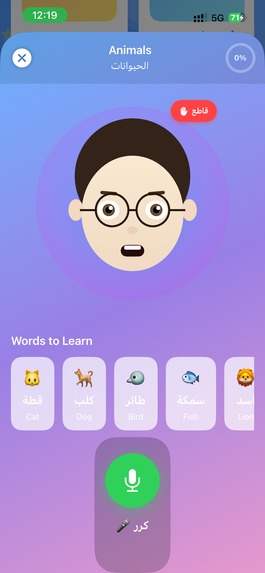
lesson screen animals for example
-
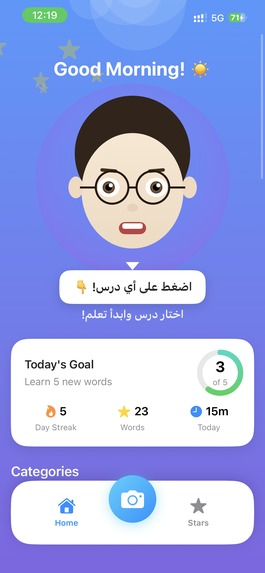
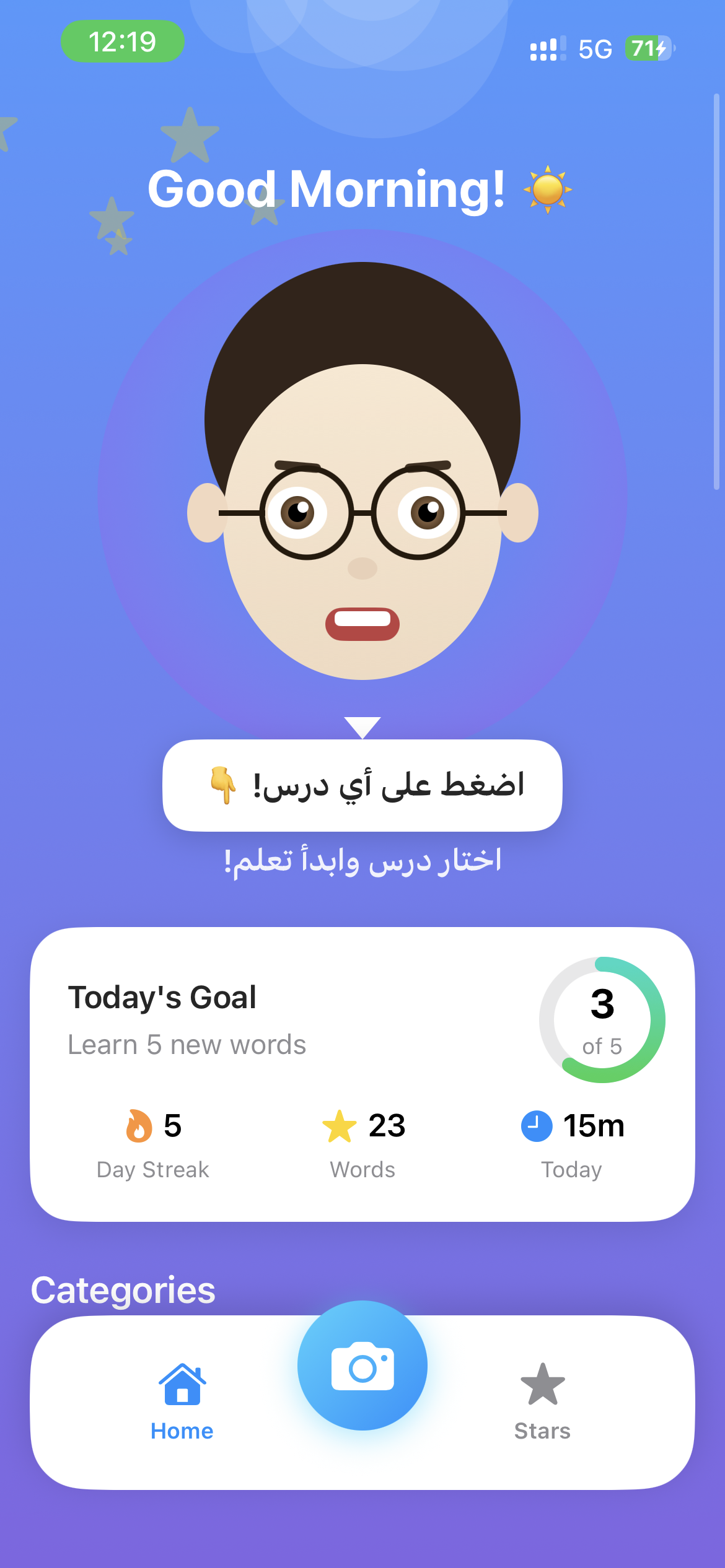
Home
-
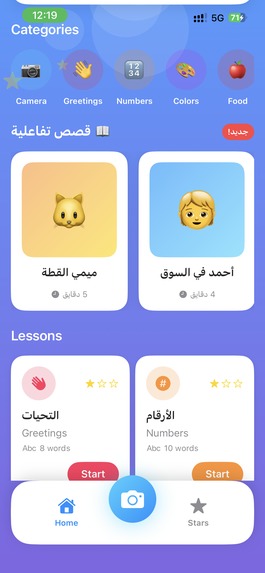
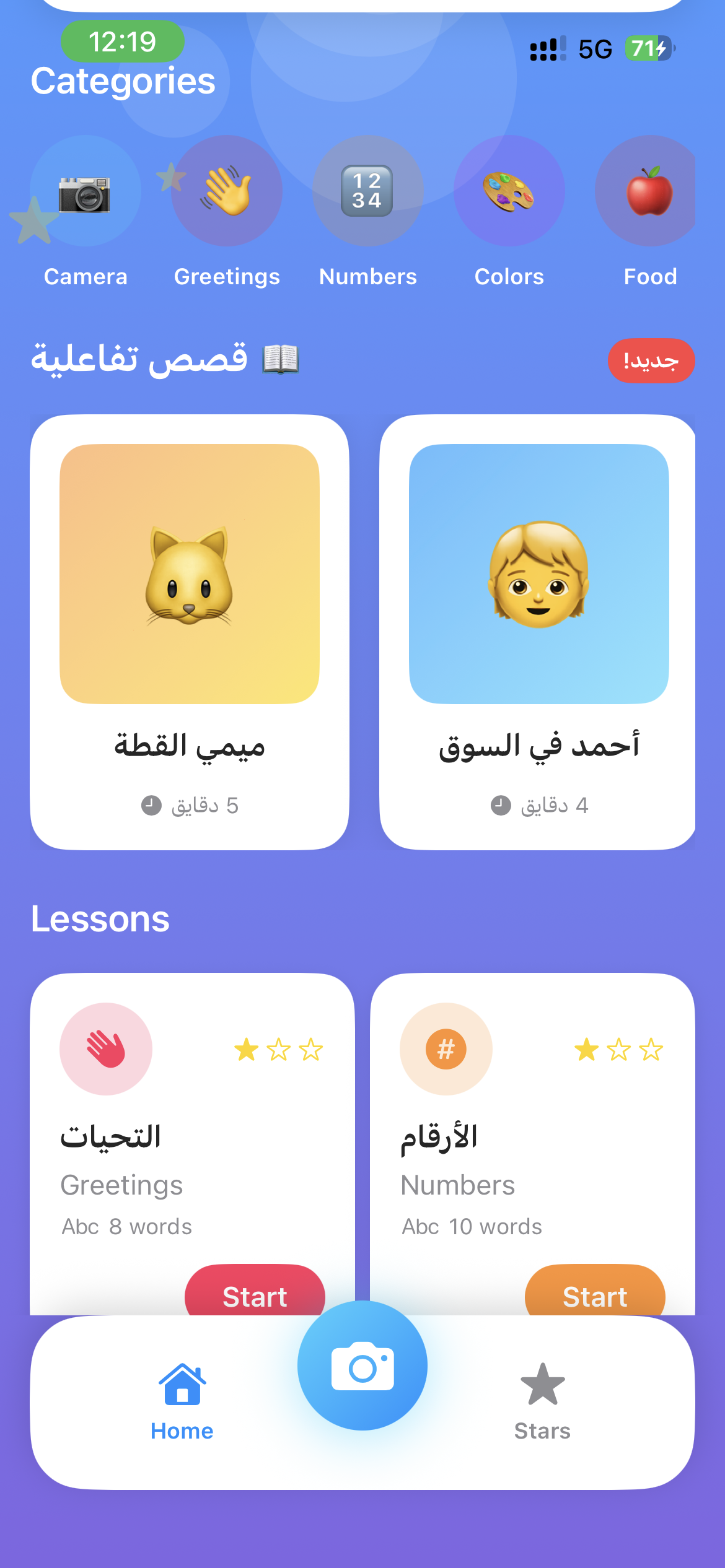
lessons and interactive Stories
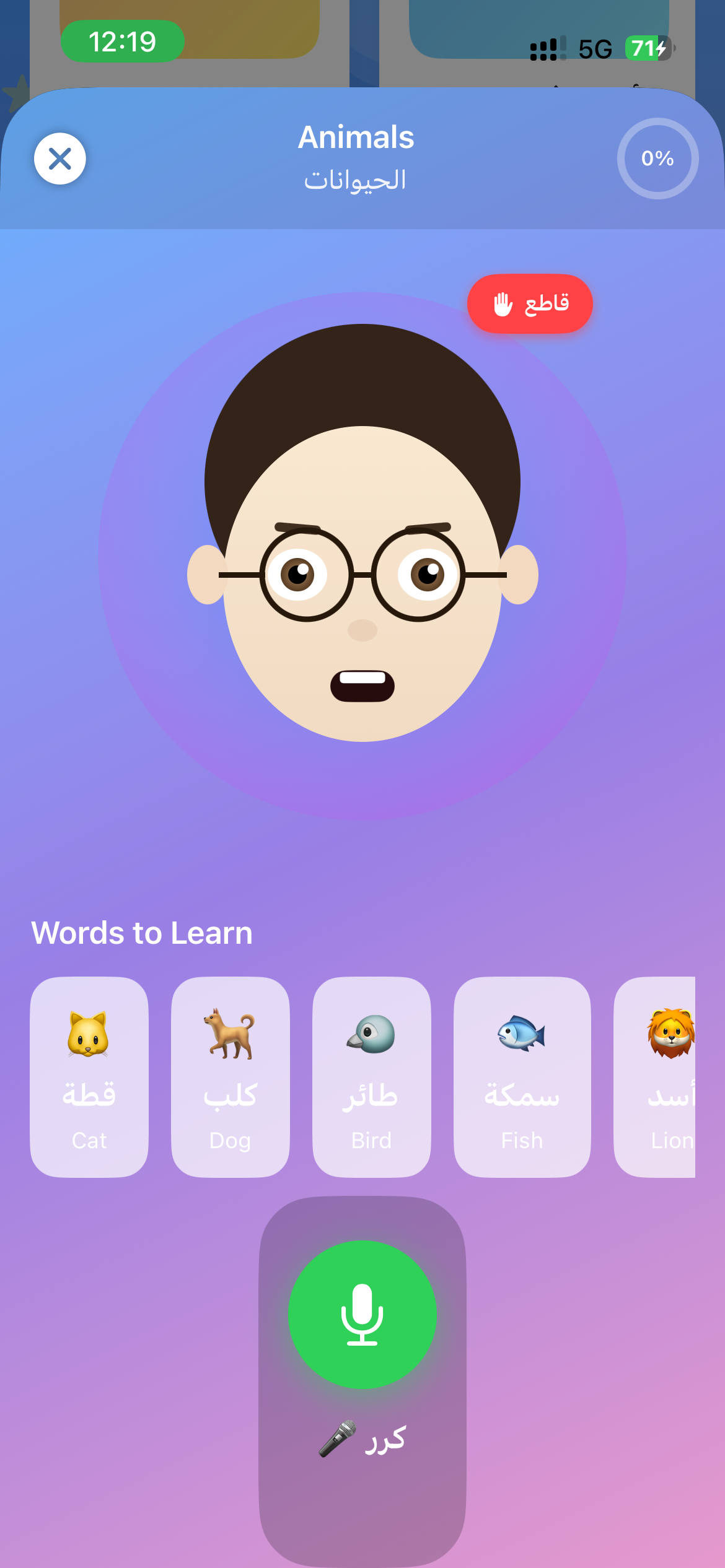
Inspiration
Arabic is spoken by over 400 million people worldwide, yet it remains one of the hardest languages to learn. Traditional language apps rely on static flashcards and rigid text exercises — they teach you to read Arabic but never to speak it. Children especially struggle because these apps feel more like homework than play.
We asked ourselves: What if learning Arabic felt like talking to a real teacher? One who listens patiently, speaks naturally in Egyptian dialect, sees what you see through your camera, tells you interactive stories, and celebrates every small win. That's how EL-Modras was born — an AI tutor that doesn't just teach Arabic, it converses in it.
What it does
EL-Modras (المدرس — "The Teacher") is a next-generation AI Arabic language tutor built for children, powered by Gemini Live API and Google ADK. It goes far beyond text-in/text-out:
- 🗣️ Real-time voice lessons — The AI teacher (Ustaz Nour) speaks in natural Egyptian Arabic dialect, teaches words, puts them in sentences, and asks the child to repeat. The child can interrupt mid-sentence to ask questions — just like a real classroom.
- 📷 Camera vocabulary — Point your phone camera at any object. Gemini Vision identifies it instantly and teaches you the Arabic word, pronunciation, and an example sentence.
- 📖 Interactive stories — Branching narratives where children learn vocabulary through context. The teacher narrates the story, teaches new words along the way ("كرر ورايا — حليب!"), and the child practices pronunciation to progress.
- 🎯 Pronunciation feedback — Dual-engine approach: iOS Speech Recognition for instant local feedback, with Gemini multimodal audio analysis as verification. Scoring is lenient and encouraging for kids.
- 🔊 Unified AI voice — The entire app speaks with one consistent voice (Gemini TTS — Orus) in natural Egyptian Arabic. Pre-cached audio ensures instant playback with zero lag.
- 📊 Progress tracking — Words learned, lessons completed, stars earned, and streaks maintained. Progress syncs across sessions via Cloud Firestore.
How we built it
iOS App (SwiftUI):
- Clean Architecture with MVVM pattern
AVAudioEnginefor real-time audio capture and playbackAVFoundationfor live camera integration- iOS
Speechframework for local speech recognition (zero-latency feedback) - Smart audio pre-caching system — all lesson audio is pre-loaded from Gemini TTS before the lesson starts, so playback is instantaneous
- WebSocket client for bidirectional audio streaming with the Live API
Backend (Python/FastAPI on Cloud Run):
google-genaiSDK (new Google GenAI SDK) —from google import genaiwithgenai.Client()- Google ADK (Agent Development Kit) —
Agentwith 6 specialized tools:teach_word,evaluate_pronunciation,generate_story_scene,recognize_object,track_progress,get_lesson_content - Gemini Live API —
client.aio.live.connect()for true persistent bidirectional audio streaming with interruption support - Gemini 2.5 Flash for vision, pronunciation analysis, and text generation
- Gemini 2.5 Flash Preview TTS for natural Arabic voice synthesis
- Gemini 2.0 Flash Live (
gemini-2.0-flash-live-001) for real-time conversations
Google Cloud Services (7 services):
- Cloud Run — Serverless backend hosting
- Cloud Firestore — User progress and learning data
- Secret Manager — Secure API key storage
- Cloud Speech-to-Text — Arabic speech recognition
- Cloud Text-to-Speech (WaveNet) — Fallback voice synthesis
- Cloud Storage — Asset storage
- Cloud Build — CI/CD pipeline
Infrastructure as Code:
- Terraform (
terraform/main.tf) — Full GCP infrastructure automation - Deploy scripts —
easy-deploy.sh,deploy.sh,setup-infrastructure.sh
Challenges we ran into
Audio format mismatch — Gemini TTS Preview returns raw PCM audio, but iOS
AVAudioPlayerexpects WAV format. We had to build a PCM-to-WAV converter on the backend that adds proper RIFF headers (16-bit, 24kHz mono).TTS quota management —
gemini-2.5-flash-preview-ttshas a 100 request/day limit. Our naive pre-loader was burning through the entire quota on a single lesson. We redesigned the caching strategy to be lazy — only pre-load essential words and common responses (~11 requests instead of ~100), then cache everything to disk permanently.Lip-sync timing — The teacher avatar's mouth animation was starting before the audio was ready, creating an eerie out-of-sync effect. We fixed this by binding the animation to the
AudioService.speakingProgressPublisherinstead of the ViewModel's state, so lips only move when audio is actually playing.SDK migration — Migrating from
google-generativeai(legacy) togoogle-genai(new SDK) required changing every API call.Part.from_text(prompt)becamePart.from_text(text=prompt)— a subtle but breaking change that crashed the vision endpoint.Dual round-trip latency — Answering a student's question required two sequential API calls: (1) transcribe + generate answer, (2) convert answer to speech. We merged both into a single backend call that returns text + audio together, cutting response time nearly in half.
Voice consistency — Different parts of the app were using different voices (Gemini TTS for questions, device TTS for lessons, WaveNet for fallback). We unified everything to use Gemini TTS (Orus voice) with aggressive pre-caching and retry logic.
Accomplishments that we're proud of
- Truly conversational AI tutor — Children can interrupt the teacher mid-sentence to ask "إيه معنى الكلمة دي؟" and get an immediate, contextual response. This is real barge-in, not turn-based chat.
- Zero-latency lesson audio — Smart pre-caching ensures every word, sentence, and encouragement in a lesson plays instantly from cache. The child never waits.
- Unified voice identity — "Ustaz Nour" has one consistent voice across the entire app — lessons, stories, question answers, celebrations. It feels like talking to one real person.
- Camera-to-Arabic pipeline — Point at a cup → "كوباية" appears with pronunciation, transliteration, and example sentence, all in under 2 seconds.
- Interactive storytelling — Stories aren't passive. The child makes choices that branch the narrative, learns vocabulary in context, and practices pronunciation to advance the plot.
- Full IaC deployment — One command (
./easy-deploy.sh) sets up the entire GCP infrastructure and deploys the backend. - ADK Agent with 6 tools — The tutoring agent doesn't just chat — it orchestrates multi-step teaching workflows, tracks progress, and adapts to the student's level.
What we learned
- Gemini Live API is genuinely transformative for conversational AI —
client.aio.live.connect()provides persistent bidirectional connections that feel nothing like traditional request-response APIs. The barge-in support makes conversations feel natural. - Google ADK simplifies agent orchestration significantly — defining tools as Python functions and letting the Agent decide when to use them created much more natural tutoring flows than hardcoded state machines.
- Audio is harder than it looks — Format conversion, caching strategies, lip-sync timing, voice consistency, and quota management each required careful engineering. Getting audio "right" was 60% of the total effort.
- Pre-caching is essential for UX — Any perceptible delay in a children's app kills engagement. The difference between 0ms (cached) and 2000ms (API call) response time is the difference between a child staying engaged or losing interest.
- Multimodal changes everything — Combining voice, vision, and interactive storytelling in one app creates an experience that no single modality could achieve alone. A child pointing at their pet and hearing "ده قطة! كرر ورايا: قطة!" is magical.
What's next for EL-Modras
- Dialect selection — Support Egyptian, Levantine, Gulf, and Maghreb Arabic dialects with dialect-specific voice profiles
- AR vocabulary overlay — Use ARKit to overlay Arabic labels on real-world objects in real-time through the camera
- Adaptive difficulty — AI-driven lesson progression that adapts based on the child's learning speed and weak areas
- Offline mode — Cache lessons and audio for learning without internet connectivity
- Parent dashboard — Progress reports and learning insights for parents
- Multiplayer mode — Practice conversations with other learners in real-time
- Android version — Expand reach with a Kotlin/Compose companion app
- Gemini native image generation — Generate unique story illustrations inline using Gemini's interleaved output capabilities

Log in or sign up for Devpost to join the conversation.