🕹️ 2048 Game on AWS EKS (Fargate) with ALB Ingress

Deploy the classic **2048 game** on **AWS EKS using Fargate (serverless Kubernetes)**
and expose it publicly using **AWS Application Load Balancer (ALB) Ingress**
managed by the **AWS Load Balancer Controller**.
This repository is intended as a **learning and reference guide** for anyone
who wants hands-on experience with EKS Fargate and Kubernetes Ingress on AWS.
---
📦 Prerequisites
Make sure the following tools are installed:
- **AWS CLI**
- **kubectl**
- **eksctl**
- **Helm**
AWS account with sufficient IAM permissions is required.
---
☁️ Step 1: Configure AWS CLI
```bash
aws configure
☸️ Step 2: Create EKS Cluster with Fargate
*eksctl create cluster \*
*--name pranu-eks-fargate \*
*--region ap-south-1 \*
--fargate
✅ Why Fargate?
- No EC2 node management
- Serverless Kubernetes
- Pay only for running pods
- This command automatically creates:
- VPC, Subnets
- Internet & NAT Gateways
- IAM roles
- CloudFormation stacks
🔧 Step 3: Configure kubectl
*aws eks update-kubeconfig \*
*--name pranu-eks-fargate \*
--region ap-south-1
Verify:
kubectl get nodes
🧩 Step 4: Create Fargate Profile
*eksctl create fargateprofile \*
*--cluster pranu-eks-fargate \*
*--region ap-south-1 \*
*--name game-2048-profile \*
--namespace game-2048
This ensures that pods in the game-2048 namespace run on Fargate.
🚀 Step 5: Deploy 2048 Application
kubectl apply -f https://raw.githubusercontent.com/kubernetes-sigs/aws-load-balancer-controller/v2.5.4/docs/examples/2048/2048\_full.yaml
Verify:
kubectl get pods -n game-2048
Expected:
1/1 Running
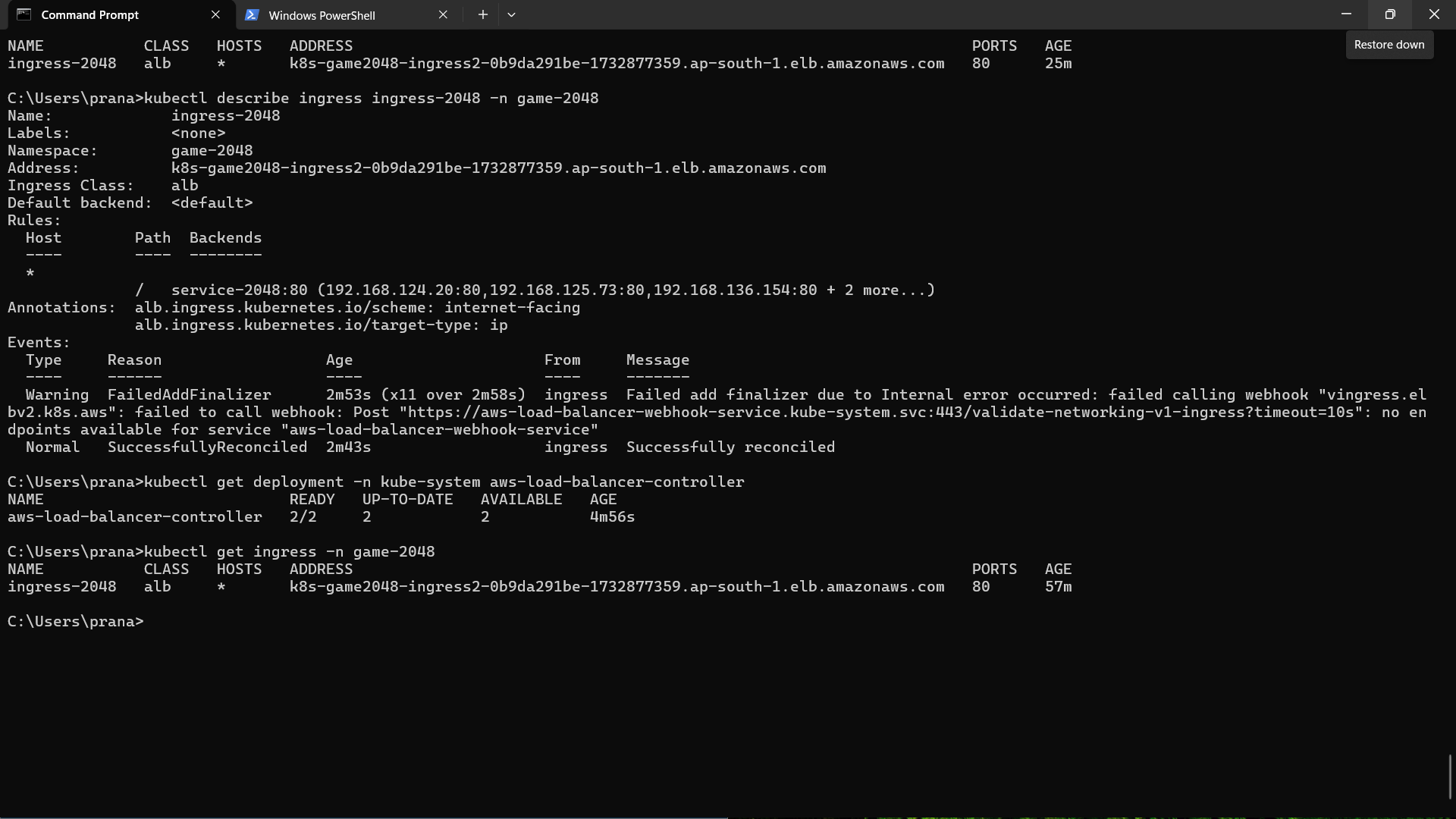
🌐 Step 6: Verify Ingress (Before ALB Controller)
kubectl get ingress -n game-2048
Ingress will be created but ALB address will not appear yet.
🔐 Step 7: Associate IAM OIDC Provider
*eksctl utils associate-iam-oidc-provider \*
*--cluster pranu-eks-fargate \*
*--region ap-south-1 \*
--approve
This allows Kubernetes service accounts to assume IAM roles securely.
🛡️ Step 8: Create IAM Policy for ALB Controller
*aws iam create-policy \*
*--policy-name AWSLoadBalancerControllerIAMPolicy \*
--policy-document file://iam_policy.json
📦 Step 9: Create IAM Service Account
*eksctl create iamserviceaccount \*
*--cluster pranu-eks-fargate \*
*--region ap-south-1 \*
*--namespace kube-system \*
*--name aws-load-balancer-controller \*
*--role-name AmazonEKSLoadBalancerControllerRole \*
*--attach-policy-arn arn:aws:iam:::policy/AWSLoadBalancerControllerIAMPolicy \*
--approve
⚙️ Step 10: Install AWS Load Balancer Controller (Helm)
helm repo add eks https://aws.github.io/eks-charts
helm repo update
*helm install aws-load-balancer-controller eks/aws-load-balancer-controller \*
*-n kube-system \*
*--set clusterName=pranu-eks-fargate \*
*--set serviceAccount.create=false \*
*--set serviceAccount.name=aws-load-balancer-controller \*
*--set region=ap-south-1 \*
--set vpcId=
✅ Step 11: Verify Controller
kubectl get deployment -n kube-system aws-load-balancer-controller
Expected:
2/2 READY
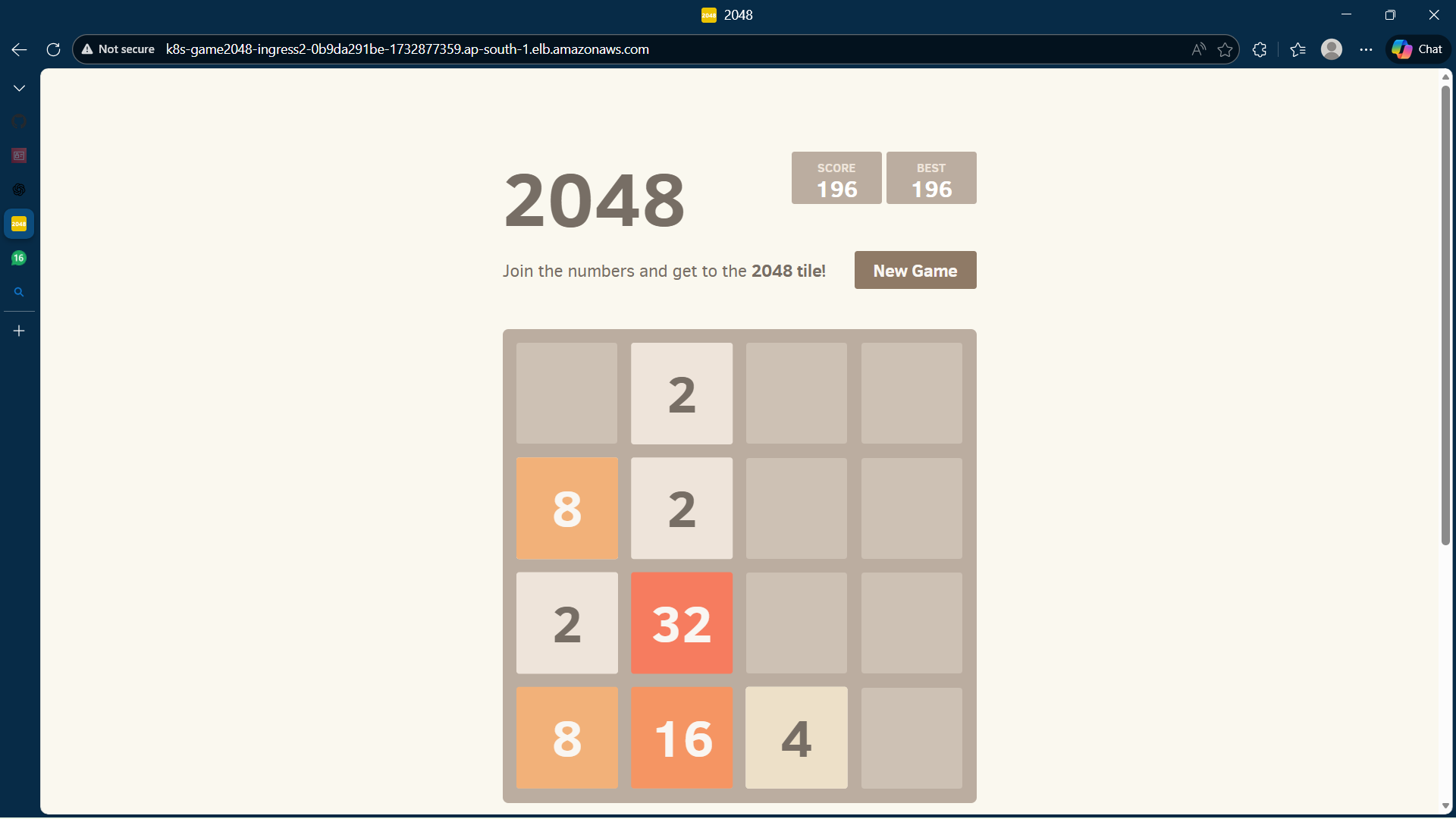
🎯 Step 12: Access the Game
kubectl get ingress -n game-2048
Open the ALB DNS in browser:
http://
🎉 2048 Game is Live!
🧹 Cleanup (Important)
To avoid AWS charges:
eksctl delete cluster --name pranu-eks-fargate --region ap-south-1
🧠 Key Learnings
- Serverless Kubernetes with AWS Fargate
- ALB Ingress using AWS Load Balancer Controller
- IAM OIDC & IRSA integration
- Production-style Kubernetes deployment
👨💻 Author
Pranay (Pranu)
Aspiring DevOps Engineer
Built With
- ingress


Log in or sign up for Devpost to join the conversation.