-
-
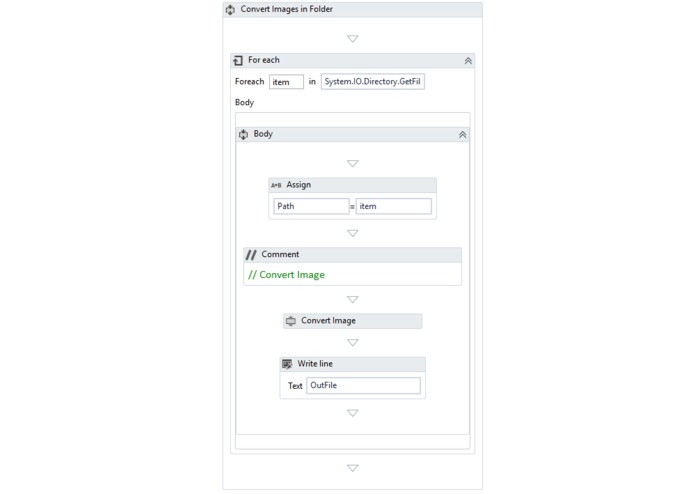
Convert Image Activity
-
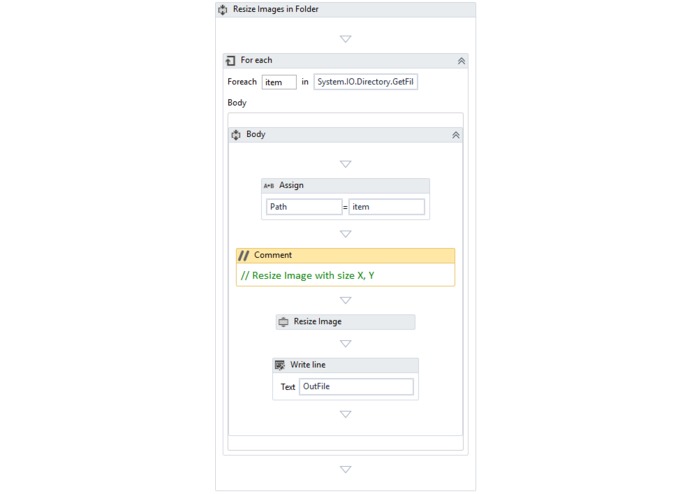
Resize Image Activity
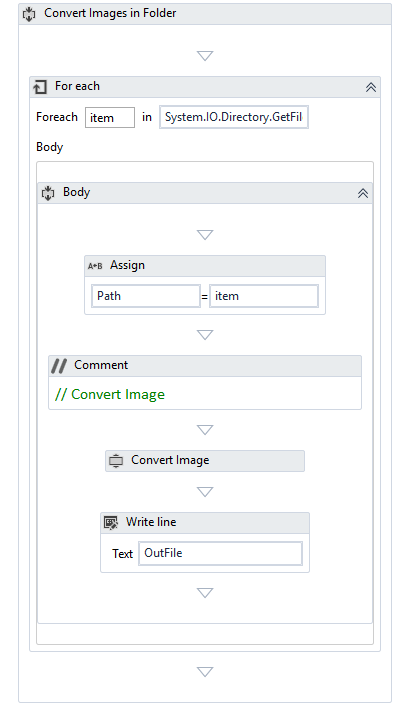
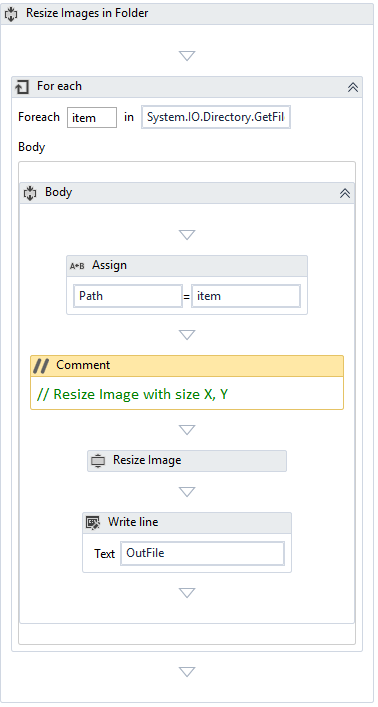
EILabs Image Activities
Custom Activities for Image Processing for UiPath RPA
Inspiration
When we want to upload image files on various websites many times the image format is not supported so we need to use different type of converters to change image format, if we are managing large scale portfolio or organization this job becomes very tedious and repetitive. Same issue is faced when images are uploaded or sent through the mail over the network , Images have to be reduced to save the bandwidth and storage. Custom activities provided convert and reduce the image size efficiently and in a single click all images in a folder can be converted and size can be reduced.
What it does
EILabs Image Activities package contains two custom activities which can be used in UiPath 1-Convert Images : to convert image files , supported formats are jpg, png, bmp and gif 2-Resize Image: can resize images based on width and height or by percentage reduction by maintaining the aspect ration
How I built it
Used Visual Studio 2017 and .Net Framework 4.5.2 to build DLL and then created .Nuget Package by using Package explorer. The package can be imported in UiPath Software to utilize two custom activities.
Challenges I ran into
Finding right kind of library for image processing, finally decided to use inbuilt .Net libraries
Accomplishments that I'm proud of
It is jus a single click and images are converted very fast. I have provided examples to do this over many files kept in a folder using UiPath Workflow
What I learned
How to create custom activities for UiPath and Package Explorer
What's next
More custom activities can be created for Image processing as images are heavily used in Social Media Networks, Websites, Online shopping sites
1. Package Name
EILabs.ImageActivities.1.0.0
2. Description
This package contains two custom activities for image processing. These activities can be used in UiPath Studio for convert image from one format to other format and to resize image files. Custom activities have been created using Visual Studio 2017 and .Net Framework 4.5.2 UiPath Studio version : 2018.2.3
3. Activities
3.1 Convert Image
This activity converts image into one format to another format. Supported formats are: JPG, BMP, PNG and GIF
3.1.1 Input
Convert_To_Type: Type = string, Mandatory = Yes, Allowed Values = “jpg” , “png”, “gif”, “bmp” Target format into which file has to be converted
ImagePath: Type= string, Mandatory = Yes Path of the input Image file
OutputFolder: Type=string, Mandatory = No Output folder path, if left empty, input file’s folder is used for the output
3.1.2 Output
ConvertedFilePath: Type = string Path where converted file is saved
3.2 Resize Image
This activity is used to resize image file and resized file is saved with file size in its name for convenience. File format is not changed There are two types of resizing is done.
(i) Absolute pixel values, when width and height is provided by the user in pixels (ii) Percentage, image aspect ratio is maintained, and file is reduced equal to the percentage given by the user.
3.2.1 Input
ImagePath: Type= string, Mandatory = Yes Path of the input Image file
OutputFolder: Type=string, Mandatory = No Output folder path, if left empty, input file’s folder is used for the output
Percentage_Reduction: Type = bool, Mandatory = Yes, used along with input Percentage_Value = True, when file size is changed based on percentage and aspect ratio is maintained = False, absolute value of width and height are used in pixels to change the file size
Percentage_Value: Type = int , Mandatory = No. Allowed Value > 0 and <= 100 Used if Percentage_Reduction == True
Size_X : Type =int Width of the output file in pixels
Size_Y : Type = int Height of output file
3.2.2 Output
ResizedImagePath: Type = string Output file path


Log in or sign up for Devpost to join the conversation.