-
-
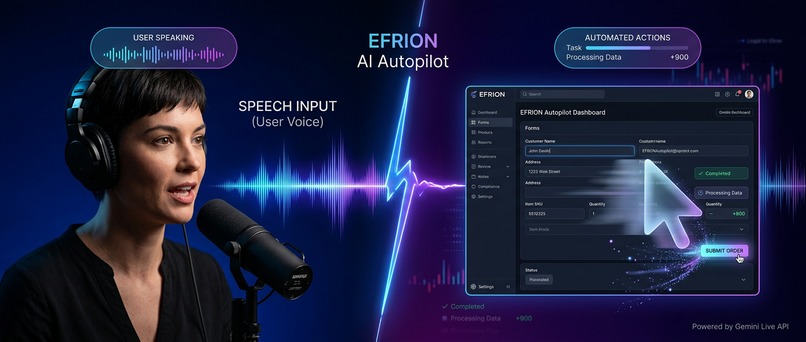
EFRION AI Autopilot
-
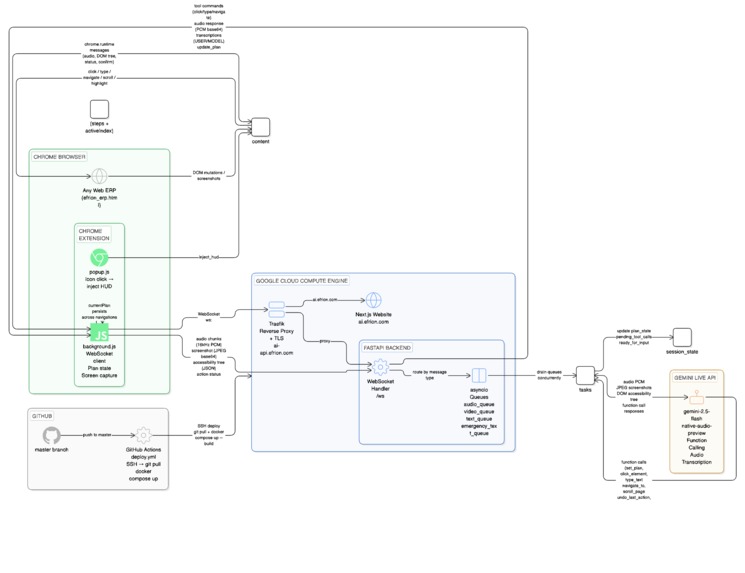
EFRION AI Autopilot Architecture Diagram Detailed
Inspiration
Working with ERP systems is repetitive, click-heavy, and mentally exhausting. Employees spend hours navigating complex menus, filling multi-step forms, and switching between modules — all just to complete routine tasks. We asked: what if you could just say what you want to happen, and the system does it for you? The rise of Gemini's native audio and real-time vision capabilities made this feel achievable for the first time. We wanted to build something that genuinely removes friction from knowledge work — not a chatbot that describes how to do something, but an agent that actually does it.
What it does
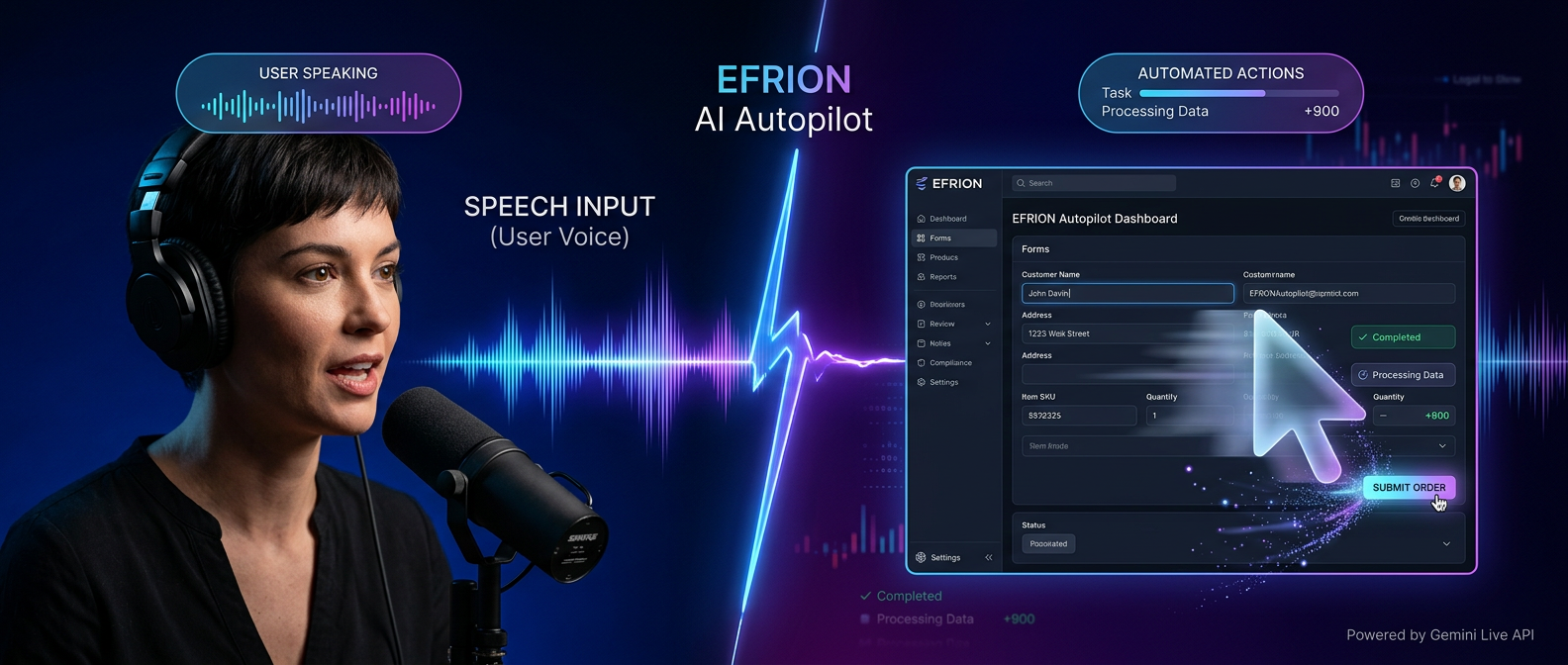
EFRION AI Autopilot is a Chrome extension that lets you control any web-based ERP with your voice. You speak a command — "Add a new employee, John Smith, Engineering department" — and the AI plans the task, clicks through menus, fills forms, and completes the workflow autonomously while you watch.
Key capabilities:
- Real-time voice commands via Push-to-Talk (Alt key or mouse button)
- Screen understanding — sends live screenshots + a semantic accessibility tree of the visible DOM to Gemini on every UI change
- Multi-step planning — AI calls set_plan() silently; a glassmorphism HUD shows step-by-step progress
- Closed-loop execution — every action reports success/failure back to the AI for self-correction
- Dead-end detection — if a click changes nothing, AI retries with a different strategy
- AI Undo — say "go back" to revert the last action
- Safety lock — optional confirmation gate before critical actions
- Works on any web-based ERP — no per-app integration required
How we built it
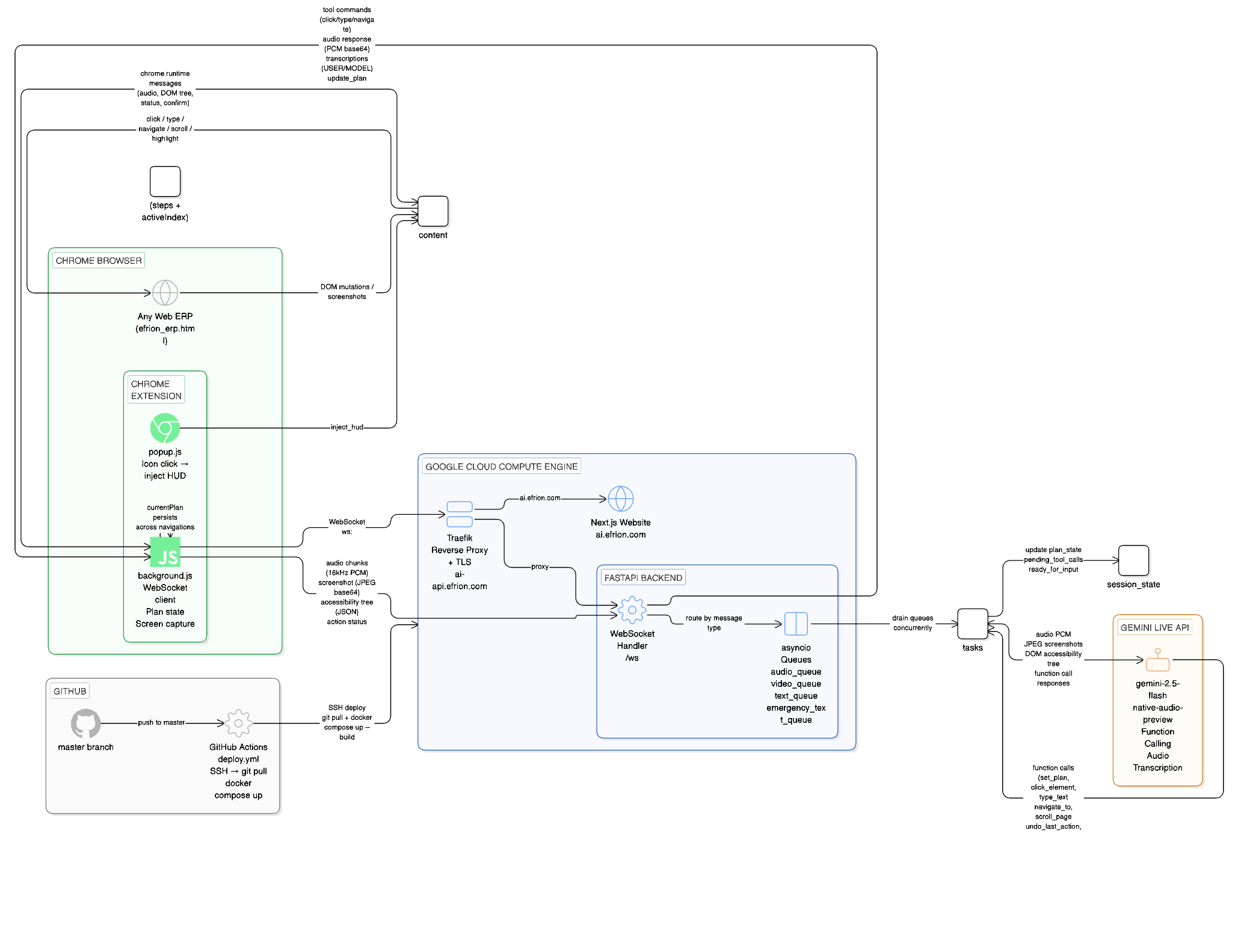
Three layers working together in real time: Chrome Extension (JS, Manifest V3) — Injects a Shadow DOM HUD into any page. Builds a semantic accessibility tree from the live DOM (element IDs, labels, roles, ARIA attributes). Captures screenshots and 16kHz PCM audio via ScriptProcessorNode. Executes AI tool calls directly in the page (click, type, navigate, scroll). FastAPI Backend (Python, asyncio) — Bridges the extension and Gemini Live API over WebSocket. Uses asyncio.Queue to dispatch audio, video, and text concurrently without blocking. Manages per-session state, handles function calling, advances the plan after each completed action, and drops audio server-side when silent mode is on. Gemini 2.5 Flash Native Audio Preview — Processes real-time audio and vision simultaneously. Responds with native audio output. Issues structured function calls (click_element, type_text, set_plan, etc.) to drive the browser. Deployed on Google Cloud Compute Engine with Docker Compose + Traefik for automatic TLS, auto-deployed via GitHub Actions on every push to master branch.
Challenges we ran into
- Accessibility tree quality — Getting reliable element labels was hard. ERP pages use inconsistent ARIA, missing for attributes, and heading siblings that pollute button labels. We built a multi-strategy resolver (ARIA → → proximity → placeholder → innerText) and fixed edge cases through v2.2.
- Gemini Live API protocol — The bidirectional streaming protocol requires precise turn management. We hit WebSocket 1007/1008 errors from incorrect audio encoding and protocol deadlocks from improper turn sequencing. Took significant debugging to stabilize.
- Plan parsing from streaming audio — Early versions parsed plan steps from mid-stream transcription chunks, which produced garbage output. We moved parsing to turn_complete events and switched to a proper set_plan() function call for reliability.
- Shadow DOM isolation — The HUD had to be completely isolated from the host page's CSS to avoid style conflicts across arbitrary ERP systems, while still being able to interact with the host page DOM.
- Cross-page state persistence — ERP workflows often span multiple page loads. We had to store session and plan state in the background service worker and restore it on each content script injection.
Accomplishments that we're proud of
- A single agent that works on any web ERP with zero per-app configuration
- The closed-loop feedback architecture — the AI genuinely knows when an action worked or failed and self-corrects, rather than blindly firing off commands
- Going from initial prototype to v2.2 with 8 tool functions, full HUD, plan window, undo, dead-end detection, silent mode, and cross-page persistence — all built during the contest window
- The accessibility tree approach: instead of raw screenshot OCR, we give Gemini a structured, labeled map of every interactive element — dramatically improving action accuracy
- A polished glassmorphism HUD that stays out of the way until needed
What we learned
- Gemini's native audio output is remarkably natural — response latency is low enough that the interaction genuinely feels conversational, not robotic
- Real-time multimodal agents need tight feedback loops. Without action success/failure reporting back to the model, hallucination and stuck states become frequent
- The bottleneck in browser automation isn't AI reasoning — it's DOM accessibility quality. Clean labels matter more than model capability
- asyncio queue architecture for concurrent audio/video/text streams is essential — any synchronous bottleneck creates noticeable lag in the voice experience
What's next for EFRION AI Autopilot
- Conversation history panel — already built, pending UX polish; will show the full session transcript inline
- Multi-tab workflows — let the AI orchestrate tasks that span multiple browser tabs
- Scheduled automations — record a workflow once, replay it on a schedule
- ERP connector library — pre-trained accessibility profiles for popular ERPs (SAP, Oracle, Odoo) for even higher accuracy
- Enterprise deployment — self-hosted backend with SSO, audit logs, and role-based tool permissions
- Mobile support — bring the same voice automation to mobile ERP apps via Android accessibility APIs
Built With
- asyncio
- chrome-mv3
- docker
- fastapi
- gemini2.5
- javascript
- python
- websocket

Log in or sign up for Devpost to join the conversation.