Inspiration
This project was inspired by our personal experiences in large classrooms. Students are unable to see many students who raise their hands and it's difficult to answer the questions posed by teachers in large classrooms.
What it does
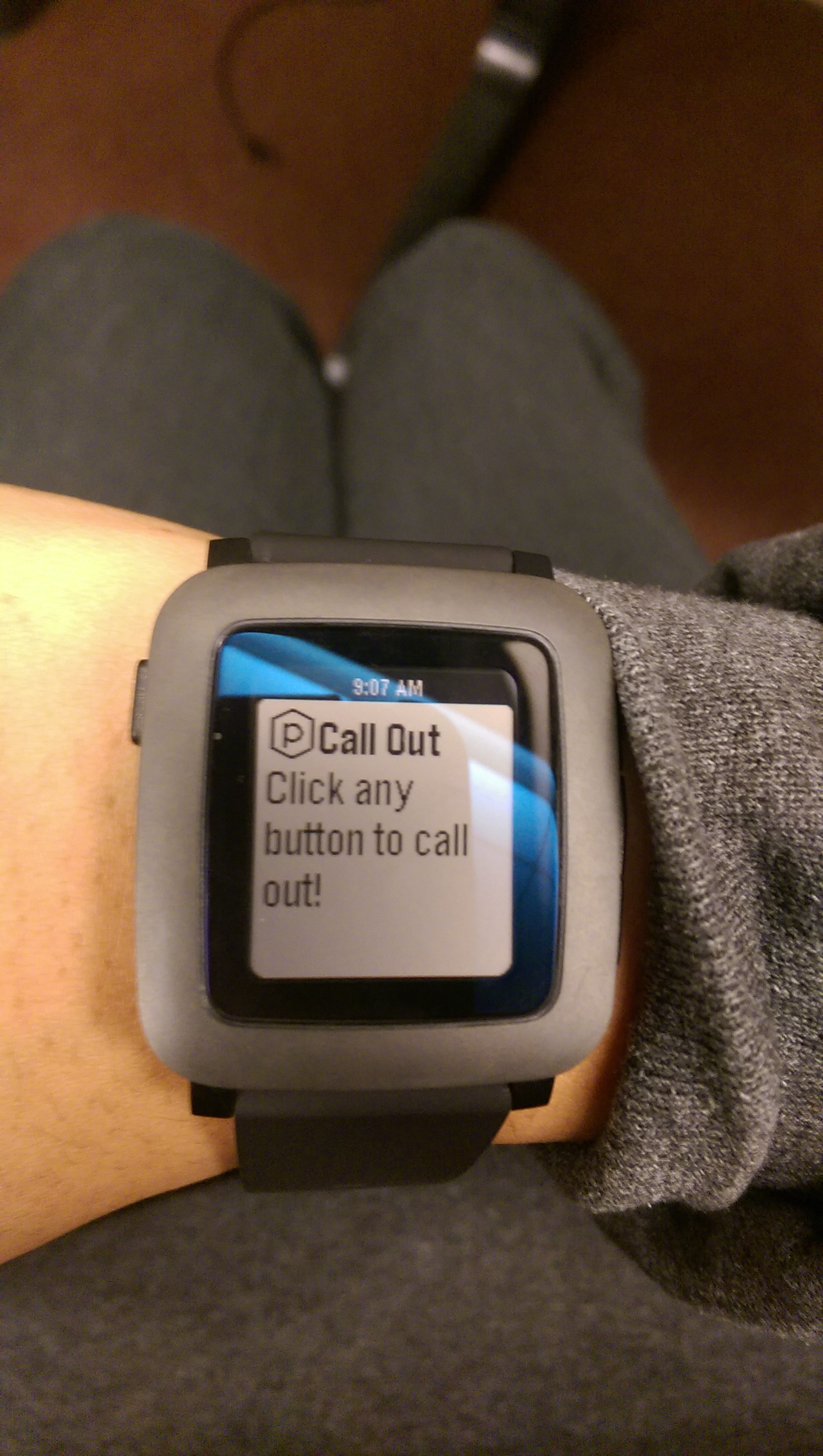
Each student has a watch and can submit either a "call out" to get the teacher's attention or can answer multiple choice questions posed by teachers. The teacher can view which student "called out" (aka raised their hand) first and can also see the results of how students responded to a multiple choice question.
How I built it
For the teacher's web interface, we used python for back-end development and bootstrap as a front-end framework. For students (who use the Pebble watches), we used Pebble.js to write the watch app.
Challenges I ran into
It was difficult to establish the communication between the watch and the Apache web server.
Accomplishments that I'm proud of
I am proud of the fact that we wrote our first ever Pebble app and that we were able to get it to respond to server requests and submit requests to the web server.
What I learned
I learned that building a watch app in less than two days is a daunting yet rewarding task.
What's next for EduWatch
We plan on incorporating a simple fun game into the app. More importantly, we'd like to make a "flashcard" component for students to review (on their Pebble watch) flashcards prepared by their teachers.

Log in or sign up for Devpost to join the conversation.