Inspiration
Education today is overflowing with information — lectures, PDFs, and endless notes. As a student, I realized that we spend more time organizing learning materials than actually learning from them. That inspired me to build an AI-powered Student Dashboard, where students can instantly:
Generate concise summaries,
Extract key concepts, and
Interact with an AI mentor for personalized guidance.
The goal was simple — make learning efficient, interactive, and human-like, with the help of AI.
What it does
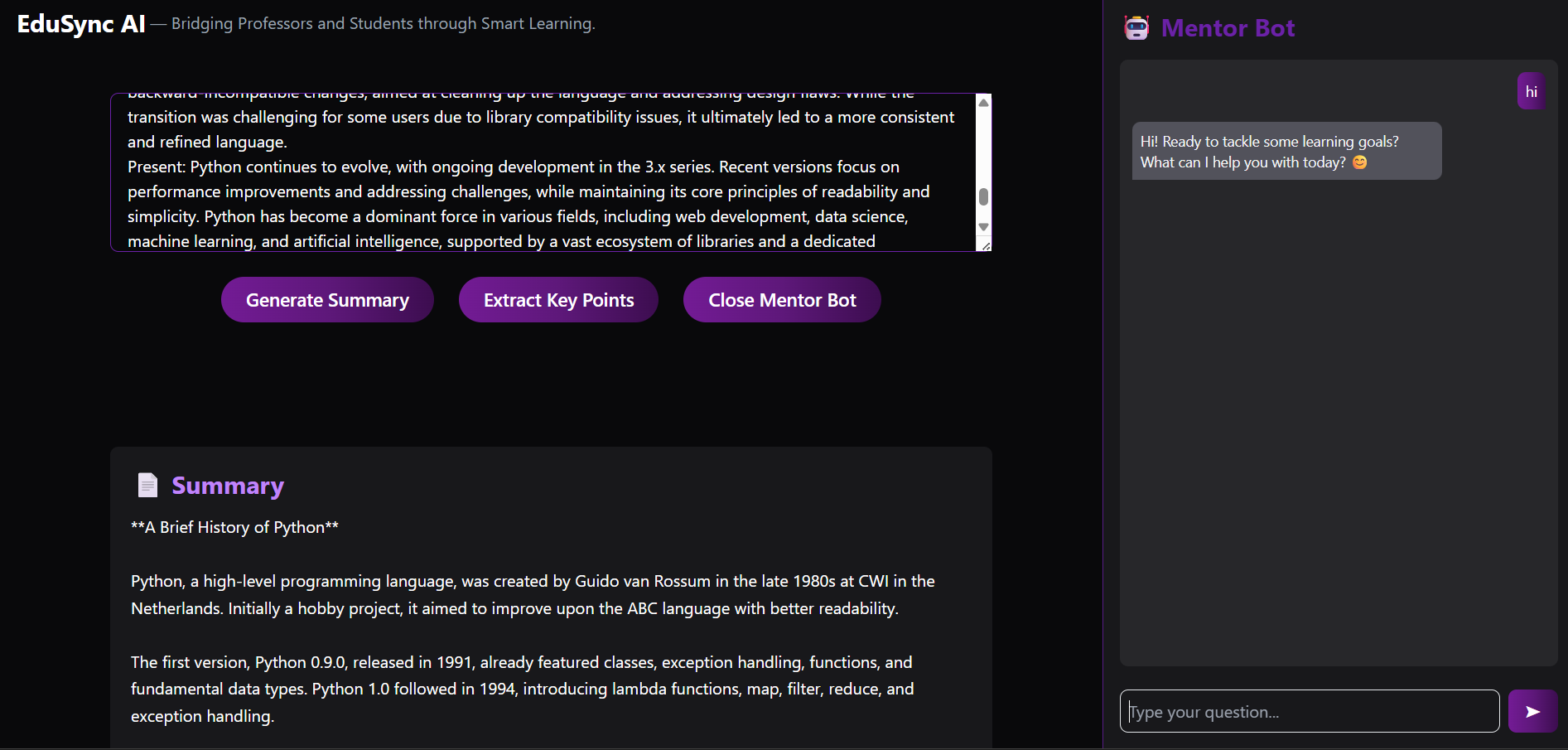
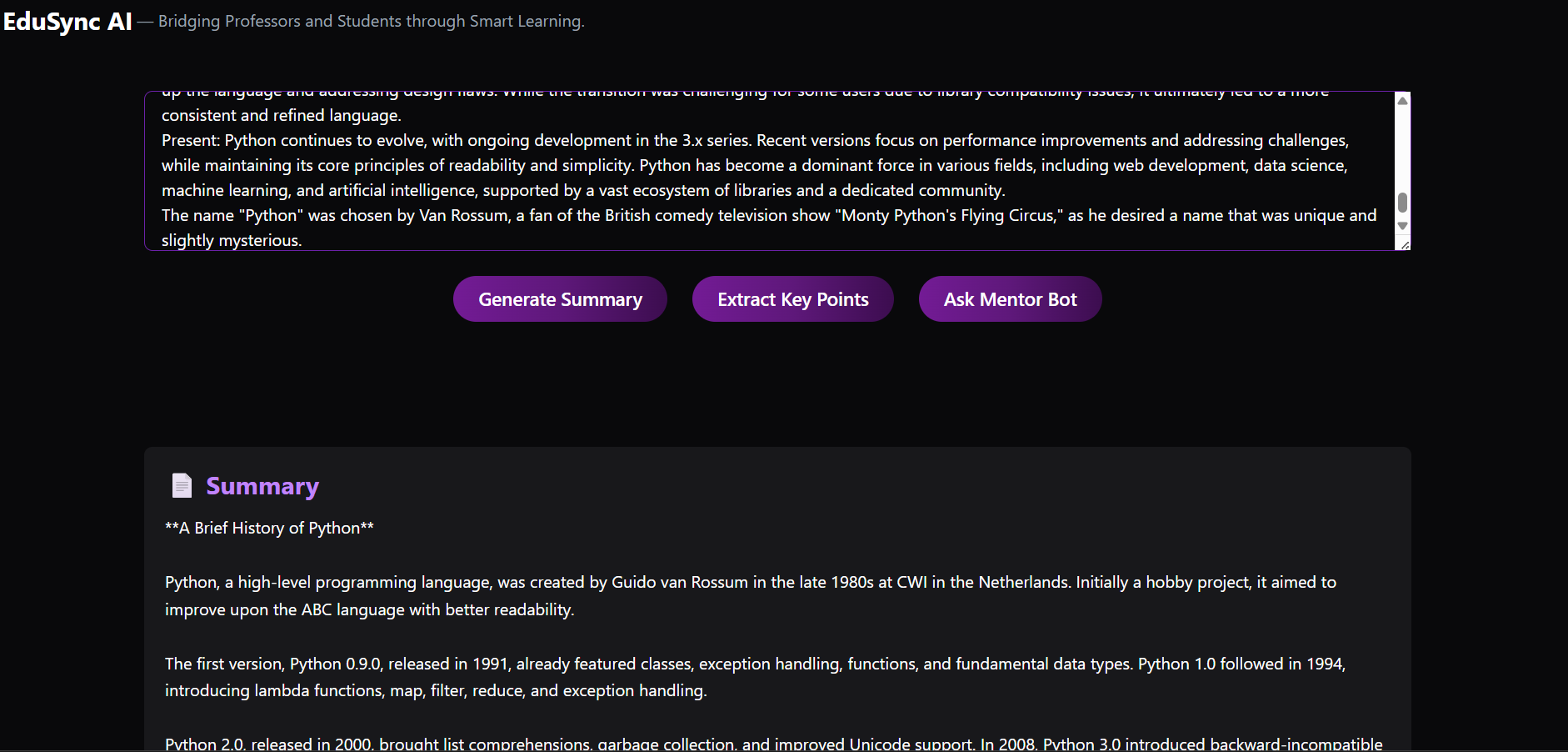
The Student Dashboard in EduSync-AI helps students:
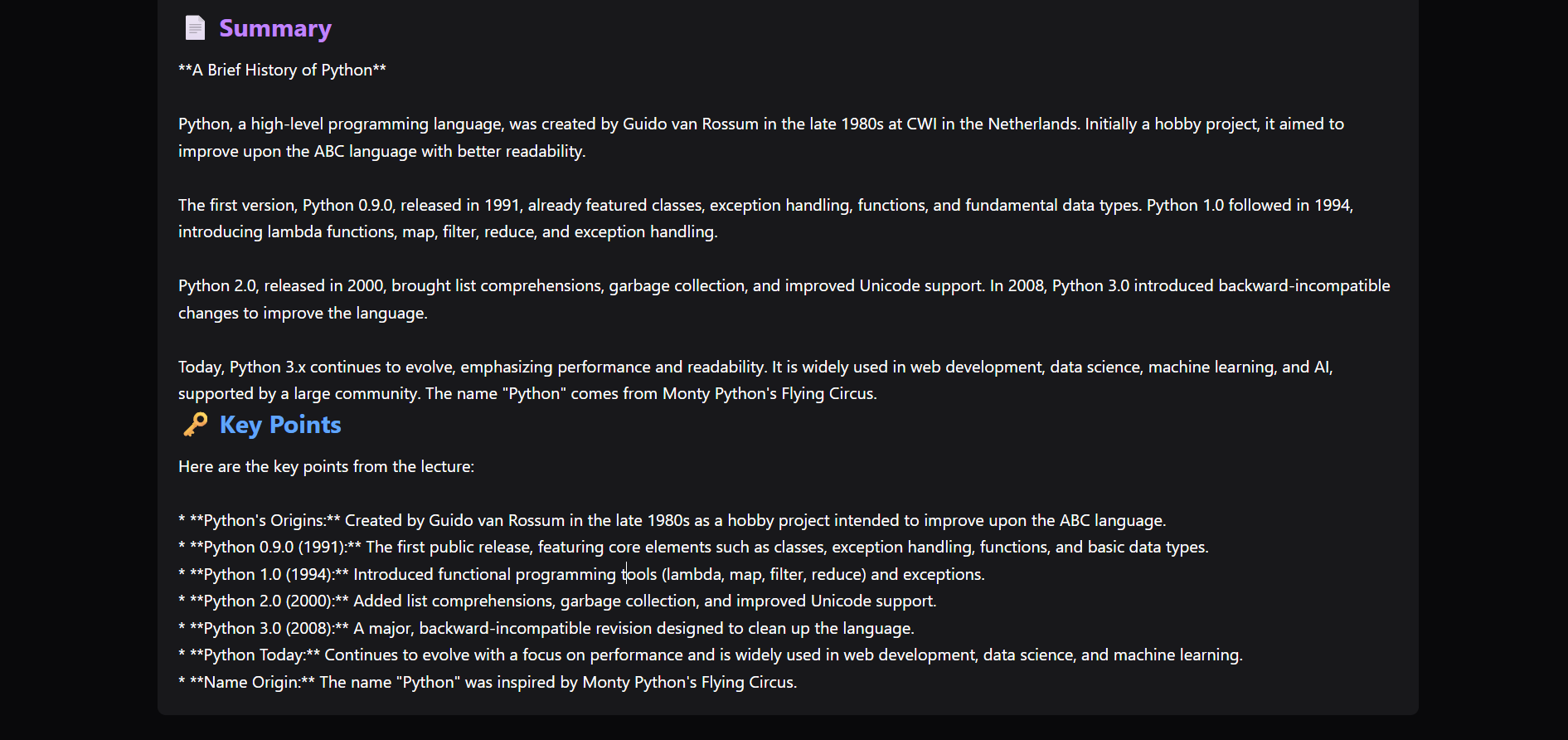
🧾 Summarize lecture notes into short, easy-to-read paragraphs.
🔑 Extract key points — perfect for quick revisions.
🤖 Chat with an AI Mentor Bot — to ask doubts, get concept clarity, or receive study tips.
All of this happens inside one clean, dark-themed web interface. While students scroll through summaries and notes, the mentor bot remains fixed on the right — always available for learning support.
How we built it
The project is powered by a React + Node.js architecture, with an AI layer for text understanding and generation.
🧩 Frontend:
Built using React.js and Tailwind CSS for responsiveness.
Axios is used for smooth API integration between frontend and backend.
Chatbot and content panels are separated by layout transitions to ensure independent scrolling and fixed chatbot visibility.
The UI focuses on accessibility, minimalism, and focus — with subtle animations and a calm dark theme.
🧠 Backend:
Developed using Node.js + Express.js.
AI responses (summary, key points, and mentor bot) are powered by the Gemini API.
Clean REST API routes:
/student/summary
/student/keypoints
/student/mentor
Challenges we ran into
Maintaining independent scroll areas: Ensuring the chatbot stayed fixed while summaries and key points scrolled independently required careful layout tuning in React + Tailwind.
API integration: Getting consistent responses from the AI API while maintaining speed and readability took fine-tuning of backend prompts.
State management: Managing chat messages, loading states, and user input simultaneously without breaking UI transitions was tricky.
Accomplishments that we're proud of
Designed a fully functional AI study companion interface.
Created a seamless two-pane layout — where learning content and the mentor bot work side by side.
Achieved instant summarization and key point extraction for long text inputs.
Built an intuitive user experience for students, with minimal distractions and maximum clarity.
What we learned
How to architect and connect a React frontend with an AI backend using REST APIs.
UI/UX design principles for educational interfaces that balance engagement and focus.
The importance of prompt engineering to get contextually correct AI answers.
Using layout control in Tailwind to achieve fixed vs scrollable component behaviors.
What's next for EduSync-AI
Even though I’ve built the Student Dashboard, this is just the foundation. Next steps include:
🎧 Adding voice input for the Mentor Bot.
📄 Upload & summarize PDF / DOCX files.
🧩 Introduce concept visualization (mind maps or flow charts).
📚 Expand to include Teacher & Admin dashboards for progress analytics.
EduSync-AI aims to evolve into a complete AI-powered learning ecosystem, where each student has their own personalized AI mentor.
Built With
- express.js
- node.js
- react
- talwind


Log in or sign up for Devpost to join the conversation.