-
-
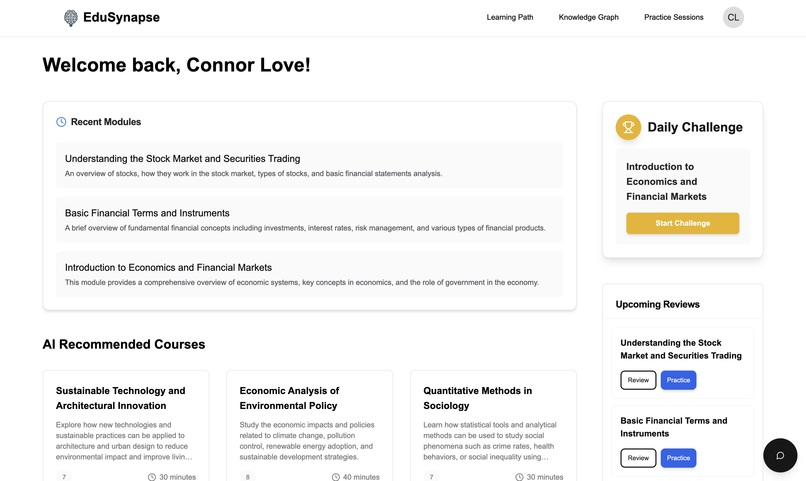
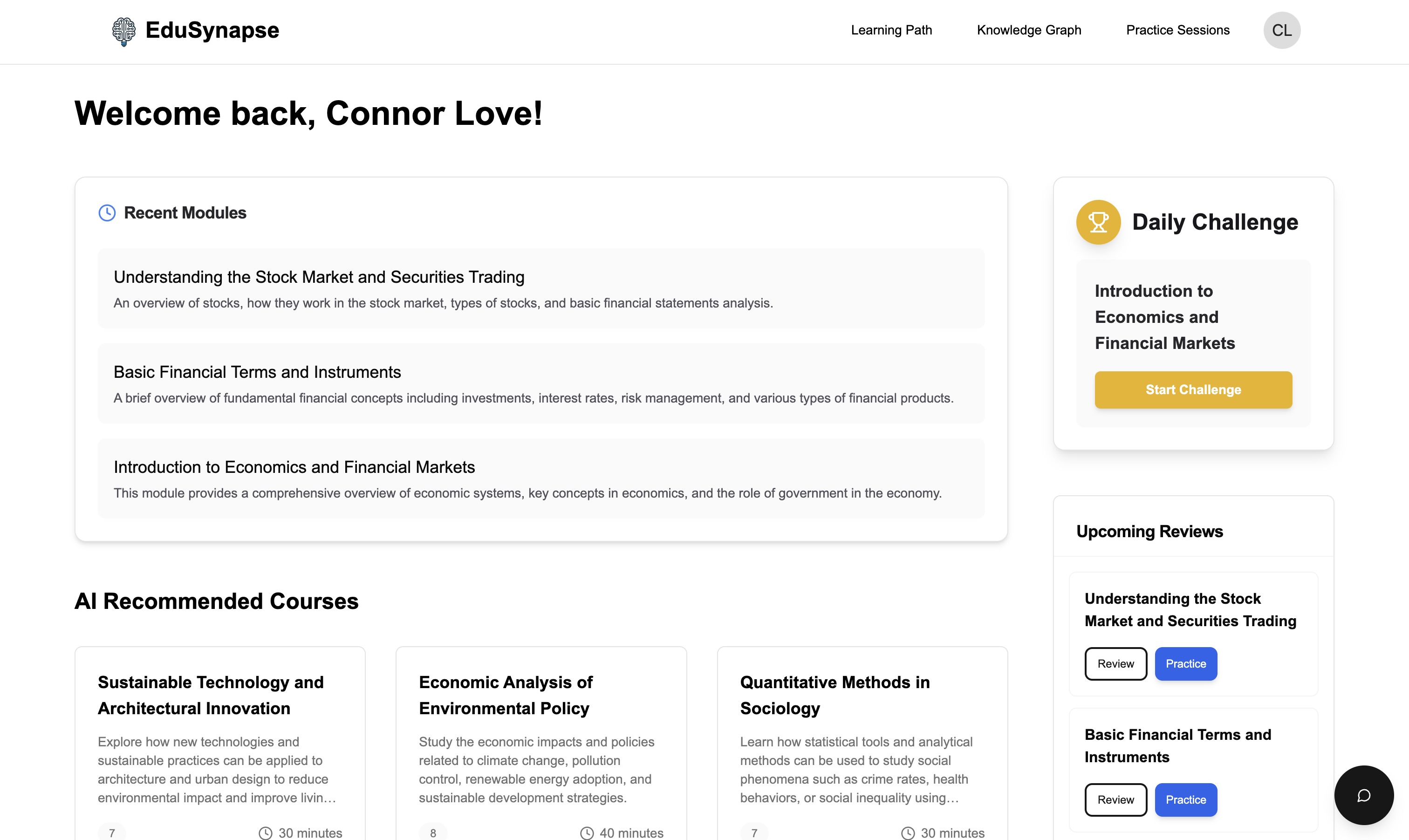
Dashboard
-
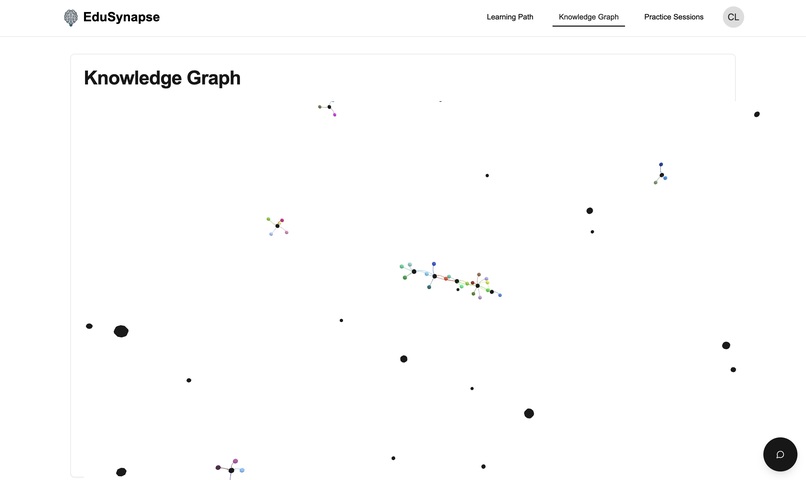
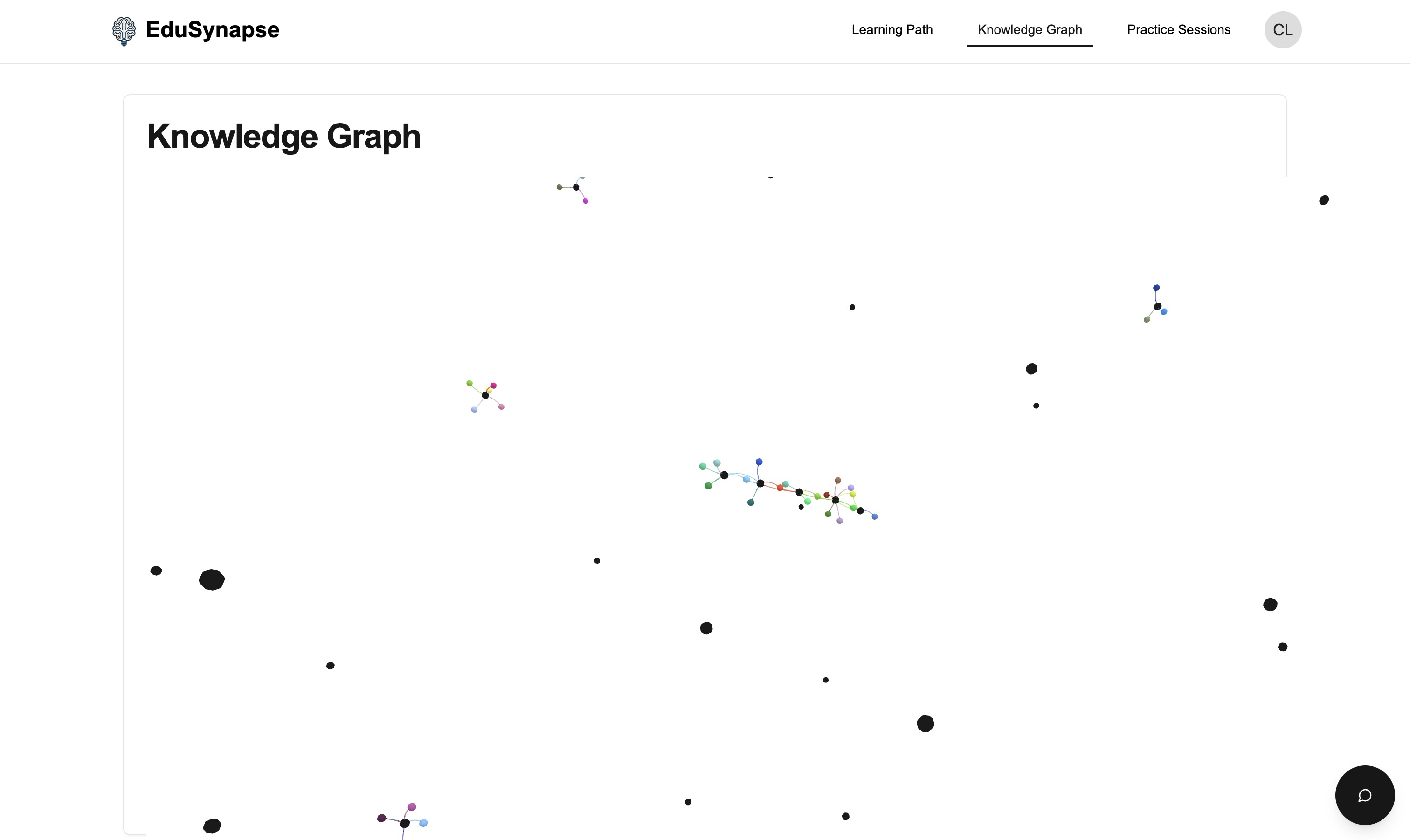
Knowledge Graph Page
-
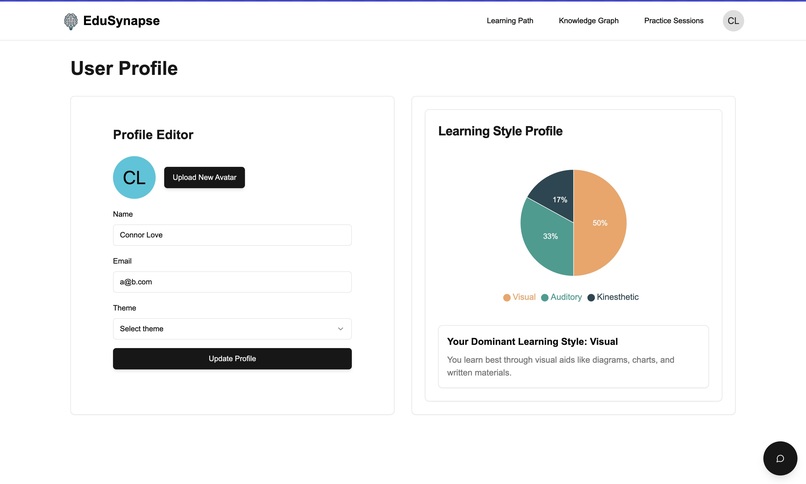
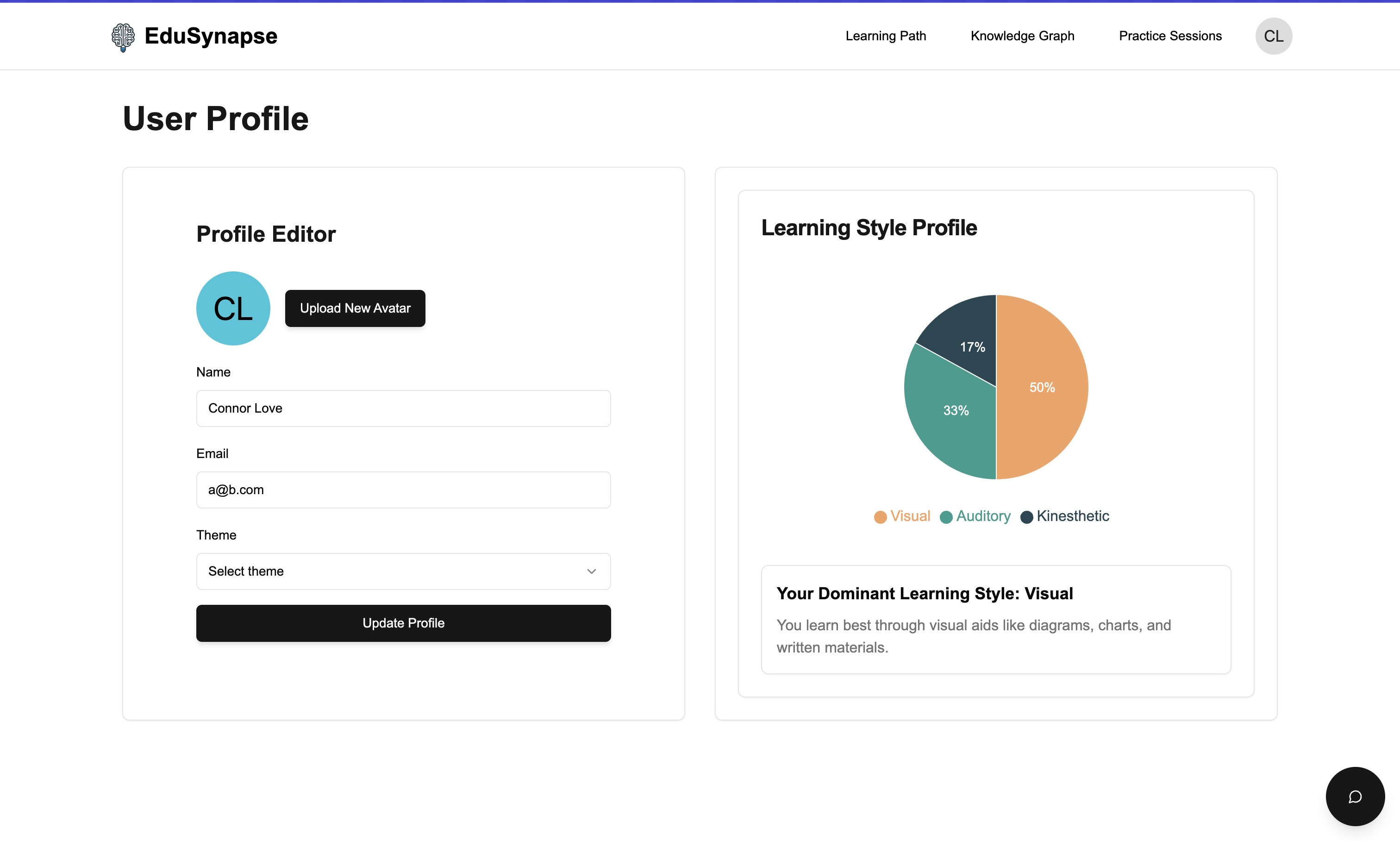
Profile Light Page
-
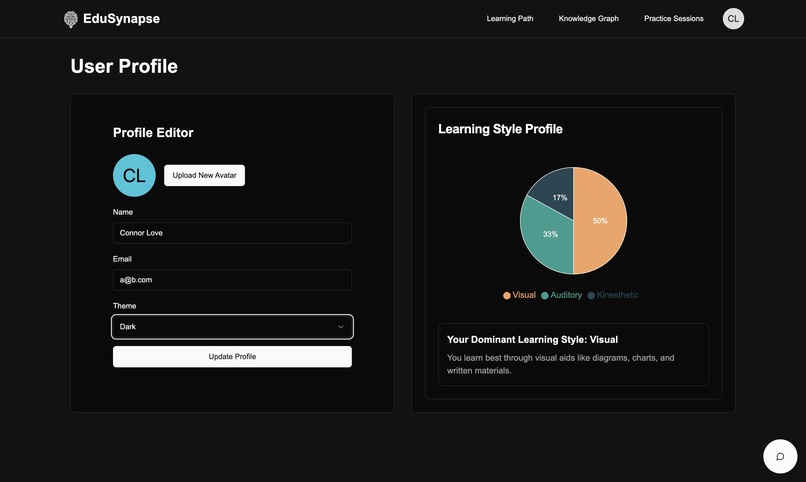
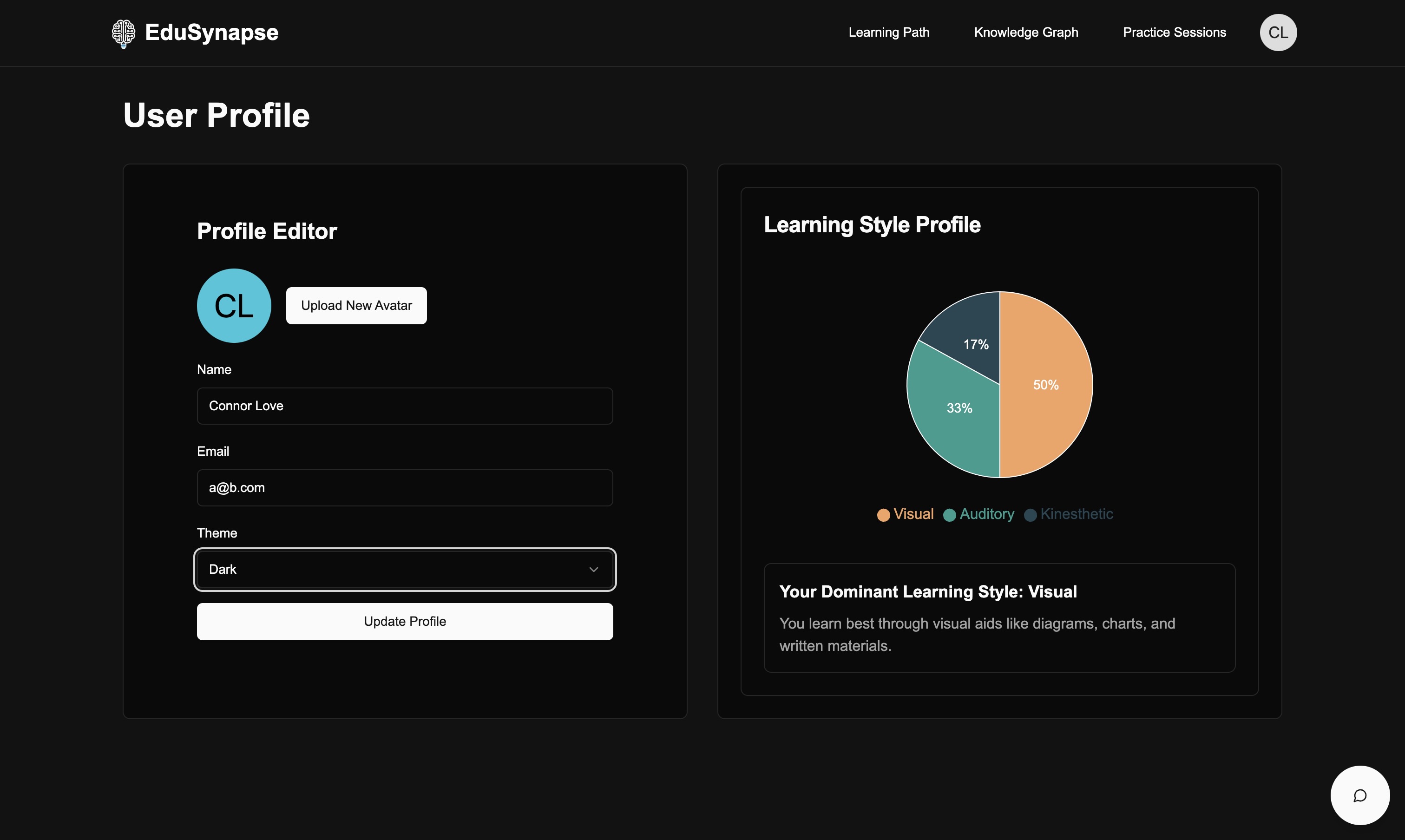
Profile Dark Page
-
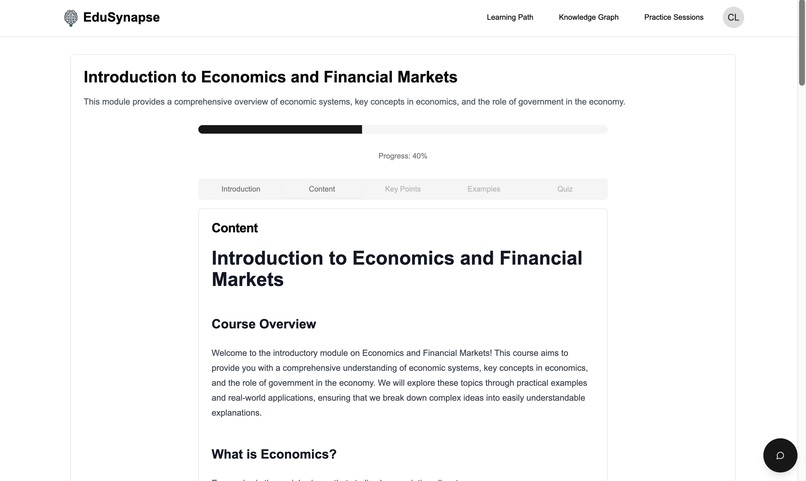
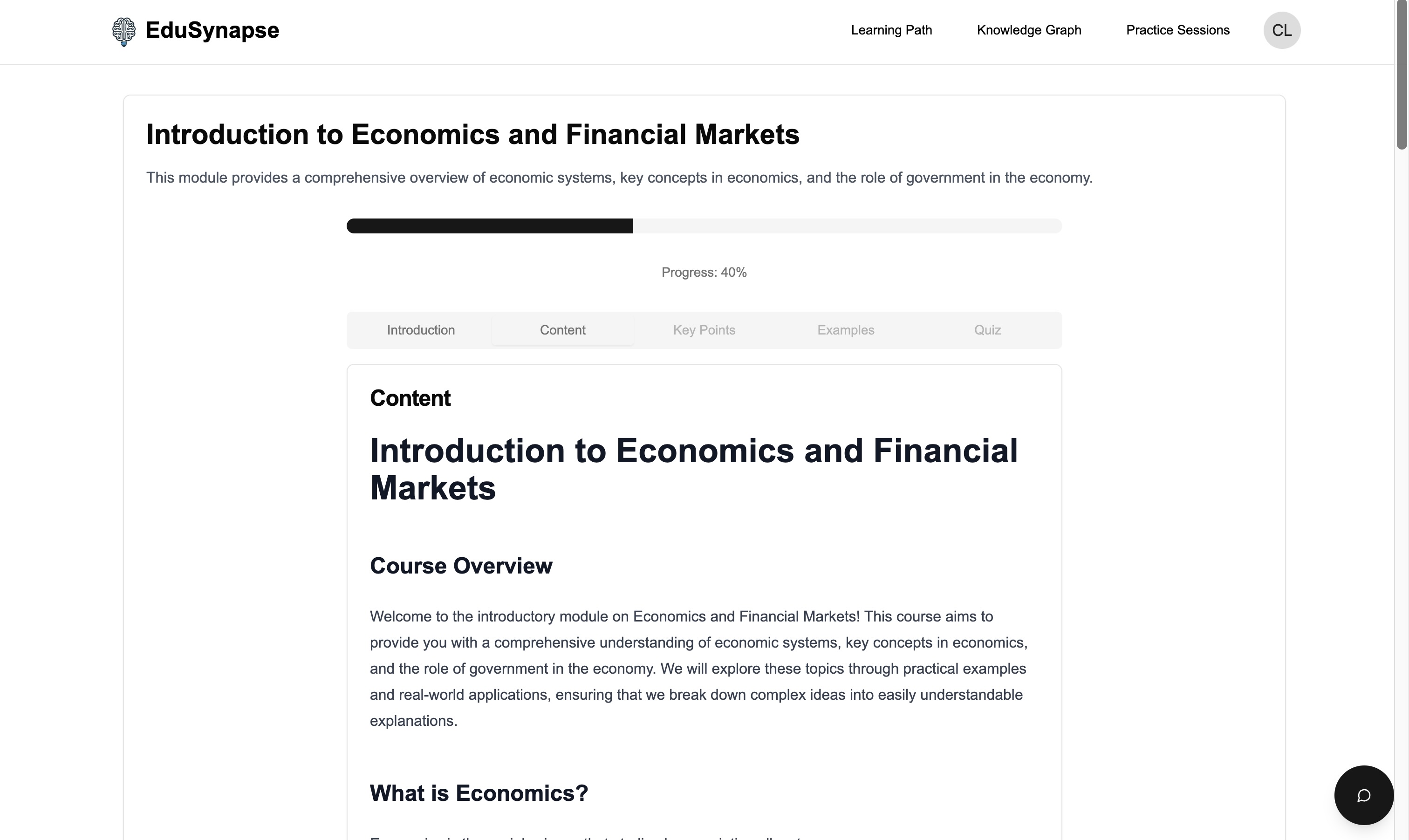
Content for Module
-
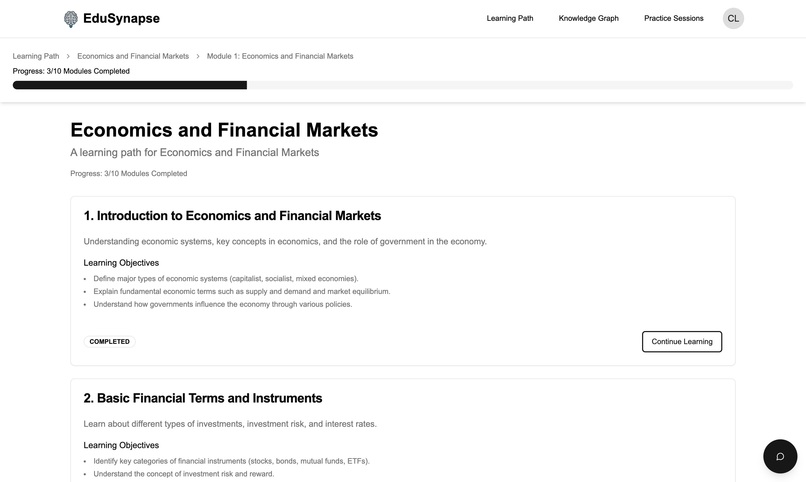
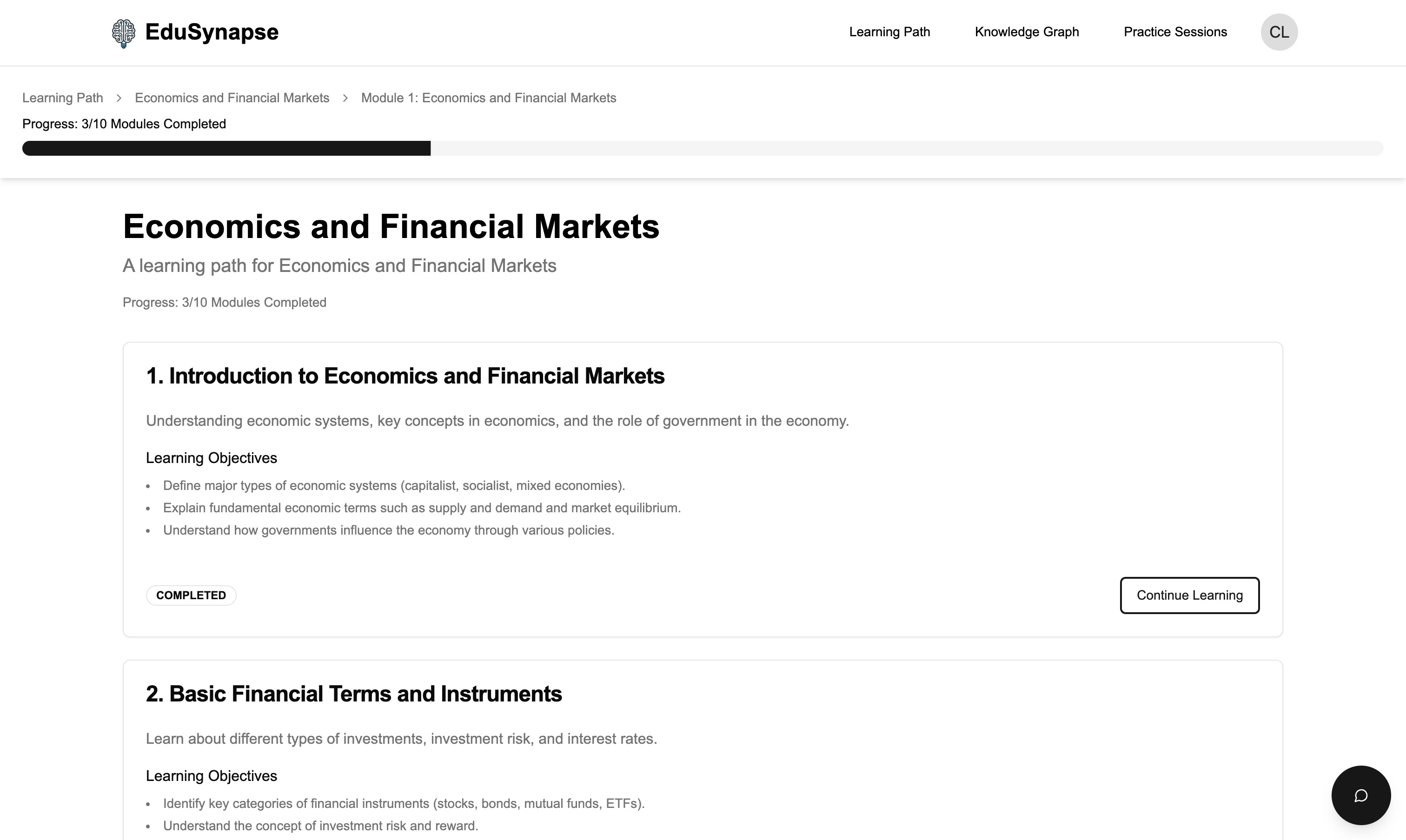
Modules in Learning Path
-
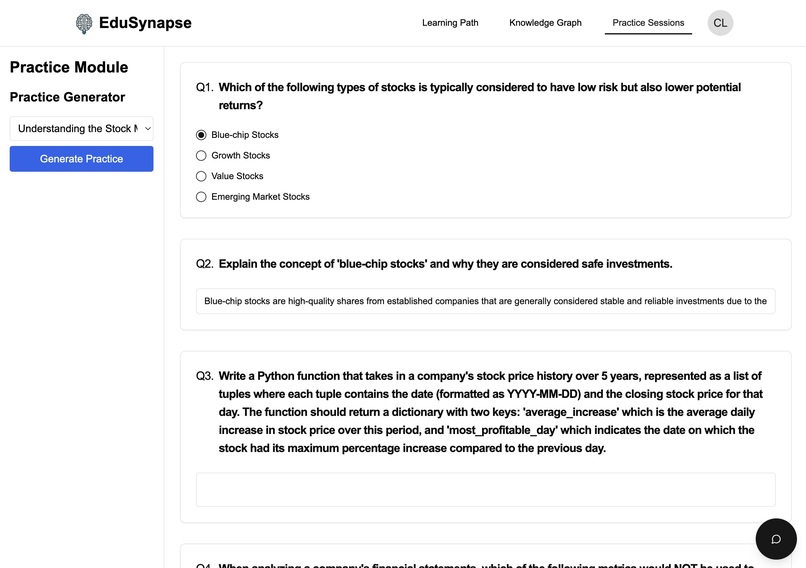
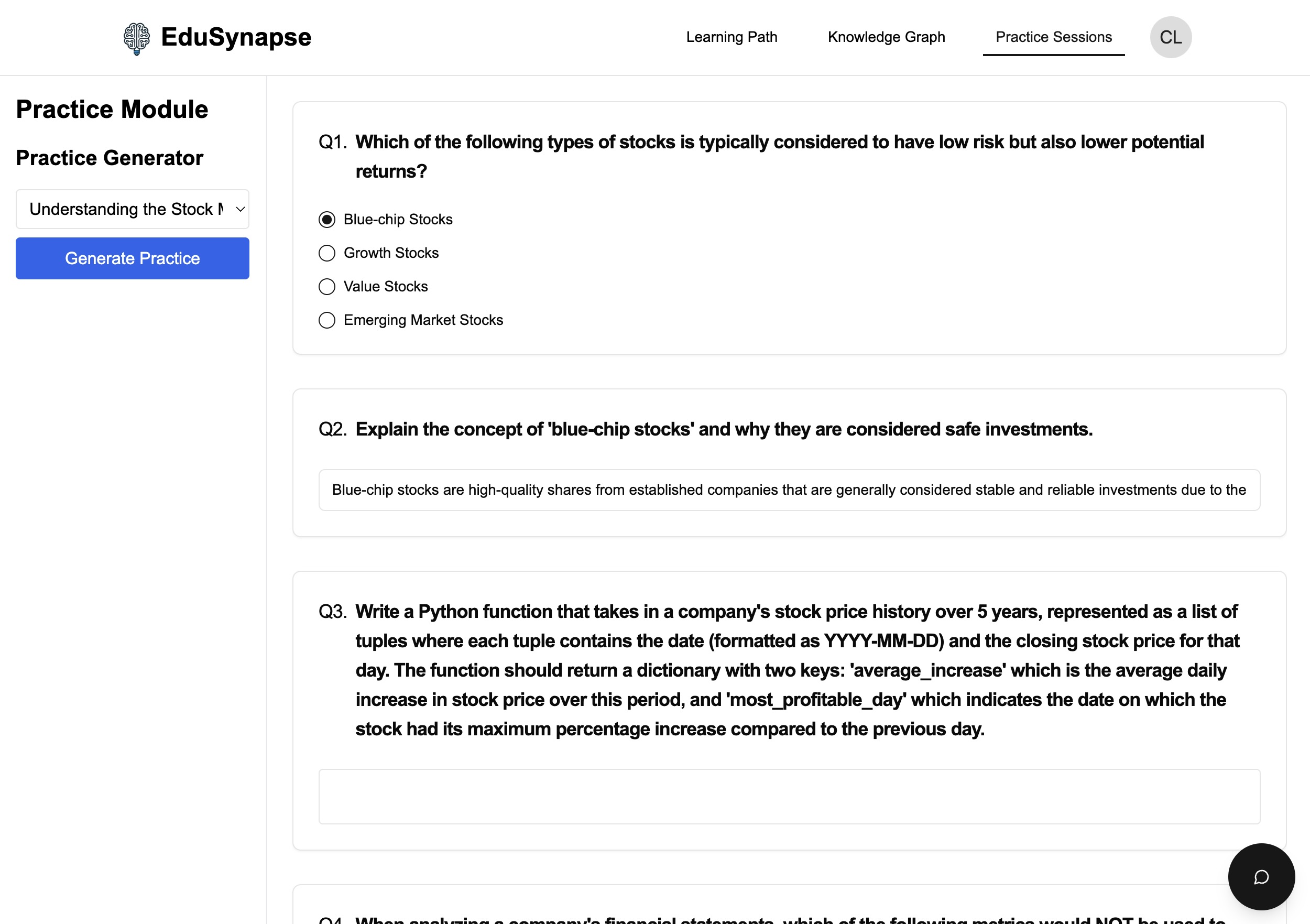
Practice Module
-
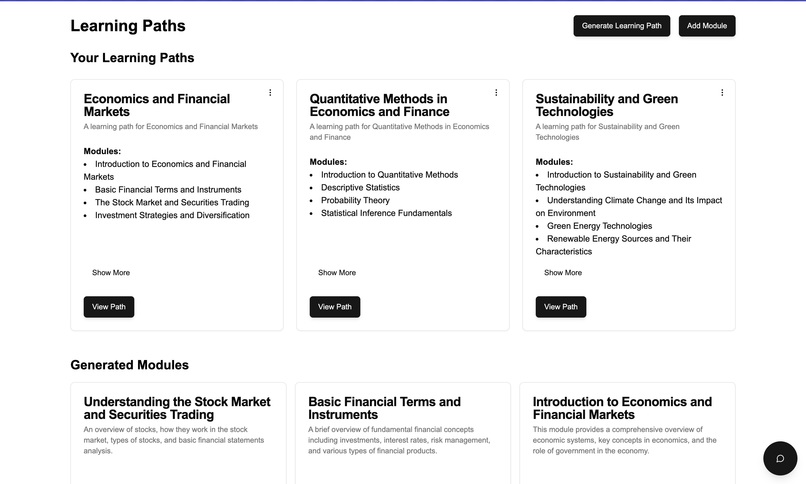
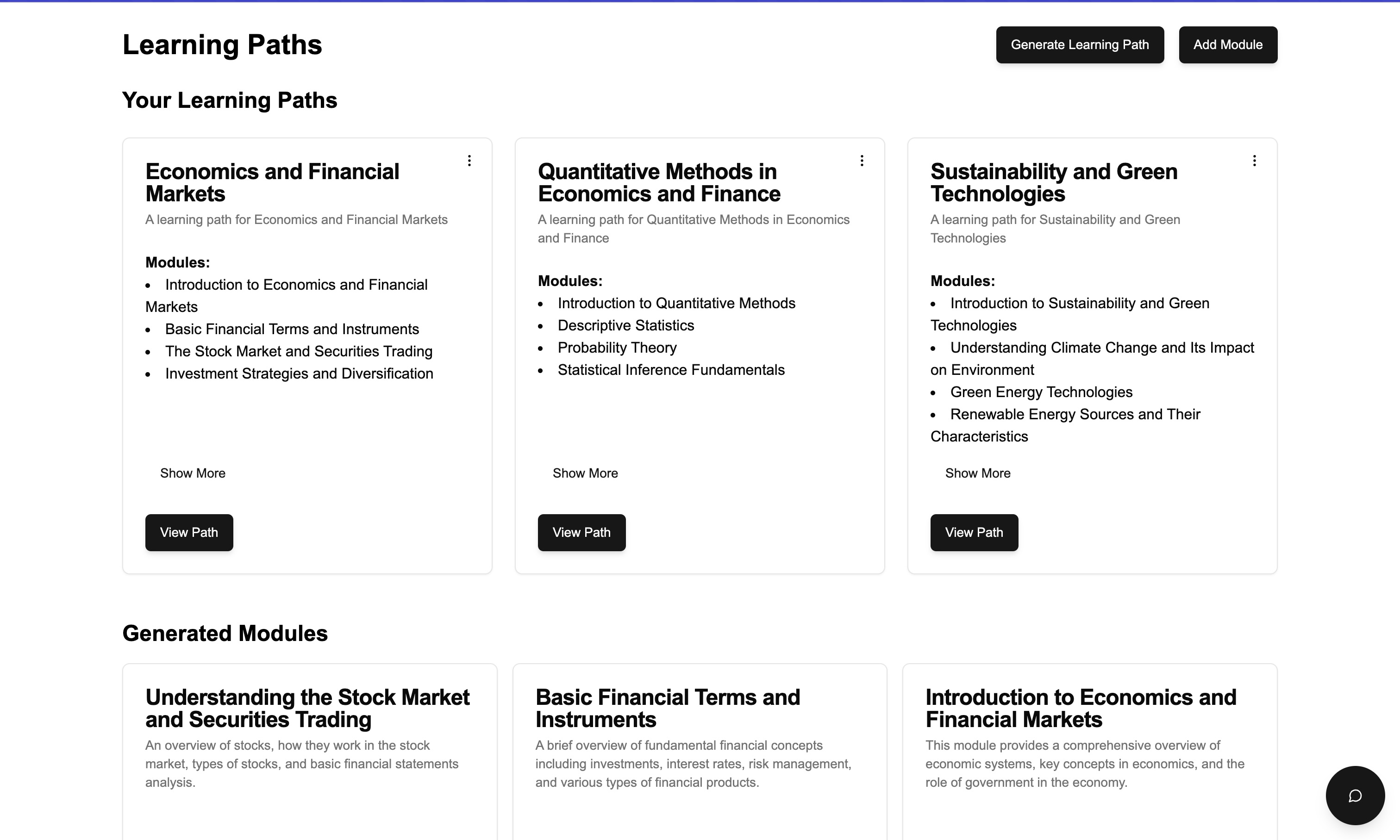
Learning Path Page
- EduSynapse
- Inspiration
- What it does
- How we built it
- Challenges we ran into
- Accomplishments that we're proud of
- What we learned
- What's next for EduSynapse
- Getting Started Experience
- Main Workflow
- Interactive Code Execution
- Meet STEVE - Your AI Learning Assistant
- Core Features
- Technical Stack
- Development Setup
- Acknowledgments
EduSynapse
Connor Love and TJ Raklovits
EduSynapse is an intelligent learning platform that combines state-of-the-art AI technology with proven learning methodologies to create a personalized and effective educational experience.
Inspiration
Education is undergoing a massive transformation, yet many students still struggle with traditional one-size-fits-all learning approaches. We were inspired by the potential of AI to create a truly personalized learning experience that adapts to each student's unique learning style, pace, and interests. The breakthrough in AI scaling techniques, particularly the S1 paper, showed us how we could make this vision a reality.
What it does
EduSynapse is an intelligent learning platform powered by STEVE (System for Teaching, Evaluating, and Visualizing Education), our custom AI assistant. It creates personalized learning paths, provides interactive feedback, and helps students master complex topics through:
- Adaptive Learning Paths: Custom-tailored educational journeys based on your learning style
- Interactive Code Execution: Run Python and JavaScript directly in your browser
- Knowledge Visualization: Graph-based representation of concepts and their relationships
- Spaced Repetition: Smart review scheduling using our custom ease factor algorithm
- Real-time AI Assistance: STEVE is always available to help explain concepts and answer questions
How we built it
We combined cutting-edge technologies to create a robust and scalable platform:
AI Core:
- Custom-trained models using S1 scaling (steve-small, steve-medium)
- Base model from Qwen 2.5
- Local deployment using Ollama
- DeepSeek-R1 for advanced reasoning
Frontend:
- Next.js 14 with App Router
- TypeScript for type safety
- shadcn/ui for a beautiful, accessible interface
- D3.js and React Force Graph for knowledge visualization
- KaTeX for mathematical notation
Backend:
- Prisma ORM with PostgreSQL
- JWT authentication
- Custom spaced repetition algorithm
Challenges we ran into
AI Model Training:
- Implementing S1 scaling correctly
- Balancing model size with performance
- Ensuring consistent quality across different types of content
Code Execution:
- Implementing secure sandboxing for Python and JavaScript
- Managing memory usage with Pyodide
- Ensuring fast execution times
Database Management:
- Using Prisma to store user information in a robust, no SQL way
- Handling race conditions and developing pooling
Accomplishments that we're proud of
- Successfully implemented a custom AI scaling approach based on cutting-edge research
- Created an intuitive knowledge graph visualization system
- Developed a sophisticated spaced repetition algorithm that adapts to user performance
- Built a secure, sandboxed code execution environment
- Achieved seamless integration between AI assistance and human learning patterns
What we learned
Database Management with Prisma:
- Efficient schema design for learning paths and user progress
- Handling complex relationships between modules and user data
- Implementing middleware for automatic timestamps and relations
- Optimizing database queries for large-scale operations
AI Integration with Ollama:
- Setting up local model deployment and management
- Optimizing model loading and response times
- Implementing proper error handling and fallbacks
- Managing model weights and configurations
- Balancing between different model sizes (steve-small vs steve-medium)
Next.js App Router Architecture:
- Structuring routes for optimal performance
- Managing server-side vs client-side rendering
- Implementing efficient data fetching patterns
- Handling dynamic imports and code splitting
What's next for EduSynapse
Enhanced Collaboration:
- Real-time collaborative workspaces
- Peer learning features
- Study group formation based on learning styles
- Shared note-taking and annotation tools
Advanced AI Features:
- More sophisticated knowledge mapping
- Improved personalization algorithms
- Integration with additional AI models
- Enhanced natural language understanding
Platform Expansion:
- Mobile application development
- Offline learning capabilities
- Integration with existing LMS systems
- Support for more programming languages
Learning Analytics:
- Advanced progress tracking
- Predictive learning patterns
- Detailed performance analytics
- Learning style optimization
We're committed to making EduSynapse the most effective and accessible learning platform, helping students worldwide achieve their educational goals through the power of AI-assisted learning.
Getting Started Experience
- Welcome Question:
- Live-generated unique question based on your interests
- Demonstrates AI capabilities from the start
- Personalized interaction to gauge your knowledge level
- User Profile Setup:
- Learning style assessment (Visual, Auditory, Reading/Writing, Kinesthetic)
- Theme customization (Light/Dark mode, accent colors)
- Profile picture and display name
- Personal interests and goals tracking
Main Workflow
Create Learning Path: Start by creating a personalized learning path for any topic. The AI analyzes your interests and learning style to structure the perfect learning journey.
Module-Based Learning: Each learning path is broken down into smaller, digestible modules that include:
- Introduction and overview
- Core concepts
- Interactive examples
- Key points
- Practice quizzes
- Module Creation: Create custom modules to learn, including:
- Rich text content
- Code examples with live execution
- Interactive elements
- Assessment questions
Interactive Code Execution
All code blocks in content and examples support live execution:
- Python: Run Python code directly in your browser using Pyodide
- JavaScript: Execute JavaScript code using secure eval
- Real-time Output: See results instantly
- Interactive Examples: Modify and experiment with code on the fly
Meet STEVE - Your AI Learning Assistant
STEVE (System for Teaching, Evaluating, and Visualizing Education) is the powerful AI that drives EduSynapse. As your dedicated learning companion, STEVE helps you master new skills and build knowledge effectively:
- Personalized Learning Paths: Analyzes your interests and learning style to create custom educational journeys
- Interactive Teaching: Explains complex concepts with step-by-step breakdowns
- Adaptive Support: Adjusts difficulty and pacing based on your performance
- Real-time Help: Available 24/7 to answer questions and provide guidance
STEVE comes equipped with three powerful tools:
- File Reader:
- Reads and analyzes your uploaded learning materials
- Extracts key concepts and creates study notes
- Think Tool:
- Powered by DeepSeek-R1 for advanced reasoning
- Step-by-step explanation of solutions
- Helps break down difficult concepts into understandable parts
- Deep understanding of programming concepts and mathematics
- Calculator:
- Handles mathematical calculations of any complexity
- Shows detailed work and explanations
- Supports various mathematical notations and formats
Core Features
AI-Powered Learning: Utilizing a custom-trained AI model based on the S1 (Simple test-time scaling) approach from this research paper and implemented using the simplescaling/s1 framework.
Adaptive Learning Paths: Dynamically generated learning paths based on your learning style, interests, and progress.
Spaced Repetition System: Implements an advanced spaced repetition algorithm using our custom ease factor formula:
  EF' = EF * (1 + a)     // for correct answers
  EF' = EF * (1 - b)     // for incorrect answers
where:
- EF' is the new ease factor
- EF is the current ease factor (default: 2.5)
- a = 0.1 (correct answer factor)
- b = 0.2 (incorrect answer factor)
Minimum ease factor: 1.3
- Knowledge Graph: Visual representation of learning concepts and their relationships.
- Interactive Practice: AI-generated practice questions with intelligent grading and feedback.
- Progress Tracking:
Detailed analytics
Learning style assessment
Performance metrics
Study streaks
Module creation and organization
- Personalization:
Learning style quiz
Interest-based recommendations
Adaptive difficulty scaling
Technical Stack
Frontend:
- Next.js 14 with App Router
- TypeScript for type safety
- shadcn/ui for beautiful, accessible components
- Tailwind CSS for styling
- React Query for data fetching
- KaTeX for mathematical notation
- D3.js and React Force Graph for visualizations
- React Beautiful DnD for drag-and-drop
Backend:
- Prisma ORM for database operations
- PostgreSQL database
- RESTful API endpoints
- JWT authentication
- Ollama for local AI model hosting
Content & Editing:
- Custom code editor with syntax highlighting
- Markdown support with React Markdown
- Math equations with KaTeX
- Code syntax highlighting with Prism.js
- Rich text editing capabilities
AI Integration:
- Custom-trained model using S1 scaling (steve-small, steve-medium)
- Natural language processing for content understanding
- Automated question generation
- Intelligent answer grading
- Personalized recommendations
Security:
- Role-based access control
- Secure authentication
- Data encryption
- Privacy protection
Development Setup
- Clone the repository
- Install dependencies:
npm install - Set up environment variables:
   DATABASE_URL="postgresql://..."
   NEXTAUTH_SECRET="your-secret"
- Run database migrations:
npx prisma migrate dev - Run the development server:
npm run dev
Acknowledgments
- S1 Simple test-time scaling paper
- simplescaling/s1 framework
- Pyodide for in-browser Python execution
- DeepSeek for the DeepSeek-R1 model powering our Think Tool
- shadcn/ui for the beautiful UI components
- Ollama for local LLM hosting
- qwen2.5 for the base model of STEVE
Built With
- nextjs
- ollama
- prisma
- react
- react-force-graph
- reactmarkdown
- s1
- shadcn

Log in or sign up for Devpost to join the conversation.